Ultimate Guide To GreenGeeks: 10 Powerful Hosting Features
The Ultimate Guide to GreenGeeks helps you explore an environmentally conscious hosting provider without overlooking performance, reliability, or affordability. Choosing the right web hosting service matters when you’re building a website or growing an online business.
GreenGeeks combines website hosting with an environmental commitment. Its services support WordPress websites, personal blogs, business websites, and online stores.
However, affordable hosting involves more than introductory rates. Performance, security, customer support, and renewal costs all deserve careful consideration.
This guide explores GreenGeeks’ features, pricing, benefits, limitations, and setup process. You’ll discover what the provider offers and whether its hosting services suit your website’s needs.
What Is GreenGeeks Web Hosting?
GreenGeeks is a web hosting provider established in 2008. It offers hosting services for individuals, bloggers, businesses, and developers. The company combines website hosting with a commitment to reducing its environmental impact.
When you purchase hosting, your website’s files, images, and databases are stored on a server. GreenGeeks makes these resources accessible to visitors online. Its services support WordPress blogs, business websites, portfolios, and eCommerce stores.
One of GreenGeeks’ most distinctive features is its environmental initiative. The company purchases renewable energy certificates representing 300% of its annual electricity consumption. This supports renewable electricity generation equivalent to three times the electricity its operations consume.
GreenGeeks also participates in environmental initiatives, including tree planting. These efforts distinguish its approach from conventional hosting providers, although renewable energy certificates do not mean its servers run exclusively on renewable electricity.
GreenGeeks offers shared hosting, WordPress hosting, WooCommerce hosting, VPS hosting, and reseller hosting. Its shared hosting packages include familiar tools such as cPanel, making everyday website management easier for beginners.
The company also provides practical features such as SSL certificates, website migration assistance, backups, email hosting, and caching.
Availability varies by hosting package, so reviewing the included features helps you choose a suitable plan. For a closer look at the provider’s overall strengths and limitations, read our GreenGeeks Review: The Eco-Friendly Hosting Solution.
What Are The Key Features Of GreenGeeks Hosting?
GreenGeeks offers a combination of hosting essentials, performance tools, security features, and environmental initiatives. These features help website owners create, manage, and maintain their online presence without requiring extensive technical knowledge.
Whether you’re launching a personal blog, building a business website, or managing an eCommerce store, choosing the right hosting features matters. Reliable performance, website protection, and straightforward management tools can simplify day-to-day operations.
GreenGeeks also stands out for its commitment to supporting renewable energy and environmental projects. Understanding how these initiatives complement its hosting services can help you evaluate the provider’s overall value.
Let’s explore ten key features of GreenGeeks hosting and how they may benefit your website.
1. Environmentally Responsible Hosting
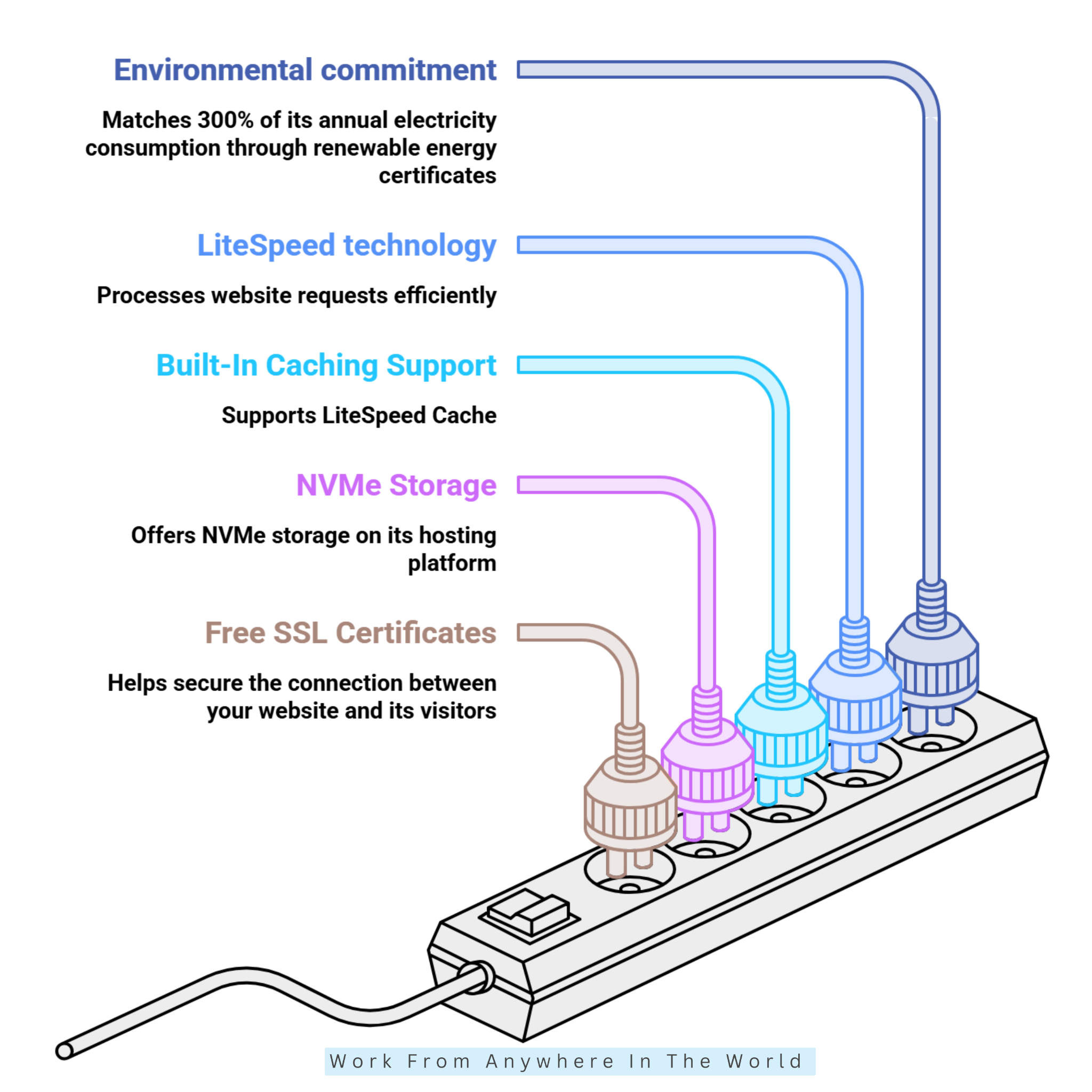
GreenGeeks stands out for its commitment to environmental sustainability. The company matches 300% of its annual electricity consumption through renewable energy certificates. This supports renewable electricity generation equivalent to three times the electricity its hosting operations consume.
GreenGeeks supports environmental restoration through tree-planting initiatives. These efforts appeal to bloggers and businesses that value sustainability.
Choosing environmentally responsible hosting can complement other efforts to reduce environmental impact. It also helps businesses align their hosting choices with their environmental values.
However, renewable energy matching does not mean every GreenGeeks server runs directly on renewable electricity at all times. Understanding this distinction helps website owners evaluate the company’s environmental commitments realistically.
2. LiteSpeed Web Server Technology
GreenGeeks uses LiteSpeed web server technology on its shared hosting platform. This technology processes website requests efficiently and works with caching tools to improve loading speeds and overall performance.
LiteSpeed is particularly useful for WordPress websites with themes, plugins, and dynamic content. Faster server responses can improve the browsing experience.
For additional optimization ideas, explore our Best Tips To Improve Your Website Speed. These practical strategies can help your website load more efficiently.
However, website speed also depends on your hosting plan, design, image sizes, plugins, and traffic levels. Optimizing these elements remains important for maintaining consistent performance as your website grows.
3. Built-In Caching Support
Caching stores frequently accessed content so servers don’t have to generate it repeatedly. GreenGeeks supports the LiteSpeed Cache plugin to help WordPress websites load efficiently.
For more optimization ideas, explore our How To Make Your WordPress Site Faster. These tips can help reduce loading times and improve website performance.
For example, returning visitors may receive cached pages instead of triggering multiple database requests. This can improve response times, reduce server workload, and create a smoother browsing experience.
Website owners can manage caching through compatible WordPress plugins and settings. However, careful configuration is important for online stores, login pages, and frequently updated content. These areas may require specific exclusions to ensure visitors always see accurate information.
4. NVMe Storage
Storage technology affects how quickly a hosting server can access website files and database information. GreenGeeks offers NVMe storage on its hosting platform, providing faster data access than traditional storage drives.
NVMe storage can improve website responsiveness, especially for image-heavy blogs and online stores. Faster data access helps servers process requests more efficiently.
However, large images can still affect loading times. Our Best WordPress Image Optimizer Plugins article explores tools that help improve image performance.
However, NVMe storage alone cannot guarantee fast website performance. Large images, poorly optimized plugins, and inefficient database queries can still slow down your pages. Regular website maintenance and optimization remain essential for consistent performance.
5. Free SSL Certificates
GreenGeeks includes free SSL certificates that help secure connections between your website and its visitors. When SSL is active, your website uses HTTPS instead of HTTP, encrypting information exchanged between browsers and servers.
HTTPS is particularly important for login pages, contact forms, and online stores. It protects information during transmission and helps visitors feel more secure.
For further details, explore Let’s Encrypt’s explanation of HTTPS. This resource explains how SSL certificates protect website connections and support safer browsing.
Modern browsers may display security warnings when websites lack valid SSL certificates. GreenGeeks makes SSL installation convenient, but you should confirm that your certificate remains active and renews correctly.
6. Website Migration Assistance
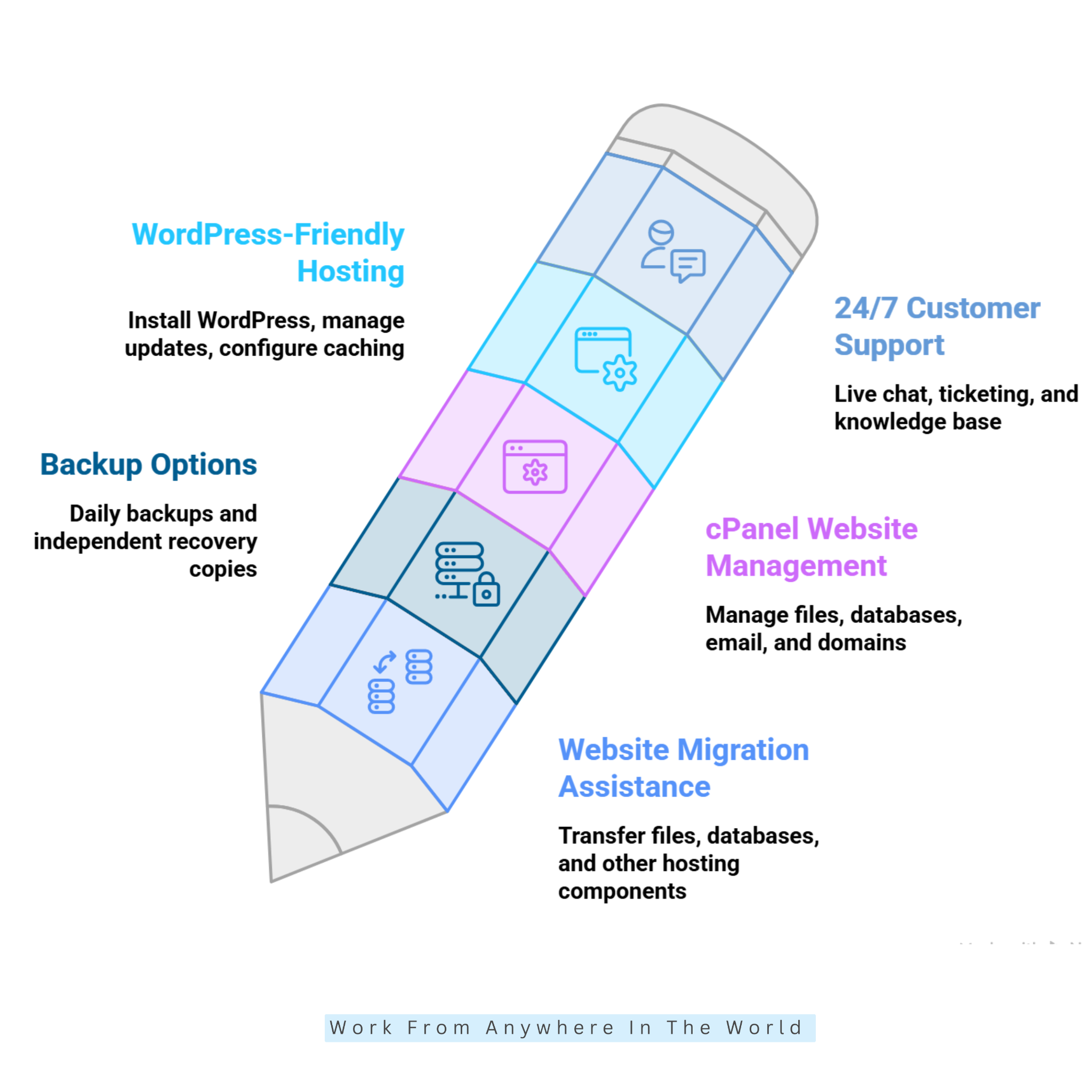
Moving a website from one hosting provider to another can involve several technical steps. GreenGeeks offers migration assistance to eligible customers, helping transfer website files, databases, and other hosting components.
Migration support is particularly helpful for bloggers and businesses with established websites. It can reduce technical work and make switching hosting providers easier.
Our Ultimate Website Migration Checklist covers important preparation and testing steps. Following a checklist can help prevent problems during the transition.
After the migration, check your website’s pages, images, contact forms, and login area. Testing these features helps identify potential issues and ensures your website functions correctly on its new hosting platform.
7. Backup Options
Backups provide an important recovery option when website problems occur. GreenGeeks advertises daily backups on its hosting plans, though restoration options and limitations may vary by service.
A recent backup can help restore your website after a failed update, accidental deletion, or technical problem. This protection is particularly valuable for business websites and online stores, where unexpected downtime can disrupt daily operations.
Hosting backups should not be your only recovery method. Keep an independent website backup in a separate location and test it periodically.
The official WordPress backup guide explains how to protect your website files and database. Regular backups make recovery easier when problems occur.
Wealthy Affiliate – Mini Review
If you’ve ever thought about turning your blog, passion, or niche into an online business,
Wealthy Affiliate (WA) is one of the most beginner-friendly platforms I’ve used.
It combines step-by-step training, website hosting, AI-powered tools,
keyword research, and an active community all in one place.
What I like most is that you can start for free (no credit card needed), explore the platform,
test the tools, and connect with other entrepreneurs before upgrading.
WA isn’t a “get rich quick” scheme — success comes from consistent effort
and applying what you learn over time.
8. cPanel Website Management
GreenGeeks uses cPanel, a widely recognized hosting control panel that helps website owners manage essential hosting tasks. Its graphical interface provides access to website files, databases, email accounts, domains, and other settings.
Beginners can manage their websites without relying on complicated command-line tools. Developers also benefit from access to technical features and advanced settings.
The official cPanel documentation provides guidance on managing files, databases, domains, and email accounts. These resources can help users feel more confident managing their website.
For example, you can create a WordPress database, upload files through File Manager, or manage email accounts from one central location. However, the exact tools and features available may vary by hosting plan and account configuration.
9. WordPress-Friendly Hosting
GreenGeeks offers WordPress-friendly hosting with features that make website setup and management easier. Users can install WordPress, manage updates, configure caching, and access essential hosting tools from a convenient interface.
GreenGeeks supports personal blogs, business websites, portfolios, and smaller online stores. WordPress users can customize their websites with themes and plugins.
Our Best WordPress Hosting Services guide compares additional hosting options. It can help you choose the provider that best suits your website’s needs.
However, choosing a reliable hosting provider is only part of maintaining a successful website. Lightweight themes, regularly updated plugins, and optimized images help support consistent performance. Monitoring your website as it grows can also help you identify when you need additional hosting resources.
10. 24/7 Customer Support
Reliable customer support is essential when technical issues affect your website. GreenGeeks provides 24/7 assistance through live chat and support tickets, helping website owners address hosting questions and common technical problems.
GreenGeeks’ support team can assist with account settings, hosting configurations, and common website problems. Its knowledge base also provides helpful troubleshooting guides.
These resources allow website owners to resolve routine issues independently. They can also help beginners become more confident when managing their hosting accounts.
However, complex WordPress errors or plugin conflicts may require additional investigation. Before choosing a hosting plan, review the available support channels and their limitations. Knowing where to find assistance can make website management less stressful.
Pros Of GreenGeeks Hosting
GreenGeeks offers several advantages for website owners who value reliable hosting, convenient management tools, and environmental responsibility. Its services accommodate different experience levels, from beginners launching their first blogs to businesses managing established websites.
The following five benefits highlight where GreenGeeks can provide value and what makes its hosting services worth considering.
1. A Genuine Sustainability Initiative
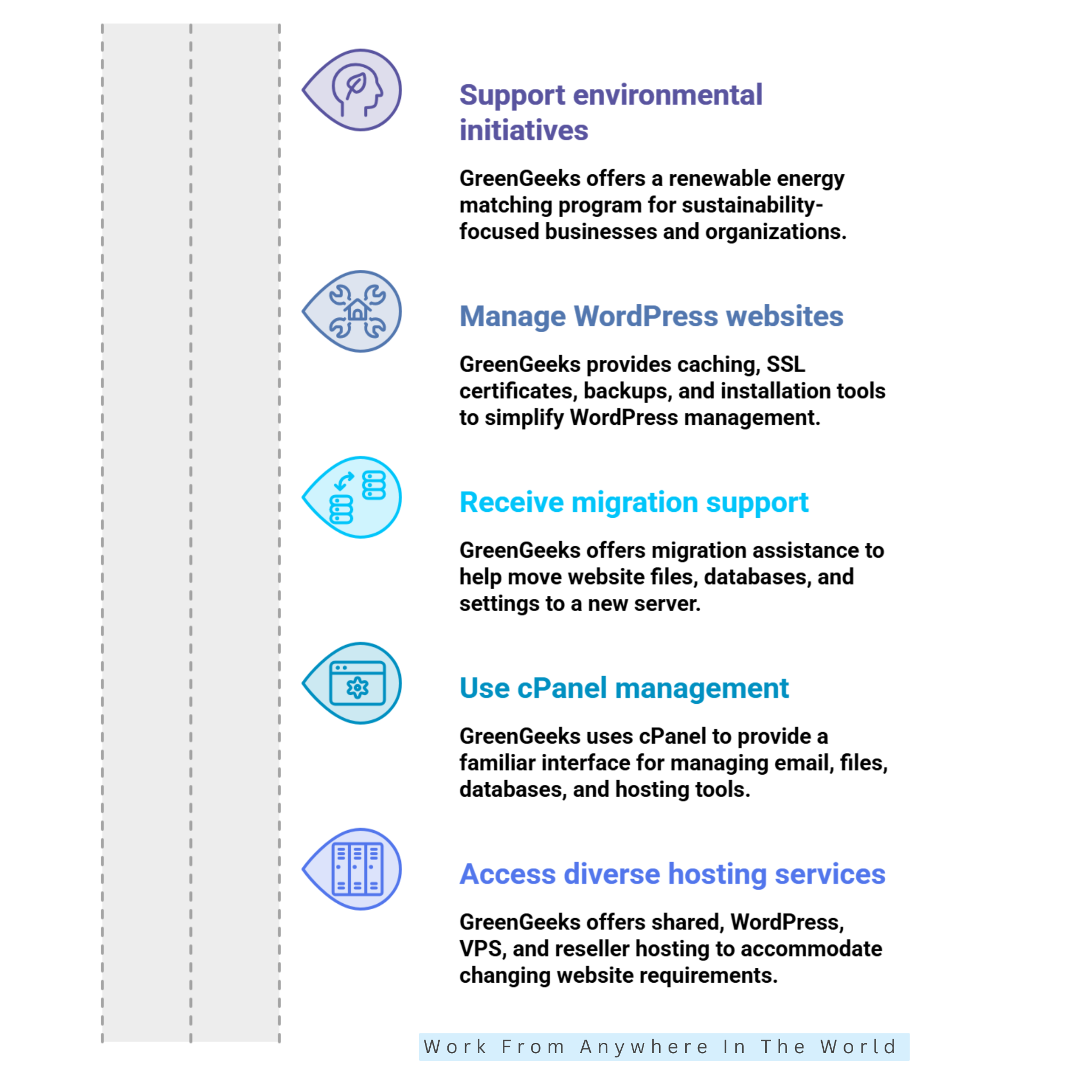
GreenGeeks appeals to website owners who want their hosting provider to support environmental initiatives. Its renewable energy matching program distinguishes the company in a competitive hosting market.
This commitment appeals to environmental bloggers and sustainability-focused businesses. The U.S. Environmental Protection Agency explains how renewable energy certificates support renewable electricity markets.
Understanding these certificates helps website owners evaluate GreenGeeks’ environmental claims. It also encourages more informed decisions about sustainable hosting.
However, green hosting does not replace a broader environmental strategy. GreenGeeks combines its sustainability initiatives with practical hosting services, allowing users to support environmental projects while maintaining their websites.
2. Useful Features For WordPress Websites
GreenGeeks supports everyday WordPress management with caching, SSL certificates, backups, and installation tools. These features can reduce manual configuration and make launching a website more manageable.
Beginners can concentrate on creating content, while experienced users can optimize their websites through compatible tools. Its hosting environment also supports business websites and blogs that benefit from familiar management features.
GreenGeeks provides a practical starting point for many WordPress projects. However, comparing hosting resources helps ensure your chosen package meets your website’s requirements.
Our How To Choose A Good Web Hosting Provider guide explains what to consider before purchasing. It can help you select a suitable hosting service.
3. Helpful Website Migration Support
Changing hosting providers often involves transferring website files, databases, and configuration settings. GreenGeeks offers migration assistance that can make this process easier for eligible customers.
This support is particularly valuable for bloggers and businesses with established websites. Professional assistance can reduce the technical workload and help simplify the transition to a new hosting environment.
However, careful preparation remains important. Create a separate backup, review your domain settings, and test your website after migration. These precautions help identify potential problems before they affect visitors.
4. Beginner-Friendly Hosting Management
GreenGeeks uses cPanel, providing a familiar interface for managing hosting accounts. Users can create email accounts, organize website files, manage databases, and access essential hosting settings.
This graphical interface helps beginners manage their websites without advanced technical skills. WordPress installation and routine maintenance also become easier with familiar tools.
Our How To Use WordPress — An Easy To Follow Tutorial provides additional guidance for beginners. It covers practical steps for managing a WordPress website.
Developers may appreciate access to additional technical settings as their projects become more complex. Although cPanel cannot eliminate every technical challenge, it makes common hosting tasks easier to navigate.
5. A Useful Range Of Hosting Services
GreenGeeks offers shared hosting, WordPress hosting, VPS hosting, and reseller hosting. This variety lets website owners explore different services as their needs change.
A personal blog may start with shared hosting, while a growing business might eventually need more server resources. Reseller hosting can also benefit professionals who manage websites for multiple clients.
Having several hosting options under one provider can simplify account management and future upgrades. However, compare resource limits and ongoing costs before changing plans.
Our 10 Best Low-Cost Web Hosting Services guide explores other affordable providers. It can help you compare alternatives before investing in additional hosting resources.
Cons Of GreenGeeks Hosting
Although GreenGeeks offers useful hosting features and environmental initiatives, it also has limitations worth considering. Understanding these disadvantages can help you avoid unexpected expenses and choose a hosting plan that meets your needs.
The following five considerations highlight potential drawbacks, particularly for budget-conscious website owners and businesses planning for future growth.
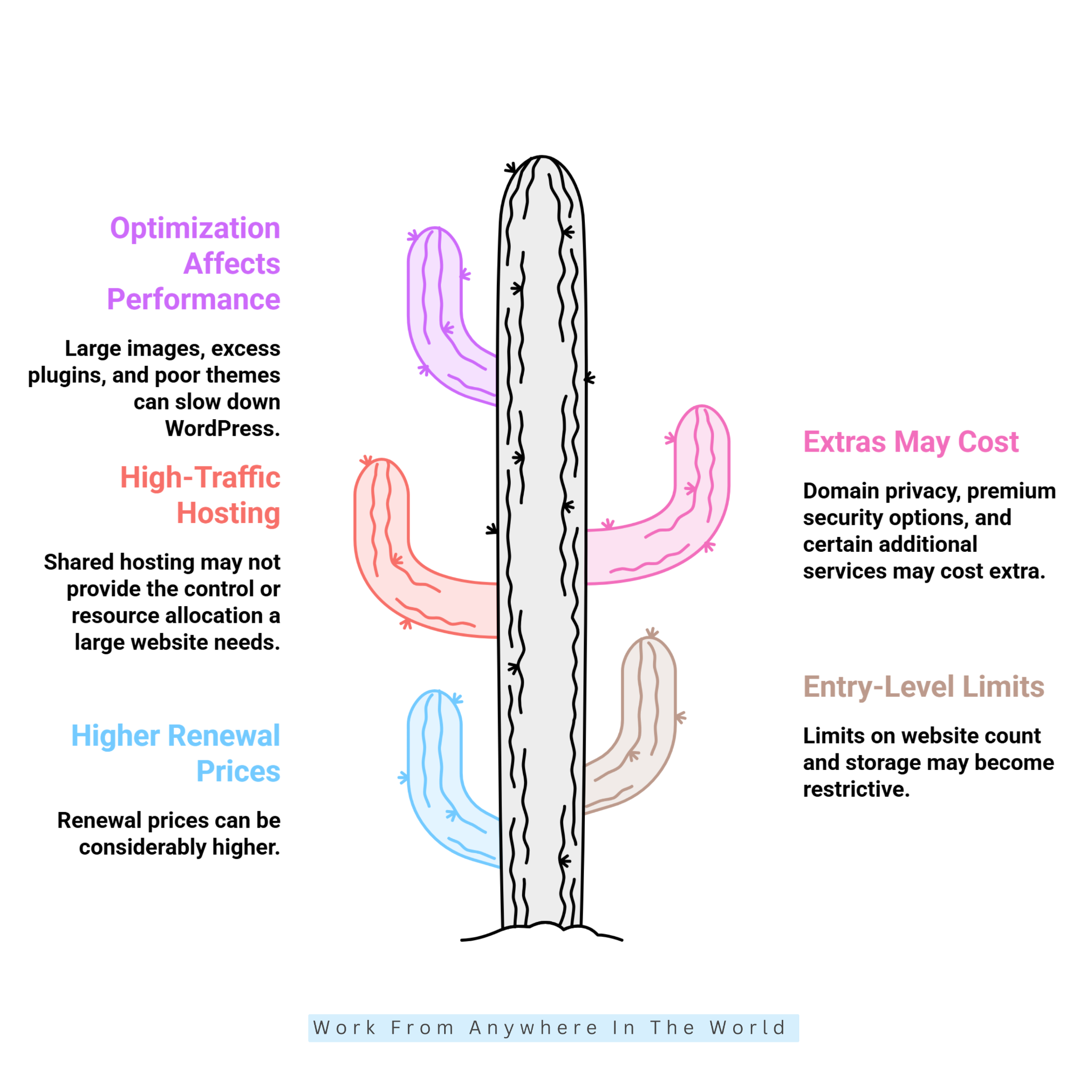
1. Renewal Prices Can Be Much Higher
GreenGeeks offers discounted introductory rates, but renewal prices can be considerably higher. This difference matters if you plan to maintain a website for several years.
A low introductory price may seem attractive, but ongoing costs determine your hosting plan’s long-term value. Compare promotional rates with renewal prices before committing to a subscription.
Calculate the total hosting cost over your expected subscription period. This helps you avoid unexpected expenses when promotional rates expire.
Our How To Save Money On Webhosting guide explores practical ways to reduce hosting expenses. These tips can help you manage your website budget more effectively.
2. Entry-Level Plans Have Resource Limits
GreenGeeks’ entry-level shared hosting plan is designed for smaller websites. Limits on storage, website count, and other resources may become restrictive as your online presence grows.
Websites with extensive media libraries, multiple projects, or growing traffic may eventually need more resources. However, an entry-level plan can still be practical for a new blog, portfolio, or small business website.
Review the current resource limits before purchasing and consider your website’s expected growth. Choosing the right plan from the start can prevent unnecessary upgrades and extra costs.
3. Shared Hosting Is Not Ideal For Every High-Traffic Website
Shared hosting allows multiple websites to use resources on the same server. This arrangement keeps hosting affordable but may limit the control and resources available to individual websites.
Busy online stores, membership platforms, and resource-intensive applications may benefit from VPS hosting or another suitable environment. Website performance also depends on traffic patterns, optimization, and server resources.
GreenGeeks offers more advanced hosting options, but basic shared hosting cannot accommodate every workload. Evaluating your website’s requirements helps you select an appropriate service without paying for unnecessary resources.
4. Some Extras May Cost More
GreenGeeks includes several useful hosting features, but certain additional services may involve extra charges. Domain privacy, premium security options, and other optional services can increase your total expenses.
These additional costs are common throughout the hosting industry, but they still deserve careful consideration. The final checkout amount may differ from the introductory price displayed on the hosting page.
Review your selected package to identify included features and optional upgrades. Comparing the complete cost with other providers helps you make a more informed purchasing decision.
5. Performance Depends On Website Optimization
GreenGeeks provides performance-focused hosting technology, but website speed depends on more than server capabilities. Large images, excessive plugins, inefficient databases, and poorly optimized themes can affect loading times.
Website performance can differ between mobile and desktop devices. Screen sizes, network speeds, and image loading can all affect the visitor experience.
Use Google PageSpeed Insights to evaluate both mobile and desktop performance. Its reports can help identify opportunities to improve loading speed and usability.
Regular maintenance, image optimization, and performance monitoring remain important for a responsive website. GreenGeeks provides the hosting infrastructure, but website owners must also maintain their content and technical settings.
How To Set Up A WordPress Website With GreenGeeks
Open your WordPress dashboard and review your website title, time zone, and permalink structure. Confirm that HTTPS works correctly with your SSL certificate.
The official WordPress settings guide explains how to configure essential options. These settings help establish a reliable foundation for your website.
After you purchase a plan, log in to your GreenGeeks account and open cPanel. Use the WordPress installer to select your domain and enter your website title, administrator username, password, and email address.
After WordPress installs, log in to your dashboard and configure your website title, time zone, permalink structure, and HTTPS settings. Choose a lightweight theme and install essential plugins for SEO, security, backups, and contact forms.
Create important pages such as Home, About, Contact, and Privacy Policy, then add your content and images. Before launching, test your website on desktop and mobile devices.
Check links, forms, navigation, and page loading. Set up regular backups, keep WordPress and plugins updated, and connect Google Search Console to monitor your website’s indexing and search visibility.
GreenGeeks Pricing And Plans
GreenGeeks offers several hosting plans designed for different website requirements. Shared hosting provides an affordable starting point for personal blogs, business websites, and smaller online stores.
The company offers introductory discounts for eligible subscriptions, although renewal rates are generally higher. Visit the official GreenGeeks hosting page to compare current prices, features, and billing options.
Understanding the differences between its three main shared hosting plans can help you choose the most suitable option.
GreenGeeks EcoSite Lite
EcoSite Lite is an entry-level hosting option designed for smaller websites. It provides essential hosting features for individuals who want to establish an online presence without purchasing unnecessary resources.
This plan can suit personal blogs, portfolios, and small business websites. Review the current website limits, storage allowances, and renewal costs before subscribing.
GreenGeeks EcoSite Pro
EcoSite Pro offers additional resources for website owners managing growing projects. It can accommodate users who need more flexibility than an entry-level hosting package provides.
This option may suit bloggers, freelancers, and small businesses managing multiple websites. Compare its included resources and additional features with the Lite plan to determine whether upgrading provides worthwhile benefits.
GreenGeeks EcoSite Premium
EcoSite Premium offers a higher-tier shared hosting option for websites that need more resources. It is designed for users who want greater flexibility as their online projects develop.
Growing businesses, established blogs, and more demanding websites may benefit from this package. However, evaluate your actual resource requirements before paying for a higher-tier plan.
GreenGeeks advertises unmetered traffic on eligible plans, subject to its usage policies. The company also offers a 30-day money-back guarantee, although refund conditions and exclusions apply.
Before purchasing, compare introductory rates, renewal prices, included features, and optional charges. Calculating the total cost over your expected hosting period provides a clearer picture of long-term affordability.
Frequently Asked Questions
Q1: Is GreenGeeks Suitable For WordPress?
Yes. GreenGeeks supports WordPress installation and provides hosting features that help websites operate efficiently. Its services suit personal blogs, business websites, portfolios, and smaller online stores.
Features such as LiteSpeed caching, SSL certificates, and website management tools make WordPress maintenance more convenient. Choosing a suitable hosting plan and optimizing your website remain important for reliable performance.
Q2: Does GreenGeeks Offer Free SSL?
Yes. GreenGeeks includes free SSL certificates with its hosting plans. SSL encrypts information exchanged between your website and visitors, helping protect sensitive data during transmission.
After setting up your website, confirm that HTTPS is enabled and your SSL certificate is active. Regular checks help ensure your website maintains a secure connection.
Q3: Is GreenGeeks Really Environmentally Friendly?
GreenGeeks supports renewable electricity generation through its renewable energy matching program. The company purchases renewable energy certificates representing 300% of its annual electricity consumption.
However, this doesn’t mean every server runs on renewable electricity at all times. GreenGeeks also supports tree-planting initiatives, reflecting its broader environmental commitment.
Q4: Can I Host Multiple Websites On GreenGeeks?
Yes. GreenGeeks offers hosting plans that support multiple websites, although the number permitted depends on your selected package. Entry-level plans generally have more restrictions than higher-tier options.
Before purchasing, review the current website limits, storage allowances, and resource policies. This helps ensure your hosting plan can accommodate your existing websites and future projects.
Q5: Does GreenGeeks Offer Website Migration Assistance?
Yes. GreenGeeks offers website migration assistance to eligible customers who want to transfer their websites from another hosting provider. This service can help simplify the process of moving website files and databases.
Before requesting a migration, create a complete backup and confirm which services are included. After the transfer, test your website’s pages, images, contact forms, and email functionality.
Q6: Is GreenGeeks A Good Choice For Beginners?
Yes. GreenGeeks provides beginner-friendly hosting tools, including cPanel, WordPress installation options, and customer support. These features make launching and managing a website more approachable for users with limited technical experience.
Beginners can start with a suitable shared hosting plan and explore additional features as their websites grow. Comparing renewal costs, resource limits, and available support helps ensure a smooth start.
Conclusion
The Ultimate Guide To GreenGeeks highlights how this hosting provider combines practical website management tools with environmental responsibility. Its renewable energy matching program offers an appealing alternative for bloggers and businesses that value sustainability.
GreenGeeks provides WordPress support, LiteSpeed caching, SSL certificates, and website migration assistance. These features can help beginners launch their websites while supporting established businesses with everyday hosting requirements.
However, renewal prices, resource limits, and additional service costs deserve careful consideration. Comparing hosting plans based on your website’s current needs and expected growth can help you avoid unnecessary expenses.
GreenGeeks offers a practical foundation for personal blogs, business websites, and online stores. With the right hosting plan and regular website optimization, you can build a dependable online presence while supporting environmental initiatives.
I trust you enjoyed this Ultimate Guide to GreenGeeks: 10 Powerful Hosting Features. Please stay tuned for more insightful blogs on affiliate marketing, online business, and working from anywhere in the world.
Take care!
— JeannetteZ 🌍✨
💬 Your Opinion Is Important To Me
Do you have thoughts, ideas, or questions? I’d love to hear from you. Please leave your comments below or email me directly at Jeannette@WorkFromAnywhereInTheWorld.com.
📚 More Work From Anywhere Reads
🚀 Ready to Build a Business You Can Run from Home
Or from Anywhere in the World?
Imagine creating income on your terms — from home, a cozy café, or wherever life takes you.
With the right tools, training, and community support, it’s entirely possible.
Start your own online business for free — no credit card needed.
Disclosure
This post may contain affiliate links. As an Amazon Associate and participant in other affiliate programs, I earn from qualifying purchases at no extra cost to you. Please read my full affiliate disclosure.