Liquid Web vs GoDaddy: Which Hosting Provider Is Better?
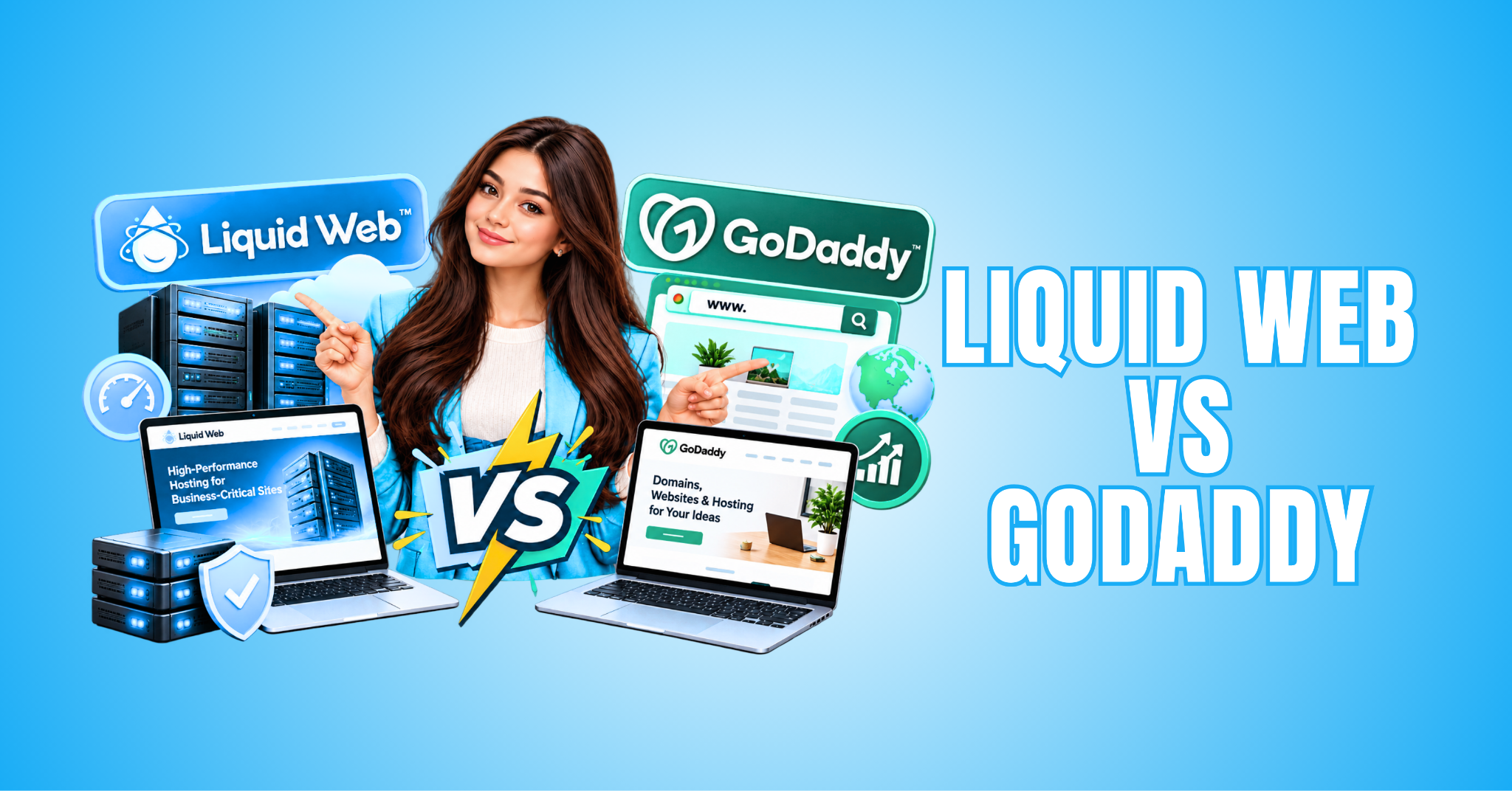
Comparing Liquid Web vs GoDaddy can help you choose a hosting provider that matches your website’s needs and budget. Both companies offer hosting solutions, but their services cater to different types of website owners.
Liquid Web specializes in managed hosting, powerful server resources, and solutions for businesses with demanding websites. GoDaddy offers a broader range of hosting options for beginners, small businesses, and growing online projects.
Choosing the right provider involves more than comparing monthly subscription costs. Website performance, security, customer support, and scalability all influence your hosting experience.
Whether you’re launching your first blog or managing an established online business, understanding these differences is important. The right hosting environment can support your website’s reliability and future growth.
In this guide, we’ll compare Liquid Web and GoDaddy’s features, performance, pricing, advantages, and limitations. You’ll discover which hosting provider may be better suited to your goals.
What Is Liquid Web?
Liquid Web is a web hosting provider specializing in managed hosting, cloud infrastructure, virtual private servers (VPS), and dedicated servers. Its hosting solutions are designed for businesses that need reliable infrastructure and greater control over their website resources.
The company also offers hosting solutions for WordPress and WooCommerce websites. These services can appeal to businesses that require professional technical support and dependable website performance.
Unlike basic hosting services designed for smaller websites, Liquid Web emphasizes server management, performance, and scalability. Depending on your plan, features may include managed support, security tools, automatic backups, and website monitoring.
These capabilities can be particularly valuable for growing online stores, established businesses, and resource-intensive websites. Our guide to choosing a web hosting provider explores important factors to consider when evaluating hosting services.
Liquid Web may also suit agencies managing multiple client websites or businesses experiencing increasing traffic. Its hosting environment provides options for organizations with more demanding technical requirements.
However, advanced hosting isn’t always necessary for someone launching a small personal blog. Choosing the right plan depends on your website’s traffic, technical needs, and available budget.
For businesses that rely on their websites for sales and customer communication, Liquid Web offers hosting options designed for demanding operations. Our WP Engine review explores another managed WordPress hosting provider worth considering.
What Is GoDaddy?
GoDaddy is a well-known domain registrar and web hosting provider offering services for individuals, bloggers, freelancers, and businesses. Its products include shared hosting, managed WordPress hosting, virtual private servers, and website management tools.
GoDaddy appeals to website owners who want to establish an online presence without managing complicated server configurations. Its hosting options accommodate different experience levels and website requirements.
Depending on the subscription, hosting packages may include SSL certificates, website management tools, and introductory domain offers. Some plans also provide email services, automatic backups, or additional security features.
One of GoDaddy’s advantages is the convenience of registering a domain and purchasing hosting through the same provider. Our guide to buying a domain name explains important considerations when choosing and registering a domain.
GoDaddy also provides WordPress installation options and a familiar dashboard that can simplify website setup. These features may appeal to beginners who prefer a straightforward approach to managing their websites.
However, introductory offers don’t always reflect long-term hosting expenses. Review renewal prices, storage limits, included features, and additional service charges before subscribing.
Our guide to saving money on web hosting explores practical ways to evaluate hosting expenses. Understanding the total cost can help you choose a plan that fits your budget.
For beginners and small businesses seeking convenient hosting and domain management, GoDaddy can be a practical starting point. The best choice ultimately depends on your website’s requirements and future plans.
Pros And Cons Of Liquid Web
Understanding the pros and cons of Liquid Web can help you determine whether its hosting services match your website’s requirements. The company specializes in managed hosting, advanced server infrastructure, and solutions for businesses with demanding websites.
Liquid Web offers several hosting configurations designed to support different workloads and technical requirements. These options can be valuable for growing online stores, established businesses, and websites experiencing increasing traffic.
However, advanced hosting comes with considerations, including higher costs and more technical decisions. Smaller websites may not need the additional resources or management features available with certain plans.
Before choosing Liquid Web, consider your website’s traffic, technical experience, and long-term business goals. Exploring its advantages and disadvantages can help you decide whether the investment is worthwhile.
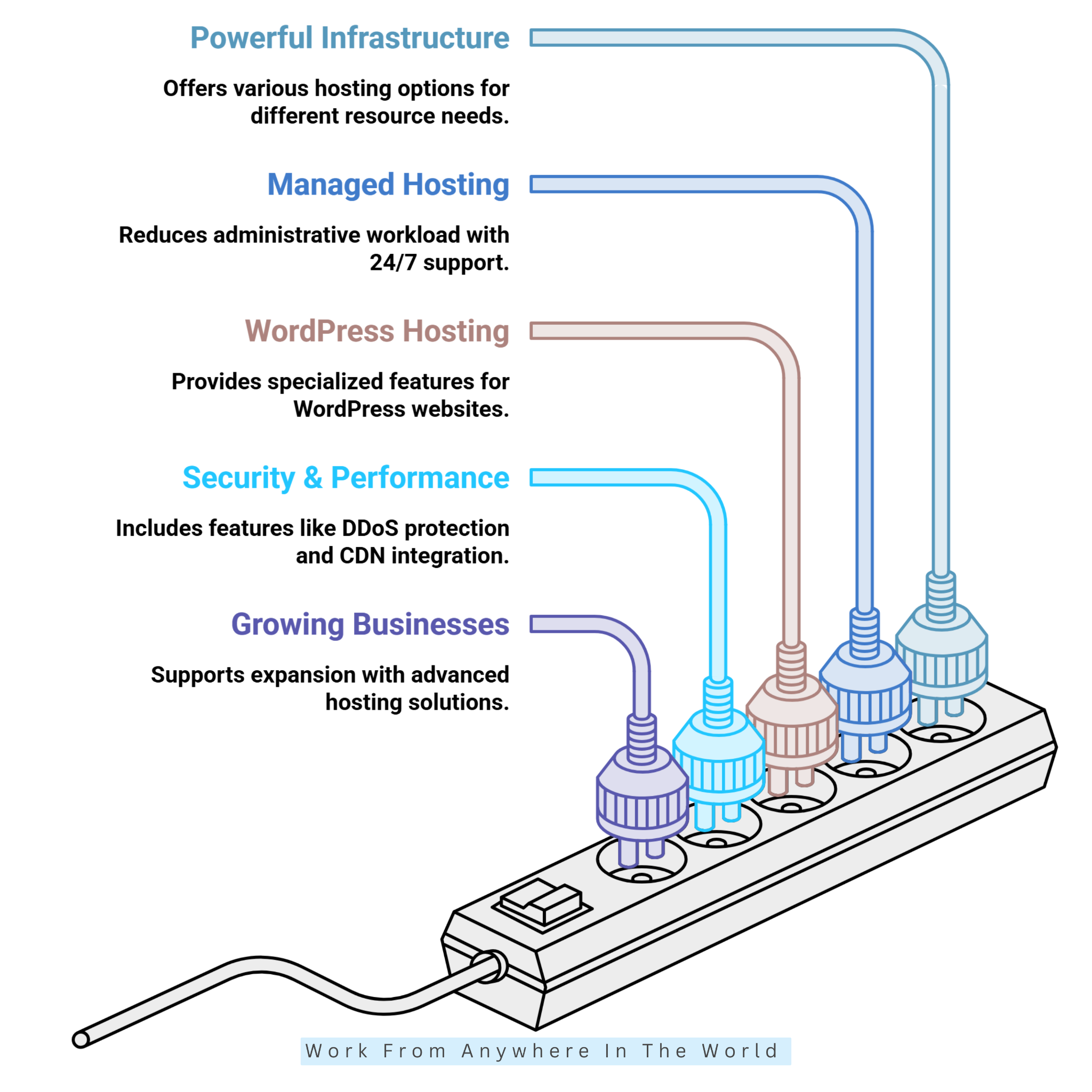
Pros Of Liquid Web
Liquid Web offers several advantages for businesses that need dependable hosting infrastructure and technical assistance. Its range of managed hosting solutions can support websites with demanding performance and resource requirements.
From specialized WordPress hosting to advanced security features and scalable infrastructure, the company provides options for different business needs. Let’s explore five advantages that make Liquid Web worth considering.
1. Powerful Hosting Infrastructure
Liquid Web offers VPS, dedicated server, cloud, and managed WordPress hosting solutions for websites with different resource requirements. These options allow businesses to move beyond basic hosting as their technical needs increase.
For example, an online store experiencing heavy seasonal traffic may require additional processing power and memory. Choosing suitable server resources can help the website handle demanding workloads more effectively.
Businesses can select hosting configurations that reflect their applications and expected growth. This flexibility is particularly valuable for websites that have outgrown entry-level hosting environments.
If you’re exploring virtual private servers, our guide to getting started with VPS hosting explains the setup process using Hostinger. It offers another perspective on VPS hosting for growing websites.
2. Managed Hosting And Technical Support
Liquid Web provides technical support around the clock, although the level of server management depends on your hosting plan. Managed services can reduce the time businesses spend maintaining their hosting infrastructure.
Depending on the service, assistance may include server troubleshooting, monitoring, configuration, and operating system maintenance. This support can be valuable when unexpected technical problems affect website operations.
For business owners without extensive server administration experience, managed hosting can simplify everyday responsibilities. It lets them focus more on their websites and customers.
However, managed hosting doesn’t automatically cover every application, plugin, or custom development issue. Review the support agreement carefully to understand which responsibilities remain with the website owner.
3. Specialized WordPress Hosting
Liquid Web offers managed WordPress hosting solutions for website owners who need more than basic server space. Depending on the plan, features may include staging environments, automatic updates, backups, and security tools.
A staging environment allows website owners to test design changes or plugin updates before applying them to a live website. This can reduce the risk of unexpected disruptions for visitors.
For agencies managing multiple client websites, these tools can simplify maintenance and improve everyday workflows. However, the available resources and management features depend on the selected package.
Our guide to the best WordPress hosting services explores additional options for WordPress website owners. Comparing different hosting environments can help you identify the features your website actually needs.
4. Security And Performance Features
Liquid Web provides security and performance features across several hosting products, although availability varies by service. Depending on the plan, these may include DDoS protection, firewall tools, and content delivery network (CDN) integration.
These technologies help address common website security risks and support efficient content delivery. For example, a CDN can deliver cached website assets from servers closer to visitors in different locations.
Reliable performance is particularly important for businesses that depend on their websites for customer communication and online sales. Slow loading times or technical disruptions can interfere with the visitor experience.
However, hosting security features cannot replace responsible website management. Strong passwords, timely software updates, access controls, and dependable backups remain essential.
5. Options For Growing Businesses
Liquid Web offers hosting solutions that accommodate changing business requirements. Companies can explore VPS hosting, dedicated servers, or managed infrastructure as their websites become more demanding.
For example, a small business website may eventually develop into a busy online store or customer portal. Increasing traffic and more complex applications can create a need for additional server resources.
Advanced hosting environments may also provide greater control over server configurations. This flexibility helps businesses select infrastructure that supports their operational requirements.
However, upgrading to a more expensive plan isn’t always necessary. Review actual website traffic, memory usage, and application performance before investing in additional resources.
Our guide to low-cost web hosting services explores alternatives for website owners with smaller budgets. Comparing hosting costs and capabilities can help you choose resources that support growth without unnecessary expenses.
Cons Of Liquid Web
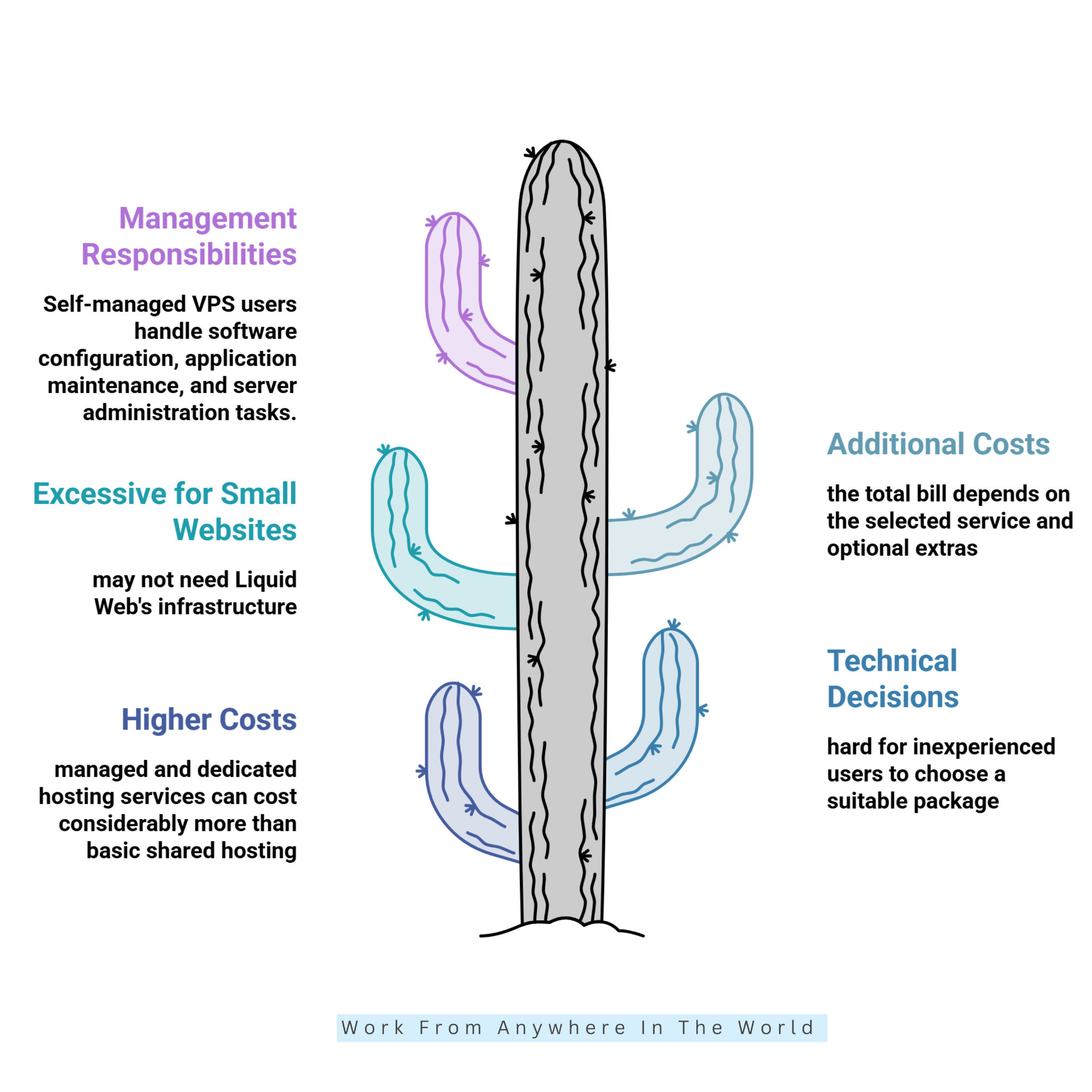
Although Liquid Web offers powerful hosting solutions, its services may not suit every website owner. Higher costs, technical requirements, and differences between management levels can make choosing the right plan more challenging.
Beginners and small businesses should carefully evaluate their actual hosting needs before investing in advanced infrastructure. Let’s examine five potential disadvantages of Liquid Web.
1. Higher Costs For Advanced Hosting
Liquid Web’s managed hosting and dedicated server solutions can cost considerably more than basic shared hosting. This difference matters for bloggers, beginners, and small businesses working with limited budgets.
Advanced infrastructure may offer little practical benefit when a website receives modest traffic. Paying for resources you don’t need can increase operating expenses without noticeably improving performance.
Although some VPS plans offer attractive introductory deals, additional resources and management services can raise costs. Renewal rates and optional features should also be considered.
Before subscribing, calculate your expected hosting expenses and identify which features are essential. A hosting plan should address your website’s actual requirements rather than provide unnecessary capacity.
2. More Technical Decisions
Liquid Web offers several hosting configurations, which can make choosing the right package challenging for beginners. Customers may need to understand RAM, CPU allocation, storage, operating systems, and server management options.
These technical specifications influence website performance and maintenance responsibilities. However, someone launching a simple portfolio or personal blog may not need such advanced configurations.
Managed hosting can simplify server administration, but customers still need to select a suitable plan. Choosing more resources than necessary can increase expenses without delivering meaningful benefits.
Reviewing the provider’s documentation or discussing your requirements with its support team can make the decision easier. Understanding your website’s needs helps you avoid unnecessary technical complications.
3. Potentially Excessive For Small Websites
Small blogs and local business websites may not require Liquid Web’s advanced infrastructure. Basic hosting can often accommodate websites with limited traffic, standard WordPress plugins, and straightforward functionality.
Investing in expensive server resources too early can reduce the money available for content creation and marketing. These activities may be more valuable when you’re still building an audience.
This doesn’t mean Liquid Web is unsuitable for every small business. Its services may become more attractive as website traffic, technical requirements, and operational demands increase.
Before upgrading, estimate your expected traffic and identify the features your website genuinely needs. Consider your growth plans over the next year rather than purchasing additional capacity immediately.
4. Additional Costs Can Still Apply
Liquid Web includes various features with its hosting products, but the total cost depends on the selected service. Optional extras, resource usage, and different management arrangements may affect your expenses.
Businesses should review the complete pricing details instead of assuming every service is included. Security features, backups, migration assistance, and performance tools may have specific conditions or limitations.
These details are particularly important for growing online stores and resource-intensive websites. Unexpected charges can make budgeting harder when operating expenses are already rising.
Before subscribing, ask about bandwidth allowances, backup retention, migration services, and technical support boundaries. Understanding these conditions can help you plan expenses and avoid unpleasant surprises.
5. Not Every Service Is Fully Managed
Liquid Web offers different management arrangements, and the responsibilities can vary significantly between hosting products. Customers should understand which technical tasks the provider handles.
For example, a self-managed VPS may require users to configure software, maintain applications, and manage server administration. These responsibilities can be challenging without sufficient technical experience.
Even fully managed hosting services have defined support boundaries. Custom applications, third-party plugins, and specialized development work may fall outside the provider’s responsibilities.
Review the service description carefully before selecting a plan. Choosing the right management level can reduce technical issues and help keep your website running smoothly.
Pros And Cons Of GoDaddy
Understanding the pros and cons of GoDaddy can help you decide whether its hosting services suit your website’s needs. The company offers accessible hosting solutions, domain registration, and tools for establishing an online presence.
GoDaddy appeals to beginners, bloggers, freelancers, and small businesses looking for straightforward website management. Its range of hosting packages lets customers choose services based on their experience and technical needs.
However, introductory pricing, renewal costs, and differences between hosting plans deserve careful consideration. Some websites may also need additional resources or services as traffic and functionality grow.
Before choosing GoDaddy, consider your budget, technical experience, and long-term website goals. Exploring its advantages and disadvantages can help you determine whether it offers the right balance of convenience, features, and affordability.
Pros Of GoDaddy
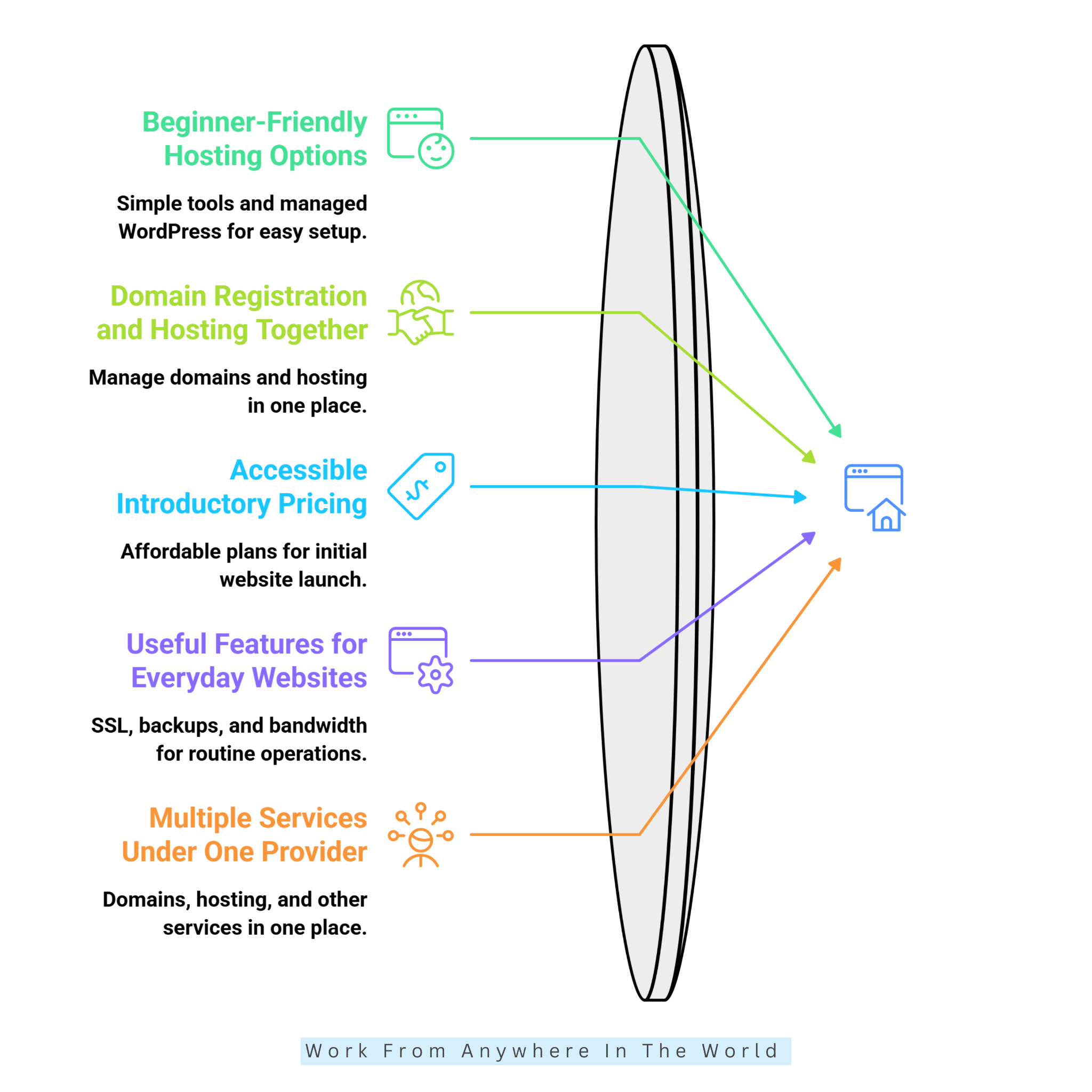
GoDaddy offers several advantages for website owners who value convenience and straightforward setup. Its hosting services can appeal to beginners who want to establish an online presence without extensive technical knowledge.
From domain registration to WordPress hosting, the company provides tools for managing everyday website needs. Let’s explore five advantages that may make GoDaddy worth considering.
1. Beginner-Friendly Hosting Options
GoDaddy offers hosting solutions for users who want to launch a website without mastering server administration. Its hosting packages include website management tools, and managed WordPress plans can simplify setup.
Beginners can register a domain, purchase hosting, install WordPress, and begin publishing content. This straightforward approach appeals to bloggers, freelancers, and small business owners.
For beginners exploring WordPress hosting, our guide to the best web hosting providers for WordPress compares additional options. Understanding the available services can make choosing a suitable hosting provider easier.
However, beginner-friendly hosting doesn’t eliminate the need for regular website maintenance. Users should still learn how to install updates, manage their accounts, and maintain reliable backups.
2. Domain Registration And Hosting Together
One practical advantage of GoDaddy is managing domain registration and hosting through the same provider. This arrangement can simplify account administration for website owners who prefer to manage fewer services.
For example, a freelancer creating a professional portfolio can register a domain and connect it to hosting. Keeping both services together may make the initial setup more convenient.
Our guide to creating a business website explores how to establish a professional online presence. Choosing suitable hosting and a memorable domain are important early decisions.
Some GoDaddy packages also include introductory domain offers, depending on the subscription. However, domain registration and hosting may have different renewal conditions.
Always review ownership details, renewal dates, and recurring charges for both services. This helps prevent unexpected expenses or accidental domain expiration.
3. Accessible Introductory Pricing
GoDaddy frequently offers promotional pricing on eligible hosting plans, making it attractive to budget-conscious beginners. Entry-level packages may provide enough resources for simple blogs, portfolios, and small business websites.
Lower initial costs can help when you’re testing a new online business idea. Students and first-time bloggers may appreciate the opportunity to launch a website without a large upfront investment.
However, introductory prices usually apply only to specific subscription periods. Renewal rates, included features, and optional services can significantly affect long-term costs.
Before purchasing, compare the initial payment with the regular renewal price. Also review SSL coverage, storage limits, and any additional services your website may require. The cheapest introductory offer isn’t necessarily the most affordable hosting solution over several years.
4. Useful Features For Everyday Websites
GoDaddy’s hosting packages may include SSL certificates, automatic backups, bandwidth allowances, and website management tools. The exact features and limitations depend on the plan you choose.
These services can simplify routine website operations and reduce the need for separate subscriptions. However, understanding what each feature provides remains important.
For example, an SSL certificate helps encrypt information exchanged between visitors and your website. Automatic backups can also support recovery after certain technical problems.
Website performance also deserves attention, particularly when visitors access your content from different devices. Our guide to improving website speed explores practical ways to create a better browsing experience.
Before subscribing, verify backup retention periods, restoration procedures, and SSL certificate terms. Comparing these details can help you identify a package that meets your website’s needs.
5. Multiple Services Under One Provider
GoDaddy offers domain registration, web hosting, and other online business services through one company. This convenience may appeal to entrepreneurs who prefer managing their digital presence from fewer accounts.
Its hosting portfolio includes WordPress solutions and options for more demanding websites. Customers can explore different services as their businesses develop.
For example, someone launching a personal blog may eventually expand into a larger content website or online business. Hosting requirements can change as traffic increases and additional features become necessary.
Our guide to choosing the best blogging platforms explores another important decision when establishing an online presence. Selecting the right platform can influence how easily your website grows.
However, having multiple services under one provider doesn’t automatically make every product the best choice. Compare available resources, migration procedures, support options, and long-term costs before upgrading.
Cons Of GoDaddy
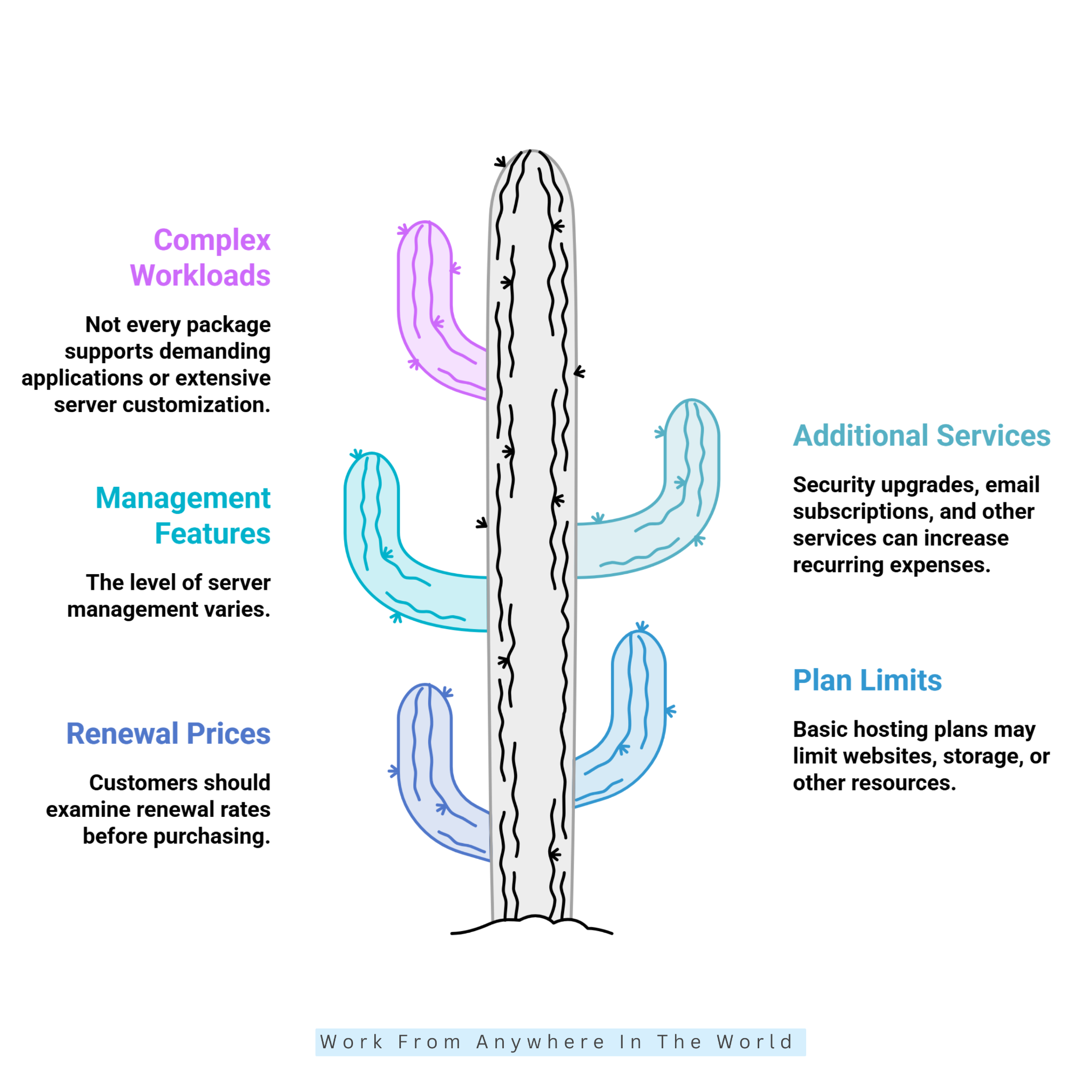
Although GoDaddy offers convenient hosting solutions, some limitations deserve attention before subscribing. Introductory pricing, renewal costs, and differences between hosting packages can affect the overall experience.
Beginners and small business owners should carefully review the features included with each plan. Let’s explore five potential disadvantages of choosing GoDaddy.
1. Renewal Prices Require Attention
GoDaddy’s introductory hosting prices can be attractive, but renewal rates deserve careful consideration. The final cost depends on the hosting product, subscription length, promotional offers, and applicable terms.
Website owners who focus only on advertised monthly prices may underestimate their future expenses. Domain renewals, email subscriptions, and additional security services can increase the overall cost.
For a fair comparison, calculate your hosting expenses over at least one or two years. Include renewal charges, backups, and any essential paid features.
Understanding these costs before subscribing can help you avoid unexpected expenses. It also makes comparing GoDaddy with other hosting providers more meaningful.
2. Entry-Level Plans Have Limits
GoDaddy’s entry-level hosting packages are designed for websites with relatively modest requirements. Depending on the plan, limitations may apply to storage, the number of websites, or other server resources.
A growing business or resource-intensive website may eventually outgrow its original package. For example, an online store with extensive product images and frequent customer activity may need additional capacity.
Before choosing a plan, review its resource allowances and available upgrade options. Understanding these limitations can help you select hosting that supports your website’s needs.
However, upgrading before you need additional resources can increase expenses. Monitoring actual website usage helps you make informed decisions about future upgrades.
3. Advanced Management Depends On The Plan
GoDaddy offers several hosting products, but the level of server management varies between packages. Basic shared hosting doesn’t necessarily include the advanced features available with managed WordPress or higher-tier services.
Developers may require staging environments, specialized server configurations, or additional administrative control. These features can become important as websites grow more complex.
For example, a staging environment allows website owners to test updates before publishing changes. However, its availability depends on the hosting package.
Review the feature list and technical support terms before subscribing. If your project requires specific development tools, confirm their availability with GoDaddy.
4. Additional Services May Increase The Bill
GoDaddy offers various website-related products, but not every feature is included with every hosting subscription. Some services may require separate payments or upgrades.
Security enhancements, professional email subscriptions, and other optional features can increase recurring expenses. Consequently, the advertised hosting price may not represent the complete cost of maintaining your website.
These additional services can be useful when they address genuine business requirements. However, purchasing unnecessary extras can make an otherwise affordable hosting package more expensive.
Before checkout, list the features your website actually needs. Compare the included services and calculate the complete monthly or annual cost.
5. Less Suitable For Some Complex Workloads
GoDaddy supports a variety of websites, but some hosting packages may not accommodate demanding applications. Businesses requiring extensive server customization or specialized infrastructure should carefully evaluate their options.
For example, a resource-intensive application may require dedicated processing power, advanced configurations, or specialized technical support. Basic hosting packages may not provide the necessary flexibility.
Businesses with these requirements can compare GoDaddy’s advanced hosting options with Liquid Web’s managed and dedicated server solutions. The best choice depends on the specific plans, not the hosting providers’ names alone.
Before committing, assess your website’s performance requirements, resource usage, and technical support needs. For complex workloads, reliable infrastructure and suitable management services should take priority over introductory pricing.
Frequently Asked Questions
Q1: Is Liquid Web Better Than GoDaddy?
Liquid Web may be a better choice for businesses requiring managed hosting, advanced server resources, and specialized technical support. Its infrastructure is particularly suitable for demanding websites and growing online operations.
GoDaddy may be more practical for beginners, bloggers, and small businesses seeking straightforward hosting solutions. The better provider depends on your website’s requirements, technical experience, and available budget.
Q2: Which Provider Is Cheaper?
GoDaddy generally offers more affordable entry-level shared hosting options, particularly during promotional periods. These packages can appeal to beginners who want to launch a website without significant upfront expenses.
Liquid Web also offers VPS hosting options, but its managed and dedicated services can be more expensive. Compare current prices, renewal rates, and included features before deciding which provider offers better value.
Q3: Which Is Better For WordPress?
Both Liquid Web and GoDaddy offer WordPress hosting, but their services accommodate different requirements. Liquid Web emphasizes managed hosting solutions for businesses that need advanced resources and technical assistance.
GoDaddy provides beginner-friendly WordPress hosting options that can simplify website setup and everyday management. Consider your website traffic, available tools, support requirements, and budget before choosing.
Q4: Does GoDaddy Offer Free SSL Certificates?
GoDaddy includes SSL certificates with certain hosting packages, although coverage depends on the selected product. Some plans may provide certificates as part of their included website security features.
Before purchasing, review the SSL terms, certificate coverage, and renewal conditions. Confirming these details helps you understand whether additional security expenses may apply.
Q5: Does Liquid Web Provide 24/7 Support?
Yes, Liquid Web advertises technical support around the clock, including weekends and holidays. This availability can be particularly valuable for businesses that depend on their websites for everyday operations.
However, the services covered depend on your hosting product and management level. Review the support agreement to understand which technical issues and maintenance responsibilities are included.
Q6: Can I Migrate My Website Between Providers?
Yes, websites can generally be migrated between Liquid Web and GoDaddy, although the process depends on your hosting environment. Migration assistance may be available, but the included services and conditions vary by provider and plan.
Before migrating, back up your website files and database, then test the transferred website carefully. Update your DNS settings when appropriate and verify that essential features work before cancelling your previous hosting service.
Conclusion
The Liquid Web vs GoDaddy comparison comes down to your website’s requirements, technical experience, and budget. Both providers offer hosting solutions, but they serve different types of website owners.
Liquid Web is worth considering for businesses that need managed hosting, advanced infrastructure, and greater control over server resources. Its services can support demanding websites and growing online operations.
GoDaddy offers accessible hosting options for beginners, bloggers, and small businesses. Its domain registration services and website management tools can make establishing an online presence more convenient.
Before deciding, compare renewal prices, security features, resource limits, and technical support. Consider your expected website traffic and whether you’ll need additional hosting resources.
Ultimately, the best hosting provider meets your current needs while supporting future growth. Choose a solution that balances reliable performance, practical features, dependable support, and long-term affordability.
I trust you enjoyed this article on Liquid Web vs GoDaddy: Which Hosting Provider Is Better? Please stay tuned for more helpful guides on affiliate marketing, online business, and working from anywhere in the world.
Take care!
— JeannetteZ 🌍✨
💬 Your Opinion Is Important To Me
Do you have thoughts, ideas, or questions? I’d love to hear from you. Please leave your comments below or email me directly at Jeannette@WorkFromAnywhereInTheWorld.com.
📚 More Work From Anywhere Reads
🚀 Ready to Build a Business You Can Run from Home
Or from Anywhere in the World?
Imagine earning income on your terms — from home, a cozy café, or wherever life takes you.
With the right tools, training, and community support, it’s entirely possible.
Start your own online business for free — no credit card needed.
Disclosure
This post may contain affiliate links. As an Amazon Associate and participant in other affiliate programs, I earn from qualifying purchases at no extra cost to you. Please read my full affiliate disclosure.