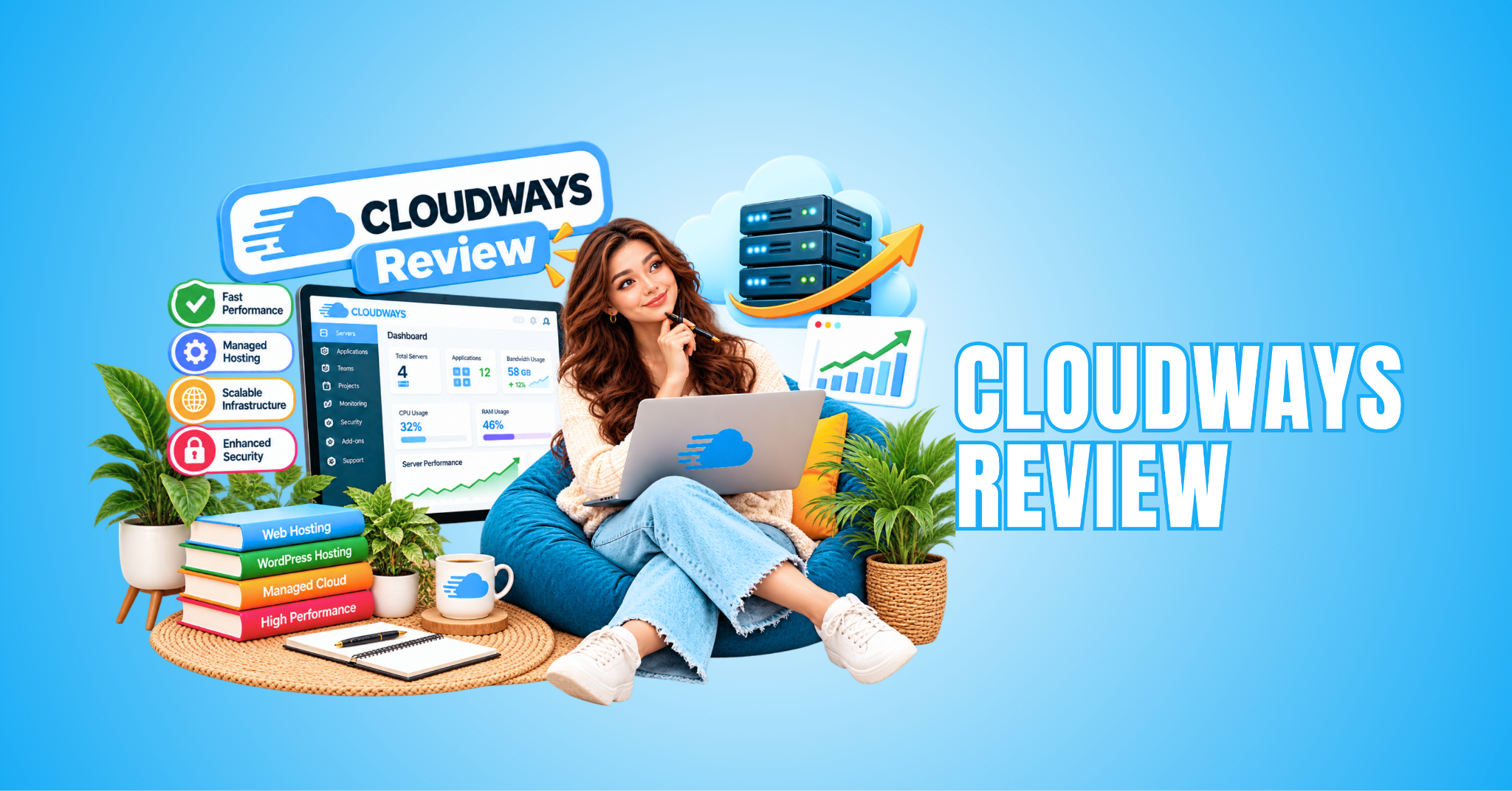
Cloudways Review: Is This Managed Cloud Hosting Worth It?
Our Cloudways Review explores whether this managed cloud hosting platform is a good choice for bloggers, small businesses, and online store owners. Choosing the right hosting provider can significantly affect your website’s performance, security, and long-term growth.
Cloudways simplifies cloud hosting by handling many technical server management tasks. This lets website owners focus on creating content, managing their businesses, and improving the visitor experience.
However, managed cloud hosting isn’t necessarily the best solution for every website. Understanding its features, limitations, and overall value is essential before choosing a hosting provider.
In this Cloudways review, we’ll explore its key features, advantages, disadvantages, pricing structure, and practical applications. By the end, you’ll have a clearer understanding of whether Cloudways suits your website and business goals.
What Is Cloudways?
Cloudways is a managed cloud hosting platform that helps website owners launch and manage websites without handling every server administration task themselves. It supports WordPress, WooCommerce, Magento, Laravel, and other PHP-based applications.
Through its dashboard, users can configure hosting resources, install applications, manage backups, and monitor website performance. These features simplify many technical responsibilities and can support efforts to improve website speed.
Cloudways offers two main hosting approaches. Cloudways Flexible provides greater control over server resources and infrastructure choices, making it suitable for websites with specific hosting requirements.
Cloudways Autonomous focuses on managed WordPress hosting with automatic scaling to accommodate changing traffic demands. Both approaches reduce routine server administration, although some technical decisions remain necessary.
The platform can support growing blogs, business websites, development projects, and online stores. For entrepreneurs interested in eCommerce, our WooCommerce guide explains how to build and manage an online store.
However, managed cloud hosting may not be the most economical choice for every website. Comparing the best WordPress hosting services can help you evaluate alternative hosting solutions.
Before deciding, understanding how to choose a web hosting provider can help you compare your options. Consider your website traffic, technical requirements, budget, and the level of management you need.
Cloudways Features
Cloudways features are designed to simplify website management while providing the flexibility of cloud hosting. From server configuration to performance optimization, the platform offers tools that support different website requirements.
One of its main advantages is combining managed hosting services with customizable infrastructure. This allows bloggers, entrepreneurs, and developers to focus more on their projects instead of routine server administration.
Performance and reliability are also important considerations when choosing a hosting platform. Cloudways provides caching, monitoring, backup, and security tools that help website owners maintain their hosting environments.
However, not every feature will be equally useful for every website. Understanding the following eight Cloudways features can help you determine which tools best support your website’s performance, security, and long-term growth.
1. Managed Cloud Hosting
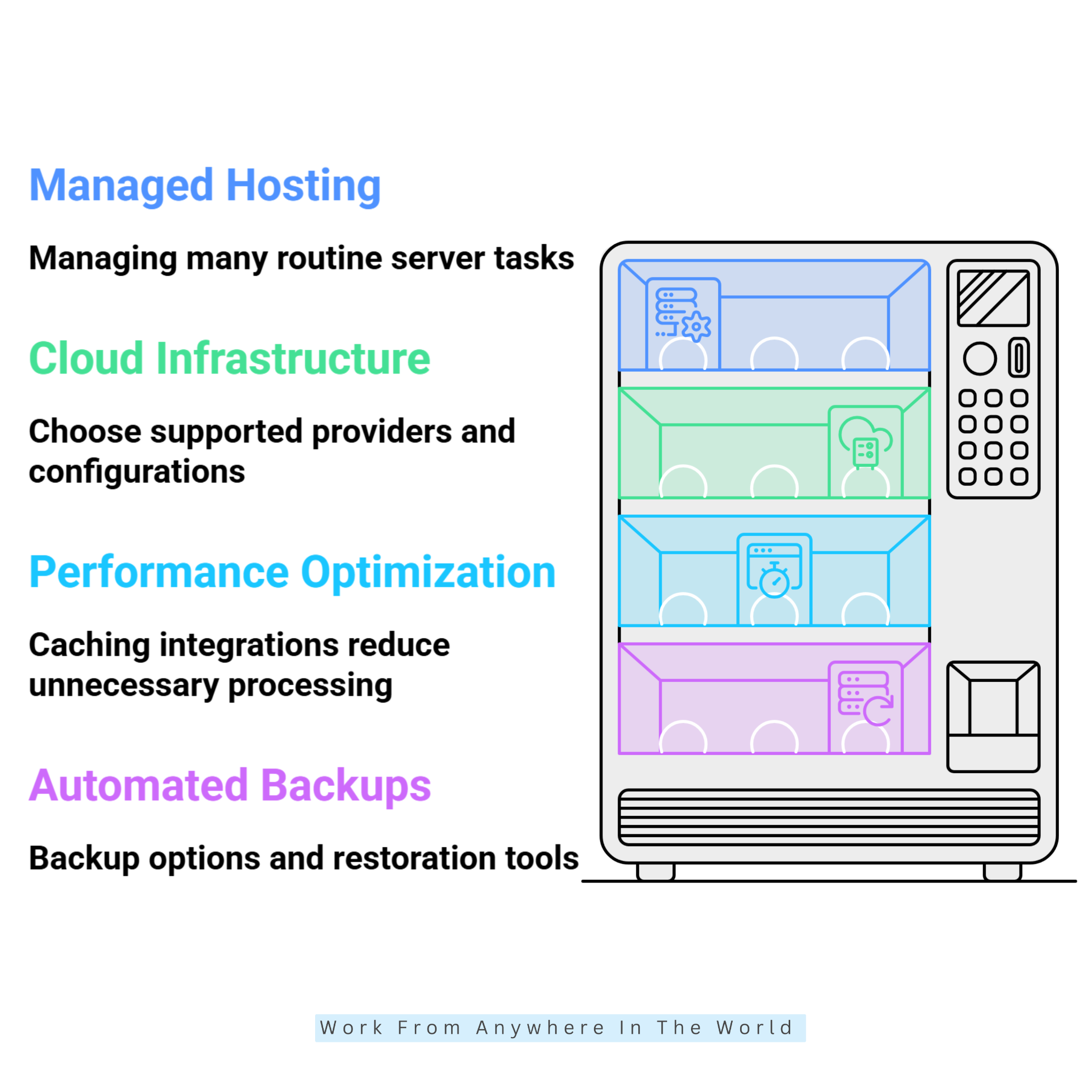
Cloudways simplifies cloud hosting by handling many routine server management tasks through a centralized dashboard. Users can launch applications, adjust server settings, and manage hosting resources without doing everything manually.
This approach is particularly useful for bloggers, agencies, and businesses that need greater flexibility than basic shared hosting provides. A growing WordPress website, for example, can benefit from managed cloud infrastructure without requiring its owner to become a Linux administrator.
Managed hosting can also free up time for other important activities. Website owners can concentrate on content creation, customer relationships, and using online business tools to improve daily operations.
However, managed hosting does not automatically resolve every website problem. Plugin conflicts, application errors, and custom coding issues may still require technical knowledge or additional assistance.
2. Choice Of Cloud Infrastructure
Cloudways lets users choose from supported cloud infrastructure providers and server configurations. Depending on the available offerings and locations, options may include DigitalOcean, Vultr, and major enterprise cloud platforms.
This flexibility helps website owners choose resources that match their workloads and hosting requirements. A content-heavy blog may need a different configuration than a WooCommerce store processing frequent customer orders.
Before selecting a provider, compare memory, processing power, storage, bandwidth, and available data centre locations. These factors influence hosting suitability, performance, and overall operating costs.
However, more expensive infrastructure does not automatically guarantee a faster website. Application optimization, database efficiency, caching, and visitor location also affect the browsing experience.
3. Performance Optimization And Caching
Website performance depends on server resources and how efficiently content reaches visitors. Cloudways provides caching integrations and optimization tools designed to reduce unnecessary processing and improve response times.
Depending on the hosting configuration, supported features may include server-level caching, Redis, and WordPress caching solutions. These technologies can help reduce repeated database requests and improve content delivery.
For example, a blog containing hundreds of articles may benefit from caching frequently requested pages. This reduces the need to generate the same content repeatedly for different visitors.
However, actual results depend on theme quality, image sizes, installed plugins, and external scripts. Our guide to improving website speed explores additional ways to optimize website performance.
Use reliable performance testing tools to measure improvements before and after making changes. Real-world results provide a better indication of performance than promotional claims alone.
4. Automated Backups And Restoration
Backups provide an essential safety net when websites experience technical problems, unwanted changes, or unsuccessful software updates. Cloudways offers automated backup options and restoration tools to help recover website data.
Backup frequency and retention settings should reflect how often your website changes. An online store processing daily transactions may require more frequent backups than a small personal blog.
Before installing major updates or modifying important website settings, consider creating an additional backup. This provides a recovery point if unexpected problems occur during maintenance.
Review backup storage charges, retention periods, and restoration procedures before relying on the service. A backup is only useful when it contains the necessary information and can be restored successfully.
Regularly testing your recovery process helps confirm that important website files and databases remain protected. This preparation can reduce downtime and potential data loss when problems occur.
5. Free SSL Certificates
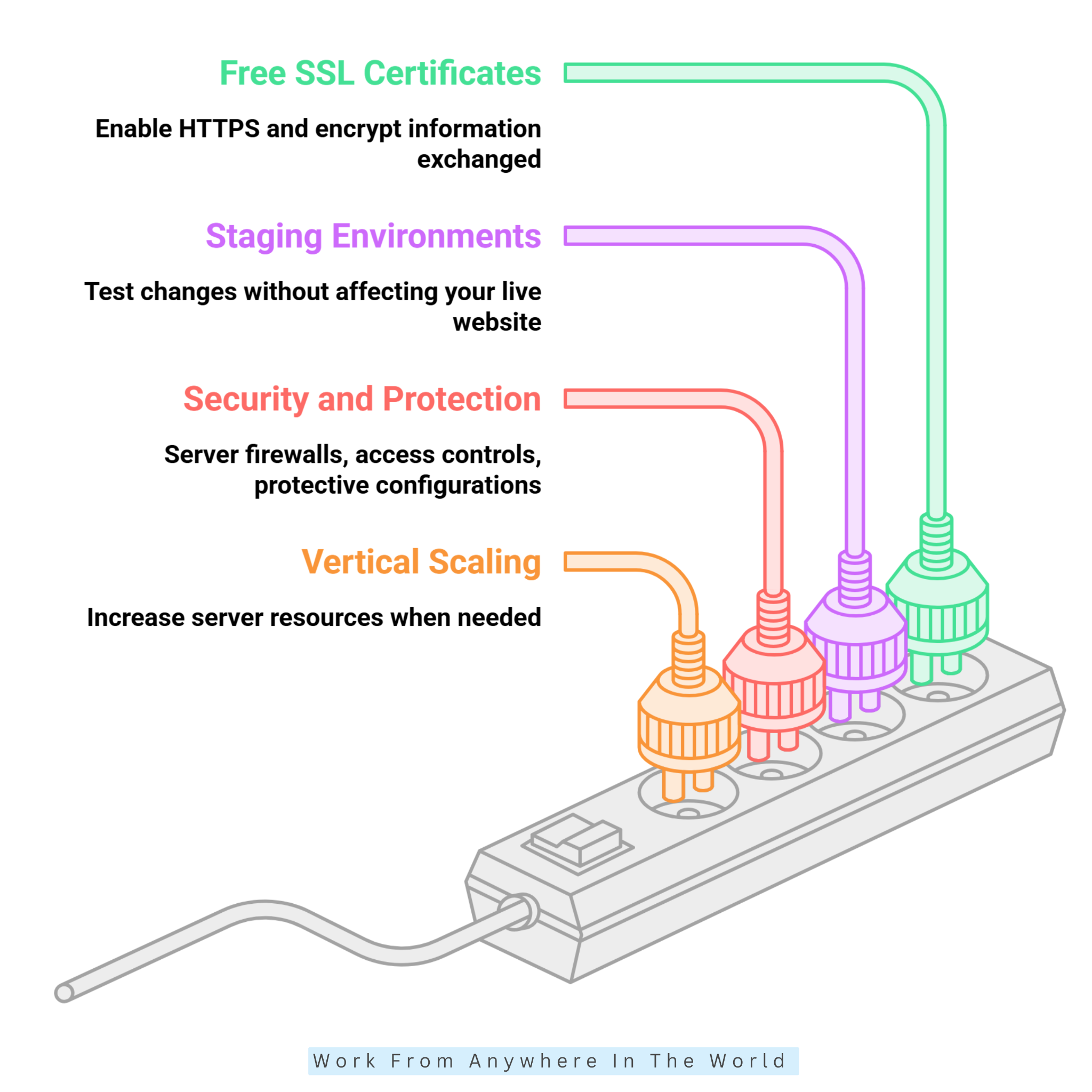
Cloudways supports free SSL certificates that help website owners enable HTTPS and protect information exchanged between visitors and their websites. Encrypted connections are particularly important for login pages, contact forms, and online stores.
HTTPS helps protect information transmitted between browsers and websites. However, an SSL certificate alone does not guarantee complete protection against security threats.
Website owners should regularly update their applications, use strong passwords, and restrict unnecessary access. Monitoring suspicious activity and maintaining reliable backups are equally important security practices.
After installing an SSL certificate, verify that your website redirects visitors to HTTPS correctly. Check that images, scripts, and stylesheets also load through secure connections to prevent mixed-content warnings.
6. Staging Environments And Website Cloning
A staging environment allows website owners to test changes without affecting their live websites. Cloudways provides staging and cloning tools that help developers, bloggers, and businesses prepare updates more safely.
Imagine a blogger who wants to redesign an established WordPress website. Rather than experimenting on the live site, they could follow a WordPress tutorial for beginners while testing a new theme and layout in staging.
This approach helps prevent visitors from encountering unfinished designs or unexpected technical problems. It also allows website owners to experiment with new features while keeping their published content available.
Staging environments are particularly useful for agencies managing multiple client websites. They can test updates, review changes, and identify potential problems before making modifications available to visitors.
For example, someone managing an affiliate marketing website might test new layouts or content placements before publishing them. Our guide on how to become an affiliate marketer explores this type of online business.
Staging is also valuable for eCommerce websites, where changes can affect shopping carts and customer transactions. Our WooCommerce Review explores the advantages and limitations of this popular online selling platform.
However, testing should include contact forms, checkout processes, navigation, and other essential website functions. When publishing changes, carefully review how the process handles orders, comments, and other data created after staging began.
Wealthy Affiliate – Mini Review
If you’ve ever thought about turning your blog, passion, or niche into an online business,
Wealthy Affiliate (WA) is one of the most beginner-friendly platforms I’ve used.
It combines step-by-step training, website hosting, AI-powered tools,
keyword research, and an active community all in one place.
What I like most is that you can start for free (no credit card needed), explore the platform,
test the tools, and connect with other entrepreneurs before upgrading.
WA isn’t a “get rich quick” scheme — success comes from consistent effort
and applying what you learn over time.
7. Security And Server Protection
Cloudways includes security-related hosting tools such as server firewalls, access controls, and protective configurations. These features help reduce certain risks while simplifying server management for website owners.
However, website security still requires regular attention. Strong passwords, restricted administrative access, updated plugins, and dependable backups remain essential for protecting your website.
WordPress users can also explore additional protection through security plugins. Our Wordfence Security Plugin Review examines a popular tool designed to help protect WordPress websites against common threats.
Online store owners should pay particular attention to customer information and payment security. They should also follow their payment provider’s requirements and maintain appropriate safeguards for sensitive data.
No hosting platform can guarantee complete protection against every attack or vulnerability. Before choosing Cloudways, review the security features included with your selected hosting configuration.
Consider the sensitivity of your website’s information and whether additional security services are necessary. Combining hosting-level protection with responsible website management provides a more comprehensive approach to security.
8. Vertical Scaling
Website traffic rarely remains consistent throughout the year. Promotions, seasonal demand, viral content, and product launches can quickly increase the resources needed to keep a website running smoothly.
Cloudways supports vertical scaling on eligible hosting configurations, allowing users to increase server resources when necessary. This flexibility can help growing websites respond to changing traffic demands.
For example, a blogger following our 23 proven free ways to drive traffic to your website might experience a noticeable increase in visitors. Additional hosting resources could become necessary as the audience grows.
Similarly, businesses investing in paid website traffic strategies may experience temporary traffic spikes during advertising campaigns. Preparing hosting resources in advance can help reduce performance problems.
Online stores face similar challenges during promotions and major sales events. Our guide to eCommerce scaling strategies explores other considerations for managing business growth.
However, increasing server capacity cannot resolve every performance problem. Inefficient database queries, oversized images, and excessive third-party scripts can still slow down a website.
Website owners should also explore SEO strategies for organic traffic when planning long-term growth. Sustainable traffic development makes it easier to anticipate future hosting requirements.
Before upgrading, review available scaling options, additional costs, and any infrastructure restrictions. Monitor server usage after making changes to determine whether the additional resources are providing measurable benefits.
Pros Of Cloudways
Cloudways offers several advantages for website owners who want more flexibility than traditional shared hosting provides. Its managed infrastructure combines useful server controls with tools that simplify everyday website management.
These benefits can be particularly valuable for growing businesses, freelancers, and bloggers managing increasingly demanding websites. Features such as staging, backups, and resource scaling can support more efficient workflows.
However, the value of these advantages depends on your website’s size, technical requirements, and budget. Let’s explore five important benefits of choosing Cloudways for your hosting needs.
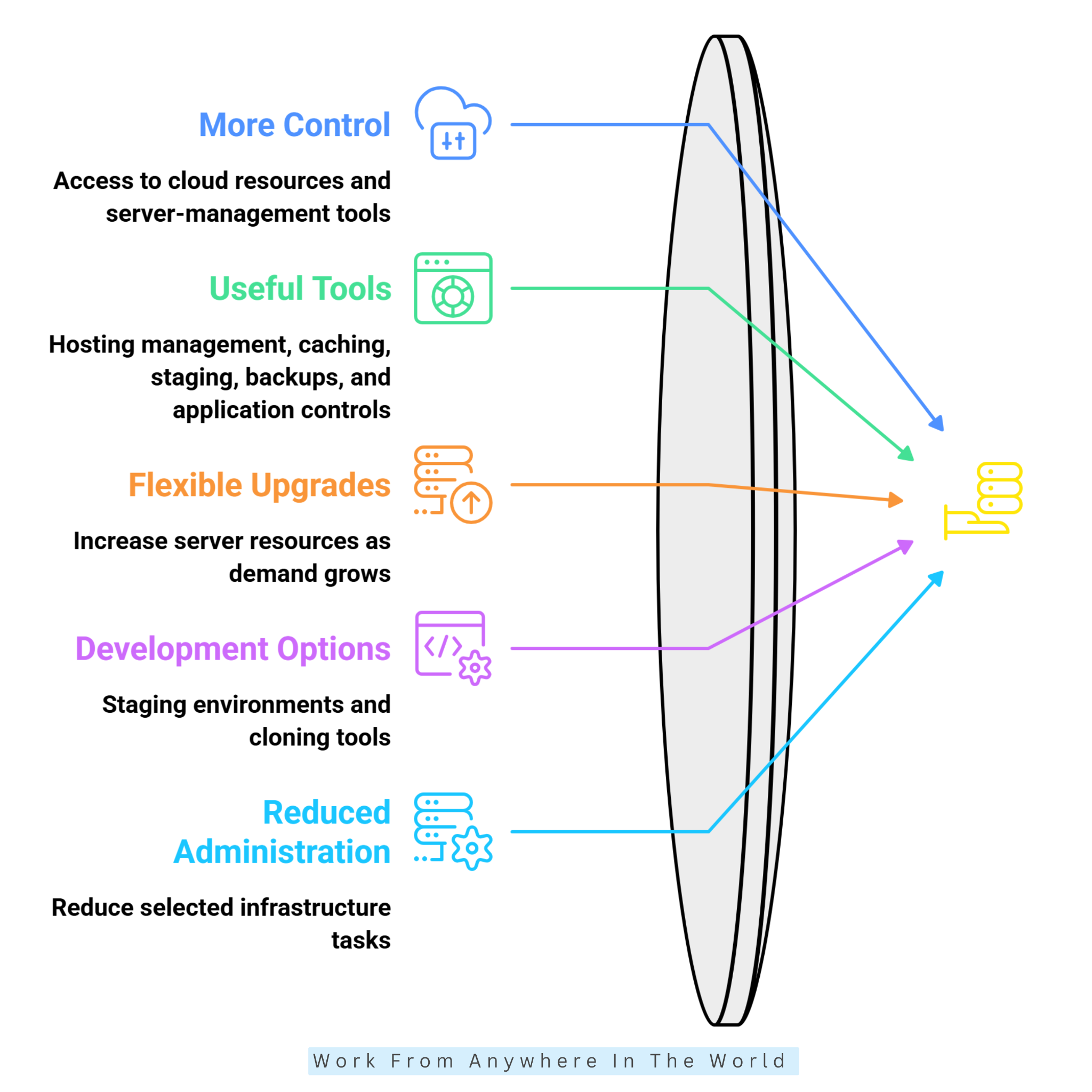
1. More Control Than Basic Shared Hosting
Cloudways provides access to cloud resources and server-management tools that many entry-level shared hosting packages do not offer. This additional control becomes valuable when a website outgrows its original hosting environment.
Users can select suitable configurations, monitor resource consumption, and adjust server capacity as their requirements change. These options provide greater flexibility without requiring complete responsibility for cloud infrastructure management.
For example, a growing business blog may need additional memory as its readership expands. Cloudways offers a middle ground between basic shared hosting and independently managing a cloud server.
However, greater control also brings additional decisions about resources and configurations. Before switching, compare the potential benefits with your budget, technical experience, and hosting requirements.
2. Useful Tools For Growing Websites
Cloudways combines hosting management, caching, staging, backups, and application controls within one platform. Having these tools together can simplify maintenance and reduce the need to manage separate services.
For example, a freelancer maintaining several WordPress websites could use staging to test changes and backups to improve recovery options. These conveniences are particularly valuable when client websites require frequent updates.
Freelancers who want to expand their services can also explore our 15 effective freelancing tips. Building reliable maintenance workflows can help support long-term client relationships.
However, the actual benefits depend on your website management needs. Owners of simple websites may use only a few features, making it important to compare the tools provided with the overall hosting cost.
3. Flexible Resource Upgrades
The ability to increase server resources makes Cloudways attractive to websites with changing workloads. Eligible users can upgrade their hosting configurations as demand grows without immediately rebuilding their entire setup.
This flexibility benefits online publishers, agencies, and eCommerce businesses experiencing temporary traffic increases. For example, a successful product launch may generate significantly more visits and server activity than usual.
Business owners planning promotional campaigns can explore strategies to boost eCommerce sales. Preparing hosting resources before a major campaign can help reduce potential performance problems.
However, additional memory or processing power will not resolve every technical bottleneck. Poor caching, oversized images, and inefficient code may still require separate optimization.
Before upgrading, examine actual resource usage to identify the problem. This helps prevent unnecessary spending on server capacity that may not improve website performance.
4. Helpful Development And Testing Options
Cloudways provides staging environments and cloning tools that support safer website maintenance. Developers can test theme updates, review design changes, and investigate compatibility problems before modifying a live website.
These tools are particularly useful for agencies managing several client projects. They also benefit individual bloggers who want to redesign their websites without disrupting existing readers.
For example, a blogger experimenting with new layouts or content features could test changes in staging first. Our guide to essential blogging tools explores other resources that support everyday blogging activities.
A careful testing workflow should include forms, navigation, analytics, and important business functions. Checking these elements before publishing can reduce the likelihood of unexpected problems.
However, staging does not eliminate every deployment risk, especially when live websites receive new orders or user submissions. Reviewing how changes are transferred remains an important part of website maintenance.
5. Reduced Routine Server Administration
Cloudways manages many hosting-related tasks through its platform, reducing the server administration required of website owners. This allows businesses to spend more time creating content, serving customers, and developing their online presence.
Instead of configuring every server component manually, users can perform many routine tasks through the Cloudways dashboard. This approach can be particularly helpful for entrepreneurs who prefer to concentrate on business operations.
For example, an online store owner could focus more on eCommerce conversion rate optimization rather than spending that time on routine server configuration.
However, managed hosting does not eliminate every maintenance responsibility. Website owners must still update WordPress, review plugins, protect user accounts, and investigate application-related problems.
The main advantage is reducing selected infrastructure management tasks rather than making website ownership completely maintenance-free. Understanding this distinction helps establish realistic expectations before choosing Cloudways.
Cons Of Cloudways
Although Cloudways offers useful hosting features, it also has limitations that website owners should consider. Higher costs, additional setup requirements, and technical responsibilities may make the platform less suitable for certain users.
These drawbacks are particularly important for beginners, small businesses, and bloggers working with limited budgets. Understanding the potential challenges can help you avoid unexpected expenses and choose a more suitable hosting solution.
Let’s examine five disadvantages of Cloudways and how they might affect your website management experience.
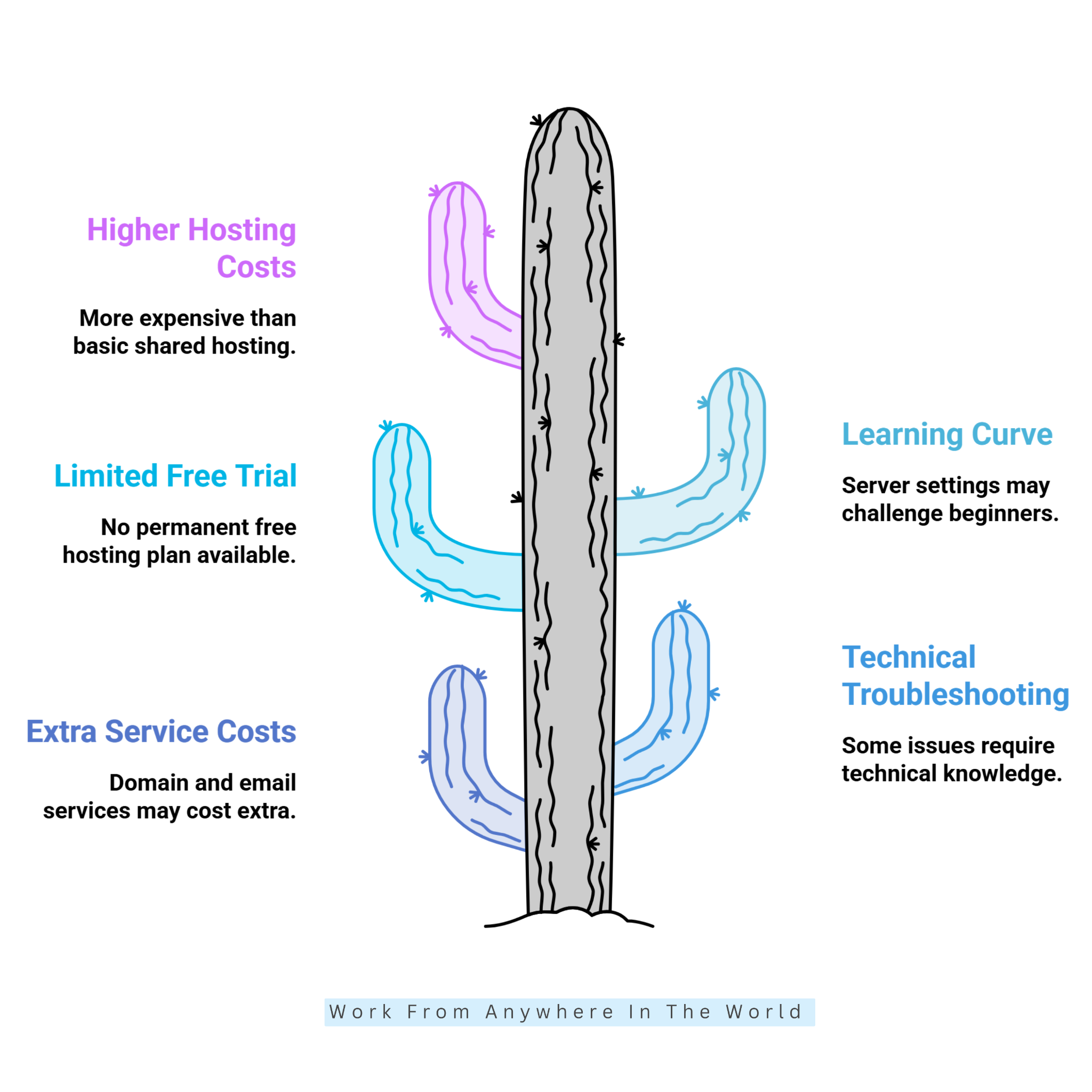
1. Higher Cost Than Basic Shared Hosting
Cloudways can cost more than entry-level shared hosting, particularly for small blogs with modest traffic. The additional expense reflects its cloud infrastructure and managed services, but not every website needs these features.
For example, a beginner publishing only a few articles each month may find traditional shared hosting more economical. Our guide to low-cost web hosting services explores alternatives for budget-conscious website owners.
Before subscribing, compare the complete hosting cost with your actual requirements. Consider backups, additional services, applicable taxes, and any optional paid support.
The best hosting solution should provide useful performance and management benefits without creating unnecessary financial pressure. Paying for advanced features only makes sense when your website can benefit from them.
2. No Traditional Free Hosting Plan
Cloudways does not offer a permanent free hosting plan. Instead, it advertises a limited trial for Cloudways Flexible, allowing prospective customers to explore the platform before committing to a subscription.
The advertised three-day trial may provide enough time to examine the dashboard and test a basic website setup. However, it may be insufficient for a complete migration or meaningful long-term performance assessment.
Users should plan their evaluation carefully and review the current Cloudways trial conditions before signing up. Understanding when billing begins can help prevent unexpected charges.
Those seeking free hosting for an ongoing personal project may prefer a provider offering a suitable free tier. Beginners should compare the limitations of free hosting with the benefits of affordable paid alternatives.
3. Learning Curve For Beginners
Although Cloudways simplifies many server tasks, its interface may feel unfamiliar to users accustomed to traditional hosting dashboards. Server sizing, application configuration, caching, and resource monitoring can require additional learning.
Beginners can make the process easier by starting with one website and becoming familiar with the essential controls. Tutorials and official documentation can provide guidance for common hosting tasks.
Those new to website management may also benefit from learning the basics through our simple WordPress tutorial for beginners. Understanding how WordPress works makes it easier to recognize application-related problems.
It is important to distinguish hosting issues from problems caused by themes, plugins, or custom code. Users seeking a highly guided experience may prefer a more beginner-focused managed WordPress hosting service.
4. Email And Domain Services May Cost Extra
Cloudways primarily focuses on hosting rather than providing an all-in-one domain and email solution. Website owners should not assume their subscription automatically includes domain registration or traditional business email hosting.
Depending on the configuration, separate services may be necessary for domain names, email accounts, and outgoing messages. These requirements can increase costs and introduce additional setup responsibilities.
For example, a small business launching its first website may need to connect a domain registrar, email provider, and hosting account. Our guide to domain name generators can help entrepreneurs explore suitable website names.
Before purchasing, review which services are included and which require separate subscriptions. Understanding the complete setup process can help you plan your budget more accurately.
5. Some Problems Still Require Technical Knowledge
Cloudways manages many infrastructure-related tasks, but application-level troubleshooting can still require technical experience. Broken plugins, incompatible themes, faulty custom code, and incorrectly configured DNS records may need additional attention.
Support availability and the scope of assistance can vary depending on the problem and service level. Website owners should learn basic troubleshooting procedures and maintain reliable backups before making significant changes.
Agencies managing client websites may benefit from having an experienced developer available for complex technical problems. This additional expertise can help reduce downtime when unexpected issues occur.
If you prefer more hands-on assistance, consider comparing Cloudways with other managed hosting solutions. Our WP Engine Review explores another WordPress hosting option worth evaluating.
For beginners considering a more conventional hosting service, our Hostinger Review provides another perspective. Comparing different providers can help you find the right balance between support, flexibility, and technical requirements.
Cloudways Pricing And Plans
Cloudways pricing depends on the hosting approach, infrastructure, and resources you choose. The platform offers two main options: Cloudways Flexible and Cloudways Autonomous, each designed for different website requirements.
Cloudways Flexible lets users choose supported cloud infrastructure providers and server configurations. Pricing varies according to processing power, memory, storage, and other resources included in the selected setup.
Flexible uses usage-based billing, making it suitable for website owners who want greater control over their hosting resources. However, optional services and additional resource consumption can affect the final bill.
Cloudways Autonomous focuses on managed WordPress hosting with automatic scaling capabilities. Its plans offer different levels of included resources, letting businesses choose configurations that match their traffic and performance needs.
Autonomous uses a separate pricing structure, with plans designed for websites that require different levels of capacity. Additional usage charges may apply when resource consumption exceeds the included allowances.
Before choosing a plan, consider how hosting expenses fit into your overall business finances. Understanding cost budgeting can help you anticipate recurring expenses and avoid paying for resources you do not need.
Hosting decisions should also support your long-term business strategy. Our guide on how to write a winning business plan explains how to organize important financial and operational considerations.
Before subscribing, review the official Cloudways pricing and plans to confirm current rates, configurations, and available features. Pricing and promotional offers may change over time.
The best hosting plan depends on your website traffic, technical requirements, and available budget. Setting realistic online business goals can help you decide when additional hosting resources are worth the investment.
Remember to account for optional add-ons, email services, backup storage, and potential scaling costs. Evaluating the complete expense helps you choose a hosting solution that supports sustainable growth.
Frequently Asked Questions
Q1: Is Cloudways Good For WordPress Websites?
Yes. Cloudways supports WordPress hosting with caching, backups, staging, SSL certificates, and server management tools. It can suit growing blogs, business websites, and online stores.
However, performance depends on your server configuration, website optimization, and traffic levels. Choosing the right resources is essential for reliable results.
Q2: Does Cloudways Offer A Free Trial?
Yes. Cloudways advertises a three-day free trial for Cloudways Flexible, allowing users to explore its hosting platform. However, it does not offer permanent free hosting.
Check the current trial conditions, included features, and billing requirements before registering. Trial offers may change over time.
Q3: Is Cloudways Better Than Shared Hosting?
Cloudways offers greater resource control and flexibility than many basic shared hosting plans. These advantages can benefit growing websites with more demanding hosting requirements.
However, shared hosting may be simpler and more affordable for beginners. Your website traffic, technical experience, and budget should guide your decision.
Q4: Does Cloudways Include Email Hosting?
Traditional email hosting is not automatically included with every Cloudways hosting plan. Depending on your requirements, you may need a separate email provider or an available add-on.
Check the current email hosting options before subscribing. This helps you understand any additional costs and configuration requirements.
Q5: Is Cloudways Suitable For Beginners?
Cloudways can suit beginners who are willing to learn basic hosting concepts. Its dashboard simplifies many server management tasks and provides access to useful website tools.
However, advanced configurations and application troubleshooting may still require technical knowledge. Beginners should consider their comfort level before choosing the platform.
Q6: Can I Migrate My Existing Website To Cloudways?
Yes. Cloudways provides migration options for eligible websites, including WordPress installations. Before migrating, create a complete backup and confirm that your website is compatible.
After transferring your website, test navigation, forms, plugins, and other important functions. Careful testing helps identify potential problems before visitors encounter them.
Q7: Does Cloudways Improve Website Speed?
Cloudways provides cloud infrastructure and optimization tools that can help improve website loading times. However, actual performance depends on server resources, caching, image sizes, and database efficiency.
Website owners should also monitor performance and regularly optimize their content. Our guide to actionable steps to increase organic traffic explores related strategies for improving website visibility.
Remember, faster hosting alone cannot guarantee a specific performance result. Testing your website before and after changes provides a more reliable assessment.
Conclusion
Cloudways offers a practical hosting solution for website owners who need flexible resources, reliable management tools, and room to grow. Its caching, staging, backup, and security features can help simplify website maintenance.
However, the higher costs and learning curve may not suit every beginner. Before subscribing, compare the available plans, consider additional expenses, and evaluate your website’s technical requirements.
Choosing the right hosting provider is also part of building a sustainable online business. The best solution should support your long-term goals without creating unnecessary costs or complexity.
Overall, Cloudways is worth considering when flexibility, performance tools, and managed infrastructure matter more than finding the cheapest hosting plan.
I trust you enjoyed this Cloudways Review: Is This Managed Cloud Hosting Worth It? Please stay tuned for more insightful blogs on affiliate marketing, online business, and working from anywhere in the world.
Take care!
— JeannetteZ 🌍✨
💬 Your Opinion Is Important To Me
Do you have thoughts, ideas, or questions? I’d love to hear from you. Please leave your comments below or email me directly at Jeannette@WorkFromAnywhereInTheWorld.com.
📚 More Work From Anywhere Reads
🚀 Ready to Build a Business You Can Run from Home
Or from Anywhere in the World?
Imagine earning income on your terms — from home, a cozy café, or wherever life takes you.
With the right tools, training, and community support, it’s entirely possible.
Start your own online business for free — no credit card needed.
Disclosure
This post may contain affiliate links. As an Amazon Associate and participant in other affiliate programs, I earn from qualifying purchases at no extra cost to you. Please read my full affiliate disclosure.