12 Tips For Choosing The Best Sit-Desk
These tips for choosing the best sit-desk cover the practical features that can make a home office more comfortable and functional. The right desk should provide enough workspace while making it easy to change positions throughout the day.
Desk height, surface size, stability, adjustability, and available space are all important considerations. The desk should also comfortably fit a computer, accessories, and other equipment you use regularly.
A few practical checks can make comparing different desks much easier. They can help narrow options and find a sit-desk that suits your workspace and daily routine.
What Is A Sit-Desk?
A sit-desk generally refers to a desk designed for seated work, while a sit-stand desk allows you to alternate between sitting and standing. Some sit-desks may also include adjustable heights, ergonomic designs, or features that accommodate monitors and other accessories.
The term is sometimes used loosely when referring to sit-stand desks. When comparing options, pay attention to the desk’s dimensions, height range, adjustability, and compatibility with your workspace.
For a home office, the best desk should comfortably accommodate your body, equipment, and daily work habits. More features do not necessarily make a desk a better choice.
A desk that is too high or too low can make your workstation uncomfortable. Starting with ergonomics and everyday usability can help you choose a desk that works well before considering style and additional features.
12 Tips For Choosing The Best Sit-Desk
Choosing the right sit-desk involves more than finding a design that looks good in your home office. Comfort, available space, equipment, and everyday working habits all play an important role.
The desk should provide enough room for your computer and accessories while supporting a comfortable working position. Also consider size, height, stability, storage, and surface materials.
These 12 tips can help you compare options and choose a sit-desk that fits your workspace and how you work each day. Considering these details before shopping can also help you avoid choosing a desk that becomes uncomfortable or impractical over time.
1. Measure Your Space And Choose The Right Desk Height
Before choosing a sit-desk, measure your workspace carefully. Check the available width and depth, along with chair clearance, doors, windows, shelves, and electrical outlets.
Desk height matters just as much as the available space. Your elbows should rest comfortably near your sides, with your forearms roughly level with the keyboard and mouse.
Consider your chair height and body proportions rather than relying on one standard desk measurement. The goal is to create a comfortable working position for your setup.
A laptop stand or external monitor can help improve screen positioning when using a laptop. For monitor arms, make sure the desk edge and surface suit the mounting system.
The right desk should fit your workspace, body, and equipment comfortably. Taking accurate measurements before shopping can help you avoid a desk that is too large, too small, or uncomfortable to use.
2. Think About Your Chair And Desk Together
A sit-desk works best when considered together with your chair rather than as a completely separate purchase. Chair height, seat position, armrests, and desk height all influence how comfortably you can work.
When seated, your feet should have stable support, while your knees and legs need enough room to move comfortably. Your chair should also allow you to sit close enough to the desk without feeling cramped.
Pay particular attention to the armrests because they may prevent the chair from moving close enough to the desk. When you already have a chair, measure its seat and armrest height before choosing your desk.
Testing the complete setup can reveal problems that desk measurements alone may not show. Overall comfort depends on how the desk, chair, monitor, and keyboard work together.
3. Check The Desktop Size Carefully
Desktop size determines how comfortably you can arrange your equipment. A compact surface may suit a laptop and minimalist workspace, while a wider desktop provides more room for monitors, a keyboard, mouse, notebook, lighting, and accessories.
Consider the equipment you use now while leaving some space for future additions. Desktop depth matters because it affects monitor placement, keyboard positioning, and usable workspace.
However, the largest desktop is not necessarily the best choice. A very deep or wide desk can take up valuable floor space and make frequently used items harder to reach.
The ideal desktop provides enough room for your equipment without overwhelming the available space. Small home office design ideas can also help you use limited space better without sacrificing a practical workspace.
4. Prioritize Stability And Weight Capacity
A sit-desk should provide a stable foundation for your computer and other equipment. Stability matters most when your setup includes multiple monitors, monitor arms, speakers, or heavier accessories.
Check the manufacturer’s stated weight capacity and consider the combined weight of everything placed on the desk. For an adjustable sit-stand desk, check the lifting capacity of the complete frame and mechanism.
Stability at different heights also matters with an adjustable desk. A sturdy frame can help reduce unwanted movement while typing, using equipment, or changing the desk height.
Consider whether your setup may expand in the future. Choosing suitable weight capacity now can give you more flexibility when adding monitors, accessories, or other equipment later.
5. Consider The Desk Material
The material of a sit-desk affects its appearance, durability, maintenance, and overall feel. Wood and wood-based surfaces can create a warm, traditional look, while laminate offers a wide variety of finishes and practical options.
Metal is commonly used for desk frames because of its strength and durability. When comparing materials, consider how the desk will be used and how much everyday wear the surface may receive.
A workspace used for writing, drinks, or frequently moving equipment may benefit from a durable, easy-to-maintain surface. The finish should also suit the overall style of your home office.
Pay attention to the desktop edges as well. Smooth, comfortable edges can make a difference when your arms or wrists regularly rest against the desk during longer working sessions.
6. Make Cable Management Part Of The Decision
A modern sit-desk can quickly become cluttered with cables from monitors, laptops, chargers, speakers, lamps, docking stations, and other equipment. Built-in cable holes, trays, clips, or channels can help keep these connections organized.
Before buying, consider where your electrical outlets are located and how cables will travel between the desk and your devices. Good planning can keep cables away from your working area and make the desktop easier to maintain.
Cable management becomes particularly important with an adjustable sit-stand desk. Cables need enough length and flexibility to move safely as you raise or lower the desk.
Additional sleeves, clips, or trays can help when built-in cable management is limited. Keeping cords organized can also make cleaning, moving equipment, and maintaining a tidy workspace much easier.
7. Consider Built-In Storage
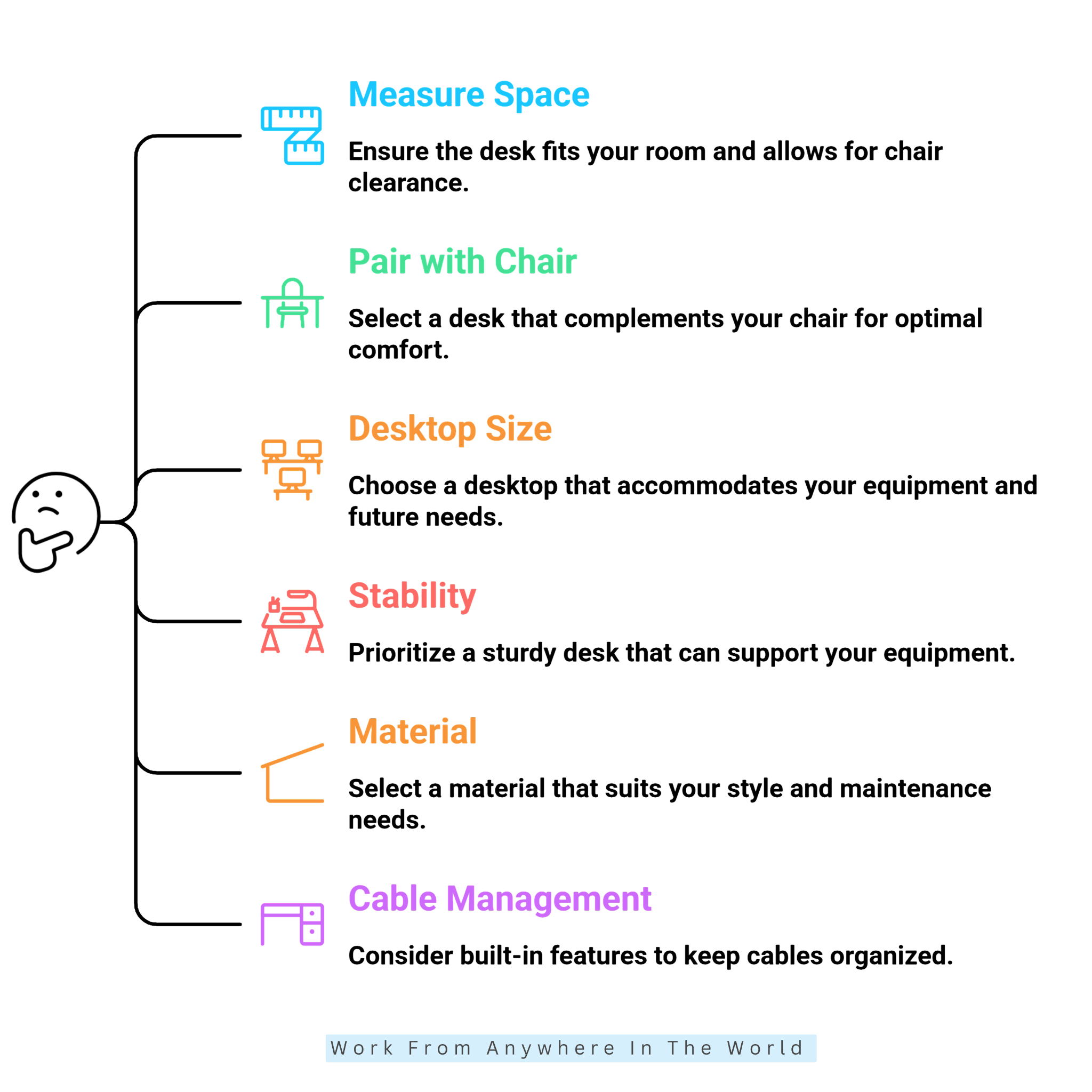
Storage can add convenience to a sit-desk, but the right amount depends on what you use during the workday. Drawers can keep stationery, notebooks, chargers, documents, and small accessories within easy reach while reducing desktop clutter.
Built-in drawers and cabinets can also take up valuable space beneath the desk. Before choosing one, consider how much legroom you need and which items you truly need close at hand.
A compact drawer may be more practical than a large storage unit that restricts your seating area. You can also pair an open desk with shelves, filing cabinets, or wall-mounted organizers for extra storage.
Good storage should keep essential items accessible without making the workspace feel crowded. A well-organized home office filing system can also help keep documents off the desktop while making them easy to find.
8. Pay Attention To Adjustment Noise
For an electric adjustable sit-desk, the motor’s sound and smoothness can affect everyday use. This matters most in a quiet home office, shared workspace, or room used often for video meetings.
Check the manufacturer’s specifications and independent reviews for information about the adjustment mechanism. Smooth, responsive movement can make changing positions throughout the day more convenient.
Consider the full adjustment system, not just the controls or appearance. The desk should move steadily without excessive shaking, hesitation, or disruption to your workspace.
A quiet, reliable mechanism can make regular height adjustments feel like a natural part of the working day. This is especially useful when you adjust the desk several times throughout the day.
9. Choose A Style That Supports Your Space
Once the practical requirements are covered, consider how the sit-desk will fit into the overall room. As one of the larger pieces of home-office furniture, its colour, shape, finish, and frame can influence the entire space.
A minimalist desk can help a smaller workspace feel more open, while a wood-finish surface can add warmth and character. Neutral finishes can also coordinate easily with existing furniture and décor.
Consider the proportions and style of nearby shelves, cabinets, and chairs rather than trying to match every piece exactly. Feng Shui for a home office can also provide ideas for arranging the desk and surrounding furniture to create a more balanced workspace.
For frequent video meetings, the desk and surrounding area may also appear in the camera frame. Choosing a desk that complements the room can help create a professional home office that feels both practical and inviting.
10. Set A Realistic Budget
A higher price does not automatically make a sit-desk more suitable for your workspace. Start by identifying the features that genuinely matter, such as stability, desktop size, adjustability, cable management, and storage.
Separate these priorities from optional extras that may add cost without improving everyday use. A built-in USB port may be convenient, but the right dimensions and a stable frame can have a much greater impact.
Remember to include any accessories needed to complete the workstation. A monitor stand, laptop stand, keyboard, mouse, desk lamp, or cable tray can all add to the overall cost.
Looking at the complete setup can give you a more realistic idea of your total investment. A practical budget should prioritize comfort, stability, and useful features before optional extras.
11. Read Reviews With Specific Questions In Mind
Online reviews can reveal practical details that product specifications may not fully explain. Instead of focusing only on the overall rating, look for comments about stability, assembly, desktop quality, adjustment mechanisms, motor noise, and long-term use.
Repeated comments can be particularly useful because they may reveal patterns worth investigating. Pay attention to reviews from people whose workstations and equipment are similar to your own.
Someone using a laptop may have very different priorities from someone working with several monitors and a desktop computer. Manufacturer specifications can explain what a desk is designed to provide, while reviews can offer insight into everyday use.
Use reviews to answer the specific questions that matter to your workspace and working routine. Comparing those experiences with the manufacturer’s specifications can help you make a more informed decision.
12. Test The Whole Setup Before Finalizing Your Choice
When possible, test a sit-desk in person and evaluate the entire workstation, not just the desk. Sit in your usual working position and place your hands where the keyboard and mouse would normally be.
Check the monitor position, chair clearance, legroom, and overall desk height. For an adjustable desk, try several height settings to see how comfortably the workstation accommodates different positions.
Pay attention to the position of your shoulders, elbows, wrists, and neck while using the desk. Small details that are hard to notice in product photos may become obvious when you test the full setup.
For online purchases, carefully check the dimensions, warranty, return policy, assembly requirements, and manufacturer specifications. A sit-desk should work well not only on paper but also in your everyday home-office setup.
Top 10 Best Sit-Desk Brands
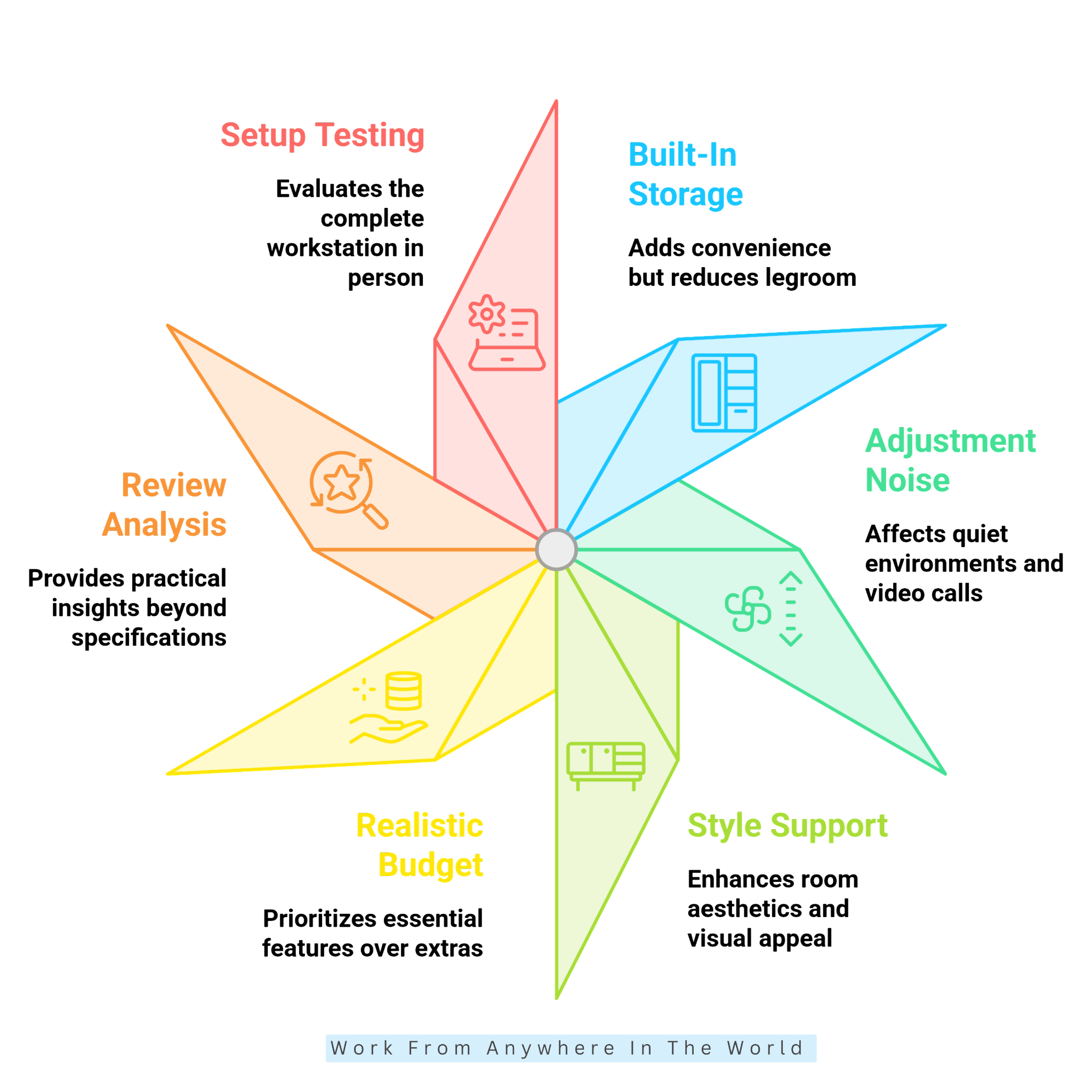
Choosing among the best sit-desk brands becomes easier when you know which features matter most for your workspace. Different brands focus on adjustability, stability, desktop sizes, materials, and ergonomic design.
Some offer extensive customization, while others concentrate on straightforward designs for everyday home-office use. Warranty coverage, customer support, and available accessories are also worth considering.
The right brand ultimately depends on your workspace, equipment, and preferred desk features. Comparing several manufacturers can help you narrow the options before looking at individual desk models.
The following 10 brands offer a range of sit-desks and sit-stand options for different home-office setups. Exploring each brand can help you find the features and design that best match how you work.
1. Autonomous
Autonomous offers ergonomic office furniture, including height-adjustable desks for home and professional workspaces. The adjustable height lets you position the desktop for comfortable seated work while offering flexibility when needed.
The brand offers different desk sizes and designs to accommodate a variety of working setups. Some models can also be paired with monitor arms, cable-management solutions, and other ergonomic accessories.
Autonomous can suit people looking for a sit-stand desk that offers more flexibility than a fixed-height model. Comparing individual dimensions, height ranges, and features can help you choose an option that suits your workspace and routine.
2. Branch
Branch offers modern office furniture designed for home offices and professional workspaces. Its fixed-height desks combine practical working surfaces with clean, contemporary designs.
Different desk sizes and configurations can accommodate laptops, monitors, and other everyday office equipment. The streamlined designs also suit smaller or more minimalist home offices.
Branch can be a practical choice for people who want a traditional sitting desk with a modern look. Compare the available dimensions, materials, and features to find a desk that suits your workspace.
3. FlexiSpot
FlexiSpot offers a broad range of desks for home offices and other workspaces. Although the brand is particularly known for height-adjustable models, these desks can be positioned at a comfortable height for everyday seated work.
The range offers different desktop sizes, materials, and configurations. This gives users flexibility when matching a desk to their equipment, available space, and preferred working position.
FlexiSpot can suit people who want a sitting desk with the option to adjust the height when needed. Comparing the dimensions, height range, weight capacity, and desktop options can help narrow the choices.
4. FEZIBO
FEZIBO specializes in adjustable desks and home-office furniture, with designs ranging from compact workstations to larger executive and L-shaped configurations. Its desks can be adjusted to a comfortable seated height while providing the flexibility to change positions when desired.
The brand offers different desktop sizes, finishes, storage configurations, and frame designs. Some models include drawers, monitor stands, cable management, or built-in power options.
FEZIBO can suit people looking for a sitting workstation with additional height flexibility. Comparing dimensions, adjustment range, storage, and desktop design can help you choose the best fit.
5. IKEA
IKEA offers a broad selection of sitting desks for home offices, ranging from compact workstations to larger desks with built-in storage. Different sizes, finishes, and configurations make it easier to find a desk that suits the available space.
Some designs focus on simple desktop space, while others include drawers, shelving, or additional storage. This variety can be particularly useful when creating a workspace in a bedroom, living area, or dedicated home office.
IKEA can suit people looking for a practical sitting desk that coordinates with other home-office furniture. Comparing the dimensions, storage, materials, and available workspace can help narrow the choices.
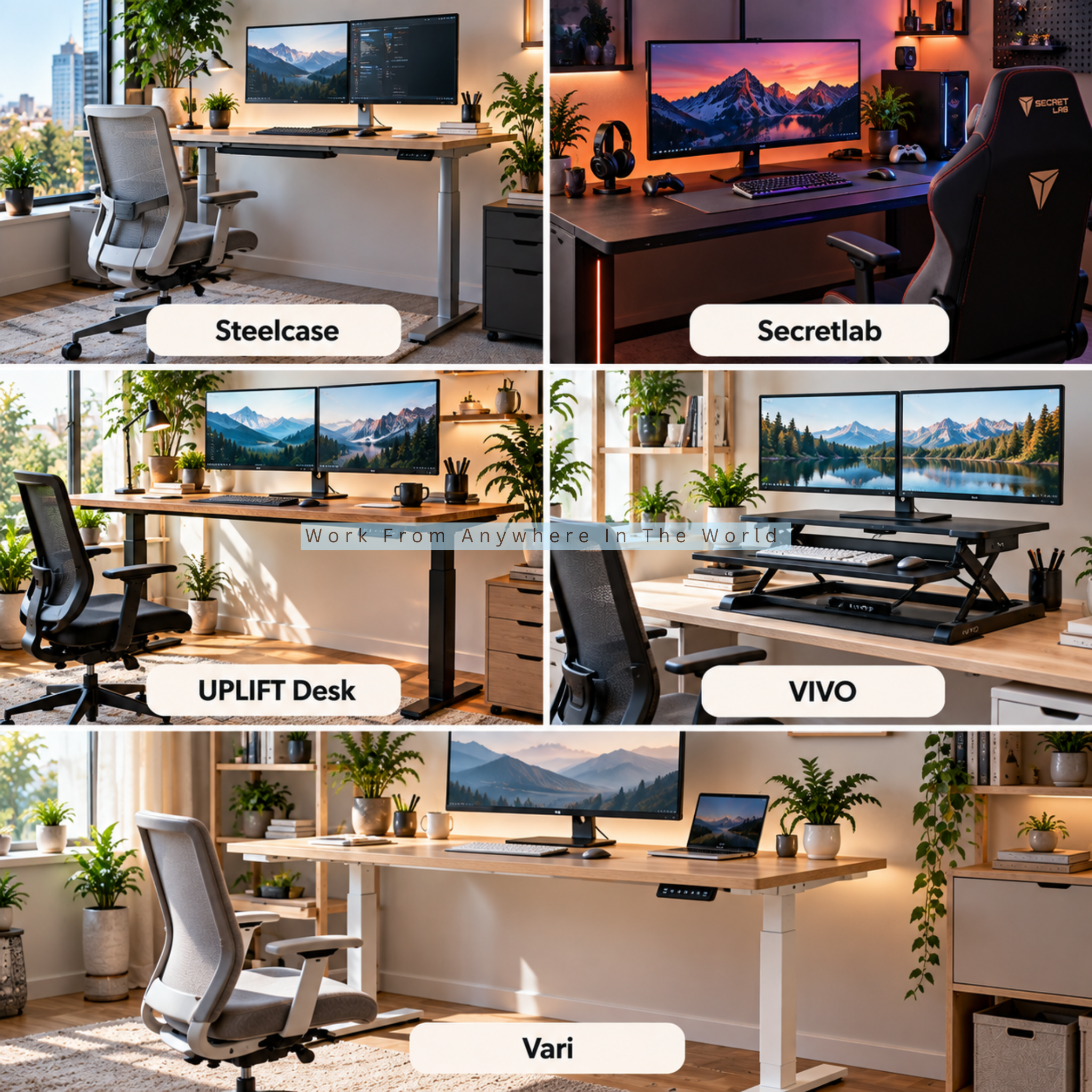
6. Steelcase
Steelcase is a long-established office-furniture brand offering both fixed-height desks and height-adjustable workstations, making it a good fit for this section. Its desk collections are designed for professional offices and home workspaces.
The brand offers different desk sizes, shapes, materials, and configurations. Some designs provide straightforward work surfaces, while others can be combined with storage and other office furniture.
Steelcase can suit people looking for a durable sitting desk with a professional appearance. Comparing dimensions, materials, and available configurations can help you choose a desk that fits your space and equipment.
7. Secretlab
Secretlab is known for gaming and workstation furniture. Its MAGNUS range includes the fixed-height MAGNUS Metal Desk, alongside height-adjustable options for users who want greater flexibility.
The MAGNUS Metal Desk combines a metal construction with integrated cable management to help keep cords and equipment organized. It can also accommodate compatible monitor arms and other workstation accessories.
Secretlab can suit people with computer-heavy setups who want a fixed-height sitting desk with practical cable management. Comparing the available MAGNUS models can help you choose the configuration that best suits your equipment and workspace.
8. UPLIFT Desk
UPLIFT Desk offers a range of desks and office furniture designed for home and professional workspaces. Although the brand is particularly known for height-adjustable desks, these models can also be positioned at a comfortable height for everyday seated work.
The brand provides numerous desktop sizes, materials, finishes, and frame configurations. A wide selection of accessories also lets you customize the workspace with storage, monitor arms, cable management, and other features.
UPLIFT Desk can suit people who want a sitting workstation with the flexibility to adjust the height when needed. Comparing the available dimensions, desktop materials, and accessories can help you create a setup that suits your equipment and workspace.
9. VIVO
VIVO offers a broad selection of desks and workstation products for home-office setups. Its current desk range focuses mainly on electric and manual height-adjustable models, which can be positioned for comfortable seated work.
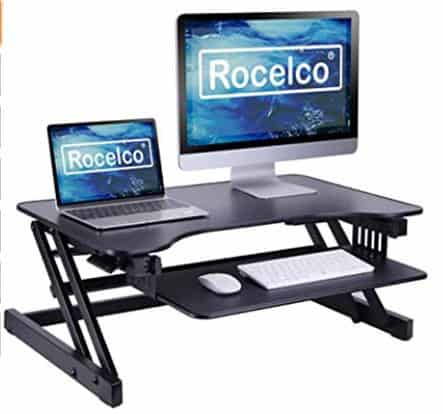
The brand offers different desktop sizes and configurations, including standard and corner designs. VIVO also offers desk converters that can be added to an existing sitting desk when you want greater height flexibility.
VIVO can suit people who want a sitting workstation with the option to adjust their working position. Comparing the dimensions, adjustment range, and desk configuration can help you find an option that suits your equipment and available space.
10. Vari
Vari offers both fixed-height and adjustable desks for home and professional workspaces. Its fixed-height collection includes different sizes, finishes, and configurations for traditional seated work.
The brand’s straightforward designs can accommodate computers, monitors, and everyday office equipment. Some options are also designed for smaller spaces where a large workstation may not be practical.
Vari can suit people who want a traditional sitting desk with a clean, professional look. Comparing the available dimensions, finishes, and configurations can help you find an option that fits your workspace.
Frequently Asked Questions
Q1: Is An Adjustable Sit-Desk Worth It?
An adjustable sit-desk can be useful when you want greater control over the working height or when several people use the same desk. It can also help accommodate different chairs, equipment, and workstation arrangements.
Its value depends on how often you will use the adjustment feature and whether it solves a genuine need. A fixed-height desk may be perfectly suitable when it already provides a comfortable working position.
Q2: How Deep Should A Sit-Desk Be?
The ideal depth depends on your monitor, keyboard, accessories, and available space. A deeper desktop can provide greater flexibility for positioning equipment and maintaining a comfortable viewing distance.
Smaller home offices may benefit from a more compact desk that uses less floor space. Measure both the room and your equipment before deciding how much desktop depth you actually need.
Q3: Can I Use A Sit-Desk For A Dual-Monitor Setup?
Yes. A sit-desk can accommodate two monitors when the desktop provides sufficient width, depth, stability, and weight capacity for the complete setup.
Monitor arms can free up valuable desktop space and provide more flexibility when positioning the screens. Check that both the desk and mounting system are compatible before installing them.
Q4: Is A Sit-Desk Suitable For A Small Home Office?
Yes. Compact sit-desks can work particularly well in smaller home offices where available floor space is limited. A simple design can provide enough workspace without making the room feel crowded.
Measure the area carefully and consider chair clearance, storage, doors, surrounding furniture, and desk dimensions. A smaller desk can still provide a comfortable workstation when you use the available space efficiently.
Q5: Should My Sit-Desk Have Drawers?
Drawers can provide convenient storage for stationery, notebooks, chargers, and other small office supplies. Keeping these items nearby can also reduce desktop clutter.
However, built-in drawers occupy space beneath the desk and may reduce legroom. An open desk paired with separate storage can be a better choice when freedom of movement is a priority.
Q6: What Is The Difference Between A Sit-Desk And A Sit-Stand Desk?
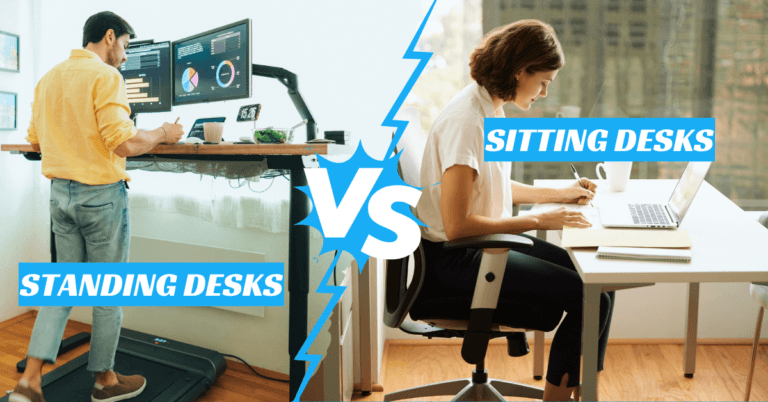
A sit-desk generally refers to a desk intended primarily for seated work. A sit-stand desk can be raised and lowered to accommodate both seated and standing working positions.
Manufacturers and retailers sometimes use the term loosely. Check the height range and adjustment mechanism in the product specifications to determine exactly how a particular desk functions.
Conclusion
Choosing the right sit-desk starts with understanding your workspace, equipment, and daily working habits. A suitable desk should provide enough room to work comfortably without taking up more space than necessary.
Before deciding, consider desk height, stability, surface size, materials, cable management, storage, and adjustability. Your chair and other workstation equipment should also work comfortably with the desk.
The best choice does not necessarily have the most features or the highest price. Focus instead on the features that will make a practical difference in your day-to-day work.
A carefully chosen sit-desk can help create a comfortable and functional home-office setup. Taking the time to compare your options can help you find a desk that suits your workspace for years to come.
I trust you enjoyed this article on the 12 Tips for Choosing the Best Sit-Desk. Please stay tuned for more insightful blogs on affiliate marketing, online business, and working from anywhere in the world.
Take care!
— JeannetteZ 🌍✨
💬 Your Opinion Is Important To Me
Do you have thoughts, ideas, or questions? I’d love to hear from you. Please leave your comments below or email me directly at Jeannette@WorkFromAnywhereInTheWorld.com.
📚 More Work From Anywhere Reads
🚀 Ready to Build a Business You Can Run from Home
Or from Anywhere in the World?
Imagine creating income on your terms — from home, a cozy café, or wherever life takes you.
With the right tools, training, and community support, it’s entirely possible.
Start your own online business for free — no credit card needed.
Disclosure
This post may contain affiliate links. As an Amazon Associate and participant in other affiliate programs, I earn from qualifying purchases at no extra cost to you. Please read my full affiliate disclosure.