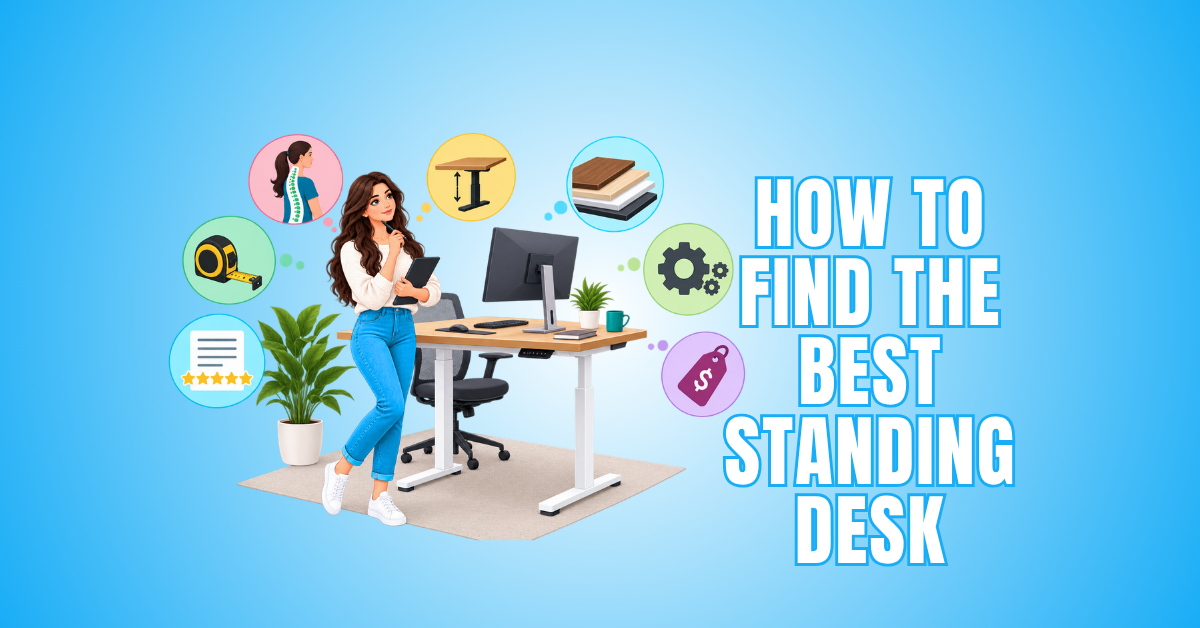
How To Find The Best Standing Desk: 15 Essential Buying Tips
Learning how to find the best standing desk becomes much easier when you understand which features will make a real difference in your daily workspace. The right desk should suit your height, available space, equipment, and working habits.
Standing desks vary considerably in size, adjustment range, stability, lifting capacity, and controls. These differences can affect how comfortably the desk accommodates your computer setup and how easily you can change positions throughout the day.
Your workspace matters just as much as the desk itself. A model that works beautifully in a large dedicated office may be impractical in a smaller room where every inch of floor space counts.
It is also worth looking beyond attractive designs and convenient features. Construction quality, warranty coverage, and long-term usability can help you determine whether a desk is likely to remain practical as your needs change.
This guide covers the most important factors to consider when choosing a standing desk, helping you narrow down your options and create a comfortable, productive workspace.
What Is A Standing Desk?
A standing desk is a workstation that allows you to work comfortably while standing. Unlike a traditional desk with a fixed working height, many standing desks can be adjusted to suit different positions throughout the day.
Height-adjustable models allow you to transition between sitting and standing while using the same workspace. Depending on the design, the height may be controlled electrically or adjusted manually.
Standing desks are available in many sizes, styles, and configurations. Some are designed for compact home offices, while others provide enough surface space for multiple monitors, computer equipment, and other work essentials.
The right setup depends on your available space, equipment, and daily work habits. Understanding these basics provides a useful starting point before looking at the features that can help you choose a standing desk.
How To Choose A Standing Desk
Choosing a standing desk becomes easier when you look at how the individual features will affect your everyday work. Two desks may appear similar but provide very different experiences once they are part of your home office.
Your height and preferred working positions are important starting points. The desk also needs to accommodate your computer equipment while fitting comfortably within the space available.
Adjustment mechanisms, stability, controls, and weight capacity can influence how practical the desk feels during regular use. Small details such as cable management and memory settings may also make daily adjustments more convenient.
It is worth considering how your needs could change in the future. A desk that offers some flexibility can continue to work well if you add equipment or reorganize your workspace.
The following 10 factors will help you compare standing desks and determine which features matter most for your home office. Considering each one carefully can help you narrow down your options and choose a desk that supports the way you work.
1. Measure Your Ideal Desk Height
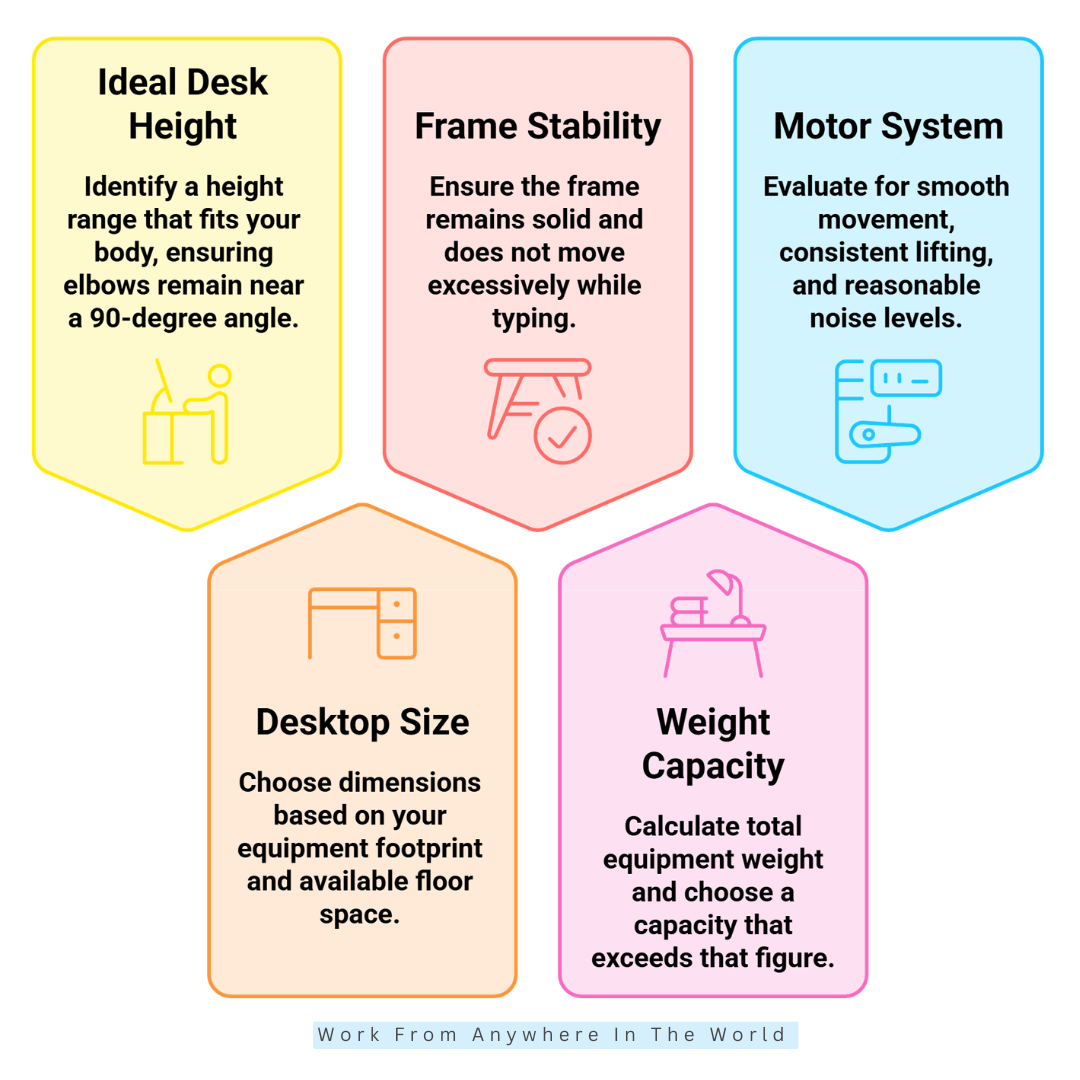
The first step in learning how to find the best standing desk is choosing an adjustment range that suits your body. The desk needs to accommodate you comfortably in both standing and seated positions.
While standing, your desk should allow you to keep your shoulders relaxed and your elbows comfortably bent while using the keyboard and mouse. You should not need to raise your shoulders or reach downward to work.
Your seated position matters just as much if you plan to alternate throughout the day. The desk should lower sufficiently to work comfortably with your chair while maintaining a natural position for your arms and hands.
Check the manufacturer’s minimum and maximum height measurements rather than relying only on the term “height adjustable.” Taller users may need a higher maximum setting, while shorter users may benefit from a lower minimum.
A wider adjustment range can also make the desk more versatile when several people share the same workspace. Finding the right desk height before comparing other features can help narrow down your choices considerably.
2. Choose The Right Desktop Size
Desktop size determines how comfortably your equipment and everyday essentials fit together. A laptop or single-monitor setup may require relatively little room.
Multiple monitors, speakers, and other accessories need a larger working surface. Notebooks, paperwork, charging devices, and microphones can also quickly reduce the available space.
Depth deserves just as much attention as width. A deeper surface gives you more flexibility when positioning your monitor, keyboard, mouse, and other frequently used items.
Measure your available floor space and equipment before choosing a desk size. Remember to leave enough clearance for cables and nearby furniture when adjusting the desk height.
A large desktop may provide plenty of working room but overwhelm a compact home office. The best size balances your equipment needs with the space available.
3. Prioritize Frame Stability
A standing desk can have an impressive motor and attractive desktop but still disappoint if the frame moves while you work. A stable frame helps create a solid and comfortable workstation.
Stability depends on the leg construction, frame design, desktop weight, and distribution of your equipment. The desk may also become less stable as it rises.
Pay particular attention to stability near the upper end of the adjustment range. This is especially important for taller users who regularly work at a higher desk height.
Monitor arms can make small movements more noticeable because the screens extend away from the desk frame. Multiple monitors and heavier equipment can also affect how the workstation feels.
Look for reviews that test stability while typing and using computer equipment at different heights. A stable desk can make detailed keyboard and mouse work feel much more comfortable and controlled.
4. Check The Weight Capacity
Weight capacity matters when your desk supports multiple monitors, a desktop computer, speakers, and other equipment. The lifting system needs to handle everything as the desk moves between different heights.
Start by estimating the combined weight of the equipment you plan to keep on the desktop. Remember to include monitor arms, stands, and other heavier accessories.
Compare that total with the manufacturer’s stated weight capacity. A basic workstation may require considerably less lifting power than a setup with several monitors and specialized equipment.
Avoid choosing a desk that barely accommodates your estimated load. Leaving some additional capacity gives you flexibility if you add or replace equipment later.
A suitable weight capacity helps the desk move smoothly while supporting your complete workstation. It can also prevent your current equipment from limiting future upgrades.
5. Evaluate The Motor System
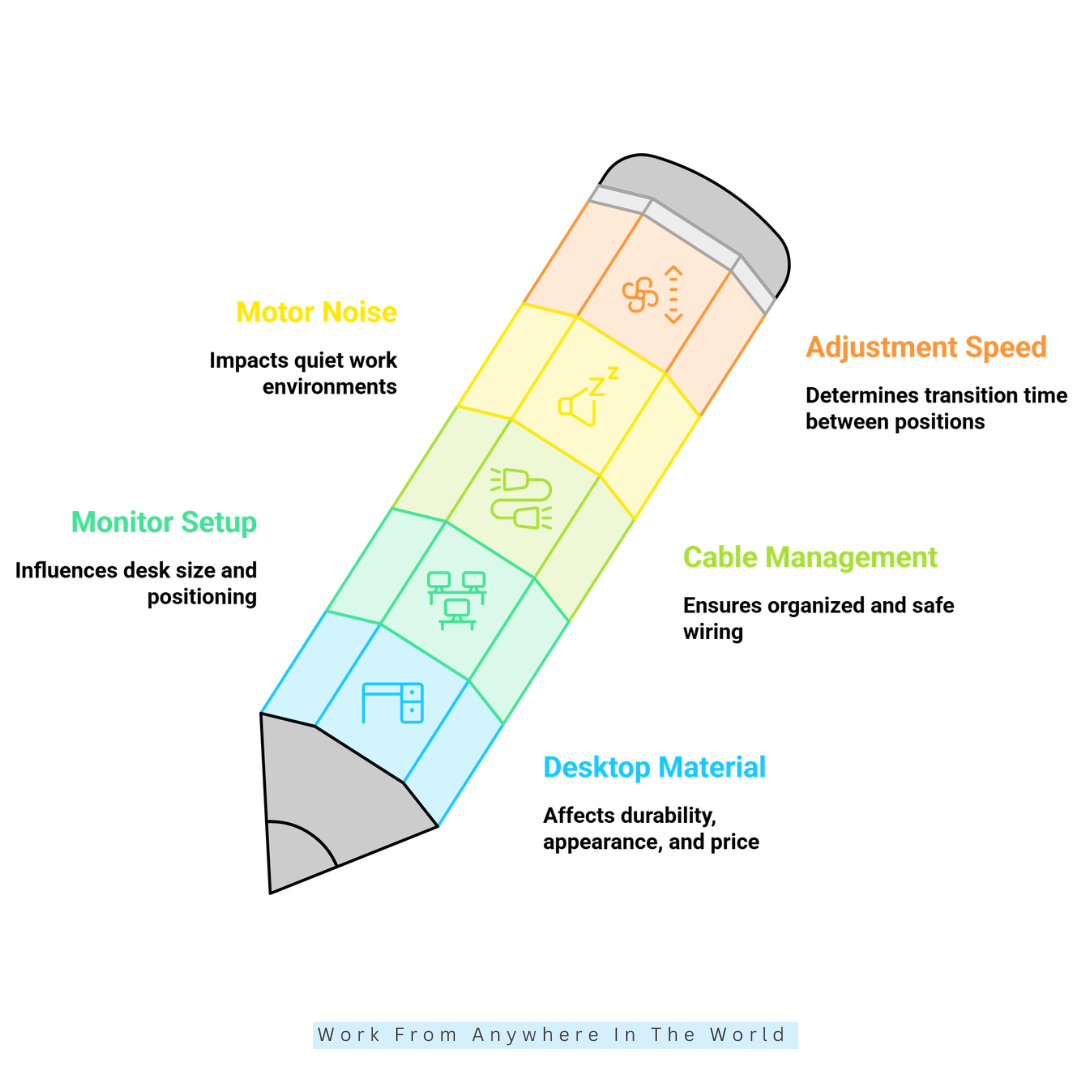
The motor is an important part of an electric standing desk. It controls how smoothly and reliably the desktop moves between sitting and standing heights.
Look for smooth movement, consistent lifting, and reasonable noise levels. The motor system should also be capable of handling your equipment without struggling during adjustments.
Dual-motor designs use a motor on each side of the frame. This can help distribute the lifting force when raising or lowering the desktop.
Adjustment speed is worth considering if you plan to change positions frequently. A desk that moves smoothly and efficiently can make those transitions more convenient during the workday.
Also consider the warranty provided for the motor and other electrical components. Warranty coverage can provide useful insight when comparing the long-term support offered by different manufacturers.
6. Select A Desktop Material That Fits Your Setup
Desktop material affects durability, appearance, weight, and overall cost. Consider how you will use the surface rather than choosing based on appearance alone.
Laminate is practical for everyday office use and is available in many finishes. Bamboo provides a natural appearance while keeping the desktop relatively lightweight.
Solid wood offers a substantial feel and distinctive appearance. Its additional weight makes it especially important to check the desk frame’s weight capacity.
Engineered wood can provide a practical balance between appearance and affordability. Quality can vary, so construction and finishing are worth considering when comparing desks.
Think about your everyday activities as well. Scratch resistance may matter if you write directly on the surface or regularly move equipment and accessories.
The best desktop material should suit both your practical needs and workspace style. Choosing a durable desk surface can help your workstation remain functional and attractive for years.
7. Build Around Your Monitor Setup
Your monitor arrangement should influence your standing desk choice from the beginning. A single lightweight monitor has very different requirements from several large displays.
Check the combined weight of your monitors, stands, and mounting hardware. Make sure the total fits comfortably within the desk’s weight capacity.
Monitor positioning matters as well. Your screen should be positioned at a comfortable height and distance without requiring you to tilt or turn your head awkwardly.
A monitor arm can provide additional flexibility because the screen moves independently from the desktop. It can also free up valuable space on the desk surface.
Dual- or triple-monitor setups may benefit from a wider desktop. Extra space can prevent the workstation from feeling crowded while providing room for other equipment.
Think of the workstation as one complete system. The desk, monitors, keyboard, accessories, and cables should work together to create a comfortable computer setup.
8. Plan Cable Management Before Buying
Cable management becomes more important when your desktop moves several times throughout the day. Cables that work well at seated height may become tight or tangled when the desk rises.
Look for cable trays, under-desk channels, grommet holes, and power-strip mounts. These features can help keep cords organized and away from the desk’s moving parts.
Make sure your cables have enough slack for the desk’s full adjustment range. Pay particular attention to monitor cables, Ethernet connections, power cords, and accessories attached to the desktop.
Good cable management does more than create a tidy workspace. It can prevent cords from stretching, tangling, or catching on nearby objects as the desk moves.
A desk without built-in cable management can still work well. Compatible trays, clips, sleeves, and other cable management accessories can help you create an organized setup.
9. Consider Motor Noise
Motor noise can be easy to overlook when comparing standing desks. However, it may become noticeable in a quiet home office. Since the motor operates every time you adjust the desk, even a small amount of noise can become distracting over time.
Quieter operation can be especially useful during meetings or while recording audio. It may also matter when you share your workspace with someone else.
Manufacturer specifications can provide a useful starting point. Independent reviews can also show how noisy a desk is during everyday adjustments.
Pay attention to reports of grinding, rattling, or uneven movement. These issues may be more noticeable than the advertised noise level alone.
A smooth, quiet motor makes changing between sitting and standing less disruptive. This can be particularly valuable if you adjust your desk several times throughout the workday.
10. Compare Adjustment Speed
Adjustment speed determines how quickly a standing desk moves between different heights. This can matter if you switch between sitting and standing several times throughout the day.
A faster desk can make these transitions more convenient. However, speed should be considered alongside smoothness and stability.
A desk that moves quickly but feels jerky may be less comfortable to use. Controlled and predictable movement is often more important than speed alone.
Check the manufacturer’s stated adjustment speed when comparing models. Independent reviews can also provide useful information about how smoothly the desk moves during everyday use.
Consider the desk’s overall height range as well. A desk travelling a greater distance will naturally take longer to move between its lowest and highest positions.
The best adjustment system combines suitable speed with smooth and reliable movement. It should also perform consistently while supporting your everyday equipment.
11. Check Stability At Maximum Height
A standing desk should remain stable at the height where you plan to use it. Stability at the lowest setting does not necessarily reflect how the desk will perform when raised.
Movement can become more noticeable as the desktop rises farther from the floor. This is particularly important for taller users who regularly work near the desk’s maximum height.
Large monitors and monitor arms can also make small movements easier to notice. This may affect your comfort while typing, using a mouse, or working on detailed tasks.
Look for independent reviews that test stability at different heights. A desk that feels solid when lowered may behave differently near the upper end of its adjustment range.
Some movement is normal with height-adjustable furniture. The important question is whether the desk remains stable enough for your everyday work without becoming distracting.
12. Compare Two-Stage And Three-Stage Frames
The number of lifting stages can affect a standing desk’s adjustment range. It may also influence how well the desk accommodates users of different heights.
Two-stage frames provide a practical adjustment range for many home-office setups. Three-stage frames generally offer a broader range and greater flexibility.
This additional range can be useful in shared workspaces. It may also help when users have noticeably different sitting and standing heights.
However, do not choose a desk based solely on the number of stages. Check the actual minimum and maximum height specifications for each model.
A well-designed two-stage frame may suit your needs better than a three-stage frame with an unsuitable height range. Stability and motor performance should also be considered.
Think of the stage count as one part of the overall lifting system. The best choice combines a suitable height range with reliable performance and stability.
Wealthy Affiliate – Mini Review
If you’ve ever thought about turning your blog, passion, or niche into an online business,
Wealthy Affiliate (WA) is one of the most beginner-friendly platforms I’ve used.
It combines step-by-step training, website hosting, AI-powered tools,
keyword research, and an active community all in one place.
What I like most is that you can start for free (no credit card needed), explore the platform,
test the tools, and connect with other entrepreneurs before upgrading.
WA isn’t a “get rich quick” scheme — success comes from consistent effort
and applying what you learn over time.
13. Examine Warranty Coverage
A standing desk combines mechanical parts, electronics, motors, and a desktop. Good warranty coverage can therefore be an important part of its long-term value.
Check which components are covered by the manufacturer’s warranty. These may include the frame, lifting columns, motors, control box, keypad, and desktop.
Some manufacturers provide different coverage periods for individual components. The advertised warranty length may not tell you the whole story.
Customer support matters as well. Even a well-built standing desk may eventually require troubleshooting, replacement parts, or repairs. Reliable support can make these issues much easier to resolve when they occur.
Look for clear warranty terms and accessible customer support. It is also helpful to check whether replacement components are readily available.
A longer warranty does not automatically mean a better desk. However, strong coverage can provide additional reassurance when investing in a workstation you expect to use for years.
14. Match The Price To Long-Term Value
The right standing desk price depends on how you plan to use it. A simple laptop workstation may not require the same features as a professional multi-monitor setup.
Focus on the features you will use regularly rather than the number of extras included. Paying more for features you do not need will not necessarily provide better value.
Stability, height range, motor quality, desktop construction, and weight capacity deserve particular attention. These features can directly affect how well the desk performs during everyday use.
Warranty coverage and customer support also contribute to long-term value. A well-supported desk may be easier to maintain if components need attention or replacement later.
Consider whether the desk can accommodate changes to your workstation as well. Additional monitors, accessories, or different equipment could affect your requirements in the future.
The best value does not always come from choosing the lowest-priced or most expensive desk. Balancing quality, useful features, and long-term flexibility can help you make a more practical investment.
15. Read Real-World Reviews
Specifications tell you what a standing desk is designed to do. Real-world reviews can reveal how well it performs after weeks or months of regular use.
Look for recurring comments about stability, motor noise, assembly, controls, and desktop quality. Customer support experiences can also provide useful information.
Do not place too much weight on a single positive or negative review. Repeated comments from different users can provide a clearer picture of common strengths or problems.
Long-term reviews are particularly valuable. They may reveal whether the motors remain smooth, the controls continue working properly, and the frame stays stable with regular use.
Video reviews can provide another useful perspective. They can show the desk moving between heights and how stable monitors remain while someone is typing.
Compare several sources before making your decision. Combining specifications with real-world experiences can give you a better idea of what to expect from a standing desk in daily use.

Matching A Standing Desk To Your Needs
Different users have different priorities when choosing a standing desk. The best option depends on your workspace, equipment, height, budget, and daily working habits.
A compact desk may be ideal for a smaller home office where floor space is limited. Someone using multiple monitors will usually need a larger desktop and a frame capable of supporting heavier equipment.
Height range and stability can be especially important for taller users. Home-office workers may also value quiet operation, convenient controls, and features that make it easier to change positions throughout the day.
Budget plays a role, but spending more does not automatically mean getting a better desk. Focus on the features you will actually use and the quality of the components that affect everyday performance.
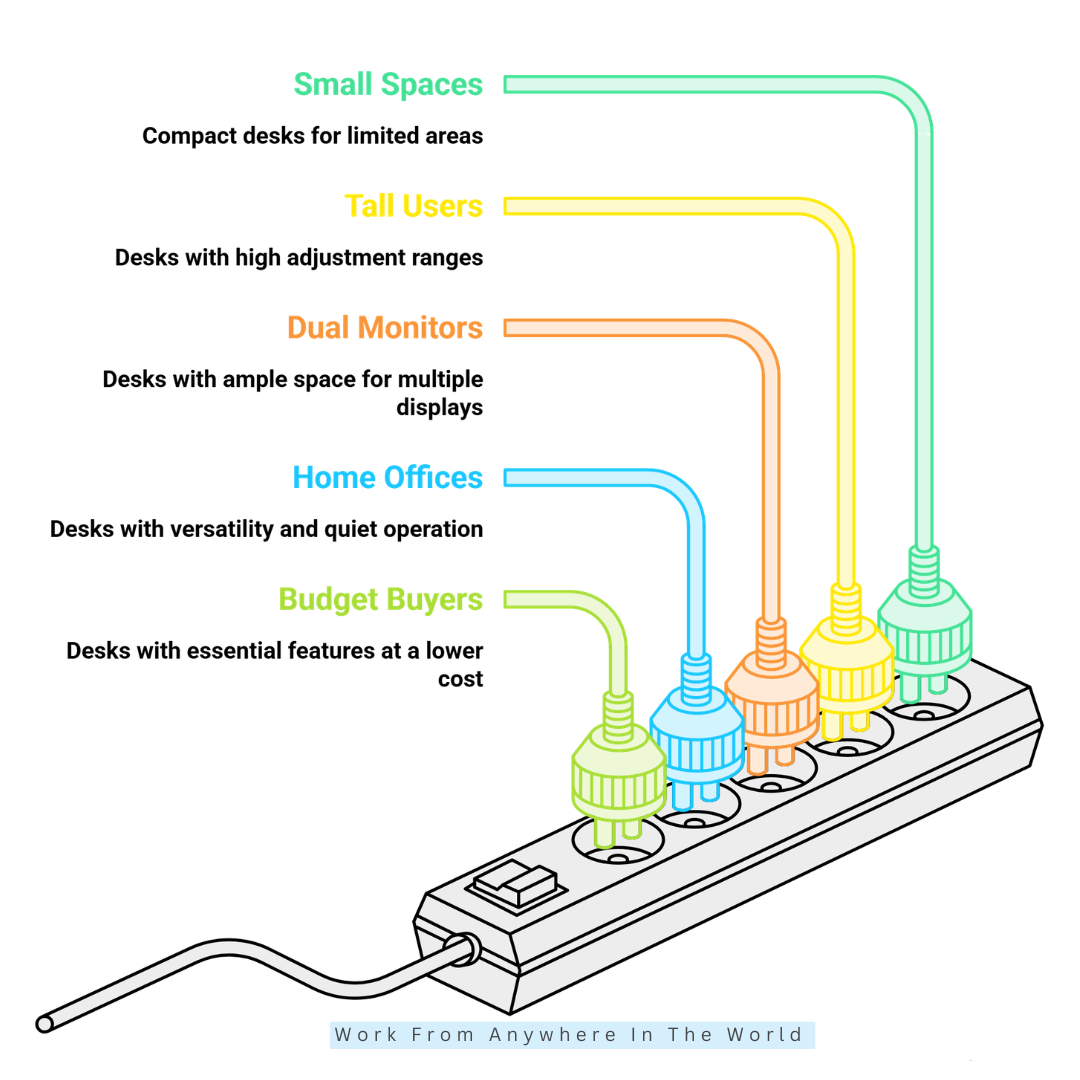
The following five situations highlight different standing desk needs and priorities. They can help you determine which features deserve the most attention when comparing your options.
1. Best For Small Spaces
A compact standing desk can provide flexibility without making a small workspace feel crowded. A smaller desktop may work well for a laptop or single-monitor setup.
Measure your available floor space before choosing a desk. Make sure there is also enough room to move comfortably around it.
Cable management can be particularly useful in smaller spaces. Keeping cords organized helps prevent a compact workstation from feeling cluttered.
2. Best For Tall Users
Tall users should pay close attention to the desk’s maximum height. The adjustment range is more important than the desktop’s appearance.
Look for a desk that allows you to maintain a comfortable standing position. Your keyboard and mouse should remain at a natural working height.
Stability becomes increasingly important at higher settings. This is especially true when using large monitors or extended monitor arms.
3. Best For Dual-Monitor Setups
A dual-monitor workstation needs enough desktop space for both displays and everyday accessories. It also requires a frame capable of supporting the additional weight.
Consider the size of your monitors and how they will be positioned. Monitor arms can free up desktop space and provide greater flexibility.
Check the combined weight of your monitors, arms, and other equipment. Make sure it remains comfortably within the desk’s stated weight capacity.
4. Best For Home Offices
Versatility is often more useful in a home office than having every premium feature. Focus on the features that will make the desk comfortable and convenient to use every day.
A suitable height range and smooth adjustment system are good starting points. Memory presets can also make switching between preferred positions easier.
Consider cable management and motor noise as well. These details can be particularly useful when your office shares space with other household activities.
5. Best For Budget Buyers
You do not need every premium feature to find a practical standing desk. Concentrate first on the features that affect everyday performance.
Prioritize a dependable frame, suitable height range, adequate weight capacity, and smooth adjustment. Warranty coverage is also worth comparing between similarly priced desks.
A simpler desk with strong fundamentals may provide better long-term value than one filled with extras. Choosing features you will actually use can help you spend your budget more effectively.
Frequently Asked Questions
Q1: How High Should A Standing Desk Be?
The ideal standing desk height varies from person to person. Your height, body proportions, and working position all influence the most comfortable setting.
A useful starting point is to position the surface so your shoulders remain relaxed while using the keyboard and mouse. Your monitor should also be at a comfortable viewing height and distance.
Q2: Are Electric Standing Desks Worth It?
Electric standing desks can be worthwhile for people who regularly switch between sitting and standing. A powered adjustment system makes changing the desk height quick and convenient.
They can be especially useful when several people share the same desk. Memory presets on some models also make it easier to return to preferred working heights.
Q3: What Size Standing Desk Is Best?
The best standing desk size depends on your available space and equipment. A laptop or single-monitor setup generally requires less surface area than a workstation with several monitors.
Measure your workspace and equipment before choosing a desktop. Leave enough room for your keyboard, mouse, accessories, and anything else you regularly use while working.
Q4: Are Standing Desks Stable?
Standing desk stability varies depending on the frame design, construction, and height. Equipment placement and the weight of your desktop can also influence how stable the workstation feels.
Pay particular attention to stability at higher settings. Independent reviews can help you determine how a desk performs while typing or using monitors at different heights.
Q5: How Much Weight Can A Standing Desk Hold?
Weight capacity varies considerably between standing desk models. Your monitors, computer equipment, speakers, monitor arms, and other accessories all contribute to the total load.
Add the approximate weight of your equipment before comparing desks. Choosing some additional capacity also provides flexibility if you expand your setup later.
Q6: What Should I Look For When Buying A Standing Desk?
Look for a suitable height range, a stable frame, an adequate weight capacity, and a reliable adjustment system. Desktop size and material should also suit your available space and equipment.
Motor noise, cable management, warranty coverage, and customer support are also worth considering. Together, these factors can help you find the best standing desk for your particular workspace and working habits.
Conclusion
Knowing how to find the best standing desk is less about choosing the largest desktop or the most expensive features. The right desk should match your workspace, equipment, working habits, and personal needs.
Start with the essentials, including height range, stability, desktop size, and weight capacity. Motor performance and adjustment speed also matter when you plan to move between sitting and standing regularly.
Consider the smaller details that can make everyday use more convenient. Cable management, memory presets, warranty coverage, and reliable customer support can all contribute to long-term satisfaction.
Your ideal standing desk does not need every feature available. It needs the right combination of comfort, functionality, and flexibility for the way you work.
Taking the time to compare these factors can help you create a comfortable home office workspace that supports your equipment today and remains practical as your needs change.
I trust you enjoyed this article on the [Blog Post Title]. Please stay tuned for more insightful blogs on affiliate marketing, online business, and working from anywhere in the world.
Take care!
— JeannetteZ 🌍✨
💬 Your Opinion Is Important To Me
Do you have thoughts, ideas, or questions? I’d love to hear from you. Please leave your comments below or email me directly at Jeannette@WorkFromAnywhereInTheWorld.com.
📚 More Work From Anywhere Reads
🚀 Ready to Build a Business You Can Run from Home
Or from Anywhere in the World?
Imagine creating income on your terms — from home, a cozy café, or wherever life takes you.
With the right tools, training, and community support, it’s entirely possible.
Start your own online business for free — no credit card needed.
Disclosure
This post may contain affiliate links. As an Amazon Associate and participant in other affiliate programs, I earn from qualifying purchases at no extra cost to you. Please read my full affiliate disclosure.