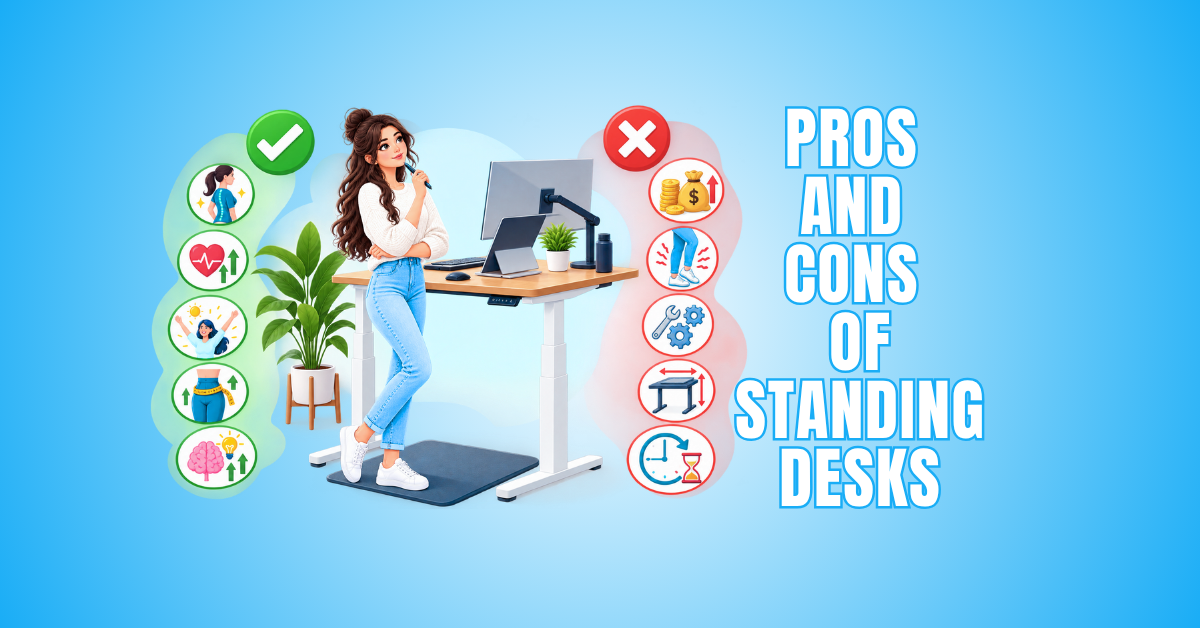
Pros and Cons of Standing Desks
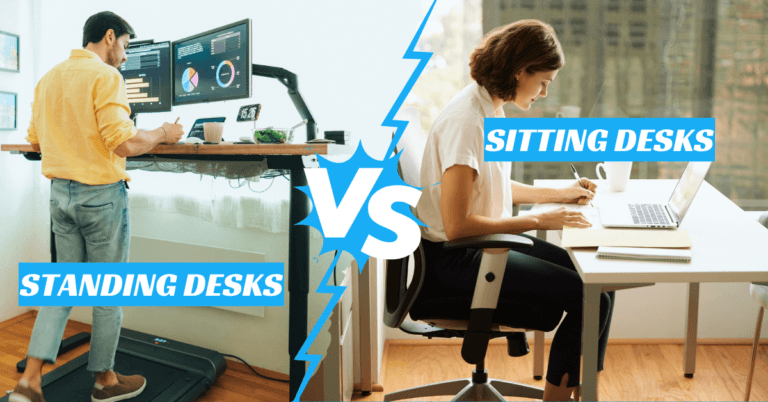
The pros and cons of standing desks are worth considering if you spend several hours working at a computer. The right setup can influence your comfort, movement, and how easily you change positions during the day.
A height-adjustable workstation allows you to alternate between sitting and standing throughout the day. This flexibility has made it a popular alternative to a traditional seated desk.
However, this type of desk isn’t automatically the right choice for everyone. Comfort, available space, desk quality, work habits, and proper setup can all influence whether one works well for you.
This guide explores the main benefits and drawbacks of standing desks, along with practical considerations and common questions. You’ll have a clearer picture of what to consider before deciding whether a standing desk belongs in your workspace.
What Is A Standing Desk?
Pros Of Standing Desks
Standing desks offer several advantages for people who spend much of their day working at a computer. Their biggest benefit is the ability to change working positions without leaving your workstation.
Rather than treating standing as a replacement for sitting, the goal is to create more variety throughout the day. Switching positions can help break up long periods spent working in the same posture.
The benefits can also extend to the way a workspace functions. An adjustable desk can accommodate different tasks, users, and working preferences while keeping the same basic setup.
The following advantages highlight some of the main reasons people choose a standing desk for their home office or workplace. They also show how greater flexibility can support different tasks and working preferences throughout the day.
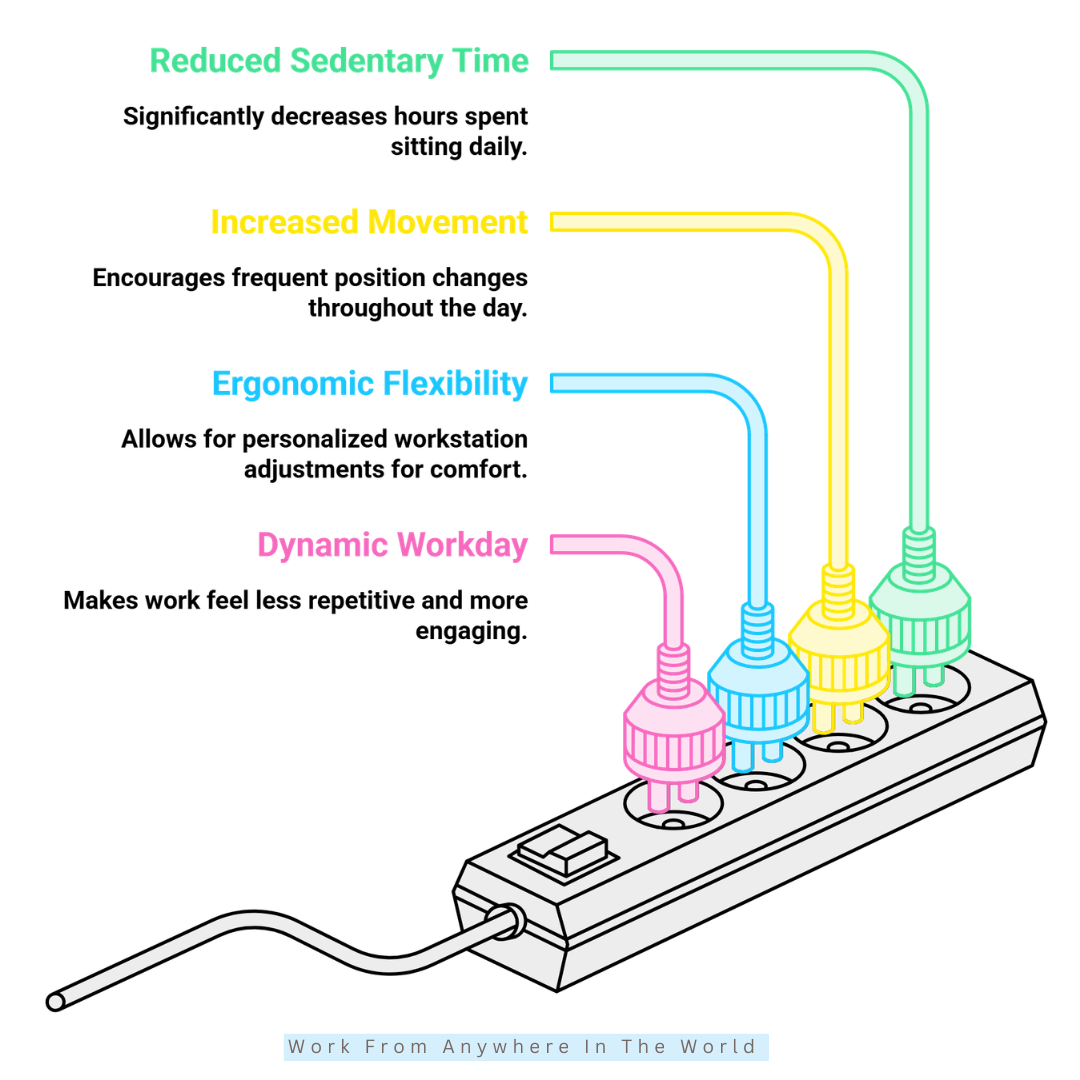
1. Encourages More Movement
A standing desk makes it easier to change positions without interrupting your work. Instead of remaining seated for several hours, you can stand for certain tasks and move more naturally throughout the day.
Research supports this benefit. A systematic review published in 2025 found that sit-stand desk interventions reduced sedentary time compared with traditional seated workstations.
The goal isn’t to replace sitting with hours of standing. Instead, the desk offers more opportunities to alternate among sitting, standing, and moving as your tasks and comfort levels change.
You might stand during a meeting, sit for detailed computer work, and walk around between activities. This flexibility can make movement a more natural part of your workday.
2. Helps Break Up Long Periods Of Sitting
A standing desk can make it easier to interrupt long periods of sitting during the workday. Instead of waiting until you leave your desk to change position, you can raise the workstation and continue with many of the same tasks.
Research involving sedentary office workers has found that sit-stand desks can reduce workplace sitting time. This supports their use as one way to introduce more variety into a desk-based routine.
The benefit comes from having another working position available rather than standing continuously. You can alternate between sitting and standing according to the task you’re completing and how comfortable you feel.
Changing positions periodically can also help you become more aware of how long you’ve been still. The desk provides an easy opportunity to add more movement without disrupting your workflow.
3. Offers Greater Ergonomic Flexibility
A height-adjustable desk gives you more control over how your workstation fits your body. There is no single desk height that will be comfortable for everyone.
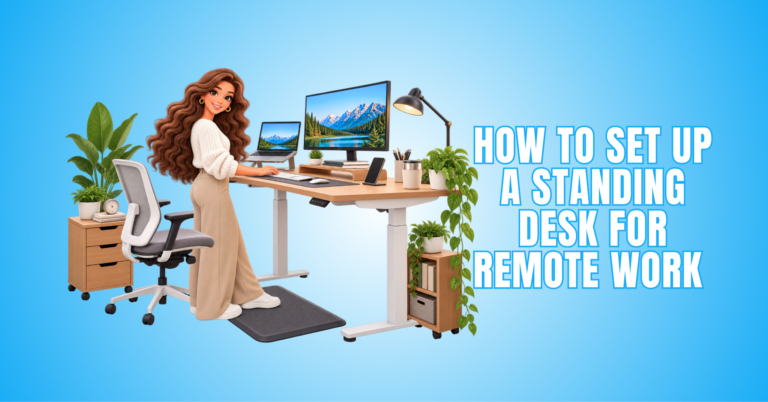
You can adjust the desktop to suit your height and preferred working position. Your monitor, keyboard, and mouse can then be arranged to create a more comfortable setup for both sitting and standing.
Research suggests that sit-stand workstations can reduce sitting time without negatively affecting work performance. This makes changing positions more practical during a normal workday.
The complete workstation still matters. Desk height, monitor position, keyboard placement, and chair adjustment should work together rather than relying on the standing desk alone.
4. Makes A Long Workday Feel More Dynamic
Hours of computer work can feel repetitive when you remain in the same position for extended periods. A standing desk gives you another way to work without stepping away from your computer.
You might stand while reading, brainstorming, answering emails, or attending a virtual meeting. Changing positions can also support productivity while working from home.
Research involving office workers has found that sit-stand desks can reduce sitting time at work. Some studies have also reported improvements in areas such as work-related vitality and self-rated performance.
That doesn’t mean standing will automatically make you more productive. The benefit is having the flexibility to change positions and create more variety throughout a long workday.
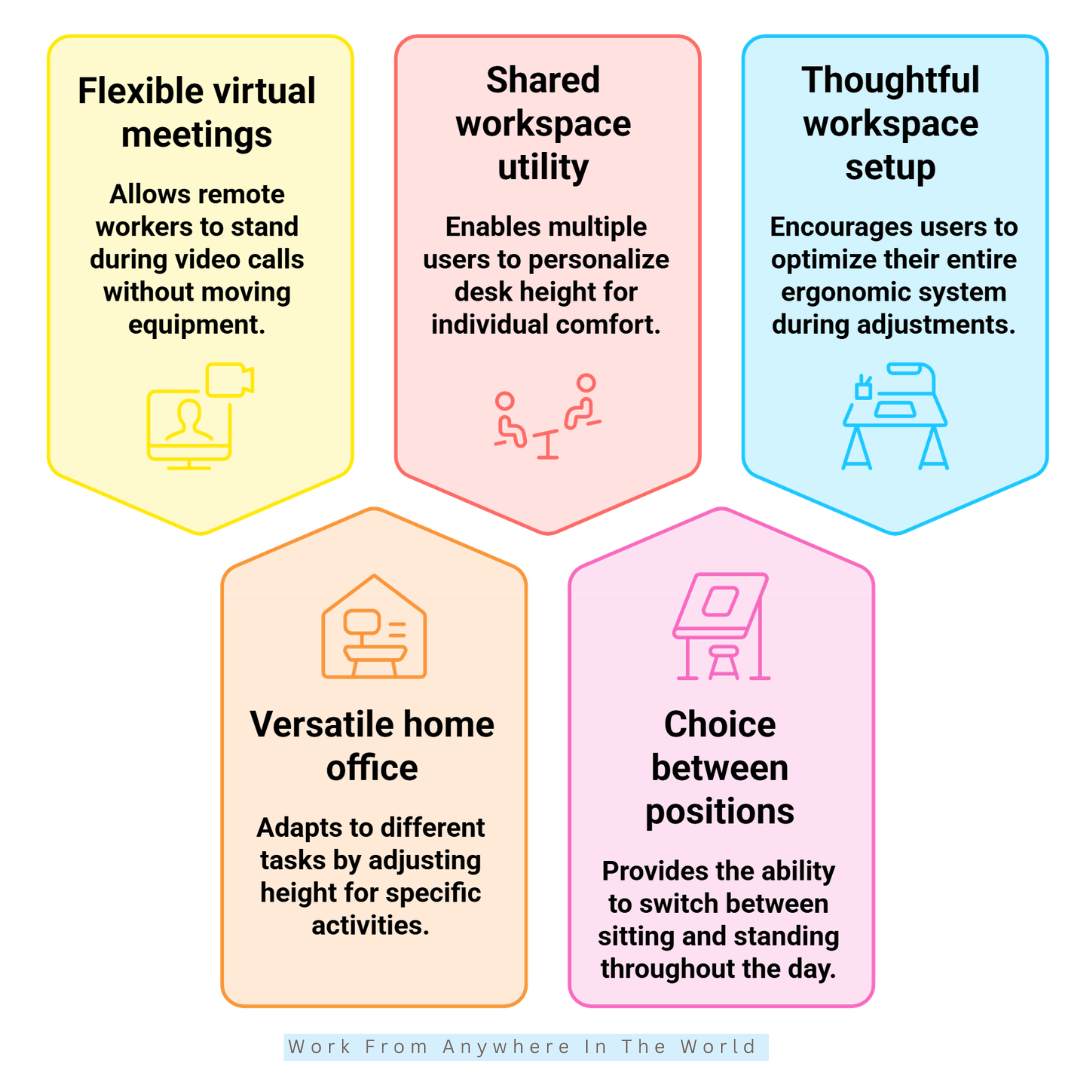
5. Adds Flexibility To Virtual Meetings
For remote workers, a standing desk can make virtual meetings more flexible. You can raise the desk before a call while keeping your monitor, webcam, microphone, and other equipment in place.
Standing can be particularly convenient during meetings that don’t require extensive typing or note-taking. Once the meeting ends, you can lower the desk again for tasks that feel more comfortable while seated.
Research suggests that changing workstation positions does not necessarily interfere with productivity. This supports the idea that alternating between sitting and standing can fit naturally into a normal workday.
The goal isn’t to make every virtual meeting a standing meeting. Having the option simply gives you another opportunity to change positions without interrupting your work.
6. Makes A Home Office More Versatile
A home office often needs to support several activities within the same space. A height-adjustable desk can make this easier by allowing the workstation to adapt to different tasks throughout the day.
You can lower the desk for detailed computer work, raise it for a virtual meeting, or change positions when you want a break from sitting. The same workspace can accommodate different working preferences without requiring additional furniture.
Research consistently shows that sit-stand desks can help reduce sedentary time. For home-based workers who spend many hours at a computer, having an easy way to change positions can make movement more convenient.
A standing desk can therefore be more than a furniture upgrade. It can help you create a small home office design that adapts to your tasks, equipment, and working routine.
7. Works Well For Shared Workspaces
A fixed desk height may be comfortable for one person but awkward for another. An adjustable standing desk allows different users to personalize the workstation to suit their height and preferred working position.
One person can lower the desk for seated work, while another can raise it to a comfortable standing height. This makes adjustable desks particularly practical in shared offices or workspaces used by several people.
Research has also shown that height-adjustable desks can help reduce sitting time among desk-based employees. The ability to change positions gives each user greater control over how they work throughout the day.
For shared workspaces, adjustability offers both convenience and flexibility. Each person can create a more comfortable setup without needing a separate desk or permanently changing the workstation.
Wealthy Affiliate – Mini Review
If you’ve ever thought about turning your blog, passion, or niche into an online business,
Wealthy Affiliate (WA) is one of the most beginner-friendly platforms I’ve used.
It combines step-by-step training, website hosting, AI-powered tools,
keyword research, and an active community all in one place.
What I like most is that you can start free (no credit card needed), explore the platform,
test the tools, and connect with other entrepreneurs before upgrading.
WA isn’t a “get rich quick” scheme — success comes from consistent effort
and applying what you learn over time.
8. Provides A Flexible Alternative To A Traditional Desk
The biggest advantage of a standing desk isn’t that it replaces sitting. Instead, it gives you the freedom to choose between sitting and standing throughout your workday.
You can sit for detailed computer work, raise the desk for a meeting, or change positions when your current posture becomes uncomfortable. This makes it easier to adapt your workstation to different tasks.
Research supports the ability of sit-stand workstations to reduce sitting time during the workday. However, the benefit comes from alternating between positions rather than simply replacing long periods of sitting with long periods of standing.
A height-adjustable desk works best when it gives you choices. You can adjust your position according to the task, your comfort, and the way you prefer to work.
9. Encourages A More Thoughtful Workspace Setup
Adjusting your desk can reveal workstation problems that might otherwise go unnoticed. You may discover that your monitor is too low, your keyboard is too far away, or your cables don’t allow enough room for movement.
These small details can affect how comfortably your workspace functions. Raising and lowering the desktop encourages you to consider how your monitor, keyboard, mouse, chair, and other equipment work together.
A standing desk can also encourage you to think beyond the desk itself. Monitor arms, cable management, suitable lighting, and the placement of frequently used equipment can all contribute to a more practical workspace.
Creating a thoughtful setup can make it easier to switch between sitting and standing without constantly rearranging your equipment. The result is a workstation designed around how you actually work rather than one fixed position.
Cons Of Standing Desks
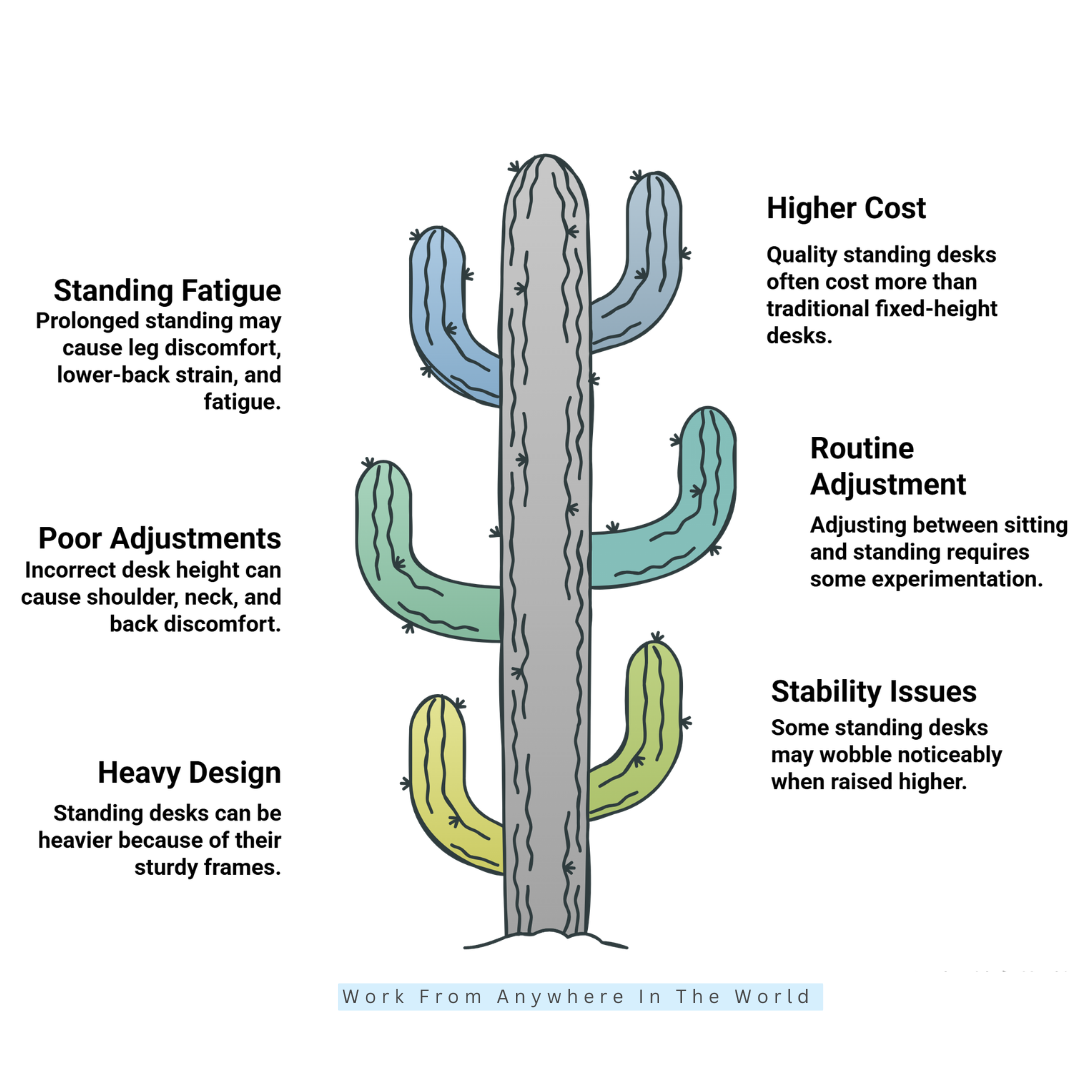
Standing desks offer plenty of flexibility, but they also have drawbacks worth considering before making the switch. Some disadvantages relate to comfort, while others involve cost, stability, space, and adjustment.
Standing for too long can be tiring, particularly if your body isn’t accustomed to extended periods on your feet. A poorly adjusted workstation can also be uncomfortable whether you’re sitting or standing.
The desk itself can present practical challenges. Some models are heavy, more expensive than traditional desks, or less stable when raised to their maximum height.
Understanding these limitations can help you choose a desk that suits your workspace and develop a routine that feels comfortable. The following drawbacks are worth considering before deciding whether a standing desk is right for you.
1. Extended Standing Can Lead To Fatigue
Standing provides a useful alternative to sitting, but remaining on your feet for extended periods can become tiring. Discomfort may develop when the same standing position is maintained for too long.
Research on prolonged occupational standing has associated extended periods on your feet with fatigue and discomfort, particularly in the legs and lower back. This reinforces the importance of changing positions rather than standing continuously.
You can stand during shorter tasks, sit when you want a change, and walk around between activities. The most comfortable routine will vary depending on the individual and the type of work being performed.
An anti-fatigue mat and supportive footwear may also make standing more comfortable. Ultimately, the advantage of a height-adjustable desk is having the freedom to change position before fatigue becomes distracting.
2. Quality Models Can Cost More
A quality standing desk can require a larger investment than a basic fixed-height desk. Electric models include motors, lifting columns, electronic controls, and sturdy frames that contribute to the overall cost.
Larger desktops, higher weight capacities, memory settings, and premium materials can also increase the price. However, not everyone needs every available feature to create a functional workstation.
Manual standing desks and desk converters may offer more affordable alternatives. Before choosing one, consider which features are genuinely important to how you work and the equipment you use.
Compare the desk’s stability, height range, weight capacity, warranty, adjustment mechanism, and desktop size. Choosing the right combination of features can provide better value than simply selecting the cheapest or most expensive model.
3. Poor Adjustment Can Reduce Comfort
The flexibility of a standing desk is only beneficial when the workstation is adjusted properly. A desk that is too high can cause you to raise your shoulders while typing, while one that is too low may encourage you to lean forward.
Monitor position is equally important. A screen positioned too high or too low can make it difficult to maintain a comfortable viewing position during longer periods of computer work.
Research on office ergonomics supports the importance of proper workstation adjustment. A standing desk alone doesn’t automatically create an ergonomic workspace.
Your desk, monitor, keyboard, mouse, and chair should work together as part of the overall setup. Taking time to adjust each component can make both sitting and standing more comfortable.
4. Some Models Are Heavy And Difficult To Move
Standing desks can be considerably heavier than basic fixed-height desks. Electric models require sturdy frames, motors, and lifting mechanisms to support the desktop as it moves between different heights.
The overall weight can increase further with a large desktop, multiple monitors, or other equipment. This is worth considering if you frequently rearrange your home office or expect to move the desk between rooms.
Before purchasing, check the desk’s weight and dimensions and consider where you plan to assemble it. Moving a large model after it has been fully assembled may require more than one person.
The additional weight isn’t necessarily a disadvantage during everyday use, as a substantial frame can contribute to stability. However, assembly, relocation, and rearranging your workspace may require more effort.
5. Stability Can Vary Between Models
Stability can vary considerably between standing desk models, particularly when the desktop holds multiple monitors, speakers, a computer, or other equipment. Frame construction and weight distribution can influence how steady the workstation feels.
Movement may become more noticeable when the desk is raised to a standing height. A taller structure can be more susceptible to wobbling than the same desk when it is lowered.
Before purchasing, check the manufacturer’s weight capacity, height range, frame construction, and recommended desktop dimensions. Consider the combined weight of the equipment you plan to keep on the desk as well.
For a simple laptop setup, minor movement may not be a significant concern. If your workstation includes several monitors and accessories, desk stability should be one of your main considerations.
6. Finding The Right Routine Takes Time
Finding a comfortable sitting-and-standing routine can take some trial and error. When you first switch from a traditional desk, you may stand longer than feels comfortable or discover that certain tasks are easier while seated.
Start with shorter periods of standing and change positions when you feel ready. This gives you time to discover which activities work well in each position without forcing yourself to follow a strict schedule.
You may find that meetings, reading, phone calls, and other routine tasks work well when you stand. Detailed computer work or tasks requiring greater concentration may feel more comfortable while seated.
There is no single sitting-to-standing schedule that works for everyone. The goal is to find a routine that provides variety while allowing you to remain comfortable and productive throughout your workday.
Best Standing Desk Brands
Choosing a standing desk involves more than comparing desktop sizes and adjustment mechanisms. Brand reputation, warranty coverage, stability, height range, and available features can also influence which desk suits your workspace.
Some manufacturers specialize in highly customizable workstations, while others focus on straightforward designs or more affordable options. The right choice depends on your equipment, available space, preferred features, and budget.
Before purchasing, compare specifications carefully and consider how you plan to use the desk. A model designed for a laptop may have very different requirements from one supporting several monitors and accessories.
The following standing desk brands offer a variety of height-adjustable options for home offices and professional workspaces. Always visit the manufacturer’s website for current models, specifications, warranties, availability, and pricing.
1. UPLIFT Desk
UPLIFT Desk offers height-adjustable workstations with a wide range of desktop sizes, materials, frames, and accessories. This makes the brand particularly useful for people who want to customize their workspace around their equipment and available space.
Its standing desks accommodate both seated and standing positions, with options suitable for anything from a relatively compact workstation to larger multi-monitor setups. The company also provides an extensive selection of accessories for organizing and adapting the workspace.
UPLIFT Desk may be worth considering if customization, a broad height range, and long-term warranty coverage are priorities. As always, readers should check the official website for current models, specifications, availability, and pricing.
2. FlexiSpot
FlexiSpot offers a broad selection of height-adjustable desks, including electric and manual models. Different configurations provide options for various desktop sizes, equipment needs, and workspace layouts.
Some models use dual-motor lifting systems and include features such as memory presets, adjustable height ranges, and higher weight capacities. The E7, for example, is designed to accommodate a wide range of desktop sizes and workstation setups.
FlexiSpot may be worth considering if you want plenty of choices when comparing standing desks. Check the official website for current models, specifications, warranty coverage, availability, and pricing.
3. Vari
Vari offers electric standing desks designed to make switching between sitting and standing straightforward. Its current range includes different desktop sizes and configurations for home offices and professional workspaces.
Several models feature programmable height settings and quick-assembly systems that simplify workstation setup. Vari also offers models with different height ranges, weight capacities, and desktop designs.
Warranty coverage varies by model, so readers should check the specifications for the desk they’re considering. The official website provides current information about models, features, warranties, availability, and pricing.
4. Branch
Branch offers several height-adjustable desk styles for home offices and professional workspaces. Its range includes compact options as well as larger desks designed for more extensive workstation setups.
Different models offer features such as programmable height presets, cable management, multiple desktop sizes, and various finishes. Some models also include additional technology and accessories that can help customize the workspace.
Branch may appeal to people who want their standing desk to combine functionality with a clean, contemporary design. Readers can check the official website for current models, specifications, warranty coverage, availability, and pricing.
5. Autonomous
Autonomous offers several height-adjustable desks designed for different workspace sizes and equipment needs. Its current range includes standard, larger, L-shaped, and frame-only options for people who want to build a more customized workstation.
Features vary by model and may include electric adjustment, programmable height settings, anti-collision technology, and different lifting capacities. Some models are designed for relatively simple setups, while others can accommodate larger desktops and multiple monitors.
Autonomous may be worth considering if you want several configurations to compare before choosing a desk. Check the official website for current models, specifications, warranty coverage, availability, and pricing.
Frequently Asked Questions
Q1: Are Standing Desks Better Than Sitting Desks?
Neither option is automatically better for everyone. A standing desk offers greater flexibility because you can alternate between sitting and standing rather than remaining in one position throughout the workday.
The better choice depends on your comfort, work habits, available space, and the type of tasks you perform. For many people, having the ability to change positions is the main advantage of a standing desk.
Q2: How Long Should You Stand At A Standing Desk?
There is no single amount of standing time that works for everyone. Your comfort, work routine, and the tasks you’re completing can all influence how frequently you want to change positions.
Start with shorter periods of standing and gradually adjust your routine. The goal isn’t to reach a specific number of minutes, but to avoid staying seated or standing for too long.
Q3: Can You Use A Standing Desk All Day?
Yes. You can use a standing desk throughout the workday because an adjustable model allows you to work in both seated and standing positions.
However, using one all day doesn’t mean you should stand continuously. Alternating between sitting, standing, and moving around can create a more varied and flexible working routine.
Q4: Do Standing Desks Help With Posture?
A properly adjusted standing desk can help you create a more comfortable working position. However, simply standing doesn’t automatically result in better posture.
Desk height, monitor placement, keyboard and mouse position, and chair adjustment all contribute to the overall workstation setup. Changing positions periodically is also important.
Q5: Are Standing Desks Worth The Money?
A standing desk may be worthwhile if you value the ability to change positions and want a workstation that adapts to different tasks. The benefits will depend largely on how you use it.
Consider the desk’s adjustment range, stability, size, features, warranty, and how many hours you typically spend working at a desk. A more expensive model isn’t necessarily the best choice for every workspace.
Q6: What Should I Look For When Buying A Standing Desk?
Look for a height range that accommodates comfortable sitting and standing positions, along with sufficient stability and weight capacity for your equipment. Desktop size should also suit your available workspace.
Consider the adjustment mechanism, warranty, controls, cable management, and any additional features you will genuinely use. Comparing these factors can help you choose a desk based on your needs rather than price or appearance alone.
Conclusion
Understanding the pros and cons of standing desks makes it easier to decide whether this type of workstation suits your work style. The greatest advantage is the flexibility to change positions throughout the day.
A height-adjustable desk allows you to sit for some tasks, stand for others, and move around when you need a change. It can also make a home office more adaptable to different activities and working preferences.
Standing for extended periods can be tiring, while an improperly adjusted workstation may cause discomfort. Choosing the right desk and setting it up properly are just as important as deciding when to sit or stand.
The best approach is to create a workspace that supports sitting, standing, and regular movement. A standing desk can then become a practical part of a comfortable and flexible work routine.
I trust you enjoyed this article on the Pros and Cons of Standing Desks. Please stay tuned for more insightful blogs on affiliate marketing, online business, and working from anywhere in the world.
Take care!
— JeannetteZ 🌍✨
💬 Your Opinion Is Important To Me
Do you have thoughts, ideas, or questions? I’d love to hear from you. Please leave your comments below or email me directly at Jeannette@WorkFromAnywhereInTheWorld.com.
📚 More Work From Anywhere Reads
🚀 Ready to Build a Business You Can Run from Home
Or from Anywhere in the World?
Imagine creating income on your terms — from home, a cozy café, or wherever life takes you.
With the right tools, training, and community support, it’s entirely possible.
Start your own online business for free — no credit card needed.
Disclosure
This post may contain affiliate links. As an Amazon Associate and participant in other affiliate programs, I earn from qualifying purchases at no extra cost to you. Please read my full affiliate disclosure.