How To Choose A Home Office Desk In 10 Practical Steps
Knowing how to choose a home office desk can make a big difference in your comfort, productivity, and overall workspace setup. The right desk should fit your available space while supporting the way you work throughout the day.
A desk needs enough room for your computer, monitor, keyboard, and other essentials without making the workspace feel crowded. Good workspace organization can also help keep frequently used items within easy reach.
Size and shape are only part of the decision. Desk height, storage, materials, durability, and ergonomic comfort can affect how practical the desk feels during long working sessions.
Your available space and budget will also help narrow down the options. A smaller home office may benefit from a compact or corner desk, while a larger workspace provides more flexibility.
This guide covers the key factors to consider when choosing a home office desk so you can create a comfortable, organized workspace that supports your daily routine.
10 Tips On How To Choose A Home Office Desk
A home office desk becomes part of your daily routine, so small details can make a noticeable difference. What works perfectly for one person may feel cramped or impractical for another.
Someone working primarily on a laptop may need very little surface space. Multiple monitors, paperwork, creative projects, or specialized equipment can require a completely different setup.
Your room also places practical limits on your choices. Doorways, windows, electrical outlets, natural light, and surrounding furniture can all influence where a desk works best.
It is also worth thinking beyond your current needs. A desk with enough flexibility can continue working well if your equipment, responsibilities, or home office setup changes.
The following 10 tips focus on these practical considerations and can help you narrow down your options before choosing your desk.
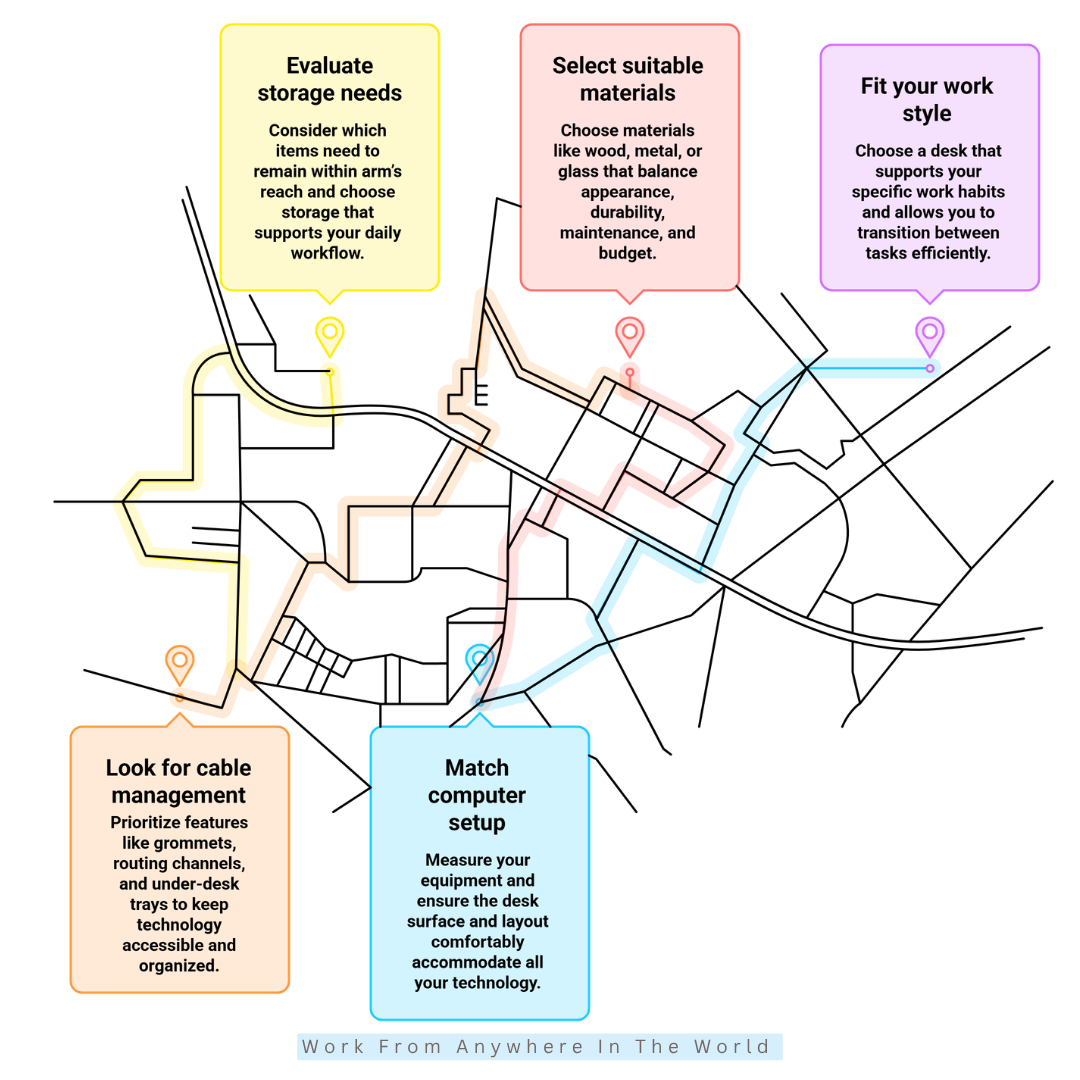
1. Start With The Available Space
Choosing the right desk starts with understanding how much room you actually have. Measure the area carefully, including the width and depth available for the desk.
Consider nearby furniture, doors, windows, and power outlets before deciding on a location. A desk may fit neatly along a wall but still extend too far into the room, restricting movement.
Leave enough space behind the desk for your chair, especially if it has wheels or reclines. You should be able to sit down, move around, and access nearby furniture comfortably.
For a small home office, a compact rectangular desk, corner desk, or space-saving design can make better use of limited floor space. Larger rooms provide more flexibility for wider desks and additional storage.
Taking accurate measurements before shopping helps you narrow down your options and avoid choosing a desk that looks appealing but doesn’t function well in your space.
2. Choose A Desk Size That Matches Your Work
The right desk size depends on how you use your workspace each day. A laptop may require only a compact surface, while multiple monitors, speakers, documents, and other equipment need considerably more room.
Consider everything you regularly keep within reach, including notebooks, a keyboard, charging devices, and work materials. Enough surface space can help prevent your desk from becoming cluttered as the day progresses.
Desk depth is just as important as width. A surface that is too shallow can place your monitor too close, while adequate depth provides more flexibility for arranging your computer equipment comfortably.
Think about how your work may change in the future as well. Additional equipment or new responsibilities could quickly make a desk that barely meets your current needs feel too small.
Rather than choosing the largest desk that fits, look for one that provides enough usable space without overwhelming the room. The goal is a comfortable balance between desk space and an organized workspace.
3. Consider The Desk Height
Desk height can significantly impact your comfort throughout the workday. A surface that sits too high or too low may lead to an awkward working position, even when your chair is comfortable.
Standard desks are often around 30 inches high, but the ideal height depends on your body, chair, and working position. When seated, your elbows should rest comfortably near desk level while your shoulders remain relaxed.
Your keyboard and mouse should also be easy to reach without requiring you to raise your shoulders or stretch your arms. Proper positioning can help create a more ergonomic home office.
An adjustable desk provides greater flexibility because you can customize the height to suit your needs. This feature can be particularly useful when multiple people use the same workspace.
Rather than choosing a desk based on appearance alone, consider how naturally the desk, chair, keyboard, and monitor work together. A comfortable setup can make long periods at your desk much more enjoyable.
4. Prioritize An Ergonomic Setup
A desk can look impressive but still create an uncomfortable workstation if it does not properly support your equipment. Ergonomics should be part of the decision-making process from the beginning, especially if you spend several hours at your desk.
Choose a desktop depth that allows you to position your monitor at a comfortable viewing distance while leaving enough room for your keyboard and mouse. Your equipment should fit without forcing you into an awkward working position.
Legroom matters as well. Drawers, shelves, crossbars, and other support structures underneath the desk should not interfere with your ability to sit comfortably or change positions.
If you work from a laptop, a laptop stand or external monitor can raise the screen to a more comfortable viewing height. An external keyboard and mouse can then provide greater flexibility when arranging your ergonomic workstation.
The desk is only one part of the setup, but its dimensions influence how easily everything else fits together. A well-planned workstation should support comfortable movement rather than restrict it.
5. Pick A Desk Shape That Matches Your Work Style
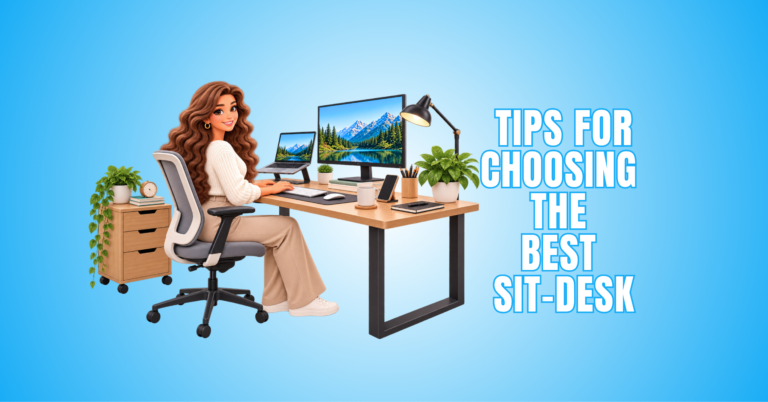
Different desk shapes support different ways of working. A rectangular desk is a versatile option for everyday computer work, writing, video calls, and other common home-office tasks.
An L-shaped desk creates two distinct work surfaces. One side can hold your computer equipment while the other provides space for paperwork, creative projects, or tasks that require additional room.
Corner desks can provide a dedicated workstation without requiring a long stretch of wall. U-shaped desks offer considerably more surface area and may suit people who regularly use several monitors or other equipment.
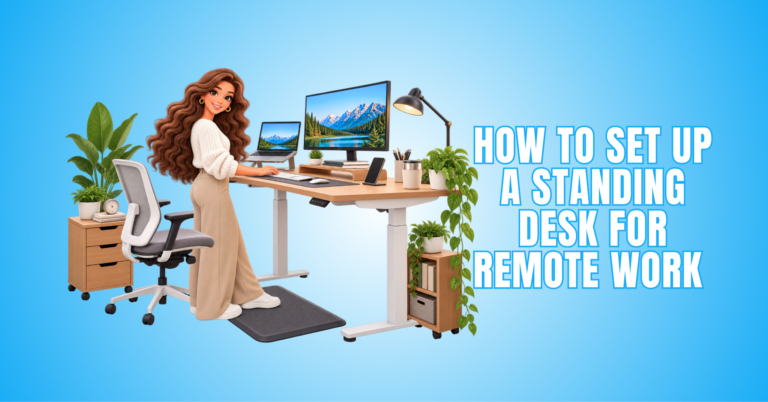
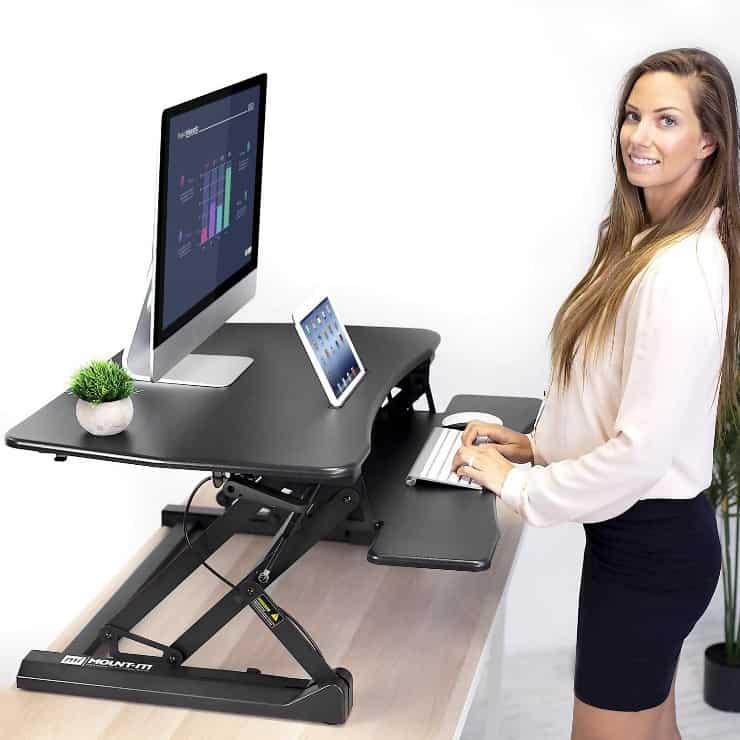
Standing and height-adjustable desks provide another option for people who prefer to change working positions during the day. Some designs also combine sitting and standing functionality within the same workstation.
Think about how you work rather than simply which desk shape looks best. The most practical design is one that gives your regular tasks a natural place within the workspace.

6. Evaluate Your Storage Needs
Storage can make the difference between an organized workspace and a desktop covered with everyday clutter. Before choosing a desk, consider which items you use regularly and need to keep within easy reach.
Drawers can hold stationery, chargers, documents, and smaller accessories, while open shelves provide convenient access to books or equipment. Dedicated storage can also make it easier to return everything to its proper place after use.
More storage is not automatically better. Large drawer units can reduce valuable legroom, while bulky shelving may make a desk feel oversized in a smaller home office.
If you prefer a minimalist workspace, a streamlined desk paired with a nearby cabinet or shelving unit may provide greater flexibility. A separate home filing system can also keep important paperwork organized without taking up valuable desktop space.
Think about your daily workflow and choose storage that supports the way you work. Every drawer, shelf, or compartment should serve a practical purpose rather than simply adding bulk.
7. Look For Smart Cable Management
A modern home office can quickly accumulate cables from monitors, chargers, lamps, speakers, and other electronics. Good cable management can keep these cords organized and prevent them from taking over your workspace.
When comparing desks, look for built-in features such as cable grommets, routing channels, under-desk trays, or designated spaces for power connections. These details can keep cords away from your working surface and provide easier access to your equipment.
Consider where your devices will sit and how their cables will reach nearby outlets. Planning the route before setting up your equipment can help prevent cords from stretching awkwardly across the desk or floor.
A desk without built-in cable management can still work well. Cable clips, sleeves, trays, and other accessories can help organize cords and prevent them from hanging loosely around the workstation.
Thoughtful cable management creates a cleaner workspace while making individual devices easier to identify, disconnect, or replace. It also helps your home office maintain a neat, professional appearance.
8. Select A Material That Suits Your Lifestyle
Desk material influences more than appearance. It can affect durability, maintenance, weight, stability, and how well the desk complements the rest of your home office.
Solid wood offers a warm, natural appearance and can provide excellent durability. Engineered wood is available in many finishes and styles, making it a practical option for a wide range of budgets.
Metal is commonly used for desk frames because of its strength and stability. Glass desktops can create a light, contemporary appearance, although fingerprints and smudges may require more frequent cleaning.
Consider how you use your desk each day. Frequent writing, crafting, eating, or moving equipment across the surface may make durability and easy maintenance more important than appearance alone.
The best material should balance style, construction quality, everyday practicality, and budget. Choosing with long-term use in mind can help you find a desk that continues to work well in your home office.
9. Match The Desk To Your Computer Setup
Your computer setup should play an important role when choosing a desk. A laptop requires relatively little space, while multiple monitors, speakers, a desktop tower, a microphone, a webcam, and other accessories can quickly fill the available surface area.
Measure larger equipment before choosing your desk and consider where each item will sit. Your keyboard and mouse should have enough room without competing with monitors, paperwork, or other frequently used items.
Monitor arms can free up valuable desktop space and provide greater flexibility in positioning screens. A deeper desk can also make it easier to maintain a comfortable distance between you and your monitors.
Consider where you will place a desktop tower, docking station, speakers, and other equipment. Keeping frequently used technology accessible can make everyday tasks easier without unnecessarily cluttering your working surface.
Think about future upgrades as well as your current equipment. Leaving some additional capacity can help your desk accommodate new technology without requiring you to reorganize the entire workstation.
10. Think About Long-Term Flexibility
A home office can change as your work evolves. New responsibilities, different equipment, or changes in how often you work from home may alter what you need from your desk.
Look for a design that gives you some flexibility rather than meeting only your immediate requirements. Adjustable features, movable storage, modular components, or extra usable space can make a desk easier to adapt.
Consider whether the desk could accommodate a different chair, additional monitor, or new accessories in the future. A versatile design may also be easier to reposition if you reorganize or move your home office.
Quality matters when you expect to use the desk regularly for several years. Check the construction, hardware, stability, and weight capacity rather than judging durability by appearance alone.
A desk that can adapt to changing needs may provide better long-term value than one designed around a very specific setup. Choose something that works for you now without unnecessarily limiting your options later.
10 Best Home Office Desk Brands
A good home office desk does not have to come from a particular brand, but established manufacturers can make the search easier. Many specialize in different designs, materials, features, and working styles.
Some brands focus on ergonomic and adjustable desks, while others are known for traditional office furniture, compact designs, or modern workstations. The right choice depends on what matters most in your workspace.
Build quality, warranty coverage, available sizes, and customization options are worth comparing. It is also helpful to consider whether replacement parts or accessories are readily available.
Brand reputation can provide useful guidance, but it should not replace your individual requirements. Even a highly rated desk needs to fit your space, equipment, and everyday routine.
The following 10 home office desk brands offer a range of options for different workspaces and preferences. Explore their current collections to find designs and features that suit your needs.
1. UPLIFT Desk — Best Overall
UPLIFT Desk is known for highly customizable standing desks designed to accommodate different workspaces and working styles. Its flagship UPLIFT V3 Standing Desk offers adjustable height, multiple desktop sizes, and a wide selection of materials and accessories.
The V3 can accommodate both compact workspaces and larger setups with multiple monitors and other equipment. Built-in cable-management options can also help keep a technology-heavy workstation organized.
Customization is one of the brand’s biggest strengths. Desktop materials, sizes, frames, keypads, storage, and other accessories can be selected to create a workstation around individual needs.
For remote workers who value flexibility and the option to alternate between sitting and standing, UPLIFT Desk offers plenty of ways to personalize a home office.
2. FlexiSpot — Best Value
FlexiSpot offers a broad selection of height-adjustable desks for different home-office spaces and working styles. The E7 Pro is one of its premium standing-desk options, combining a dual-motor frame with a wide adjustable range and substantial weight capacity.
The desk can accommodate larger desktops, making it suitable for multiple monitors and equipment-heavy workstations. Its frame is also designed to provide additional legroom beneath the working surface.
Cable-management features help keep cords organized, while programmable height presets make it easier to switch between preferred sitting and standing positions. FlexiSpot also offers different desktop materials and sizes for greater customization.
For home-office users who want an adjustable workstation with plenty of customization options, FlexiSpot provides several configurations worth comparing. Check the brand’s current collection to find the size and features that best suit your workspace.
3. Vari — Best For Easy Setup
Vari offers standing desks designed to make creating an adjustable workspace relatively straightforward. Its Electric Standing Desk combines electric height adjustment with a clean design that can fit easily into many home offices.
The programmable height settings allow users to save preferred positions and switch between sitting and standing throughout the workday. A sturdy base also helps provide stability for monitors and other everyday equipment.
Vari keeps the design relatively streamlined rather than overwhelming users with extensive customization choices. This can appeal to anyone who wants an adjustable desk without spending considerable time selecting individual components.
The brand also offers complementary office furniture and accessories, making it possible to expand or coordinate a workspace as needs change.
For remote workers who value straightforward assembly, height adjustment, and a professional appearance, Vari is a home office desk brand worth considering.
4. Branch — Best For Modern Design
Branch creates office furniture with a clean, contemporary style that works particularly well in modern home offices. Its Standing Desk combines a streamlined appearance with the flexibility to alternate between sitting and standing.
The spacious desktop provides room for common laptop and monitor setups without making the workstation feel overly bulky. Its understated design can also blend naturally with other furniture when the home office shares space with another room.
Height adjustment allows the desk to accommodate different working positions throughout the day. Branch also offers coordinating chairs, storage, and office accessories for those who prefer a more cohesive workspace.
For remote workers who care about both appearance and everyday functionality, Branch offers a good balance. Its desks are particularly suitable for anyone who wants modern office furniture without creating an overly corporate-looking workspace.
5. Autonomous — Best For Feature-Focused Buyers
Autonomous offers height-adjustable desks designed for technology-focused home offices and flexible workspaces. Its current desk collection includes several configurations for different workspace sizes and equipment needs.
Electric height adjustment makes it easy to alternate between sitting and standing during the workday. Depending on the model, features can include programmable height settings, cable management, anti-collision technology, and different desktop configurations.
The brand also offers larger and L-shaped designs for people who need additional room for monitors, computers, and other equipment. This gives users more flexibility when creating a workstation around a technology-heavy setup.
For remote professionals, programmers, creators, and other users who value customization and technology-friendly features, Autonomous provides several desk styles worth exploring.
Wealthy Affiliate – Mini Review
If you’ve ever thought about turning your blog, passion, or niche into an online business,
Wealthy Affiliate (WA) is one of the most beginner-friendly platforms I’ve used.
It combines step-by-step training, website hosting, AI-powered tools,
keyword research, and an active community all in one place.
What I like most is that you can start free (no credit card needed), explore the platform,
test the tools, and connect with other entrepreneurs before upgrading.
WA isn’t a “get rich quick” scheme — success comes from consistent effort
and applying what you learn over time.
6. IKEA — Best For Flexible Home Offices
IKEA offers a wide range of desks and coordinating furniture for home offices of different sizes. Its MITTZON collection combines a clean, contemporary appearance with practical features designed for everyday workspaces.
The collection includes different desk configurations, making it easier to find an option for a dedicated office, bedroom, or multipurpose room. Some MITTZON desks also offer adjustable-height designs for greater flexibility throughout the workday.
One advantage of choosing IKEA is the ability to coordinate a desk with office storage, shelving, drawer units, chairs, and other workspace essentials. This can help create a cohesive home office without relying on furniture from several different collections.
MITTZON’s understated design also works well in rooms that serve multiple purposes. The desk can provide a dedicated working area without making the entire room feel like a traditional corporate office.
For anyone who values flexibility, coordinated furniture, and a clean design, IKEA offers plenty of home-office options that can adapt to different spaces and working styles.
7. FEZIBO — Best Budget-Friendly Standing Desk
FEZIBO offers adjustable desks for home office users who want to explore a sit-stand workspace without paying for premium models. Its collection includes several desk sizes, shapes, and configurations to suit different work needs.
Many FEZIBO desks combine electric height adjustment with practical features such as programmable height settings, storage drawers, monitor stands, and cable management options. Features vary by model, so buyers can compare designs based on their preferred setup.
The brand also offers compact desks for smaller spaces, as well as larger desks with ample surface area for multiple monitors and other equipment. L-shaped options provide additional workspace for people who prefer separate areas for different tasks.
FEZIBO can be particularly appealing to anyone creating their first adjustable home-office setup. The variety of configurations makes it easier to choose the features that matter without paying for additions you may not need.
For home-office users seeking an accessible introduction to adjustable desks, FEZIBO offers several practical options worth comparing. Its range of sizes and configurations can also make it easier to find a desk that fits both your workspace and daily routine.
8. VIVO — Best For Versatile Standing Desk Options
VIVO offers a broad selection of height-adjustable desks for home offices, including electric and manual models. Its range includes compact workstations as well as larger desks designed for more equipment-heavy setups.
Electric models provide convenient sit-to-stand adjustment, while different desktop sizes give users flexibility when planning their workspace. VIVO also offers corner desks for those who prefer an L-shaped workspace.
The brand is particularly useful for home-office users who want options without limiting themselves to a single desk configuration. Available designs include single- and dual-motor options, different desktop finishes, and several desk sizes.
VIVO also specializes in monitor mounts, desk converters, frames, and other workspace accessories. This makes it easier to coordinate a desk with equipment that may be added as your setup evolves.
For anyone comparing adjustable desks for a home office, VIVO provides plenty of configurations to explore. Its varied collection can accommodate everything from a straightforward laptop workspace to a larger multi-monitor setup.
9. Herman Miller — Best For Premium Office Design
Herman Miller is well known for thoughtfully designed office furniture that combines function, comfort, and contemporary style. Although the brand is particularly recognized for its ergonomic chairs, its collection also includes desks and tables suitable for sophisticated home offices.
Its desk designs tend to favour clean lines and professional construction rather than unnecessary features. This makes them well suited to home offices where furniture needs to complement the surrounding interior while providing a practical workspace.
Herman Miller also offers height-adjustable desk options for people who prefer greater flexibility throughout the workday. Different sizes and configurations can accommodate anything from a streamlined laptop setup to a more permanent workstation.
The broader furniture collection makes it possible to coordinate a desk with ergonomic seating, storage, and other office pieces. This can be useful when creating a cohesive workspace rather than selecting each item independently.
For professionals creating a permanent home office where design and construction quality are priorities, Herman Miller is a brand worth exploring. Its focus on workplace furniture makes it particularly suitable for creating a polished, professional environment.
10. Secretlab — Best For Gaming And Work
Secretlab offers desks designed for technology-heavy setups where work, gaming, and creative activities often share the same space. Its MAGNUS collection emphasizes cable management, equipment organization, and flexible workstation design.
The MAGNUS Pro combines electric height adjustment with a full-length cable-management tray that keeps cords and power connections away from the main working surface. Its metal construction also supports Secretlab’s magnetic accessories.
Monitor arms, cable anchors, PC mounts, and other compatible accessories allow users to customize the workstation around their equipment. This can be particularly useful for multiple monitors, microphones, speakers, and other peripherals.
The sit-to-stand design provides flexibility for people who spend long periods at the same workstation. Different desk sizes also allow for more elaborate equipment setups without sacrificing organization.
For gamers, streamers, creators, and remote professionals who want a single workstation for multiple activities, Secretlab offers a distinctive blend of technology-friendly features and flexible organization.

Frequently Asked Questions
Q1: Is An L-Shaped Desk Good For A Home Office?
Yes. An L-shaped desk can work particularly well when you want to use a corner efficiently or need more surface space. It creates two connected work areas without requiring separate desks.
This design can be useful for multiple monitors, paperwork, creative projects, or other equipment. However, measure your available space carefully because some L-shaped desks require considerable floor space.
Q2: Are Standing Desks Worth Considering?
Yes. A standing desk can be worth considering if you prefer the flexibility to change working positions throughout the day. Height-adjustable models allow you to use the same workstation while sitting or standing.
Look at the adjustment range, stability, desktop size, and controls when comparing models. The desk should also accommodate your computer equipment comfortably at your preferred heights.
Q3: What Desk Material Is Best?
There is no single desk material that works best for every home office. Solid wood offers durability and a natural appearance, while engineered wood provides many styles and finishes.
Metal is commonly used for sturdy desk frames, while glass can create a contemporary appearance. Consider durability, maintenance, weight, style, and budget before deciding which material suits your workspace.
Q4: How Much Space Do I Need For A Home Office Desk?
The amount of space you need depends on the desk size and how you use the surrounding area. Measure both the width and depth of the available space before choosing a desk.
Remember to leave enough room for your chair and comfortable movement around the workstation. Doors, drawers, cabinets, and nearby furniture should also be able to open without obstruction.
Q5: How Deep Should A Home Office Desk Be?
The ideal depth depends on your equipment and how you work. A deeper surface can provide more flexibility for positioning a monitor, keyboard, paperwork, and other frequently used items.
Consider your monitor size and preferred viewing distance rather than choosing a desk based on dimensions alone. Your equipment should fit comfortably without making the working surface feel crowded.
Q6: What Should I Look For When Buying A Home Office Desk?
Start with the available space, then consider desk size, height, shape, storage, materials, and ergonomics. Your computer equipment and everyday working habits should also influence your decision.
Features such as cable management, adjustable height, and additional storage may be useful depending on your setup. The best desk is one that comfortably supports the way you work without overwhelming your room.
Conclusion
Learning how to choose a home office desk becomes easier when you focus on what your workspace genuinely needs. Size, comfort, storage, materials, and functionality should work together rather than compete for attention.
The right desk should support your daily routine without taking over the room. It should provide enough space for your equipment while allowing you to work comfortably and stay organized.
There is no perfect desk for every home office. A compact desk may be ideal for one person, while another may benefit from an adjustable or larger workstation that can accommodate changing needs.
Taking the time to compare your options can help you choose a desk that works well today and remains useful in the future. A thoughtfully chosen desk can become the foundation of a home office where you can work comfortably and productively.
I trust you enjoyed this article on How To Choose A Home Office Desk In 10 Practical Steps. Please stay tuned for more insightful blogs on affiliate marketing, online business, and working from anywhere in the world.
Take care!
— JeannetteZ 🌍✨
💬 Your Opinion Is Important To Me
Do you have thoughts, ideas, or questions? I’d love to hear from you. Please leave your comments below or email me directly at Jeannette@WorkFromAnywhereInTheWorld.com.
📚 More Work From Anywhere Reads
🚀 Ready to Build a Business You Can Run from Home
Or from Anywhere in the World?
Imagine creating income on your terms — from home, a cozy café, or wherever life takes you.
With the right tools, training, and community support, it’s entirely possible.
Start your own online business for free — no credit card needed.
Disclosure
This post may contain affiliate links. As an Amazon Associate and participant in other affiliate programs, I earn from qualifying purchases at no extra cost to you. Please read my full affiliate disclosure.