How To Set Up A Home Office Filing System That Really Works
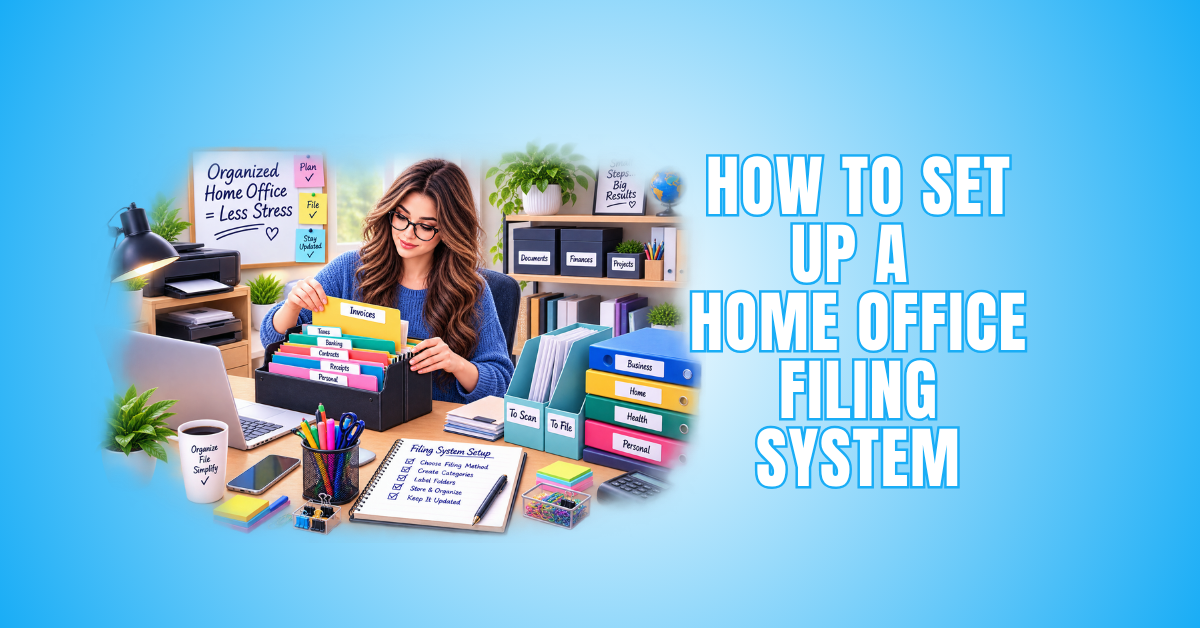
Learning how to set up a home office filing system becomes much easier when every document has a clear purpose and place. A practical system can save time, reduce clutter, and make important records easier to find.
The goal isn’t to keep every piece of paper that enters your home office. An effective filing system helps you decide what to keep, what to digitize, what to archive, and what to discard when it is no longer needed.
Different documents also benefit from different filing methods. A binder may work beautifully for one collection, while hanging files, alphabetical filing, chronological filing, or digital storage may make more sense for another.
Keeping the system current is just as important as setting it up. Regularly removing outdated records prevents unnecessary paperwork and digital files from accumulating.
In this guide, we’ll explore different types of filing systems, useful filing categories, and practical steps for creating a system that fits how you work.
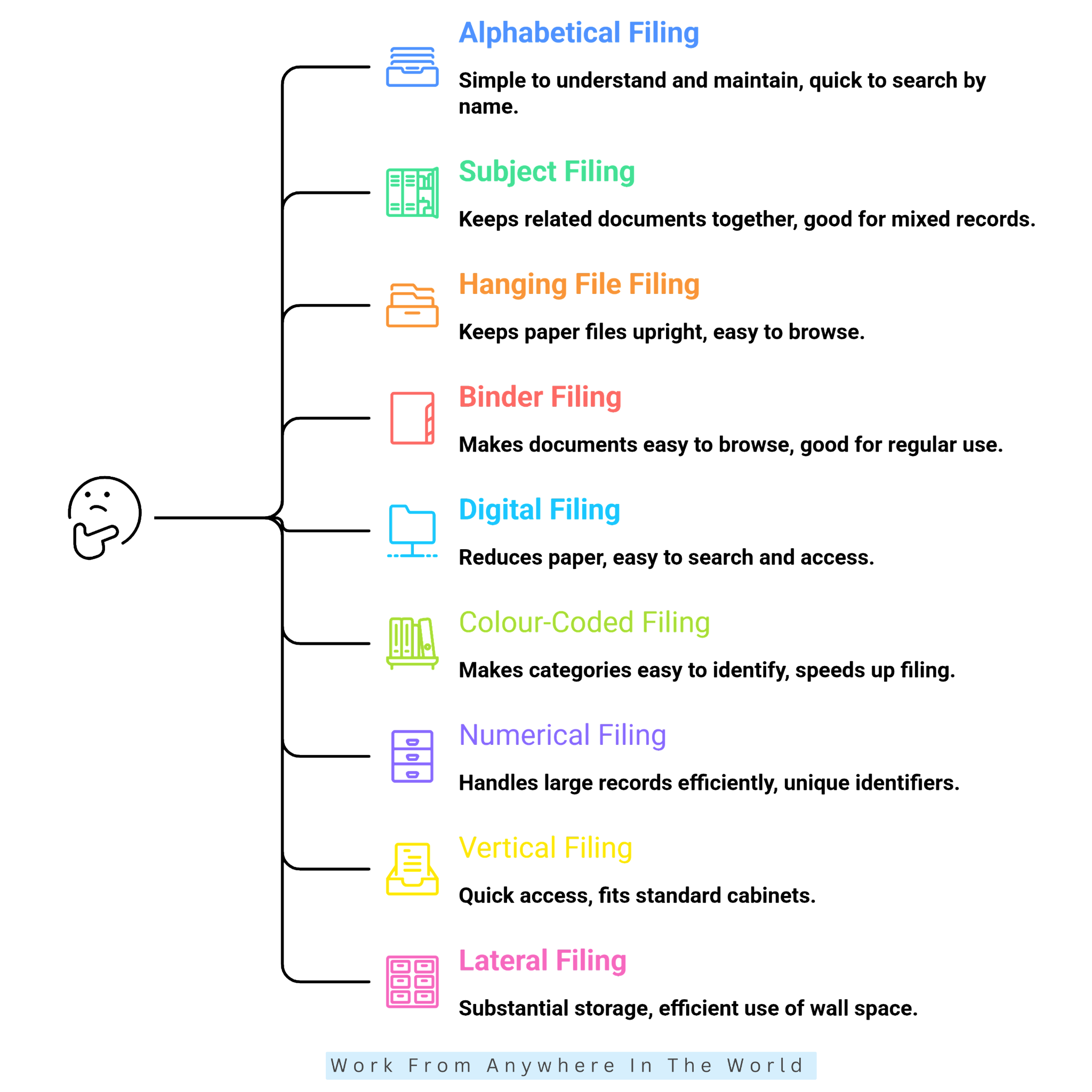
Types Of Filing Systems
Choosing the right filing system depends on what you need to store, how often you use it, and how you prefer to find it. Some methods describe how files are physically stored, while others determine how documents are arranged.
For example, lateral and vertical filing refer to a file’s physical position. Alphabetical, numerical, chronological, and subject filing determine the order used to organize and retrieve information.
Binders and hanging files provide additional ways to store physical documents, while digital filing can replace paper altogether for many records. Most home offices benefit from using a combination of several methods.
Understanding the different options makes it easier to choose the most practical system for each type of document, rather than trying to organize everything the same way.
1. Alphabetical Filing
Alphabetical filing organizes records by name, making it one of the simplest filing systems to understand and maintain. Files may be arranged by a person’s surname, business name, customer name, supplier name, or another identifying term.
This method works particularly well when you naturally look for information by name. You can use it with physical folders or digital files, and it’s easy to expand as you add new records.
Advantages
- Simple to understand and maintain.
- Quick to search when you know the name.
- Easy to add new files.
- Works for both physical and digital filing.
Disadvantages
- Similar or duplicate names can cause confusion.
- Inconsistent naming can result in misplaced files.
- Large alphabetical systems can become cumbersome without clear naming rules.
2. Subject Or Category Filing
Subject or category filing organizes documents according to what they relate to rather than by name or date. Broad categories might include Taxes, Insurance, Home, Vehicles, Business, Medical, or Personal Records.
This method works particularly well for a home office because it keeps related information together. Larger categories can be divided into subcategories as the number of documents grows.
Advantages
- Keeps related documents together in logical groups.
- Makes a mixed collection of household and business records easier to manage.
- You can add subcategories as needed.
- Works well with physical and digital filing systems.
Disadvantages
- Some documents may fit into more than one category.
- Too many categories and subcategories can make the system unnecessarily complicated.
- Category names need to remain consistent so documents are filed in predictable locations.
4. Hanging File Filing
Hanging file filing uses folders suspended from rails inside a filing cabinet, drawer, or portable file box. It is a practical way to keep frequently used paper documents upright, separated, and easy to browse.
Hanging folders can represent broad categories, with individual file folders placed inside them for more specific records. For example, a Taxes hanging folder could contain separate folders for different tax years or types of supporting documents.
Advantages
- Keeps paper files upright and easy to browse.
- Works well for frequently accessed documents.
- Allows you to add, remove, or reorganize folders easily.
- Combines well with alphabetical, category, and chronological filing.
Disadvantages
- Requires suitable filing drawers, cabinets, or boxes.
- Overfilled folders can become difficult to use.
- Takes up physical storage space.
- Is unnecessary for documents that can be stored more efficiently digitally.
5. Binder Filing
Binder filing keeps related documents together in ring binders, usually separated into sections with labelled dividers. It works particularly well for information that you refer to regularly, add to over time, or want to browse easily.
For example, you can organize recipes in a binder with subsections for soups, salads, main dishes, desserts, and other categories. Binders can also work well for household projects, reference materials, or other collections that benefit from clearly divided sections.
Advantages
- Makes documents easy to browse and reference.
- Dividers create clear categories and subsections.
- Pages can be added, removed, or rearranged easily.
- Works particularly well for collections that are used regularly.
Disadvantages
- Binders can take up considerable shelf space.
- Removing and refiling individual pages can be less convenient than using folders.
- Overfilled binders become bulky and difficult to handle.
- Documents may require hole punching or protective sleeves.
6. Digital Filing
Digital filing stores documents electronically on a computer, secure cloud service, business application, or other digital storage system. It can reduce the amount of paper kept in a home office while making frequently used records easier to search and access.
Use clear folders and descriptive file names so you can find documents quickly. Digital filing is particularly useful for records that do not require an original paper copy, while important files should be protected with appropriate security and reliable backups.
Advantages
- Reduces paper and physical storage requirements.
- Makes documents easy to search and retrieve.
- Allows you to organize files into folders and subfolders.
- Important records can be backed up in multiple locations.
Disadvantages
- Requires reliable backups to protect against data loss.
- Sensitive documents require appropriate security.
- Poor file naming can make documents difficult to locate.
- Some important records may still need to be retained in their original physical form.
7. Colour-Coded Filing
Colour-coded filing uses different colours to identify categories or groups of records at a glance. Coloured folders, labels, tabs, or digital tags can be combined with alphabetical, chronological, or category filing.
For example, financial records might use one colour while home, insurance, and personal records use others. Keep the number of colours manageable so the system stays easy to recognize and doesn’t become unnecessarily complicated.
Advantages
- Makes different categories easy to identify at a glance.
- Can speed up filing and retrieval.
- Works with several other filing methods.
- Can help identify a document filed in the wrong section.
Disadvantages
- Too many colours can get complicated.
- Requires a consistent colour scheme.
- Replacement folders or labels may not always match.
- Colour alone should not replace clear written labels.
8. Numerical Filing
Numerical filing assigns a unique number to each file or record instead of organizing it primarily by name. This method is often used when you must manage a large number of records consistently.
Because numbers alone don’t identify the contents, numerical systems generally require an index or searchable digital record that connects each number with the corresponding person, account, project, or subject.
Advantages
- Handles large numbers of records efficiently.
- Provides each file with a unique identifier.
- Avoids confusion caused by duplicate or similar names.
- You can add new records without reorganizing the entire system.
Disadvantages
- Usually requires an index or reference system.
- Numbers are less intuitive than names or subjects.
- An incorrect file number can make a record difficult to locate.
- Often more complicated than necessary for a small home filing system.
9. Vertical Filing
Vertical filing stores folders upright, usually with the file tabs facing upward for easy identification. It is commonly used in filing cabinets, desk drawers, and portable file boxes where documents are accessed from above.
This storage method works well with alphabetical, chronological, or category filing. Folders can be arranged in whatever order best suits the records while remaining easy to remove and return.
Advantages
- Makes folder labels easy to see from above.
- Provides quick access to frequently used files.
- Works with several different organizational methods.
- Fits standard filing cabinets, drawers, and file boxes.
Disadvantages
- Requires dedicated drawer or file-box space.
- Overfilled folders can become difficult to remove and replace.
- Papers may slump or become disorganized when folders are too empty.
- Physical files require more space than digital records.
10. Lateral Filing
Lateral filing stores folders side by side, usually in wide filing cabinets or on file-storage shelving. Unlike vertical filing, files are typically accessed from the front rather than from above.
This method can accommodate many records while making efficient use of wall space. It is more common in larger offices, but it can also work in a home office with substantial paper-filing needs.
Advantages
- Provides substantial storage capacity.
- Makes good use of horizontal wall space.
- Keeps file labels visible and accessible.
- Works with alphabetical, numerical, chronological, and category filing.
Disadvantages
- Lateral filing cabinets can require a lot of wall space.
- Cabinets may be larger and heavier than standard vertical models.
- They often provide more storage than a small home office needs.
- May not be worthwhile when most records are stored digitally.
Categories Of A Home Office Filing System
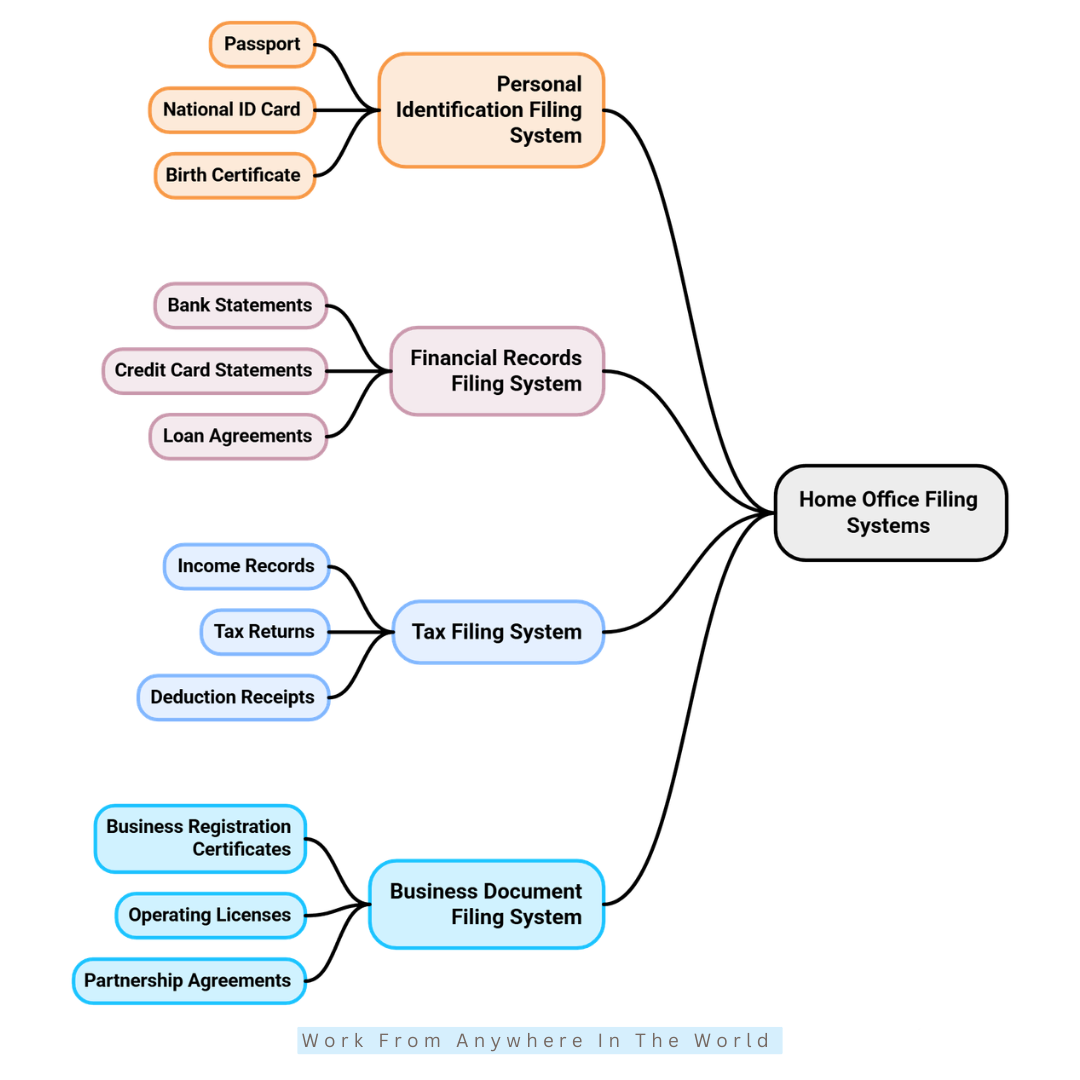
Once you understand the different filing methods, the next step is deciding what information you actually need to organize. The categories you choose should reflect the documents you regularly receive, use, or need to retain.
Not every category requires a physical folder. Many records can be stored digitally, while important original documents may need secure physical storage and a digital backup.
The most suitable filing method also varies by category. Some records are easiest to organize alphabetically, while others work better by subject, date, or in a binder with clearly labelled sections.
Your filing system should also change as your needs change. Regularly removing outdated or unnecessary records helps keep both physical and digital files organized without creating unnecessary clutter.
1. Personal Identification Records
Personal identification records may include passports, birth certificates, marriage certificates, citizenship or immigration papers, and other important government-issued documents.
Keep original documents together in a fire-resistant, lockable document box or safe so you can easily locate them when needed. Digital copies can provide additional backup where appropriate.
Recommended Filing Method
Fire-resistant, lockable document box or safe + secure digital backup
2. Financial Records
Financial records may include loan agreements, investment and retirement documents, annual financial summaries, and other important records that aren’t already available through your financial institutions.
Avoid keeping paper copies of routine bank and credit card statements when they are readily available online. Retain only records you genuinely need, and review them regularly so outdated documents don’t create unnecessary clutter.
Recommended Filing Method
Use digital filing plus secure physical storage for important originals.
3. Tax Records
Tax records may include tax returns, income documents, deductible expenses, charitable donation receipts, and tax-related correspondence. Keep records for each tax year together so they are easy to locate when needed.
Many tax documents are now received and stored digitally, while paper receipts and supporting documents only need to be retained for the applicable period. Remove records securely once they are no longer required.
Recommended Filing Method
Chronological filing by tax year + digital filing for electronic records and scanned documents
4. Business Records
Business records may include registration documents, licences, permits, contracts, supplier and customer information, and other records needed to operate a business. The exact documents will depend on the type and structure of the business.
Accounting, payroll, and many day-to-day business records are now maintained digitally through business software. Keep important originals secure, and avoid creating paper copies of information already stored electronically.
Recommended Filing Method
Subject or category filing + digital filing + secure physical storage for important originals.
5. Client Records
Professional service businesses, such as accounting, legal, consulting, or other practices, may maintain records for individual clients. These can include agreements, correspondence, project or service records, and other information related to the professional relationship.
Most client records can now be maintained digitally, making them easier to organize and retrieve. Store sensitive or confidential information securely, and retain physical originals only when necessary.
Recommended Filing Method
Alphabetical or numerical filing + secure digital filing
6. Invoices And Receipts
You may need to retain invoices and receipts for tax purposes, warranties, returns, reimbursements, or other business and household records. Keep only what still serves a purpose, rather than letting unnecessary paperwork accumulate.
Digital copies are often more practical, particularly because thermal receipts can fade. Once an invoice or receipt is no longer required for tax, warranty, or other purposes, dispose of sensitive paperwork securely.
Recommended Filing Method
Chronological or category filing + digital filing where practical
7. Home And Property Records
Home and property records may include deeds, mortgage or lease documents, property tax records, home inspections, renovation details, floor plans, and important maintenance records. Securely keep documents that establish ownership or other legal rights.
Many renovation, repair, and maintenance records can be stored digitally for easy reference. If you manage more than one property, keep a separate set of records for each address.
Recommended Filing Method
Subject or category filing by property + secure physical storage for important originals + digital filing
8. Insurance Records
Insurance records may include home, auto, life, health, travel, and business policies, along with active claims and other important policy documents. Keep current information easy to access in case you need it unexpectedly.
Most insurers now provide policies and related documents digitally, so there is little reason to keep unnecessary paper copies. Remove expired policies and outdated documents once you no longer need them.
Recommended Filing Method
Subject or category filing by insurance type + digital filing
9. Medical Records
Medical records may include test results, vaccination records, prescriptions, specialist reports, treatment information, and hospital records that you may need for future reference. Keep each family member’s records separate and clearly identified.
Many medical records are now available through secure patient portals or healthcare providers, reducing the need for paper copies. Keep physical documents only when they remain useful or an original is required.
Recommended Filing Method
Subject or category filing by family member + secure digital filing

10. Warranties And User Manuals
Warranty records may include proof of purchase, warranty certificates, service information, and other documents you may need while you still own the product. Remove these records when the product is gone, or the information no longer serves a purpose.
Before keeping an instruction manual, check whether it is available online. For older equipment you still own, digitize the manual when no online version is available, rather than keeping unnecessary paper copies.
Recommended Filing Method
Subject or category filing by product + digital filing whenever practical
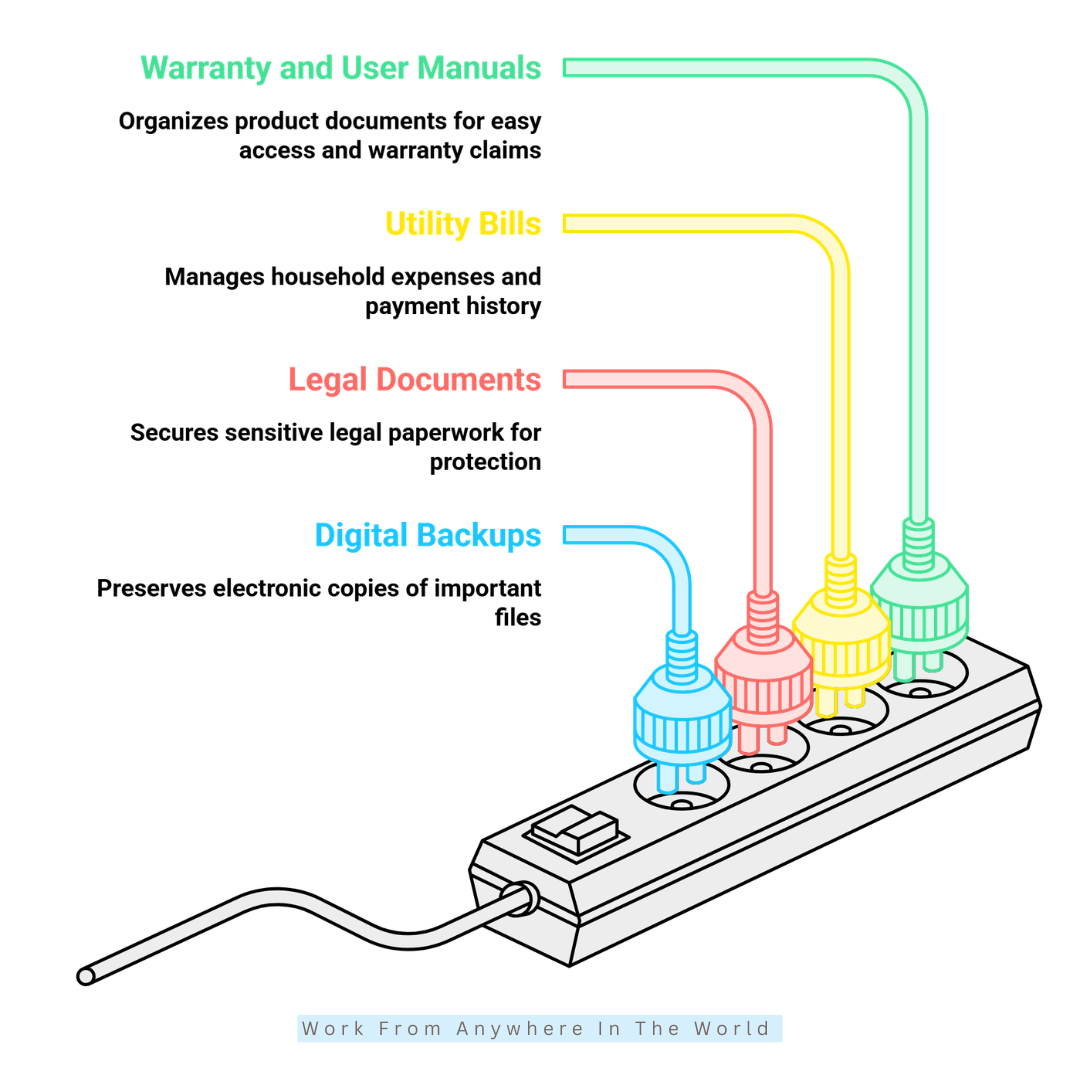
13. Digital Backup Records
Digital backups provide additional protection for important documents such as identification records, tax returns, contracts, insurance policies, and property records. Organize scanned copies using clear folders and file names that make documents easy to locate.
Store backups separately from the original files so a device failure, accidental deletion, or other problem does not eliminate every copy. Protect sensitive documents with appropriate security.
Recommended Filing Method
Digital filing + secure cloud or external backup
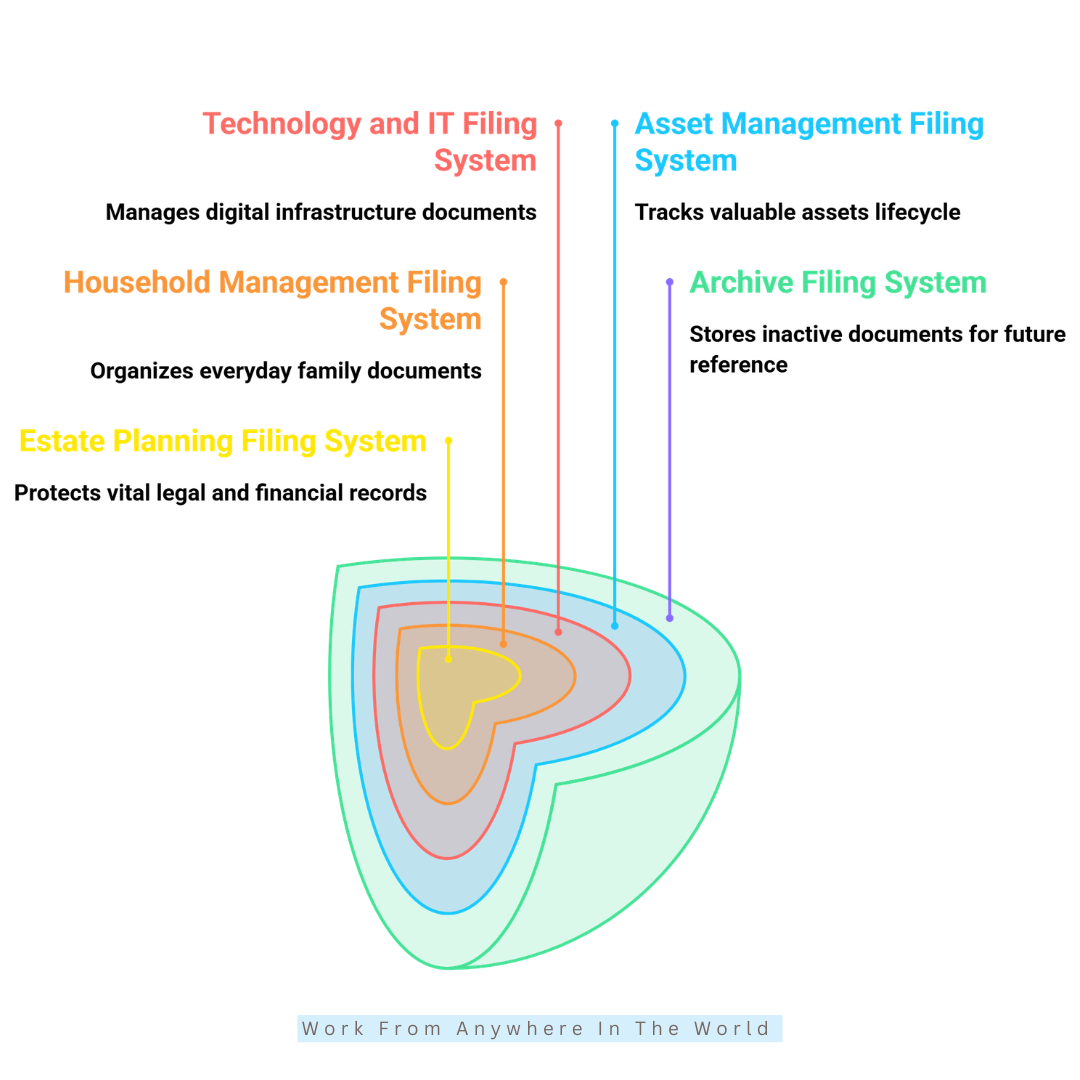
14. Archive Records
Archive records are documents you no longer use regularly but still need to retain. Moving them out of your active filing system keeps frequently used files easier to find and prevents unnecessary clutter.
Organize archived records by year or category, and review them periodically to decide whether you still need to keep them. You can then securely discard documents that have reached the end of their required or useful retention period.
Recommended Filing Method
Chronological or category filing + separate physical or digital archive storage
15. Asset Management Records
Asset management records help you keep track of valuable household and business equipment. These may include purchase details, serial numbers, warranties, repair and maintenance records, and other documents connected with major assets.
A digital inventory can make this information easier to update and retrieve when needed for insurance, maintenance, or resale purposes. Remove records when you no longer own the asset and have no reason to retain them.
Recommended Filing Method
Subject or category filing by asset + digital inventory and filing
16. Technology And IT Records
Technology and IT records may include software licences, device warranties, purchase receipts, service agreements, and support information. Organize them by device, software, or service for easy reference.
You can store most technology records digitally. Keep passwords and login credentials in a secure password manager, and remove outdated records when you no longer use equipment or services.
Recommended Filing Method
Digital filing by device or service + secure password manager for login credentials
17. Household Management Records
Household management records may include family budgets, school information, pet records, home maintenance schedules, and appliance service documents. Keeping them together makes everyday household information easier to find.
Organize records into clearly labelled categories, and keep only what remains useful. Digital storage can reduce paperwork, while frequently referenced information may be more convenient in a binder or folder.
Recommended Filing Method
Subject or category filing + digital filing or binder storage for frequently used records
18. Estate Planning Records
Estate planning records may include wills, trusts, beneficiary information, life insurance policies, powers of attorney, healthcare directives, and funeral preferences. Keep important originals together in a secure location.
Digital copies can provide additional backup and easier reference when appropriate. Make sure trusted family members or representatives know how to access essential documents when they are needed.
Recommended Filing Method
Fire-resistant, lockable document box or safe + secure digital backup
How To Set Up A Home Filing System
Once you know what you need to keep and which filing methods are available, you can create a system that works for your home office. The goal is to make documents easy to file, find, and maintain.
A good filing system doesn’t need to be complicated. Each document simply needs a logical place, whether that is a physical folder, secure storage, a digital file, or an archive.
The setup should also reflect how you actually work. Keep frequently used records easily accessible, while important originals and older records may need more secure or separate storage.
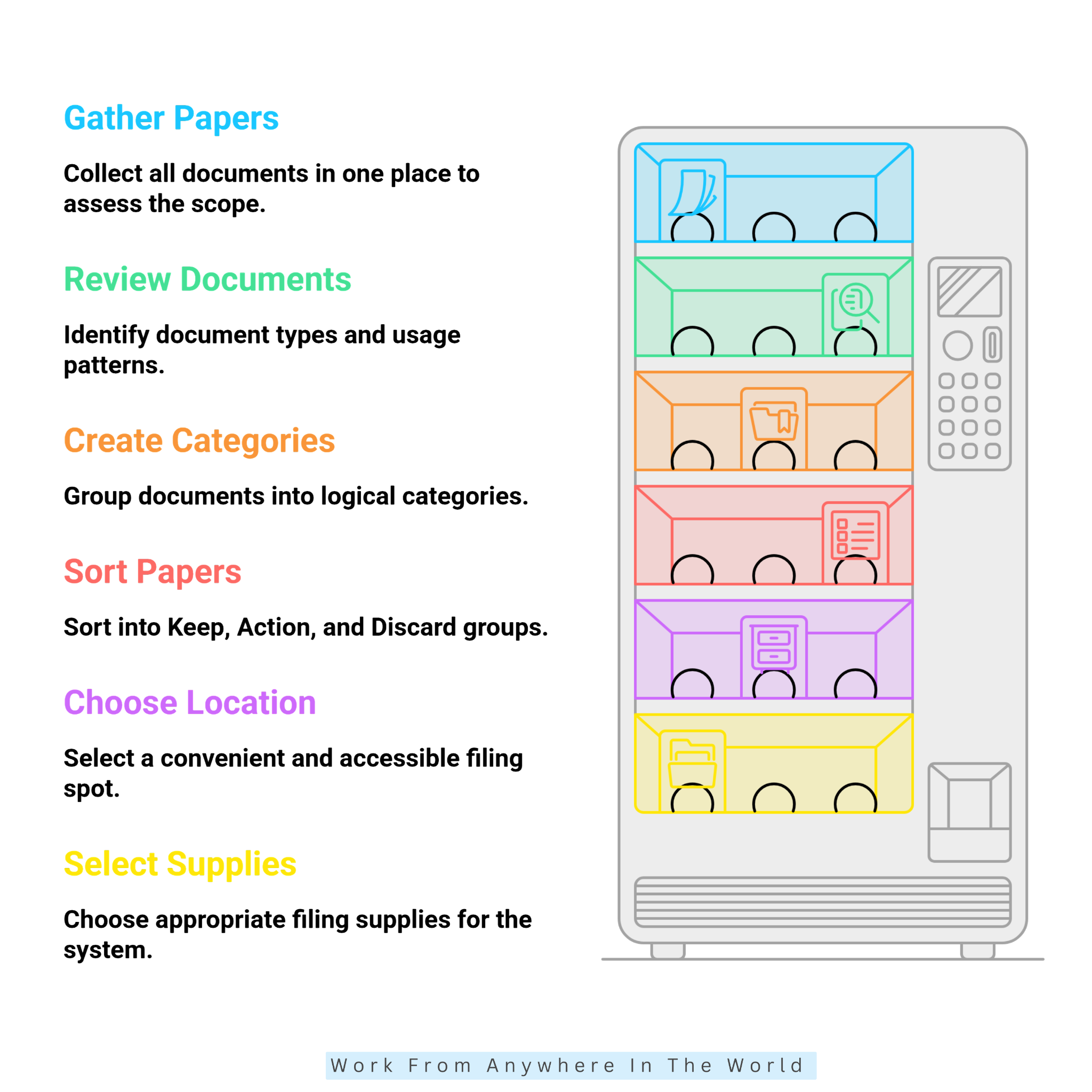
The following steps will help you create a practical filing system and keep it organized as your paperwork and digital records change.
Step 1: Gather All Your Important Papers
Start by collecting paperwork from desks, drawers, countertops, bags, and other places around your home. Include personal, financial, household, business, tax, insurance, and other important documents.
Don’t try to organize anything yet. Place everything in one temporary location so you can see exactly what you’re dealing with.
This first step may uncover duplicate documents, forgotten paperwork, and records you no longer need. Once everything is together, you can decide what to keep, what to discard, and what needs organizing.
Step 2: Review Your Existing Documents
Before creating categories, take a first look through all the paperwork you’ve gathered. Identify the different types of documents you have and notice which ones make up the largest parts of your collection.
Look for obvious duplicates, outdated papers, documents you no longer recognize, and records that may already be available digitally. Don’t worry about sorting everything yet; this is simply an initial assessment.
Also notice which documents you use frequently and which ones are rarely needed. This will help you create filing categories and storage arrangements that reflect how you actually use your records.
By the end of this step, you’ll have a much clearer picture of what your filing system needs to accommodate. That makes it easier to create useful categories in Step 3 and make the Keep, Action, and Discard decisions in Step 4.
Step 3: Create Clear Document Categories
Now that you’ve removed unnecessary paperwork, group the remaining documents into broad categories. These might include finances, taxes, insurance, home, vehicles, medical records, personal documents, and business records.
Start with categories that reflect the documents you actually have rather than creating folders you may never use. You can always divide larger categories into smaller sections as your filing needs grow.
Keep frequently used paperwork separate from important long-term records that require secure storage. This makes everyday files easier to access without mixing them with documents you rarely need.
By the end of this step, every document should have a logical category. That framework will make the next stage of organizing your files much simpler.
Step 4: Sort Papers Into Keep, Action, And Discard Groups
Sort your paperwork into three groups: Keep, Action, and Discard. Put important records in the Keep group, while bills, forms, correspondence, and other documents that need follow-up belong in Action.
Use the Discard group for duplicates, outdated paperwork, and documents you no longer need. Shred sensitive records containing personal, financial, or confidential information before recycling them.
Retention requirements vary by document, so check the appropriate tax, financial, or legal guidance when you’re unsure how long to keep something.
Once you’ve finished sorting, unnecessary paperwork will be gone, and documents requiring attention will be clearly separated. The remaining records can then move into the filing system you’re creating.
Step 5: Choose A Convenient Filing Location
Choose a dry, accessible location that fits naturally with how you handle paperwork. A filing cabinet, drawer, file box, or sturdy organizer can work well, depending on how much paper you keep.
Keep frequently used documents within easy reach, and leave room for the system to grow. Store important or irreplaceable originals separately in a more secure location.
Consider where you normally sort mail, pay bills, or handle household paperwork. Keeping your filing system nearby makes it easier to file documents instead of letting them pile up.
A convenient location gives your paperwork a dependable home. When filing is easy, keeping the system organized becomes much simpler.
Step 6: Choose The Right Filing Supplies
Choose filing supplies that match the amount and type of paperwork you need to organize. Depending on your system, you might use hanging folders, standard file folders, binders, labels, or a suitable filing box or cabinet.
Start with the basics rather than buying a large collection of organizers. You can always add supplies later as your filing system develops and you discover what works best.
Choose durable folders and clear labels that make documents easy to identify. Your supplies should support the filing methods you’ve chosen without making the system more complicated.
A simple, practical setup is usually easier to maintain. The right supplies should make filing easier, not create another layer of organization to manage.
Step 7: Create Clear And Useful File Labels
Give each folder a short, specific name that immediately tells you what belongs inside. Labels such as Taxes, Insurance, Bank Statements, and Home Repairs are much more useful than vague descriptions.
Use words you would naturally think of when searching for a document. For example, Auto Insurance is easier to recognize than a general label such as Important Papers.
Keep your naming style consistent throughout the filing system and make every label easy to read at a glance. Clear labels also make the system easier for other household members to understand.
Once your folders are clearly labelled, finding and returning documents becomes much quicker. A consistent naming system also reduces the chance of paperwork ending up in the wrong place.
Step 8: File Each Document Into Its Proper Folder
Place each document in the category that best describes its purpose. Keep related records together so documents that are normally needed as a group can be found in the same place.
Every document should have one logical home. When something could fit into several categories, choose the location where you would naturally look for it first rather than keeping duplicate copies.
Set aside anything that still requires a decision instead of filing it simply to clear your workspace. This helps prevent unnecessary or misplaced paperwork from becoming part of the system.
Once every document has a designated place, the original collection of paperwork becomes an organized filing system. Returning documents to their proper folders will also be much easier after you use them.
Step 9: Create Main Filing Folders
Create your main folders using the broad categories you identified earlier. These might include Personal, Financial, Tax, Home and Property, Insurance, Medical, Legal, and Utilities.
Start with broad categories and add subfolders only when they are genuinely useful. For example, a growing Insurance folder could eventually be divided into Home, Auto, Life, and other relevant sections.
Arrange the folders in an order that feels natural to you and matches the filing method you’ve chosen. Avoid creating too many small folders, which can make documents harder rather than easier to file.
Your main folders provide the structure for your physical filing system. With these categories in place, every paper you keep has a clear destination.
Step 10: Create A Secure File For Vital Documents
Gather important originals such as birth certificates, passports, property records, and legal documents. Keep them separate from routine household paperwork so they cannot become buried among everyday files.
Choose a secure location that provides additional protection, such as a fire-resistant, lockable document box or safe. Protective folders or sleeves can also help keep important papers in good condition.
Make sure trusted household members or representatives know where essential documents are stored and how to access them when necessary. Digital copies can provide additional backup where appropriate.
Keeping vital documents together gives your most important records a protected home. It also makes them much easier to locate when they are unexpectedly needed.
Step 11: Set Up A Smart ‘To File’ Folder
Create one dedicated To File folder for paperwork you’ve reviewed but haven’t yet placed in its permanent location. This gives new documents a temporary home instead of allowing them to accumulate on desks or countertops.
Keep paperwork requiring payment, signatures, responses, or other action separate. The ‘To File’ folder should contain only documents that are ready to be filed when you have time.
Review the folder regularly and move documents into their permanent categories. How often you do this can depend on how much paperwork your household receives.
Treating the folder as temporary storage prevents it from becoming another collection of clutter. It also gives incoming paperwork a clear path into your filing system.
Step 12: Organize Digital Documents
Create digital folders that follow the same general categories as your physical filing system. This makes it easier to know where documents belong whether you’re working with paper or electronic records.
Use descriptive file names that identify the document without opening it. Including useful details such as the document type, year, or provider can also make computer searches much more effective.
Scan paper documents when a digital copy is useful, but remember that some important originals may still need to be retained. Avoid creating digital copies simply for the sake of having them.
Keep reliable backups of important electronic records and protect sensitive information appropriately. A well-organized digital system reduces paper while making important documents easier to find and manage.

Frequently Asked Questions
Q1: Do I Need to Spend a Lot to Set Up a Home Office Filing System?
No. You can create a home office filing system with basic folders, labels, and storage you may already have. The amount you spend depends on the type and volume of documents you need to organize.
Invest in additional storage only when it serves a practical purpose. A secure, fire-resistant document box or safe may be worthwhile for important originals.
Q2: Should I Keep Both Physical And Digital Copies Of Important Documents?
Not necessarily. Many documents can be stored digitally, while certain important records may need to be retained in their original physical form.
Digital copies can provide useful backups for important documents. Protect sensitive electronic records with appropriate security and reliable backups.
Q3: How Often Should I Update My Home Office Filing System?
Update your filing system often enough to prevent paperwork and digital files from accumulating. The right frequency depends on how many documents you receive and how quickly your records change.
Remove outdated files, archive records you still need, and check that your categories and labels continue to work. Regular maintenance keeps the system manageable.
Q4: How Long Should I Keep Important Home Office Documents?
Retention periods depend on the document type and the rules that apply where you live. Tax, financial, business, and legal records can have different requirements.
Keep important originals for as long as they remain necessary, and securely dispose of records once they no longer need to be retained. Check the appropriate government or professional guidance when you’re uncertain about a specific document.
Q5: What Is The Best Filing System For A Home Office?
The best filing system matches the documents you keep and how you naturally look for them. Many home offices benefit from combining category, alphabetical, chronological, and digital filing.
You don’t need to use the same method for every document. Choose the filing method that makes each record type easiest to store, find, and maintain.
Q6: How Can I Keep My Home Office Filing System From Becoming Cluttered?
Remove documents when you no longer need them, rather than letting files grow indefinitely. Archive older records you still need to keep, and securely dispose of sensitive paperwork when appropriate.
Apply the same approach to digital files by removing duplicates and outdated documents. Keeping only what still serves a purpose makes the entire filing system easier to maintain.
Conclusion
Learning how to set up a home office filing system is ultimately about creating a simple structure that makes important information easier to find, protect, and manage. The best system reflects the documents you actually keep and the way you naturally work.
Combining physical and digital filing can help reduce unnecessary paperwork while keeping important originals secure. Clear categories, consistent labels, and appropriate storage make the entire system easier to use.
The work doesn’t end once everything is filed. Removing outdated records, archiving documents that still need to be retained, and keeping digital files organized prevent clutter from creeping back in.
A practical filing system should make your home office easier to manage, not add another complicated task. Keep what you need, protect what matters, digitize when practical, and remove what has served its purpose.
I trust you enjoyed this article on How to Set Up A Home Office Filing System. Please stay tuned for more insightful blogs on affiliate marketing, online business, and working from anywhere in the world.
Take care!
— JeannetteZ 🌍✨
💬 Your Opinion Is Important To Me
Do you have thoughts, ideas, or questions? I’d love to hear from you. Please leave your comments below or email me directly at Jeannette@WorkFromAnywhereInTheWorld.com.
📚 More Work From Anywhere Reads
🚀 Ready to Build a Business You Can Run from Home
Or from Anywhere in the World?
Imagine creating income on your terms — from home, a cozy café, or wherever life takes you.
With the right tools, training, and community support, it’s entirely possible.
Start your own online business for free — no credit card needed.
Disclosure
This post may contain affiliate links. As an Amazon Associate and participant in other affiliate programs, I earn from qualifying purchases at no extra cost to you. Please read my full affiliate disclosure.