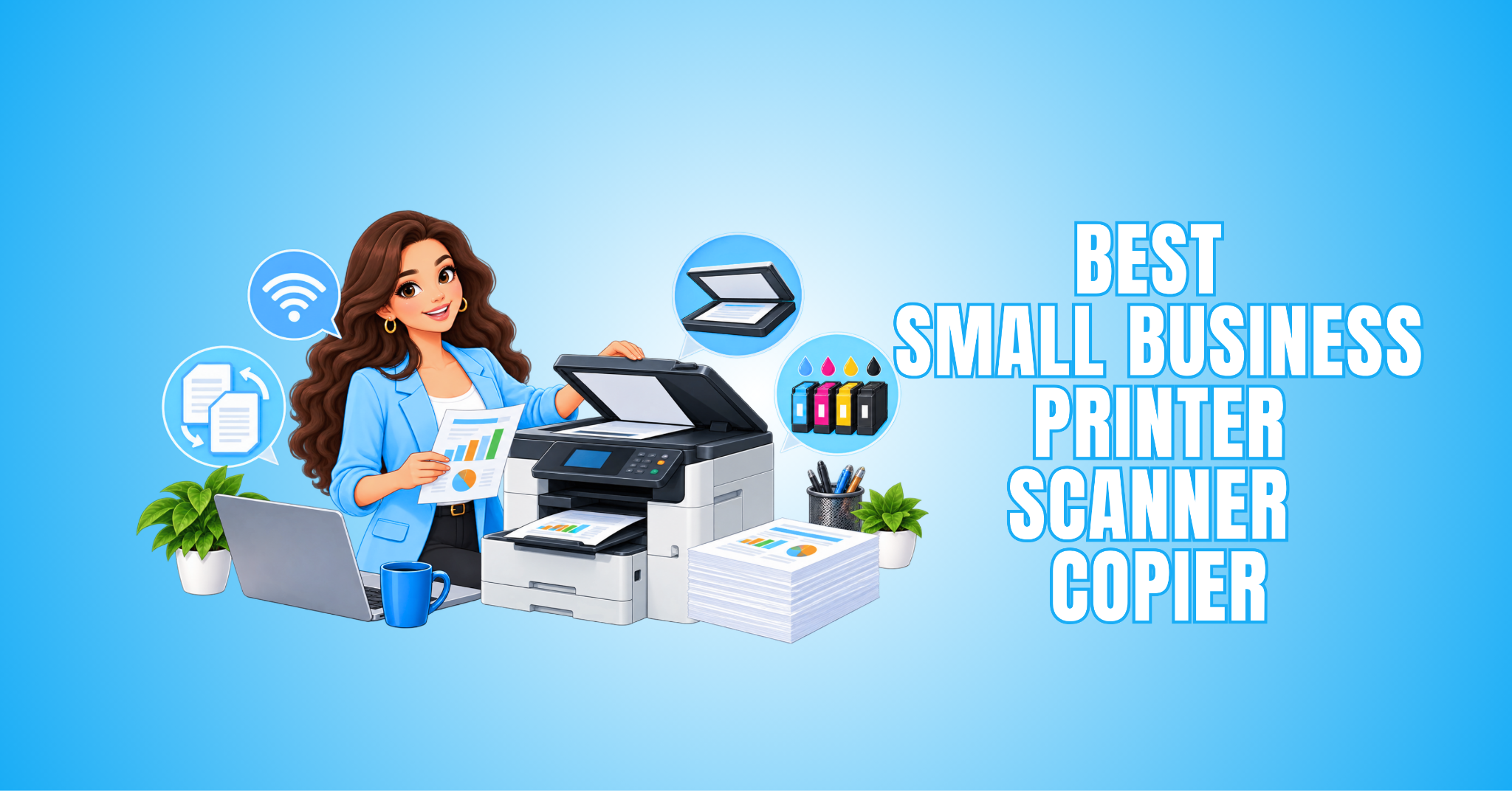
12 Best Small Business Printer-Scanner-Copiers
Finding the best small business printer-scanner-copier can make everyday office tasks much easier. The right all-in-one model can print invoices, scan contracts, copy documents, and handle routine paperwork without requiring separate devices.
Your monthly print volume, colour requirements, document size, running costs, and connectivity can all influence your choice. The right features will depend on how your business uses the printer each day.
Some business printers are designed for occasional paperwork, while others can handle frequent printing and scanning throughout the workday. Choosing a model that matches your workload can make routine office tasks more efficient.
This guide explains what to look for and compares practical business printers from established brands to help you find a model that suits your workspace.
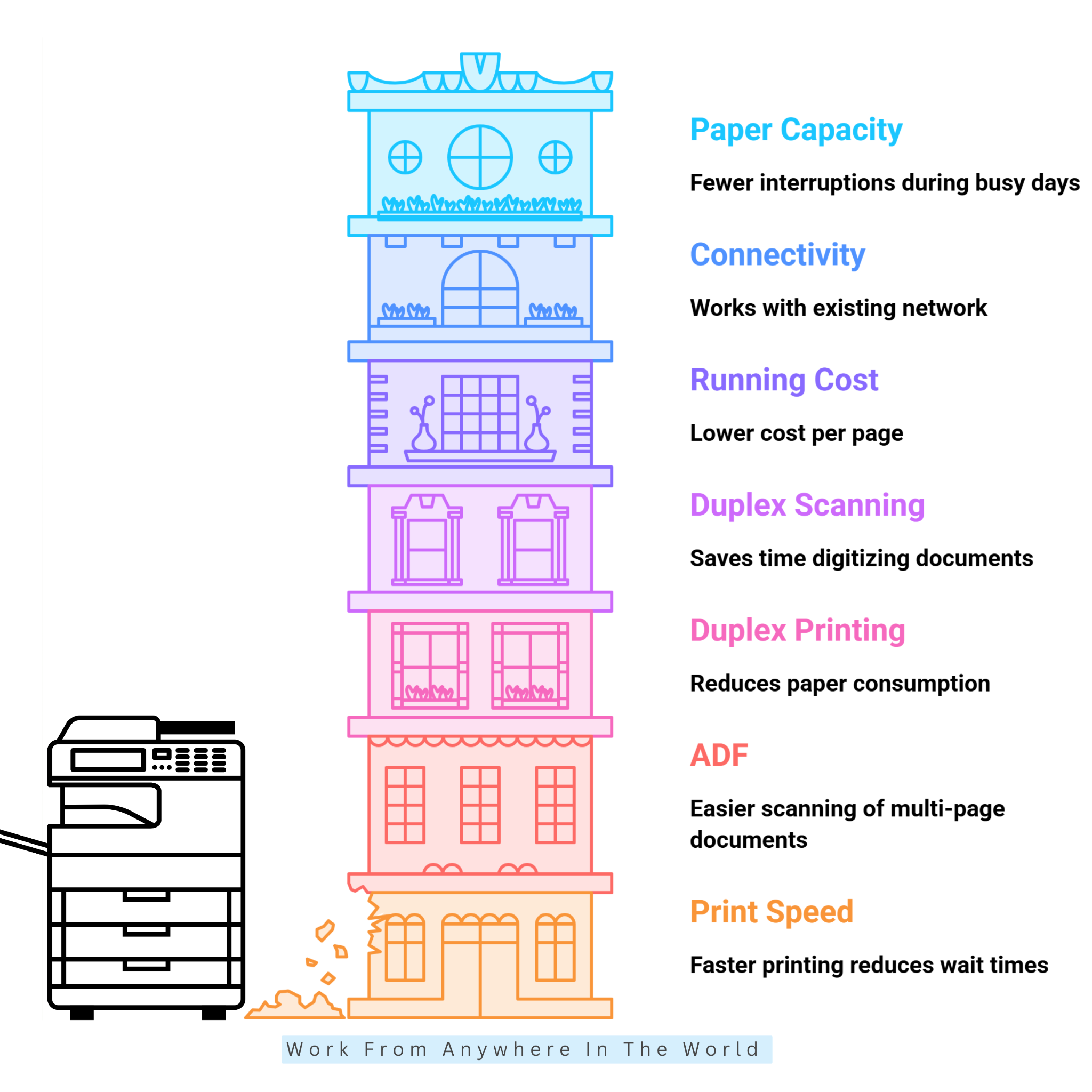
What To Look For In A Small Business Printer-Scanner-Copier
Choosing the right all-in-one printer starts with understanding how your business handles documents each day. Printing volume, document types, available space, and the features you regularly use can all influence your decision.
Some businesses mainly print invoices and correspondence, while others frequently scan contracts, copy documents, or produce colour materials. Your everyday workload should guide which features matter most.
Running costs and convenience are also important. Ink or toner requirements, paper capacity, automatic document feeding, duplex printing, and connectivity can affect how efficiently the printer fits into your routine.
The following factors will help you compare business printers and choose a model that suits your workspace and daily needs. Knowing which features matter most can also help you avoid paying for functions your business is unlikely to use.
1. Print Speed
Print speed matters when your business regularly handles invoices, reports, contracts, forms, or other documents. A printer that handles pages efficiently can reduce delays during busy periods.
For many small offices, 20–30 pages per minute (ppm) can be a practical starting point. Businesses with lighter printing needs may be comfortable with less, while higher-volume offices may benefit from faster performance.
Consider how many people will share the printer and how often you print large documents. A suitable print speed can reduce wait times and help everyday office tasks run more smoothly.
Key Points
- Check the pages-per-minute (ppm) rating.
- Consider your typical printing volume.
- Shared printers may need faster speeds.
- Large documents can benefit from higher print speeds.
2. Automatic Document Feeder (ADF)
An automatic document feeder, or ADF, makes scanning, copying, and faxing multi-page documents much easier. Instead of placing each page on the scanner glass individually, you can load several pages at once.
This feature can save time when working with invoices, contracts, applications, and other business records. It is particularly useful for offices that regularly scan or copy larger documents.
Check the feeder capacity and whether the printer supports automatic two-sided scanning if that is important for your workflow. Choose an ADF that can comfortably handle the types and number of documents your business processes regularly.
Key Points
- Handles multiple pages automatically.
- Saves time when scanning and copying.
- Check the feeder’s page capacity.
- Look for two-sided scanning when needed.
3. Duplex Printing
Duplex printing allows a printer to automatically print on both sides of a sheet of paper. This can reduce paper use and make longer documents more compact and easier to manage.
The feature is useful for reports, proposals, training materials, manuals, and other multi-page business documents. It can also give printed materials a more polished appearance.
Automatic duplex printing eliminates the need to manually turn pages over and reload them. For businesses that print frequently, this can save time and make everyday printing more convenient.
Key Points
- Prints automatically on both sides of the paper.
- Helps reduce paper consumption.
- Useful for longer business documents.
- Eliminates manual page flipping.
4. Duplex Scanning
Duplex scanning allows a scanner to capture both sides of a double-sided document automatically. This can save considerable time when processing paperwork with information on both sides.
The feature is particularly useful for contracts, applications, forms, invoices, and business records. It can also make digitizing and organizing documents much more efficient.
Not every automatic document feeder supports two-sided scanning, so check the printer’s specifications carefully. Businesses that regularly process double-sided documents may find this feature especially valuable.
Key Points
- Scans both sides of a document automatically.
- Saves time with double-sided paperwork.
- Useful for contracts, forms, and business records.
- Check that the ADF specifically supports duplex scanning.
5. Running Costs
The purchase price is only one part of a printer’s total cost. Ink, toner, maintenance supplies, and replacement parts can all affect how much the printer costs to operate over time.
When comparing models, check the expected page yield of ink or toner. High-yield cartridges or refillable ink tanks can reduce cost per page, especially for businesses that print frequently.
Businesses with heavier printing needs should pay particular attention to ongoing expenses. A printer with a higher purchase price may sometimes be more economical over time when its consumables last longer and provide a lower cost per page.
Key Points
- Consider costs beyond the purchase price.
- Compare ink or toner page yields.
- High-yield cartridges can reduce cost per page.
- Refillable ink tanks may suit frequent printing.
- Consider your expected monthly print volume.
6. Connectivity
Modern small-business printers typically offer several connection options, including USB, Wi-Fi, and Ethernet. The best combination depends on how and where you’ll use the printer.
Wi-Fi is convenient for laptops and mobile devices, while Ethernet can provide a stable connection for printers shared across an office network. USB can also be useful when you prefer a direct connection to one computer.
Mobile printing support allows employees to print from compatible smartphones or tablets. This can be particularly convenient when documents are received or created away from a desk.
Before choosing a printer, check its compatibility with the operating systems, devices, and network setup your business already uses. The right connectivity options can make sharing and accessing the printer much easier.
Key Points
- Wi-Fi provides convenient wireless printing.
- Ethernet works well for shared office networks.
- USB provides a direct connection.
- Check support for mobile printing.
- Confirm compatibility with your existing devices.
7. Paper Capacity
Paper capacity determines how often you need to refill the printer during the workday. A smaller tray may be sufficient for a home-based business or an office with relatively light printing needs.
Larger paper trays can be more convenient for busy workplaces or printers shared by several people. Fewer refills can also reduce interruptions when printing longer documents.
Some business printers support additional paper trays or multiple paper sizes. This can be useful when your business regularly switches between standard documents, envelopes, labels, or other materials.
Consider what you typically print and how often you use the printer. Choosing suitable paper capacity can make everyday printing more convenient and efficient.
Key Points
- Match capacity to your typical print volume.
- Larger trays require fewer refills.
- Shared printers may benefit from greater capacity.
- Check support for additional trays and paper sizes.
Comparing 12 All-In-One Printers For Small Businesses
All-in-one printers combine several everyday office functions in one machine. However, models can differ considerably in printing technology, speed, paper handling, connectivity, and other useful features.
Some suit occasional home-office printing, while others are designed for busier workplaces with frequent printing, scanning, and copying needs.
The right choice depends on how your business works and which features you’ll use regularly. A compact model may be enough for a small workspace, while a growing business may need greater capacity and flexibility.
The following 14 all-in-one printers offer a range of features for different business needs, workloads, and office environments. Comparing their strengths can help you narrow down the options before choosing a model for your workspace.
1. Brother MFC-L8930CDW
The Brother MFC-L8930CDW is a colour laser all-in-one designed for busy small businesses and workgroups. It combines printing, scanning, copying, and faxing in one machine.
Automatic document feeding, duplex printing, and network connectivity make it well-suited to shared office environments. It can handle everyday documents such as invoices, contracts, reports, and colour presentations.
This model suits businesses with regular printing and document-handling needs. Its larger footprint means it requires more workspace than a compact home-office printer.
The Brother MFC-L8930CDW is worth considering when productivity, efficient document handling, and dependable everyday performance are priorities.
Key Points
- Colour laser all-in-one printer
- Prints, scans, copies, and faxes
- Automatic document feeding
- Duplex printing
- Suitable for shared office use
2. Brother MFC-L3780CDW
The Brother MFC-L3780CDW is a colour laser all-in-one designed for small offices that need reliable colour printing and efficient document handling. It combines printing, scanning, copying, and faxing in one machine.
Automatic duplex printing and scanning make it convenient for businesses that regularly work with double-sided documents. An automatic document feeder also helps streamline larger scanning and copying jobs.
Wi-Fi and wired network connectivity make the printer suitable for shared office use. It can handle everyday business materials such as invoices, reports, proposals, and presentations.
This model is a practical option for small teams and professional offices that need more productivity features than a basic home-office printer. Its medium-to-large footprint means it is best suited to a dedicated workspace.
Key Points
- Colour laser all-in-one printer
- Automatic duplex printing and scanning
- Automatic document feeder
- Wi-Fi and wired network connectivity
- Suitable for small teams and professional offices
3. Brother MFC-L2820DW
The Brother MFC-L2820DW is a compact monochrome laser all-in-one designed for small offices and home-based businesses that primarily work with black-and-white documents. It combines printing, scanning, and copying in one machine.
Automatic duplex printing can reduce paper use when producing longer documents. An automatic document feeder also makes it easier to scan or copy multi-page paperwork.
Wireless connectivity lets you share the printer across compatible devices without a direct connection. Its relatively compact design can also work well in offices where desk space is limited.
This model is particularly suitable for freelancers, consultants, and small businesses that regularly print invoices, forms, reports, contracts, and other text-heavy documents but do not require colour printing.
Key Points
- Monochrome laser all-in-one printer
- Prints, scans, and copies
- Automatic duplex printing
- Automatic document feeder
- Wireless connectivity
- Suitable for text-heavy business documents
4. Canon MAXIFY GX4020
The Canon MAXIFY GX4020 is a refillable ink-tank all-in-one designed for small businesses and home offices. Its high-capacity MegaTank system can make it practical for businesses that print frequently.
It combines printing, scanning, copying, and faxing in one machine. Automatic duplex printing and a 35-sheet automatic document feeder help with everyday office paperwork.
A 250-sheet cassette and 100-sheet rear tray provide flexible paper handling. The printer also supports different media types, making it useful for businesses that produce both everyday documents and colour materials.
This model suits entrepreneurs, freelancers, and small teams that want the convenience of refillable ink tanks plus practical business features. Its relatively small footprint can also work well where office space is limited.
Key Points
- Refillable MegaTank ink system
- Prints, scans, copies, and faxes
- Automatic duplex printing
- 35-sheet automatic document feeder
- 250-sheet cassette plus 100-sheet rear tray
- Suitable for regular colour and document printing

5. Epson EcoTank ET-4950
The Epson EcoTank ET-4950 is a refillable ink-tank all-in-one designed for home offices and small businesses. Its cartridge-free EcoTank system reduces the need for frequent cartridge replacements.
It combines printing, scanning, copying, and faxing for everyday business tasks. Wireless and wired network connectivity also provides flexibility for home offices and shared workspaces.
This model can handle invoices, reports, forms, presentations, and other routine documents. It is particularly suitable for freelancers, consultants, and digital entrepreneurs with regular colour-printing needs.
The ET-4950 is worth considering for businesses that want the convenience of refillable ink tanks and an all-in-one design. Its relatively compact footprint also makes it practical for smaller office spaces.
Key Points
- Cartridge-free EcoTank system
- Prints, scans, copies, and faxes
- Colour printing
- Wireless and wired connectivity
- Suitable for home offices and small businesses
6. HP OfficeJet Pro 9125e
The HP OfficeJet Pro 9125e is a colour inkjet all-in-one designed for small businesses and home offices. It combines printing, scanning, copying, and faxing in one machine.
Automatic duplex printing and scanning make it useful for businesses that regularly handle double-sided documents. An automatic document feeder also makes processing multi-page paperwork more convenient.
Print speeds of up to 22 pages per minute in black and 18 pages per minute in colour can support regular office workloads. Wireless connectivity also makes the printer convenient for small teams using multiple devices.
This model suits freelancers, consultants, and small teams that produce a mix of colour and black-and-white documents. Its business-focused features make it a practical choice for everyday office printing.
Key Points
- Colour inkjet all-in-one printer
- Prints, scans, copies, and faxes
- Automatic duplex printing and scanning
- Automatic document feeder
- Up to 22 ppm black and 18 ppm colour
- Suitable for teams of up to five users
Wealthy Affiliate – Mini Review
If you’ve ever thought about turning your blog, passion, or niche into an online business,
Wealthy Affiliate (WA) is one of the most beginner-friendly platforms I’ve used.
It combines step-by-step training, website hosting, AI-powered tools,
keyword research, and an active community all in one place.
What I like most is that you can start for free (no credit card needed), explore the platform,
test the tools, and connect with other entrepreneurs before upgrading.
WA isn’t a “get rich quick” scheme — success comes from consistent effort
and applying what you learn over time.
7. Xerox C325
The Xerox C325 is a colour multifunction printer designed for small businesses and workgroups that need dependable document handling. It combines printing, scanning, copying, and faxing in one machine.
Print speeds of up to 35 pages per minute help support busier office workloads. Single-pass duplex scanning and automatic two-sided printing can also save time on multi-page documents.
Wi-Fi and Ethernet connectivity make the C325 suitable for shared office environments. Xerox recommends it for workgroups of approximately two to seven users and lists a recommended monthly print volume of up to 6,000 pages.
This model suits growing businesses that regularly produce colour documents. Its larger footprint means it will need more dedicated workspace than many compact office printers.
Key Points
- Colour multifunction printer
- Prints, scans, copies, and faxes
- Up to 35 pages per minute
- Single-pass duplex scanning
- Automatic two-sided printing
- Wi-Fi and Ethernet connectivity
- Designed for small workgroups
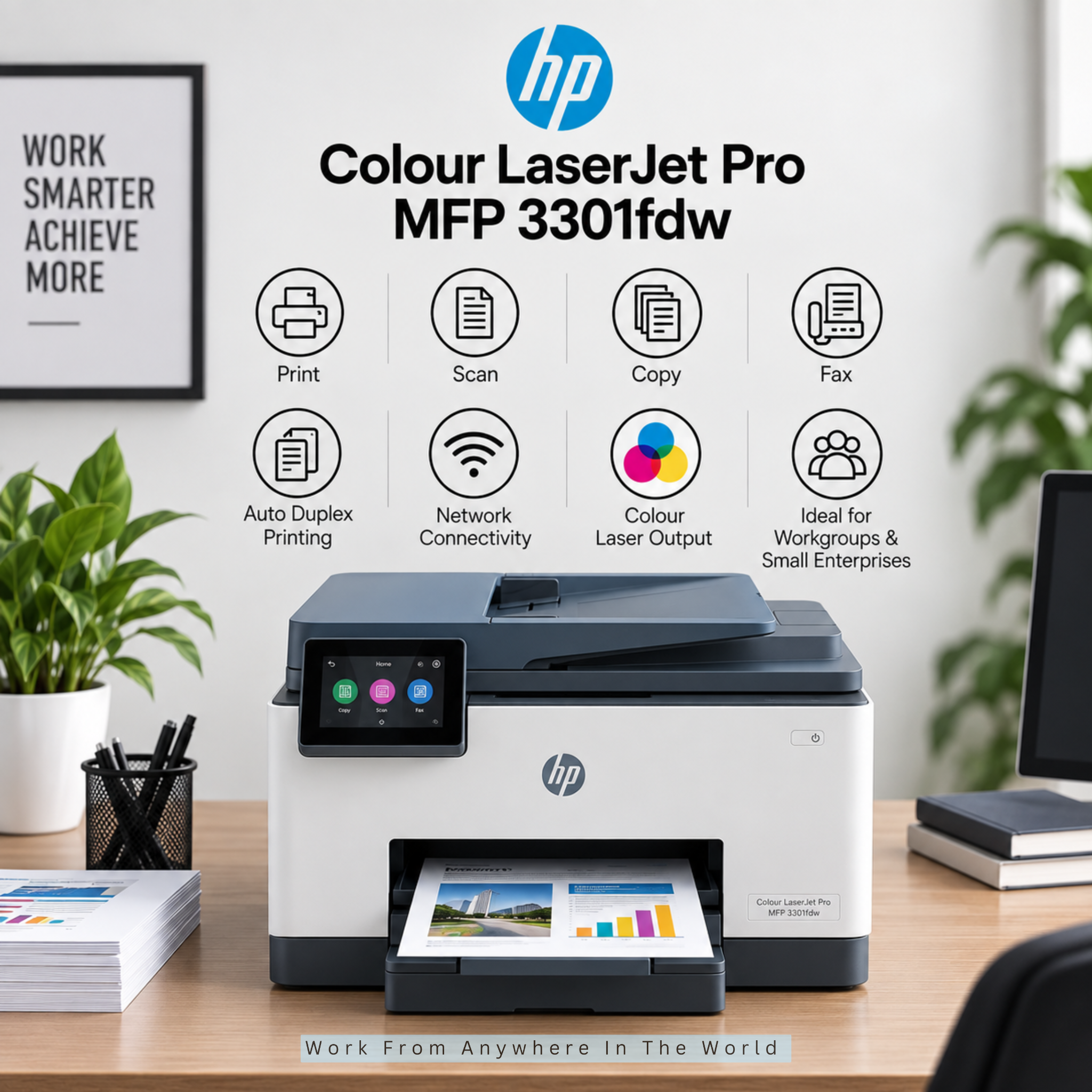
8. HP Colour LaserJet Pro MFP 3301fdw
The HP Colour LaserJet Pro MFP 3301fdw is a colour laser all-in-one designed for small businesses and workgroups. It combines printing, scanning, copying, and faxing in one machine.
Automatic two-sided printing and scanning help streamline everyday document handling. An automatic document feeder is also useful when processing multi-page reports, contracts, and other business paperwork.
Wi-Fi and Ethernet connectivity make the printer suitable for shared office environments. HP recommends the model for teams of up to seven users and regular business workloads.
This model suits professional offices and small businesses that regularly produce reports, proposals, invoices, and colour presentations. Its relatively compact design provides business-focused features without requiring a large commercial copier.
Key Points
- Colour laser all-in-one printer
- Prints, scans, copies, and faxes
- Automatic two-sided printing and scanning
- Automatic document feeder
- Wi-Fi and Ethernet connectivity
- Suitable for small workgroups
9. Brother MFC-L5710DW
The Brother MFC-L5710DW is a monochrome laser all-in-one designed for busy offices and small workgroups with regular black-and-white printing needs. It combines printing, scanning, copying, and faxing in one machine.
Print and copy speeds of up to 48 pages per minute can help with heavier office workloads. A 50-sheet automatic document feeder and single-pass duplex scanning also make multi-page document processing more efficient.
Wi-Fi and Gigabit Ethernet connectivity make the printer suitable for shared office environments. You can also expand its paper capacity with optional trays as your business’s printing needs grow.
This model is particularly suitable for businesses that regularly produce invoices, contracts, forms, reports, and other text-heavy documents. It is a practical choice when efficient black-and-white printing matters more than colour output.
Key Points
- Monochrome laser all-in-one printer
- Prints, scans, copies, and faxes
- Up to 48 pages per minute
- Single-pass duplex scanning
- 50-sheet automatic document feeder
- Wi-Fi and Gigabit Ethernet connectivity
10. Epson EcoTank Pro ET-5850
The Epson EcoTank Pro ET-5850 is a refillable ink-tank all-in-one designed for businesses with regular colour and black-and-white printing needs. Its cartridge-free system uses high-capacity ink tanks that can reduce the need for frequent replacements.
It combines printing, scanning, copying, and faxing in one machine. Automatic two-sided printing, scanning, copying, and faxing help streamline everyday office tasks.
A 50-sheet automatic document feeder and up to 550 sheets of total input capacity make it suitable for more substantial workloads. Wi-Fi, Wi-Fi Direct, and Ethernet provide flexible connectivity for shared office environments.
This model suits small businesses, professional offices, and workgroups that print frequently and want the convenience of refillable ink tanks. Its business-focused features make it particularly suitable for regular office use.
Key Points
- Refillable EcoTank ink system
- Prints, scans, copies, and faxes
- Automatic two-sided functions
- 50-sheet automatic document feeder
- Up to 550-sheet input capacity
- Wi-Fi and Ethernet connectivity
11. Canon MAXIFY GX6021
The Canon MAXIFY GX6021 is a refillable ink-tank all-in-one designed for small businesses and busy home offices. Its MegaTank system makes it particularly suitable for businesses with regular colour-printing needs.
It combines printing, scanning, and copying in one machine. Automatic duplex printing helps reduce paper use, while flexible paper handling supports everyday business documents and different media types.
A 250-sheet cassette and 100-sheet rear tray provide a total input capacity of up to 350 sheets. Canon also lists approximate yields of up to 6,000 black-and-white and 14,000 colour pages from a full set of ink bottles.
This model suits entrepreneurs, freelancers, home businesses, and small teams that print regularly. Its refillable ink system can be especially useful for businesses that want to reduce how often they replace ink.
Key Points
- Refillable MegaTank ink system
- Prints, scans, and copies
- Automatic duplex printing
- Up to 350-sheet paper capacity
- High-capacity ink bottles
- Suitable for regular colour printing
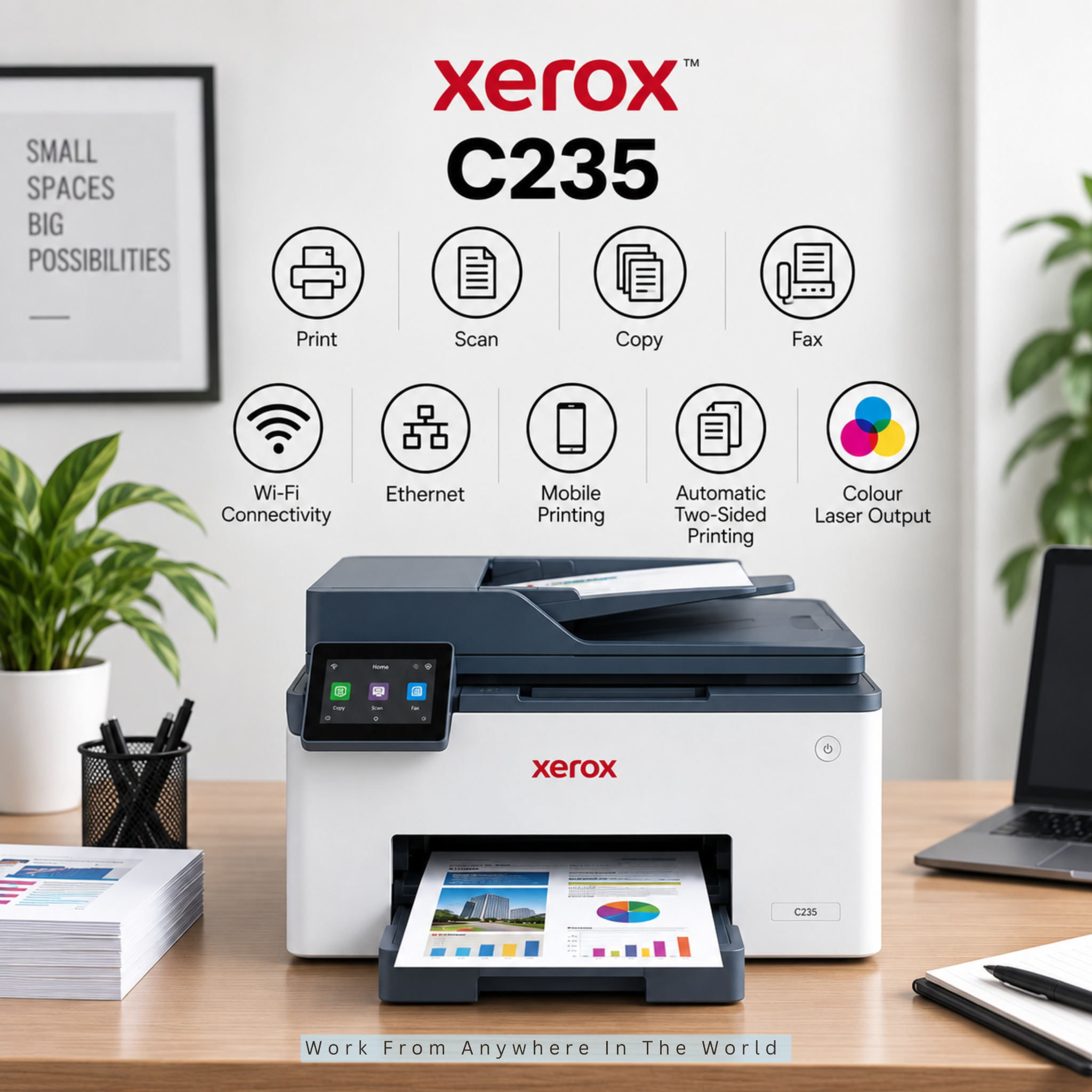
12. Xerox C235
The Xerox C235 is a compact colour laser all-in-one designed for small offices and workgroups. It combines printing, scanning, copying, and faxing in one machine.
Print speeds of up to 24 pages per minute and automatic two-sided printing support everyday office workloads. A 50-sheet automatic document feeder also makes it easier to process multi-page documents.
Wi-Fi and Ethernet connectivity make the printer suitable for shared workspaces. Xerox recommends it for workgroups of one to five users with an average monthly print volume of about 1,500 pages.
This model suits home offices, freelancers, and small teams that need colour laser printing without moving to a larger office machine. Its compact footprint is especially useful in limited workspaces.
Key Points
- Colour laser all-in-one printer
- Prints, scans, copies, and faxes
- Up to 24 pages per minute
- Automatic two-sided printing
- 50-sheet automatic document feeder
- Wi-Fi and Ethernet connectivity
- Designed for small workgroups
Frequently Asked Questions
Q1: Is A Laser Or Inkjet Printer Better For A Small Business?
Laser printers can be a good choice for businesses that print large volumes of text documents. Inkjet or ink-tank printers may be better when colour printing, graphics, or lower-volume printing are priorities.
Q2: What Is The Cheapest Printer To Run For A Small Business?
Refillable ink-tank printers can be economical for businesses that regularly print colour documents. Laser printers with high-yield toner can also provide a low cost per page, particularly for frequent black-and-white printing.
Q3: Do Small Businesses Need A Printer With A Scanner And Copier?
An all-in-one printer can be useful when a business regularly prints, scans, and copies documents. Combining these functions in one machine also saves space and eliminates the need for several separate devices.
Q4: What Printer Features Are Most Important For A Small Business?
Consider print speed, paper capacity, an automatic document feeder, duplex printing, connectivity, and ongoing ink or toner requirements. Duplex scanning can also be valuable for businesses that frequently process double-sided documents.
Q5: Should A Small Business Printer Have Automatic Duplex Printing?
Automatic duplex printing is useful for businesses that regularly print reports, contracts, forms, and other multi-page documents. It reduces paper use and eliminates the need to turn and reload pages manually.
Q6: Can One Printer Handle Multiple Employees?
Yes. Many small-business printers offer Wi-Fi or Ethernet connectivity, so several employees can share the same machine. Consider the expected print volume and number of users when choosing a printer for a shared workspace.
Q7: Is A Multifunction Printer Worth It For A Small Business?
A multifunction printer can be worthwhile when a business regularly needs several document functions. Combining printing, scanning, copying, and sometimes faxing in one machine can save space and simplify everyday office tasks.
Conclusion
Choosing the best small business printer-scanner-copier depends on your printing volume, document needs, available workspace, and budget. The right model should fit comfortably into your everyday workflow without adding features you are unlikely to use.
Laser printers can be particularly useful for frequent document printing, while refillable ink-tank models may appeal to businesses that regularly produce colour materials. Neither option is automatically better for every workplace.
Features such as automatic document feeding, duplex printing and scanning, suitable paper capacity, and reliable connectivity can make everyday tasks more efficient. Ongoing ink or toner requirements are also worth considering before deciding.
Comparing these factors can help you choose an all-in-one printer that meets your current needs while providing enough flexibility as your business changes or grows. A well-matched printer can make routine document handling simpler and more convenient.
I trust you enjoyed this article on the 12 Best Small Business Printer-Scanner-Copiers. Please stay tuned for more insightful blogs on affiliate marketing, online business, and working from anywhere in the world.
Take care!
— JeannetteZ 🌍✨
💬 Your Opinion Is Important To Me
Do you have thoughts, ideas, or questions? I’d love to hear from you. Please leave your comments below or email me directly at Jeannette@WorkFromAnywhereInTheWorld.com.
📚 More Work From Anywhere Reads
🚀 Ready to Build a Business You Can Run from Home
Or from Anywhere in the World?
Imagine creating income on your terms — from home, a cozy café, or wherever life takes you.
With the right tools, training, and community support, it’s entirely possible.
Start your own online business for free — no credit card needed.
Disclosure
This post may contain affiliate links. As an Amazon Associate and participant in other affiliate programs, I earn from qualifying purchases at no extra cost to you. Please read my full affiliate disclosure.