12 Powerful Amazon Keyword Research Tools To Grow Your Sales
Amazon keyword research tools help sellers discover relevant search terms, understand customer demand, study competitors, and create stronger product listings.
The right keywords make it easier for shoppers to find your products on Amazon. Instead of guessing what customers type into the search bar, you can use keyword data to make informed decisions.
This guide explores 14 powerful Amazon keyword research tools and explains which metrics matter, how to select useful keywords, and how to apply your research to product listings and advertising campaigns.
What Is An Amazon Keyword Research Tool?
An Amazon keyword research tool is software that helps users discover and evaluate the search terms shoppers use to find products on Amazon.
These tools can provide insights such as estimated search volume, keyword trends, competition, related phrases, competitor rankings, and sometimes advertising data. The exact metrics vary between platforms.
The main purpose is simple: identify the keywords shoppers use and incorporate relevant terms naturally into your product listings.
For example, imagine you sell a reusable stainless steel water bottle. A basic product description might focus on the phrase “water bottle.” Keyword research could reveal more specific searches such as:
- Stainless steel water bottle
- Insulated water bottle
- Water bottle for hiking
- Leakproof water bottle
- Reusable water bottle
- Large water bottle
- Sports water bottle
Each phrase represents a different customer need.
A strong keyword strategy combines broad search terms with specific phrases that accurately describe your product. Amazon’s autocomplete suggestions and available seller tools offer additional ways to discover keywords based on customer searches.
The Most Important Amazon Keyword Metrics To Understand
Understanding Amazon keyword metrics helps sellers evaluate search demand, competition, and the relevance of different search terms.
Each metric provides a different perspective on keyword performance. Looking at several measurements together helps you choose keywords that match your products and support your listing and advertising strategies.
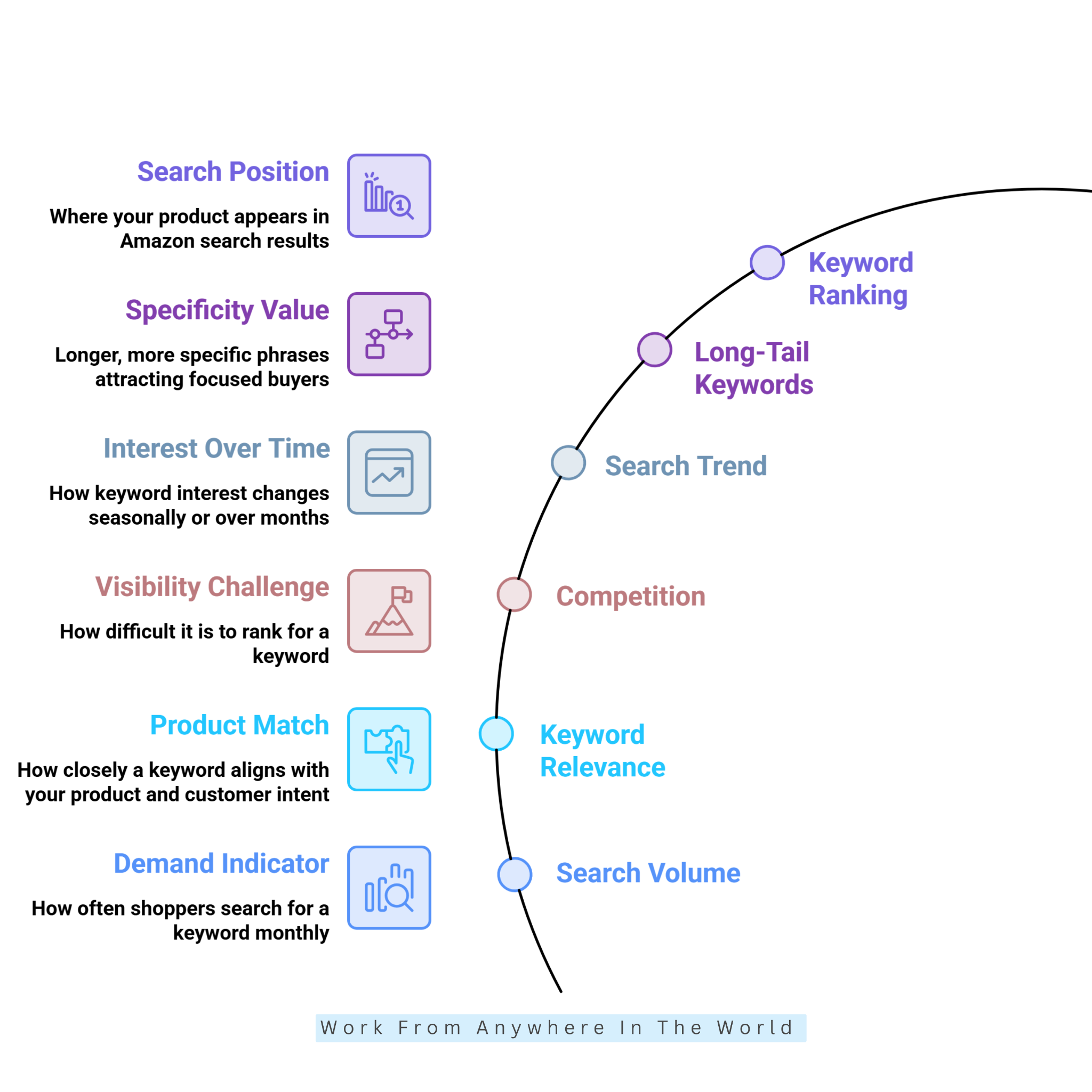
1. Search Volume
Search volume indicates how often shoppers search for a particular keyword during a specific period. Keyword research platforms usually provide estimated monthly searches rather than exact Amazon figures.
For example, a tool might estimate 50,000 monthly searches for “stainless steel water bottle,” suggesting strong demand. Compare related keywords to identify promising search terms, but avoid judging their value by search volume alone.
2. Keyword Relevance
Keyword relevance measures how closely a search term matches your product, its features, and customer intent. Rather than relying on a numerical score, sellers should consider how accurately each keyword describes their product.
For example, “insulated water bottle” is highly relevant to an insulated bottle, while “glass water bottle” describes a different product. Choosing relevant keywords helps attract shoppers who are looking for what you actually sell.
3. Competition
Competition indicates how difficult it may be to gain visibility for a particular keyword. Research tools estimate competition using factors such as competing listings, ranking strength, and advertising activity.
For example, “water bottle” may have high competition, while “insulated water bottle for hiking” may face less competition. Compare competition with search volume and relevance to identify promising keyword opportunities.
4. Search Trend
Search trend shows how interest in a keyword changes over time. Research platforms may display historical graphs, percentage changes, or seasonal patterns that reveal whether demand is growing, stable, or declining.
For example, searches for “Christmas decorations” often increase before the holiday season. Reviewing several months of data helps identify seasonal opportunities and distinguish consistent demand from temporary spikes.
5. Long-Tail Keywords
Long-tail keywords are longer, more specific search phrases that describe particular product needs, features, or uses. Their effectiveness depends on relevance, search demand, competition, and buyer intent.
For example, “large insulated water bottle for hiking” is more specific than “water bottle.” Although long-tail keywords may have lower search volumes, they often attract shoppers who know exactly what they want.
6. Keyword Ranking
Keyword ranking shows where your product appears in Amazon’s search results for a particular search term. You can monitor its position using Amazon search results or dedicated keyword-tracking software.
For example, moving from position 45 to position 18 suggests improved visibility for that keyword. Tracking rankings over time helps you evaluate whether listing optimization, advertising, or other changes are improving organic visibility.
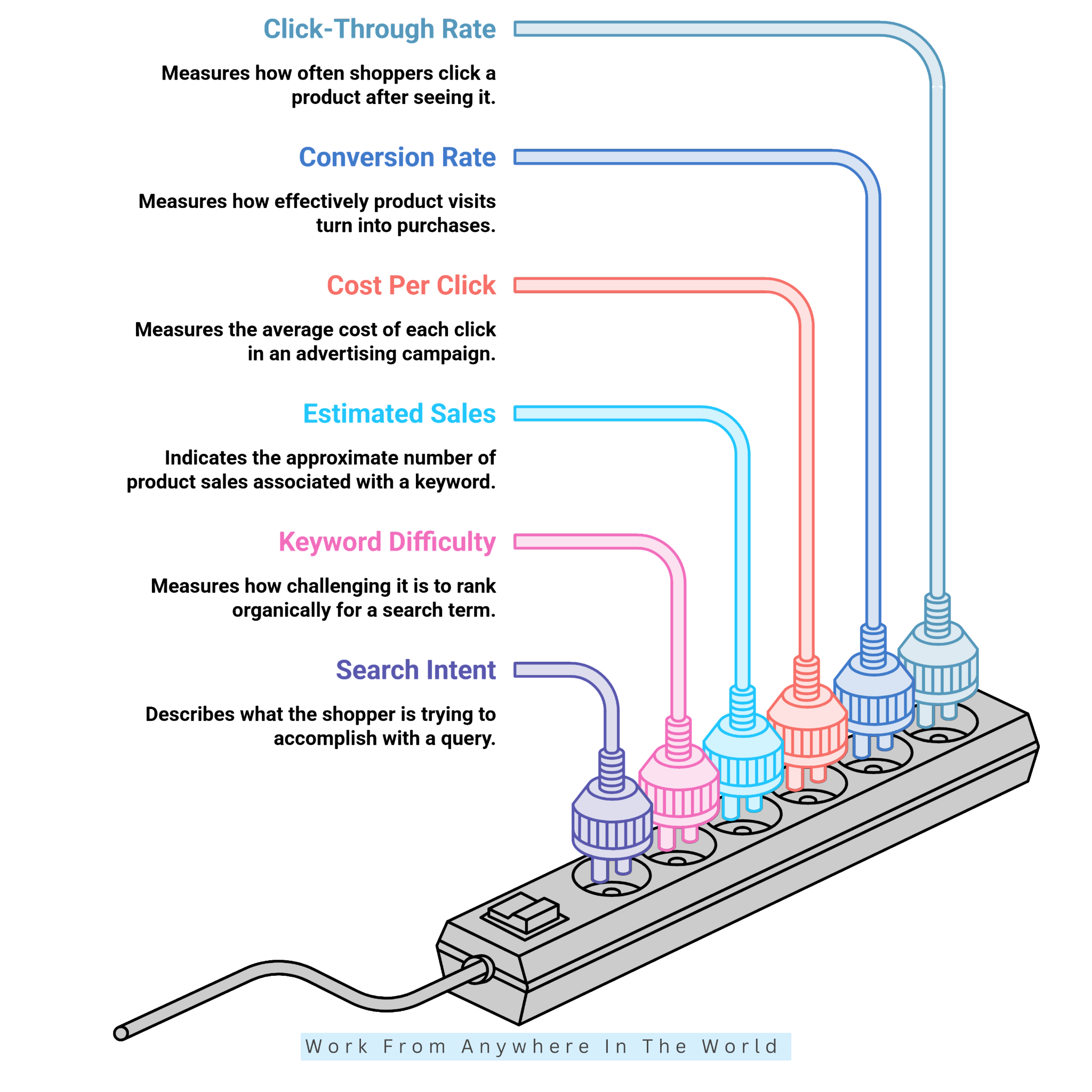
7. Click-Through Rate (CTR)
Click-through rate (CTR) measures how often shoppers click a product after seeing it in search results. Calculate it by dividing clicks by impressions and multiplying by 100. For example, 100 clicks from 5,000 impressions produces a 2% CTR.
A higher CTR may indicate that your product title, main image, price, or search-result presentation is attracting attention. Amazon’s search-performance reports provide impression and click data for eligible sellers.
8. Conversion Rate
Conversion rate measures how effectively product visits turn into purchases. One common calculation divides orders by product-detail-page visits and multiplies by 100. For example, 20 orders from 500 visits produces a 4% conversion rate.
This metric helps sellers understand whether keyword traffic leads to purchases. A keyword may attract substantial traffic, but a strong conversion rate suggests shoppers are finding products that match their expectations.
9. Cost Per Click (CPC)
Cost per click (CPC) measures the average amount advertisers pay for each click on their Amazon ads. It is calculated by dividing total advertising spend by the number of clicks received.
For example, spending $60 on advertising and receiving 120 clicks produces an average CPC of $0.50. Compare CPC with conversion rates, sales, and profitability to evaluate keyword advertising performance.
10. Estimated Sales
Estimated sales indicate the approximate number of products sold for a particular keyword, product, or competitor. Research tools calculate these figures using their own methodologies, so treat them as estimates, not verified Amazon sales records.
For example, a tool might estimate that products ranking for a particular keyword generate several hundred monthly sales. Compare these estimates with search volume, rankings, reviews, and other available data to evaluate potential opportunities.
11. Keyword Difficulty
Keyword difficulty measures how challenging it may be to rank organically for a particular search term. Research platforms calculate this metric differently, using factors such as competing listings, ranking strength, and search demand.
For example, on a tool using a 0–100 scale, a difficulty score of 80 may indicate stronger competition than a score of 35. Compare scores within the same platform, since different tools use different calculation methods.
12. Search Intent
Search intent describes what shoppers want to accomplish when entering a particular query. Examining search terms and the products appearing in Amazon results helps sellers understand customer needs.
For example, “best coffee mugs” suggests shoppers are comparing options, while “12 oz ceramic coffee mug with lid” indicates a more specific product interest. Understanding search intent helps sellers select keywords that match their products and customers’ purchasing needs.
How To Choose The Right Amazon Keyword Research Tool
The right Amazon keyword research tool depends on your selling goals, experience, and feature needs. Some platforms focus on keyword discovery, while others offer competitor analysis, ranking reports, and advertising insights.
Compare tools based on data quality, ease of use, available features, and your budget. Understanding these differences helps you select a platform that supports your keyword research and product listing strategies.
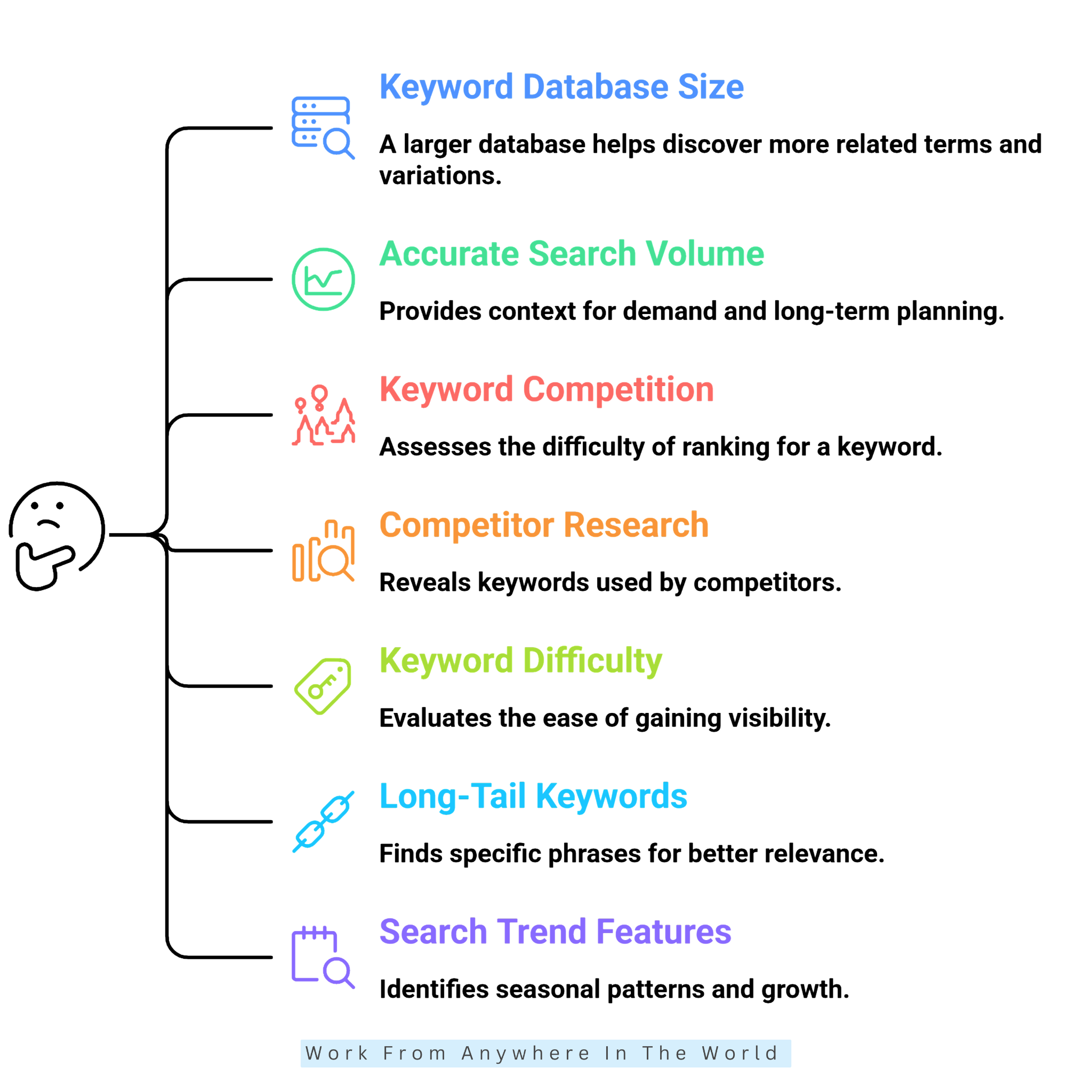
1. Check Keyword Database Size
A larger keyword database helps sellers discover related search terms, long-tail phrases, and keyword variations. When comparing tools, check their Amazon keyword coverage and whether they support your target marketplace.
For example, a tool for kitchen products should identify searches such as “silicone baking mats,” “non-stick baking mats,” and “reusable baking mats.” Prioritize relevant search data over the total number of keyword suggestions.
What To Check
Database size, relevant keyword suggestions, long-tail keyword coverage, and supported Amazon marketplaces.
2. Look For Accurate Search Volume Data
Search volume helps sellers estimate keyword demand. Because third-party tools rarely have access to Amazon’s complete search data, estimates may vary across platforms.
Look for tools that provide historical data and search trends alongside monthly estimates. For example, a keyword with 20,000 estimated monthly searches and steady demand may offer better long-term opportunities than one experiencing a temporary spike.
What To Check
Estimated monthly searches, historical search data, seasonal trends, and marketplace-specific search volume.
3. Compare Keyword Competition Metrics
Competition metrics help sellers determine how difficult it may be to rank for particular keywords. Research tools may provide difficulty scores, competing-product counts, or other indicators of competitive pressure.
Some platforms classify keywords as Easy, Medium, or Hard based on their own calculations. Because scoring methods vary, compare keywords within the same tool rather than assuming these categories apply universally.
What To Check
Check competition scores, keyword difficulty, the number of competing listings, and competitors’ ranking strength.
4. Check Competitor Keyword Research
Competitor research helps sellers discover valuable keywords they might overlook during traditional research. Look for tools that allow you to enter a competitor’s ASIN and identify associated keywords and ranking positions.
For example, when several competing products rank for “insulated lunch box,” that phrase deserves closer examination. Compare its search demand, competition, and relevance before including it in your keyword strategy.
What To Check
Reverse ASIN lookup, competitor keywords, ranking positions, and keyword overlap.
5. Evaluate Keyword Difficulty
Keyword difficulty helps sellers assess how hard it may be to rank well for a search term. Look for tools that provide consistent scores and explain how they calculate difficulty ratings.
For example, a keyword with a difficulty score of 25 may offer an easier ranking opportunity than one rated 75 on the same platform. However, consider relevance, search demand, and competitor strength before making your final selection.
What To Check
Keyword difficulty scores, organic ranking competition, competitor strength, and search demand.
6. Look For Long-Tail Keyword Discovery
Long-tail keywords describe specific products, features, audiences, or uses. Choose a research tool that identifies these detailed search phrases instead of focusing only on broad keywords.
For example, “coffee mug” is broad, while “12 oz ceramic coffee mug with lid” describes a more specific product. Long-tail keywords often reveal clearer purchase intent and greater relevance, even when search volumes are lower.
What To Check
Long-tail keyword suggestions, phrase variations, specific search intent, and related search terms.
Wealthy Affiliate – Mini Review
If you’ve ever thought about turning your blog, passion, or niche into an online business,
Wealthy Affiliate (WA) is one of the most beginner-friendly platforms I’ve used.
It combines step-by-step training, website hosting, AI-powered tools,
keyword research, and an active community all in one place.
What I like most is that you can start for free (no credit card needed), explore the platform,
test the tools, and connect with other entrepreneurs before upgrading.
WA isn’t a “get rich quick” scheme — success comes from consistent effort
and applying what you learn over time.
7. Check Search Trend Features
Search behaviour changes throughout the year, so historical trend data helps you spot seasonal patterns and growing demand. Look for tools that show keyword performance over several months rather than providing only current estimates.
For example, gardening-related searches may increase during spring, while gift-related keywords often rise before major holidays. Understanding these patterns helps sellers plan inventory, launch products, and choose the best ways to advertise online.
What To Check
Historical search trends, seasonal demand, monthly changes, and keyword growth patterns.
8. Consider Amazon Marketplace Coverage
Keyword demand varies between Amazon marketplaces. A search term that performs well in the United States may attract different levels of interest in Canada, the UK, Germany, or other countries.
Sellers targeting international customers should choose tools that support their preferred marketplaces. Check geographical coverage before subscribing to ensure the available keyword data matches your selling locations.
What To Check
Support for Amazon marketplaces in the United States, Canada, the UK, Germany, France, Italy, Spain, Japan, and other target countries.
9. Review PPC Keyword Data
Amazon sellers running paid advertising campaigns should look for keyword tools that provide PPC insights. Useful metrics include estimated cost per click (CPC), advertising competition, suggested bids, and campaign performance.
For example, one keyword may attract substantial search traffic but have high advertising costs, while another offers moderate demand at a lower CPC. Comparing these metrics helps sellers choose suitable keywords for organic listings and paid campaigns.
What To Check
Cost per click (CPC), advertising competition, suggested bids, PPC keyword suggestions, and campaign performance data.
10. Check Keyword Ranking Tracking
Keyword research becomes more useful when sellers monitor results after optimizing their listings. Ranking-tracking features help measure changes in product visibility for selected search terms over time.
For example, a product may move from position 55 to 30 and eventually reach position 18 for an important keyword. Regular tracking helps sellers identify ranking improvements and evaluate their optimization efforts.
What To Check
Organic keyword rankings, historical positions, ranking changes, and marketplace-specific tracking.
11. Consider Product And Keyword Integration
Some research tools combine keyword analysis with product research, helping sellers evaluate potential opportunities before deciding what to sell. This approach connects customer search demand with broader market information.
For example, you might discover several promising keywords for a product category, then examine competing listings, estimated sales, customer reviews, and pricing. Combining these insights helps sellers make more informed product decisions.
What To Check
Look for product research features, keyword analysis, estimated sales, customer reviews, and competitive data.
12. Compare Ease Of Use
A keyword research tool may offer numerous features but still be difficult to navigate. Beginners often benefit from a clear dashboard, straightforward explanations, and simple keyword reports.
Experienced sellers may prefer advanced filters, competitor analysis, historical data, and bulk keyword processing. Choose a platform that matches your experience and provides the features you actually need.
What To Check
Dashboard design, navigation, filtering options, reporting features, learning curve, and data export options.
13. Check Keyword Export Options
Export features are particularly useful when researching hundreds or thousands of keywords. Look for tools that allow you to download search terms, estimated search volumes, competition scores, and other relevant metrics.
Organizing this information in a spreadsheet makes it easier to compare keywords, sort results, and create Easy, Medium, and Hard categories. This helps narrow your research to the most relevant keywords for your product listings.
What To Check
CSV exports, bulk downloads, filtering options, available keyword metrics, and sorting features.
14. Compare Pricing With Your Actual Needs
The cheapest keyword research tool isn’t necessarily the best choice. Start by identifying your essential features and choosing a platform that matches your selling goals and budget.
For basic keyword discovery, a simpler tool may be sufficient. Sellers managing multiple products, advertising campaigns, and marketplaces may benefit from more advanced features and broader research capabilities.
What To Check
Subscription costs, keyword search limits, user accounts, marketplace access, and premium features.

12 Best Amazon Keyword Research Tools To Explore
Choosing from the many Amazon keyword research tools available can be challenging, especially when their features and capabilities differ. Some focus on keyword discovery, while others offer competitor analysis, ranking tracking, and advertising insights.
The following 12 tools offer different approaches to Amazon keyword research and improving product visibility. Explore their features to find a platform that suits your selling goals, experience, and research needs.
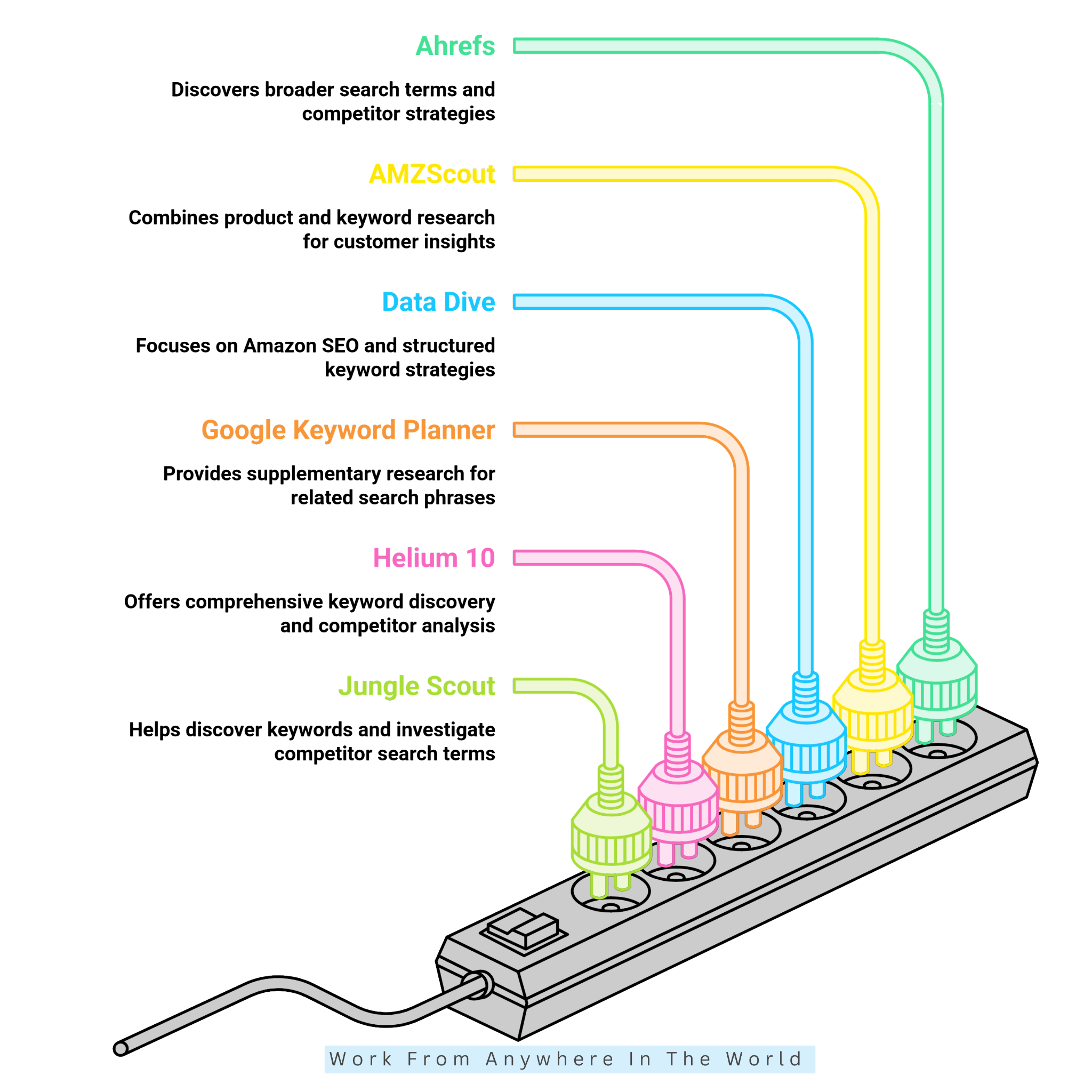
1. Ahrefs
Ahrefs is a comprehensive SEO platform that helps users discover keywords, analyze competitors, and explore search trends. Its keyword research features also help identify related search terms and understand how people search for products online.
Although it’s designed primarily for web SEO, its features can also provide keyword ideas for Amazon sellers. Our guide to keyword research with Ahrefs explains these features in more detail.
For example, someone selling portable espresso makers might discover related searches involving camping, travel, and compact coffee equipment. These suggestions can help identify product features and customer interests worth investigating.
However, Ahrefs’ general keyword metrics should not be mistaken for Amazon search data. Sellers should verify promising terms using Amazon autocomplete, competitor listings, or dedicated Amazon keyword research tools.
2. AMZScout
AMZScout combines Amazon product research with keyword discovery to help sellers understand customer searches and competing products. This information also supports decisions about the best products to sell on Amazon.
One approach is to organize keywords into three groups based on their competitive difficulty. Easy keywords generally include relevant long-tail phrases with lower competition.
Medium keywords have moderate competition, while Hard keywords often include broad search terms dominated by established competitors. These categories help sellers prioritize their research.
For example, “coffee mug” is a broad search term, while “ceramic coffee mug with lid for office” describes a more specific product. AMZScout helps sellers explore these variations before selecting keywords for their listings.
3. Data Dive
Data Dive specializes in Amazon SEO, keyword analysis, competitor research, and listing optimization. It helps sellers build structured keyword strategies instead of simply collecting search terms.
When selecting keywords, examine search volume, competitor rankings, keyword frequency, relevance, and competitive strength. Look for valuable search terms appearing across several competing product listings.
Organize these keywords into Easy, Medium, and Hard categories based on their competitive difficulty. Understanding how to identify long-tail keywords helps sellers recognize specific phrases with fewer established competitors.
Data Dive is especially useful for sellers who want detailed competitor analysis and a structured approach to selecting keywords for their Amazon product listings.
4. Google Keyword Planner
Google Keyword Planner is not an Amazon-specific tool, but it provides useful supporting research for sellers. It helps discover related search phrases, customer terminology, and keyword variations.
Its search volume data reflects Google searches, not Amazon shopping behaviour. Understanding the differences between Ahrefs and Google Keyword Planner helps sellers interpret these figures before validating keywords using Amazon-specific tools.
When evaluating keywords, consider relevance, search demand, commercial intent, and competition. A term with strong Google search interest may perform differently on Amazon.
For example, “travel water bottle” may attract many web searches but still need validation on Amazon. Google Keyword Planner helps you expand your keyword list before you select the most relevant terms.
5. Helium 10
Helium 10 is a comprehensive Amazon keyword research platform that combines keyword discovery with competitor analysis. Its Magnet tool generates keyword ideas, while Cerebro identifies keywords associated with competing ASINs.
When evaluating keywords, review search volume, competing products, search trends, organic rankings, and keyword overlap with competitors. These metrics help sellers assess keyword relevance and competition.
Organize promising keywords into Easy, Medium, and Hard categories. Easy keywords generally face less competition, while Medium keywords have moderate competition and Hard keywords attract strong competitors.
For example, “insulated stainless steel bottle for hiking” targets a more specific audience than “water bottle.” Helium 10 helps sellers compare these opportunities before finalizing their keyword lists.
6. Jungle Scout
Jungle Scout Keyword Scout helps Amazon sellers discover relevant keywords and investigate competitor search terms. Sellers can begin with a product keyword or competitor ASIN to explore search volume, historical trends, and related phrases.
When selecting keywords, compare search demand, competition, and relevance rather than focusing solely on search volume. Highly competitive keywords may require more resources to rank well.
Medium-volume keywords with moderate competition may offer more targeted opportunities. Sellers can organize their final selections into Easy, Medium, and Hard categories based on their competitive difficulty.
Jungle Scout is particularly useful for sellers who want to combine keyword research with product research and Amazon marketplace analysis.
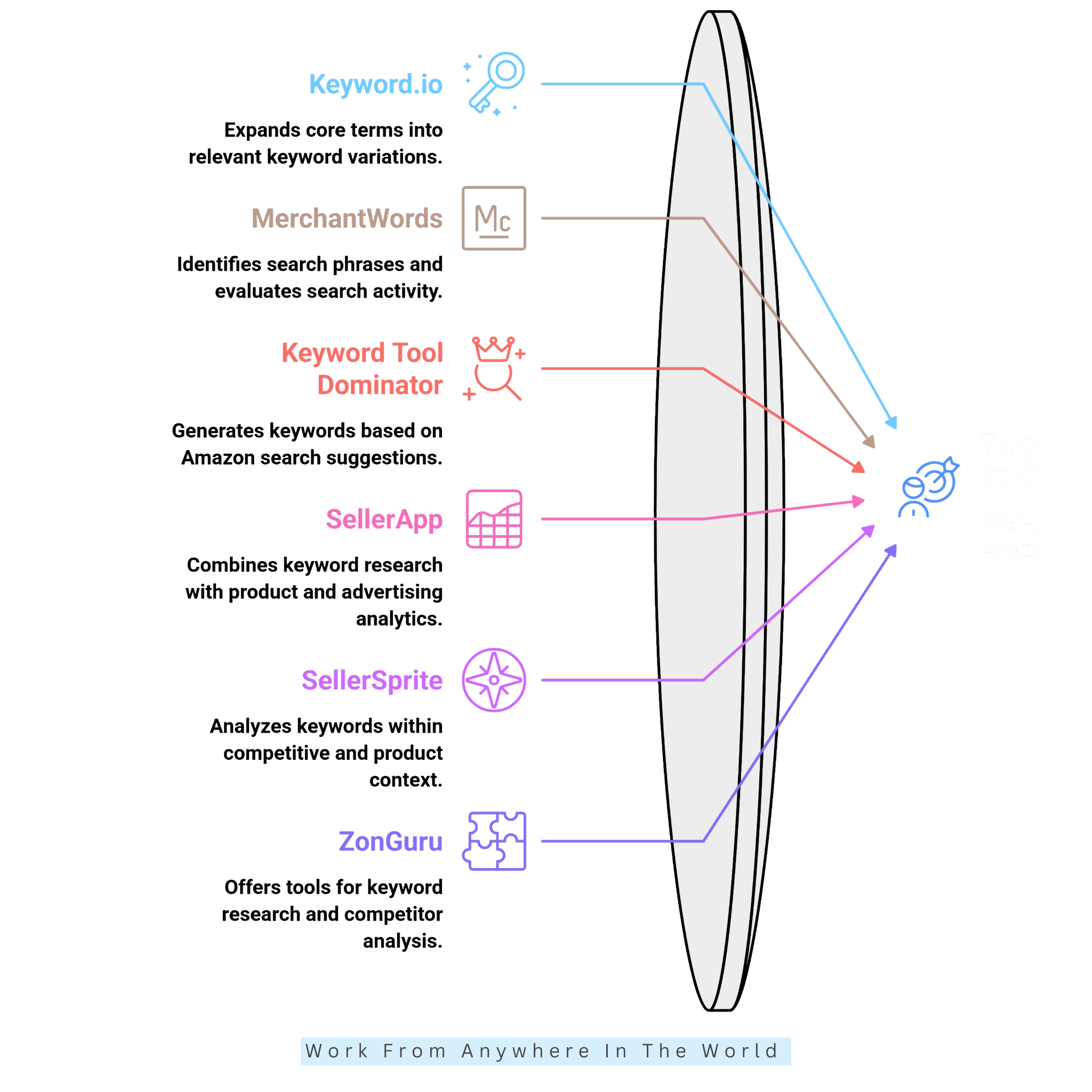
7. Keyword.io
Keyword.io helps Amazon sellers expand a core product term into a broader range of relevant keyword variations. It is particularly useful during the discovery stage of keyword research.
The tool helps uncover different ways customers describe products, features, audiences, and uses. For example, researching “gardening gloves” may reveal searches involving waterproof materials, thorn protection, and specific gardening tasks.
After generating keyword ideas, evaluate each phrase based on product relevance, Amazon search demand, competition, and buyer intent. Remove terms that don’t accurately represent your product, even when they attract considerable search interest.
Organize the remaining keywords into primary, feature-based, audience-specific, and long-tail categories. This approach helps create a structured keyword list for further evaluation.
Keyword.io works best alongside Amazon-focused research tools. It expands your keyword pool before you select the most promising terms for your product listings and PPC campaigns.
8. MerchantWords
MerchantWords focuses on Amazon search behaviour and keyword discovery. It helps sellers identify product-related search phrases and evaluate estimated search activity.
When selecting keywords, consider search volume, relevance, variations, marketplace, and buyer intent. High search volume may look attractive, but relevance should determine whether a keyword belongs on your final list.
For example, “stainless steel water bottle” may be more valuable to a seller of stainless steel bottles than a broad phrase attracting shoppers interested in unrelated products.
To assess ranking difficulty, combine MerchantWords search estimates with Amazon search results and competitor analysis. This provides additional context for classifying keywords as Easy, Medium, or Hard.
9. Keyword Tool Dominator
Keyword Tool Dominator helps Amazon sellers discover keyword ideas based on Amazon’s search suggestions. It expands seed terms into related phrases that reflect how shoppers search for products.
For example, researching “gardening gloves” may reveal variations related to thorn protection, waterproof materials, and specific gardening tasks. Shoppers researching essential gardening tools may use similarly detailed searches to find equipment suited to their needs.
After collecting keyword ideas, evaluate each phrase for product relevance, search intent, estimated demand, and competition. Use additional research sources when these metrics are unavailable.
Organize the most relevant phrases into primary, secondary, and long-tail keyword groups. These categories help you prioritize keywords for optimizing product listings.
Although keyword suggestions reveal useful search variations, they don’t independently confirm search volume or ranking difficulty. Combining Keyword Tool Dominator with Amazon search results and other reliable data sources helps build a more targeted keyword strategy.
10. SellerApp
SellerApp combines Amazon keyword research with product research and advertising analytics. Its keyword research features help sellers discover related search terms and evaluate metrics such as search volume, competition, and keyword trends.
To finalize your keyword selection, start by removing terms that are weakly relevant to the product. Compare the remaining keywords based on search demand, competition, trends, buyer intent, and potential advertising value.
Classify each keyword as Easy when it has strong relevance and relatively low competition. Medium keywords balance search demand and competition. Hard keywords face strong competition from established products.
SellerApp is especially useful for linking organic keyword research to PPC planning. It lets sellers evaluate keywords from both SEO and advertising perspectives.
11. SellerSprite
SellerSprite combines Amazon keyword research with competitor and product-market analysis. It helps sellers evaluate keywords within a broader competitive context.
Start with a relevant seed keyword, then examine related terms, search demand, competition, and competitor performance. Instead of choosing keywords solely for high search volume, compare relevance and competitive strength to find realistic opportunities.
Competitor research may reveal recurring keywords across several relevant product listings. However, each term should still match your product’s actual features and specifications.
For example, a waterproof hiking backpack may target “hiking backpack,” “waterproof hiking backpack,” and “hiking backpack for camping.” Choosing the best products to sell on Amazon also involves understanding customer demand and competition.
Organizing keywords into primary, secondary, feature-based, and long-tail groups makes final selection easier. SellerSprite is particularly useful when keyword research needs to connect with product and competitor analysis.
12. ZonGuru
ZonGuru offers Amazon seller tools for product research, keyword research, and competitor analysis. These features help sellers evaluate keywords within a broader product and market context.
When finalizing keywords, compare search demand, competition, relevance, and buyer intent. The strongest candidates accurately describe your product and match what potential customers search for.
Divide your keywords into Easy, Medium, and Hard groups to develop a practical strategy. For example, a specific keyword describing a product’s type, size, material, and intended use may face less competition than a broad category phrase.
Medium keywords balance search demand and competition. Hard keywords generally require stronger listing authority and greater competitive effort.
This classification helps you build a balanced keyword portfolio. Instead of focusing only on popular search terms, you can find opportunities at different competition levels. Other keyword research tools may offer additional insights when you evaluate your options.
How To Do Amazon Keyword Research Step By Step
Learning how to do Amazon keyword research helps sellers understand what shoppers search for and how to select relevant keywords for their product listings.
A structured approach makes it easier to identify promising search terms, evaluate competition, and prioritize keywords that match customer needs.
Rather than relying on search volume alone, successful keyword research considers product relevance, buyer intent, and the competitive environment.
Start by understanding your product and identifying the words customers might use to find it. These initial ideas provide the foundation for more detailed research.
The following steps will help you discover, evaluate, and organize Amazon keywords for product listings and advertising campaigns.
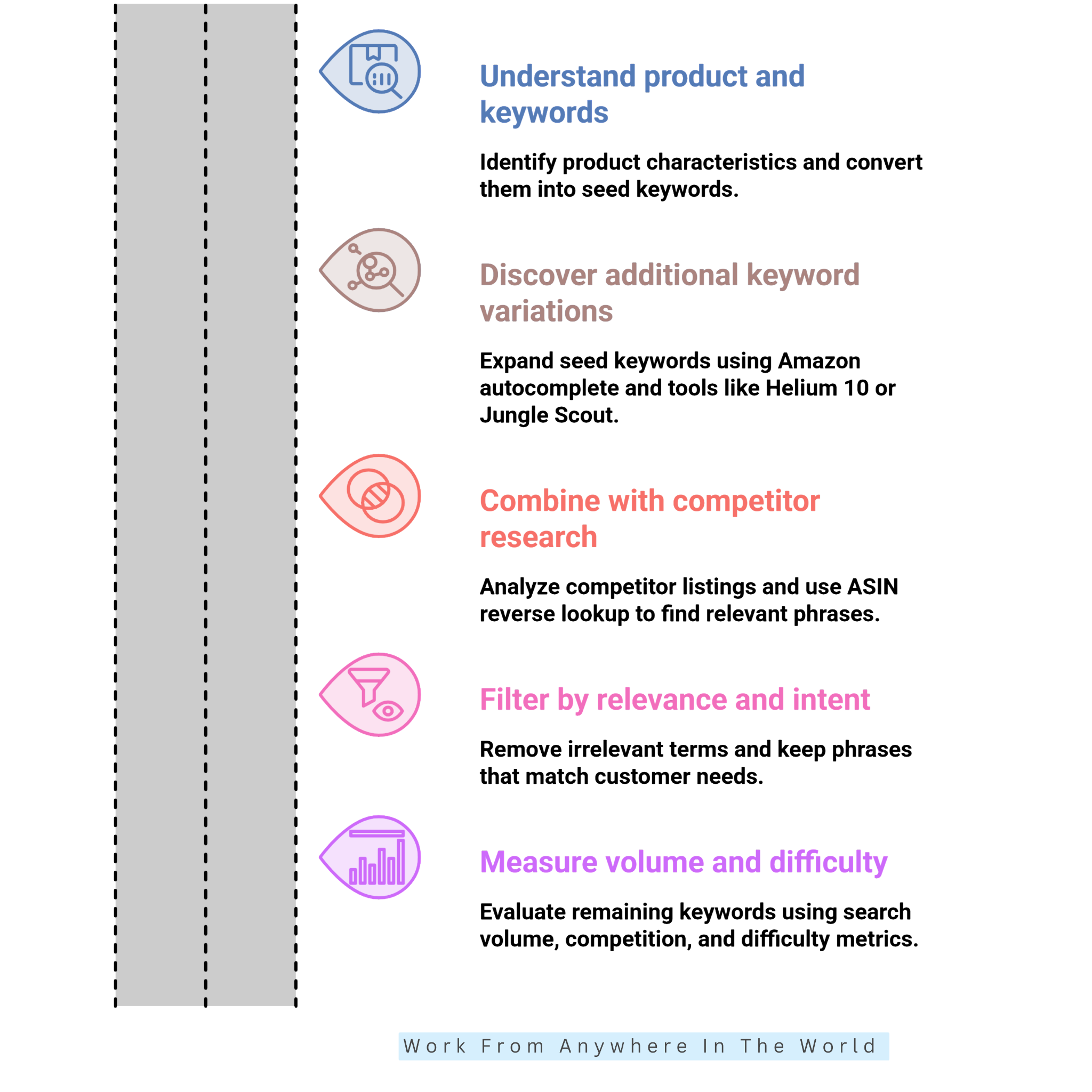
1. Understand Your Product, Customer, And Seed Keywords
Start by looking at your product from the customer’s perspective. Identify what the product is, who uses it, what problem it solves, and which features make it useful.
Consider its material, size, design, benefits, target audience, and common uses. A thorough target audience analysis helps you understand customer needs and turn these characteristics into relevant seed keywords.
For example, a 32-ounce insulated stainless steel water bottle could generate seed keywords such as “stainless steel water bottle,” “insulated water bottle,” “reusable water bottle,” “sports water bottle,” and “water bottle for hiking.”
These initial phrases form the foundation for deeper keyword research. They help you discover additional search terms and understand how customers look for products similar to yours.
2. Discover Keywords With Amazon And Keyword Research Tools
Once you have your seed keywords, expand them using Amazon’s autocomplete suggestions and keyword research tools. These resources help you discover additional search terms that potential customers use.
Type each seed phrase into Amazon’s search bar and record the relevant suggestions. These suggestions may reveal how shoppers describe products, features, sizes, and intended uses.
Next, enter your seed keywords into tools such as Helium 10, Jungle Scout, AMZScout, or SellerApp. Compare their suggestions to discover additional keyword variations and research metrics.
At this stage, focus on building a comprehensive keyword pool rather than immediately selecting the strongest candidates. Collect broad terms, specific phrases, long-tail keywords, feature-based searches, and audience-focused variations.
Keep only suggestions that genuinely relate to your product. You’ll evaluate their search demand, competition, and buyer intent in the following steps.
3. Combine Competitor Research With Keyword Discovery
Competitor research helps uncover valuable keyword opportunities that may not appear in your initial searches. Choose several products similar to yours and examine their titles, bullet points, descriptions, and positions in Amazon search results.
If your research platform supports reverse ASIN lookup, enter competitors’ ASINs to identify keywords associated with their listings. This provides additional insights into the search terms competing products may rank for.
Look for phrases appearing across multiple relevant competitors. These recurring patterns often reveal important customer terminology and opportunities worth investigating.
For example, several hiking backpack competitors may target “waterproof hiking backpack,” “lightweight hiking backpack,” and “hiking backpack for travel.”
Treat these phrases as research opportunities rather than automatic recommendations. Validate their relevance to your product before adding them to your keyword list.
4. Filter Keywords By Relevance And Search Intent
After collecting a large keyword list, filter it by relevance and search intent. A keyword with impressive search volume offers little value if it attracts shoppers looking for a different product.
For example, a seller offering a stainless steel water bottle may discover “glass water bottle” during research. However, this phrase does not accurately describe the product and should be removed.
Next, consider what shoppers intend to find. A broad phrase like “water bottle” reveals little about their needs, while “32 oz insulated water bottle for hiking” describes a specific product and intended use.
Prioritize keywords that accurately reflect your product’s features and meet genuine customer needs. This helps attract more relevant shoppers rather than simply targeting the highest search volumes.
5. Measure Search Volume, Competition, And Keyword Difficulty
After removing irrelevant keywords, evaluate the remaining phrases using quantitative metrics. Search volume estimates customer demand, while competition and keyword difficulty help you understand the potential ranking environment.
A high-volume keyword may attract substantial competition. More specific phrases often have lower demand but may offer more manageable ranking opportunities.
For example, “water bottle” may be highly competitive, while “insulated hiking water bottle” could offer a more focused opportunity with less competition.
Instead of choosing keywords based on a single metric, compare search volume, competition, relevance, and buyer intent. This provides a more realistic picture of each keyword’s potential value.
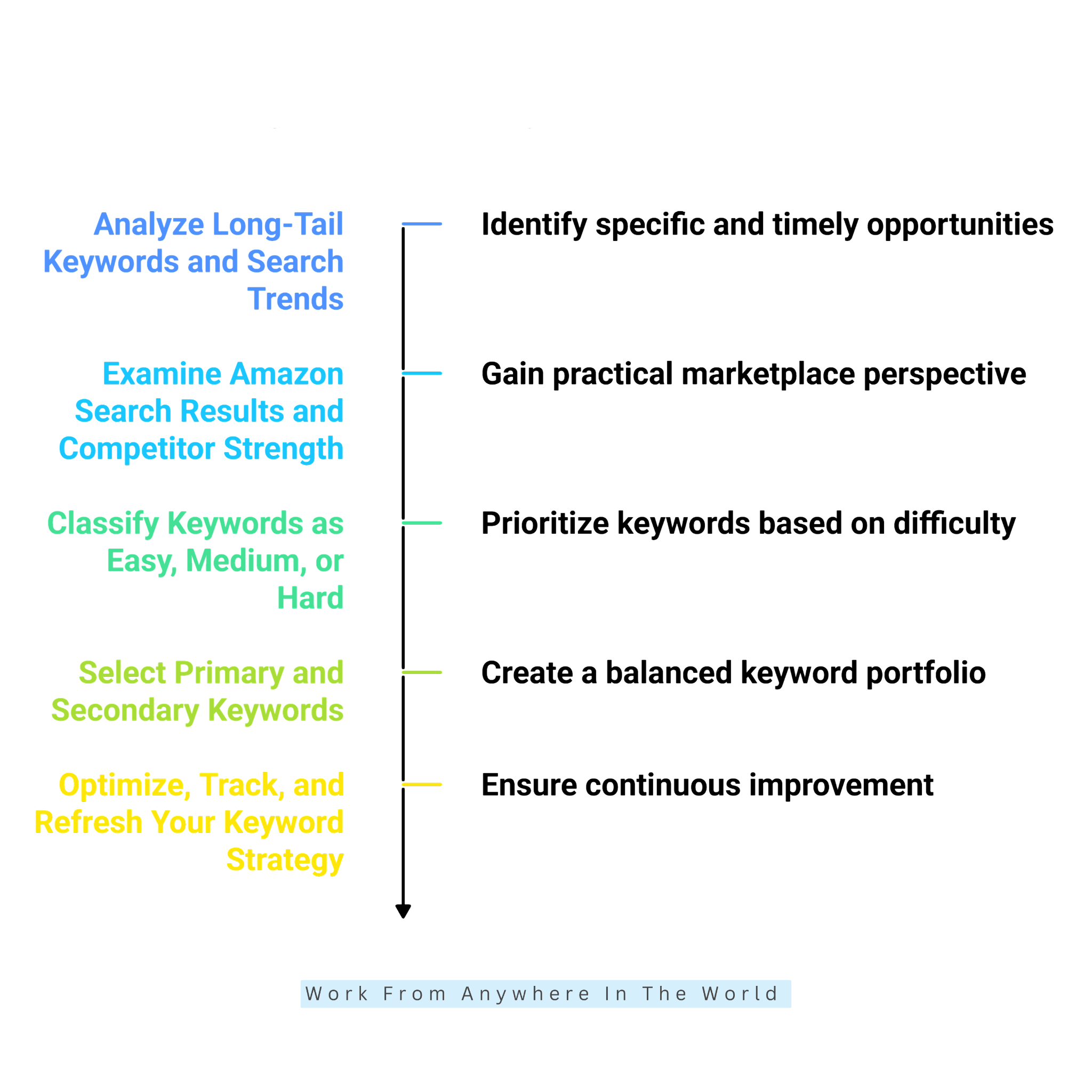
6. Analyze Long-Tail Keywords And Search Trends
Long-tail keywords deserve particular attention because they often reveal specific customer requirements. For example, “leakproof insulated lunch box for adults” communicates considerably more information than the broad term “lunch box.”
Research these specific phrases and compare their estimated search demand, competition, relevance, and buyer intent. This helps identify keywords that closely match your product and potential customers.
Historical search trends add another valuable layer to your analysis. Some keywords maintain steady demand throughout the year, while others experience seasonal increases.
For example, gardening-related searches may rise during certain seasons. Gift-related phrases often become more popular before major holidays, creating opportunities for businesses exploring holiday marketing ideas.
Combining long-tail keyword research with trend analysis helps identify specific opportunities and seasonal demand. Researching trending products for dropshipping may also reveal changing customer interests and emerging product opportunities.
7. Examine Amazon Search Results And Competitor Strength
Keyword research tools provide useful numerical data, but manually reviewing Amazon search results reveals details that scores cannot fully capture. This helps sellers understand the competitive environment before selecting their final keywords.
Search your most promising keywords and examine the products appearing on the first page. Consider their review counts, ratings, brand strength, product relevance, listing quality, and sponsored placements.
For example, a keyword may have excellent search volume, but the first page could be dominated by established products with thousands of reviews. Competing for visibility in this environment may be challenging.
A more specific keyword might reveal fewer dominant competitors and more realistic ranking opportunities. Comparing different search results helps you identify where your product may have a competitive advantage.
This manual SERP analysis adds a practical marketplace perspective to your keyword research. It complements numerical metrics with observations about the products customers actually see.
8. Classify Keywords As Easy, Medium, Or Hard
Easy keywords generally combine strong relevance, specific buyer intent, lower competition, and reasonable search demand. They may offer more accessible opportunities for newer or less established products.
Medium keywords typically have meaningful search demand and moderate competition. Hard keywords often attract high search volumes but face strong competition from established products and brands.
For example, “water bottle” may fall into the Hard category, while “insulated water bottle” could be Medium. A more specific phrase, such as “32 oz insulated hiking water bottle,” may be easier to target.
These classifications are relative rather than universal difficulty scores. Compare keywords within the same research tool and Amazon marketplace to make your evaluations more consistent.
Internal linking: I would keep this step focused on the classification process. We’ve already included relevant keyword research and competitor analysis links elsewhere in the pillar.
9. Select Primary And Secondary Keywords
With your keyword groups organized, create a final shortlist for your product. Primary keywords should clearly describe the product and represent your strongest overall opportunities.
Secondary keywords expand your reach by describing specific features, materials, audiences, benefits, and intended uses. Both groups should reflect how potential customers search for products like yours.
For a stainless steel water bottle, primary keywords might include “stainless steel water bottle,” “insulated water bottle,” and “32 oz water bottle.”
Secondary phrases could include “leakproof water bottle,” “reusable water bottle,” “sports water bottle,” and “water bottle for hiking.”
Evaluate each term based on relevance, search demand, competition, and buyer intent. This approach creates a balanced keyword portfolio rather than relying on a single high-volume phrase.
10. Optimize, Track, And Refresh Your Keyword Strategy
Keyword research becomes valuable when connected to listing optimization and performance measurement. Incorporate relevant keywords naturally into your Amazon product listings.
Include them in appropriate areas, such as titles, bullet points, descriptions, and applicable backend search-term fields. Always follow Amazon’s current listing and category requirements.
After publishing, monitor keyword rankings, impressions, clicks, conversions, advertising performance, and sales where this data is available.
A keyword that improves rankings while generating relevant traffic and conversions provides stronger evidence of value than ranking improvements alone.
Review your keyword strategy periodically because customer behaviour, competitor activity, seasonal demand, and search trends change over time. Your keyword list should evolve alongside your Amazon business.
Frequently Asked Questions
Q1: How Many Keywords Should An Amazon Listing Have?
There is no universal number of keywords that guarantees better Amazon rankings. Focus on including relevant search terms that accurately describe your product and match customer needs.
Prioritize your strongest primary and secondary keywords. Avoid adding unnecessary phrases simply to increase the number of keywords in your listing.
Q2: Are Long-Tail Keywords Useful On Amazon?
Yes. Long-tail keywords often describe specific product features, customer requirements, or intended uses. They help sellers reach shoppers searching for particular products.
These phrases may also face less competition than broader keywords. However, their value depends on search demand, relevance, and buyer intent.
Q3: Should Keywords Be Repeated In An Amazon Listing?
Relevant keywords may appear naturally in different listing sections when they improve clarity. However, excessive repetition makes product descriptions less appealing and wastes valuable listing space.
Focus on readable titles, informative bullet points, and descriptions that help customers understand your product. Use natural keyword variations where appropriate, while keeping the information clear and useful for shoppers.
Q4: Can Keyword Research Help Amazon PPC?
Yes. Amazon keyword research helps sellers identify potential advertising targets and understand the phrases customers use when searching for products.
PPC campaign results provide additional insights into clicks, conversions, and sales. These findings help sellers refine their advertising strategies and keyword selections.
Q5: What Is The Best Amazon Keyword Research Tool For Beginners?
The best choice depends on your budget, experience, and research requirements. Tools such as Helium 10, Jungle Scout, and AMZScout offer features to discover keywords and evaluate product opportunities.
Beginners may prefer a platform with clear instructions and straightforward keyword metrics. Comparing features and learning resources helps you choose the right tool.
Q6: How Often Should I Update My Amazon Keywords?
Review your Amazon keywords regularly, especially when product performance changes, new competitors emerge, or seasonal shopping patterns shift.
Monitor keyword rankings, customer searches, conversions, and advertising results. Update your keyword strategy when the data reveals better opportunities or changing customer preferences.
Conclusion
Choosing the right Amazon keyword research tool helps sellers understand customer search behaviour, identify relevant keywords, and improve their product listings. These insights also support competitor research and advertising decisions.
The most effective approach combines Amazon’s search suggestions with reliable third-party research tools. Each platform offers different features, so selecting the right combination depends on your products, goals, and experience.
Focus on keyword relevance before evaluating search volume, competition, trends, and buyer intent. A balanced keyword strategy helps attract shoppers who are genuinely interested in your products.
Regularly reviewing keyword performance keeps your research aligned with changing customer needs and marketplace conditions. Over time, these insights support stronger Amazon SEO, more effective advertising, and sustainable business growth.
I trust you enjoyed this guide to the 12 Powerful Amazon Keyword Research Tools to Boost Your Sales. Please stay tuned for more practical insights into affiliate marketing, online business, and working from anywhere in the world.
Take care!
— JeannetteZ 🌍✨
💬 Your Opinion Is Important To Me
Do you have thoughts, ideas, or questions? I’d love to hear from you. Please leave your comments below or email me directly at Jeannette@WorkFromAnywhereInTheWorld.com.
📚 More Work From Anywhere Reads
🚀 Ready to Build a Business You Can Run from Home
Or from Anywhere in the World?
Imagine creating income on your terms — from home, a cozy café, or wherever life takes you.
With the right tools, training, and community support, it’s entirely possible.
Start your own online business for free — no credit card needed.
Disclosure
This post may contain affiliate links. As an Amazon Associate and participant in other affiliate programs, I earn from qualifying purchases at no extra cost to you. Please read my full affiliate disclosure.