Home Office Lighting Guide: 20 Tips For A Balanced Workspace
This Home Office Lighting Guide explores practical ways to improve visibility, reduce glare, and create a comfortable workspace. Thoughtful lighting makes reading, computer work, and other everyday tasks easier.
A balanced home office usually relies on more than one light source. Natural light, task lamps, overhead fixtures, and accent lighting each serve a different purpose.
Your desk location, computer screen, room size, and available daylight influence the lighting you need. Video calls and creative projects may require additional adjustments for the right brightness and coverage.
Bulb type and colour temperature affect how a workspace looks and feels. Understanding these basic elements makes it easier to choose lighting that suits both your room and the work you do.
Throughout this guide, you’ll discover different home office lighting options and how to combine them effectively. You’ll find practical steps for creating a well-lit workspace for computer work, meetings, studying, and creative projects.
Home Office Lighting Guide: 10 Types To Consider
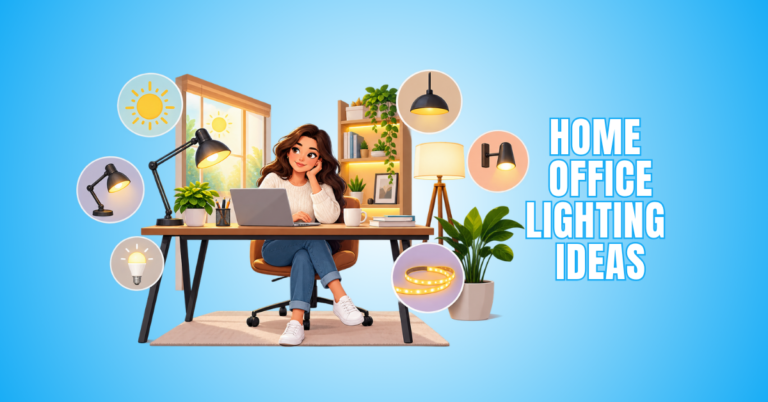
Home office lighting works best when different light sources are used together. Each type serves a specific purpose and supports the workspace’s overall comfort and function.
Natural light provides daytime illumination, while overhead fixtures brighten the room more evenly. Task lighting directs extra light toward areas used for reading, writing, or detailed work.
Accent and decorative lighting add depth and visual interest to the office. Other options provide focused illumination for computer work, video calls, or specific areas of the room.
Your office size and layout influence which lighting types work best. Desk placement, windows, ceiling height, and available electrical outlets matter.
Understanding the different options makes it easier to build a balanced lighting setup. The following 10 types provide practical choices for creating a well-lit home office.
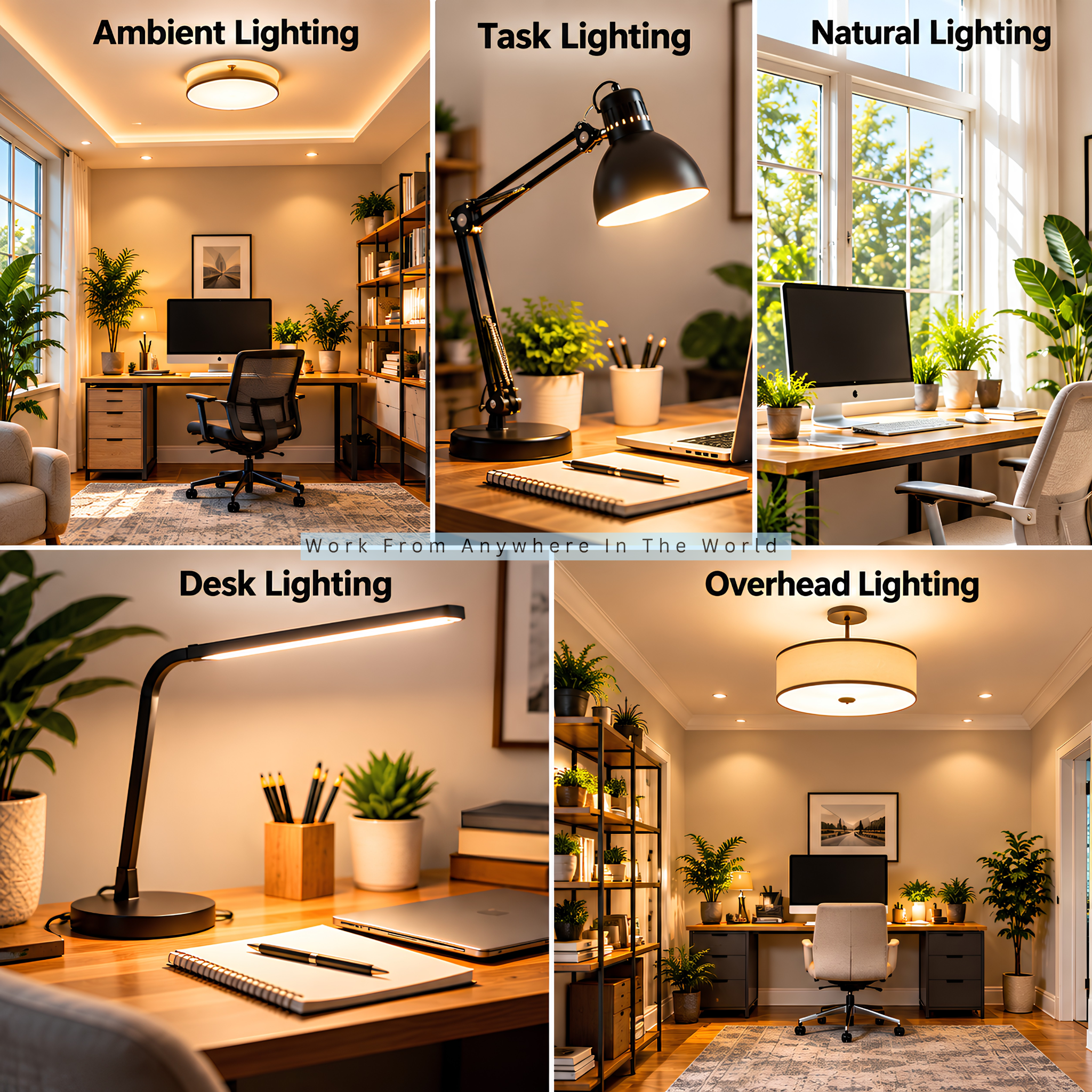
1. Ambient Lighting
Ambient lighting creates the foundation of a well-lit home office by providing general illumination across the entire room. Ceiling fixtures, recessed lights, flush-mount fittings, and larger floor lamps can all serve this purpose.
A good ambient layer keeps the workspace visually balanced, especially as natural daylight fades. Comfortable, reasonably even illumination is usually more useful than relying on one intensely bright fixture.
Balanced lighting reduces the strong contrast between a bright computer monitor and darker surroundings. In larger offices, several moderate light sources can provide better coverage than one powerful central fixture.
2. Task Lighting
Task lighting provides focused illumination for activities that require greater visual attention, such as reading, writing, designing, drawing, or reviewing documents. An adjustable desk lamp lets you direct light precisely toward the working area.
Multiple brightness levels, flexible arms, and adjustable heads provide useful versatility. Positioning the lamp slightly to the side helps reduce reflections and unwanted shadows while keeping the work surface illuminated.
For detailed work, choose a task light with good colour rendering so text, materials, and colours appear clear and accurate. Good lighting is especially useful when choosing office paint colours or working on projects where colour accuracy matters.
Proper task lighting complements the room’s ambient light and provides extra illumination exactly where you need it. This layered approach keeps the work area bright without making the entire office unnecessarily bright.
3. Natural Lighting
Natural lighting brings daylight from windows, skylights, or glass doors into the home office. It brightens the workspace and creates a more open, welcoming atmosphere.
Window placement influences how effectively daylight reaches your desk. Positioning the workstation perpendicular to a window provides useful illumination while helping to limit direct screen glare.
Curtains, blinds, or sheer shades provide greater control when sunlight becomes intense. Since daylight changes throughout the day, adjustable artificial lighting helps maintain consistent illumination.
Thoughtful desk placement lets you use daylight while maintaining monitor visibility, comfort, and privacy. This creates a more flexible workspace as lighting conditions change throughout the day.
4. Desk Lighting
Desk lighting provides localized illumination around your primary workstation. It is especially useful when your desk supports several activities, from computer work and paperwork to studying, crafting, or creative projects.
Modern desk lamps range from compact LED models to architectural-style lamps with adjustable arms and heads. Dimmable settings let you adapt the brightness as daylight conditions change.
Some models offer adjustable colour temperature, USB charging, wireless controls, or integrated displays. These features add flexibility when you use the same desk for different activities throughout the day.
A well-designed desk lamp illuminates the working surface without creating distracting reflections on the monitor. A compact footprint is particularly practical for smaller home offices where every inch of desk space matters.
5. Overhead Lighting
Overhead lighting provides broad illumination from the ceiling and often serves as the primary artificial light source in a home office. Common options include flush-mount fixtures, recessed downlights, pendant lights, and track lighting.
The best home office lighting depends on ceiling height, room size, furniture placement, and overall design style. A diffuser helps distribute light more gently, while several recessed fixtures provide more consistent coverage in larger rooms.
Overhead lighting works particularly well as the ambient layer of a complete lighting plan. Pairing it with task lighting keeps the desk adequately lit while maintaining comfortable illumination throughout the room.
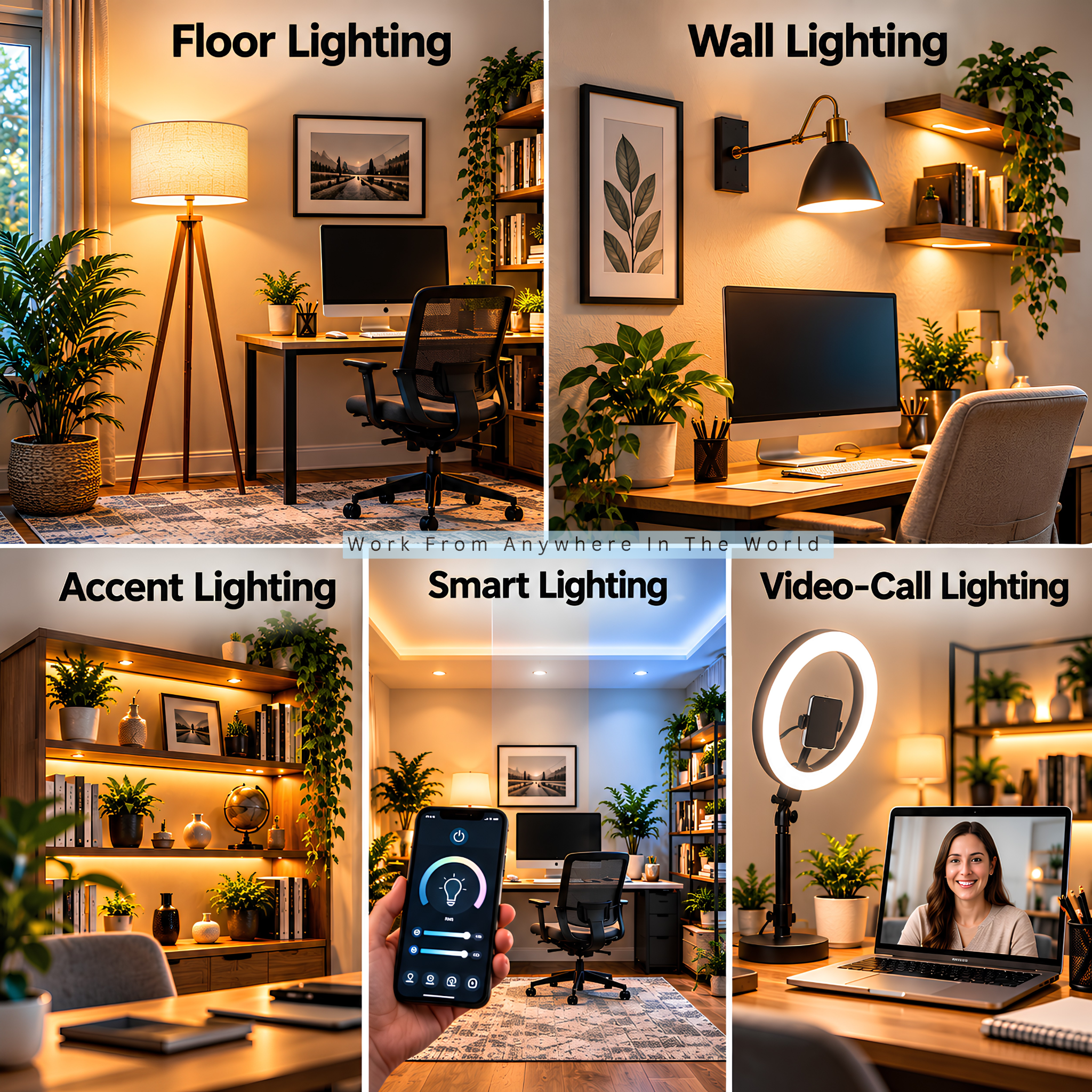
6. Floor Lighting
Floor lighting provides flexible illumination without taking valuable space away from the desk. Floor lamps work particularly well in larger offices, reading corners, or rooms with limited ceiling fixtures.
A torchiere-style lamp directs light toward the ceiling for softer ambient illumination. An adjustable floor lamp provides more concentrated light for a reading chair or secondary workstation.
Floor lamps also contribute to a home office’s overall design. Slim silhouettes suit compact rooms, while larger decorative fixtures help fill and define an empty corner.
Adjustable brightness offers more flexibility as daylight fades and the room gets darker. This makes a floor lamp useful for maintaining comfortable illumination throughout the evening.
7. Wall Lighting
Wall lighting provides illumination without occupying valuable desk or floor space. Wall sconces, swing-arm fixtures, and mounted reading lights provide ambient, task, or accent illumination depending on their design and placement.
Swing-arm models work particularly well beside a reading chair or secondary work surface. Their adjustable position lets you direct light where you need it for reading or detailed tasks.
Wall-mounted fixtures keep lighting off furniture, making them especially practical in a small home office. They also add visual interest without taking up extra floor space.
For permanent fixtures, consider cable routing, switch placement, mounting height, and light direction. Thoughtful placement combines practical illumination with the room’s architectural design.
8. Accent Lighting
Accent lighting adds depth and personality by drawing attention to selected features rather than illuminating the entire office. It works well for highlighting artwork, bookshelves, plants, collectibles, textured walls, or architectural details.
LED strips, picture lights, small spotlights, and decorative table lamps are popular choices. These smaller light sources add visual interest without replacing the room’s primary ambient or task lighting.
Accent lighting also helps create visual separation between different zones, such as a desk, reading corner, or display area. Subtle illumination works particularly well because the goal is to complement the main lighting rather than compete with it.
Coordinating accent lighting with furniture and décor gives the workspace a more polished appearance. Thoughtful placement adds character while keeping the office practical for everyday work.
9. Smart Lighting
Smart lighting combines practical illumination with digital control, giving you greater flexibility over brightness, colour temperature, schedules, and lighting scenes. Smart bulbs, connected lamps, and compatible ceiling fixtures often work through mobile apps, switches, or voice assistants.
These controls make it easy to create different settings for focused work, video meetings, reading, or evening activities. Tunable white lighting is particularly useful for shifting between warmer and cooler tones to match your preferences and routine.
Before choosing smart lighting, check compatibility with your existing fixtures and preferred smart-home ecosystem. This helps ensure your bulbs, controls, apps, and other connected devices work together properly.
A well-planned smart lighting setup makes everyday adjustments more convenient. Scheduled settings and lighting scenes also reduce the need to change individual lights throughout the working day.
10. Video-Call Lighting
Video-call lighting has become increasingly important for people working from home, freelancers, consultants, teachers, and online creators. Its purpose is to illuminate the face evenly while reducing distracting shadows and harsh highlights.
Ring lights, LED panels, soft lights, and adjustable desk lamps all work well when positioned correctly. Placing the primary light slightly in front of you usually provides more flattering illumination than a strong light directly overhead.
Natural daylight is another useful option when a window is positioned in front of the workstation. Combining daylight with adjustable artificial lighting provides greater flexibility as conditions change throughout the day.
Adjustable brightness and colour temperature are particularly useful for people who attend meetings at different times. Combined with one of the best microphones for working from home, good lighting helps create a clearer, more professional video-call setup.
How To Create Balanced Home Office Lighting
Creating a balanced home office lighting setup involves more than choosing a bright lamp or ceiling fixture. The goal is to combine different light sources so the entire workspace is comfortable and functional.
Natural daylight, ambient lighting, and focused task lighting each play a different role. Their placement and brightness should work together, not compete.
Your desk position, windows, room size, computer screen, and daily activities all influence the setup. Controlling glare and shadows is just as important as providing enough illumination.
Colour temperature and colour rendering also deserve attention, especially for detailed work, video calls, and creative projects. Small adjustments often make a noticeable difference in how the workspace functions throughout the day.
The following 10 steps will help you build a balanced lighting setup around your room, workstation, and everyday working needs.
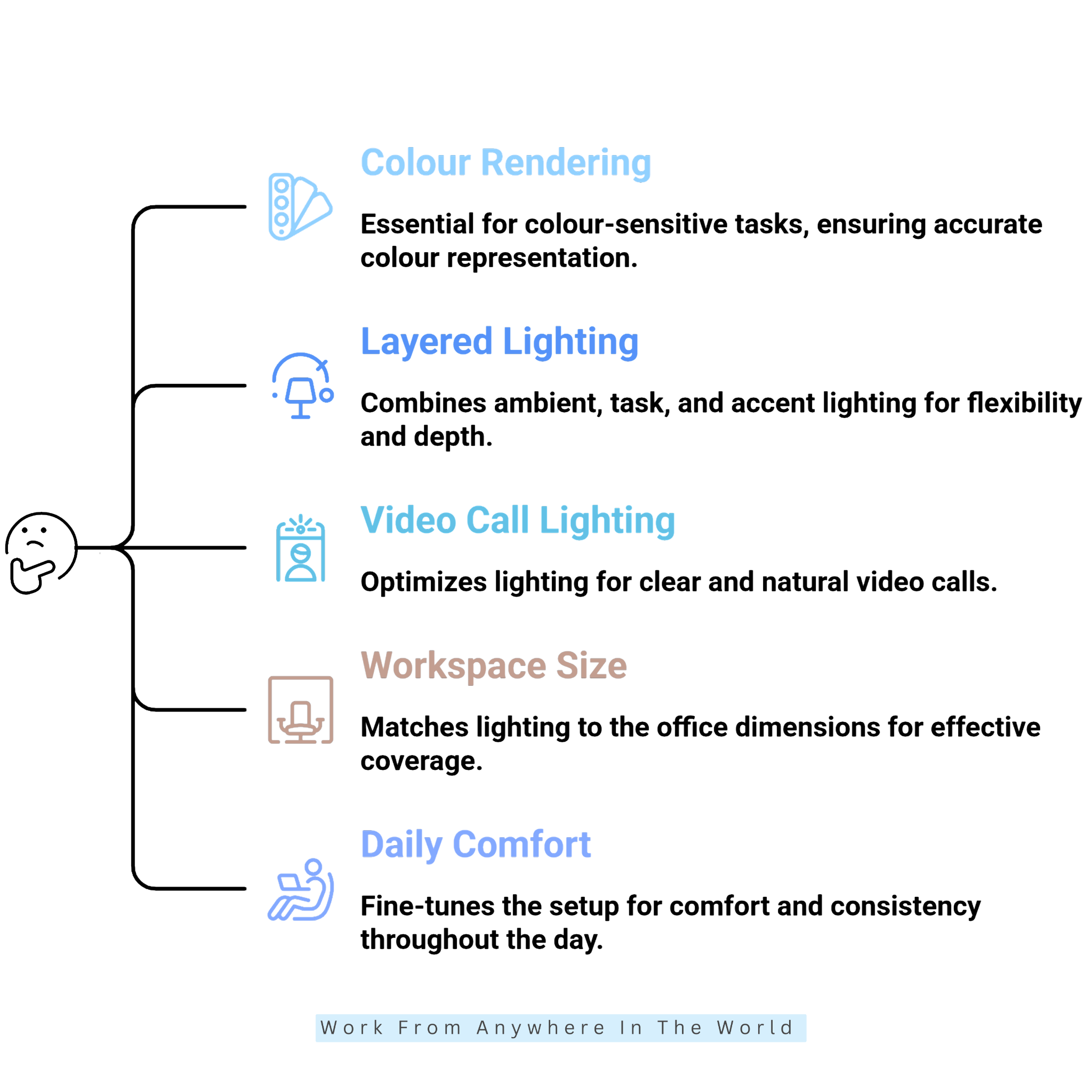
1. Assess Your Existing Natural Light
Start by observing how daylight enters your home office at different times. Morning sunlight behaves differently from afternoon light, so check your workspace throughout the day before adding artificial lighting.
Notice where shadows fall, whether the window creates reflections on your monitor, and which areas become darker as the sun moves. A desk positioned perpendicular to a window often provides useful daylight while limiting direct screen glare.
Sheer curtains or adjustable blinds provide greater control when sunlight becomes intense. They let you soften strong daylight without completely blocking natural light.
Understanding your existing natural light makes it easier to identify where you actually need additional lighting. You can then add task or ambient lighting where necessary rather than filling the room with unnecessary fixtures.
2. Establish A Comfortable Ambient Layer
Once you understand the available daylight, establish an ambient lighting layer for mornings, evenings, and periods when natural light is limited. Ceiling fixtures, recessed lighting, flush-mount lights, and floor lamps are all practical options.
Aim for reasonably even illumination throughout the room rather than making the entire office extremely bright. A brightly lit desk surrounded by dark corners creates strong visual contrast and an uneven workspace.
In larger offices, several moderate light sources often provide better coverage than one intense central fixture. Place them to distribute light across the room without harsh shadows or overly bright areas.
Ambient lighting forms the foundation of the overall setup, while task and accent lights provide more specialized illumination. Together, these layers create a more balanced and adaptable workspace.
Wealthy Affiliate – Mini Review
If you’ve ever thought about turning your blog, passion, or niche into an online business,
Wealthy Affiliate (WA) is one of the most beginner-friendly platforms I’ve used.
It combines step-by-step training, website hosting, AI-powered tools,
keyword research, and an active community all in one place.
What I like most is that you can start for free (no credit card needed), explore the platform,
test the tools, and connect with other entrepreneurs before upgrading.
WA isn’t a “get rich quick” scheme — success comes from consistent effort
and applying what you learn over time.
3. Add Focused Task Lighting
Computer work, reading, writing, and detailed projects often require more focused illumination than ambient lighting provides. Choose an adjustable desk lamp that directs light toward your keyboard, notebook, or documents without creating distracting screen reflections.
Dimmable LED lamps provide useful flexibility because you can adjust the brightness as daylight conditions change. A flexible arm or adjustable head gives you greater control over exactly where the light falls.
For paperwork, position the lamp so your hand does not cast a heavy shadow across the page. Place it to illuminate the work area without creating glare on nearby screens or reflective surfaces.
Focused task lighting provides extra illumination where you need it without making the entire desk unnecessarily bright. Combined with the ambient layer, it creates a more practical lighting setup for different types of work.
4. Choose The Right Colour Temperature
Colour temperature strongly influences how your home office looks and feels. Measured in Kelvin, lower values produce warmer light, while higher values create a cooler, more daylight-like appearance.
Lighting around 3500K–4000K provides a versatile middle ground for many workspaces, while warmer 2700K–3000K light creates a softer atmosphere. Cooler colour temperatures are often used for detailed or visually demanding tasks.
Rather than choosing a bulb based only on its appearance on the packaging, consider the room’s natural daylight, wall colours, furniture, and the type of work you do. These elements affect how the lighting looks once installed.
Tunable lighting provides additional flexibility when the same workspace serves different purposes. Adjusting the colour temperature lets you change the room’s appearance without replacing the bulbs or fixtures.
5. Position Your Lights To Control Glare
Light placement matters just as much as the fixture itself. A powerful lamp becomes uncomfortable when its beam reflects directly from the monitor or shines into your eyes.
Position the screen so windows and bright fixtures do not create glare and reflections on its surface. A desk lamp placed slightly beside the monitor illuminates paperwork while keeping the display clearer.
Adjusting the monitor angle helps reduce unwanted reflections, while blinds or curtains regulate incoming daylight during particularly bright periods. These small changes reduce harsh contrasts across the workspace.
Consider the entire visual environment rather than treating the monitor and lighting as separate elements. Controlling reflections and brightness contributes to a more comfortable setup and helps reduce eye strain during extended computer work.

6. Consider Colour Rendering Quality
Colour rendering matters most when your work involves photography, graphic design, illustration, fashion, crafts, or product development. Accurate lighting helps you evaluate colours, materials, and fine visual details more reliably.
When comparing bulbs or fixtures, check the CRI rating alongside brightness and colour temperature. A CRI of 80 or above suits many general office applications, while colour-sensitive work may benefit from a higher rating.
Consider where accurate colour matters most in your workspace. A dedicated task light with strong colour rendering may be sufficient for a design desk or creative work area without requiring the same specification throughout the entire room.
Colour rendering is therefore one part of the overall lighting setup, not a feature to consider in isolation. Matching light quality to the work performed in each area creates a more practical, purposeful workspace.
7. Build A Layered Lighting System
A balanced home office lighting setup rarely relies on a single fixture. Combining ambient, task, and accent lighting allows each source to serve a specific purpose without making one light do all the work.
Your ceiling fixture can provide general illumination, while a desk lamp concentrates light on the working surface. A floor lamp, wall light, or shelf lighting can brighten darker areas and add depth to the room.
Layering gives you greater control as your needs change throughout the day. You might use stronger task lighting for detailed work while keeping the surrounding illumination softer and more comfortable.
You can also adjust individual lighting layers as daylight fades or the office shifts from focused work to evening use. This flexibility creates a more adaptable workspace than simply increasing the brightness of one overhead fixture.
8. Optimize Lighting For Video Calls
When preparing for video meetings, treat the camera, background, and lighting as one complete setup. Position the camera first, then arrange the lighting around the angle you will actually use during calls.
Place a window or soft artificial light in front of you rather than directly behind you. Strong backlighting can leave your face looking dark, while harsh overhead lighting often creates distracting shadows around the eyes.
Adjustable LED panels, ring lights, and soft desk lamps provide greater control when daylight changes. Position the main light near the camera and adjust its brightness until your face is evenly illuminated without excessive highlights or reflections.
Test the setup using your usual video-meeting platform before an important call. Check your face, background, glasses, and nearby reflective surfaces, then make small adjustments to the light position or brightness as needed.
9. Match Lighting To Your Workspace Size
Your office dimensions and layout should influence the amount and type of lighting you use. A compact workspace may need only a ceiling fixture and a well-positioned desk lamp, while a larger room often benefits from several lighting zones.
Floor lamps can brighten darker corners, while wall-mounted fixtures add illumination without taking up valuable floor space. This makes them particularly useful when furniture placement limits other lighting options.
Consider ceiling height as well. Pendant fixtures suit many rooms with higher ceilings, while flush-mount designs work well where vertical space is limited.
Rather than counting fixtures, identify where different activities take place and where you need extra light. Matching the lighting to the room’s size, layout, and working areas creates a more balanced setup.
10. Fine-Tune The Setup For Daily Comfort
After setting up your lighting, spend several days observing how the workspace performs at different times. Check the desk in the morning, afternoon, evening, and during video calls rather than judging the setup under one set of conditions.
Notice whether certain areas remain too dark, whether reflections appear on the screen, or whether the lighting feels excessively bright after sunset. Daylight changes throughout the day, so your artificial lighting may need to change with it.
Small adjustments often make a noticeable difference. Repositioning a lamp, lowering its brightness, changing its colour temperature, or adding a secondary light to a darker area may be all you need.
A balanced home office lighting setup doesn’t require numerous fixtures. It should provide comfortable, practical illumination that adapts to your workspace and supports your daily routine.
Frequently Asked Questions
Q1: Is Warm Or Cool Light Better For A Home Office?
Both warm and cool light can work in a home office, depending on the task and personal preference. Neutral light around 3500K–4000K provides a versatile middle ground for many everyday office activities.
Cooler, daylight-like lighting suits detailed or visually demanding work, while warmer light creates a softer atmosphere. Adjustable colour temperature provides greater flexibility when the office is used throughout the day.
Q2: How Many Lumens Do I Need For A Home Office?
The amount of light you need depends on room size, fixture placement, available daylight, and the type of work you do. Total lumens alone do not indicate how evenly the light reaches your desk and surrounding workspace.
Around 500 lux at the work surface is a useful general reference for many office tasks. Detailed work may require additional task lighting rather than simply increasing the brightness throughout the entire room.
Q3: Is LED Lighting Good For A Home Office?
Yes. LED lighting works well in home offices because it is available in many brightness levels, colour temperatures, fixture styles, and bulb designs.
Dimmable and tunable LED lights provide additional flexibility throughout the day. They let you adjust brightness or colour temperature as daylight conditions and work activities change.
Q4: How Can I Reduce Glare On My Computer Screen?
Start by checking the monitor’s position relative to windows, lamps, and overhead fixtures. Positioning the screen perpendicular to a window often helps prevent direct daylight from reflecting across the display.
Adjusting the monitor angle, repositioning nearby lamps, and using blinds or curtains can further reduce reflections. Avoid placing an intense light source directly behind you or immediately behind the monitor.
Q5: Is Natural Light Enough For A Home Office?
Natural light provides excellent daytime illumination when windows are positioned well, but its intensity changes with the weather, season, and time of day. It is therefore difficult to rely on daylight alone throughout the working day.
A task lamp and ambient light source provide more consistent illumination when daylight fades. Adjustable artificial lighting also gives you greater control during cloudy days, early mornings, and evenings.
Q6: Where Should I Place A Desk Lamp In A Home Office?
Place the desk lamp where it illuminates your working surface without reflecting directly on the monitor or shining into your eyes. Positioning it slightly beside the screen works well for many desk arrangements.
For writing and paperwork, place the lamp on the side opposite your dominant hand when practical. This helps prevent your hand and arm from casting heavy shadows across the page.
Conclusion
A thoughtful home office lighting setup makes everyday work more comfortable and gives you greater control over how your workspace functions throughout the day. The most effective approach combines several light sources rather than relying on one bright fixture.
Natural daylight provides an excellent starting point, while ambient lighting maintains consistent illumination as conditions change. Task lighting adds focused brightness for reading, writing, computer work, and other activities that require greater visual attention.
Colour temperature, colour rendering, glare control, and fixture placement all influence how comfortable the workspace feels. Matching these elements to your room, working habits, and daily routine creates a setup that is both practical and adaptable.
Room size matters as well. A small office may need only a few carefully positioned lights, while a larger workspace benefits from several lighting zones for different activities.
Your lighting needs may change between focused work, video calls, creative projects, and evening tasks. Adjustable fixtures and layered lighting make those transitions easier without requiring an entirely different setup.
By observing how your workspace performs and making small adjustments over time, you can create balanced lighting that supports your daily work while complementing your home office’s design and character.
I trust you enjoyed this article on the Home Office Lighting Guide: 20 Tips For A Balanced Workspace. Please stay tuned for more insightful blogs on affiliate marketing, online business, and working from anywhere in the world.
Take care!
— JeannetteZ 🌍✨
💬 Your Opinion Is Important To Me
Do you have thoughts, ideas, or questions? I’d love to hear from you. Please leave your comments below or email me directly at Jeannette@WorkFromAnywhereInTheWorld.com.
📚 More Work From Anywhere Reads
🚀 Ready to Build a Business You Can Run from Home
Or from Anywhere in the World?
Imagine creating income on your terms — from home, a cozy café, or wherever life takes you.
With the right tools, training, and community support, it’s entirely possible.
Start your own online business for free — no credit card needed.
Disclosure
This post may contain affiliate links. As an Amazon Associate and participant in other affiliate programs, I earn from qualifying purchases at no extra cost to you. Please read my full affiliate disclosure.