Brevo Tutorial: 15 Steps To Successful Email Marketing
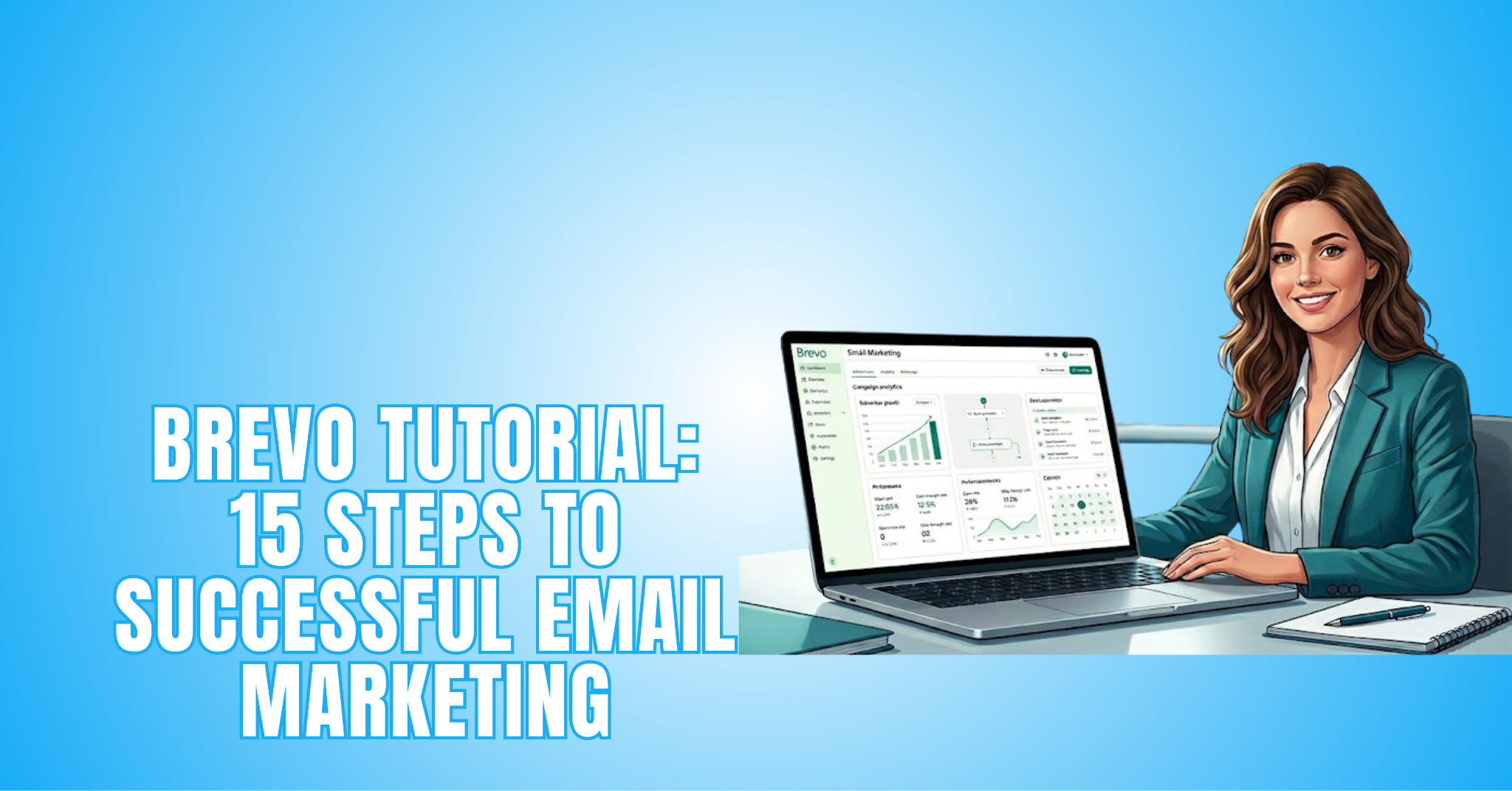
This Brevo tutorial explains how to use one of today’s most popular email marketing platforms. With the right setup, Brevo can help businesses create professional campaigns, automate communication, and build stronger customer relationships.
While social media trends continue to change, email marketing remains one of the most reliable ways to connect with subscribers. It gives businesses direct access to their audience without relying on constantly changing algorithms.
Formerly known as Sendinblue, Brevo combines email marketing, automation, contact management, and reporting in a single platform. Its flexible features make it suitable for businesses of all sizes.
This guide walks through the essential steps, from creating an account to building automated campaigns. It also explains how to use Brevo’s key features to support long-term email marketing success.
What Is Brevo?
Brevo (formerly Sendinblue) is a cloud-based marketing platform that helps businesses communicate with customers through email and other digital channels. It combines email marketing, automation, and customer relationship management in one place.
The platform was launched in France in 2012 as Sendinblue. In 2023, it rebranded as Brevo to reflect its broader range of marketing and communication services.
Today, Brevo allows users to create email campaigns, build automated workflows, and manage customer relationships from a single dashboard. It also supports SMS marketing, WhatsApp messaging, live chat, landing pages, and a built-in CRM.
One of Brevo’s strengths is its intuitive interface. The drag-and-drop email builder, ready-made templates, and automation tools help users create professional campaigns more efficiently.
Brevo also offers flexible pricing based primarily on the number of emails sent, not the size of your contact list. This approach allows businesses to scale their email marketing as their needs grow.
Why Choose Brevo For Email Marketing?
Choosing the right email marketing platform can make running campaigns much easier. It also helps businesses communicate more effectively with their audience.
Brevo brings together email marketing, automation, contact management, and reporting in one platform. Everything is organized to support day-to-day marketing activities.
The platform includes ready-made templates, a drag-and-drop editor, and flexible automation tools. These features help businesses create professional campaigns with less effort.
As marketing needs grow, Brevo offers tools that can grow with them. This flexibility makes it a practical choice for businesses of all sizes.
The following features show why Brevo has become a popular email marketing platform. They also demonstrate how it can support more successful campaigns.
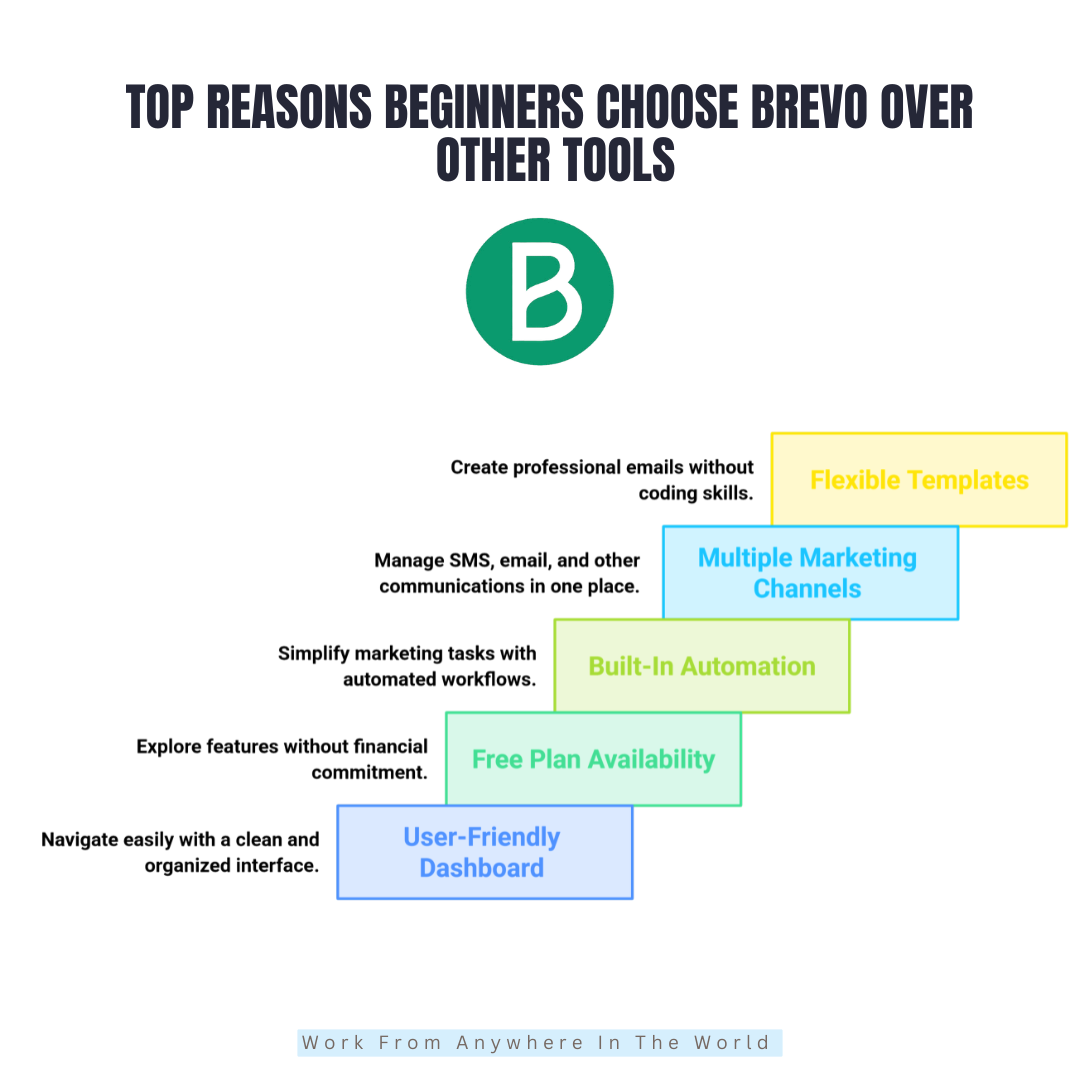
1. User-Friendly Dashboard
Brevo provides a well-organized dashboard that keeps the main tools within easy reach. Campaigns, contacts, automation, and reporting are all accessible from the main menu.
The logical layout helps users become familiar with the platform more quickly. Moving between different sections feels natural and organized.
With everything in one place, creating and managing email campaigns becomes much easier. Users can spend more time building campaigns and less time looking for features.
Key Points
- Navigate the dashboard before creating campaigns.
- Learn where the main tools are located.
- Access campaigns, contacts, and automation from one place.
- Become familiar with the platform before continuing.
2. Free Plan Availability
Brevo offers a free plan that allows users to explore the platform before upgrading. This gives you a chance to get familiar with its features without an upfront financial commitment.
The free plan includes tools for creating email campaigns, managing contacts, and learning how the platform works. It offers a practical introduction to email marketing.
As your marketing needs grow, you can upgrade to a paid plan with higher sending limits and additional features. This flexibility allows Brevo to support businesses at every stage of growth.
Key Points
- Explore the platform with the free plan.
- Learn the core features before upgrading.
- Upgrade when additional tools are needed.
- Choose a plan that matches your business goals.
3. Built-In Automation
Brevo includes automation tools that reduce repetitive marketing tasks. They help businesses communicate with customers more consistently while saving time.
You can create automated welcome emails, follow-up messages, and abandoned cart reminders. Workflows can also be customized to support different marketing goals.
Automation allows businesses to deliver timely and relevant messages without constant manual effort. It also gives marketers more time to build customer relationships and improve campaign performance.
Key Points
- Automate repetitive marketing tasks.
- Create welcome and follow-up emails.
- Customize workflows for different goals.
- Deliver timely and consistent communication.
4. Multiple Marketing Channels
Brevo supports multiple communication channels, including email, SMS, WhatsApp, and live chat. Managing everything from one platform helps keep customer communication organized.
A single dashboard makes it easier to create campaigns, monitor activity, and respond to customers. It also reduces the need to switch between different marketing tools.
Using multiple channels allows businesses to reach customers in the way that suits them best. It also creates a more consistent experience while saving time and simplifying campaign management.
Key Points
- Manage multiple channels from one dashboard.
- Create campaigns across different platforms.
- Reduce the need for multiple marketing tools.
- Deliver a more consistent customer experience.
5. Flexible Templates
Brevo includes a variety of drag-and-drop templates that make designing professional emails more efficient. Users can customize layouts to match their brand without coding experience.
The ready-made templates help reduce design time while maintaining a polished and consistent appearance. They can also be adapted for different campaigns and marketing goals.
Flexible templates allow businesses to focus more on creating engaging content than building emails from scratch. This helps streamline campaign creation while maintaining a professional look.
Key Points
- Choose a template that matches your campaign.
- Customize layouts to reflect your brand.
- Save time with ready-made designs.
- Create professional emails without coding.
Brevo Tutorial: 15 Step-By-Step Instructions
Following a structured process makes it easier to create your first email campaign. Each step introduces another part of the platform and explains how it works.
Brevo includes the tools needed to create campaigns, organize contacts, automate workflows, and monitor performance. Working through each step provides a solid understanding of the platform.
Whether you’re sending a newsletter or promoting a business, learning the fundamentals is an important first step. It also provides a strong foundation for future email marketing campaigns.
The following step-by-step instructions explain how to set up Brevo and use its essential features. Each step builds on the previous one, making the platform easier to understand and use.
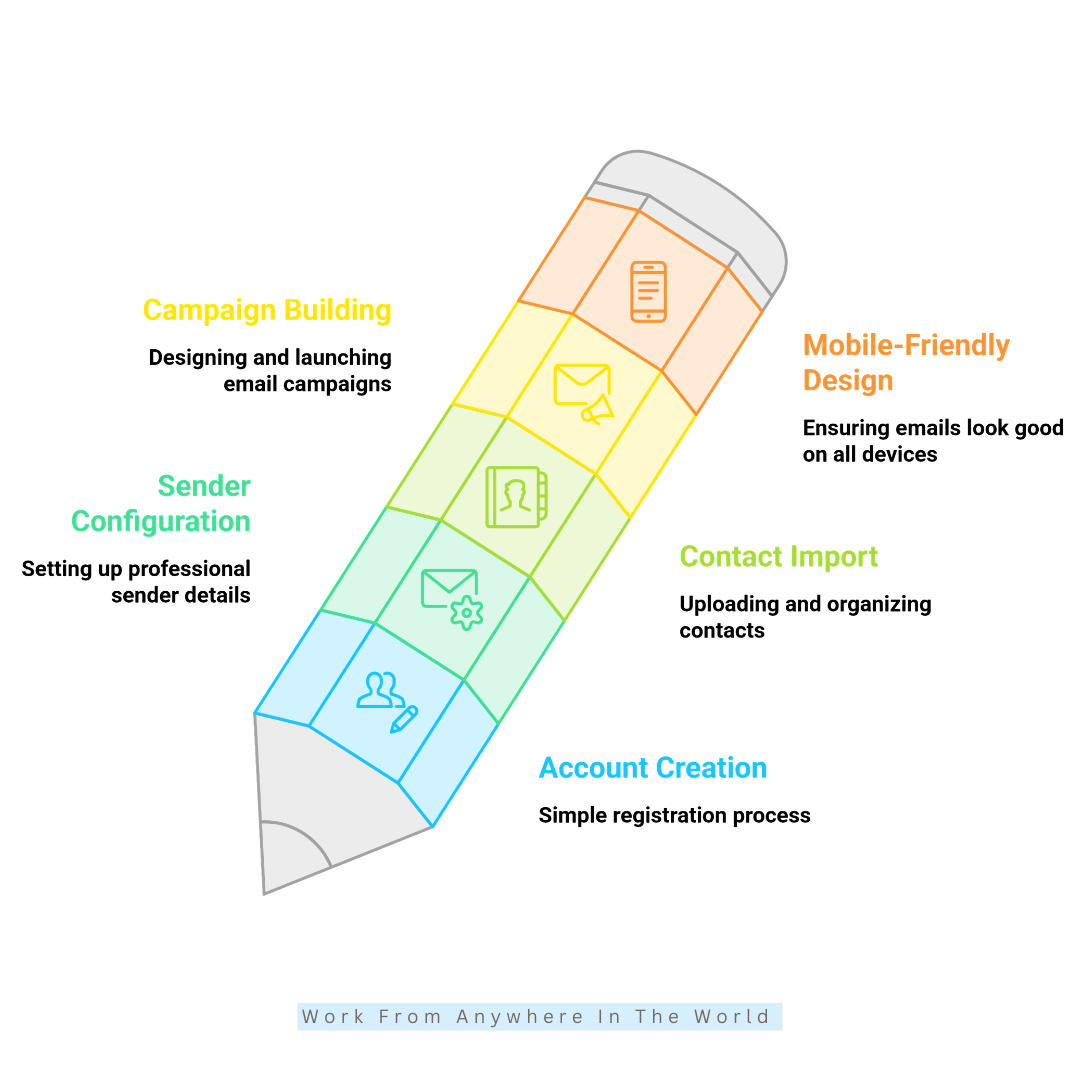
Step 1: Create Your Brevo Account
Visit Brevo’s official website and select the Sign Up option. Enter your email address and the business information required to create your account.
After registering, confirm your email address to activate the account. Then log in to access the Brevo dashboard and explore the available tools.
Spend a few minutes becoming familiar with the dashboard before creating your first campaign. Understanding where everything is located will make the remaining steps easier to complete.
Key Points
- Use a professional email address.
- Verify your account after signing up.
- Enter your business details accurately.
- Explore the dashboard before continuing.
Step 2: Configure Your Sender Information
Setting up your sender information helps build trust and improve email deliverability. Add your sender name, email address, and reply-to address before sending your first campaign.
Using a professional email address linked to your domain creates a more credible impression. It also makes your emails easier for recipients to recognize.
Brevo may ask you to verify your domain using SPF and DKIM authentication. This helps improve inbox placement and reduces the chances of your emails being marked as spam.
Key Points
- Use a branded email address.
- Set a clear sender name.
- Verify domain authentication early.
- Keep the reply-to email address active.
Step 3: Import Your Contact List
Once your sender information is configured, it’s time to import your contact list into Brevo. You can upload contacts using CSV or Excel files.
You can also copy and paste contact details manually or connect signup forms and integrations. These options make it easier to add new subscribers from different sources.
Organize your audience into groups such as customers, leads, or newsletter subscribers. This makes campaigns more targeted and helps personalize your email marketing.
Before importing your list, make sure the information is accurate and up to date. Removing inactive or invalid email addresses improves deliverability and campaign performance.
Key Points
- Upload a clean contact file.
- Segment your audience before importing.
- Remove inactive email addresses.
- Use verified contact sources.
Step 4: Build Your First Email Campaign
Now it’s time to create your first email campaign in Brevo. Start by selecting a campaign type and choosing a template that matches your objective.
Use the drag-and-drop editor to add text, images, buttons, and links. You can also customize colours, fonts, and other design elements to match your brand without needing coding skills.
Create a clear and engaging subject line that encourages recipients to open your email. Then preview the campaign on both desktop and mobile devices before sending.
A final review helps ensure everything looks professional and works as expected. It also reduces the chance of errors and improves the overall reader experience.
Key Points
- Choose a suitable email template.
- Write an engaging subject line.
- Preview the campaign before sending.
- Keep the design mobile-friendly.
Step 5: Design Mobile-Friendly Emails
Most people read emails on smartphones, so every campaign should be designed with mobile users in mind. A responsive layout helps your emails look professional on any screen size.
Brevo’s templates automatically adjust to different devices, but it’s still important to review each campaign before sending. Checking the layout helps ensure everything displays correctly.
Use short paragraphs, clear headings, readable fonts, and prominent call-to-action buttons. Optimized images also improve loading speed and create a better reading experience.
A well-designed mobile email is easier to read, encourages more engagement, and increases the likelihood that subscribers will take action. Small design changes can make a noticeable difference to campaign performance.
Key Points
- Use short, readable paragraphs.
- Add clear call-to-action buttons.
- Optimize images for faster loading.
- Preview emails on mobile devices.
Step 6: Create Signup Forms
Signup forms are one of the most effective ways to grow your email list. Brevo allows you to create embedded forms, popups, and landing page forms without requiring technical skills.
Place your forms on blog posts, homepages, and product pages where visitors are most likely to subscribe. Offering a discount, free guide, or other valuable resource can encourage more people to join your list.
Keep your forms concise by asking only for the information you need. A shorter signup process often leads to higher conversion rates and a better user experience.
A well-designed signup form can support long-term list growth and strengthen customer relationships. It also helps build an engaged audience for future email marketing campaigns.
Key Points
- Keep signup forms concise.
- Offer a valuable signup incentive.
- Place forms on high-traffic pages.
- Match the design to your brand.
Step 7: Use Automation To Save Time
Automation allows emails to be sent automatically when subscribers perform specific actions. Brevo supports workflows for welcome emails, follow-up sequences, birthday messages, and abandoned cart reminders.
Automated campaigns save time while keeping communication consistent. Instead of sending every email manually, you can focus on growing your business and building customer relationships.
Start with a few basic workflows before expanding to more advanced automation. Testing and refining each workflow helps improve engagement and deliver more relevant messages.
Consistent automation keeps subscribers connected to your brand throughout their journey. It also supports stronger customer relationships and more effective email marketing.
Key Points
- Start with basic automation workflows.
- Automate your welcome email sequence.
- Monitor workflow performance regularly.
- Personalize automated email content.
Step 8: Segment Your Audience
Audience segmentation helps you send more relevant emails to different groups of subscribers. Instead of sending the same message to everyone, Brevo lets you organize contacts based on interests, location, purchase history, or engagement.
Targeted campaigns create a more personalized experience for your audience. For example, loyal customers may receive exclusive offers, while new subscribers receive welcome emails or introductory content.
Sending relevant content to the right audience often improves open rates, click-through rates, and overall engagement. It also helps build stronger relationships with your subscribers.
Effective audience segmentation supports a more organized email marketing strategy. Over time, it can improve campaign performance and deliver better results.
Key Points
- Group subscribers by shared interests.
- Create separate audience segments.
- Send personalized email campaigns.
- Monitor engagement within each segment.
Step 9: Set Up Transactional Emails
Transactional emails are sent automatically after a customer completes a specific action. Common examples include order confirmations, password resets, shipping updates, and payment receipts.
Customers expect these emails to arrive quickly and contain accurate information. Clear and timely messages help build trust while improving the overall customer experience.
Customize your transactional emails with your logo, brand colours, and business details. Consistent branding creates a more professional appearance and helps customers recognize your emails.
Before using transactional emails, test them to ensure they are delivered correctly and display as expected. Regular testing helps maintain reliable communication with your customers.
Key Points
- Keep transactional emails clear and accurate.
- Add consistent branding to every message.
- Use professional email formatting.
- Test delivery before launching.
Step 10: Connect Brevo To Your Website
Connecting Brevo to your website helps automate subscriber management and customer communication. It also keeps your email marketing and website working together more effectively.
Brevo integrates with popular platforms such as WordPress, Shopify, and WooCommerce. Once connected, signup forms, contact information, and campaign activity can sync automatically.
Website integration reduces manual work and keeps your email list up to date. It also helps you track visitor activity and create more personalized marketing campaigns.
After completing the setup, test your forms and integrations to make sure everything works correctly. A reliable connection creates a smoother and more organized email marketing workflow.
Key Points
- Connect Brevo to your website correctly.
- Sync contacts automatically.
- Test signup forms after integration.
- Monitor subscriber activity regularly.

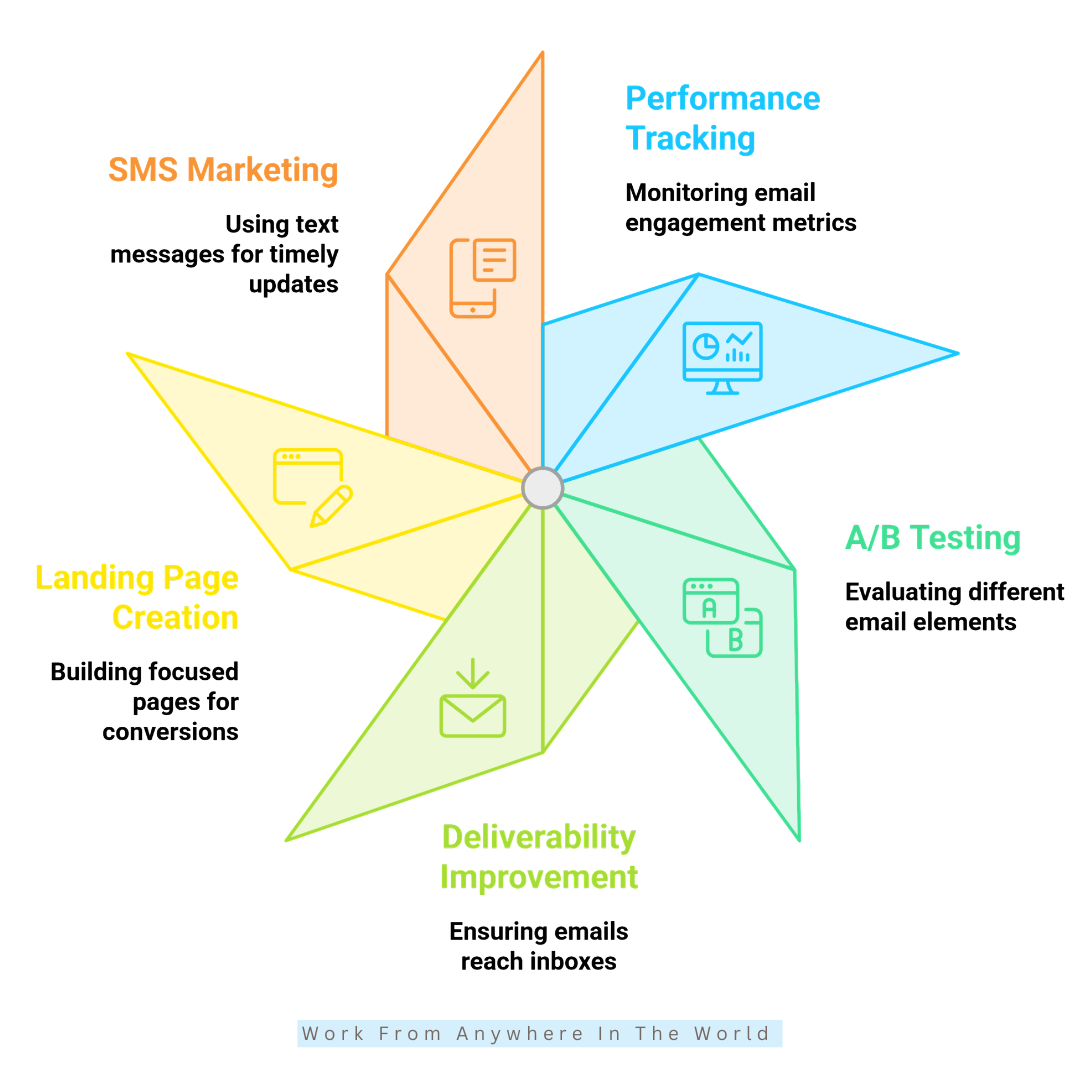
Step 11: Track Email Performance
Tracking email performance helps you understand how subscribers respond to your campaigns. Brevo provides reports for open rates, click-through rates, bounce rates, and unsubscribes directly from the dashboard.
These insights show which campaigns perform well and where improvements can be made. Reviewing the data regularly helps you make informed marketing decisions instead of relying on guesswork.
Higher open rates often result from stronger subject lines, while higher click-through rates are usually driven by valuable content and clear calls to action. Small improvements can have a positive impact on future campaigns.
Monitoring campaign performance helps you refine your email marketing strategy over time. It also allows you to create more relevant content and improve subscriber engagement.
Key Points
- Review campaign analytics regularly.
- Improve subject lines and email content.
- Track open and click-through rates.
- Compare campaign performance over time.
Step 12: Run A/B Tests
A/B testing compares different versions of an email campaign to see which one performs better. In Brevo, you can test subject lines, email designs, buttons, images, and sending times with different audience segments.
Testing helps you understand what attracts the most attention and encourages more engagement. Even small changes can improve open rates, click-through rates, and overall campaign performance.
For the most reliable results, test only one element at a time. This makes it easier to identify which changes have the greatest impact.
Regular A/B testing helps refine your email marketing strategy over time. It also allows you to create campaigns based on real subscriber behaviour instead of assumptions.
Key Points
- Test one element at a time.
- Compare different subject lines.
- Experiment with sending times.
- Review the results before scaling.
Step 13: Improve Email Deliverability
Email deliverability determines whether your messages reach subscribers’ inboxes or end up in spam folders. Brevo includes tools that help strengthen sender reputation and support reliable email delivery.
Using a verified domain, maintaining a clean contact list, and sending campaigns consistently all contribute to better deliverability. These practices also help build trust with email providers.
Avoid overly promotional language that could trigger spam filters. Regularly removing inactive subscribers also improves engagement and keeps your email list healthy.
Better deliverability means more people see your emails and interact with your content. This can lead to higher open rates, more clicks, and stronger marketing results.
Key Points
- Verify your sending domain.
- Remove inactive subscribers regularly.
- Avoid spam-triggering language.
- Send campaigns consistently.
Step 14: Create Landing Pages
Landing pages help capture leads and promote specific offers without unnecessary distractions. In Brevo, you can create pages for webinars, product launches, newsletters, and free downloads using ready-made templates.
The drag-and-drop editor allows you to build professional landing pages without coding skills. This makes it easy to customize layouts and publish pages more quickly.
An effective landing page includes a clear headline, a concise description, and a strong call to action. Focusing on a single objective often leads to higher conversion rates.
Landing pages work especially well when combined with email campaigns. Together, they help turn website visitors into subscribers, leads, or customers.
Key Points
- Focus on a single objective.
- Write a clear, compelling headline.
- Add a prominent call-to-action button.
- Connect landing pages with email campaigns.
Step 15: Use SMS Marketing Carefully
SMS marketing allows businesses to send short, timely messages directly to customers’ mobile phones. In Brevo, it can be used for flash sales, reminders, shipping updates, and important announcements.
Because text messages are often read quickly, they can increase engagement and encourage faster responses. Using SMS for important communications helps deliver the right message at the right time.
Keep SMS messages brief, relevant, and valuable to avoid overwhelming subscribers. Sending too many messages may lead to lower engagement or increased opt-outs.
When combined with email marketing, SMS creates a more complete communication strategy. Together, these channels help strengthen customer relationships and improve campaign results.
Key Points
- Send only important updates.
- Keep messages short and relevant.
- Combine SMS with email campaigns.
- Choose the right timing for each message.
Frequently Asked Questions
Q1: What Is Brevo Used For?
Brevo is an all-in-one marketing platform used for email marketing, automation, SMS campaigns, landing pages, and customer relationship management. It helps businesses manage customer communication from one platform.
Q2: Does Brevo Offer A Free Plan?
Yes. Brevo offers a free plan that allows users to send emails, manage contacts, and explore its core marketing features before upgrading.
Q3: Can I Use Brevo Without Coding Skills?
Yes. Brevo is designed so users can create email campaigns, signup forms, landing pages, and automated workflows without coding knowledge.
Q4: What Makes Brevo Different From Other Tools?
Brevo combines email marketing, SMS, automation, CRM, landing pages, and customer communication tools in one platform. This reduces the need to manage multiple marketing applications.
Q5: Can Brevo Help Grow My Email List?
Yes. Brevo includes signup forms, landing pages, and integrations that help businesses collect new subscribers and grow their email lists.
Q6: Can I Track Email Performance In Brevo?
Yes. Brevo provides reports for open rates, click-through rates, bounce rates, and other campaign metrics. These insights help businesses improve future email marketing campaigns.
Conclusion
Brevo brings email marketing, automation, customer management, and reporting together in one platform. Its wide range of features makes it suitable for businesses of all sizes.
From creating your account to building campaigns, automating workflows, and tracking performance, Brevo provides the tools needed to manage email marketing more effectively. Each feature supports stronger communication with your audience.
As your business grows, Brevo offers the flexibility to expand your marketing efforts. Its integrations, templates, and automation tools help streamline everyday tasks while supporting long-term growth.
Whether you’re sending newsletters, promoting products, or building customer relationships, Brevo provides a practical solution for modern email marketing. Learning the platform step by step makes it easier to create successful campaigns with confidence.
I trust you enjoyed this article on the Brevo Tutorial: 15 Steps To Successful Email Marketing. Please stay tuned for more insightful blogs on affiliate marketing, online business, and working from anywhere in the world.
Take care!
— JeannetteZ 🌍✨
💬 Your Opinion Is Important To Me
Do you have thoughts, ideas, or questions? I’d love to hear from you. Please leave your comments below or email me directly at Jeannette@WorkFromAnywhereInTheWorld.com.
📚 More Work From Anywhere Reads
🚀 Ready to Build a Business You Can Run from Home
Or from Anywhere in the World?
Imagine creating income on your terms — from home, a cozy café, or wherever life takes you.
With the right tools, training, and community support, it’s entirely possible.
Start your own online business for free — no credit card needed.
Disclosure
This post may contain affiliate links. As an Amazon Associate and participant in other affiliate programs, I earn from qualifying purchases at no extra cost to you. Please read my full affiliate disclosure.