12 Best Email Marketing Tools For Beginners
Email Marketing Tools For Beginners come in many different forms, making it challenging to choose the right platform when you’re just getting started. The best option depends on your goals, budget, and the features you need most.
Many email marketing platforms offer drag-and-drop editors, automation, customizable templates, and free plans for beginners. These tools make it easier to build an email list, communicate with subscribers, and grow your business.
Whether you’re a blogger, freelancer, small business owner, or online entrepreneur, selecting the right platform can save time and simplify your marketing efforts. A beginner-friendly tool also makes it easier to learn new skills as your business grows.
This guide compares the best email marketing tools for beginners, highlighting their features, pricing, advantages, and ideal use cases. It will help you choose a platform that matches your needs and supports your long-term goals.
How To Choose An Email Marketing Tool
Choosing an email marketing tool is about more than comparing features and prices. The right platform should match your goals, budget, and level of experience.
Look for a platform that is easy to use and offers the features you need most. Drag-and-drop editors, automation, customizable templates, and detailed reporting are all useful for beginners.
Many email marketing tools offer free plans or free trials. These give you an opportunity to explore the platform before deciding whether to upgrade to a paid subscription.
As your email list grows, your marketing needs may change. Choosing a platform that can grow with your business can save time and reduce the need to switch providers later.
Best Email Marketing Tools Compared
Every email marketing platform offers a different combination of features, pricing, and automation tools. Some are designed for beginners, while others are better suited to growing businesses with more advanced marketing needs.
The following comparison highlights some of the best email marketing tools for beginners. Reviewing their strengths, pricing, and ideal use cases can help you choose the platform that best supports your business goals.
1. Mailchimp
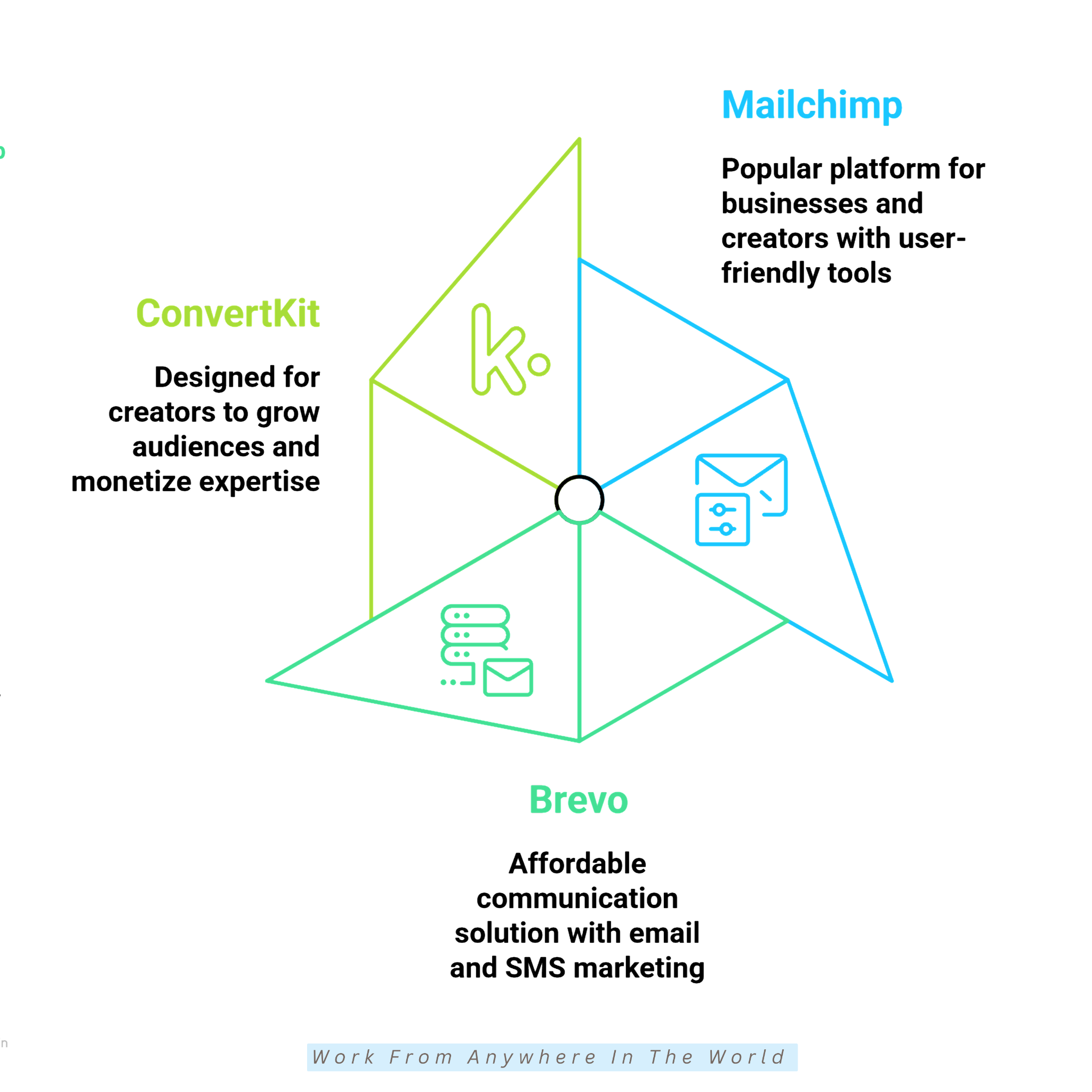
Mailchimp is one of the most popular email marketing tools for beginners. It helps businesses create email campaigns, manage subscribers, automate marketing, and track campaign performance from one platform.
Its drag-and-drop editor makes it easy to design professional-looking emails without any coding experience. A wide selection of customizable templates also helps beginners get started quickly.
Mailchimp also includes more advanced tools such as audience segmentation, marketing automation, and detailed reporting. These features help you create more targeted campaigns and improve your results over time.
Whether you’re starting a blog, running a small business, or launching an online store, Mailchimp provides the tools needed to build and manage an email marketing strategy with confidence.
Key Features
1. Drag-and-Drop Email Builder
Mailchimp’s drag-and-drop editor makes it easy to create professional emails without coding or design skills. Simply choose a template, customize the content, and publish your campaign.
2. Marketing Automation
Automated workflows send welcome emails, follow-up messages, and customer journeys without manual effort. This saves time while helping you stay connected with your subscribers.
3. Audience Segmentation
Mailchimp organizes subscribers into groups based on their interests, behaviour, or previous interactions. Your subscribers receive more relevant emails that better match their interests and needs.
4. Landing Pages And Signup Forms
Mailchimp includes landing pages and customizable signup forms to help grow your email list. These tools make it simple to collect new subscribers without additional software.
5. A/B Testing
A/B testing lets you compare different subject lines, email content, or layouts to see which version performs better. Small improvements can help increase open rates and engagement over time.
6. Campaign Analytics
Built-in reporting tools track important results such as open rates, click-through rates, and subscriber activity. Reviewing these reports helps you improve future email campaigns and better understand your audience.
Pricing
Mailchimp offers both free and paid plans, making it suitable for beginners as well as growing businesses. The free plan includes the basic tools needed to start building an email list and sending professional email campaigns.
Upgrading to a paid plan unlocks additional automation, audience segmentation, A/B testing, and more detailed reporting. These features support more targeted campaigns while reducing the time spent on repetitive marketing tasks.
The cost of a Mailchimp subscription depends on the size of your email list and the features you choose. Businesses with larger audiences or more advanced marketing needs can upgrade as their requirements change.
Mailchimp’s flexible plans include additional features that become available as your needs grow. Upgrading your plan gives you access to more tools without changing platforms.
Things To Consider
1. Pricing Increases As You Grow
Mailchimp’s pricing is based on the size of your email list and the features you use. As your subscriber count grows, you may need to upgrade to a higher-priced plan.
2. Paid Plans Unlock Advanced Features
The free plan is ideal for beginners, but some advanced automation, reporting, and segmentation tools are only available with paid subscriptions.
3. Learning Advanced Features
Mailchimp is easy to get started with, but mastering its more advanced features can take time. Fortunately, there are plenty of tutorials and learning resources available.
Best For
Mailchimp is an excellent choice for bloggers, freelancers, small businesses, and first-time email marketers. Its intuitive interface makes it easy to create and manage professional email campaigns.
The platform also offers more advanced tools when you need them. Expanding your email marketing doesn’t require moving to a different platform.
Related Reading: How To Use Mailchimp – A Basic Tutorial, Comprehensive Mailchimp Review: Is It The Right Tool? and Mailchimp – Best Tutorial For Beginners.
2. Brevo
Brevo, formerly known as Sendinblue, is an all-in-one marketing platform for small businesses, startups, and growing companies. It combines email marketing, SMS campaigns, customer relationship management (CRM), and automation tools in one dashboard.
One of Brevo’s biggest advantages is its flexible pricing model. Many plans are based on the number of emails you send instead of the number of subscribers.
This pricing approach makes Brevo a cost-effective choice for businesses with larger contact lists. Marketing costs remain easier to manage as contact lists continue to grow.
Brevo combines marketing and communication tools in one place. Built-in tools simplify campaign creation, follow-up automation, and customer relationship management.
Whether you’re promoting products, sending newsletters, or communicating through multiple channels, Brevo offers a practical solution for businesses looking to grow without overspending.
Key Features
1. Email Campaign Management
Brevo makes it easy to create, schedule, and manage professional email campaigns. Its user-friendly editor helps beginners design attractive emails without requiring technical or design experience.
2. SMS Marketing
In addition to email marketing, Brevo includes SMS marketing for communicating directly with your customers. It offers another effective channel for sharing promotions, reminders, and important updates.
3. Marketing Automation
Automation tools help you send welcome emails, follow-up sequences, and personalized customer journeys automatically. This saves time while improving customer engagement.
4. Built-In CRM
Brevo includes a built-in customer relationship management system that helps you organize contacts and monitor customer interactions. Keeping everything in one platform makes managing your marketing activities much easier.
5. Audience Segmentation
Brevo organizes subscribers into targeted groups using their interests, behaviour, and previous interactions. Each audience receives content that is more relevant to its interests and activity.
6. Campaign Analytics
Detailed reports help you monitor email opens, click-through rates, and other important performance metrics. These insights make it easier to improve future campaigns and better understand your audience.
Pricing
Brevo offers both free and paid plans, making it accessible to businesses of all sizes. The free plan provides the essential tools needed to create email campaigns and become familiar with the platform.
As your marketing needs grow, paid plans unlock additional automation, landing pages, advanced reporting, and other business features. Additional tools help support more advanced marketing campaigns as your business expands.
Unlike many email marketing services, Brevo bases much of its pricing on the number of emails you send rather than the size of your subscriber list.
This pricing model can be especially beneficial for businesses with large contact lists that send emails less frequently. Businesses can upgrade their plans as their marketing needs grow and email volume increases.
This flexible pricing structure makes Brevo a practical choice for businesses looking to manage costs while expanding their marketing efforts.
Things To Consider
1. Smaller Template Library
Brevo offers a good selection of email templates, although the library is smaller than that of some competing platforms. Businesses with highly specific design needs may want to customize their templates.
2. Advanced Features Require Paid Plans
The free plan includes the essential tools for beginners, while more advanced automation, reporting, and landing page features require a paid subscription.
3. Learning Multiple Tools
Because Brevo combines email marketing, SMS, CRM, and automation in one platform, new users may need a little time to become familiar with all of its features.
Best For
Brevo is an excellent choice for startups, small businesses, service providers, and budget-conscious marketers. It combines email marketing, SMS campaigns, and customer relationship management in one platform.
Businesses looking for an all-in-one marketing solution will appreciate its practical feature set. Its integrated tools simplify communication across multiple marketing channels.
Would you like to learn more? Please read our SendinBlue Review and SendinBlue Tutorial to explore Brevo’s features in greater detail and learn how to get started.
3. Kit
Kit, formerly known as ConvertKit, is an email marketing platform created for bloggers, authors, coaches, online educators, and other content creators. It was designed to meet the unique needs of creators.
The platform helps creators grow their audience, build lasting relationships, and communicate more effectively through email marketing. Its tools are simple to use and focus on long-term audience growth.
Unlike many general email marketing platforms, Kit is designed with creators in mind. Its tools are simple to use and focus on growing an engaged audience rather than managing large marketing campaigns.
Kit combines email marketing, landing pages, signup forms, and automation in one platform. Built-in digital product selling supports business growth without needing multiple tools.
Whether you’re building an email list, promoting a course, or selling digital downloads, Kit provides the essential tools to help you connect with your audience and grow your online business.
Key Features
1. Visual Automation Builder
Kit’s visual automation builder makes it easy to create automated email sequences without technical knowledge. A simple visual editor lets you map out customer journeys with ease.
2. Subscriber Tagging And Segmentation
Instead of relying only on lists, Kit uses tags and segments to organize subscribers. Each subscriber receives content based on individual interests and behaviour.
3. Landing Pages And Signup Forms
Kit includes customizable landing pages and signup forms to help you grow your email list. These tools make it simple to attract new subscribers without additional software.
4. Email Sequences And Broadcasts
Automated email sequences welcome new subscribers, while broadcasts keep your entire audience informed. Together, they support communication throughout the customer journey.
5. Digital Product Selling
Kit includes built-in tools for selling digital products such as eBooks, courses, newsletters, and downloads. These features help convert subscribers into paying customers.
6. Subscriber Analytics
Built-in analytics help you monitor subscriber growth, email performance, and audience engagement. Reviewing these insights helps you improve your email marketing strategy over time.
Pricing
Kit offers both free and paid plans, making it easy for creators to get started with email marketing. The free plan includes the essential tools needed to build an audience and begin growing an email list.
Upgrading to a paid plan unlocks advanced automation, integrations, and additional marketing features. Automated workflows reduce manual work and support more personalized communication with your audience.
Higher-tier plans include more detailed subscriber insights, advanced automation, and additional creator tools. These features help you build stronger relationships with your audience while supporting the growth of your online business.
Kit’s flexible plans are designed to grow with your business. Additional features become available whenever you need them, without switching to another platform.
Things To Consider
1. Higher Starting Cost
Kit offers many powerful features for creators, but its paid plans start at a higher price than some competing platforms. Beginners should compare the available features to decide whether the additional investment fits their budget.
2. Fewer Email Templates
Kit provides a selection of professional email templates, although the library is smaller than those offered by some competitors. Many creators prefer its simple designs, but businesses wanting a wider variety of layouts may need additional customization.
3. Limited eCommerce Features
Kit includes tools for selling digital products, subscriptions, and other creator-focused content. However, businesses running larger online stores may benefit from platforms designed specifically for eCommerce.
Best For
Kit is an excellent choice for bloggers, authors, coaches, podcasters, and online course creators. Its creator-focused tools make it easy to build an engaged audience, nurture subscriber relationships, and grow a business through email marketing.
4. MailerLite
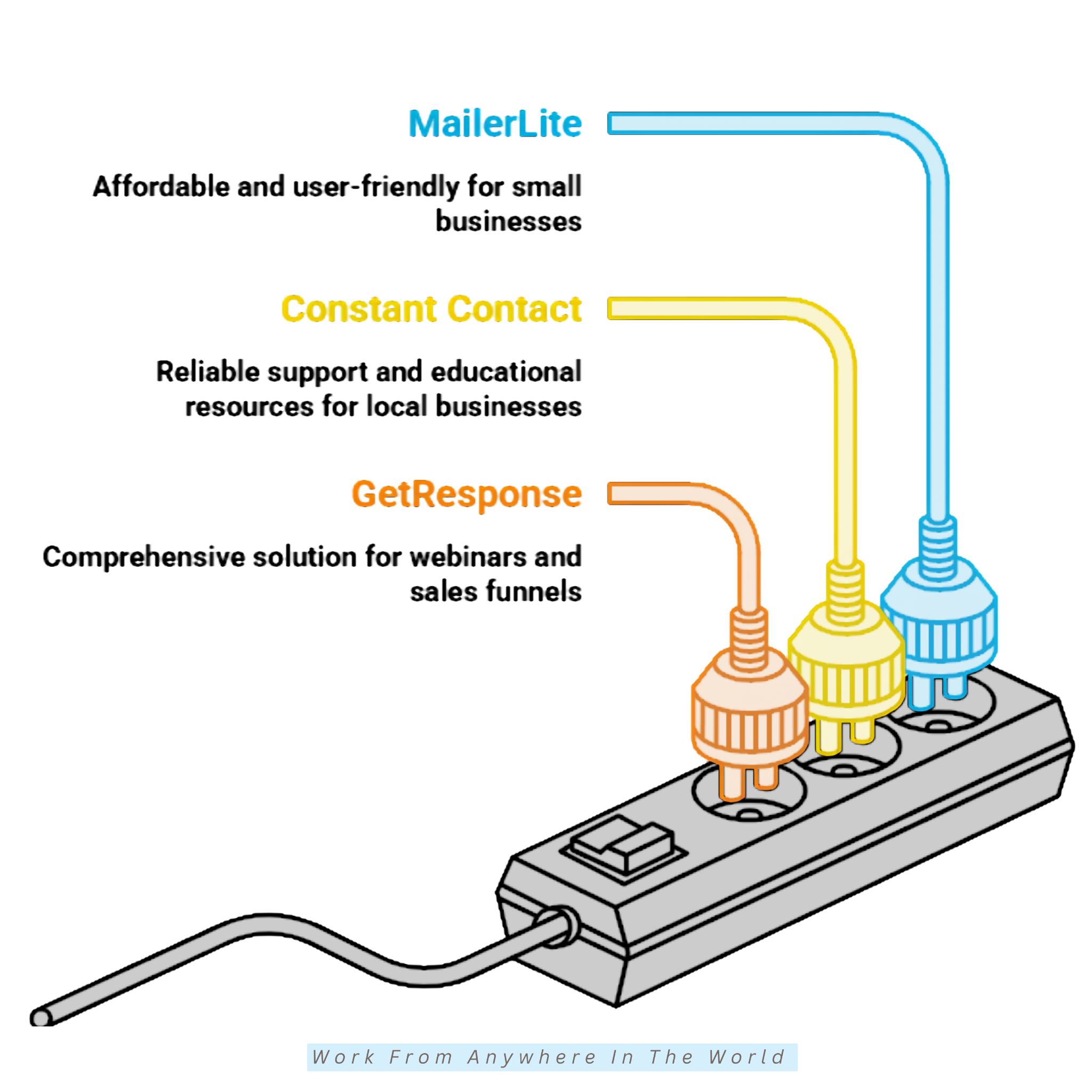
MailerLite is an affordable email marketing platform designed for bloggers, freelancers, small businesses, and growing brands. It combines powerful marketing tools with a clean, beginner-friendly interface.
The platform includes email marketing, automation, landing pages, websites, and subscriber management tools. Everything is designed to be easy to find and simple to use.
Despite its simplicity, MailerLite offers enough advanced features to support businesses as they grow. Its flexible feature set supports both beginners and more experienced marketers.
Whether you’re building an email list, promoting a business, or selling products online, MailerLite provides a practical solution without unnecessary complexity.
Key Features
1. Drag-and-Drop Email Editor
MailerLite’s drag-and-drop editor makes it easy to create professional emails without coding or design experience. Simply customize a template and publish your campaign in minutes.
2. Marketing Automation
Automated workflows handle welcome emails, follow-up messages, and other campaigns automatically. This keeps your audience engaged while reducing manual work.
3. Landing Pages And Websites
MailerLite includes tools for creating landing pages and simple websites without additional software. These features help you grow your audience and promote your business online.
4. Subscriber Segmentation
MailerLite uses subscriber segmentation to group contacts by their interests and behaviour. Personalized emails improve the relevance of your campaigns and the subscriber experience.
5. Signup Forms And Pop-Ups
Customizable signup forms and pop-ups help you collect new subscribers and grow your email list. They can easily be added to your website or landing pages.
6. Campaign Analytics
Built-in reporting tools help you monitor open rates, click-through rates, and subscriber activity. Performance insights make it easier to optimize future campaigns and track your progress.
Pricing
MailerLite offers both free and paid plans, making it easy for beginners to start building an email list. The free plan includes the essential tools needed to create and send professional email campaigns.
Upgrading to a paid plan unlocks advanced automation, additional templates, and more marketing features. This gives you greater flexibility as your email marketing strategy develops.
Higher-tier plans include enhanced reporting, user management, and additional business tools. These features help improve campaign performance and support team collaboration.
Additional features become available through MailerLite’s flexible plans as your needs grow. Upgrading provides access to more advanced tools while keeping everything in one place.
Things To Consider
1. Fewer Integrations
MailerLite integrates with many popular tools, although its selection is smaller than that of some larger competitors. Before choosing a platform, make sure it supports the services you use most often.
2. Basic Reporting
MailerLite provides useful campaign reports for most beginners and small businesses. However, users needing more advanced reporting and analytics may prefer a platform with deeper insights.
3. Account Approval
New accounts may go through an approval process before sending email campaigns. This process helps maintain high email deliverability, although it may slightly delay your first campaign.
Best For
MailerLite is an excellent choice for bloggers, solopreneurs, freelancers, small businesses, and startups. Its beginner-friendly interface makes it easy to create and manage professional email campaigns.
The platform is well suited to users who want affordable email marketing without unnecessary complexity. As your business grows, its scalable features continue to support your email marketing.
5. Constant Contact
Constant Contact is one of the longest-established email marketing platforms available today. It has helped businesses create professional email campaigns for many years.
The platform is designed for beginners and small businesses looking for a simple way to connect with customers. Its guided setup makes it easy to launch your first campaigns with confidence.
In addition to email marketing, Constant Contact includes list management, event promotion, social media integrations, and eCommerce tools. Everything is organized in one easy-to-use platform.
Whether you’re promoting a business, announcing an event, or growing your customer list, Constant Contact provides practical marketing tools backed by helpful learning resources and customer support.
Key Features
1. Email Campaign Builder
Constant Contact makes it easy to create and send professional email campaigns. Its guided tools help beginners build attractive emails without technical or design experience.
2. Professional Email Templates
The platform includes a wide selection of customizable templates for newsletters, promotions, announcements, and other marketing campaigns. Ready-made templates reduce design time while helping you create professional-looking emails.
3. Contact List Management
Constant Contact helps you organize subscribers and manage your email lists efficiently. Keeping your contacts organized makes it easier to send relevant messages to the right audience.
4. Event Marketing Tools
Built-in event marketing features include tools for promoting webinars, workshops, fundraisers, and other events. Invitations, registrations, and follow-up communication can all be managed from one platform.
5. Marketing Automation
Automation tools help you send welcome emails, follow-up messages, and other campaigns automatically. This saves time while helping you stay connected with your subscribers.
6. Campaign Reporting
Detailed reports track important metrics such as email opens, click-through rates, and subscriber engagement. These insights help you improve future campaigns and better understand your audience.
Pricing
Constant Contact offers a range of paid plans designed for businesses with different marketing needs. Each plan includes the essential tools required to create professional email campaigns and manage your audience.
Upgrading to a higher plan unlocks additional automation, advanced reporting, and other marketing features. This gives you greater flexibility as your email marketing needs evolve.
Higher-tier plans also include enhanced business tools and more customization options. These features help businesses manage larger subscriber lists and more advanced campaigns.
Upgrade your plan whenever you need additional functionality. There’s no need to switch platforms as your email marketing needs evolve.
Things To Consider
1. No Free Plan
Constant Contact offers a free trial to explore the platform before committing. This gives new users an opportunity to evaluate its features before subscribing. However, continued use requires a paid subscription.
2. Higher Subscription Costs
Constant Contact may cost more than some competing email marketing platforms. Businesses should compare the available features to determine whether the additional investment meets their needs.
3. Basic Automation On Lower Plans
The entry-level plans include the essential email marketing tools needed to get started. More advanced automation features become available as you upgrade to higher-tier plans.
Best For
Constant Contact is an excellent choice for local businesses, nonprofits, community organizations, small companies, and event organizers. Its simple tools make it easy to create professional email campaigns and stay connected with your audience.
The platform is especially well suited to organizations that value reliable customer support and easy-to-use marketing tools. Its event promotion features also make it a practical choice for businesses and organizations that regularly host events.
6. GetResponse
GetResponse is an all-in-one marketing platform designed for businesses of all sizes. It combines email marketing, webinars, automation, landing pages, and sales funnels in one platform.
The platform helps businesses manage multiple marketing activities without relying on several different tools. Everything is organized through a single, easy-to-use dashboard.
In addition to creating email campaigns, GetResponse includes tools for webinar hosting, landing pages, and customer journey automation. Together, these features support lead generation and long-term customer relationships.
Whether you’re growing an email list, promoting products, or selling online, GetResponse provides a complete marketing solution that can grow alongside your business.
Key Features
1. Email Marketing Campaigns
GetResponse makes it easy to create, schedule, and manage professional email campaigns. Its intuitive editor helps beginners design attractive emails without technical or design skills.
2. Marketing Automation
The visual automation builder supports personalized customer journeys based on subscriber actions. Automated workflows keep subscribers engaged while reducing manual work.
3. Webinar Hosting
Unlike many email marketing platforms, GetResponse includes built-in webinar hosting tools. Audience engagement, educational content, and product promotions can all be managed without additional software.
4. Conversion Funnels
GetResponse helps you build complete sales funnels that guide visitors from sign-up to purchase. These tools make it easier to generate leads and increase conversions.
5. Landing Pages And Websites
The platform includes landing page and website builders to help promote your business online. Building a professional online presence doesn’t require hiring a web designer.
6. Campaign Analytics
Built-in analytics track important metrics such as open rates, click-through rates, conversions, and subscriber activity. Reviewing these reports helps you improve future campaigns and make informed marketing decisions.
Pricing
GetResponse offers a range of paid plans designed for businesses with different marketing needs. Each plan includes the essential tools required to create professional email campaigns and manage your audience.
Higher-tier plans include additional automation, webinars, conversion funnels, and more advanced marketing features. These tools help you build more sophisticated campaigns and improve your marketing results.
Higher-tier plans include enhanced reporting, collaboration tools, and additional business features. These options are well suited to companies managing larger audiences and more complex marketing strategies.
Businesses can start with the features they need today and upgrade as their marketing becomes more advanced. This flexibility makes GetResponse a practical choice for companies planning long-term growth.
Things To Consider
1. More Advanced Platform
GetResponse offers a wide range of marketing tools, making it more comprehensive than some beginner-focused platforms. New users may need a little extra time to become familiar with all of its features.
2. Advanced Features On Higher Plans
The entry-level plans include the essential tools needed to get started with email marketing. More advanced automation, webinars, and marketing features become available as you upgrade.
3. Subscription Costs Increase
The cost of GetResponse depends on the plan you choose and the size of your email list. As your subscriber base grows, upgrading to a higher plan may become necessary.
Best For
GetResponse is an excellent choice for online educators, digital marketers, growing businesses, eCommerce brands, and webinar hosts. Its all-in-one marketing tools make it easy to manage email campaigns, webinars, and sales funnels from one platform.
The platform is well suited to businesses looking to centralize their marketing activities and automate more of their customer journey. Its scalable features also support businesses as their marketing needs become more advanced.
7. AWeber
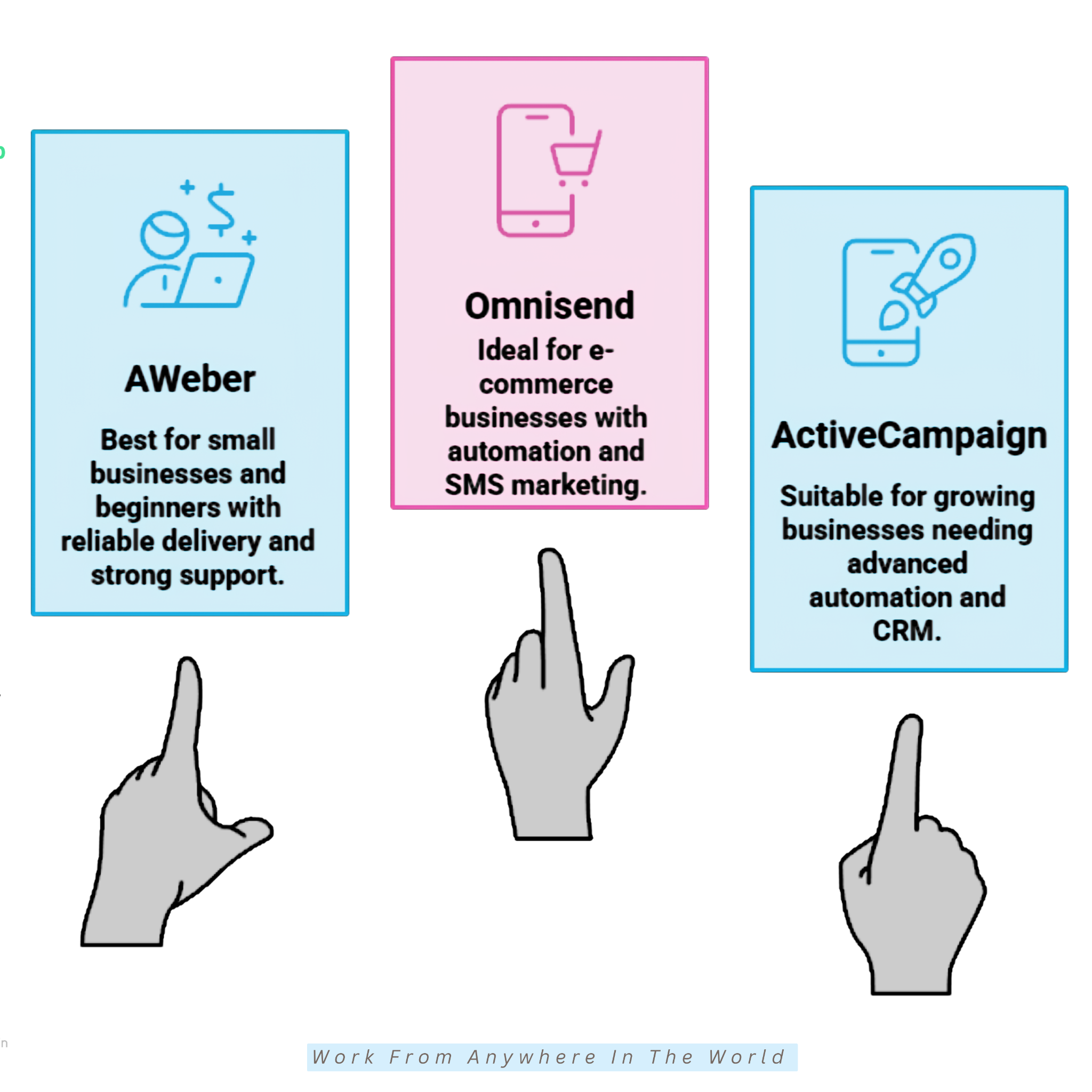
AWeber is one of the longest-running email marketing platforms in the industry. It helps small businesses, entrepreneurs, and content creators build stronger relationships through email marketing.
The platform combines email marketing, automation, landing pages, and eCommerce tools in one easy-to-use dashboard. Its clean layout makes it simple for beginners to create and manage email campaigns.
AWeber also provides helpful tutorials, guides, and customer support to help new users get started. These resources make learning email marketing less overwhelming for first-time users.
Whether you’re building an email list, promoting products, or growing your business online, AWeber offers practical tools that are easy to learn and simple to manage.
Key Features
1. Email Campaign Builder
AWeber makes it easy to create professional email campaigns using its beginner-friendly editor. Customizable templates let you create polished emails without coding or design experience.
2. Marketing Automation
Automation workflows manage welcome emails, follow-up messages, and other campaigns automatically. Automated emails save time while keeping your subscribers engaged.
3. Landing Pages And Signup Forms
AWeber includes landing pages and customizable signup forms to help you grow your email list. These tools make it easy to attract new subscribers without additional software.
4. Subscriber Tagging
Subscriber tagging helps you organize contacts based on their interests and interactions. Tagged subscriber groups receive emails that better match their preferences.
5. eCommerce Integrations
AWeber connects with many popular eCommerce platforms to help you promote products and communicate with customers. These integrations make it easier to support your online business through email marketing.
6. Campaign Analytics
Built-in reporting tools track email opens, click-through rates, and subscriber activity. Reviewing these insights helps you improve future campaigns and better understand your audience.
Pricing
AWeber offers both free and paid plans, making it easy for beginners and small businesses to get started with email marketing. The free plan includes the essential tools needed to build an email list and send professional email campaigns.
Upgrading to a paid plan unlocks additional automation, subscriber management, and marketing features. This gives you greater flexibility as your email marketing evolves.
Higher-tier plans include enhanced analytics, audience segmentation, and additional eCommerce tools. These features help businesses create more personalized campaigns and better understand their subscribers.
AWeber’s flexible plans let you unlock additional features whenever you need them. There’s no need to switch platforms as your email marketing needs evolve.
Things To Consider
1. Traditional Interface
AWeber’s interface is simple and easy to navigate, although it may feel more traditional than some newer email marketing platforms. Most users become comfortable with it after spending a little time exploring the available tools.
2. Basic Automation
AWeber includes the essential automation features needed for most email marketing campaigns. Businesses requiring highly advanced automation workflows may prefer a platform designed for more complex marketing strategies.
3. Template Customization
AWeber offers a good selection of professional email templates for beginners and small businesses. However, users looking for more extensive design customization may find some competing platforms more flexible.
Best For
AWeber is an excellent choice for small businesses, consultants, freelancers, bloggers, and entrepreneurs. Its beginner-friendly tools make it easy to create professional email campaigns and build stronger customer relationships.
The platform is well-suited to users looking for a reliable email marketing solution with helpful learning resources and dependable customer support. Its scalable features also make it a practical choice as your business continues to grow.
Would you like to learn more? Please read our AWeber Review, AWeber Tutorial, and Best AWeber Alternatives For Email Marketing to explore the platform’s features, learn how to get started, and compare it with other email marketing solutions.
8. Omnisend
Omnisend is an email marketing and automation platform designed specifically for eCommerce businesses. It helps online stores connect with customers through email, SMS, and other marketing channels.
The platform includes ready-made automation workflows, product-focused email templates, and customer segmentation tools. These features make it easy to create professional marketing campaigns without advanced technical skills.
Omnisend also integrates with many popular online shopping platforms, making it simple to promote products and recover abandoned carts. These features encourage customer engagement and support repeat purchases.
Whether you’re launching a new online store or growing an established eCommerce business, Omnisend provides practical marketing tools designed to support online sales and customer retention.
Key Features
1. Pre-Built Automation Workflows
Omnisend includes ready-made automation workflows for welcome emails, abandoned carts, order confirmations, and follow-up campaigns. These workflows help online stores save time while improving customer engagement.
2. Drag-and-Drop Email Editor
The drag-and-drop editor includes professionally designed templates created specifically for eCommerce businesses. Customizing emails to showcase products and promotions requires no coding experience.
3. SMS Marketing
Omnisend combines email and SMS marketing in one platform. Together, these communication channels create a more consistent customer experience and can improve campaign results.
4. Customer Segmentation
The platform groups customers based on their shopping behaviour, purchase history, and interactions. Each customer group receives offers and marketing messages that match previous shopping activity.
5. Product Recommendations
Product recommendation blocks automatically display relevant products within your emails. These personalized suggestions can encourage additional purchases and increase customer engagement.
6. Sales And Revenue Tracking
Built-in reporting tools track email performance, sales, and revenue generated from your campaigns. These insights help you measure results and improve future marketing strategies.
Pricing
Omnisend offers both free and paid plans, making it easy for online stores to get started with email marketing. The free plan includes the essential tools needed to create campaigns and begin engaging with customers.
Higher-tier plans include additional automation, higher sending limits, SMS marketing, and more advanced eCommerce features. These tools help you create more personalized shopping experiences and strengthen customer relationships.
Higher-tier plans include enhanced reporting, additional SMS credits, and more powerful marketing tools. These features help growing eCommerce businesses manage larger audiences and improve campaign performance.
Omnisend’s flexible plans are designed to support businesses at every stage of growth. Upgrading your plan unlocks more features without the need to switch platforms.
Things To Consider
1. Designed For eCommerce
Omnisend is built specifically for online stores and eCommerce businesses. Companies outside the eCommerce sector may find that some of its specialized features are not relevant to their marketing needs.
2. Advanced Features On Paid Plans
The free plan includes the essential tools needed to get started with email marketing. More advanced automation, reporting, and marketing features become available as you upgrade to a paid plan.
3. SMS Marketing Costs
SMS marketing is a valuable way to reach customers alongside email campaigns. However, businesses planning to send frequent text messages should consider the additional costs when budgeting for their marketing.
Best For
Omnisend is an excellent choice for eCommerce businesses, Shopify store owners, WooCommerce stores, online retailers, and product-based brands. Its specialized marketing tools make it easy to promote products, recover abandoned carts, and build stronger customer relationships.
The platform is well suited to businesses that want to combine email marketing, SMS campaigns, and automation in one place. Its scalable features also support online stores as sales and customer lists continue to grow.
9. ActiveCampaign
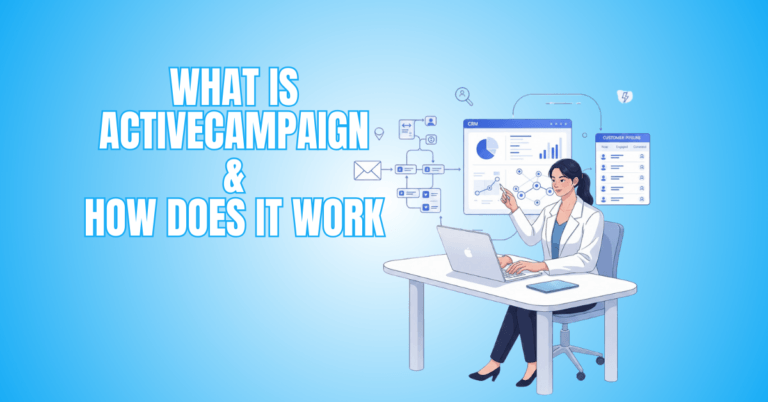
ActiveCampaign is an email marketing platform that combines automation, customer relationship management (CRM), and sales tools in one solution.
It is designed for businesses that want to create more personalized customer experiences. The platform is known for its powerful automation features and visual workflow builder.
These tools help businesses automate marketing tasks while delivering more personalized experiences for their customers. They also reduce repetitive work and improve marketing efficiency.
Despite its advanced capabilities, ActiveCampaign has an intuitive interface that is easy to navigate. Businesses can start with the basics and gradually expand their automation as their marketing needs evolve.
Whether you’re building customer journeys, nurturing leads, or strengthening customer relationships, ActiveCampaign offers flexible marketing tools that support long-term business growth.
Key Features
1. Advanced Marketing Automation
ActiveCampaign’s automation tools help create personalized customer journeys based on subscriber actions and behaviour. Automated workflows deliver timely, relevant messages while reducing manual work.
2. Visual Workflow Builder
The visual workflow builder makes it easy to design complex automation sequences without technical knowledge. Its drag-and-drop interface simplifies creating and managing customer journeys.
3. CRM Integration
ActiveCampaign combines email marketing with built-in customer relationship management (CRM) tools. Lead management, customer tracking, and relationship building are all handled within the same platform.
4. Lead Scoring
Lead scoring helps identify your most engaged prospects based on their activity and interactions. Sales efforts can then focus on the customers most likely to convert.
5. Dynamic Content Personalization
Dynamic content tailors different messages to different subscribers within the same email. Subscribers receive content that better reflects their interests.
6. Campaign Reporting
Detailed reporting tracks email performance, customer engagement, and campaign results. These insights help you refine your marketing strategy and make more informed business decisions.
Pricing
ActiveCampaign offers a range of paid plans designed to support businesses at different stages of growth. Each plan includes the essential tools needed to create professional email campaigns and automate customer communication.
Higher-tier plans include additional CRM features, landing pages, advanced integrations, and more powerful automation tools. These capabilities help personalize marketing campaigns and streamline your sales process.
Premium plans add predictive sending, enhanced reporting, and more sophisticated automation capabilities. Together, these tools optimize customer journeys and improve marketing performance.
ActiveCampaign’s flexible plans unlock more advanced automation as your business grows. These features support more personalized communication throughout the customer journey.
Things To Consider
1. Steeper Learning Curve
ActiveCampaign offers more advanced marketing tools than many beginner-focused platforms. New users may need a little extra time to become familiar with its automation features.
2. Growing Subscription Costs
The cost of ActiveCampaign depends on the plan you choose and the size of your contact list. As your subscriber base grows, upgrading to a higher plan may become necessary.
3. Advanced Features
ActiveCampaign includes many powerful marketing and automation tools. New users with simple email marketing needs may not require all of these features when they are first getting started.
Best For
ActiveCampaign is an excellent choice for growing businesses, marketing agencies, consultants, and B2B companies. Its automation and CRM tools help create more personalized customer experiences.
The platform is also a good fit for businesses that want to manage marketing and sales in one place. Its flexible automation features save time while keeping customer communication organized.
Would you like to learn more? Please read our ActiveCampaign Review, ActiveCampaign Tutorial, and What is ActiveCampaign & How Does It Work to explore the platform’s features, learn how to get started, and compare it with other email marketing solutions.
10. Moosend
Moosend is an email marketing platform that combines powerful automation with an easy-to-use interface. It is designed for businesses that want advanced marketing features without the complexity of larger enterprise platforms.
The platform includes email marketing, automation workflows, landing pages, and audience segmentation tools. Its clean dashboard makes it easy for beginners to create and manage professional email campaigns.
Moosend also provides powerful automation features that help businesses personalize customer communication and save time. These tools make it easier to build stronger relationships while improving marketing efficiency.
Whether you’re growing an email list, promoting products, or automating customer journeys, Moosend offers flexible marketing tools that can support businesses of all sizes.
Key Features
1. Marketing Automation
Moosend includes powerful automation tools that help you create personalized customer journeys based on subscriber behaviour. These workflows save time while improving customer engagement.
2. Drag-and-Drop Email Editor
The drag-and-drop editor makes it easy to create professional email campaigns without coding or design skills. A wide selection of templates helps you get started quickly.
3. Audience Segmentation
Moosend organizes subscribers based on their interests, behaviour, and purchase history. Each group receives messages tailored to its preferences and previous interactions.
4. Landing Pages And Signup Forms
The platform includes landing pages and customizable signup forms to help you grow your email list. These tools make it easy to attract new subscribers without additional software.
5. Personalization Tools
Moosend includes personalization features that tailor email content to different subscriber groups. This creates a more engaging experience and can improve campaign performance.
6. Campaign Analytics
Built-in reporting tools track email opens, click-through rates, conversions, and subscriber activity. These insights help you measure results and improve future marketing campaigns.
Pricing
Moosend offers a range of paid plans that support businesses at different stages of growth. Each plan includes the essential tools needed to create professional email campaigns and automate everyday marketing tasks.
Higher-tier plans include additional automation, audience segmentation, landing pages, and other marketing features. These tools provide greater flexibility while keeping your campaigns organized and efficient.
Higher-tier plans include more advanced reporting, personalization tools, and expanded automation options. These features help businesses deliver more targeted customer experiences and improve long-term marketing results.
Moosend is designed to scale alongside your business without adding unnecessary complexity. Its powerful automation is supported by an intuitive interface.
Things To Consider
1. Smaller Integration Library
Moosend integrates with many popular business applications and eCommerce platforms. However, businesses with highly specialized software should confirm compatibility before choosing the platform.
2. Advanced Features Require Higher Plans
The entry-level plans include the essential tools needed for most email marketing campaigns. More advanced automation and business features become available as you upgrade.
3. Smaller Brand Recognition
Moosend is not as widely recognized as some of the larger email marketing providers. Despite this, it offers a strong combination of automation, ease of use, and value for growing businesses.
Best For
Moosend is an excellent choice for small businesses, bloggers, freelancers, online retailers, and growing companies. Its combination of powerful automation and user-friendly tools makes it easy to create professional email marketing campaigns.
Moosend is especially appealing to businesses that want advanced automation without feeling overwhelmed by complicated software. Its intuitive interface simplifies everyday tasks, leaving more time to connect with customers.
Would you like to learn more? Please read our Moosend Review and How To Get Started With Moosend – An Easy Tutorial to explore the platform’s capabilities, compare its features, and learn how to get started.
11. Campaign Monitor
Campaign Monitor is an email marketing platform known for its professionally designed email templates and easy-to-use campaign builder. It helps businesses create polished email campaigns that strengthen customer relationships and support long-term business growth.
The platform is trusted by businesses, agencies, and marketing professionals looking for a balance between simplicity and professional design. Its intuitive interface makes it easy to build attractive emails without requiring technical expertise.
Campaign Monitor also offers automation, audience segmentation, and reporting tools to help businesses send more relevant campaigns. These features help marketers better understand subscriber engagement and improve future results.
Professional email design is one of Campaign Monitor’s biggest strengths. The platform makes it easy to create attractive campaigns without complicated design tools.
Key Features
1. Professional Email Templates
Campaign Monitor offers a wide selection of professionally designed email templates that help businesses create polished campaigns. These templates are fully customizable and require no coding experience.
2. Drag-and-Drop Email Builder
Campaign Monitor’s drag-and-drop editor gives you full control over your email design. Layouts, images, colours, and content can all be customized to match your brand.
3. Marketing Automation
Campaign Monitor includes automation tools for welcome emails, follow-up messages, and customer journeys. These workflows help businesses stay connected with subscribers while saving time.
4. Audience Segmentation
Subscriber segmentation organizes contacts based on their interests, behaviour, and engagement. Each group receives email campaigns tailored to its preferences.
5. A/B Testing
A/B testing lets you compare subject lines, email content, and other campaign elements to see what performs best. The results can help improve open rates and subscriber engagement.
6. Campaign Reporting
Built-in reporting tools track opens, clicks, conversions, and other important campaign metrics. These insights help businesses evaluate performance and make informed marketing decisions.
Pricing
Campaign Monitor offers a selection of paid plans designed to meet the needs of businesses of different sizes. Each plan includes the core tools required to create professional email campaigns and manage subscriber lists.
Moving to a higher plan unlocks additional automation, advanced segmentation, and more detailed reporting. These features provide greater flexibility as your email marketing activities expand.
The platform also offers premium options for businesses with larger audiences and more advanced marketing requirements. Each plan is designed to support your current marketing needs while providing room for future growth.
Campaign Monitor’s pricing structure makes it easy to select the features that best support your marketing goals. Businesses can upgrade whenever they require additional functionality without switching to a different platform.
Things To Consider
1. Premium Features
Campaign Monitor includes the essential tools needed to create professional email campaigns. Some of its more advanced automation and marketing features are available on higher-tier plans.
2. Design Flexibility
The platform offers a wide range of professionally designed templates that are easy to customize. Businesses requiring highly specialized layouts may need additional design work to achieve a completely unique look.
3. Pricing
Campaign Monitor is designed for businesses that value professional email marketing tools and polished design. Comparing the available plans can help you choose the features that best match your marketing needs.
Best For
Campaign Monitor is an excellent choice for small businesses, marketing agencies, designers, and professional service providers. Its attractive templates make it easy to create polished email campaigns that reflect your brand.
Businesses that value professional design and consistent branding will appreciate Campaign Monitor’s intuitive tools. The platform helps create attractive marketing emails without adding unnecessary complexity.
12. Benchmark Email
Benchmark Email is an email marketing platform designed to make creating and managing email campaigns simple for businesses of all sizes. It focuses on ease of use, collaboration, and practical marketing tools that help users connect with their audience.
The platform combines email marketing, automation, signup forms, and reporting in a clean, user-friendly interface. Beginners can get started quickly, while experienced marketers still have the flexibility they need.
Benchmark Email also includes collaboration tools designed for teams managing email campaigns together. These features help businesses maintain consistency while improving communication throughout the marketing process.
Simple navigation and practical features make Benchmark Email a reliable choice for businesses looking to create professional campaigns without unnecessary complexity.
Key Features
1. Drag-and-Drop Email Builder
Benchmark Email’s drag-and-drop editor gives you the flexibility to design branded email campaigns. Every element can be adjusted to match your business and marketing style.
2. Marketing Automation
Automation tools help you send welcome emails, follow-up messages, and other campaigns automatically. This saves time while keeping your subscribers engaged.
3. Collaboration Tools
Benchmark Email supports team collaboration on email campaigns within one platform. These collaboration features improve workflow while helping maintain consistent branding.
4. Audience Segmentation
Benchmark Email lets you group subscribers according to their interests, behaviour, and engagement. Your audience receives more relevant emails based on their preferences and interactions.
5. Signup Forms
Benchmark Email includes customizable signup forms that help grow your email list. These forms can be added to your website to collect new subscribers more efficiently.
6. Campaign Analytics
Built-in reporting tools monitor opens, clicks, and subscriber activity. These insights help you evaluate campaign performance and identify opportunities for improvement.
Pricing
Benchmark Email offers both free and paid plans, making it accessible to businesses with different marketing needs. The free plan includes the essential tools needed to create and send professional email campaigns.
Paid plans unlock additional automation, advanced reporting, and more customization options. These features provide greater flexibility for businesses managing larger subscriber lists or more complex campaigns.
Higher-tier plans also include enhanced collaboration tools and additional marketing capabilities. Multiple team members can contribute to campaigns while maintaining a consistent brand voice.
Benchmark Email’s pricing is designed to give businesses the flexibility to choose a plan that matches their current requirements. Additional features can be added over time as marketing priorities change.
Things To Consider
1. Advanced Features
Benchmark Email includes the essential tools needed for most email marketing campaigns. Some of its more advanced automation and reporting features are available on higher-tier plans.
2. Integration Options
Benchmark Email connects with many popular business applications and marketing tools. Businesses using highly specialized software should confirm compatibility before getting started.
3. Enterprise Features
Benchmark Email provides a practical set of tools for creating and managing email campaigns. It focuses on simplicity rather than highly advanced enterprise-level marketing features.
Businesses with complex automation needs may prefer a more specialized platform. Companies should compare the available features before choosing the solution that best fits their marketing goals.
Best For
Benchmark Email is an excellent choice for small businesses, startups, freelancers, marketing teams, and nonprofit organizations. Its collaboration features make it easier for multiple users to work together on email campaigns.
Businesses that value teamwork and efficient workflows will appreciate its practical design. The platform helps teams create consistent, professional email campaigns with confidence.
Frequently Asked Questions
Q1: Which Email Marketing Tool Is Easiest For Beginners?
MailerLite and Mailchimp are two of the easiest email marketing platforms for beginners. Both offer intuitive dashboards, drag-and-drop email builders, and helpful tutorials.
New users can learn the basics quickly. As their confidence grows, they can explore more advanced features and build more effective email campaigns.
Q2: Can I Start Email Marketing For Free?
Yes. Several email marketing platforms offer free plans that let you build an email list and send campaigns without an upfront investment.
Mailchimp, Brevo, MailerLite, Kit, and AWeber all offer free options. Testing the platform first makes it easier to decide whether a paid plan is the right choice.
Q3: Which Email Marketing Platform Is Best For Bloggers?
Kit is one of the most popular email marketing platforms for bloggers. It was designed specifically for creators and includes automation, subscriber tagging, and landing pages.
MailerLite is another excellent choice for bloggers. It offers an affordable, user-friendly platform with the tools needed to grow an engaged audience.
Q4: What Is The Most Affordable Email Marketing Tool?
Brevo, MailerLite, Sender, and Zoho Campaigns are among the most affordable email marketing platforms. They provide automation, segmentation, templates, and reporting at competitive prices.
These platforms are ideal for beginners and small businesses. They offer excellent value without sacrificing the essential features needed for email marketing.
Q5: Which Email Marketing Tool Is Best For eCommerce Stores?
Omnisend is a popular choice for eCommerce businesses. It includes abandoned cart emails, product recommendations, customer segmentation, and SMS marketing.
Mailchimp and GetResponse also provide useful eCommerce tools and integrations. These features help online stores build stronger customer relationships and increase sales.
Q6: Do I Need Technical Skills To Use Email Marketing Software?
No. Most modern email marketing platforms are designed for users with little or no technical experience. Their interfaces are simple to learn and easy to navigate.
Drag-and-drop editors, ready-made templates, visual automation builders, and guided setup tools make it easy to create professional email campaigns without coding.
Conclusion
Choosing the right email marketing tool for beginners may seem challenging at first. Fortunately, many platforms offer free plans or trials, making it easy to compare features before committing.
Take time to explore the available options and choose a platform that matches your goals, budget, and level of experience. The best choice is the one that fits your current needs while giving you room to grow.
As your subscriber list grows, your confidence and email marketing skills will grow as well. The right platform can help you build stronger relationships, increase engagement, and support your business for years to come.
I trust you enjoyed this article on the 12 Best Email Marketing Tools For Beginners. Please stay tuned for more insightful blogs on affiliate marketing, online business, and working from anywhere in the world.
Take care!
— JeannetteZ 🌍✨
💬 Your Opinion Is Important To Me
Do you have thoughts, ideas, or questions? I’d love to hear from you. Please leave your comments below or email me directly at Jeannette@WorkFromAnywhereInTheWorld.com.
📚 More Work From Anywhere Reads
🚀 Ready to Build a Business You Can Run from Home
Or from Anywhere in the World?
Imagine creating income on your terms — from home, a cozy café, or wherever life takes you.
With the right tools, training, and community support, it’s entirely possible.
Start your own online business for free — no credit card needed.
Disclosure
This post may contain affiliate links. As an Amazon Associate and participant in other affiliate programs, I earn from qualifying purchases at no extra cost to you. Please read my full affiliate disclosure.