Moosend Review: 8 Key Features, Pros And Cons
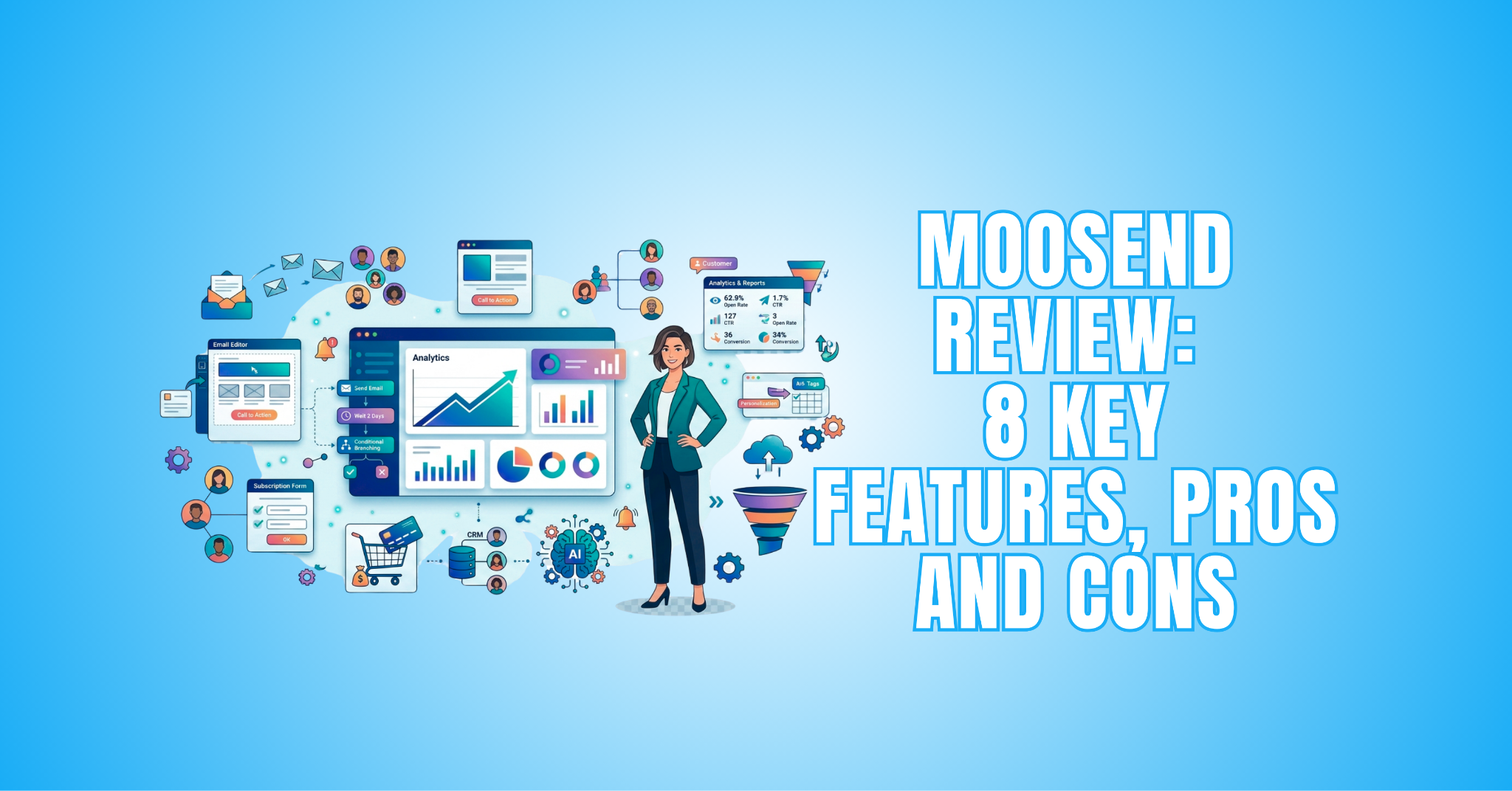
This Moosend Review explores the platform’s email marketing features, automation tools, benefits, and limitations. It will help you determine whether Moosend suits your marketing needs.
Moosend combines email campaign creation with marketing automation, audience management, personalization, and reporting tools. These features support different stages of planning and managing email campaigns.
The platform can be used by bloggers, eCommerce businesses, agencies, and other organizations that rely on email communication. Its tools range from basic campaign creation to more advanced automated workflows.
Choosing an email marketing platform depends on your individual needs and goals. Understanding how Moosend works can help you decide whether it deserves a place in your marketing strategy.
Bloggers often rely on several platforms to manage content, promotion, and audience communication. Choosing the right blogging tools can make these everyday tasks easier to organize.
What Is Moosend?
Moosend is an email marketing and automation platform that helps businesses create campaigns and communicate with their audiences. It combines email creation with tools for automation, audience management, and campaign tracking.
The platform also includes landing pages, subscription forms, segmentation, and reporting tools. These features allow businesses to manage several parts of their email marketing strategy from one place.
Founded in 2011, Moosend has developed into a platform used by businesses, bloggers, eCommerce brands, and other online marketers. Its tools can support both straightforward email campaigns and more advanced automated workflows.
Moosend focuses on making email marketing tools accessible without requiring extensive technical knowledge. Visual editors and campaign management features can make it easier to create and organize marketing activities.
Businesses can also use analytics to monitor campaign performance and understand how subscribers interact with their emails. These insights can help guide future campaigns and communication strategies.
Email marketing is only one part of managing a digital business. The right online business tools can also support eCommerce, design, customer management, productivity, and communication.
Key Features Of Moosend
Moosend offers a range of tools for creating, managing, and improving email marketing campaigns. These features cover everything from email design and audience management to automation and reporting.
Some tools focus on simplifying everyday campaign creation. Others provide more advanced options for personalization, segmentation, and automated customer communication.
The platform also includes tools that extend beyond traditional email campaigns. Landing pages, subscription forms, and integrations can support broader marketing and lead-generation activities.
Understanding these features can help you determine how well Moosend fits your marketing needs. It also makes it easier to identify which tools may be most useful for your business.
Let’s look at the eight key features and how each one works. Together, they provide a clearer picture of what Moosend can offer and how its tools support different email marketing needs.
1. Drag-And-Drop Email Editor
Moosend’s drag-and-drop email editor allows users to create professional campaigns without coding or extensive design experience. The visual editor makes it easier to arrange and customize different elements within an email.
Users can add text, images, buttons, social icons, and other content blocks to their designs. Each element can be positioned and adjusted to suit the campaign’s purpose and branding.
The editor can be used to create newsletters, promotional emails, event invitations, product announcements, and other marketing messages. This gives businesses flexibility when creating different types of campaigns.
Preview options also help users check how their emails will appear before sending them. This is useful for creating campaigns that display properly across desktop and mobile devices.
2. Marketing Automation Workflows
Moosend’s automation builder helps businesses create customer journeys with little technical knowledge. Workflows can respond automatically to specific subscriber actions and behaviours.
Users can set triggers based on purchases, clicks, signups, or page visits. These triggers can start welcome emails, follow-ups, abandoned cart messages, and other communications.
The visual workflow builder displays each stage of the customer journey. This makes it easier to review the sequence and adjust individual steps when necessary.
Automated workflows can reduce repetitive marketing tasks and help businesses maintain consistent communication. Messages can also be tailored to different subscriber actions and stages of the customer journey.
Automation can simplify recurring tasks while supporting more consistent customer communication. Learning more about email marketing automation can help businesses understand how automated campaigns fit into a broader marketing strategy.
3. Audience Segmentation
Effective email marketing often depends on sending relevant messages to the right audience. Moosend provides segmentation tools that help businesses organize subscribers into targeted groups.
Segments can be created using demographics, campaign engagement, purchase behaviour, custom fields, and browsing activity. This gives businesses several ways to organize contacts based on available information.
Instead of sending the same message to every subscriber, businesses can create content for specific audience groups. This can make campaigns more relevant to different interests, behaviours, and needs.
Moosend’s segmentation tools support both straightforward and more detailed targeting. Businesses can adjust their approach as their audience grows and their marketing needs become more advanced.
Understanding your audience is an important part of effective segmentation. A thorough audience analysis can help identify customer interests, behaviours, preferences, and other characteristics that may be useful when creating targeted groups.
4. Email Personalization
Personalization allows businesses to tailor email content to individual subscribers or audience groups. Moosend provides several options for adding customer information to marketing messages.
Users can include details such as subscriber names, locations, purchase history, and custom information. These details can be inserted dynamically into emails based on the available contact data.
Personalized content can make emails feel more relevant to the recipient. Businesses can adapt messages to reflect different interests, previous actions, or stages of the customer journey.
These tools can be used alongside segmentation and automation for more targeted communication. Together, they help businesses move beyond sending identical messages to every subscriber.
Personalized communication can also help businesses maintain meaningful connections with existing customers. Effective B2B customer retention strategies can provide additional ways to encourage continued engagement.
5. Landing Page Builder
Moosend includes a landing page builder for creating dedicated pages without separate design software. These pages can support different marketing campaigns and lead-generation goals.
Users can choose customizable templates for product promotions, webinar registrations, newsletter signups, and other campaigns. The visual editor lets users adjust layouts and content without coding.
Businesses can customize landing pages with their own branding, images, text, and calls to action. Signup forms can also collect contact information directly from interested visitors.
Landing pages can work alongside Moosend’s email marketing and automation tools. This helps businesses connect lead generation with follow-up campaigns and manage both activities from one platform.
6. Subscription Forms
Moosend’s subscription form builder helps businesses collect contact information and grow their email lists. Forms can be customized to support different audiences and marketing goals.
Users can adjust the design, placement, display triggers, and targeting settings. This provides control over how forms appear and when visitors see them.
Available formats include popups, floating bars, inline forms, and full-page displays. Businesses can choose a format that fits the page design and purpose of the campaign.
Subscription forms can connect new contacts directly with email lists and marketing campaigns. This makes it easier to continue communicating with subscribers after they sign up.
Building an email list can also support a broader community around your business or content. Effective online community management can help you maintain those connections and encourage ongoing interaction.
7. Analytics And Reporting
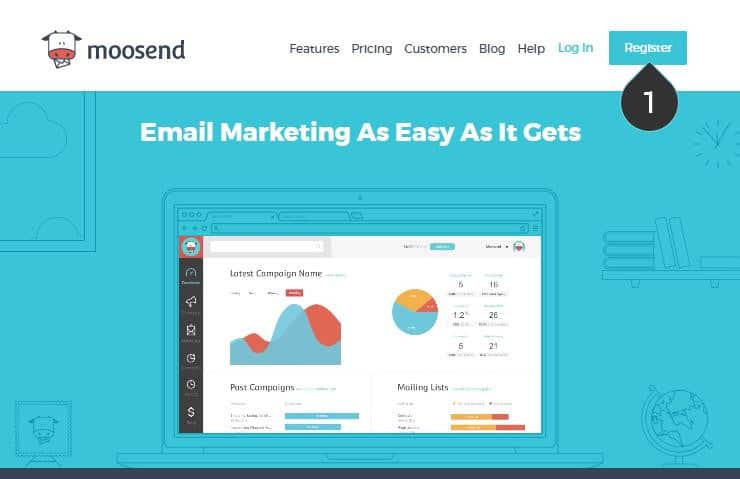
Moosend provides reporting tools that help businesses understand how their email campaigns are performing. The dashboard brings several important campaign metrics together in one place.
Users can review open rates, click-through rates, unsubscribes, bounce rates, and conversions. These metrics provide insight into how subscribers respond to different campaigns.
Heatmaps and engagement tracking offer additional information about subscriber interactions. Businesses can use this data to identify patterns and understand which content attracts attention.
Campaign reports can also guide future marketing decisions and audience targeting. Reviewing previous results can help businesses adjust their content and refine upcoming campaigns.
Email analytics provide insight into how subscribers respond to campaigns. Businesses active on social platforms can also use social media analytics tools to understand engagement and evaluate their broader digital marketing efforts.
8. eCommerce Integrations
Moosend offers eCommerce integrations that connect online store activity with email marketing campaigns. These connections can help businesses use customer behaviour when planning their communication.
Depending on the integration, businesses can use information about purchases, abandoned carts, and browsing activity. This data can support more targeted messages and automated workflows.
Customer activity can also be used for product recommendations and follow-up campaigns. This gives online stores more ways to tailor communication to individual customer actions.
Combining eCommerce data with automation can make marketing campaigns more relevant. Businesses can use these tools to support repeat purchases, abandoned cart reminders, and ongoing customer communication.
Choosing the right eCommerce platform can also influence how you manage your online marketing. Our Shopify vs WooCommerce comparison explores two popular options for building and managing an online store.

Pros Of Moosend
Moosend offers several advantages for businesses looking to manage their email marketing from one platform. Its tools cover campaign creation, automation, audience management, and performance tracking.
Many of its features are designed to simplify everyday marketing tasks. Visual editors and customizable templates can also reduce the technical knowledge needed to create campaigns.
Automation and segmentation provide additional flexibility for businesses with more developed marketing needs. These tools can support targeted communication without requiring every campaign to be managed manually.
Moosend also brings landing pages, subscription forms, and eCommerce integrations into its marketing environment. This allows businesses to connect different parts of their email strategy more easily.
1. Beginner-Friendly Interface
Moosend provides a clean dashboard that can make email marketing easier to navigate for new users. Campaigns, forms, automation workflows, and reports are organized within the platform.
Visual editors also reduce the need for technical or design experience. Users can create campaigns and explore the main tools without learning complicated processes first.
As users become more familiar with the platform, they can explore features such as automation and segmentation. This allows them to start with basic campaigns before using more advanced tools.
This combination can make Moosend suitable for bloggers, entrepreneurs, startups, and small businesses. Users can access straightforward campaign tools while still having options for more developed marketing needs.
2. Strong Automation Capabilities
Moosend’s automation tools help businesses create customer journeys and manage recurring marketing tasks. The visual workflow builder makes each step easier to organize and review.
Businesses can create welcome emails, lead-nurturing sequences, abandoned cart messages, and other automated campaigns. Triggers allow messages to respond to specific subscriber actions or behaviours.
Automation can reduce the amount of manual work involved in regular customer communication. It also helps businesses maintain consistent contact across different stages of the customer journey.
More advanced workflows can combine automation with segmentation and personalization. This gives businesses greater flexibility when creating targeted campaigns for different audience groups.
3. Flexible Plan Options
Moosend offers different plan options to accommodate a range of email marketing needs. Businesses can choose an option based on their audience size, required features, and marketing activities.
This flexibility can be useful for bloggers, freelancers, startups, and small businesses. They can select the tools that suit their current requirements without focusing on features they may not need.
Available options can include access to automation, segmentation, landing pages, analytics, and other marketing tools. The exact features depend on the plan selected.
Since plans, features, and limits can change, businesses should check Moosend’s official website for current details. This makes it easier to compare the available options before choosing a plan.
4. Excellent Email Design Tools
Moosend provides visual design tools that make creating professional emails easier. The drag-and-drop editor allows users to customize layouts without coding knowledge.
Users can add images, buttons, columns, product recommendations, social media links, and personalized content blocks. These elements can be arranged to suit different campaigns and marketing goals.
Customizable templates provide another starting point for email creation. Businesses can adjust colours, fonts, images, and other elements to maintain consistent branding.
The editor provides enough flexibility to create newsletters, promotions, announcements, and other marketing emails. Designs can also be previewed before sending to check how they appear on different devices.
5. Useful Reporting And Analytics
Moosend provides reporting tools that help businesses understand how their email campaigns are performing. The dashboard presents important campaign data in one place for easier review.
Users can monitor open rates, clicks, subscriber activity, conversions, and other engagement metrics. This information can reveal how audiences interact with different emails and campaigns.
Heatmaps provide additional insight into which areas of an email receive attention. These details can help businesses identify content and design elements that interest subscribers.
Campaign data can also guide future marketing decisions and adjustments. Businesses can use previous results to refine their content, targeting, and overall email strategy.

Cons Of Moosend
No email marketing platform will suit every business, and Moosend has some limitations to consider. Understanding these drawbacks is just as important as reviewing its features and advantages.
Some limitations may matter more to certain users than others. The impact will depend on your business size, marketing strategy, and the tools you need.
Businesses should also consider how Moosend fits with their existing software and workflows. A feature that works well for one organization may be less suitable for another.
Looking at both strengths and limitations provides a more balanced picture of the platform. The following cons can help you decide whether Moosend matches your marketing requirements.
1. Limited Native Integrations
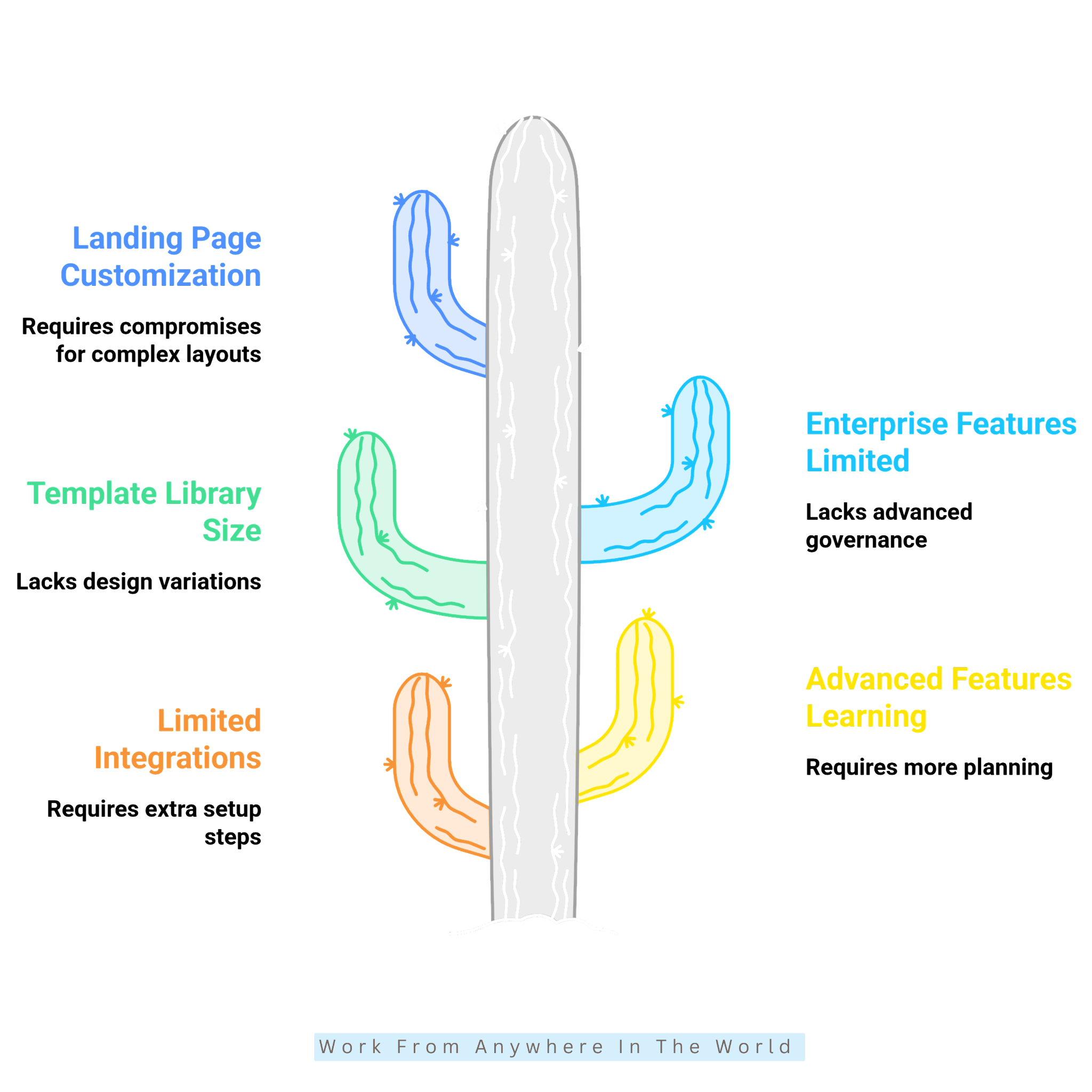
Moosend connects with a range of popular marketing and eCommerce tools. However, businesses using specialized software may find that some applications do not have a direct native integration.
In these cases, connecting different platforms may require a third-party service or another integration method. This can add extra steps when setting up marketing workflows.
Businesses that rely on several applications should check compatibility before choosing Moosend. This is particularly important when specific tools are essential to daily marketing or sales activities.
For businesses using commonly supported platforms, this limitation may have little impact. Those with more complex software requirements should review the available integrations carefully.
2. Advanced Features Require Learning
Moosend is relatively straightforward for basic email campaigns. However, some advanced automation and segmentation tools may take more time to understand.
Complex workflows often require careful planning and a clear idea of the customer journey. New users may need to experiment with different settings before becoming comfortable with these features.
Advanced segmentation can also involve more detailed conditions and subscriber data. Understanding how these options work can help users create more targeted campaigns.
The additional learning may be worthwhile for businesses that need more sophisticated marketing tools. Users can begin with simpler features and explore advanced options as their needs develop.
3. Template Library Could Be Larger
Moosend provides a selection of customizable email templates for different campaign types. However, users looking for a wide variety of designs may find the available collection somewhat limited.
The existing templates cover many common email marketing needs. They can also be customized with different colours, images, content blocks, and branding elements.
Businesses creating specialized campaigns may want more industry-specific designs or layout options. In these cases, additional customization may be needed to achieve the desired appearance.
The drag-and-drop editor provides flexibility for creating custom layouts when a suitable template is unavailable. This makes the limitation more about convenience than the ability to design an email.
4. Enterprise-Level Features Are Limited
Moosend is primarily suited to small and medium-sized businesses with standard email marketing needs. Larger organizations may require additional tools for managing more complex marketing operations.
Enterprise teams often need advanced collaboration, governance, and account management features. These requirements can become more important when several departments or teams share the same marketing platform.
Organizations operating across multiple regions may also have more complex workflows and administrative needs. In these situations, an enterprise-focused platform may provide greater flexibility.
For smaller and mid-sized businesses, these limitations may be less important. The decision depends on the size of the organization and the complexity of its marketing requirements.
5. Landing Page Customization Has Limits
Moosend’s landing page builder provides the tools needed for many common marketing campaigns. However, users who need highly customized designs may find some of the available options limiting.
The builder works well for lead-generation pages, promotions, registrations, and other straightforward campaigns. Templates and visual editing tools make these pages easier to create without coding.
More complex layouts may require greater design flexibility than the built-in builder provides. This may matter to businesses with specialized branding or detailed landing page requirements.
For businesses mainly focused on email marketing, the available options may be sufficient. Those needing extensive design control may prefer to use a dedicated landing page tool alongside Moosend.
Moosend Pricing Plans
Moosend offers different options for businesses with varying email marketing requirements. The right choice depends on factors such as audience size, required features, and the complexity of your campaigns.
When comparing the available options, consider more than the subscription cost. Automation, landing pages, segmentation, reporting, integrations, and support can all influence which option is most suitable.
Businesses should also think about their future marketing requirements. Choosing a plan with the appropriate tools can make it easier to manage campaigns as email marketing needs develop.
Plans, features, limits, and pricing can change. Visit Moosend’s official website for the latest information before selecting an option.
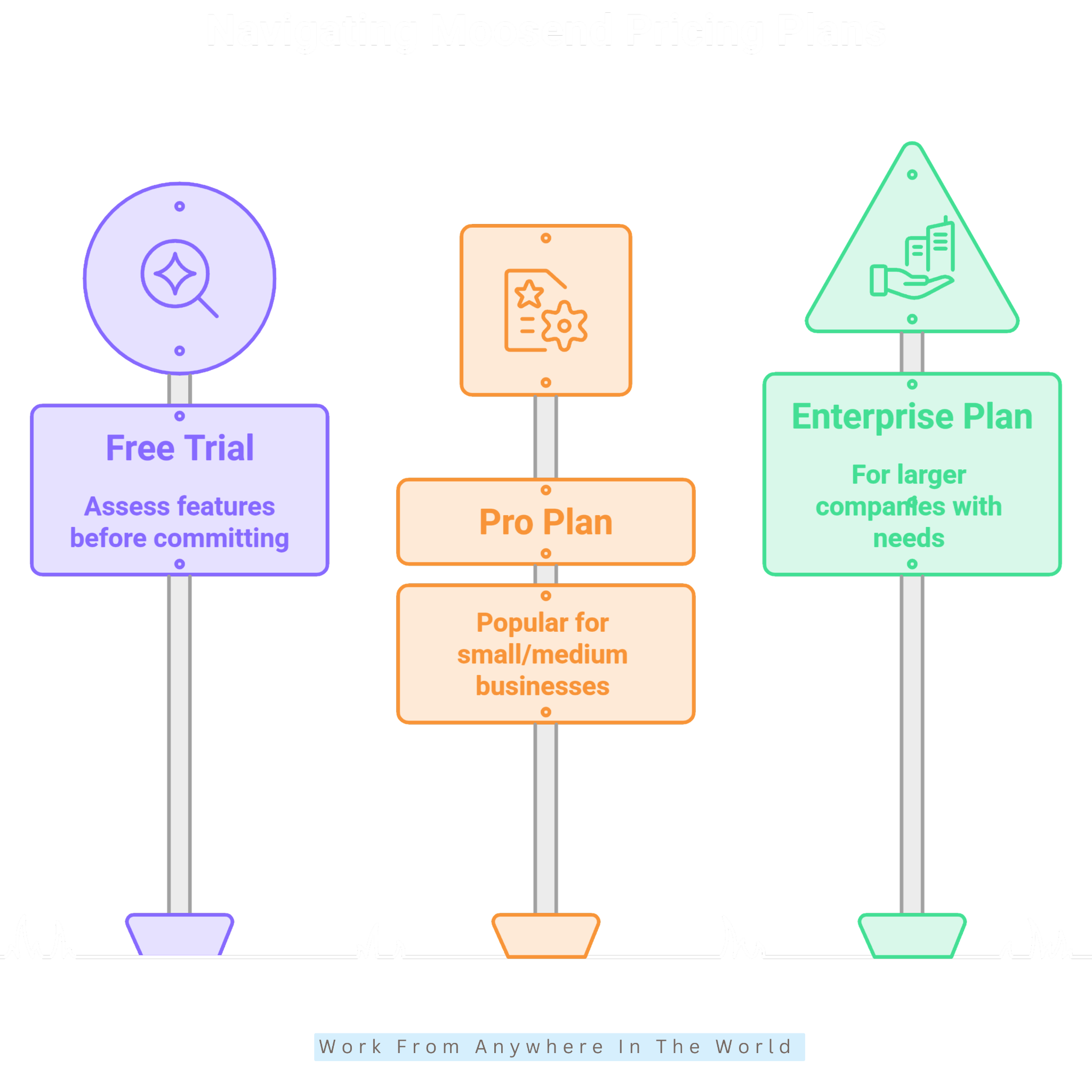
Free Trial
Moosend offers a free trial that allows new users to explore the platform before choosing a paid plan. This provides an opportunity to become familiar with its interface and marketing tools.
During the trial, users can explore available features and create campaigns to see how the platform works. This can help businesses determine whether Moosend suits their marketing needs.
Trial features and conditions may change, so check the current details before signing up. Visit the official Moosend website for the latest information about available plans, features, and trial options.
Pro Plan
The Pro Plan is designed for businesses that need access to Moosend’s main email marketing and automation tools. Available features can support both regular campaigns and more developed marketing strategies.
Depending on the current plan structure, features may include:
- Email marketing campaigns
- Marketing automation workflows
- Landing pages
- Subscription forms
- Audience segmentation
- Analytics and reporting
- Email personalization tools
- Marketing integrations
This option may suit businesses that regularly use email marketing and need more than basic campaign creation.
Enterprise Plan
The Enterprise Plan is intended for organizations with more complex marketing and operational requirements. Available services and features can be tailored according to individual business needs.
Enterprise options may include additional support, reporting, security, onboarding, and account management features. Exact services depend on the arrangement with Moosend.
This option may be worth considering for larger organizations with extensive contact lists, multiple users, or more complex email marketing operations.
Is Moosend Worth It?
Moosend can be worth considering for small businesses, bloggers, content creators, agencies, and eCommerce businesses. It combines email marketing with automation, segmentation, analytics, landing pages, and subscription forms.
The platform offers straightforward tools for creating everyday email campaigns. At the same time, automation and segmentation provide additional options for businesses with more advanced marketing needs.
Moosend may be particularly suitable for businesses that want several email marketing tools within one platform. Its visual editors can also make campaign creation more accessible for users with limited technical experience.
However, businesses with complex enterprise requirements or specialized integration needs may find some limitations. Comparing Moosend’s features with your specific requirements will help determine whether it is the right choice for your marketing strategy.
Moosend can also support businesses that use email as part of their B2B marketing efforts. Exploring effective marketing strategies for B2B can help businesses combine email campaigns with a broader approach to reaching potential clients.
Frequently Asked Questions
Q1: What Is Moosend Used For?
Moosend is used for email marketing, marketing automation, audience segmentation, landing pages, subscription forms, and campaign tracking. These tools help businesses manage several parts of their email marketing from one platform.
It can support everyday newsletters as well as more targeted and automated campaigns. The features businesses use will depend on their audience and marketing goals.
Q2: Is Moosend Beginner-Friendly?
Yes. Moosend provides visual editors and straightforward campaign management tools that can make the platform accessible to beginners. Users can start with basic email campaigns before exploring more advanced features.
Automation and detailed segmentation may require additional learning. However, users can gradually explore these tools as they become more familiar with the platform.
Q3: Does Moosend Provide Marketing Automation?
Yes. Moosend allows users to create automated workflows based on selected triggers and customer actions. These can support welcome emails, follow-ups, abandoned cart messages, and other recurring communication.
Automation can reduce repetitive tasks while helping businesses maintain consistent contact with subscribers. More advanced workflows can also incorporate segmentation and personalization.
Q4: Can Moosend Help eCommerce Businesses?
Yes. Moosend provides tools that can support email marketing for eCommerce businesses. Available features include integrations, abandoned cart campaigns, segmentation, and personalized communication.
Customer activity can also be incorporated into automated workflows. This allows businesses to tailor certain messages according to purchases, browsing activity, or other available data.
Q5: Can I Personalize Emails With Moosend?
Yes. Moosend allows businesses to personalize emails using subscriber information and other available customer data. This can include names, custom fields, purchase information, and other relevant details.
Personalization can also work alongside audience segmentation and automation. Together, these tools allow businesses to create more targeted communication for different subscribers.
Q6: Who Should Use Moosend?
Moosend may suit bloggers, startups, small businesses, eCommerce stores, agencies, and other organizations that rely on email marketing. Its tools support both straightforward campaigns and more advanced automation.
The best fit depends on your required features, integrations, audience size, and marketing strategy. Businesses with complex enterprise requirements may need to compare Moosend with other platforms before deciding.
Conclusion
This Moosend Review shows that the platform combines several email marketing tools in one place. Users can create campaigns, manage subscribers, and automate regular communication.
Moosend also provides segmentation, personalization, landing pages, and reporting tools. These features can support both basic campaigns and more developed email marketing strategies.
The platform may suit bloggers, small businesses, eCommerce stores, agencies, and other online marketers. However, some advanced users may need broader integrations or more specialized enterprise features.
Choosing the right platform depends on your audience, marketing goals, and required tools. Your email marketing platform should also fit comfortably within your broader business strategy.
Developing a marketing plan can help you decide where email marketing fits into that strategy. You can then compare your requirements with Moosend’s features to determine whether it is the right fit.
I trust you enjoyed this article on the Moosend Review. Please stay tuned for more insightful blogs on affiliate marketing, online business, and working from anywhere in the world.
Take care!
— JeannetteZ 🌍✨
💬 Your Opinion Is Important To Me
Do you have thoughts, ideas, or questions? I’d love to hear from you. Please leave your comments below or email me directly at Jeannette@WorkFromAnywhereInTheWorld.com.
📚 More Work From Anywhere Reads
🚀 Ready to Build a Business You Can Run from Home
Or from Anywhere in the World?
Imagine creating income on your terms — from home, a cozy café, or wherever life takes you.
With the right tools, training, and community support, it’s entirely possible.
Start your own online business for free — no credit card needed.
Disclosure
This post may contain affiliate links. As an Amazon Associate and participant in other affiliate programs, I earn from qualifying purchases at no extra cost to you. Please read my full affiliate disclosure.