AIOSEO vs Yoast: Which WordPress SEO Plugin Is Better?
Comparing AIOSEO vs Yoast can feel challenging when both plugins promise to make WordPress SEO easier. Each offers tools to help website owners improve their content, manage SEO settings, and strengthen their search visibility.
AIOSEO and Yoast SEO are popular WordPress plugins that help manage SEO titles, meta descriptions, XML sitemaps, and other essential settings. However, their features, workflows, and premium options differ.
Whether you’re starting a new blog or managing an established website, choosing the right SEO plugin can simplify your daily work. The best option depends on your experience, website requirements, and content strategy.
In this AIOSEO vs Yoast comparison, we’ll explore their advantages, limitations, and practical features. By the end, you’ll have a clearer understanding of which plugin best suits your website and budget.
What Is AIOSEO?
AIOSEO, short for All in One SEO, is a WordPress plugin that helps website owners improve their on-page and technical SEO. It provides tools for managing SEO titles, meta descriptions, XML sitemaps, schema markup, and social media previews.
Its beginner-friendly setup wizard simplifies essential SEO settings without requiring coding knowledge. For a closer look at its features, explore our AIOSEO Review.
AIOSEO also offers TruSEO analysis, which evaluates important content elements and suggests improvements. These recommendations can complement a broader on-page SEO strategy for improving website content.
Depending on your plan, additional features may include internal linking suggestions, local SEO tools, redirect management, and search performance reports. These tools can help website owners manage increasingly complex SEO requirements.
For example, imagine publishing a gardening article about growing tomatoes. AIOSEO can help you optimize its search title, meta description, and other relevant settings before publication.
The plugin offers free and premium versions to accommodate different website requirements. Its free features cover essential SEO tasks, while paid plans provide additional tools for bloggers, businesses, and agencies.
What Is Yoast SEO?
Yoast SEO is a popular WordPress plugin that helps website owners optimize their content for search engines. It is particularly well known for its real-time SEO analysis and readability feedback within the WordPress editor.
The plugin evaluates elements such as focus keyphrases, SEO titles, meta descriptions, and content structure. Its colour-coded recommendations help writers identify potential improvements before publishing.
For a more detailed overview of its capabilities, visit our Yoast SEO Review. The plugin also supports technical SEO features, including XML sitemaps, canonical URLs, schema markup, and search appearance settings.
For example, when writing a pet care article, Yoast can help you review keyphrase placement and sentence readability. These features are particularly useful when learning how to write SEO-friendly content.
Yoast offers free and premium options with different levels of functionality. Premium features include additional content optimization tools and internal linking suggestions.
Its extensive documentation and educational resources also make it accessible to beginners. Website owners can gradually improve their SEO knowledge while developing their content strategies.
Wealthy Affiliate – Mini Review
If you’ve ever thought about turning your blog, passion, or niche into an online business,
Wealthy Affiliate (WA) is one of the most beginner-friendly platforms I’ve used.
It combines step-by-step training, website hosting, AI-powered tools,
keyword research, and an active community all in one place.
What I like most is that you can start for free (no credit card needed), explore the platform,
test the tools, and connect with other entrepreneurs before upgrading.
WA isn’t a “get rich quick” scheme — success comes from consistent effort
and applying what you learn over time.
Pros And Cons Of AIOSEO
AIOSEO offers several features that can simplify WordPress SEO management for beginners and experienced website owners. However, understanding its advantages and limitations is essential before deciding whether it suits your needs.
Its setup tools, content analysis, and technical SEO features can support different website requirements. Let’s explore where AIOSEO performs well and which potential drawbacks are worth considering.
Pros Of AIOSEO
AIOSEO provides practical tools for optimizing website content and managing important SEO settings. Its combination of beginner-friendly features and advanced options appeals to different types of WordPress users.
The following advantages highlight how AIOSEO can simplify everyday optimization tasks, improve website organization, and support future growth.
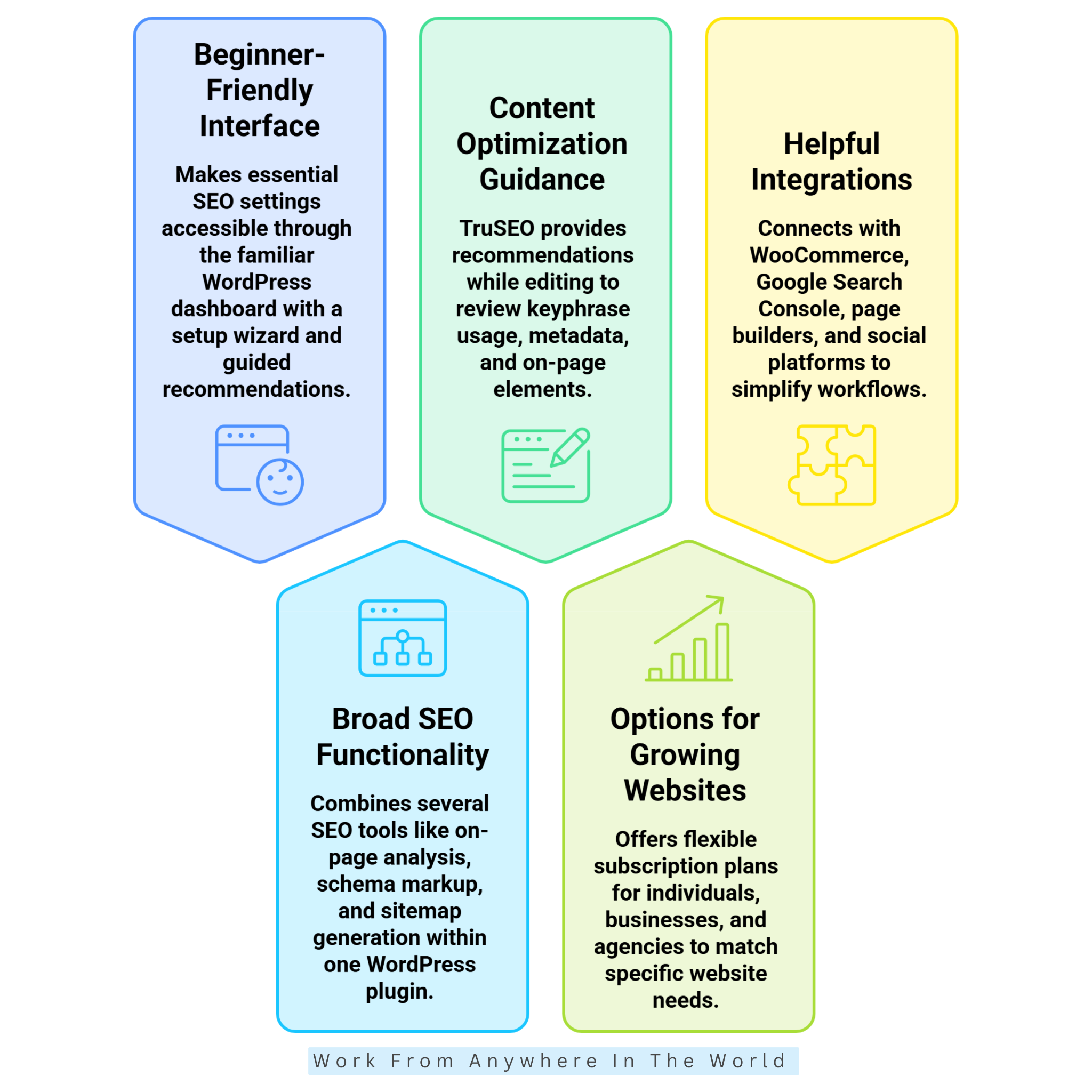
1. Beginner-Friendly Setup Process
AIOSEO provides a setup wizard that guides users through essential SEO settings during installation. This makes getting started easier for beginners unfamiliar with XML sitemaps, search appearance settings, or website-wide metadata.
Instead of configuring every option independently, you can follow the guided steps and customize them to your website’s needs. For example, a new food blogger can establish basic SEO settings before publishing their first recipe.
The dashboard also brings together several optimization tools, making everyday tasks easier to manage. However, the setup wizard does not replace understanding basic SEO principles or reviewing your website’s configuration.
2. Useful On-Page SEO Analysis
AIOSEO includes TruSEO analysis, which evaluates important elements of individual pages and posts. It helps identify opportunities to improve metadata, keyphrase placement, and other on-page elements.
This feedback is particularly useful when you publish content regularly and follow consistent SEO strategies for organic traffic. It provides practical guidance without requiring you to remember every optimization detail.
For example, before publishing a product comparison, you can review its SEO title, meta description, headings, and keyphrase usage. These checks help you identify potential improvements before making the article available to readers.
However, plugin recommendations should support your editorial judgment rather than control every writing decision. Helpful, natural content matters more than achieving a perfect optimization score.
3. Broad SEO Features In One Plugin
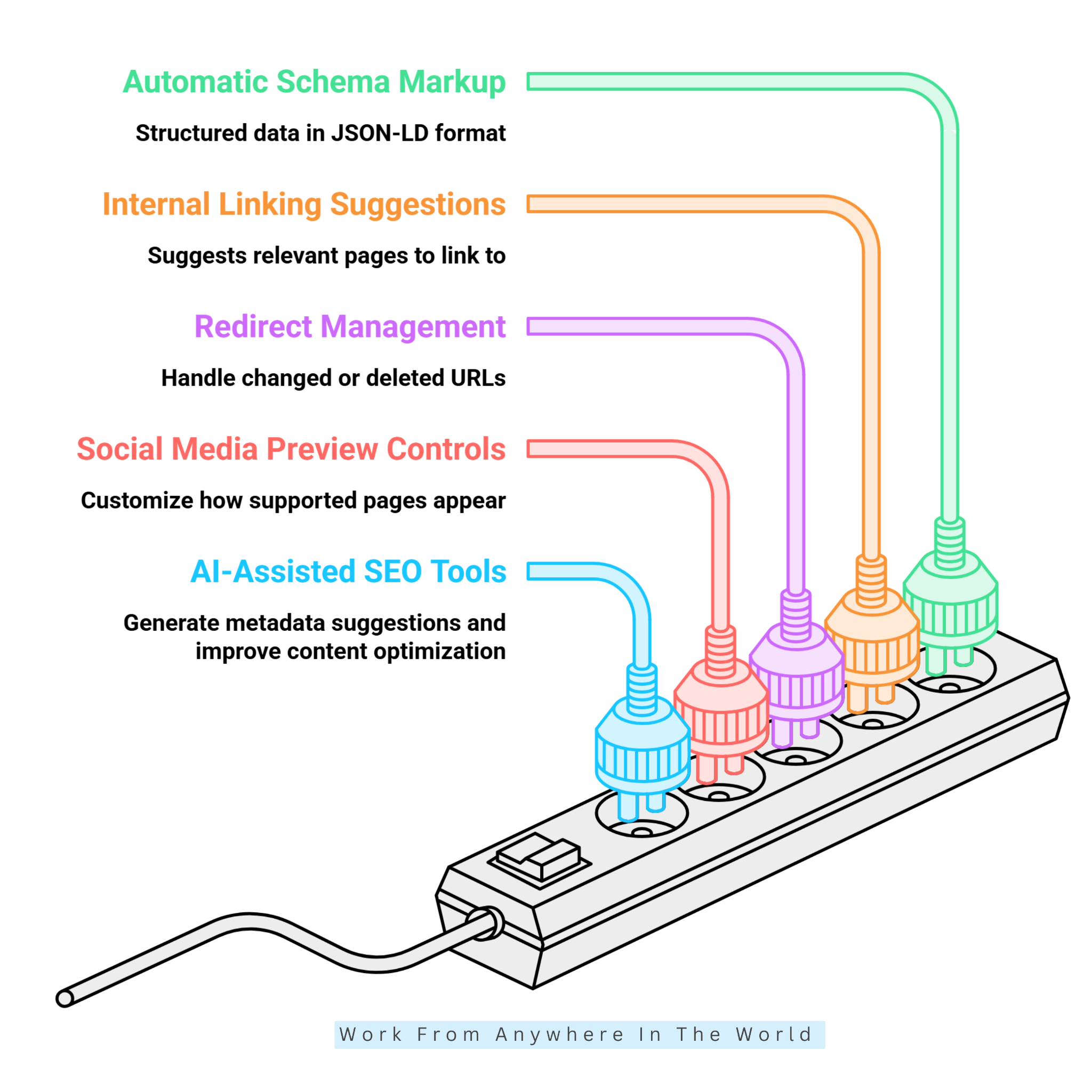
AIOSEO combines several SEO tools within a single WordPress interface. Depending on your subscription, these may include XML sitemaps, schema markup, social media settings, local SEO, and redirect management.
This broad feature set can reduce the need for additional plugins when managing different aspects of website optimization. For example, a local pet store could combine content optimization with local SEO strategies for small businesses.
Having these features together can simplify website management and reduce unnecessary complexity. However, not every feature is available in the free version or lower-tier plans.
Before upgrading, review the available tools and compare them with your existing plugins. You may already have dedicated solutions for redirects, analytics, or structured data.
4. Internal Linking Support
Internal links connect related pages and help visitors discover useful information throughout your website. They also help search engines understand how different pages and topics relate to one another.
AIOSEO’s Link Assistant, available with eligible paid plans, helps identify internal linking opportunities. It can support a more organized approach to connecting related articles and maintaining your website’s content structure.
For example, a gardening website could connect an article about composting with related guides on soil preparation and plant nutrition. These connections encourage readers to explore additional information while making older articles easier to discover.
However, automated suggestions still require human review. Every internal link should fit naturally into its paragraph and provide genuine value, not just increase the number of links.
5. Options For Growing Websites
AIOSEO offers different subscription plans designed to accommodate changing website requirements. Depending on the plan, additional features may include advanced reporting, search performance tools, and support for multiple websites.
This flexibility can benefit bloggers who expand into online stores, business websites, or client projects. For example, a freelance SEO professional managing several WordPress websites may benefit from a license covering multiple installations.
As your website grows, you can evaluate whether additional optimization features justify upgrading. There is no need to purchase advanced tools before your website requires them.
Before choosing a subscription, compare its website allowance, renewal costs, technical support, and included features. The most suitable plan should support your current workload while allowing room for future growth.
Cons Of AIOSEO
Although AIOSEO provides useful optimization tools, it also has limitations worth considering. Some features require paid subscriptions, while others involve additional learning or technical knowledge.
Understanding these disadvantages can help you decide whether AIOSEO fits your experience, budget, and website requirements.
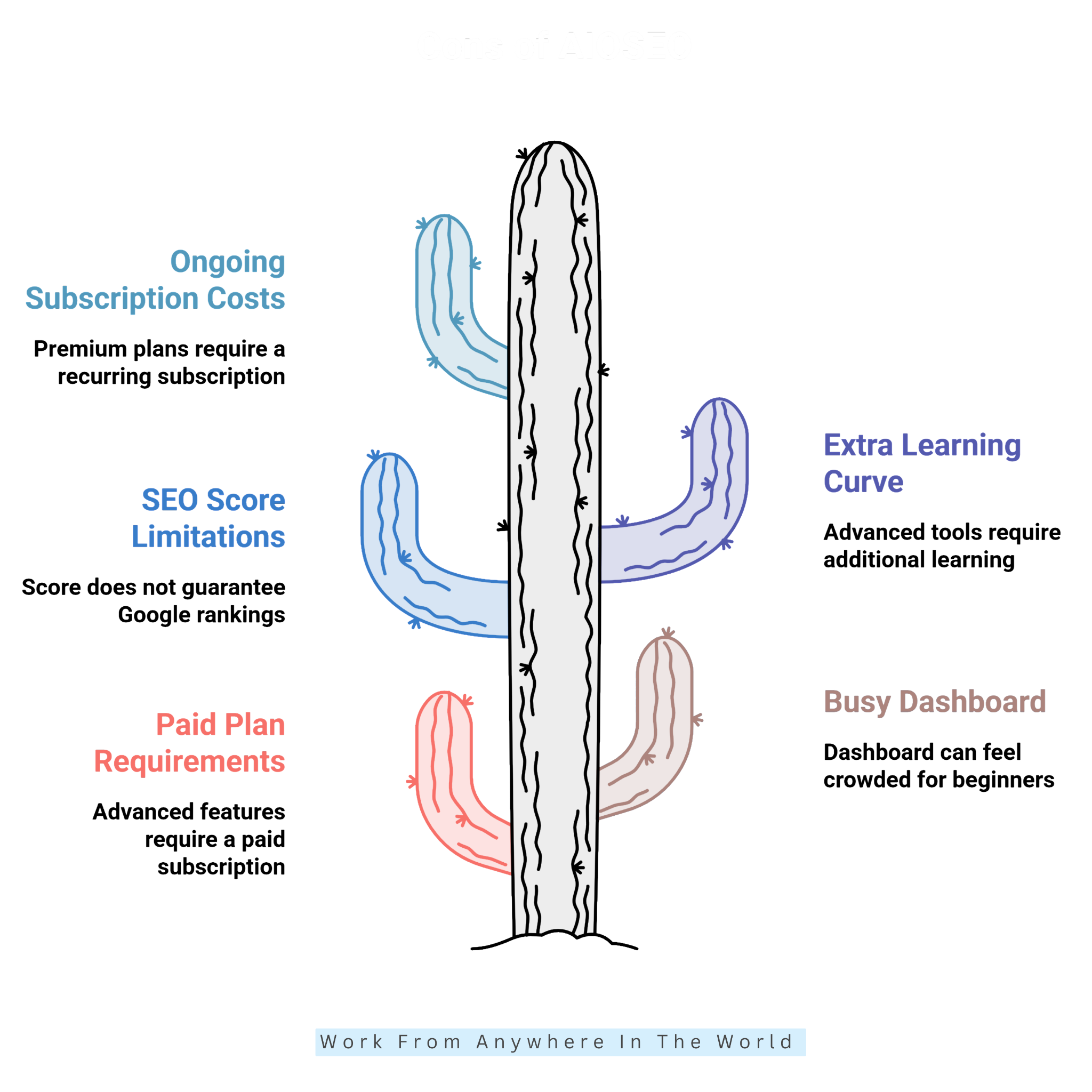
1. Some Important Features Require A Paid Plan
Although AIOSEO offers a free version, several advanced features require a paid subscription. These may include internal linking assistance, local SEO tools, and detailed search performance reports.
This can disappoint beginners who expect every advertised feature to be available immediately. For example, a small business owner may discover that certain local SEO functions require a higher subscription tier.
Before upgrading, review the free and premium feature lists carefully. Comparing essential blogging tools can also help you identify which features your website genuinely needs.
Choose a subscription based on your actual website requirements. Paying for advanced tools makes little sense if you rarely use them.
2. The Dashboard Can Feel Busy
AIOSEO includes numerous settings and optimization tools within its WordPress dashboard. Although this provides flexibility, the number of available options can feel overwhelming to beginners.
For example, a personal blogger may only need basic metadata settings and content optimization. Advanced redirects, local business settings, and detailed search statistics might be unnecessary.
Learning about different types of SEO optimization can help you identify which settings deserve your attention. Understanding the difference between on-page and technical SEO makes the dashboard easier to navigate.
Start with essential settings and explore advanced features gradually. AIOSEO’s documentation and setup wizard can help you become more comfortable with its interface.
3. The SEO Score Cannot Guarantee Rankings
AIOSEO’s TruSEO analysis provides useful recommendations, but a high score does not guarantee better Google rankings. Search visibility depends on content quality, search intent, competition, technical accessibility, and other factors.
An article can receive excellent optimization feedback while failing to answer readers’ questions. Similarly, repeating a target keyphrase simply to satisfy a checklist can make your writing feel unnatural.
Understanding how to identify long-tail keywords can help you target more specific searches rather than chasing a perfect plugin score. Choosing relevant keywords is only one part of creating genuinely helpful content.
Use TruSEO as a practical review tool rather than the final measure of success. Clear explanations, useful information, and a positive reading experience should remain your priorities.
4. Advanced Features May Require Extra Learning
Some AIOSEO features are designed for website owners with more advanced technical requirements. Schema configuration, redirect management, and other technical settings may require additional knowledge.
Incorrect configurations can affect how visitors and search engines access your website. For example, an improperly configured redirect could send readers to an unrelated page or create unnecessary navigation problems.
Technical SEO also involves website performance, so understanding ways to improve your website speed can help you recognize optimization tasks beyond the plugin itself. Learning how these elements work together can make website management less intimidating.
Before changing technical settings, understand their purpose and potential consequences. AIOSEO provides documentation, but beginners may still need time and practice to use advanced tools confidently.
5. The Premium Subscription Adds Ongoing Costs
AIOSEO’s premium plans involve recurring subscription expenses that continue beyond the initial purchase. These costs may be worthwhile for businesses that regularly use advanced optimization features.
However, smaller websites may struggle to justify the additional expense. For example, a new blog with only a handful of articles may need little more than basic SEO settings and XML sitemap generation.
Exploring free keyword research tools can help beginners handle some SEO tasks without immediately purchasing additional software. This allows you to invest gradually as your website develops.
Before committing to a paid plan, compare renewal costs, license limits, included features, and support options. Choose tools that provide genuine value rather than unnecessarily increasing your operating expenses.
Pros And Cons Of Yoast SEO
Yoast SEO offers several features that help WordPress users optimize their content and manage important SEO settings. However, its advantages and limitations can affect how well it fits your website and publishing routine.
From readability analysis to technical SEO tools, Yoast provides practical assistance for different experience levels. Understanding its strengths and weaknesses can help you decide whether it meets your requirements.
Pros Of Yoast SEO
Yoast SEO combines content optimization, readability guidance, and technical SEO features within WordPress. These tools can make everyday optimization tasks more manageable for beginners and experienced bloggers.
The following advantages explain how Yoast can support better content organization, simplify SEO tasks, and help website owners develop their optimization skills.
1. Clear SEO Feedback While Writing
Yoast SEO provides optimization feedback directly within the WordPress editor. Its familiar colour-coded indicators help writers review keyphrase placement, metadata, and other important on-page elements.
This guidance helps identify potential problems before publication. For example, when preparing a guide about cat nutrition, you can check whether your focus keyphrase appears naturally in important locations.
The feedback is particularly useful for beginners learning how to create content that supports a broader content marketing strategy. It encourages consistent optimization without requiring extensive technical knowledge.
However, achieving green indicators should never become your primary goal. Your article still needs accurate information, clear organization, and answers that satisfy readers’ needs.
2. Strong Readability Analysis
One of Yoast SEO’s best-known features is its readability analysis. It evaluates sentence length, paragraph structure, transition words, and passive voice.
These checks can help writers explain complicated subjects more clearly. For example, a technical article about website optimization may benefit from shorter sentences and simpler explanations.
Readable content is especially valuable when developing SEO strategies that attract organic traffic. Visitors should be able to understand your information without struggling through unnecessarily complicated language.
However, readability recommendations are not appropriate for every writing style. A longer sentence may be perfectly acceptable when it communicates an idea clearly.
Use Yoast’s feedback as guidance while preserving your natural writing voice. Clarity and usefulness matter more than satisfying every automated suggestion.
3. Helpful Learning Resources
Yoast provides extensive documentation, tutorials, and educational materials about search engine optimization. These resources explain why certain SEO practices matter rather than simply telling users which settings to change.
This guidance can benefit new bloggers, small business owners, and writers managing their own websites. For example, understanding canonical URLs and search appearance settings can help prevent unnecessary configuration mistakes.
Learning about SEO competitive analysis can also expand your knowledge beyond individual plugin recommendations. Understanding competing websites and search results helps you develop a more informed optimization strategy.
Although finding the right educational resource may take time, the knowledge gained can support your long-term blogging activities. These skills remain useful even if you eventually switch SEO plugins.
4. Reliable Technical SEO Foundations
Yoast SEO handles several technical SEO tasks automatically, reducing the need for extensive manual configuration. These include XML sitemaps, canonical URLs, structured data, and search appearance settings.
For example, a blog with hundreds of articles benefits from consistent sitemap management and clear indexing preferences. Yoast also uses structured data to help search engines understand relationships between website content and other entities.
However, technical optimization extends beyond installing an SEO plugin. Understanding Google Analytics website metrics can help you evaluate visitor behaviour and identify opportunities for improvement.
These technical features support search engine understanding but cannot guarantee rich results or higher rankings. Website owners should still monitor indexing, accessibility, and overall performance regularly.
5. A Useful Free Version
Yoast SEO offers a free version that covers several essential optimization tasks. Users can create SEO titles, edit meta descriptions, review content, and manage basic search appearance settings without purchasing Premium.
Automatic XML sitemaps and other foundational features make it practical for personal blogs and smaller websites. For example, someone launching a pet care blog can begin optimizing articles while gradually learning SEO fundamentals.
Beginners can also explore free content marketing tools to support their publishing activities without immediately investing in multiple subscriptions. Combining suitable free tools can help keep initial website expenses manageable.
Although the free version lacks certain advanced features, it can still support a consistent content optimization routine. Upgrading becomes more worthwhile when your website develops requirements that the free tools cannot meet.
Pros And Cons Of Yoast SEO
Yoast SEO offers several features that help WordPress users optimize their content and manage important SEO settings. However, its advantages and limitations can affect how well it fits your website and publishing routine.
From readability analysis to technical SEO tools, Yoast provides practical assistance for different experience levels. Understanding its strengths and weaknesses can help you decide whether it meets your requirements.
Pros Of Yoast SEO
Yoast SEO combines content optimization, readability guidance, and technical SEO features within WordPress. These tools can make everyday optimization tasks more manageable for beginners and experienced bloggers.
The following advantages explain how Yoast can support better content organization, simplify SEO tasks, and help website owners develop their optimization skills.
1. Clear SEO Feedback While Writing
Yoast SEO provides optimization feedback directly within the WordPress editor. Its familiar colour-coded indicators help writers review keyphrase placement, metadata, and other important on-page elements.
This guidance helps identify potential problems before publication. For example, when preparing a guide about cat nutrition, you can check whether your focus keyphrase appears naturally in important locations.
The feedback is particularly useful for beginners learning how to create content that supports a broader content marketing strategy. It encourages consistent optimization without requiring extensive technical knowledge.
However, achieving green indicators should never become your primary goal. Your article still needs accurate information, clear organization, and answers that satisfy readers’ needs.
2. Strong Readability Analysis
One of Yoast SEO’s best-known features is its readability analysis. It evaluates sentence length, paragraph structure, transition words, and passive voice.
These checks can help writers explain complicated subjects more clearly. For example, a technical article about website optimization may benefit from shorter sentences and simpler explanations.
Clear writing is especially important for anyone interested in making money through freelance writing. Whether you’re preparing blog posts for clients or publishing your own content, readability helps readers understand your message.
However, readability recommendations are not appropriate for every writing style. A longer sentence may be perfectly acceptable when it communicates an idea clearly.
Use Yoast’s feedback as guidance while preserving your natural writing voice. Clarity and usefulness matter more than satisfying every automated suggestion.
3. Helpful Learning Resources
Yoast provides extensive documentation, tutorials, and educational materials about search engine optimization. These resources explain why certain SEO practices matter rather than simply telling users which settings to change.
This guidance can benefit new bloggers, small business owners, and writers managing their own websites. For example, understanding canonical URLs and search appearance settings can help prevent unnecessary configuration mistakes.
Learning to use additional SEO tools, such as those covered in our Semrush tutorial, can also expand your knowledge beyond individual plugin recommendations. Understanding keyword research and competitor analysis helps you develop a more informed optimization strategy.
Although finding the right educational resource may take time, the knowledge gained can support your long-term blogging activities. These skills remain useful even if you eventually switch SEO plugins.
4. Reliable Technical SEO Foundations
Yoast SEO handles several technical SEO tasks automatically, reducing the need for extensive manual configuration. These include XML sitemaps, canonical URLs, structured data, and search appearance settings.
For example, a blog with hundreds of articles benefits from consistent sitemap management and clear indexing preferences. Yoast also uses structured data to help search engines understand relationships between website content and other entities.
However, technical optimization extends beyond installing an SEO plugin. Understanding Google Analytics website metrics can help you evaluate visitor behaviour and identify opportunities for improvement.
These technical features support search engine understanding but cannot guarantee rich results or higher rankings. Website owners should still regularly monitor indexing, accessibility, and overall performance.
5. A Useful Free Version
Yoast SEO offers a free version that covers several essential optimization tasks. Users can create SEO titles, edit meta descriptions, review content, and manage basic search appearance settings without purchasing Premium.
Automatic XML sitemaps and other foundational features make it practical for personal blogs and smaller websites. For example, someone launching a pet care blog can begin optimizing articles while gradually learning SEO fundamentals.
Beginners can also explore free content marketing tools to support their publishing activities without immediately investing in multiple subscriptions. Combining suitable free tools can help keep initial website expenses manageable.
Although the free version lacks certain advanced features, it can still support a consistent content optimization routine. Upgrading becomes more worthwhile when your website develops requirements that the free tools cannot meet.
Frequently Asked Questions
Q1: Is AIOSEO Free To Use?
Yes, AIOSEO offers a free WordPress plugin with essential SEO features. These include on-page optimization, XML sitemaps, and tools for managing SEO titles and meta descriptions.
The free version suits beginners and smaller websites. However, advanced features such as internal linking assistance and certain reporting tools require an eligible paid subscription.
Q2: Is Yoast SEO Free?
Yes, Yoast SEO provides a free WordPress plugin with content analysis, readability feedback, and XML sitemaps. It also allows users to customize SEO titles and meta descriptions.
This makes it a practical option for bloggers who want to improve their content without additional expenses. Yoast SEO Premium offers more advanced features for websites with growing optimization needs.
Q3: Which Plugin Is Better For Beginners?
Both AIOSEO and Yoast SEO are beginner-friendly, but they offer different approaches to optimization. AIOSEO provides a guided setup wizard that simplifies the initial configuration process.
Yoast SEO offers clear optimization and readability feedback while you write. Your preferred workflow and level of experience will help determine which plugin feels more comfortable.
Q4: Can I Use AIOSEO And Yoast Together?
Using both plugins simultaneously for SEO management is generally not recommended. Their overlapping features can create duplicate metadata, conflicting XML sitemaps, and unnecessary configuration problems.
These issues may complicate website management and affect how search engines interpret your content. Choosing one primary SEO plugin helps maintain consistent settings and simplifies ongoing maintenance.
Q5: Will Switching From Yoast To AIOSEO Affect My SEO?
Switching from Yoast SEO to AIOSEO does not automatically harm your search rankings. However, transferring important settings and metadata correctly is essential for maintaining your website’s optimization.
Back up your website before switching and use the available migration tools. Afterwards, review your SEO titles, XML sitemaps, and indexing settings to ensure everything works correctly.
Q6: Does AIOSEO Or Yoast Guarantee Higher Google Rankings?
Neither AIOSEO nor Yoast SEO can guarantee higher Google rankings. Search visibility depends on content quality, search intent, competition, website performance, and several other factors.
Both plugins provide useful tools for identifying optimization opportunities and managing technical SEO tasks. However, creating helpful content and maintaining a well-organized website remain essential for long-term success.
Conclusion
The AIOSEO vs Yoast comparison shows that both plugins offer valuable tools for improving WordPress SEO. However, the better choice depends on your website’s requirements, experience, and preferred workflow.
AIOSEO may appeal to users who want a broad collection of optimization tools, including internal linking and technical SEO features. Yoast SEO is particularly useful for writers who appreciate readability feedback, clear content analysis, and educational resources.
Before deciding, compare the free features, premium plans, and ongoing costs of both plugins. Choose the option that supports your current needs without adding unnecessary complexity to your website.
Remember that even the best SEO plugin cannot replace helpful content and a positive reader experience. Consistent optimization, technical maintenance, and useful information remain essential for sustainable website growth.
I trust you enjoyed this article on AIOSEO vs Yoast: Which WordPress SEO Plugin Is Better? Please stay tuned for more insightful blogs on affiliate marketing, online business, and working from anywhere in the world.
Take care!
— JeannetteZ 🌍✨
💬 Your Opinion Is Important To Me
Do you have thoughts, ideas, or questions? I’d love to hear from you. Please leave your comments below or email me directly at Jeannette@WorkFromAnywhereInTheWorld.com.
📚 More Work From Anywhere Reads
🚀 Ready to Build a Business You Can Run from Home
Or from Anywhere in the World?
Imagine earning income on your terms — from home, a cozy café, or wherever life takes you.
With the right tools, training, and community support, it’s entirely possible.
Start your own online business for free — no credit card needed.
Disclosure
This post may contain affiliate links. As an Amazon Associate and participant in other affiliate programs, I earn from qualifying purchases at no extra cost to you. Please read my full affiliate disclosure.