What Are The Best Email Providers? 10 Top Choices Compared
What are the best Email Providers is a common question for anyone looking to improve communication, stay organized, or protect their online privacy. Today's email services offer much more than basic messaging, making the right choice more important than ever.
Many providers now include advanced security, cloud storage, AI-powered features, and productivity tools. The right platform can save time and simplify both personal and business communication.
Some email providers focus on privacy and encryption, while others offer seamless integration with calendars, cloud storage, and collaboration tools. Choosing the best option depends on your individual needs and priorities.
This guide explores the best email providers, compares their key features, and helps you choose the service that best fits your daily communication needs.
What Is An Email Provider?
An email provider is a company or service that allows you to send, receive, and manage email messages. It also stores your emails and provides the tools needed to organize and access your inbox.
Most email providers offer more than basic email services. Many include spam filtering, cloud storage, calendars, contacts, and mobile apps that make communication easier across different devices.
Some providers focus on privacy and security by offering encryption and advanced account protection. Others emphasize productivity through integrations with cloud storage, collaboration tools, and business applications.
Choosing the right email provider depends on your personal or business needs. Understanding the available features makes it easier to compare services and select the provider that best supports your daily communication.
How To Choose The Right Email Provider
Choosing the right email provider depends on how you plan to use your email account. Your needs may be very different for personal communication, business, or enhanced online privacy.
Look beyond basic email features when comparing providers. Security, storage space, spam protection, ease of use, and device compatibility all play an important role.
You should also consider how well the service integrates with calendars, cloud storage, productivity tools, and other apps you use regularly. These features can improve your daily workflow and save valuable time.
The following factors will help you compare email providers and choose a service that best matches your needs, budget, and communication preferences.
1. Check Security Features
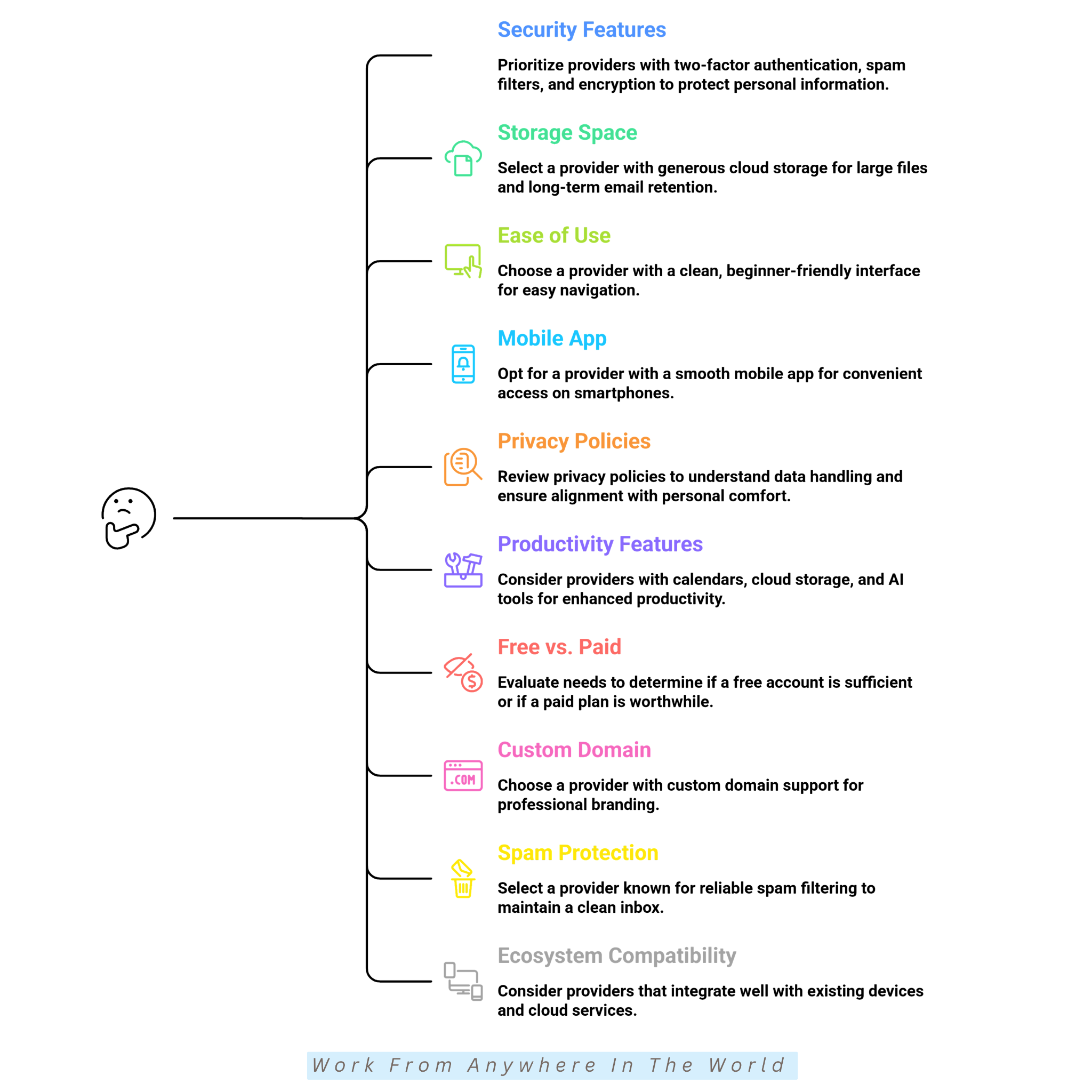
Security should be one of the first things you consider when choosing an email provider. Strong security features help protect your personal information and email accounts.
Look for features such as two-factor authentication, spam filters, encryption, and phishing protection. These tools reduce the risk of unauthorized access and online threats.
Choosing a provider with reliable security features gives you greater peace of mind. It also helps protect your personal and business communications over the long term.
2. Look At Storage Space
Storage space determines how many emails, attachments, and files you can keep in your account. The amount you need depends on how you use your email.
If you regularly receive large attachments or keep emails for long periods, choose a provider with generous storage. This helps reduce the need to delete messages or constantly manage your inbox.
Adequate storage also makes it easier to organize important emails and access older messages whenever you need them. It provides greater flexibility for both personal and business use.
3. Consider Ease Of Use
A user-friendly email provider makes it easier to read, organize, and manage your messages. A clean interface helps you work more efficiently every day.
Some providers focus on simple layouts, while others include advanced features for business users. Choose a service that matches your experience level and daily needs.
The best email provider should feel comfortable to use on both desktop and mobile devices. Easy navigation helps you save time and stay organized wherever you work.
4. Compare Mobile App Experience
Many people check their email several times a day using a smartphone or tablet. A well-designed mobile app makes it easier to stay connected wherever you are.
Look for features such as fast notifications, reliable syncing, and simple navigation. A responsive app helps you manage emails quickly without unnecessary frustration.
Testing different email apps can help you find the one that best fits your needs. The right mobile experience makes everyday communication more convenient and efficient.
5. Think About Privacy Policies
Privacy policies explain how an email provider collects, stores, and uses your personal information. Understanding these policies helps you make a more informed decision.
Some email providers collect data to personalize advertising, while others place a stronger focus on privacy and security. Compare their policies before creating an account.
Choosing a provider with transparent privacy practices gives you greater confidence in how your information is handled. It also helps you select a service that matches your personal preferences.
6. Check Productivity Features
Many modern email providers include productivity tools that help you manage your daily tasks more efficiently. These features can simplify communication and improve your overall workflow.
Look for built-in calendars, cloud storage, video meetings, AI writing tools, and task management features. The right combination can save time and keep your work organized.
If you use email for business or regular online work, these tools can increase your productivity. Choosing a provider with the features you need helps streamline your daily routine.
7. Decide Between Free Or Paid Plans
Free email plans meet the needs of many personal users and small businesses. Paid plans usually include additional features and greater flexibility.
Premium services often offer more storage, stronger security, fewer advertisements, and support for custom domains. Compare these features with your daily needs before making a decision.
Choosing the right plan depends on how you use your email account. Paying for extra features is worthwhile only if they provide real value for your personal or business communication.
8. Look For Custom Domain Support
A custom email domain gives your business, blog, or freelance brand a more professional appearance. It also helps create a consistent brand identity across your online presence.
Using an email address that matches your website domain can build trust with clients and customers. It also makes your business look more established and credible.
If you use email for professional communication, custom domain support is worth considering. It can strengthen your branding and leave a positive impression with every email you send.
9. Review Spam Protection Quality
Reliable spam protection keeps your inbox organized and reduces unwanted messages. It also helps protect your account from phishing attempts and other online threats.
Look for an email provider with effective spam filters that automatically identify suspicious emails. Strong filtering creates a cleaner and safer email experience.
Good spam protection saves time by reducing inbox clutter and blocking harmful messages before they reach you. This allows you to focus on the emails that matter most.
10. Consider Ecosystem Compatibility
Some email providers work best within specific ecosystems, such as Android, Apple, or Microsoft devices. Choosing a provider that works well with your existing devices can make everyday communication much easier.
If you already use certain apps and cloud services regularly, selecting a compatible email provider improves syncing and productivity. It also creates a smoother experience across all your connected devices.
Working within the same ecosystem can save time and reduce compatibility issues. It helps you stay organized while making the most of the tools you already use.
Best Email Providers For Personal And Business Use
Choosing the best email provider depends on how you plan to use your account. Your ideal choice may be different for personal communication, business, or enhanced online privacy.
Some providers focus on simplicity and everyday use, while others offer advanced productivity tools and business features. Security, storage, and ease of use also vary from one service to another.
Comparing the available features makes it easier to find a provider that matches your needs and daily routine. Taking the time to evaluate your options can save you time in the long run.
The following email providers are among the most popular and reliable services available today. Understanding their strengths will help you choose the email provider that's right for you.
1. Google Gmail
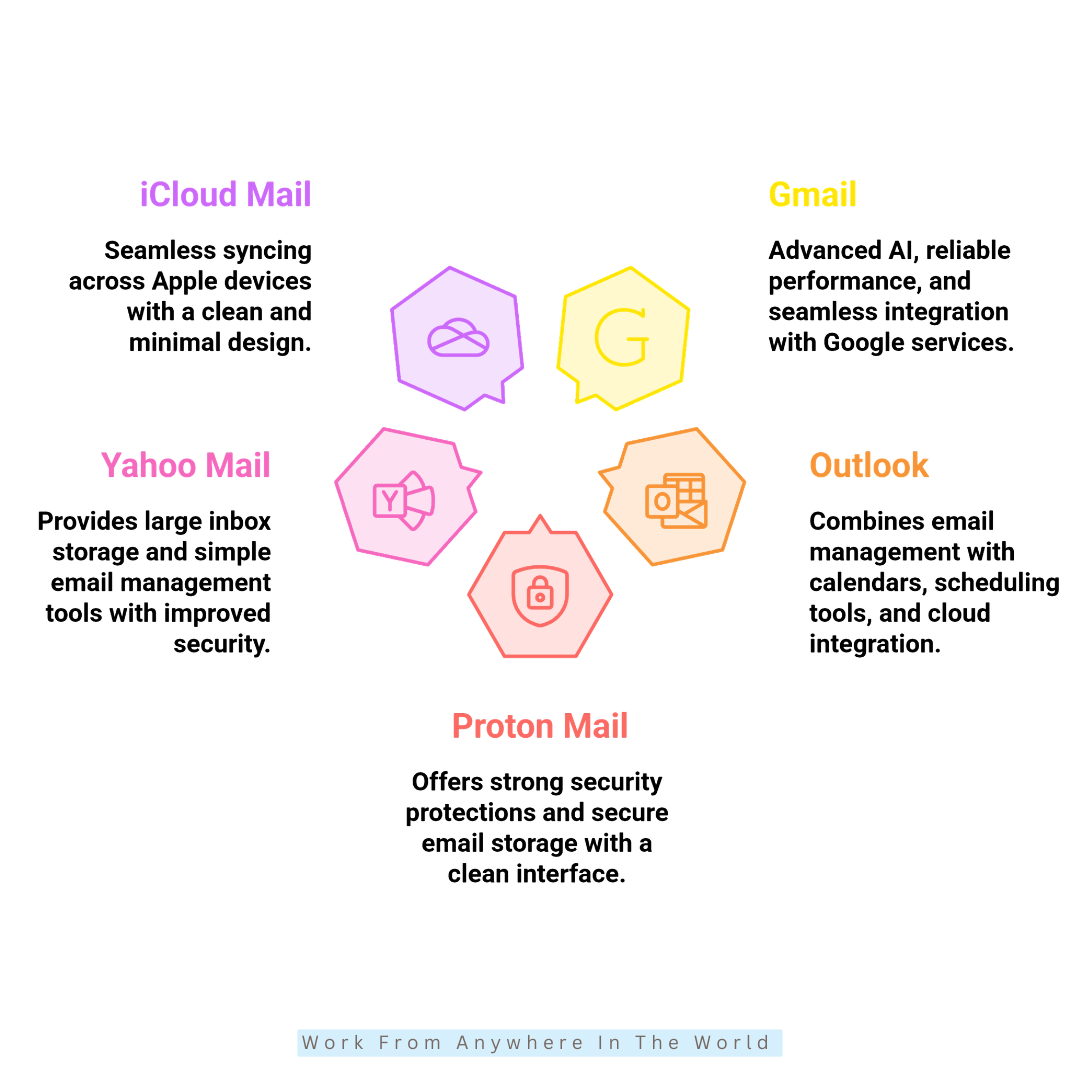
Gmail remains one of the world's most widely used email providers because of its reliable performance and powerful spam protection. It also integrates seamlessly with Google's ecosystem of services.
Its beginner-friendly interface makes Gmail an excellent choice for students, freelancers, small businesses, and everyday personal users. The platform is easy to use while offering tools for both personal and professional communication.
Gmail also includes AI-powered productivity features, generous cloud storage, and fast synchronization across desktop and mobile devices. These tools help users stay organized and work more efficiently.
Features
- Strong spam filtering
- Smart inbox organization
- AI-generated email summaries
- Integration with Google Drive
- Powerful email search tools
- Generous free cloud storage
Potential Drawbacks
- Privacy concerns for some users
- Advertisements appear in the Promotions tab
- Additional cloud storage requires a paid plan
2. Microsoft Outlook
Microsoft Outlook remains a popular email provider for professionals, businesses, and Microsoft users. It combines reliable email management with powerful productivity and communication tools.
The platform integrates seamlessly with Microsoft 365, making it easy to manage emails, calendars, contacts, and cloud files in one place. It works smoothly across both desktop and mobile devices.
Outlook is especially well suited for office professionals, corporate teams, remote workers, and anyone already using the Microsoft ecosystem. Its productivity features help users stay organized and collaborate more efficiently.
Features
- Advanced calendar integration
- Focused inbox organization
- Microsoft Teams compatibility
- Strong security protection
- Cloud file sharing support
- Professional productivity tools
Potential Drawbacks
- The interface may feel complex for new users
- Some advanced features require a Microsoft 365 subscription
- The mobile app can feel heavier than some competitors
3. Proton Mail
Proton Mail is a popular email provider for users who value privacy and secure communication. Based in Switzerland, it is known for its strong encryption and commitment to protecting user data.
The platform offers end-to-end email encryption, minimal data collection, and a privacy-first approach to online communication. Its clean interface makes it easy to use while maintaining a high level of security.
Proton Mail is an excellent choice for privacy-conscious users, journalists, security professionals, remote workers, and anyone looking for greater control over their personal information.
Features
- End-to-end email encryption
- Privacy-focused infrastructure
- Secure cloud ecosystem
- Open-source security standards
- Minimal data tracking
- Secure file sharing support
Potential Drawbacks
- Limited storage on the free plan
- Premium plans unlock additional features
- Fewer third-party integrations than some competitors
4. Yahoo Mail
Yahoo Mail remains a popular email provider for users who want generous storage and straightforward email management. It offers a clean interface, reliable spam protection, and useful inbox organization tools.
The platform provides one of the largest free storage allowances among major email providers. It also includes inbox customization, subscription management, and convenient access across desktop and mobile devices.
Yahoo Mail is well suited for casual users, long-time Yahoo customers, and anyone who needs plenty of storage for personal communication. Its simple design makes it easy to manage emails without unnecessary complexity.
Features
- Large free storage capacity
- Custom inbox themes
- Smart organization tools
- Subscription management system
- Reliable spam protection
- Mobile-friendly email access
Potential Drawbacks
- Fewer productivity integrations than some competitors
- The interface feels less modern than newer email services
- Limited AI-powered features
5. Apple iCloud Mail
iCloud Mail is an excellent choice for users who already use Apple devices. It integrates seamlessly with iPhones, iPads, MacBooks, and other Apple services for a smooth email experience.
The platform focuses on simplicity, privacy, and reliable synchronization across all your Apple devices. Features like Hide My Email provide an extra layer of privacy while keeping your inbox organized.
iCloud Mail is ideal for Apple users, minimalists, and anyone looking for a clean, easy-to-use email service. Its seamless integration makes everyday communication simple and convenient.
Features
- Apple ecosystem integration
- Hide My Email feature
- Strong privacy protection
- Smooth device synchronization
- Clean email interface
- Reliable cloud-based access
Potential Drawbacks
- Limited customization options
- Works best within the Apple ecosystem
- Additional iCloud storage requires a paid upgrade
6. Zoho Mail
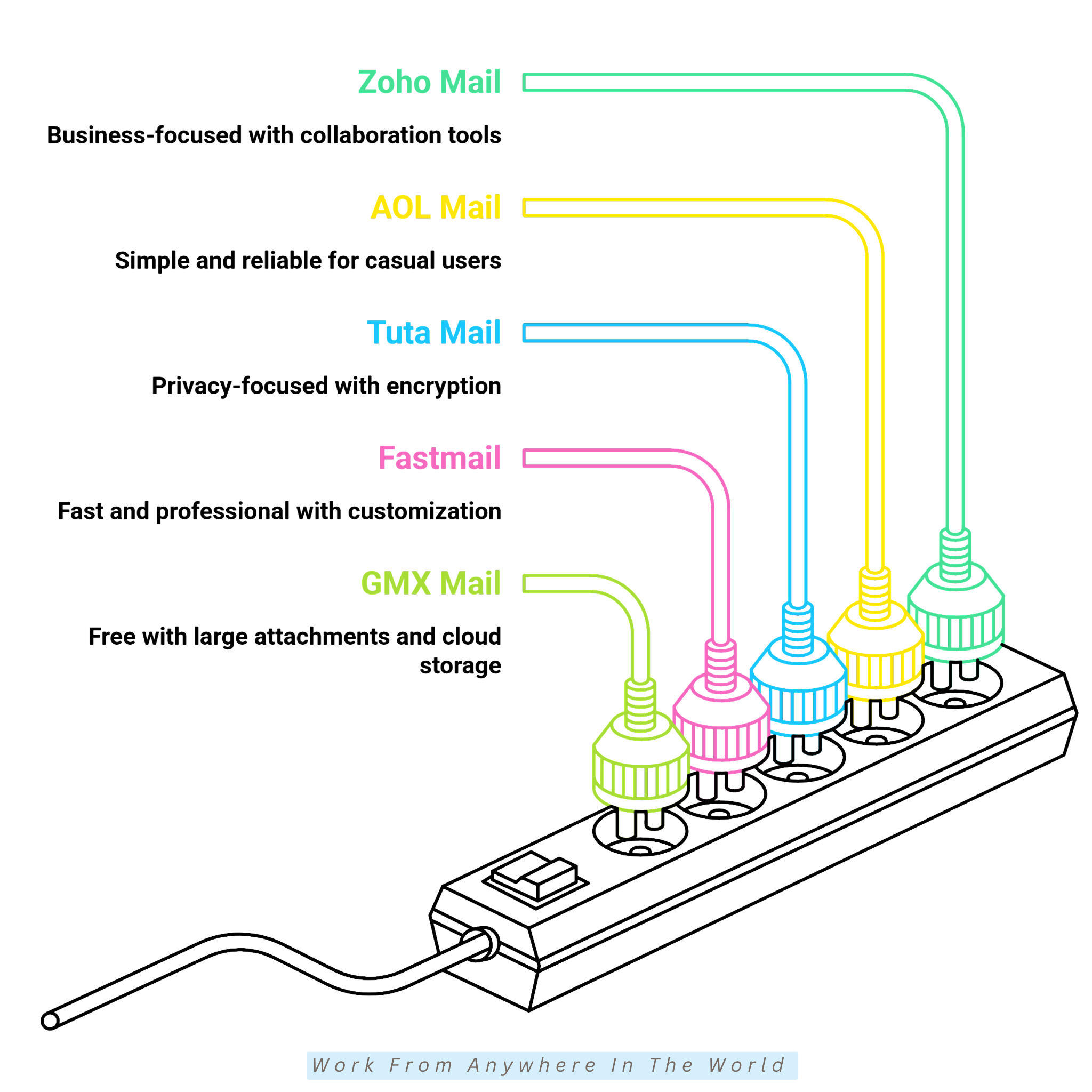
Zoho Mail is a business-focused email provider designed for startups, small businesses, freelancers, and professional teams. It offers a clean, ad-free interface together with reliable email hosting and collaboration tools.
The platform integrates smoothly with Zoho's productivity apps, making it easier to manage emails, calendars, tasks, and team communication. Its strong privacy policies and organizational features support an efficient business workflow.
Zoho Mail is an excellent choice for businesses looking for professional email hosting without excessive advertising. Its affordable plans and productivity tools make it a practical solution for growing organizations.
Features
- Ad-free email experience
- Custom domain support
- Integrated calendar system
- Team collaboration tools
- Strong spam protection
- Cloud productivity integration
Potential Drawbacks
- The free plan has limited features
- Fewer AI-powered tools than some competitors
- Initial setup may be challenging for beginners
7. AOL Mail
AOL Mail remains a reliable email provider for users who prefer a simple and familiar email experience. It continues to offer dependable performance, organized inbox management, and easy access across desktop and mobile devices.
The platform focuses on basic communication rather than advanced productivity features. Its straightforward interface and reliable spam filtering make it a practical choice for everyday email use.
AOL Mail is best suited for casual users, long-time AOL customers, and anyone looking for an uncomplicated email service. Its simple design makes it easy to manage personal emails without unnecessary complexity.
Features
- Unlimited email storage
- Basic spam filtering
- Mobile app accessibility
- Simple inbox organization
- Attachment support
- Customizable email settings
Potential Drawbacks
- Outdated interface compared with newer email providers
- Limited advanced productivity features
- Less suitable for business users
8. Tuta Mail
Tuta Mail is a privacy-focused email provider designed for users who value secure and encrypted communication. It avoids advertising-based tracking while providing a clean, simple, and easy-to-use interface.
The platform places a strong emphasis on privacy through encryption, minimal data collection, and open-source security. These features make it a reliable choice for users who want greater control over their personal information.
Tuta Mail is well suited for privacy-focused users, students, and anyone looking for secure personal communication. Its straightforward design makes it easy to use while keeping privacy at the forefront.
Features
- Encrypted email communication
- Privacy-focused infrastructure
- Minimal user tracking
- Secure password protection
- Open-source security approach
- Mobile and desktop access
Potential Drawbacks
- Limited storage on the free plan
- Smaller ecosystem and fewer third-party integrations
- Limited business and productivity features
9. Fastmail
Fastmail is a premium email provider known for its speed, privacy, and professional email hosting. Unlike advertising-supported services, it delivers a clean, distraction-free experience with a strong focus on productivity.
The platform offers custom domain support, advanced inbox organization, and reliable synchronization across devices. Its privacy-focused approach and organizational tools make it a popular choice for professionals and businesses.
Fastmail is ideal for professionals, business owners, productivity-focused users, and anyone looking for a premium email service without advertising. Its reliable performance and customization options help simplify everyday communication.
Features
- Fast email performance
- Custom domain support
- Calendar and contacts integration
- Advanced inbox organization
- Strong privacy protection
- Reliable cloud synchronization
Potential Drawbacks
- No permanent free plan
- Smaller ecosystem than some competitors
- Initial setup may take time for new users
10. GMX Mail
GMX Mail is a free email provider that offers reliable communication tools, generous attachment support, and built-in cloud storage. It is a practical choice for users who want useful features without paying for a premium subscription.
The platform includes organized inbox management, strong spam protection, and multiple email aliases for added flexibility. It also provides easy access across desktop and mobile devices.
GMX Mail is well suited for students, personal users, freelancers, and anyone who frequently shares large files. Its combination of free features and simple organization makes it a reliable option for everyday email management.
Features
- Large attachment support
- Built-in cloud storage
- Strong spam protection
- Mobile email applications
- Multiple email aliases
- Organized inbox folders
Potential Drawbacks
- The interface feels slightly outdated
- Advertisements appear on the free plan
- Fewer collaboration tools than some competitors
Common Mistakes When Choosing An Email Provider & How To Avoid Them
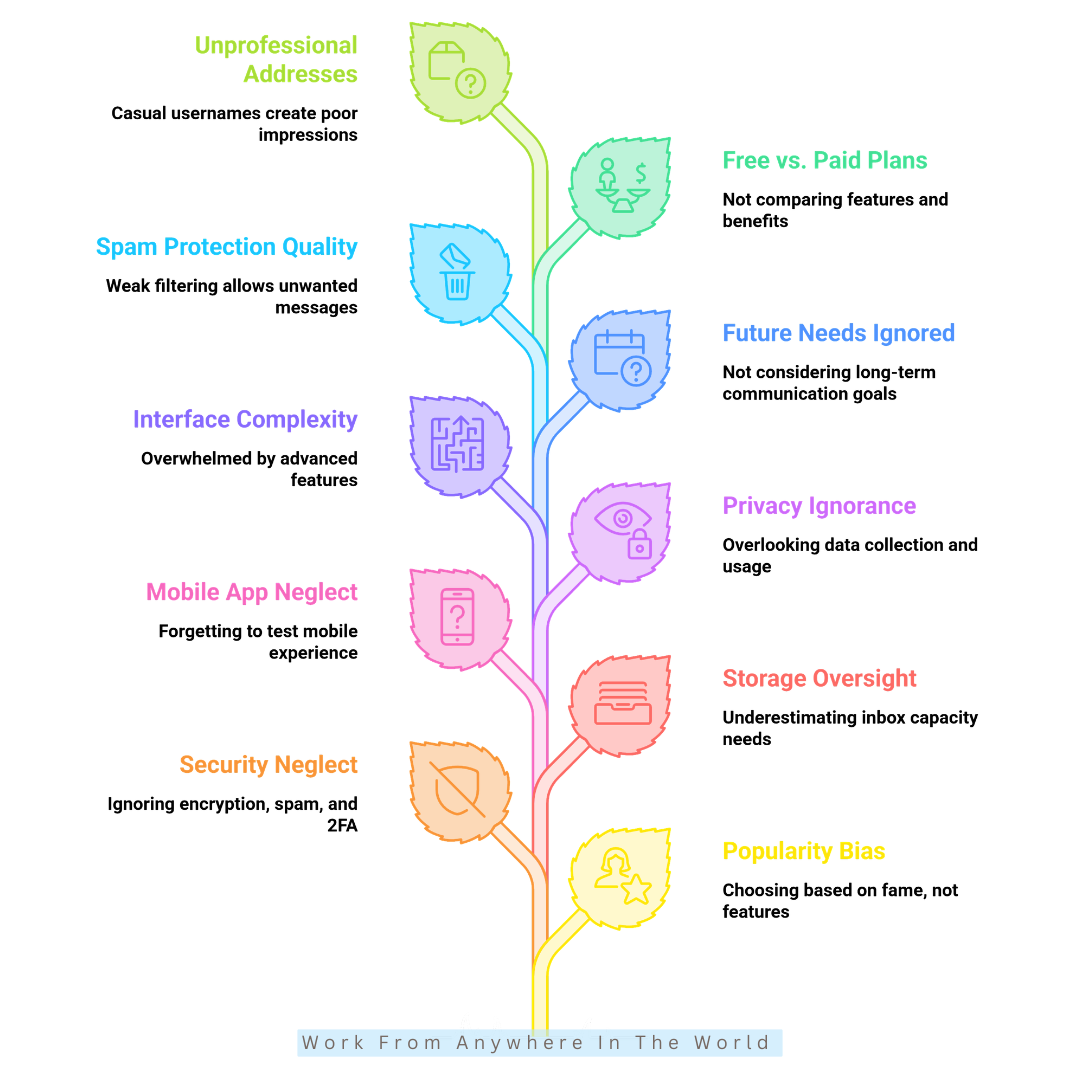
Choosing an email provider involves more than comparing features and storage limits. Focusing only on the most popular service can cause you to overlook important factors that affect your daily experience.
Many users choose an email provider without considering security, privacy, compatibility, or future needs. Taking a little extra time to compare your options can help you avoid frustration later.
Understanding the most common mistakes makes it easier to select a provider that fits your personal or business requirements. A thoughtful decision can improve productivity, security, and long-term satisfaction.
The following mistakes are easy to avoid once you know what to look for. Keeping them in mind will help you choose an email provider with greater confidence.
1. Choosing Based Only On Popularity
Popular email providers are often an excellent choice, but they may not always be the best fit for your personal or business needs. Taking time to compare different options can help you find the service that works best for you.
How To Avoid It
Compare features such as storage, security, privacy, and productivity tools before choosing a provider. Testing a few free services can also help you find the one that best meets your needs.
2. Ignoring Security Features
Security features play an important role in protecting your email account and personal information. Comparing these features before choosing a provider can help you stay safer online.
How To Avoid It
Look for features such as encryption, spam filtering, phishing protection, and two-factor authentication. Choosing a provider with strong security tools helps protect your emails and personal data.
3. Not Checking Storage Limits
Storage limits can affect how many emails, attachments, and files you can keep in your account. Choosing enough storage from the beginning helps you avoid unnecessary interruptions later.
How To Avoid It
Check the available storage before selecting an email provider, especially if you regularly receive large attachments. Choosing a plan with enough space helps you manage your inbox more efficiently.
4. Overlooking Mobile App Experience
A good mobile app makes it easier to manage your email wherever you are. Since many people check email on their smartphones every day, choosing a provider with a reliable app is important.
How To Avoid It
Test the provider's mobile app before creating your main email account. Look for smooth navigation, reliable notifications, and fast syncing across your devices.
5. Ignoring Privacy Policies
Privacy policies explain how an email provider collects, stores, and uses your personal information. Understanding these policies helps you choose a service that matches your privacy preferences.
How To Avoid It
Take a few minutes to review the provider's privacy policy before creating an account. If privacy is important to you, look for features such as minimal tracking and encrypted communication.
6. Choosing Complicated Interfaces
A simple and well-organized interface makes it easier to manage your emails and stay productive. Choosing a provider that matches your experience level can improve your overall email experience.
How To Avoid It
Try a free account before making your decision. Look for a clean layout, simple navigation, and features that make everyday email management easy.
7. Forgetting Future Communication Needs
Your email needs may change over time as your personal or professional responsibilities grow. Choosing a provider that can grow with you helps avoid unnecessary changes later.
How To Avoid It
Think about your long-term communication needs before choosing an email provider. Features such as custom domains, cloud storage, and flexible upgrade options can support future growth.
8. Ignoring Spam Protection Quality
Strong spam protection helps keep your inbox organized and reduces unwanted or suspicious emails. Choosing a provider with reliable filtering improves both security and everyday email management.
How To Avoid It
Check user reviews and test the provider's spam filtering before creating an account. Effective spam protection helps block unwanted messages and keeps your inbox cleaner.
9. Not Comparing Free And Paid Plans
Free email plans are suitable for many users, but paid plans often include additional features and greater flexibility. Comparing both options helps you choose the plan that best fits your needs.
How To Avoid It
Review the differences in storage, security, productivity tools, and customization before making your decision. Choosing the right plan from the start can save time and support your future communication needs.
10. Using Unprofessional Email Addresses
A professional email address creates a positive first impression when applying for jobs, communicating with clients, or building your personal brand. It also helps your emails appear more credible and trustworthy.
How To Avoid It
Choose a simple email address that includes your real name or business name whenever possible. A professional email address strengthens your brand and builds confidence in your communication.
Frequently Asked Questions
Q1: What Is The Best Free Email Provider?
The best free email provider depends on your needs. Gmail, Outlook, Yahoo Mail, and GMX Mail all offer generous free plans, while Proton Mail and Tuta Mail are popular choices for users who prioritize privacy.
Q2: Which Email Provider Is The Most Secure?
Privacy-focused providers such as Proton Mail and Tuta Mail are known for their strong encryption and security features. Gmail and Outlook also offer excellent security tools, including spam filtering and two-factor authentication.
Q3: Can I Use More Than One Email Provider?
Yes. Many people use multiple email accounts for different purposes, such as personal communication, business, online shopping, or newsletters. This can help keep your inboxes organized and improve privacy.
Q4: Should I Choose A Free Or Paid Email Provider?
Free plans are suitable for most personal users. Paid plans are worth considering if you need more storage, a custom domain, advanced security, or additional productivity features.
Q5: What Features Should I Look For In An Email Provider?
Look for strong security, reliable spam protection, enough storage space, an easy-to-use interface, and good mobile support. Productivity tools and privacy features may also be important depending on how you use your email.
Q6: Can I Change My Email Provider Later?
Yes, although changing providers may require transferring contacts, updating your email address, and notifying your contacts. Choosing the right provider from the beginning can make this process easier.
Conclusion
Choosing the right email provider depends on your personal needs, daily workflow, and communication preferences. The best service is the one that supports the way you work and communicate every day.
Some users prioritize strong security and privacy, while others value generous storage, productivity tools, or seamless mobile access. Comparing these features makes it easier to find the right solution.
Today's email providers offer far more than basic messaging. AI-powered features, cloud integration, and advanced security tools help make communication faster, safer, and more organized.
By understanding your priorities and comparing your options carefully, you can choose an email provider that supports both your personal and professional communication for years to come.
I trust you enjoyed this article on What Are The Best Email Providers? 10 Top Choices Compared. Please stay tuned for more insightful blogs on affiliate marketing, online business, and working from anywhere in the world.
Take care!
— JeannetteZ 🌍✨
💬 Your Opinion Is Important To Me
Do you have thoughts, ideas, or questions? I’d love to hear from you. Please leave your comments below or email me directly at Jeannette@WorkFromAnywhereInTheWorld.com.
📚 More Work From Anywhere Reads
🚀 Ready to Build a Business You Can Run from Home
Or from Anywhere in the World?
Imagine creating income on your terms — from home, a cozy café, or wherever life takes you.
With the right tools, training, and community support, it’s entirely possible.
Start your own online business for free — no credit card needed.
Disclosure
This post may contain affiliate links. As an Amazon Associate and participant in other affiliate programs, I earn from qualifying purchases at no extra cost to you. Please read my full affiliate disclosure.