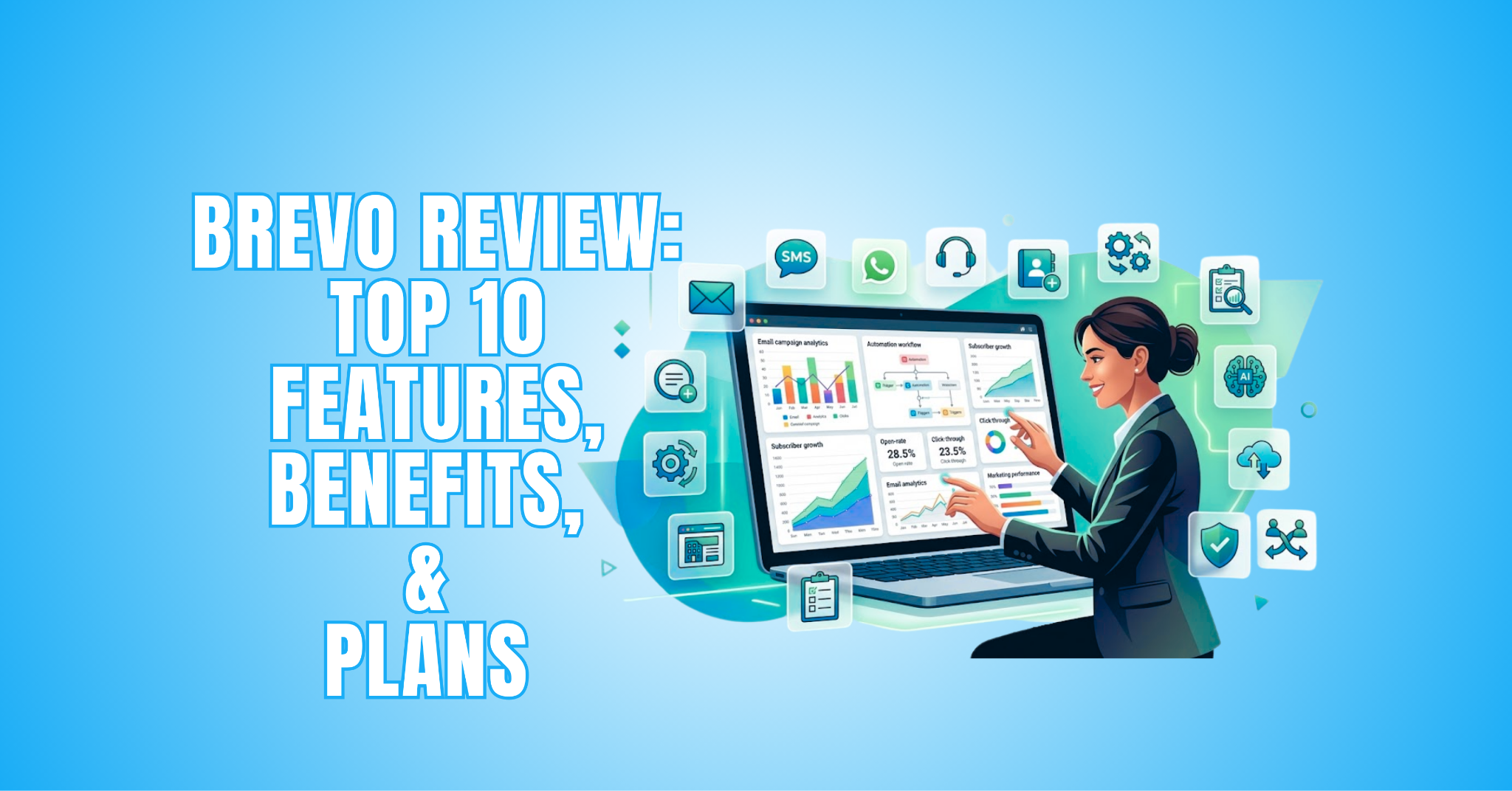
Brevo Review: Top 10 Features, Benefits, And Plans
This Brevo Review explores the platform’s email marketing tools, automation features, plan options, and benefits. It will help you decide whether Brevo is a good fit for your marketing needs.
Brevo combines email marketing, automation, CRM, SMS marketing, and other communication tools in one platform. This makes managing different marketing activities from one place easier.
However, choosing the right platform involves more than comparing features. Ease of use, pricing, flexibility, and your business needs are equally important.
In this review, we’ll look at how Brevo works, what it offers, and where its strengths and limitations lie. By the end, you’ll have a clearer idea of whether Brevo is right for your business.
What Is Brevo?
Brevo is an all-in-one digital marketing and CRM platform that helps businesses connect with customers through email, SMS, WhatsApp, marketing automation, and sales tools.
Formerly known as Sendinblue, Brevo brings several customer communication tools together in one platform. Businesses can manage their marketing activities and customer relationships from a central dashboard.
Users can create email campaigns, automate workflows, organize contacts, and track customer interactions. These tools can make it easier to manage communication while keeping marketing activities organized.
Brevo also offers different plans to accommodate varying business and marketing needs. Since plans, features, and limits can change, visit Brevo’s official website for the latest information.
Brevo Review – Top 10 Features And How They Work
Brevo brings several marketing and communication tools together in one platform. Each feature is designed to simplify a different part of connecting with customers and managing campaigns.
Its email marketing tools cover everything from campaign creation to audience management. Automation features can also reduce repetitive tasks and create more personalized customer experiences.
Brevo goes beyond traditional email marketing with SMS, WhatsApp, CRM, and sales tools. This gives businesses more ways to communicate with customers throughout their journey.
Some features are useful for everyday marketing, while others support more advanced campaigns and growing teams. Understanding how they work makes it easier to determine which tools are most valuable for your needs.
The following 10 features highlight Brevo’s main capabilities and explain how each one works in practice. Together, they provide a closer look at how the platform can support everyday marketing tasks, customer communication, and long-term business growth.
1. Email Marketing Campaigns
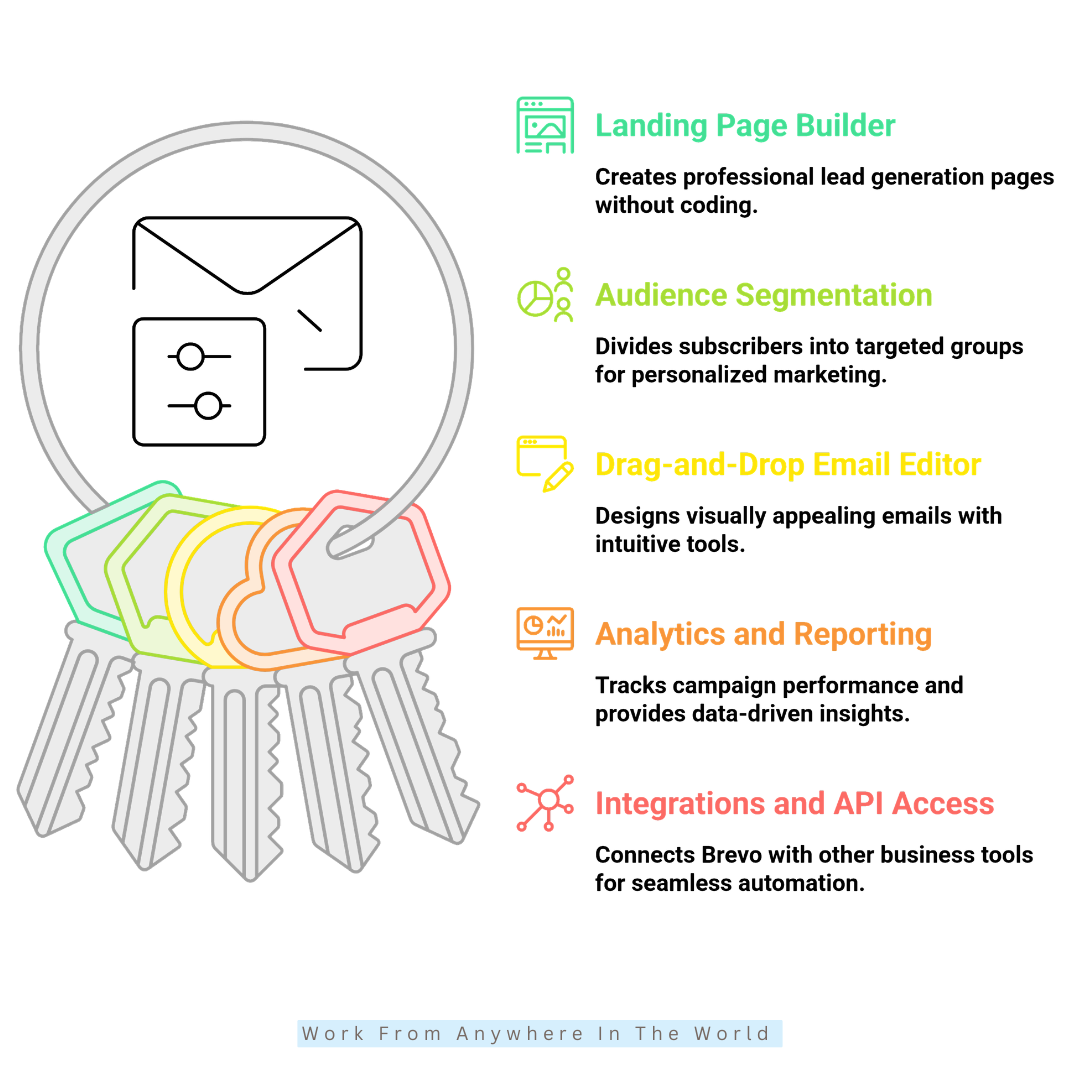
Brevo’s email marketing tools allow users to create newsletters, promotional emails, product announcements, and subscriber updates. These campaigns can help businesses stay connected with their audience and share relevant information.
Customizable templates provide a starting point for creating professional emails without designing everything from scratch. Users can adapt layouts, images, text, and branding to match their business.
Campaigns can also be personalized and directed toward specific groups within an audience. This makes it easier to send content that reflects different interests, behaviours, or marketing goals.
Brevo combines these tools with scheduling and campaign management features. Users can prepare emails in advance, organize their campaigns, and manage communication from one platform.
How It Works
Users can start with a template or create their own email using the drag-and-drop editor. Users can add and customize text, images, buttons, links, and branding elements to suit each campaign.
Emails can also be personalized for different recipients and audiences. Once the campaign is ready, users select their audience and choose whether to send it immediately or schedule it for later.
How It Helps
- Keeps subscribers informed and engaged
- Promotes products, services, and special offers
- Supports more personalized email campaigns
- Reaches specific audiences with targeted messages
- Simplifies the creation and management of email campaigns
2. Marketing Automation
Brevo’s marketing automation tools help businesses manage repetitive marketing and communication tasks. Instead of manually sending every message, users can create workflows that respond to specific customer actions.
These workflows can support different stages of the customer journey. Businesses can automate welcome emails, follow-ups, reminders, and other messages based on how contacts interact with their campaigns.
Automation can also make communication more timely and relevant. Messages can be triggered by behaviours or events rather than being sent to everyone at the same time.
For businesses managing a growing audience, these tools can reduce routine work while maintaining consistent communication. Workflows can be adjusted as marketing goals and customer needs change.
How It Works
Users create workflows by combining triggers, conditions, and actions. For example, a workflow can send a welcome email when someone joins a mailing list or trigger a reminder when a customer leaves items in a shopping cart.
Businesses can also automate birthday messages, follow-ups, and other targeted communications. Different conditions allow workflows to respond to customer behaviour and guide contacts through appropriate steps.
How It Helps
- Reduces repetitive marketing tasks
- Keeps customer communication consistent
- Sends timely follow-ups and reminders
- Supports more targeted customer journeys
- Helps businesses manage campaigns more efficiently
3. Transactional Emails
Transactional emails are messages triggered by a specific customer action or account activity. They commonly include order confirmations, password resets, invoices, shipping updates, and account notifications.
Unlike promotional campaigns, these emails usually provide information that a customer expects or needs. This makes reliable transactional communication an important part of the customer experience.
Brevo allows businesses to manage transactional emails alongside their other marketing communications. Templates can be customized so essential messages remain consistent with the company’s branding.
Businesses can also monitor how transactional emails are performing. This provides useful information about delivery status, opens, and other activity connected with these messages.
How It Works
Users can connect a website, application, or online store to Brevo through SMTP or API integration. Once connected, specific customer actions can trigger the appropriate transactional email.
For example, completing a purchase can trigger an order confirmation, while requesting a new password can generate a password reset email. Templates can include branding, customer information, and other relevant details.
Brevo also provides tracking tools for monitoring transactional email activity. Businesses can use this information to identify delivery issues and better manage important customer communications.
How It Helps
- Sends important messages after customer actions
- Keeps customers informed about orders and accounts
- Provides timely password reset instructions
- Supports consistent, professional communication
- Helps businesses monitor transactional email activity
4. SMS Marketing
Brevo’s SMS marketing tools give businesses another way to communicate directly with customers. Text messages can be used for promotions, reminders, alerts, updates, and other short communications.
SMS can be particularly useful when information is time-sensitive or doesn’t require a full email. Customers can receive important messages directly on their mobile devices.
Businesses can use SMS alongside their email campaigns rather than treating it as a separate marketing channel. This provides more flexibility when deciding how and when to reach different audiences.
SMS messages can also be incorporated into automated workflows. This allows businesses to coordinate communication across multiple channels based on customer actions and marketing goals.
How It Works
Users can add customer phone numbers to their contact lists and create SMS messages from the Brevo dashboard. Campaigns can then be scheduled or sent at a selected time.
SMS can also be incorporated into automated workflows. For example, a customer action such as a purchase or registration can trigger an appropriate message when the workflow has been configured to do so.
Brevo provides reporting tools for monitoring SMS delivery and campaign activity. These insights can help businesses evaluate their messages and adjust future campaigns.
How It Helps
- Reaches customers directly on mobile devices
- Supports promotions, alerts, and reminders
- Adds another channel to marketing campaigns
- Works with automated customer workflows
- Helps businesses manage email and SMS communication together
5. CRM System
Brevo’s CRM system helps businesses keep customer and sales information organized in one place. Instead of managing contacts, conversations, and sales opportunities across different tools, teams can access them from a central platform.
Customer profiles can include contact details, notes, previous interactions, and other useful information. This gives businesses a clearer picture of their relationship with each customer or potential client.
The CRM also supports lead and sales management. Teams can follow opportunities through different stages, create tasks, and keep track of important follow-ups.
For businesses with several people managing customer relationships, shared information can improve coordination. Team members can see relevant updates and understand what has already happened with a particular contact.
How It Works
Users create and manage customer profiles within Brevo, adding contact details, notes, communication history, and other relevant information. Contacts can also be organized into segments for easier management.
Sales opportunities can be tracked through different deal stages. Team members can create tasks, record updates, and follow the progress of leads as they move through the sales process.
Shared customer information also makes collaboration easier. Team members can access relevant details and coordinate responsibilities without maintaining separate records.
How It Helps
- Keeps customer information organized in one place
- Tracks leads and sales opportunities
- Makes follow-ups easier to manage
- Gives teams access to shared customer information
- Connects customer relationships with marketing activities
6. Landing Page Builder
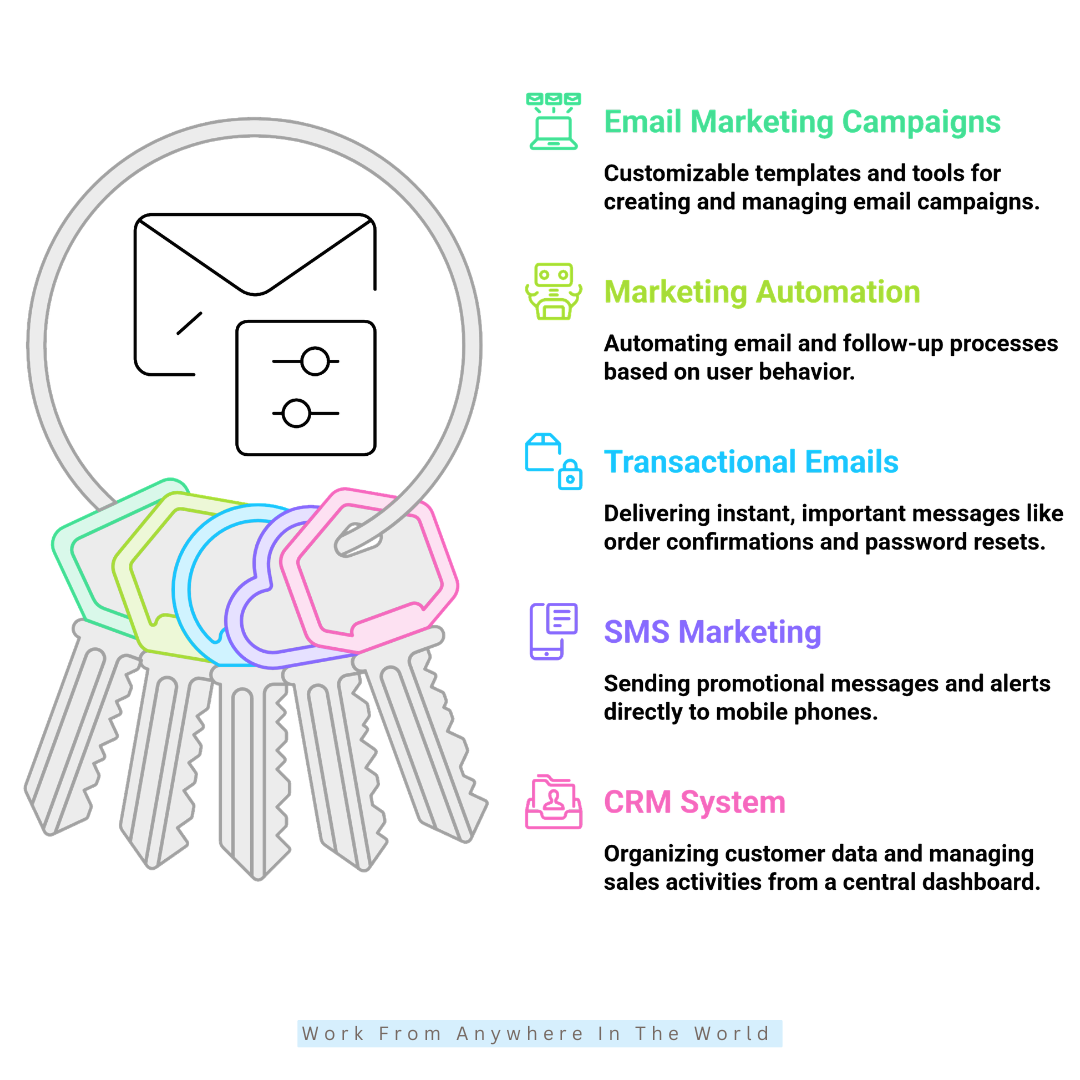
Brevo’s landing page builder helps businesses create focused pages for specific marketing campaigns. These can be used for lead generation, promotions, product launches, event registrations, and other marketing goals.
Landing pages are different from regular website pages because they usually focus on one main action. This might be joining an email list, registering for an event, downloading a resource, or learning more about an offer.
Brevo provides customizable templates and drag-and-drop editing tools, making it possible to build landing pages without coding experience. Users can adjust the content and design to match their branding and campaign.
The landing page builder also connects with Brevo’s contact and marketing tools. This makes it easier to collect leads and continue communicating with them through email campaigns or automated workflows.
How It Works
Users can select a customizable template or create a landing page using the drag-and-drop builder. Headlines, images, videos, forms, buttons, testimonials, and promotional content can be added as needed.
Signup forms can connect directly with contact lists and automation workflows. When someone completes a form, their information can be collected and used for appropriate follow-up communication.
Once completed, landing pages can be promoted through email campaigns, social media, advertising, and other marketing channels.
How It Helps
- Creates focused pages for individual campaigns
- Collects leads through signup forms
- Supports promotions, launches, and registrations
- Connects lead generation with email and automation tools
- Allows users to build pages without coding knowledge
7. Audience Segmentation
Brevo’s audience segmentation tools help businesses organize contacts into smaller groups based on shared characteristics or behaviours. This makes it possible to send more relevant messages instead of treating every subscriber the same way.
Segments can reflect factors such as interests, previous purchases, location, engagement, or other available customer information. Businesses can choose criteria that make sense for their particular audience and marketing goals.
Segmentation can be useful when subscribers are at different stages of the customer journey. A new subscriber, regular customer, and inactive contact may each benefit from receiving different types of communication.
These targeted groups can also work alongside Brevo’s email marketing and automation features. This helps businesses create campaigns and workflows for specific audiences rather than relying on one general message.
How It Works
Users create segments by applying filters to information stored about their contacts. Depending on the available data, criteria can include purchase history, email engagement, demographics, interests, and other customer activity.
Contacts that meet the selected conditions can then be grouped together for targeted campaigns. Businesses can use these segments when choosing who should receive a particular email or communication.
Dynamic segments can change as contact information or behaviour changes. This helps keep audience groups relevant without requiring every contact to be reorganized manually.
How It Helps
- Organizes contacts into relevant audience groups
- Supports more personalized marketing campaigns
- Sends content to subscribers based on selected criteria
- Works with email marketing and automation workflows
- Reduces reliance on one-size-fits-all communication
8. Drag-and-Drop Email Editor
Brevo’s drag-and-drop email editor allows users to design emails visually without writing code. Content elements can be added, moved, and customized directly within the editor.
Users can begin with an existing template or create their own layout. This provides flexibility for newsletters, promotional campaigns, announcements, and other types of email communication.
Design elements can be adjusted to reflect a business’s branding and preferred style. Fonts, images, buttons, spacing, and other details can be customized within the layout.
The editor also helps users review how their emails will appear on different screen sizes. This is particularly useful because many subscribers read emails on mobile devices.
How It Works
Users select a template or blank layout and then add content blocks to the design area. Available elements can include text, images, buttons, social icons, and other content needed for the campaign.
Each section can be customized to match the desired layout and branding. Users can adjust elements such as fonts, colours, spacing, images, and buttons before completing the design.
Finished designs can be saved and used for email campaigns and automated workflows. Preview options also allow users to check the appearance of an email before sending it.
How It Helps
- Creates emails without requiring coding knowledge
- Makes email layouts easier to customize
- Helps maintain consistent business branding
- Provides previews before campaigns are sent
- Allows designs to be reused for future campaigns
9. Analytics And Reporting
Brevo’s analytics and reporting tools help businesses understand how their marketing campaigns are performing. Rather than simply sending emails, users can review what happens after those messages reach their audience.
Campaign reports can provide information about opens, clicks, unsubscribes, delivery issues, and other subscriber activity. These metrics help businesses understand how people interact with their emails.
Analytics can also make it easier to compare different campaigns. Businesses can identify which subjects, messages, or approaches generate stronger audience responses and which may need improvement.
Regularly reviewing campaign data can support better marketing decisions. Instead of relying entirely on assumptions, businesses can use actual campaign results when planning future communication.
How It Works
After a campaign is sent, Brevo collects performance information and makes it available through reporting tools. Users can review metrics such as opens, clicks, bounce rates, unsubscribes, and delivery activity.
Reports allow businesses to examine individual campaigns and compare results. This can reveal patterns in subscriber behaviour and highlight areas that may benefit from adjustment.
The information can then be used when planning future campaigns. For example, businesses might adjust their content, targeting, or sending strategy based on previous results.
How It Helps
- Tracks email campaign performance
- Measures subscriber engagement and activity
- Identifies patterns across different campaigns
- Highlights areas that may need improvement
- Supports marketing decisions with campaign data
10. Integrations And API Access
Brevo can connect with websites, eCommerce platforms, applications, and other business tools. These integrations allow businesses to use Brevo alongside services they already rely on for marketing, sales, and customer management.
Integrations can help information move between connected platforms and reduce the need to manage the same data in several places. The exact functionality depends on the tools being connected and how the integration is configured.
Brevo also provides API access for businesses that need more customized connections. An API allows developers to connect Brevo with other applications and create workflows suited to specific business requirements.
For businesses using several digital tools, these connections can create a more coordinated workflow. Marketing, customer information, and other activities can be managed across compatible platforms without keeping every process separate.
How It Works
Users can connect Brevo with compatible third-party platforms through available plugins, apps, and integrations. These connections can support activities such as synchronizing contacts, managing customer information, and coordinating marketing campaigns.
Developers can use Brevo’s APIs when a business needs a more customized integration. This provides greater flexibility for connecting applications, exchanging data, and creating workflows for specific purposes.
Once an integration is configured, connected tools can share supported information and perform selected actions. Capabilities depend on the integration and its settings.
How It Helps
- Connects Brevo with other business tools
- Helps synchronize information between compatible platforms
- Supports customized connections through API access
- Reduces the need to manage information separately
- Creates more connected marketing and business workflows
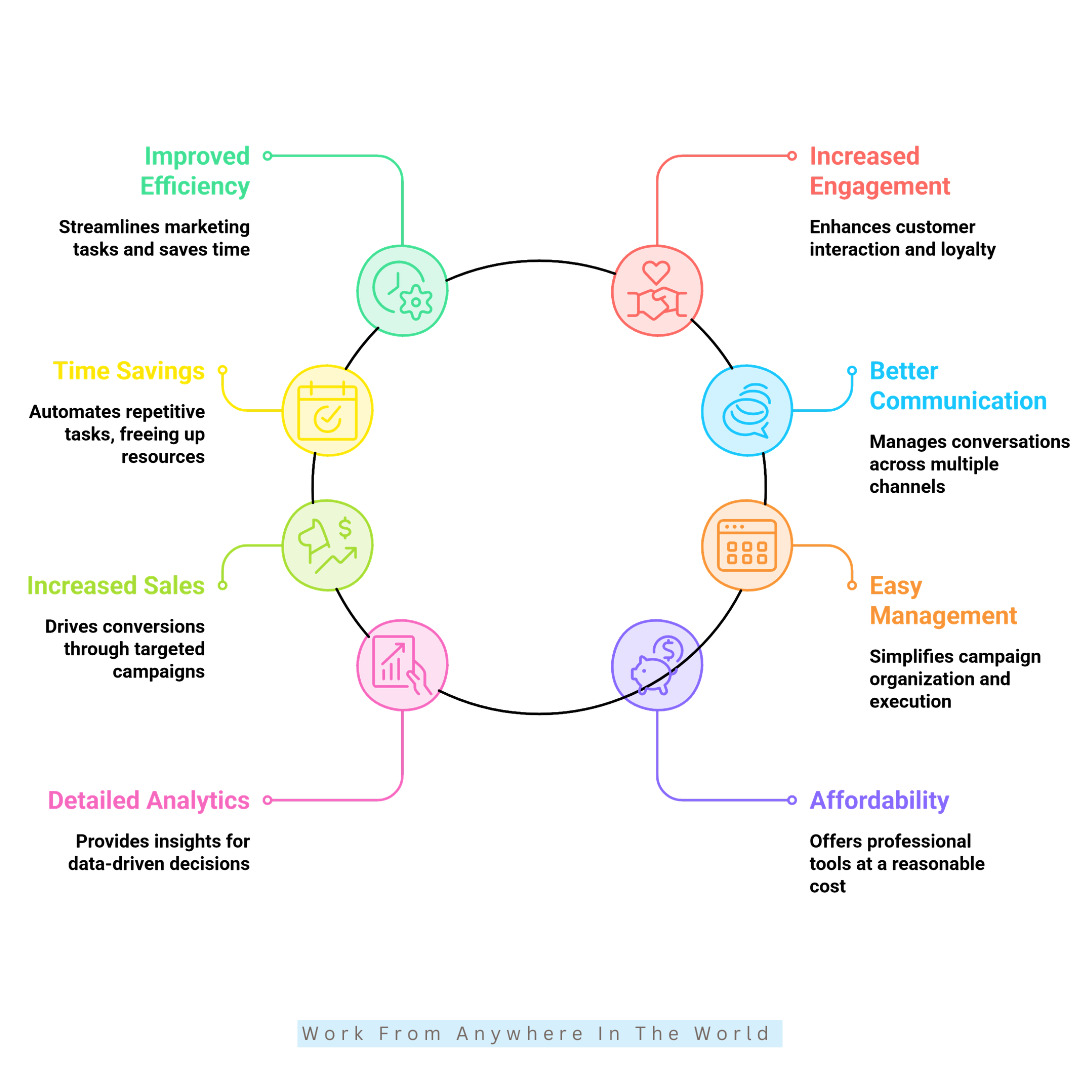
Key Benefits Of Using Brevo
Brevo offers more than individual marketing tools. Its features work together to help businesses manage communication, customer relationships, and marketing activities from one platform.
Bringing several functions together can make everyday marketing easier to organize. Businesses can manage email campaigns, automation, contacts, and customer interactions without relying on separate tools for every task.
Brevo also provides flexibility for different marketing goals and experience levels. Businesses can start with the features they need and explore additional tools as their requirements change.
The benefits extend beyond convenience. Better organization, targeted communication, automation, and performance insights can help businesses create a more consistent approach to reaching their audience.
The following benefits highlight some of the main reasons businesses may choose Brevo as part of their marketing strategy. They also show how its different tools can work together to support everyday marketing and customer communication.
1. Improves Email Marketing Efficiency
Brevo brings email creation, audience segmentation, scheduling, and automation tools together in one platform. This can make it easier to manage campaigns without switching between several different tools.
Templates and the drag-and-drop editor simplify creating professional emails without coding knowledge. Businesses can customize campaigns to match their branding and communication goals.
Automation can handle repetitive tasks such as welcome emails, follow-ups, and other scheduled communication. This reduces the amount of manual work involved in managing regular campaigns.
With these tools working together, businesses can organize their email marketing more efficiently while maintaining consistent communication with their subscribers.
2. Supports Customer Engagement
Brevo provides several ways for businesses to communicate with customers through email, SMS, and other channels. Having multiple options makes it easier to choose the most appropriate type of communication for each situation.
Audience segmentation allows businesses to organize contacts according to interests, behaviour, or other relevant information. Messages can then be tailored to different groups rather than sending identical content to everyone.
Personalized and relevant communication can make marketing messages more useful to recipients. Businesses can also use automation to maintain regular contact without manually managing every interaction.
Together, these tools support more consistent and targeted customer communication. This can help businesses build stronger connections with their audience and encourage continued engagement.
3. Saves Time Through Automation
Brevo’s automation tools can reduce the time spent on repetitive marketing and communication tasks. Users can create workflows for welcome emails, follow-ups, reminders, and other recurring messages.
Once a workflow is configured, selected actions can be triggered automatically when specific conditions are met. This reduces the need to manage every message or customer interaction manually.
Automation can also help businesses maintain more consistent communication with their audience. Messages can be delivered at appropriate stages of the customer journey based on predefined triggers.
Reducing routine tasks gives teams more time to focus on other priorities, such as planning campaigns, supporting customers, and developing their marketing strategy.
4. Supports Better Customer Communication
Brevo brings several communication tools together, allowing businesses to connect with customers through different channels. Email, SMS, transactional messages, and CRM tools can all support different types of customer interactions.
Having these tools within one platform can make communication easier to organize. Businesses can manage marketing messages alongside important customer updates and account-related information.
CRM tools also help keep contact details, communication history, and other customer information organized. This gives team members useful context when managing customer relationships and follow-ups.
Together, these features can support more consistent and organized communication. Businesses can choose the appropriate channel while keeping important customer information accessible in one place.
5. Supports Sales And Conversions
Brevo provides tools that can support sales by helping businesses send more targeted and relevant marketing messages. Audience segmentation allows campaigns to focus on contacts with particular interests, behaviours, or needs.
Personalization can also help businesses tailor offers, recommendations, and other content to different customer groups. This creates a more relevant experience than sending the same promotional message to everyone.
Automation allows businesses to follow up with customers based on selected actions or stages of their journey. For example, workflows can support reminders, follow-ups, and other timely communications.
When combined, segmentation, personalization, and automation can create a more focused approach to marketing. These tools provide opportunities to encourage customer action and support broader sales goals.
6. Provides Easy Campaign Management
Brevo brings several campaign management tools together in one platform. Businesses can create and organize email campaigns, SMS messages, landing pages, and automated workflows from a central dashboard.
Templates and visual editors make it easier to prepare marketing materials without building everything from scratch. Users can customize their campaigns according to their branding and marketing goals.
Scheduling tools also allow campaigns to be prepared in advance and sent at a selected time. This can help businesses plan their communication and maintain a more organized marketing schedule.
Managing several marketing activities from one place can reduce the complexity of working across separate platforms. It also gives businesses a clearer overview of their ongoing campaigns and communication.
7. Offers Detailed Analytics And Insights
Brevo’s analytics tools give businesses information about how their campaigns are performing. Users can review metrics such as opens, clicks, delivery activity, unsubscribes, and other interactions.
These insights can help businesses understand how subscribers respond to different campaigns. Comparing results may reveal which messages, topics, or approaches generate the most interest.
Campaign data can also highlight areas that may need adjustment. Businesses can use these findings when reviewing their content, audience targeting, and overall communication strategy.
Rather than relying solely on assumptions, marketers can base future decisions on previous campaign activity. This supports a more informed and thoughtful approach to planning future campaigns.
8. Offers Flexible Options For Small Businesses
Brevo provides a range of marketing tools that can suit startups, freelancers, and small businesses with different needs. Users can choose the features that are most relevant to their current marketing activities.
Having email marketing, CRM, automation, SMS, and landing page tools within one platform can also reduce the need for several separate services. This may make marketing activities easier to organize and manage.
Small businesses can begin with the tools they need most and explore additional features as their marketing requirements develop. This provides flexibility without requiring every available feature from the beginning.
Plan features and limits can vary, so businesses should compare the available options before choosing one. The latest information is available on Brevo’s official website.
Brevo Pricing Plans
Brevo offers several plan levels designed for businesses with different marketing needs. The available features and limits vary depending on the plan selected.
Rather than focusing only on cost, it is helpful to compare the tools included with each option. Email volume, automation, reporting, integrations, and additional marketing features may differ between plans.
Businesses should consider both their current requirements and the features they may need as their marketing activities expand. This can make it easier to select a plan without paying for tools they are unlikely to use.
Because Brevo can change its plans, features, and pricing, visit Brevo’s official website for the latest information before making a decision.
1. Free Plan
The Free plan lets you explore Brevo and get familiar with its basic marketing tools. It can be useful for individuals and small businesses that want to test the platform before choosing a paid option.
Available features and usage limits apply, so businesses with larger campaigns or more advanced requirements may eventually need another plan.
2. Starter Plan
The Starter plan is designed for businesses that need more flexibility than the Free plan provides. It expands the available marketing capabilities while remaining suitable for relatively straightforward campaigns.
This option may suit businesses that regularly use email marketing but do not yet require Brevo’s more advanced marketing features.
3. Standard Plan
The Standard plan provides additional tools for businesses with more developed marketing requirements. It can include features that support automation, campaign testing, reporting, and other marketing activities.
This level may be more appropriate for businesses that want to create more sophisticated campaigns and customer journeys.
4. Professional Plan
The Professional plan is intended for organizations with more advanced marketing requirements and larger-scale campaigns. It provides access to additional tools for managing communication across multiple channels.
Businesses considering this level should compare its available features with their actual campaign volume, team requirements, and marketing strategy.
5. Enterprise Plan
The Enterprise plan is designed for organizations that require a more customized solution. Available options can be tailored to accommodate larger operations, specific integrations, security requirements, and additional support needs.
Businesses interested in this option can contact Brevo directly to discuss their requirements and determine which services are appropriate.
Frequently Asked Questions
Q1: Is Brevo Good For Beginners?
Yes. Brevo provides visual editors, templates, and straightforward campaign management tools that can make the platform easier to learn.
Some advanced features, particularly automation and integrations, may take more time to understand. Users can begin with the basic tools and explore additional features as needed.
Q2: Does Brevo Offer A Free Plan?
Yes. Brevo offers a Free plan that allows users to explore its email marketing and customer management tools before moving to a paid option. It can be a practical way to become familiar with the platform and determine whether its tools suit your marketing needs.
Features and usage limits can change, so check Brevo’s official website for the latest information about what is included. Comparing the available plans can also help you decide when additional features may be worthwhile.
Q3: Can Brevo Handle eCommerce Marketing?
Yes. Brevo provides tools that can support eCommerce businesses, including transactional emails, automation, customer segmentation, SMS marketing, and integrations.
These features can be used for order communication, customer follow-ups, targeted campaigns, and other eCommerce marketing activities.
Q4: What Makes Brevo Different From Other Email Marketing Platforms?
Brevo combines email marketing with CRM, automation, SMS, transactional messaging, and other customer communication tools within one platform.
This broader approach may appeal to businesses that want to manage several marketing and customer communication activities without relying on multiple separate services.
Q5: Can Brevo Be Used For Marketing Automation?
Yes. Brevo allows businesses to create automated workflows based on selected triggers, conditions, and customer actions. This helps manage recurring communication while keeping messages relevant to different stages of the customer journey.
These workflows can support welcome emails, follow-ups, reminders, and other recurring communications. They can also reduce the amount of manual work involved in managing routine marketing tasks.
Q6: Is Brevo Suitable For Small Businesses?
Yes. Brevo offers tools that can suit small businesses, freelancers, bloggers, and growing online businesses with different marketing needs.
Businesses can choose the features and plan that best match their current requirements and adjust their approach as those needs change.
Conclusion
This Brevo Review shows how the platform combines several marketing tools in one place. Businesses can manage email, automation, CRM, SMS, and customer communication from one platform.
Brevo provides tools for creating campaigns, organizing contacts, and tracking results. Its automation features can also help reduce repetitive marketing tasks.
The platform may suit bloggers, freelancers, eCommerce businesses, and small businesses with different marketing needs. However, the right choice depends on the features and tools each business requires.
Before choosing a plan, consider which features you are most likely to use. Comparing your needs with Brevo’s available options can help you decide whether the platform is right for your business.
I trust you enjoyed this article on the Brevo Review: Top 10 Features, Benefits, and Plans. Please stay tuned for more insightful blogs on affiliate marketing, online business, and working from anywhere in the world.
Take care!
— JeannetteZ 🌍✨
💬 Your Opinion Is Important To Me
Do you have thoughts, ideas, or questions? I’d love to hear from you. Please leave your comments below or email me directly at Jeannette@WorkFromAnywhereInTheWorld.com.
📚 More Work From Anywhere Reads
🚀 Ready to Build a Business You Can Run from Home
Or from Anywhere in the World?
Imagine creating income on your terms — from home, a cozy café, or wherever life takes you.
With the right tools, training, and community support, it’s entirely possible.
Start your own online business for free — no credit card needed.
Disclosure
This post may contain affiliate links. As an Amazon Associate and participant in other affiliate programs, I earn from qualifying purchases at no extra cost to you. Please read my full affiliate disclosure.