20 Best Digital Education Tools That Make Learning Easier
Digital education tools have transformed how people learn, teach, and develop new skills. Whether you’re a student, educator, freelancer, or business owner, the right technology makes online learning more accessible, interactive, and engaging.
From virtual classrooms and educational games to AI-powered assistants, these tools offer practical solutions for different learning needs. They also help educators organize lessons, encourage participation, and communicate with students.
Many platforms support collaboration, creative projects, and independent learning. Others focus on productivity, progress tracking, or developing professional skills for today’s digital workplace.
In this guide, we’ll explore 20 of the best digital education tools and their key features. You’ll discover how each platform works and which options may suit your educational or professional goals.
What Are Digital Education Tools?
Digital education tools are software applications and online platforms that make teaching, learning, and collaboration easier. They allow students and educators to access educational resources, complete assignments, and share knowledge from almost anywhere.
These tools support virtual classrooms, online courses, interactive lessons, and independent learning. Many also encourage teamwork through shared documents, video conferencing, and collaborative projects.
Modern platforms often combine artificial intelligence, cloud technology, educational games, and multimedia resources. These features create engaging learning experiences while helping educators adapt lessons to different learning needs.
Schools, universities, businesses, and independent learners use digital education tools to develop skills and improve productivity. They also make education more flexible by supporting traditional classrooms, remote learning, and hybrid education.
Exploring 20 Digital Education Tools For Every Learning Style
Everyone learns differently, and digital education tools offer flexible ways to accommodate various learning preferences. Whether you prefer visual lessons, interactive activities, or independent study, a platform can support your educational goals.
Some tools focus on virtual classrooms, helping educators organize lessons, communicate with students, and track progress. Others encourage participation through educational games, interactive quizzes, and collaborative projects.
Students and independent learners benefit from platforms that simplify research, improve writing, and develop new skills. Many applications also offer personalized activities and self-paced courses that accommodate different schedules and abilities.
For freelancers, entrepreneurs, and remote workers, these tools offer professional development opportunities. They also support online training, content creation, teamwork, and building valuable digital skills.
The following 22 digital education tools offer a variety of features for teaching, learning, and professional growth. Exploring their strengths will help you identify the platforms that best suit your needs, interests, and learning preferences.
1. Google Classroom
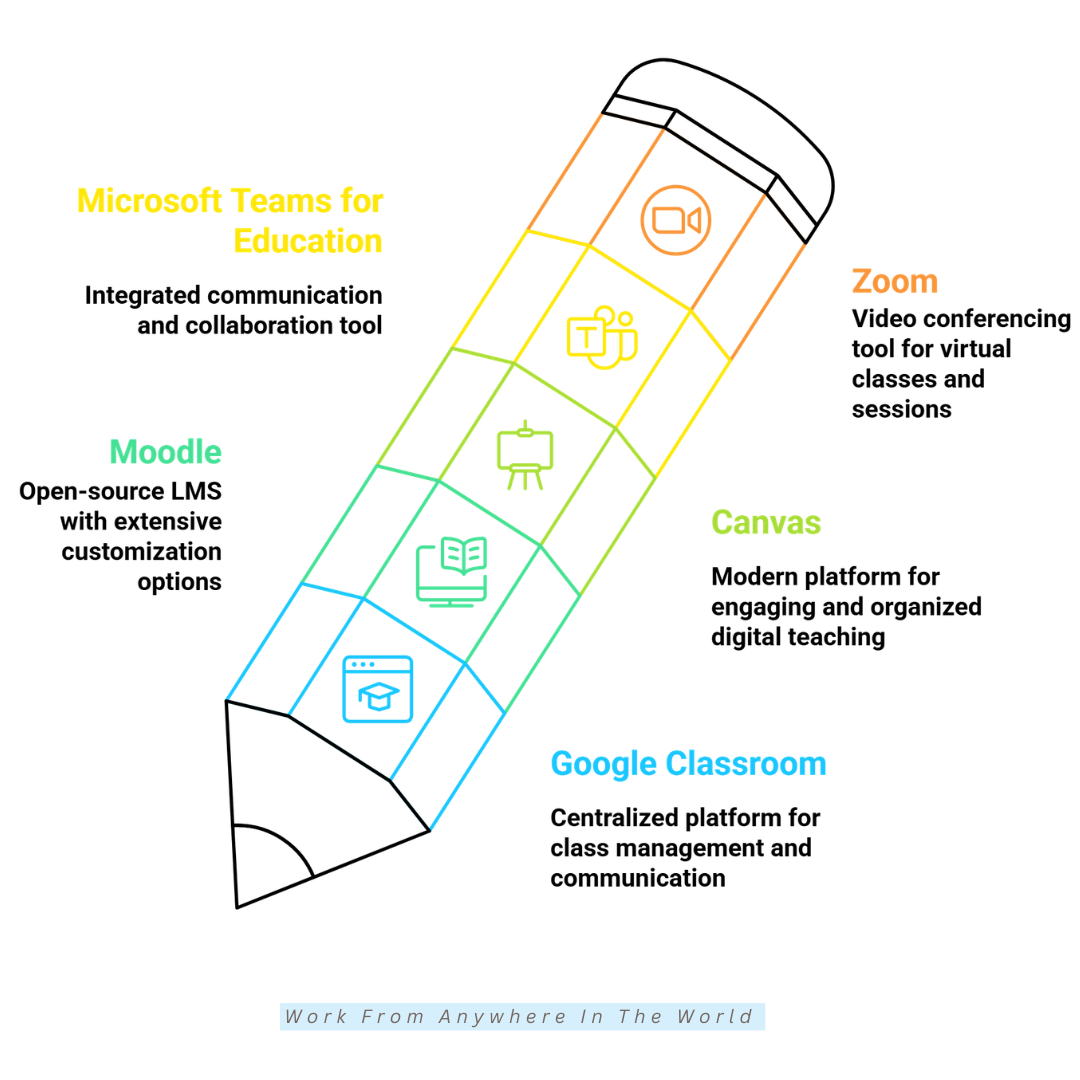
Google Classroom is one of the most popular digital education tools for schools, colleges, and online learning. It provides a central platform where teachers organize lessons, share educational materials, assign homework, and communicate with students.
The platform integrates with Google Workspace applications, including Docs, Slides, Sheets, Drive, and Meet. This connection makes it easier to create assignments, share resources, and collaborate without constantly switching between applications.
Students submit assignments, receive feedback, and monitor upcoming deadlines through an organized classroom dashboard. Teachers also benefit from grading tools, assignment tracking, and features that simplify everyday classroom management.
Google Classroom supports traditional, remote, and hybrid learning environments. Its familiar interface and integration with Google’s educational apps make it a practical choice for educators and students seeking a more organized learning experience.
2. Moodle
Moodle is a popular open-source learning management system (LMS) used by schools, universities, and training organizations worldwide. It provides a flexible platform where educators create courses, share learning materials, organize assignments, and monitor student progress.
One of Moodle’s greatest strengths is its customization options. Educational institutions can adapt course layouts, learning activities, and assessment methods to meet their teaching requirements and students’ learning needs.
The platform supports interactive quizzes, discussion forums, collaborative projects, and multimedia lessons. Teachers also use its grading and progress-tracking features to evaluate performance and identify areas where students may need additional guidance.
Moodle supports traditional classrooms, remote education, and blended learning environments. Its extensive plugin library and active global community make it a practical choice for institutions seeking a flexible, scalable learning platform.
3. Canvas
Canvas is a learning management system designed to simplify online teaching and create engaging educational experiences. It allows educators to organize courses, share multimedia lessons, manage assignments, and communicate with students through one central platform.
Its user-friendly interface makes navigation easier for teachers and students, including those with limited technical experience. Educators can customize course materials, organize learning activities, and provide resources that support different learning needs.
Canvas also offers mobile access, grading tools, discussion boards, and video integration. These features encourage student participation, simplify communication, and make it easier for educators to monitor academic progress.
Schools, universities, and professional training organizations use Canvas for classroom instruction, remote education, and blended learning. Its combination of course management and collaboration features makes it a practical choice for creating organized, interactive learning environments.
4. Microsoft Teams For Education
Microsoft Teams for Education brings communication, collaboration, and classroom management together in one learning platform. Teachers use it to host virtual classes, share educational resources, assign coursework, and communicate with students through chat and video meetings.
The platform integrates with Microsoft 365 applications, including Word, Excel, PowerPoint, and OneNote. These connections make it easier for educators to prepare lessons, distribute assignments, and manage classroom activities without constantly switching between applications.
Students access learning materials from computers, tablets, or smartphones. They also participate in group discussions, work on shared documents, and complete collaborative projects, whether attending classes remotely or in person.
Microsoft Teams for Education supports traditional classrooms, hybrid learning, and distance education. Its communication and collaboration features make it a practical choice for schools and institutions seeking an organized digital learning environment.
5. Zoom
Zoom is a popular video conferencing platform used for virtual classrooms, online tutoring, and remote learning. Educators use it to deliver live lectures, organize workshops, lead interactive discussions, and conduct one-on-one teaching sessions.
The platform offers screen sharing, breakout rooms, virtual whiteboards, polls, and meeting recording. These features encourage student participation and make online lessons more engaging, especially when teachers apply practical tips to strengthen their online presence.
Recorded sessions allow students to revisit important lessons and review challenging topics at their own pace. Teachers also use breakout rooms for small-group discussions, collaborative activities, and projects that encourage students to work together.
Zoom works across computers, tablets, and smartphones, making virtual lessons accessible from different devices. Whether teaching a small study group or hosting a larger online class, educators can use Zoom to maintain communication and create an interactive learning environment.
6. Kahoot!
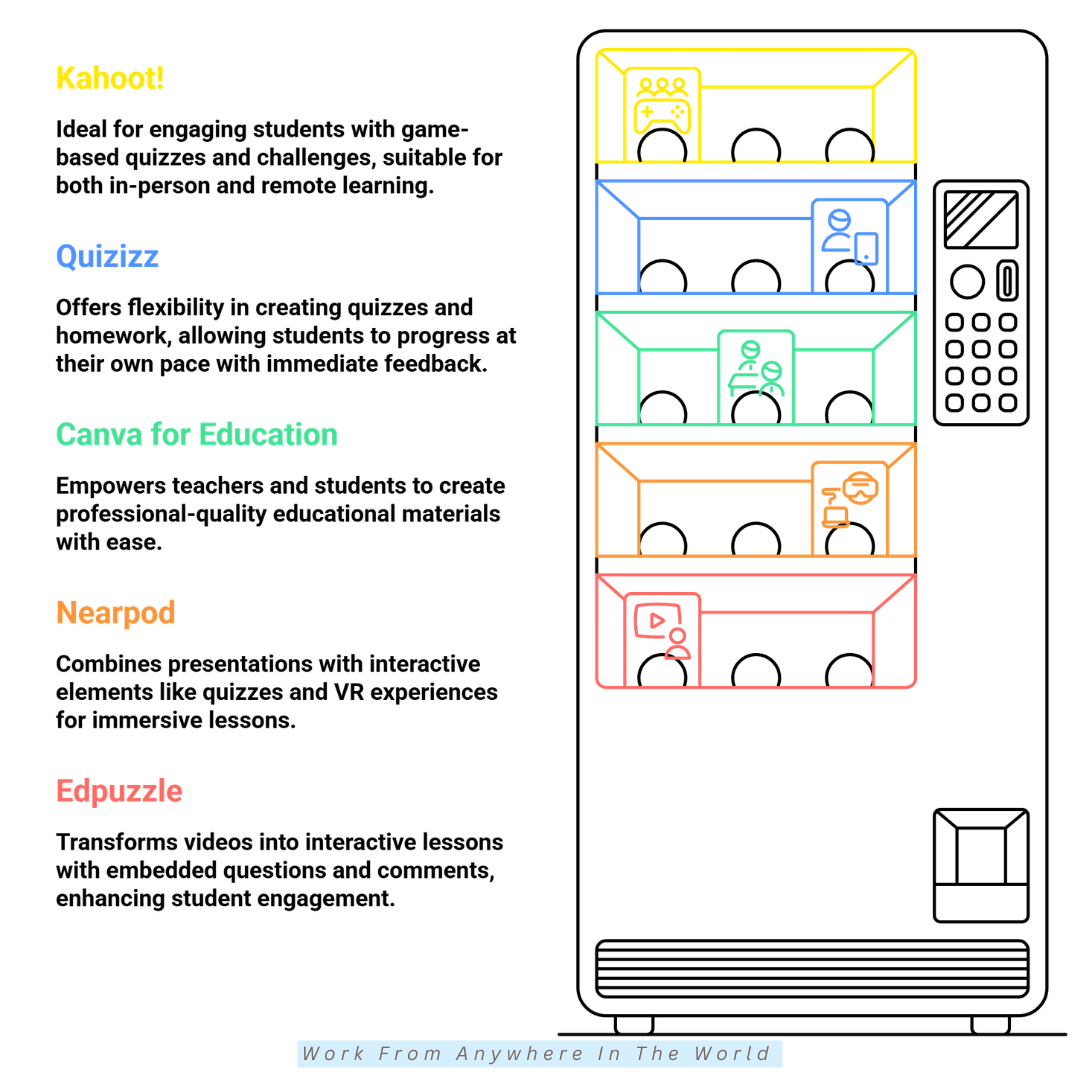
Kahoot! is an interactive learning platform that turns traditional classroom activities into entertaining educational games. Teachers use it to create quizzes, review key concepts, and encourage participation through friendly competition.
Educators can design their own quizzes or explore a large collection of ready-made learning activities. These resources cover a wide range of subjects and age groups, making it easier to adapt lessons to different educational needs.
Live scoreboards, timed questions, and instant feedback add excitement to classroom activities. Teachers also use quiz results to assess student understanding, identify knowledge gaps, and adjust future lessons.
Kahoot! supports classroom teaching, remote education, and independent learning through self-paced activities. Its combination of educational games and interactive assessments makes it a practical choice for educators who want to increase participation and make lessons more memorable.
7. Quizizz
Quizizz, now known as Wayground, is an interactive learning platform that combines educational quizzes, assessments, and classroom activities. Teachers use it to create engaging lessons, evaluate student understanding, and encourage participation through game-based learning.
Educators can design their own quizzes or choose from a large library of ready-made educational resources. Students complete activities individually or in groups, making the platform suitable for classroom instruction, homework, and remote learning.
Self-paced quizzes allow students to answer questions at a comfortable speed while receiving immediate feedback. Game elements, including points and leaderboards, add excitement and encourage participation without relying entirely on traditional testing methods.
Teachers also receive performance reports that highlight student progress and areas requiring additional attention. By combining interactive assessments with flexible learning activities, Quizizz gives educators another way to engage students and reinforce key concepts.
8. Canva For Education
Canva for Education is a creative design platform that helps teachers and students develop attractive educational materials. It offers customizable templates for presentations, infographics, lesson plans, worksheets, posters, videos, and classroom activities.
The platform’s drag-and-drop editor makes graphic design accessible to beginners. Teachers can prepare visual lessons, while students create presentations and other projects that encourage creativity and help them communicate their ideas.
Canva also offers collaboration features that allow students and educators to work together on shared designs. These tools encourage teamwork, creative thinking, and active participation in individual or group assignments.
Its combination of design templates, multimedia features, and educational resources makes Canva a practical choice for classroom and remote learning. Educators can use it to create engaging learning materials, while students develop valuable visual communication and digital design skills.
9. Nearpod
Nearpod is an interactive teaching platform that helps educators prepare for teaching online and create engaging lessons for traditional, remote, and hybrid classrooms. It combines presentations, multimedia resources, and interactive activities to encourage student participation throughout each lesson.
Teachers can incorporate quizzes, polls, videos, virtual reality experiences, and collaborative activities into their presentations. These features offer different ways to explore educational topics while making lessons more interesting and accessible.
Students join activities using their own devices and respond to questions as lessons progress. Educators can monitor participation, review responses, and identify areas where students may need additional explanations or guidance.
Nearpod also supports self-paced lessons, allowing students to review educational materials independently. By combining interactive activities with assessment tools, the platform helps teachers encourage active learning and create more engaging classroom experiences.
10. Edpuzzle
Edpuzzle is a video-based learning platform that turns educational videos into interactive lessons. Teachers use it to add questions, audio notes, and explanations to videos, encouraging active participation rather than passive viewing.
Educators can create lessons using their own recordings or suitable videos from YouTube and other supported sources. This flexibility makes it easier to introduce new topics, reinforce important concepts, and prepare engaging activities for different learning needs.
Edpuzzle also provides tools to track student progress and assess comprehension. Teachers can review responses, monitor video completion, and identify topics that require additional explanation or classroom discussion.
The platform works particularly well for homework, online courses, and flipped classrooms, where students review instructional materials before attending class.
By combining video lessons with interactive assessments, Edpuzzle encourages independent learning while helping educators monitor student understanding.
11. Duolingo
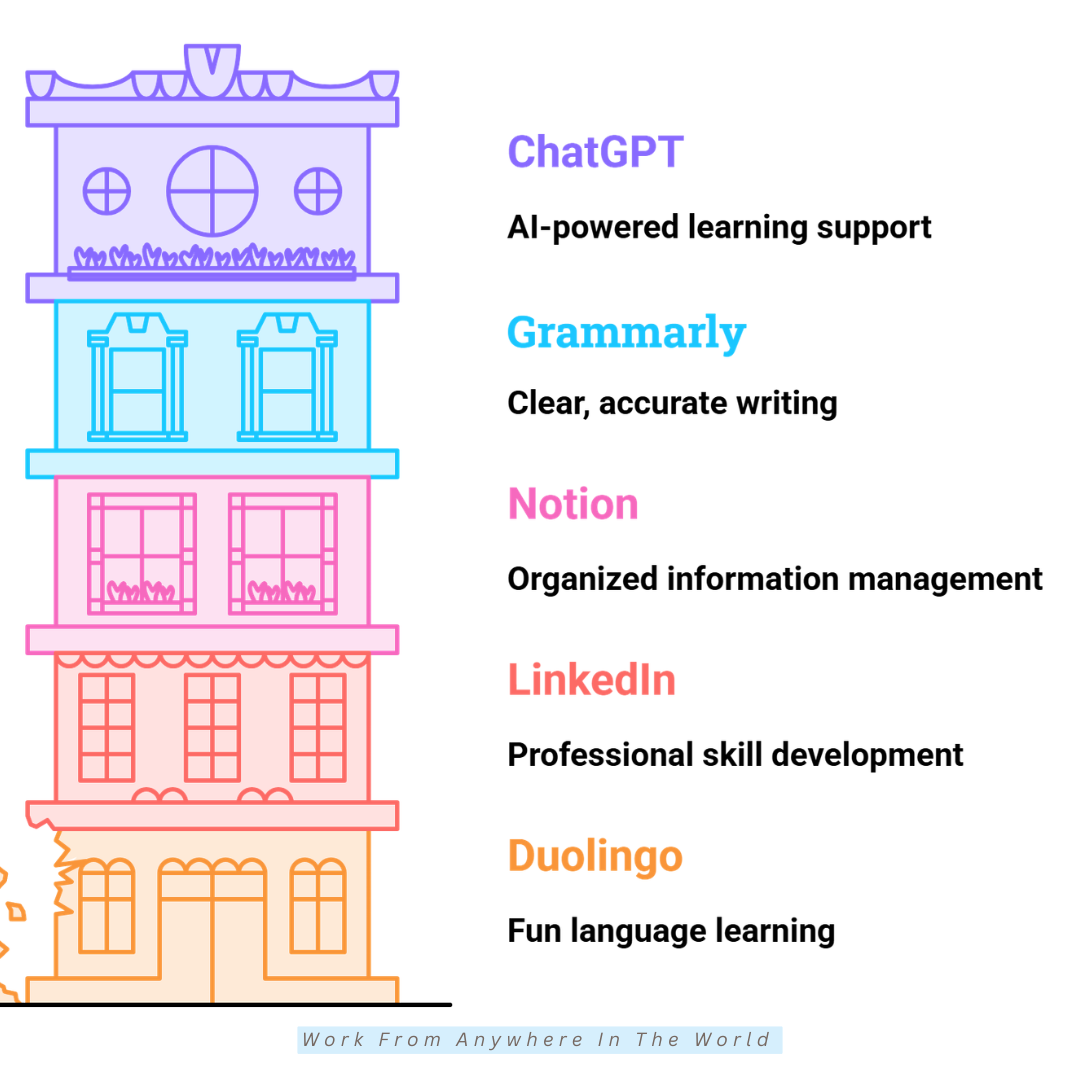
Duolingo is a popular language-learning platform that makes studying new languages accessible and enjoyable. It offers short, interactive lessons that help learners develop reading, writing, listening, and speaking skills through regular practice.
The platform uses gamified exercises, personalized learning paths, and progress tracking to encourage consistent learning. Activities gradually introduce new vocabulary and grammar concepts while revisiting previously learned material to reinforce understanding.
Daily streaks, achievement badges, and learning challenges provide additional motivation. These features encourage learners to develop regular study habits while allowing them to complete lessons at a comfortable pace.
Duolingo offers courses in numerous languages and works well for beginners and learners who want additional practice. Although it cannot replace every aspect of real-world conversation, it provides a convenient way to build foundational language skills and maintain a consistent learning routine.
12. LinkedIn Learning
LinkedIn Learning is a professional development platform that helps individuals build valuable workplace skills. It offers expert-led courses in business, leadership, technology, project management, communication, and creative fields.
Learners can explore individual courses or follow structured learning paths designed around specific career goals. These options make it easier to develop new skills, strengthen existing knowledge, and prepare for changing workplace demands.
The platform offers self-paced video lessons, practical exercises, and personalized course recommendations. Learners can also earn certificates of completion and display them on their LinkedIn profiles to highlight their professional development.
LinkedIn Learning also benefits professionals who want to develop new skills and advance their careers. After completing relevant courses, learners can highlight their achievements and apply practical tips on how to make a LinkedIn profile stand out, helping potential employers and professional connections recognize their expertise.
13. Notion
Notion is an all-in-one productivity platform that helps students, educators, and professionals organize information in one convenient workspace. It combines note-taking, task management, databases, calendars, and collaboration tools to simplify everyday learning activities.
Students can create personalized study planners, organize class notes, manage reading lists, and track assignment deadlines. Educators also use Notion to prepare lesson materials, organize educational resources, and coordinate classroom projects.
The platform offers customizable templates, shared workspaces, and real-time collaboration features. These tools allow users to exchange ideas, update documents, and manage group assignments without switching between multiple applications.
Notion also benefits freelancers and remote workers who need an organized approach to managing projects and deadlines. Its flexible workspace complements freelancer project management software by helping users coordinate tasks, monitor progress, and maintain productive working routines.
14. Grammarly
Grammarly is an AI-powered writing assistant that helps students, educators, and professionals improve their written communication. It checks grammar, spelling, punctuation, sentence structure, and clarity, and offers suggestions to make writing more effective.
The platform also provides feedback on tone, word choice, and sentence construction. These suggestions help learners recognize common writing mistakes and develop stronger editing skills through regular practice.
Grammarly works with web browsers, word processors, email applications, and other digital platforms. Students use it to review assignments and essays, while professionals rely on its writing assistance when preparing reports, presentations, and business correspondence.
For freelancers and content creators, Grammarly is also a useful addition to their everyday writing workflow. It complements other essential blogging tools by helping users produce clear, polished content while building confidence in their writing.
15. ChatGPT
ChatGPT is an AI-powered assistant that helps students, educators, and professionals explore new subjects through interactive conversations. It explains concepts, answers questions, and helps with brainstorming, research planning, writing, and problem-solving.
Learners can ask ChatGPT to simplify complicated concepts, explain unfamiliar terminology, or provide practical examples. It also helps create study guides, practice questions, and summaries that make educational materials easier to understand.
The platform supports different learning needs by allowing users to ask follow-up questions and explore topics at their own pace. Educators also use ChatGPT to brainstorm lesson ideas, develop educational activities, and prepare materials for classroom discussions.
ChatGPT is equally useful for freelancers, entrepreneurs, and content creators looking to build new digital skills. It also helps users strengthen essential entrepreneurial skills by brainstorming, problem-solving, planning content, and exploring new business ideas.
However, AI-generated information is not always accurate. Users should verify important facts, consult reliable sources, and apply critical thinking rather than relying entirely on automated responses.
16. Miro
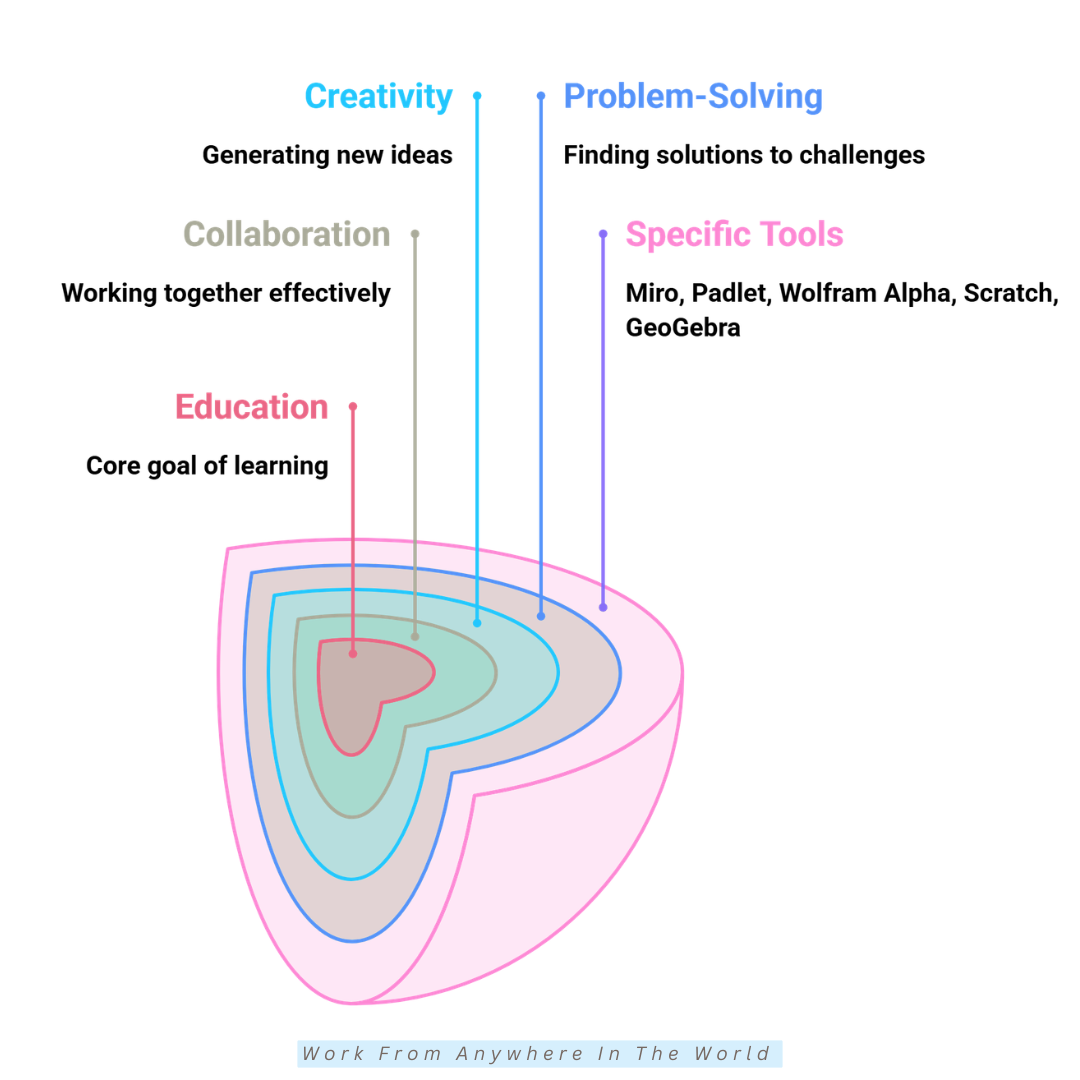
Miro is an online collaborative whiteboard that helps students, educators, and professionals organize ideas visually. It provides a shared digital workspace where users create mind maps, flowcharts, diagrams, brainstorming boards, and project plans.
Teachers use Miro to explain complicated concepts, encourage classroom discussions, and organize interactive learning activities. Students also benefit from its visual tools when preparing presentations, planning assignments, or working on collaborative research projects.
The platform supports real-time collaboration, allowing multiple participants to contribute ideas and edit shared boards simultaneously. Its templates and integrations with popular productivity applications make it easier to organize information and coordinate group activities.
Miro is particularly useful for remote teams that need to communicate ideas and manage projects across different locations. Its collaborative features complement practical tips for managing a virtual team, helping participants share knowledge, develop creative solutions, and work toward common goals.
17. Padlet
Padlet is a collaborative digital workspace that helps students and educators share ideas, educational resources, and creative projects. Its colourful, easy-to-use interface lets participants add content to shared boards, making classroom activities more interactive and engaging.
Teachers use Padlet to organize brainstorming sessions, classroom discussions, group assignments, and collaborative learning activities. Students can contribute text, images, videos, documents, links, and audio recordings, creating a shared collection of educational materials.
The platform encourages participation by giving students different ways to express their thoughts and ideas. Learners who feel uncomfortable speaking during live discussions may find it easier to contribute through written responses or visual content.
Padlet also supports remote learning and group projects, allowing participants to collaborate from different locations. Its communication features complement effective online community management strategies by encouraging knowledge sharing, active participation, and meaningful discussions.
18. Wolfram Alpha
Wolfram Alpha is a computational knowledge engine that helps students explore complex academic subjects through detailed calculations and explanations. Unlike traditional search engines, it uses mathematical models and structured data to generate answers to specific questions.
The platform covers mathematics, physics, chemistry, engineering, statistics, and economics. Students use it to solve equations, explore scientific concepts, analyze data, and visualize mathematical relationships through graphs and diagrams.
One of its most useful educational features is the availability of step-by-step solutions for supported problems, although some explanations require a paid subscription.
These guided calculations help learners understand mathematical methods, identify mistakes, and strengthen their problem-solving abilities.
Wolfram Alpha also benefits professionals who work with numerical information, financial calculations, and data analysis. Its computational features help users explore complex problems and understand the difference between data-driven and data-informed decision-making.
Students should use Wolfram Alpha to understand mathematical concepts and verify their calculations rather than relying entirely on automated answers. Combining its computational features with independent practice encourages deeper learning and stronger analytical skills.
19. Scratch
Scratch is a free visual programming platform developed by MIT to introduce children and beginners to coding. It lets learners create interactive stories, animations, and games using colourful programming blocks instead of writing complex code.
Students build projects by connecting blocks that control characters, movements, sounds, and actions. This hands-on approach introduces important programming concepts such as sequencing, loops, conditions, and logical thinking in an enjoyable way.
Scratch also encourages creativity and problem-solving as learners experiment with different ideas and discover how their programs work. Teachers use it for classroom activities that combine coding with storytelling, mathematics, art, and other educational subjects.
Scratch also encourages collaboration through its online community, where learners share projects, explore other creations, and exchange creative ideas.
This experience introduces students to the principles of Scratch, where participation, shared interests, and learning from others help people develop meaningful connections.
Scratch provides a welcoming introduction to computer programming without requiring previous coding experience. As learners gain confidence, they develop computational thinking skills that prepare them to explore more advanced programming languages.
20. GeoGebra
GeoGebra is a free interactive mathematics platform that combines geometry, algebra, calculus, graphing, and statistics. It helps students explore mathematical concepts through dynamic visualizations, interactive diagrams, and hands-on activities.
Students use GeoGebra to create graphs, investigate geometric shapes, solve equations, and explore mathematical relationships. Its interactive features allow learners to adjust values and observe how these changes affect calculations, shapes, and graphs.
Teachers also use GeoGebra to prepare engaging mathematics lessons that encourage exploration and active participation. Its visual learning tools make abstract concepts easier to understand while helping students connect mathematical theories with practical examples.
The platform supports classroom instruction, group activities, and independent study. Learners can access educational resources, explore interactive exercises, and develop their understanding of mathematical concepts at their own pace.
GeoGebra encourages curiosity, logical thinking, and problem-solving through experimentation. By combining visual learning with practical exercises, it helps students build mathematical confidence and develop skills they can apply to more advanced subjects.
Frequently Asked Questions
Q1: Which Digital Education Tools Are Best For Students?
The best digital education tools depend on a student’s learning goals, subjects, and preferred study methods. Google Classroom, Notion, Grammarly, ChatGPT, and Canva for Education are popular choices for organizing assignments, improving writing, and developing creative projects.
Students interested in interactive learning may prefer Kahoot!, Wayground (formerly Quizizz), or GeoGebra. Each platform offers different features, so choosing tools that complement individual learning needs is more useful than relying on one application.
Q2: Are Digital Education Tools Free?
Many digital education tools offer free versions with features suitable for students, educators, and independent learners. Platforms such as Scratch and GeoGebra offer free educational resources, while Grammarly, Notion, and Canva provide free plans with some limitations.
Paid subscriptions may provide advanced collaboration features, additional storage, detailed analytics, or expanded educational resources. Before subscribing, compare the available features and check whether your school or educational institution provides access.
Q3: What Should I Consider When Choosing Digital Education Tools?
Start by identifying your educational goals and the activities you want to accomplish. Look for tools that are easy to navigate, compatible with your devices, and suitable for your preferred learning or teaching methods.
Consider collaboration features, accessibility, privacy protections, integration options, and available technical support. Comparing free and paid features also helps you select practical tools without paying for services you may never use.
Q4: How Do Digital Education Tools Improve Student Engagement?
Digital education tools make learning more interactive through quizzes, videos, games, and collaborative activities. Platforms such as Kahoot!, Nearpod, and Padlet encourage students to participate actively rather than simply listen to lessons.
These tools also provide different ways to explore information, helping educators accommodate various learning preferences. Interactive activities, immediate feedback, and opportunities for collaboration make lessons more engaging and encourage students to stay involved.
Q5: Can Digital Education Tools Support Remote Learning?
Digital education tools play an important role in remote learning by connecting students and educators across different locations. Platforms such as Google Classroom, Zoom, and Microsoft Teams for Education support virtual lessons, assignment sharing, discussions, and group projects.
Students can access learning materials, communicate with teachers, and complete assignments without attending a physical classroom. These features also support flexible learning schedules, making education more accessible to people with different responsibilities and circumstances.
Q6: Are AI-Powered Digital Education Tools Safe For Students?
AI-powered digital education tools such as ChatGPT and Grammarly can help with writing, research, and understanding difficult subjects. However, students should verify important information because AI-generated responses may contain mistakes or outdated details.
Educators and parents should also review privacy settings, age requirements, and data protection policies before introducing these platforms. Encouraging responsible AI use helps students develop critical thinking skills while protecting personal information and maintaining academic integrity.
Conclusion
Digital education tools have transformed how we learn, teach, and share knowledge. They make education more accessible, interactive, and flexible, giving students and educators new opportunities to explore subjects and develop valuable skills.
From virtual classrooms and interactive quizzes to AI-powered assistants and creative design platforms, each tool offers different benefits. Choosing the right combination depends on your learning goals, preferred methods, and everyday educational needs.
You don’t need to explore every platform at once. Start with a few digital education tools that match your priorities, get familiar with their features, and gradually add more resources as your confidence grows.
These platforms also offer valuable opportunities beyond traditional education. Freelancers, entrepreneurs, and remote professionals use digital learning resources to strengthen their skills, improve productivity, and adapt to changing workplace demands.
With consistent practice and a willingness to explore new ideas, digital education tools become valuable companions for lifelong learning. The right resources help you stay organized, collaborate effectively, and develop practical skills that support academic and professional growth.
I trust you enjoyed this article on the 20 Best Digital Education Tools That Make Learning Easier. Stay tuned for more insightful guides, practical tips, and ideas on affiliate marketing, online business, and working from anywhere in the world.
Take care!
— JeannetteZ 🌍✨
💬 Your Opinion Is Important To Me
Do you have thoughts, ideas, or questions? I’d love to hear from you. Please leave your comments below or email me directly at Jeannette@WorkFromAnywhereInTheWorld.com.
📚 More Work From Anywhere Reads
🚀 Ready to Build a Business You Can Run from Home
Or from Anywhere in the World?
Imagine creating income on your terms — from home, a cozy café, or wherever life takes you.
With the right tools, training, and community support, it’s entirely possible.
Start your own online business for free — no credit card needed.
Disclosure
This post may contain affiliate links. As an Amazon Associate and participant in other affiliate programs, I earn from qualifying purchases at no extra cost to you. Please read my full affiliate disclosure.