AIOSEO Review: 8 Powerful Features Worth Exploring
AIOSEO Review explores whether this popular WordPress SEO plugin offers the tools you need to improve your website’s search engine optimization.
Choosing the right SEO plugin can simplify technical settings, content optimization, and website management. AIOSEO, also known as All in One SEO, provides tools for bloggers, small businesses, and online store owners.
From on-page analysis to XML sitemaps and schema markup, AIOSEO offers features designed to make SEO tasks more manageable. However, not every website requires the same tools or level of functionality.
But is AIOSEO the right choice for your WordPress website? In this AIOSEO Review, we’ll explore eight key features, advantages, disadvantages, pricing options, and alternatives to help you decide.
What Is AIOSEO?
AIOSEO (All in One SEO) is a WordPress plugin that helps website owners manage search engine optimization directly from their dashboards. It simplifies essential SEO tasks without requiring extensive coding knowledge.
The plugin allows users to edit SEO titles, write meta descriptions, generate XML sitemaps, and add schema markup. It also provides tools for improving internal links and managing important search settings.
AIOSEO offers both free and paid versions. Beginners can start with basic optimization tools, while premium subscribers can access additional features for local SEO, redirects, internal linking, and search performance tracking.
For example, a gardening blogger can use AIOSEO to optimize an article about growing tomatoes. Selecting relevant search terms is an important starting point, and our guide to free keyword research tools explores useful options.
The plugin can also help improve how pages appear in search results and make important content easier for search engines to discover. However, effective optimization still depends on useful, well-organized content.
Online store owners can benefit from AIOSEO’s WooCommerce integration when optimizing product pages. Our WooCommerce Review explores the platform’s features for building and managing an online store.
AIOSEO simplifies several technical SEO tasks, making website optimization more approachable for beginners. However, installing an SEO plugin cannot guarantee higher search rankings or increased traffic.
Content quality, competition, search intent, website performance, and consistent optimization remain important factors. Our guide to SEO strategies for organic traffic explores practical ways to strengthen your overall approach.
Features Of AIOSEO
AIOSEO provides several tools designed to simplify WordPress search engine optimization. These features help website owners manage content, technical settings, and search visibility from one dashboard.
From on-page analysis to structured data and internal linking, the plugin supports different aspects of website optimization. Let’s explore eight AIOSEO features worth knowing.
1. TruSEO On-Page Analysis
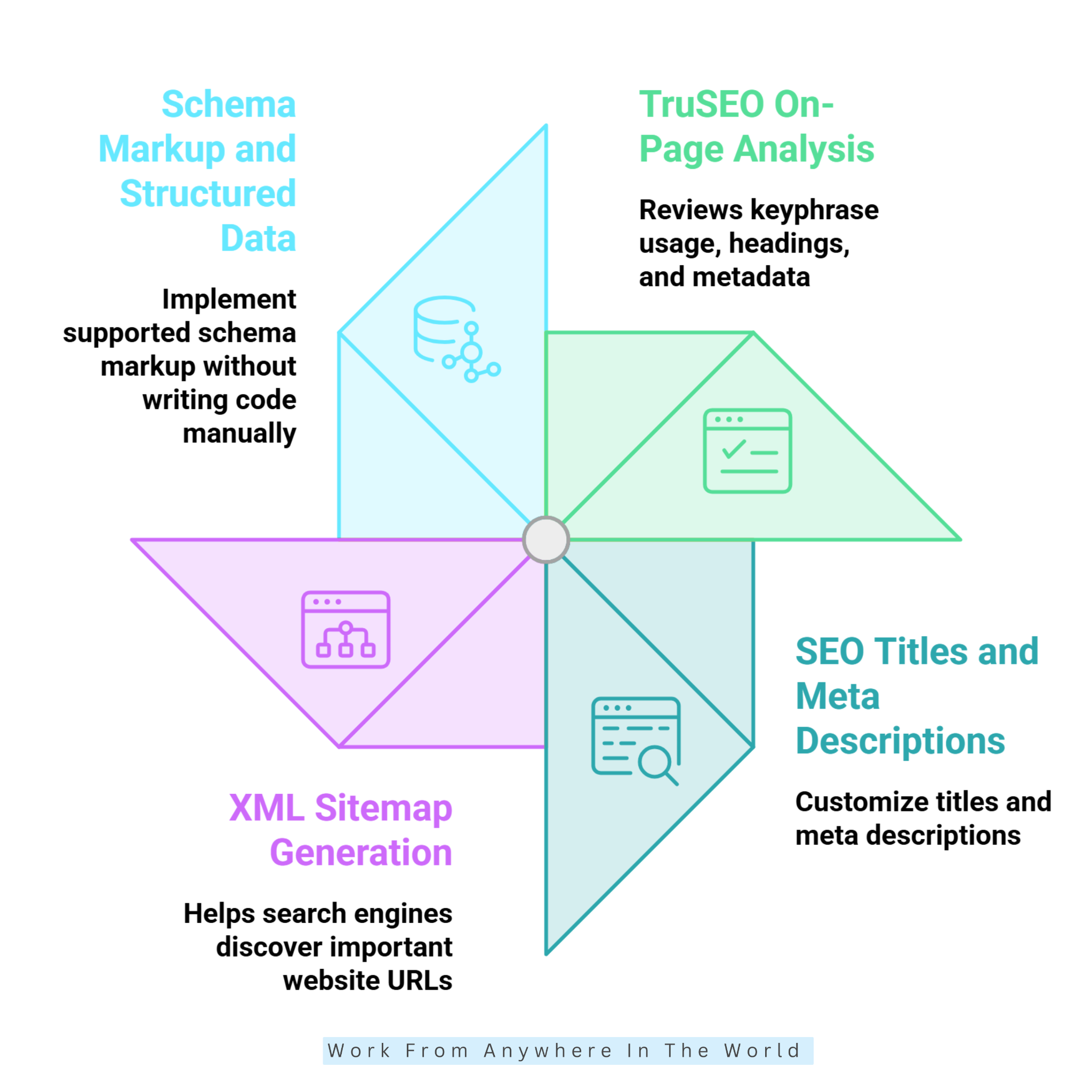
TruSEO is one of AIOSEO’s core features, helping users improve individual pages and blog posts. It reviews important on-page elements, including keyphrase usage, headings, readability, and metadata.
For example, when publishing an article about indoor plants, you can use its recommendations to identify missing optimization opportunities. This makes it easier to review your content before publication.
Our On-Page SEO Guide explores additional techniques for improving individual website pages. Combining these practices with plugin recommendations can create a more organized optimization process.
On-page optimization also works best alongside a broader content marketing strategy. Creating valuable articles around your audience’s interests gives SEO tools more meaningful content to optimize.
TruSEO helps beginners recognize practical improvements while writing. Its analysis provides guidance without requiring users to understand every technical aspect of search engine optimization.
However, a high optimization score does not guarantee better rankings. Search intent, originality, readability, and genuinely helpful information remain essential.
Use TruSEO as a checklist rather than following every recommendation automatically. Your readers’ needs should always take priority over achieving a particular plugin score.
2. SEO Titles And Meta Descriptions
AIOSEO allows users to customize SEO titles and meta descriptions for website pages and blog posts. These elements help communicate your content’s topic and value in search results.
For example, an indoor gardening article can use a descriptive title and a concise summary explaining what readers will learn. Clear metadata helps communicate the page’s purpose to potential visitors.
Choosing suitable keywords is another important consideration. Our guide on identifying long-tail keywords explains how specific search phrases can support a focused content strategy.
Compelling titles and descriptions also support your wider digital marketing efforts. Our guide to digital marketing trends for 2026 explores developments that can help businesses refine their online strategies.
AIOSEO also offers AI-assisted tools that can suggest metadata on supported plans. However, website owners should review these suggestions carefully to ensure they are accurate, relevant, and clear.
Google may display different titles or snippets depending on the search query. You can learn more through Google’s title link guidance, which explains how search results titles are generated.
AIOSEO makes metadata easier to manage, but optimization cannot guarantee particular rankings or search appearances. Write useful descriptions that accurately reflect your content.
3. XML Sitemap Generation
AIOSEO automatically generates supported XML sitemaps, helping search engines discover important website URLs. This feature benefits blogs with numerous articles, business websites, and online stores with extensive product catalogues.
Publishing a new article and including its URL in a sitemap can help search engines discover the page. This is especially useful for websites that regularly add or update content.
Website owners can connect their websites to Google Search Console to monitor indexing and search performance. The platform provides information about how Google discovers and processes website pages.
Monitoring search performance can also support broader website analysis. Our guide to Google Analytics website metrics explores complementary measurements for understanding visitor activity.
However, sitemap inclusion does not guarantee indexing. Search engines decide which pages qualify for inclusion in their indexes based on several factors.
Keep your sitemap focused on relevant, indexable URLs. Investigate technical problems, accidental noindex settings, and inaccessible pages that could prevent search engines from processing your content.
4. Schema Markup And Structured Data
AIOSEO helps users implement supported schema markup without writing code manually. Structured data provides search engines with additional information about a website’s content and purpose.
For example, online stores can use appropriate product schema, while publishers can describe articles through article schema. These settings simplify structured data implementation for WordPress users.
Website owners running online stores can also explore our guide to SEO strategies for eCommerce websites. Product optimization involves more than schema markup alone.
However, choosing the correct schema type is essential. Your markup should accurately reflect visible page content and follow relevant search engine guidelines.
Google’s structured data documentation explains supported formats, eligibility requirements, and implementation considerations.
Structured data can make eligible pages suitable for enhanced search appearances, but it does not guarantee rich results or higher rankings. Validate important implementations and update markup whenever your content changes.
5. Internal Link Assistant
AIOSEO’s Internal Link Assistant helps website owners identify opportunities to connect related pages through internal links. These connections improve navigation and help search engines understand relationships between website content.
For example, a pet care blog can connect articles about dog nutrition, grooming, and exercise. Readers exploring one topic can easily discover additional information that supports their interests.
The linking tools can suggest relevant connections and identify orphaned posts that lack incoming internal links. This can save considerable time when managing websites with extensive content libraries.
Our guide on building internal links for SEO explores practical methods for creating meaningful connections between articles. A well-organized linking structure helps readers discover related content throughout your website.
Internal linking also helps businesses organize educational articles, product information, and supporting resources. Our guide to online business tools explores additional resources for managing and growing an online business.
However, automated recommendations still require editorial judgment. Not every suggested connection will be relevant or beneficial to your audience.
Choose links that genuinely help readers, use descriptive anchor text, and avoid connecting unrelated pages. A thoughtful internal linking strategy strengthens content organization and creates a more useful browsing experience.
6. Redirect Management
AIOSEO provides redirect management tools that help website owners guide visitors from outdated URLs to relevant destinations. Redirects are useful when changing page addresses, reorganizing categories, or removing outdated content.
For example, if you update a blog post’s URL, a permanent 301 redirect can guide visitors to its new address. This helps preserve access through existing bookmarks and links.
Redirects also reduce broken-link problems and support a smoother browsing experience. Visitors who follow an older URL can reach the updated content without encountering an unnecessary error page.
Advanced redirect capabilities depend on the AIOSEO subscription plan. Website owners should confirm which options are available before relying on specific features.
However, redirects require careful planning and regular maintenance. Avoid redirecting unrelated pages to your homepage simply to prevent visitors from encountering an error.
Choose destinations that closely match the original content and test important URLs after making changes. Google’s redirect guidance explains how different redirects affect search engines.
Regularly reviewing redirect rules can help identify outdated destinations and unnecessary redirect chains. Keeping your URL structure organized supports a more reliable website experience.
Wealthy Affiliate – Mini Review
If you’ve ever thought about turning your blog, passion, or niche into an online business,
Wealthy Affiliate (WA) is one of the most beginner-friendly platforms I’ve used.
It combines step-by-step training, website hosting, AI-powered tools,
keyword research, and an active community all in one place.
What I like most is that you can start for free (no credit card needed), explore the platform,
test the tools, and connect with other entrepreneurs before upgrading.
WA isn’t a “get rich quick” scheme — success comes from consistent effort
and applying what you learn over time.
7. Local SEO Optimization
AIOSEO includes local SEO tools in eligible paid plans. These features help businesses communicate important information, including addresses, opening hours, contact details, and supported local business schema.
For example, a cleaning company can configure its business information to help search engines understand its services and location. This can support a more organized approach to local search optimization.
These features are particularly useful for local shops, service providers, and businesses serving specific geographical areas. However, configuring a plugin alone cannot guarantee better local search visibility.
Our guide to Local SEO For Small Businesses explores additional strategies for improving local search presence. Combining these techniques with AIOSEO can support a more comprehensive optimization approach.
Businesses should also maintain accurate contact information and an eligible Google Business Profile. Encouraging genuine customer reviews and keeping business details consistent are equally important.
Local search performance depends on factors such as relevance, distance, prominence, and competition. AIOSEO can support these efforts, but successful local SEO requires ongoing attention.
For entrepreneurs developing their first business, our guide to starting a small business from home explores additional planning and business-building considerations.
8. WooCommerce SEO
AIOSEO helps WooCommerce store owners optimize product content and relevant SEO settings. These tools make it easier to manage important search optimization elements directly within WordPress.
For example, an online clothing store can improve product titles and descriptions to communicate product details more clearly. Well-organized product information helps shoppers understand what each item offers.
These features become particularly useful as an online store expands its catalogue. Managing SEO settings consistently can save time when maintaining numerous product pages.
However, plugin settings cannot replace original content or effective product organization. Store owners should write distinct descriptions, structure categories logically, and provide accurate product information.
Our guide to eCommerce Conversion Rate Optimization Strategies explores additional ways to improve the online shopping experience. Search visibility is valuable, but visitors also need a smooth path toward purchasing.
Mobile usability, website speed, and clear navigation are important considerations. Slow-loading pages or confusing product categories can discourage potential customers, regardless of their search rankings.
AIOSEO supports eCommerce optimization, but it does not manage every aspect of store performance. Combining SEO tools with useful content, reliable website functionality, and thoughtful marketing creates a stronger foundation for growth.
Pros Of AIOSEO
AIOSEO offers several advantages for WordPress users who want to simplify search engine optimization. Its accessible tools help bloggers, entrepreneurs, and businesses manage important SEO tasks more efficiently.
From beginner-friendly guidance to advanced features and integrations, the plugin supports different website requirements. Understanding these benefits can help you decide whether AIOSEO fits your current needs and future growth plans.
1. Beginner-Friendly Interface
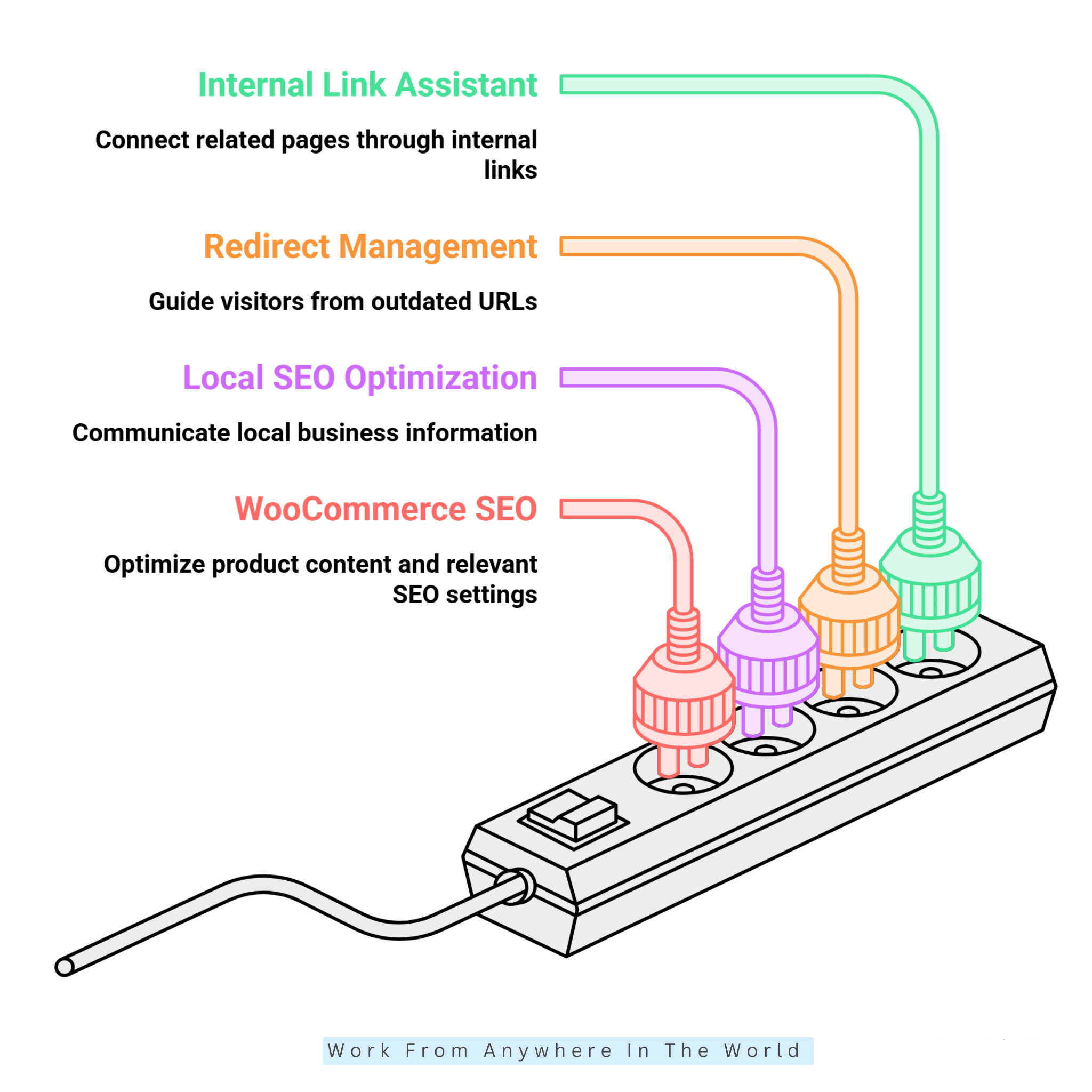
AIOSEO makes essential SEO settings accessible through the familiar WordPress dashboard. Its setup wizard and guided recommendations help beginners configure important options without learning complicated technical procedures.
Users can manage metadata, sitemaps, and other supported settings in one place. This saves time for bloggers who want to focus on publishing useful content while maintaining consistent SEO practices.
For those new to WordPress, our WordPress Tutorial For Beginners explains the platform’s essential features. Understanding the dashboard makes working with SEO plugins much easier.
AIOSEO also allows users to explore advanced features as their websites grow. Beginners can start with basic settings and gradually expand their optimization workflow.
This makes AIOSEO a practical choice for website owners who want a manageable introduction to WordPress SEO without becoming overwhelmed by technical settings.
2. Broad SEO Functionality
AIOSEO combines several SEO tools within one WordPress plugin. Depending on the subscription, these include on-page analysis, schema markup, sitemap generation, social metadata, redirects, and internal linking.
Some plans also provide search performance reporting and other advanced capabilities. This combination can reduce the need to install separate plugins for individual SEO tasks.
Managing related settings in one dashboard may simplify routine maintenance. Website owners can review several important optimization elements without constantly switching between different tools.
However, more functionality is not automatically better. Review your existing plugins before installing or upgrading AIOSEO, especially when another tool already performs similar tasks.
Avoid overlapping configurations that could create technical problems or unnecessary complexity. Its broad feature set is most valuable when it matches your website’s actual requirements.
3. Useful Content Optimization Guidance
TruSEO provides recommendations while you edit WordPress pages and posts. It helps writers review keyphrase usage, identify missing metadata, and check important on-page elements before publishing.
Effective optimization begins with creating valuable content for your audience. Our guide on writing SEO-friendly content explores practical techniques for combining search engine optimization with clear, engaging writing.
This is particularly useful when several writers contribute to the same website. A shared optimization checklist can help maintain consistent standards across articles, landing pages, and other content.
However, SEO is only one part of creating successful blog content. Our guide to essential blogging tools explores additional resources that support writing, publishing, and website management.
TruSEO also introduces beginners to basic optimization practices through practical feedback. Writers can gradually develop better habits as they become familiar with the recommendations.
However, automated suggestions should support editorial judgment rather than replace it. Natural language, factual accuracy, readability, and search intent remain essential.
Use TruSEO to identify worthwhile improvements while keeping readers’ needs at the centre of every article.
4. Options For Growing Websites
AIOSEO offers subscription plans designed for individuals, businesses, and agencies. Higher-tier plans provide additional capabilities and may support more websites, depending on the selected package.
A blogger managing one website may only need basic optimization tools. An agency could benefit from broader licensing, advanced redirects, internal linking, and additional reporting features.
This flexibility allows website owners to choose a plan that reflects their current requirements. They can consider upgrading as their websites and responsibilities expand.
However, upgrading makes sense only when the additional features provide meaningful value. Compare website limits, renewal costs, and included capabilities before buying.
A larger subscription may benefit an expanding business, but it can be unnecessary for someone publishing occasional articles on a single website.
5. Helpful Integrations
AIOSEO integrates with supported WordPress tools and services, including WooCommerce, Google Search Console, selected page builders, and social platforms. These connections can simplify everyday optimization tasks.
For example, an online store owner can manage supported product SEO settings within WordPress. Bloggers can also connect Search Console to access relevant search performance information.
Integrations may reduce the need to switch between dashboards for routine tasks. However, some services still require separate tools for more detailed analysis.
Website owners interested in visitor tracking can explore our guide on setting up Google Analytics in WordPress. Analytics provides complementary information about website traffic and visitor behaviour.
Compatibility and functionality can vary by integration and subscription. Check your existing theme, plugins, and website configuration before making significant changes.
Properly configured integrations can save time, reduce unnecessary complexity, and support a more organized approach to website optimization.
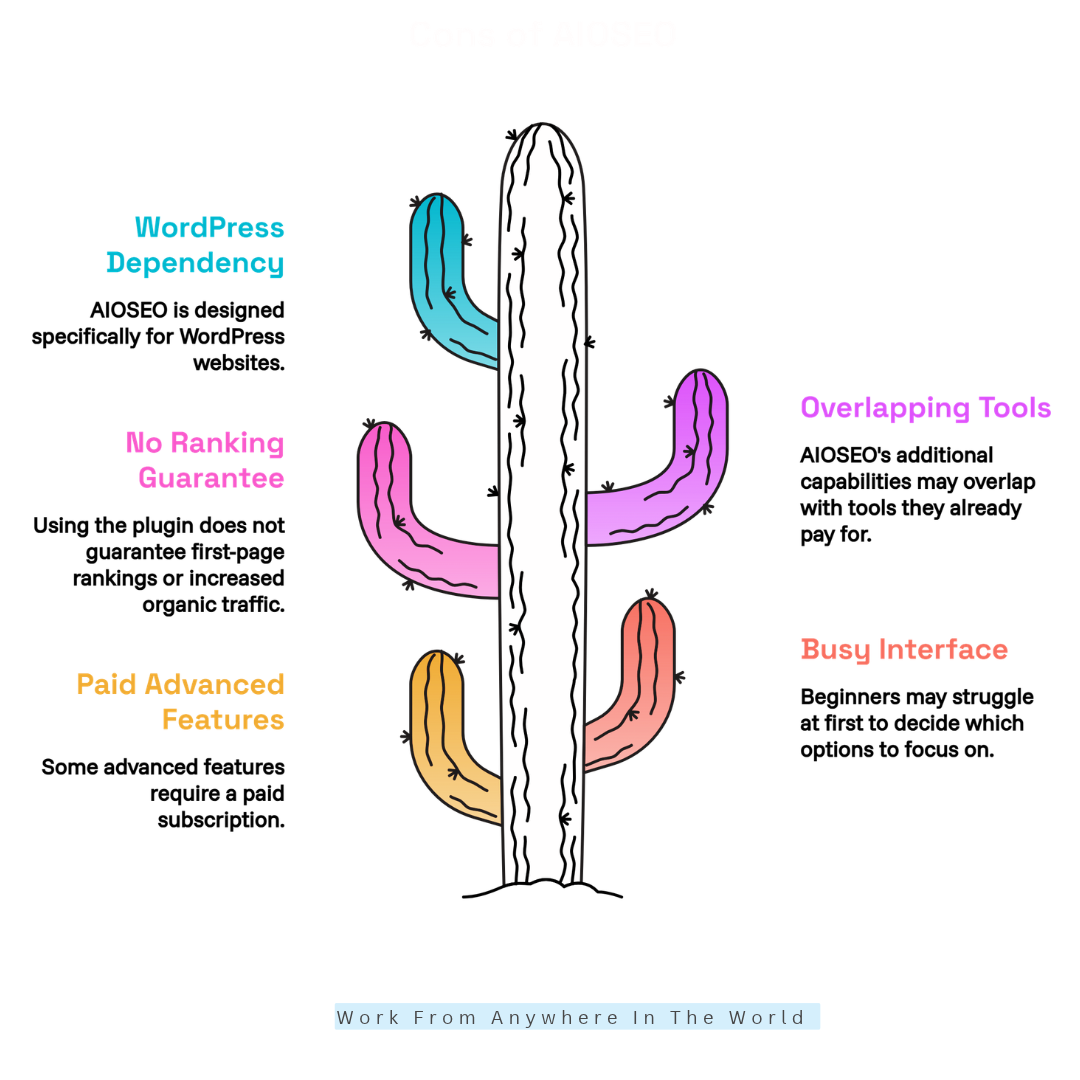
Cons Of AIOSEO
Although AIOSEO provides valuable optimization tools, it also has limitations that website owners should consider. Subscription costs, overlapping features, and technical requirements may influence whether the plugin suits your needs.
Some disadvantages matter more to beginners, while others become relevant as websites expand. Examining these potential drawbacks alongside the benefits can help you make a more informed decision before choosing AIOSEO.
1. Advanced Features Require Payment
AIOSEO’s free version includes essential SEO functions, but some advanced features require a paid subscription. Depending on the plan, these include expanded local SEO capabilities, internal linking tools, and advanced redirect management.
Detailed search performance reports and other specialized features may also require an upgrade. This can be especially relevant for bloggers and small businesses working with limited budgets.
Paying for features you rarely use can increase operating costs without delivering meaningful benefits. Our guide to cost budgeting explores practical considerations for managing business expenses.
Before subscribing, identify the problems you want to solve. If metadata management and sitemap generation meet your needs, the free version may be sufficient.
Upgrade when paid features save time, simplify important tasks, or support specific business goals. Compare the available plans before committing to a subscription.
2. The Interface Can Feel Busy
AIOSEO includes numerous settings, recommendations, and specialized tools. Although this functionality is useful, beginners may initially struggle to decide which options deserve their attention.
Trying to configure every feature at once can make website optimization feel unnecessarily complicated. Some users may spend too much time adjusting settings instead of improving content or addressing technical issues.
A practical approach is to begin with the setup wizard, metadata, sitemaps, and on-page analysis. These essential functions provide a manageable starting point for learning the plugin.
Explore advanced options when you have a specific reason to use them. This gradual learning process helps users develop a consistent workflow without feeling pressured to activate every available feature.
3. It Cannot Guarantee Higher Rankings
AIOSEO helps website owners implement SEO practices, but installing the plugin does not guarantee first-page rankings or increased organic traffic.
Search performance depends on content quality, competition, search intent, website authority, technical health, and user experience. These factors extend beyond the capabilities of any individual SEO plugin.
A page can receive strong optimization scores and still struggle when competing pages provide more useful information. Technical improvements may also take time to produce measurable results.
Understanding your competitors is another important part of search optimization. Our guide to SEO competitive analysis explores ways to evaluate competing websites and identify opportunities for improvement.
AIOSEO should support a complete SEO strategy rather than replace it. Research your audience, publish original content, maintain useful internal links, and monitor website performance.
Evaluate results through reliable data instead of assuming every plugin recommendation improves rankings. Long-term progress requires consistent effort and adjustments based on actual performance.
4. Some Tools Overlap With Other SEO Platforms
Website owners may already use separate platforms for keyword research, competitor analysis, rank tracking, website audits, or performance reporting.
Depending on their existing setup, AIOSEO’s additional capabilities may overlap with tools they already use. This does not make the plugin unnecessary, but it highlights the importance of reviewing your workflow.
For example, our Rank Math vs Ahrefs comparison explores two SEO tools with different purposes. Understanding these differences can help website owners decide which capabilities they actually need.
Compare features, data sources, and reporting options across your existing tools. Consider whether managing selected information directly inside WordPress would save time or improve your decisions.
Keep tools that provide clear benefits and avoid paying for duplicate functionality. A streamlined setup can reduce expenses, simplify maintenance, and make routine optimization easier.
5. WordPress Dependency Limits Its Use
AIOSEO is designed specifically for WordPress websites. You cannot install it as a WordPress plugin on Shopify, Wix, or other website builders that do not support WordPress plugins.
This limitation matters for businesses managing websites across different content management systems. They may need separate optimization tools for each platform.
For example, a Shopify store must use Shopify’s available SEO settings or another compatible solution. Our Shopify vs WooCommerce comparison explores important differences between these two eCommerce platforms.
Before purchasing an AIOSEO license, confirm that your website uses a supported WordPress setup. Also check compatibility with your theme, existing plugins, and website configuration.
This limitation may not concern website owners who exclusively use WordPress. However, agencies managing mixed-platform projects should consider whether they need additional SEO solutions.
AIOSEO Pricing And Plans
AIOSEO offers a free version alongside four paid subscription plans: Basic, Plus, Pro, and Elite. Each plan provides different features and website allowances to accommodate bloggers, businesses, and agencies.
The company also offers promotional discounts on selected subscriptions. However, introductory offers, renewal rates, and included features can change, so it’s important to compare the latest options.
Basic Plan
The Basic plan is designed for website owners managing a single WordPress website. It provides essential SEO capabilities and additional optimization features beyond the free version.
This option may suit individual bloggers and small website owners who want more functionality without investing in an extensive SEO package.
Plus Plan
The Plus plan supports multiple websites and offers additional capabilities for growing businesses. Depending on the current package, these may include local SEO and author optimization features.
It can be a practical choice for entrepreneurs managing several WordPress projects who need more flexibility than a single-site subscription provides.
Pro Plan
The Pro plan is intended for website owners who need more advanced optimization tools. Features may include Internal Link Assistant, enhanced SEO management capabilities, and broader website support.
This plan may appeal to established bloggers, growing online businesses, and professionals managing several websites that require regular optimization.
Elite Plan
The Elite plan targets agencies and larger operations managing extensive WordPress portfolios. It offers broader website allowances and access to advanced capabilities, including search statistics and keyword tracking.
These additional features may benefit teams managing multiple client websites or businesses that require more detailed SEO management.
Which AIOSEO Plan Should You Choose?
The best AIOSEO plan depends on your website requirements, budget, and the features you intend to use. Beginners may find the free version sufficient, while growing businesses might benefit from a paid subscription.
Before upgrading, compare website allowances, included tools, introductory discounts, and renewal costs. Visit the official AIOSEO pricing page for the latest information before purchasing.
Frequently Asked Questions
Q1: Is AIOSEO Worth Using?
AIOSEO is worth considering if you want to manage important WordPress SEO tasks from one dashboard. Its tools can simplify on-page optimization, sitemap management, and other routine activities.
However, its value depends on your website’s needs, budget, and existing plugins. Compare the available features with your current workflow before deciding whether to upgrade.
Q2: Is AIOSEO Free?
Yes. AIOSEO offers a free version that supports essential SEO tasks, including metadata optimization and XML sitemap generation. It can be a useful starting point for beginners.
Paid subscriptions provide additional capabilities, depending on the selected plan. Consider upgrading when you need advanced tools that are unavailable in the free version.
Q3: Is AIOSEO Better Than Yoast SEO?
Both plugins provide important WordPress SEO features, including content analysis, metadata management, and sitemap generation. However, their interfaces, advanced capabilities, and subscription options differ.
Our AIOSEO vs Yoast comparison explores these differences in greater detail. The better choice depends on your website requirements and preferred optimization workflow.
Q4: Does AIOSEO Improve Google Rankings?
AIOSEO helps website owners implement SEO best practices, but it cannot guarantee higher Google rankings. Search performance depends on content quality, competition, search intent, and technical factors.
Use the plugin alongside a broader optimization strategy that includes helpful content, relevant keywords, and regular performance monitoring. Consistent improvements are more valuable than focusing exclusively on plugin scores.
Q5: Can Beginners Use AIOSEO?
Yes. AIOSEO includes a setup wizard and guided recommendations that help beginners configure essential WordPress SEO settings. Its dashboard also provides convenient access to common optimization tools.
Start with basic features such as metadata, sitemaps, and on-page analysis. Explore advanced capabilities gradually as you become more comfortable managing your website.
Q6: Does AIOSEO Work With WooCommerce?
Yes. AIOSEO supports WooCommerce SEO and provides tools for optimizing supported product information, metadata, and structured data. These capabilities can help online store owners manage important SEO settings.
Some advanced WooCommerce features may require a paid subscription. Review the current plan details to determine which capabilities are available for your store.
Q7: Which AIOSEO Plan Is Best For Bloggers?
The free version may be sufficient for bloggers who need basic SEO functionality. It provides a practical starting point for optimizing individual posts and managing essential settings.
The Basic plan may suit bloggers who need additional paid features for one website. Compare the latest plan details, website limits, and renewal costs before subscribing.
Conclusion
AIOSEO is a practical WordPress SEO plugin for bloggers, businesses, and online store owners. Its on-page analysis, XML sitemaps, schema markup, and advanced features can simplify everyday website optimization.
The free version provides a useful starting point, while paid plans offer additional capabilities for growing websites. However, choosing the right subscription depends on your budget, existing tools, and optimization requirements.
Remember that an SEO plugin is only one part of building a successful website. Our guide on how to rank higher on Google explores additional strategies for improving your website’s search visibility.
Ultimately, choose tools that support your long-term goals without adding unnecessary costs or complexity. Focus on valuable content, consistent optimization, and measurable improvements.
I trust you enjoyed this AIOSEO Review: 8 Powerful Features Worth Exploring. Please stay tuned for more insightful blogs on affiliate marketing, online business, and working from anywhere in the world.
Take care!
— JeannetteZ 🌍✨
💬 Your Opinion Is Important To Me
Do you have thoughts, ideas, or questions? I’d love to hear from you. Please leave your comments below or email me directly at Jeannette@WorkFromAnywhereInTheWorld.com.
📚 More Work From Anywhere Reads
🚀 Ready to Build a Business You Can Run from Home
Or from Anywhere in the World?
Imagine earning income on your terms — from home, a cozy café, or wherever life takes you.
With the right tools, training, and community support, it’s entirely possible.
Start your own online business for free — no credit card needed.
Disclosure
This post may contain affiliate links. As an Amazon Associate and participant in other affiliate programs, I earn from qualifying purchases at no extra cost to you. Please read my full affiliate disclosure.