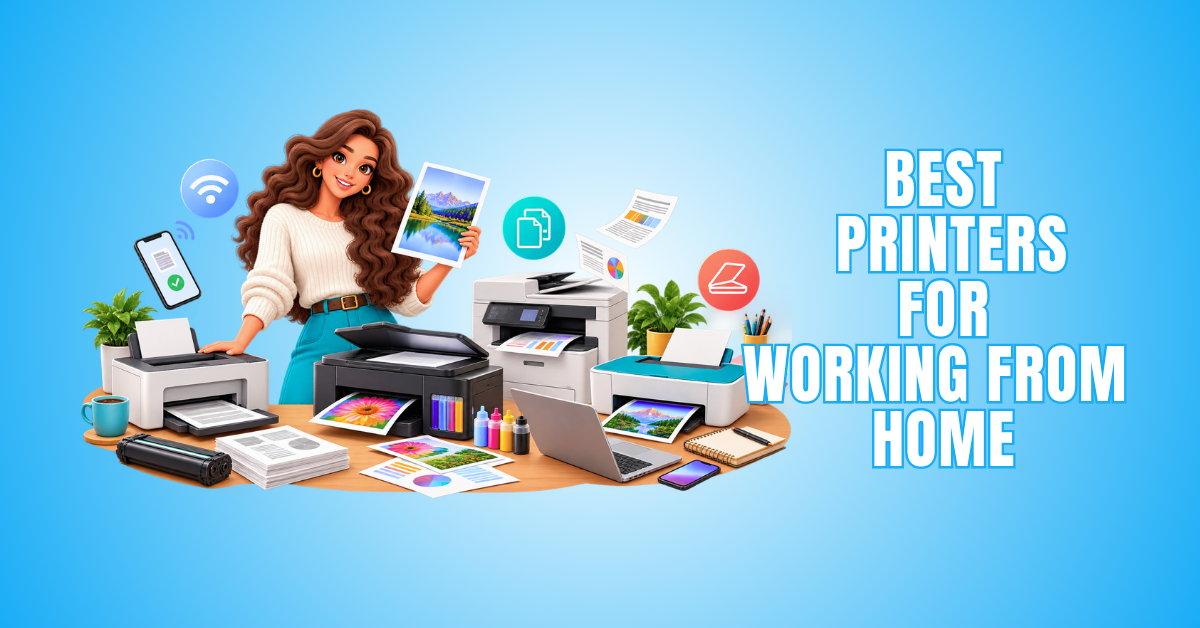
10 Best Printers For Working From Home
Choosing one of the best printers for working from home depends on the documents and materials you regularly handle. Contracts, invoices, reports, presentations, and other paperwork may require printing, scanning, or copying throughout the working week.
Consider how often you print, whether you need colour or black-and-white documents, and which additional functions matter. Print speed, running costs, paper capacity, connectivity, and available space can also influence your decision.
Home-office printers range from compact laser models to multifunction and refillable ink-tank systems. Comparing these options can help you find a printer that suits your workload without paying for features you are unlikely to use.
What Should You Look For In A Home-Office Printer?
Choosing a home-office printer starts with understanding what you need to print and how often you will use it. Your typical workload can help determine which features matter most.
Someone printing occasional documents may have different requirements from someone handling reports, invoices, and presentations every day. The type of documents you produce can also influence whether you need colour printing.
Consider whether scanning and copying capabilities would be useful for your daily work. These features can reduce the need for separate equipment and make document handling more convenient.
Running costs, print speed, paper capacity, and connectivity are also worth comparing before you decide. Available space matters too, particularly when your printer will sit on or near your desk.
Some features can make everyday printing easier, while others may add little value to your particular setup. Understanding your priorities can help you avoid paying for functions you rarely use.
Comparing the following factors can help you choose a printer that matches your workload and home office. The goal is to find a practical balance between performance, convenience, and the features you genuinely need.
1. Printing Volume
Before choosing a printer, consider how many pages you typically print each month. Occasional printing may only require a compact model.
Frequent printing may require a larger paper capacity and more efficient consumables. This can reduce refills and interruptions during busy workdays.
Also consider whether you print steadily or have occasional high-volume periods. Matching the printer to your workload can make everyday printing easier.
2. Print Technology
Consider whether an inkjet, ink-tank, or laser printer best suits your work. Each technology has different strengths depending on your printing habits.
Inkjet printers can handle a wide variety of documents and colour printing. Ink-tank models use refillable reservoirs and can be practical when you print regularly.
Laser printers are particularly useful for producing text-heavy documents. Colour laser models are also available when you need both text and colour output.
Your typical documents and printing volume should guide the decision, not specifications alone. Choosing the right technology can also make everyday printing more convenient and efficient.
3. Ink Or Toner Costs
The purchase price of a printer tells only part of the story. Ink or toner expenses can significantly affect the cost of ownership over time.
Before buying, check the availability and replacement cost of the required consumables. Also compare the estimated page yield to see how often you’ll need replacements.
Traditional ink cartridges, refillable ink tanks, and toner cartridges have different replacement requirements. Your printing volume can help determine which system makes the most practical sense.
A printer that seems affordable initially may become expensive when consumables require frequent replacement. Comparing ongoing costs can give you a clearer picture of long-term ownership.
4. Automatic Duplex Printing
Automatic duplex printing allows a printer to print on both sides of a sheet without requiring you to turn the pages manually. It can reduce paper use and make multi-page documents easier to handle.
This feature is particularly useful for reports, drafts, contracts, manuals, and other longer documents. Double-sided printing can also make larger documents more compact and easier to store.
When comparing printers, check whether automatic duplex printing is included rather than assuming every model provides it. Some printers may support double-sided printing but require you to turn the pages manually.
For anyone who regularly prints multi-page documents, automatic duplex printing can save time and simplify everyday tasks. It is a practical feature that can quickly become part of a normal home-office routine.
5. Automatic Document Feeder
An automatic document feeder, or ADF, can save considerable time when scanning or copying multiple pages. Instead of placing each sheet individually on the scanner glass, you can load several pages together.
The printer automatically feeds each page through the scanner, so you can work on something else while it processes the documents. This can be particularly convenient when dealing with longer contracts, reports, or forms.
An ADF is also useful for receipts, invoices, applications, and other paperwork that needs digitizing or copying. It can make routine administrative tasks much easier.
When comparing printers, check the document feeder capacity and whether it supports double-sided scanning. These features can be especially valuable for a home business that regularly handles multi-page documents.

6. Print Speed
Print speed becomes more important as your workload increases. Someone printing only a few pages occasionally may barely notice the difference between printer models.
A busy home office can benefit from faster output, particularly when printing reports, contracts, invoices, or other multi-page documents. Waiting for a large print job can disrupt the workday.
Printer speeds are generally listed in pages per minute, or ppm. When comparing models, look at both black-and-white and colour speeds when you regularly print different types of documents.
Keep in mind that advertised print speeds may vary depending on the document and print settings being used. Print speed is most useful when considered alongside print quality, paper handling, and your typical workload.
7. Connectivity Options
A useful home-office printer should connect easily with the devices and network you already use. Reliable connectivity can make everyday printing much more convenient.
Wi-Fi allows you to print wirelessly from compatible laptops, desktops, tablets, and smartphones. Ethernet can provide a stable wired network connection when the printer supports it.
A USB connection can also be useful when you want to connect a computer directly to the printer. Multiple connection options give you more flexibility if your setup changes.
Mobile-printing support is worth considering when you frequently send documents from a smartphone or tablet. Some printers also offer dedicated apps that provide additional printing, scanning, and printer-management features.
Before choosing a model, make sure its connectivity options work with your computers and mobile devices. A printer that integrates easily with your existing setup can eliminate unnecessary complications.
8. Paper Capacity
Consider how often you want to refill the paper tray during a typical workweek. A smaller capacity may be enough if you print only occasionally.
Frequent users can benefit from a larger input tray that holds more sheets. This can reduce interruptions when printing longer documents or several jobs throughout the day.
It is also worth checking the output tray capacity, particularly when you regularly print larger documents. A small output tray may need attention before you finish a longer print job.
Higher paper capacity can be especially convenient for home businesses producing invoices, reports, forms, proposals, and other documents throughout the week. Matching the capacity to your workload can make routine printing easier to manage.
9. Scanning And Copying
Scanning and copying can be extremely useful when your work involves signed forms, receipts, contracts, or other physical paperwork. An all-in-one printer lets you handle these tasks without separate equipment.
Scanning lets you create digital copies of documents you can store, email, or add to your filing system. Copying is convenient when you simply need another physical version of an existing document.
When digitizing paperwork regularly, consider the scanner’s resolution and the file types it can create. Document-feeder capacity and double-sided scanning may also be important for multi-page paperwork.
Think about how often these features will become part of your normal working routine. A capable scanner and copier can turn one printer into a practical document-management centre for your home office.
10. Printer Size
Measure your available workspace before choosing a printer. Consider where the machine will sit and how it fits into your overall home-office arrangement.
Check the printer’s dimensions, but remember that these measurements may not represent the space it needs during use. Paper trays, output trays, and other components may extend beyond the main body.
Allow enough clearance to open the scanner lid and access ink or toner compartments when necessary. Cables and ventilation needs may also affect where you can position the printer.
Compact printers can be especially helpful in small home offices where desk or shelf space is limited. Choosing a model that fits comfortably can keep your workspace functional without making it feel crowded.

10 Best Printers For Working From Home
Choosing among the best printers for working from home becomes easier once you know which features matter most for your daily workload. Different models suit different printing habits and home-office setups.
Some printers focus on efficient document printing, while others provide strong colour output, scanning, copying, and additional business features. The right choice depends on how you plan to use the printer throughout your working week.
The following 10 printers offer a range of options for different home-office needs. Compare their features, print technology, connectivity, and practical capabilities to find the model that best suits your work.
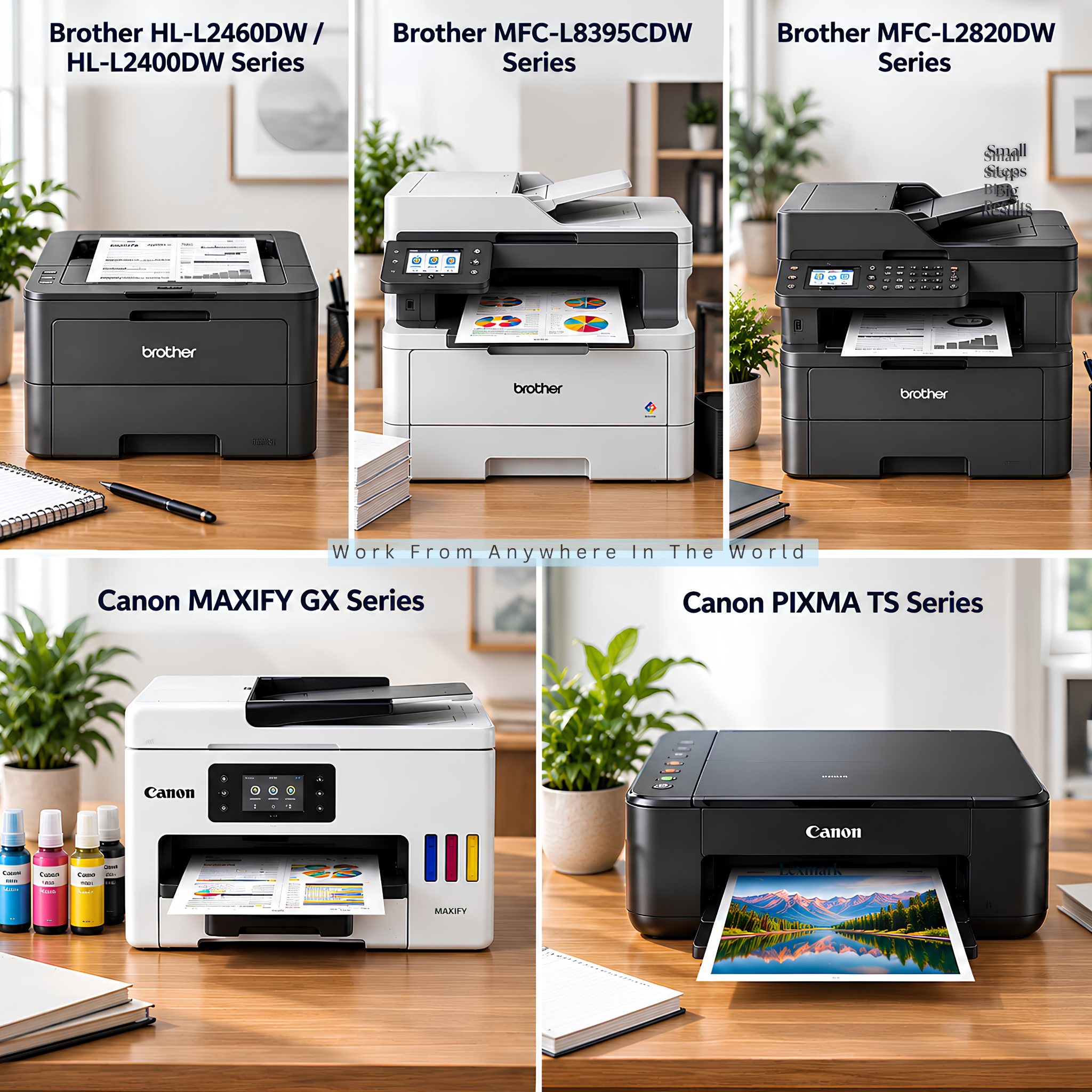
1. Brother HL-L2460DW — For Black-And-White Documents
The Brother HL-L2460DW is a compact monochrome laser printer designed for regular document printing. It produces black-and-white pages at speeds of up to 36 pages per minute.
Its 250-sheet paper tray can reduce frequent refilling during the working week. Automatic two-sided printing is also useful for contracts, reports, forms, and other multi-page documents.
The printer supports dual-band Wi-Fi, Ethernet, and USB connectivity. Compatible mobile-printing options include AirPrint, Brother Mobile Connect, Mopria, and Wi-Fi Direct.
Its compact design can work well in small home offices where available space is limited. However, this is a print-only model, so scanning and copying require another device.
The HL-L2460DW works particularly well for text-heavy, black-and-white documents such as reports, invoices, contracts, and forms. Anyone who regularly prints colour logos, charts, presentations, or marketing materials will need a colour-capable printer instead.
2. Brother MFC-L8395CDW — For Colour Business Documents
The Brother MFC-L8395CDW is a business-focused colour all-in-one printer for busy home offices and small businesses. It combines colour printing, scanning, copying, and faxing in one machine.
Print and copy speeds reach up to 31 pages per minute in both colour and black-and-white. Automatic duplex printing can also reduce paper use when producing longer business documents.
A 50-page automatic document feeder makes it easier to scan or copy multi-page paperwork. Single-pass two-sided scanning can process both sides without requiring you to turn the documents manually.
The printer includes a 250-sheet main paper tray and a 30-sheet multipurpose tray for additional media. An optional 250-sheet lower tray can provide additional capacity for heavier workloads.
Dual-band Wi-Fi, Gigabit Ethernet, and USB provide several ways to connect the printer. It also supports mobile printing and scanning for compatible devices.
The MFC-L8395CDW can be particularly useful for a small business that regularly produces colour reports, presentations, contracts, and other paperwork. Its document feeder, duplex scanning, and multiple connectivity options can simplify routine administrative tasks.
Wealthy Affiliate – Mini Review
If you’ve ever thought about turning your blog, passion, or niche into an online business,
Wealthy Affiliate (WA) is one of the most beginner-friendly platforms I’ve used.
It combines step-by-step training, website hosting, AI-powered tools,
keyword research, and an active community all in one place.
What I like most is that you can start for free (no credit card needed), explore the platform,
test the tools, and connect with other entrepreneurs before upgrading.
WA isn’t a “get rich quick” scheme — success comes from consistent effort
and applying what you learn over time.
3. Brother MFC-L2820DW — For Document-Heavy Home Offices
The Brother MFC-L2820DW is a monochrome laser all-in-one designed for regular business document handling. It combines black-and-white printing with scanning, copying, and faxing in one compact machine.
Print speeds reach up to 34 pages per minute, making it suitable for reports, invoices, contracts, forms, and other text-heavy documents. Automatic duplex printing can also reduce paper use when producing longer documents.
A 50-page automatic document feeder makes scanning and copying multi-page paperwork more convenient. You can send scanned documents to computers, mobile devices, network folders, email, and supported cloud services.
The printer includes a 250-sheet paper tray, helping reduce frequent refills during a busy workweek. Dual-band Wi-Fi, Ethernet, and USB provide several connection options for different home-office setups.
One limitation is that the scanner does not provide automatic duplex scanning. Home businesses that frequently scan double-sided documents may prefer a model that can automatically process both sides.
The MFC-L2820DW is a practical option when most of your paperwork is black-and-white, but you still need regular scanning and copying. Its all-in-one design can also reduce the amount of separate equipment needed in a home office.
4. Canon MAXIFY GX Series — For Home-Based Businesses
The Canon MAXIFY GX Series includes refillable ink-tank printers designed for home offices and small businesses. Depending on the model, they can print, scan, copy, and fax in one machine.
Canon’s MegaTank system uses refillable ink reservoirs rather than traditional cartridges. This can be particularly practical for home businesses that regularly produce both colour and black-and-white documents.
Models in the series can include automatic duplex printing, document feeders, wireless connectivity, and generous paper capacity. Features vary by model, so compare them before choosing one.
The series can handle invoices, proposals, forms, presentations, labels, and other business materials. Colour printing is particularly useful for documents containing logos, charts, graphics, and branded elements.
MAXIFY GX printers can be particularly useful for freelancers, consultants, online sellers, educators, and other home-based businesses with regular printing needs. The right model depends on your printing volume and the scanning, copying, and paper-handling features you need.
Because Canon offers several MAXIFY GX models, availability and specifications can change over time. Checking the current range makes it easier to choose a model that suits your particular home-office setup.
5. Canon PIXMA TS Series — For Occasional Colour Printing
The Canon PIXMA TS Series offers compact inkjet printers for people who need occasional work and personal printing from the same machine. Current models provide different combinations of printing, scanning, copying, wireless connectivity, and mobile printing.
The series can handle everyday documents, worksheets, forms, presentations, graphics, and photographs. Colour capability also makes it useful for business documents containing logos, charts, or other visual elements.
Compact designs can be particularly convenient in smaller home offices where desk or shelf space is limited. Features vary considerably between TS models, so compare individual specifications before choosing one.
The PIXMA TS Series suits moderate or occasional printing better than a busy home business producing large volumes of paperwork. People with heavier workloads may find an ink-tank or laser printer more practical over time.
Like other inkjet printers, a PIXMA TS model benefits from regular use rather than long periods of inactivity. Ink costs and cartridge yields are also worth comparing when considering a model’s long-term cost.
The PIXMA TS Series can be a practical choice when one compact printer needs to handle both work and personal colour printing. Its strength is versatility for moderate use rather than the high-volume demands of a busy home business.
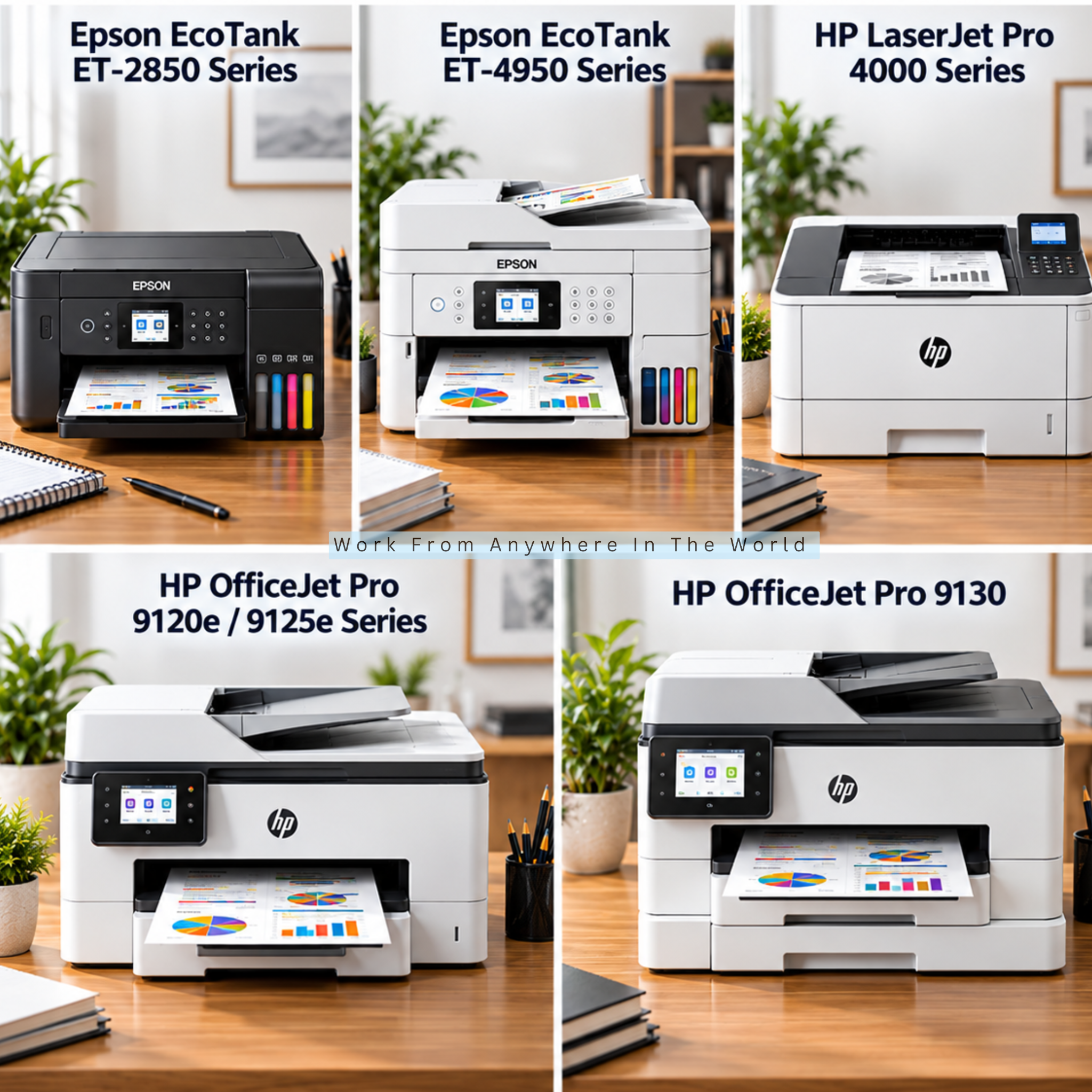
6. Epson EcoTank ET-2850 — For Everyday Colour Printing
The Epson EcoTank ET-2850 is a refillable ink-tank printer designed for everyday colour and black-and-white printing. It combines printing, scanning, and copying in a relatively compact all-in-one design.
Its EcoTank system uses refillable ink reservoirs rather than traditional cartridges. This can be convenient for home businesses that print regularly and want to avoid replacing small ink cartridges often.
Automatic two-sided printing can reduce paper use when producing reports, drafts, forms, and other multi-page documents. The printer also includes a 100-sheet rear paper feed for everyday printing.
Wireless connectivity and Wi-Fi Direct provide convenient options for printing from compatible computers and mobile devices. Epson’s Smart Panel app can also be used with compatible smartphones and tablets.
The ET-2850 does not include an automatic document feeder, so multi-page scanning requires more manual handling. Home businesses that regularly scan larger batches of paperwork may prefer a model with an ADF.
The ET-2850 can be a practical choice for people working remotely who need moderate colour printing without a large office machine. Its refillable ink system provides a convenient alternative to traditional cartridges.
7. Epson EcoTank ET-4950 — For Frequent Colour Printing
The Epson EcoTank ET-4950 is a refillable ink-tank printer designed for busy home offices with regular colour-printing needs. It combines printing, scanning, copying, and faxing in one machine.
Its EcoTank system uses refillable ink reservoirs rather than conventional cartridges. This can make it particularly practical for people who print frequently and want fewer cartridge replacements.
The printer includes a 30-sheet automatic document feeder for handling multi-page paperwork. Automatic duplex printing and scanning can also make longer, double-sided documents easier to manage.
A 250-sheet paper tray provides useful capacity for regular business printing. Print speeds reach up to 18 pages per minute in black and 9 pages per minute in colour.
Wi-Fi and Ethernet connectivity provide flexible options for different home-office setups. Compatible mobile devices can also print and scan through supported services and Epson’s Smart Panel app.
The ET-4950 is particularly useful for freelancers, consultants, teachers, online sellers, and home businesses with regular colour-printing needs. It can handle reports, forms, presentations, charts, and other colour documents.
Its refillable ink system supports frequent printing without relying on conventional cartridges. The document-handling features also make routine home-office paperwork easier to manage.
8. HP LaserJet Pro 4000 Series — For Fast Document Printing
The HP LaserJet Pro 4000 range includes laser printers designed for regular business document printing. Different models provide monochrome or colour output and varying levels of office functionality.
Print-only models can suit home workers who primarily need to produce reports, invoices, contracts, correspondence, and other documents. Multifunction models add scanning, copying, and faxing for more extensive paperwork requirements.
Several models provide automatic duplex printing, helping reduce paper use when producing longer documents. Selected models offer wireless, Ethernet, USB, and mobile connectivity.
Print speeds vary between models, but some current LaserJet Pro models can produce more than 40 pages per minute. This can be particularly useful when larger documents are part of the daily workload.
The LaserJet Pro 4000 range can handle frequent document printing for accountants, consultants, and other home-based professionals. Choosing between monochrome, colour, print-only, and multifunction models depends on the documents you regularly produce.
Because features vary widely across the LaserJet Pro range, compare individual models before deciding. This will help you avoid paying for functions you do not need or choosing a printer that lacks an important feature.
9. HP OfficeJet Pro 9125 — For Mixed Home-Office Work
The HP OfficeJet Pro 9125 is a colour all-in-one inkjet designed for home offices and small businesses. It combines printing, scanning, copying, and faxing in one machine.
Print speeds reach up to 22 pages per minute in black and 18 pages per minute in colour. This makes it suitable for reports, invoices, forms, presentations, and other documents used by small businesses and nonprofit organizations.
A 250-sheet input tray provides useful capacity for regular printing. The 35-sheet automatic document feeder also makes handling multi-page paperwork more convenient.
Automatic duplex printing reduces the need to turn pages manually when producing double-sided documents. The ADF can also handle double-sided scanning, which is particularly useful for contracts and other business paperwork.
Wi-Fi, Ethernet, and USB provide several connectivity options for different home-office setups. Mobile printing is also supported through compatible devices and HP’s printing app.
The OfficeJet Pro 9125 combines colour printing with the document-handling features needed for regular office paperwork. Its ADF and duplex capabilities are especially useful when printed and digital documents are both part of the workweek.
10. HP OfficeJet Pro 9130 — For Connected Small-Business Workflows
The HP OfficeJet Pro 9130 is a colour all-in-one inkjet designed for business printing and document handling. It combines printing, scanning, copying, and faxing in one machine.
Dual-band Wi-Fi, Ethernet, and USB provide several connectivity options for different home-office setups. Mobile printing is also supported through the HP app, AirPrint, Wi-Fi Direct, and Mopria.
Two 250-sheet input trays provide substantial paper capacity for reports, proposals, invoices, forms, and other business documents. A 35-sheet automatic document feeder makes multi-page scanning and copying more convenient.
Print speeds reach up to 25 pages per minute in black and 20 pages per minute in colour. This can help keep larger document jobs moving during a busy working day.
The OfficeJet Pro 9130 combines higher paper capacity with strong document-handling and connectivity features. This makes it particularly practical when printing, scanning, and managing paperwork are regular parts of the workflow.
Frequently Asked Questions
Q1: Is A Laser Or Inkjet Printer Better For A Home Office?
The better choice depends on what you print and how frequently you use your printer. Laser printers are particularly useful for frequent, text-heavy document printing.
Inkjet printers offer more flexibility when colour, graphics, or photographs matter. Refillable ink-tank models can also be practical for home offices that regularly produce colour documents.
Q2: Are Ink-Tank Printers Worth It For Working From Home?
Ink-tank printers can be worthwhile when you print regularly, particularly when colour printing is part of your normal workload. They use refillable reservoirs rather than conventional cartridges.
Consider your printing frequency, document types, and the features you need before choosing one. An automatic document feeder, duplex printing, and scanning capabilities may matter as much as the ink system.
Q3: Should I Buy an All-in-One Printer for Working From Home?
An all-in-one printer can be useful when you regularly print, scan, and copy documents. Some models also include faxing and automatic document feeders for handling larger amounts of paperwork.
A single-function printer may be sufficient when printing is your only requirement. Choosing only the functions you genuinely need can also simplify your home-office setup.
Q4: Is Automatic Duplex Printing Useful For Home Workers?
Yes. Automatic duplex printing prints documents on both sides without requiring you to turn the pages manually. This makes routine double-sided printing quicker and more convenient.
It can reduce paper use and make longer reports, contracts, manuals, and other documents easier to manage. It is especially convenient when double-sided printing is a regular part of your work.
Q5: Do I Need A Printer With An Automatic Document Feeder?
An automatic document feeder is particularly useful when you frequently scan or copy multi-page documents. It lets you process several sheets without placing each page individually on the scanner glass.
For occasional single-page scanning, a standard flatbed scanner may be sufficient. Anyone who regularly handles contracts, forms, invoices, or other paperwork may find an ADF much more convenient.
Q6: Can I Print From My Phone With A Home-Office Printer?
Many modern home-office printers support mobile printing through Wi-Fi, manufacturer apps, or compatible printing services. Many current models also support Apple AirPrint and Mopria.
Compatibility varies, so check the individual printer before buying. This matters most when several people or different types of mobile devices will use the same printer.
Conclusion
Choosing the best printer for working from home comes down to your workload, printing frequency, and the features you actually use. The right printer should make everyday tasks easier without adding unnecessary functions or complications.
Laser printers can suit document-heavy workloads, while ink-tank models provide another option for regular colour printing. Traditional inkjet printers can also work well when printing needs are lighter or more varied.
Scanning, copying, automatic duplex printing, and an automatic document feeder can add considerable convenience. Consider which of these features would genuinely make a difference in your normal workflow.
Print quality, connectivity, paper capacity, consumable costs, and available workspace are also worth comparing before buying. Checking these details can help narrow the choices to printers that suit both your work and home-office setup.
Ultimately, the best choice is a printer that matches the way you actually work. Choosing carefully can give you a dependable home-office tool that remains practical as your printing needs change.
I trust you enjoyed this article on the 10 Best Printers for Working From Home. Please stay tuned for more insightful blogs on affiliate marketing, online business, and working from anywhere in the world.
Take care!
— JeannetteZ 🌍✨
💬 Your Opinion Is Important To Me
Do you have thoughts, ideas, or questions? I’d love to hear from you. Please leave your comments below or email me directly at Jeannette@WorkFromAnywhereInTheWorld.com.
📚 More Work From Anywhere Reads
🚀 Ready to Build a Business You Can Run from Home
Or from Anywhere in the World?
Imagine creating income on your terms — from home, a cozy café, or wherever life takes you.
With the right tools, training, and community support, it’s entirely possible.
Start your own online business for free — no credit card needed.
Disclosure
This post may contain affiliate links. As an Amazon Associate and participant in other affiliate programs, I earn from qualifying purchases at no extra cost to you. Please read my full affiliate disclosure.