
WHC Web Hosting Canada Review: Is It Worth It?
This WHC Web Hosting Canada Review can help you decide whether this Canadian hosting provider is the right choice for your website. Reliable hosting plays an important role in website speed, security, and overall performance, especially when you’re building an online business.
Web Hosting Canada (WHC) offers shared hosting, managed WordPress, VPS, and dedicated server solutions for different website requirements. Its Canadian infrastructure may appeal to businesses and bloggers whose audiences are primarily located in Canada.
But how does WHC compare in terms of features, reliability, customer support, and value? In this WHC Web Hosting Canada review, we’ll explore its key features, advantages, limitations, and pricing to help you make an informed decision.
What Is WHC Web Hosting Canada?
Web Hosting Canada (WHC) is a Canadian web hosting provider established in 2003 and headquartered in Montreal, Quebec. It offers hosting services for individuals, bloggers, developers, and businesses looking to build and manage their online presence.
Its services include shared web hosting, managed WordPress hosting, reseller hosting, VPS, dedicated servers, domain registration, and business email. These options allow website owners to choose hosting solutions based on their technical requirements and business goals.
For beginners, understanding how to choose a good web hosting provider can make it easier to compare essential features before committing to a service.
WHC also provides tools such as cPanel, one-click application installation, SSL certificates, website migration, and customer support. Its Canadian infrastructure may appeal particularly to businesses serving Canadian audiences.
If you’re considering managed hosting, our guide to WordPress vs Managed WordPress explains important differences that can help you select a suitable hosting arrangement.
Key Features Of WHC Web Hosting Canada
Choosing a hosting provider involves more than comparing storage space and subscription plans. Website owners also need reliable performance, practical management tools, and security features that support their daily activities.
WHC Web Hosting Canada offers several features designed to simplify website setup and maintenance. These include Canadian data centers, cPanel access, application installation, managed WordPress hosting, and website protection tools.
For bloggers and entrepreneurs, these capabilities can make it easier to build and maintain a professional online presence. The right hosting environment also provides a foundation for growing website traffic and developing an online business.
Understanding what each feature offers can help you decide whether WHC meets your requirements. Let’s explore its main capabilities and how they may benefit different types of websites.
1. Canadian Data Centers
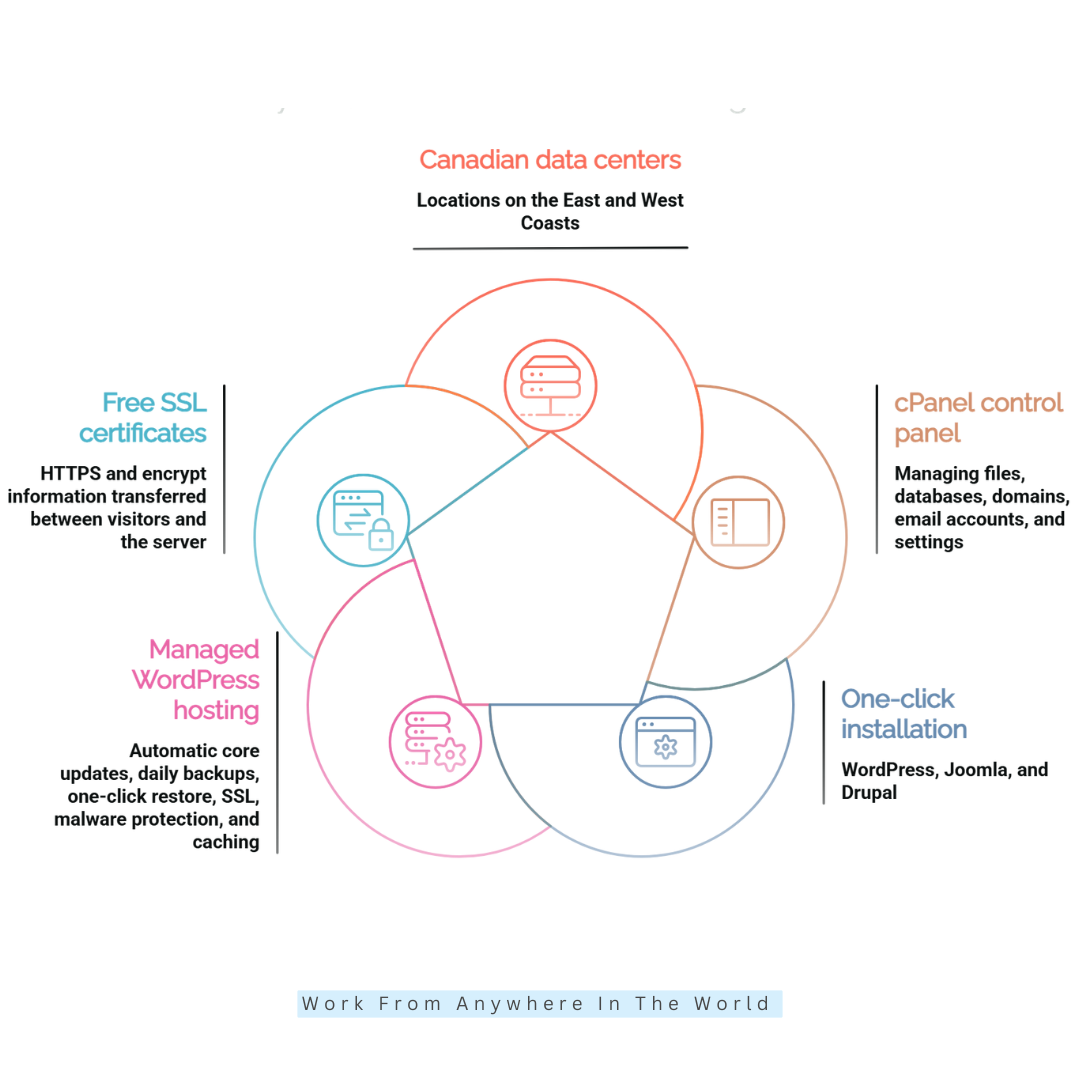
WHC operates Canadian hosting infrastructure with data center locations on the East and West Coasts. This may benefit businesses whose primary audiences are in Canada and who prefer their hosting environment to remain within the country.
A nearby server can reduce network distance for local visitors, although actual website speed also depends on caching, page optimization, and network conditions.
Canadian infrastructure may also appeal to organizations with specific data-location requirements. However, businesses should confirm where their data and backups are stored before choosing a hosting plan.
2. cPanel Control Panel
WHC shared hosting includes cPanel, a widely used control panel for managing website files, databases, domains, email accounts, and other hosting settings.
Its user-friendly interface helps beginners handle routine administration without needing command-line experience. More advanced users can access additional configuration tools when required.
For example, a blogger can manage website files, create email accounts, and review hosting settings from one dashboard. This makes everyday website maintenance more convenient and organized.
3. One-Click Application Installation
WHC supports one-click installation for numerous applications, including WordPress, Joomla, and Drupal. This allows users to launch a content management system without manually uploading installation files or configuring databases.
After installation, website owners can customize their platforms with themes, plugins, and extensions. Our guide to the best blogging tools explores additional resources for creating and managing blog content.
For example, an entrepreneur starting a business blog can install WordPress, choose a suitable theme, and start creating content without complicated technical steps. This streamlined setup lets beginners focus on building their websites and publishing useful information.
However, installing an application is only the beginning of maintaining a successful website. Regular updates to WordPress, themes, and plugins help maintain compatibility, address known security vulnerabilities, and support reliable performance.
Website owners should also review their installed extensions periodically and remove unnecessary ones. Keeping the installation organized can reduce potential conflicts and make ongoing maintenance easier.
4. Managed WordPress Hosting
WHC offers managed WordPress hosting designed to simplify website maintenance and improve performance. Its advertised features include automatic WordPress core updates, daily backups, restoration options, SSL certificates, malware protection, and caching.
The service also promotes AI-assisted tools for website creation, content development, and WordPress support. Feature availability may vary depending on the selected package.
For bloggers and entrepreneurs, managed hosting can reduce the time spent on routine technical responsibilities. Our guide to the best WordPress hosting services explores additional options worth comparing before you decide.
Before choosing a plan, review its storage allowances, traffic capacity, backup coverage, security features, and management services. The right hosting arrangement should match your website’s requirements and anticipated growth.
5. Free SSL Certificates
WHC includes SSL certificates with its shared hosting plans, allowing websites to use HTTPS and encrypt information exchanged between visitors and the server using modern TLS encryption.
HTTPS is especially important for websites that collect information through contact forms, account logins, and other online interactions. It helps protect data during transmission and supports a more trustworthy browsing experience.
For example, an online business collecting customer inquiries should use HTTPS to help protect information submitted through its website.
However, SSL certificates are only one part of website security. Website owners should also keep software updated, use strong passwords, enable appropriate account protections, and monitor potential security vulnerabilities.
6. Automated Backups And Restore Options
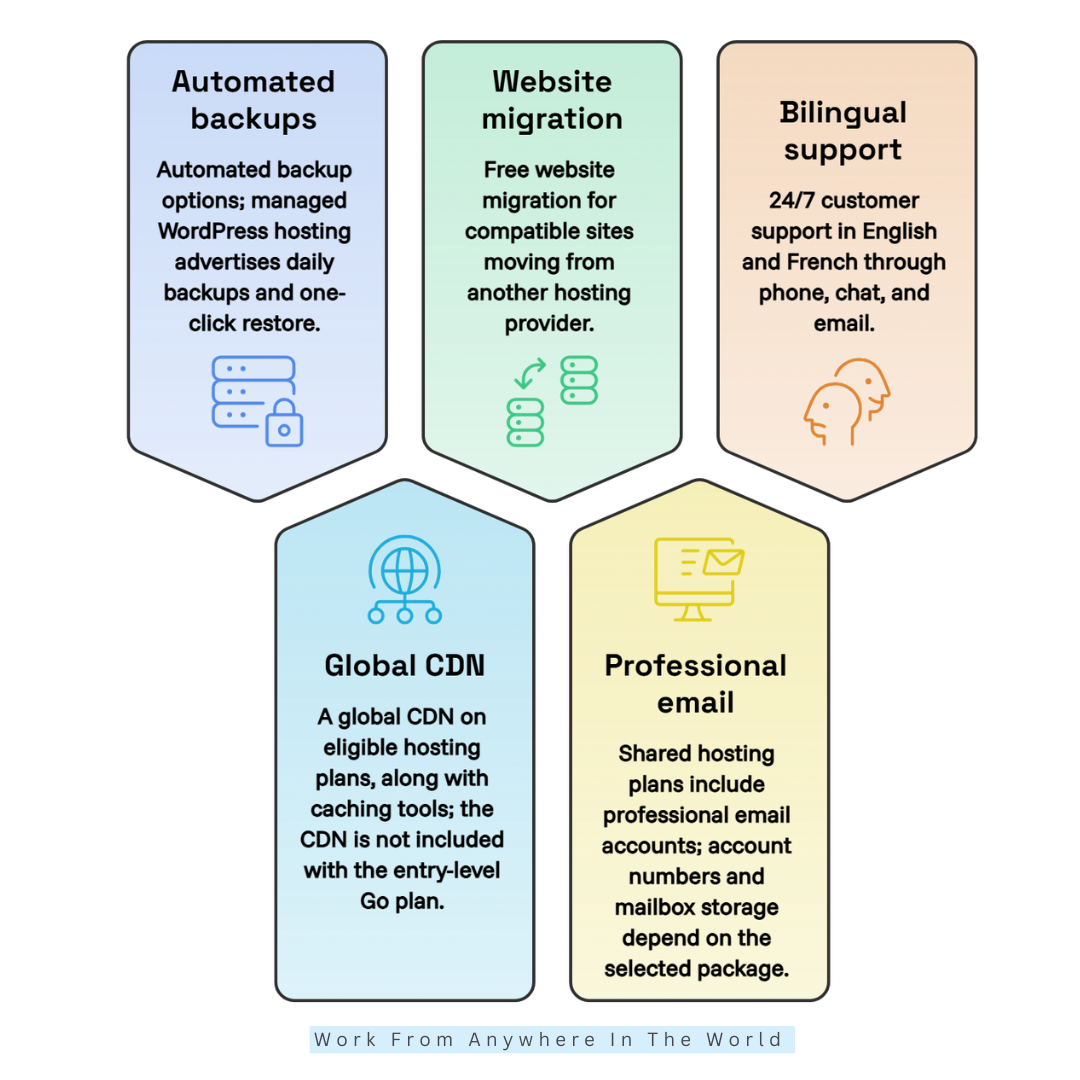
WHC provides automated backup options, with storage allowances that vary by shared hosting plan. Its managed WordPress hosting also advertises daily backups and one-click restoration features.
These tools can help website owners recover from accidental changes, failed updates, or unexpected technical problems. Reliable backups are especially important for bloggers and businesses that regularly publish new content or manage customer information.
For example, if a WordPress plugin update causes a website to malfunction, a recent backup may allow the owner to restore an earlier working version. This can reduce downtime and prevent the loss of valuable content.
However, backup coverage differs between hosting packages. Before selecting a plan, check its storage allowances, backup frequency, retention period, and restoration options.
For additional protection, maintain an independent backup outside your hosting account. The WordPress backup guide explains important considerations for protecting website files and databases.
7. Global CDN And Caching
WHC offers a global Content Delivery Network (CDN) on eligible hosting plans, along with caching tools designed to improve website loading times. The CDN is not included with the entry-level Go plan.
A CDN distributes website content across multiple servers, allowing visitors to access cached resources from locations closer to them. This can be particularly useful for websites attracting international audiences.
Meanwhile, web caching stores reusable content to reduce repeated requests and unnecessary server processing. Together, these technologies can improve loading performance and reduce demands on the hosting infrastructure.
For example, a Canadian blogger attracting visitors from Europe and Asia may benefit from a CDN that delivers images and other static files from geographically closer locations.
However, hosting performance also depends on website design and optimization. Our guide to improving website speed explores additional ways to create a faster browsing experience.
Optimizing images, reducing unnecessary scripts, and choosing lightweight themes can complement WHC’s caching features and help visitors navigate your website more comfortably.
8. Free Website Migration
WHC advertises free website migration for compatible websites moving from another hosting provider. This service can simplify transferring website files, databases, and related settings.
For businesses and bloggers, migration assistance can reduce the technical work involved in switching providers. Instead of rebuilding an existing website, owners may be able to transfer their current content and configuration.
For example, a blogger moving an established WordPress website to WHC can request migration assistance rather than manually transferring every file and database.
However, not every website component or service is necessarily included. Before requesting a transfer, confirm whether email accounts, databases, SSL settings, and other essential elements are covered.
Our website migration checklist explains the key steps for preparing for a hosting transfer and verifying everything works afterward. It also helps website owners organize essential tasks so they can approach the migration with greater confidence.
Always keep an independent backup before migrating. Once the transfer is complete, test your website, email functionality, and DNS configuration before changing your domain’s nameservers.
Careful preparation can reduce the risk of broken links, missing content, and unnecessary website downtime during the transition. Once your website is running on its new hosting platform, continue monitoring its performance to ensure visitors enjoy a smooth browsing experience.
Wealthy Affiliate – Mini Review
If you’ve ever thought about turning your blog, passion, or niche into an online business,
Wealthy Affiliate (WA) is one of the most beginner-friendly platforms I’ve used.
It combines step-by-step training, website hosting, AI-powered tools,
keyword research, and an active community all in one place.
What I like most is that you can start for free (no credit card needed), explore the platform,
test the tools, and connect with other entrepreneurs before upgrading.
WA isn’t a “get rich quick” scheme — success comes from consistent effort
and applying what you learn over time.
9. Professional Email Hosting
WHC shared hosting plans include professional email accounts, allowing businesses to create addresses using their own domain names. The number of accounts and available mailbox storage depend on the selected hosting package.
The entry-level Go plan includes one 1 GB mailbox, while Pro and Enterprise advertise unlimited email accounts with larger storage allowances. Users can access their messages through webmail or configure compatible email applications.
A professional email address, such as info@pawreiki.com, can help establish a consistent business identity. It also allows entrepreneurs to separate business communications from their personal email accounts.
For bloggers and online businesses, professional email helps with responding to customer inquiries, communicating with partners, and managing everyday correspondence. It can also complement a broader email marketing strategy designed to build relationships with subscribers.
However, regular hosting email and dedicated email marketing platforms serve different purposes. Hosting mailboxes are primarily designed for business correspondence, while marketing platforms offer features such as subscriber management, automation, and campaign reporting.
Before choosing a hosting plan, review its mailbox storage, account limits, and hourly sending restrictions. Businesses planning newsletters or promotional campaigns should consider a dedicated email marketing service rather than relying on standard hosting email.
10. 24/7 Bilingual Customer Support
WHC advertises 24/7 bilingual customer support, offering assistance in English and French through phone, live chat, and email. This can be particularly helpful for Canadian businesses that prefer communicating in either official language.
Technical problems do not always occur during regular business hours. Access to support can help website owners address hosting concerns, account difficulties, and unexpected website issues when they arise.
For example, an entrepreneur experiencing website problems during an important product launch may need help identifying the cause. Access to technical assistance can make troubleshooting less overwhelming, although resolution times depend on the issue’s complexity.
WHC also provides a searchable knowledge base and tutorials covering common hosting tasks. These self-service resources can help users find instructions without waiting for direct assistance.
Customer support is particularly important for businesses that depend on their websites for daily operations. Reliable communication and timely problem resolution can create a more positive experience for both website owners and visitors.
When contacting support, describe the issue clearly and include relevant error messages, screenshots, and recent changes. Providing detailed information can help the support team investigate problems more efficiently.
Pros Of WHC Web Hosting Canada
WHC Web Hosting Canada offers several advantages for bloggers, entrepreneurs, and businesses looking for a Canadian hosting provider. Its infrastructure, management tools, and range of hosting services may appeal to website owners with different technical requirements.
Beyond basic website hosting, WHC provides features that can simplify everyday maintenance and support business growth. These advantages are worth considering when comparing hosting providers and choosing a suitable service.
Let’s explore five potential benefits of using WHC Web Hosting Canada.
1. Canadian Hosting Infrastructure
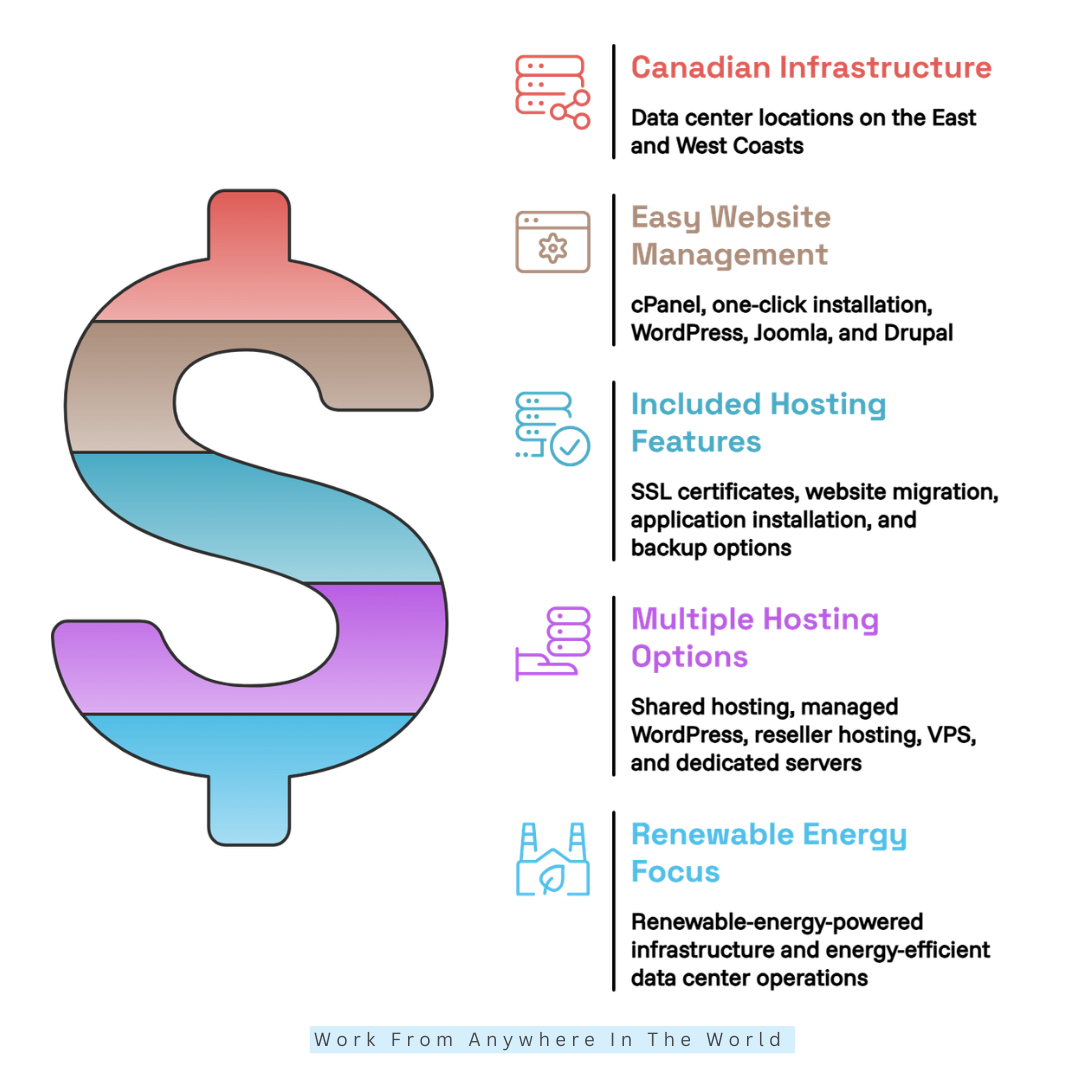
WHC operates hosting infrastructure in Canada, with data center locations on the East and West Coasts. This can benefit businesses whose primary audiences are Canadian and who prefer working with a hosting provider that has a local presence.
A nearby data center may reduce network distance for Canadian visitors, although website speed also depends on caching, page optimization, and network conditions. Our guide to improving WordPress website speed explores additional ways to optimize performance.
For example, a Canadian online store serving customers primarily in Ontario and Quebec may prefer hosting infrastructure located within the country. However, server location alone does not guarantee faster loading times.
Canadian hosting can also help organizations evaluate their data-location preferences. Businesses should review WHC’s privacy policy and confirm where their specific hosting services and backups are located.
2. Easy Website Management With cPanel
WHC includes cPanel with its shared hosting plans, providing a familiar interface for managing website files, databases, domains, and email accounts. This can make routine administration more accessible for beginners and experienced website owners.
The control panel also supports application installation for platforms such as WordPress, Joomla, and Drupal. These tools help reduce manual configuration when launching a new website.
For example, someone following our guide on how to host a website may appreciate having essential management tools available through one dashboard.
Beginners can use graphical controls for everyday tasks, while experienced users can access additional hosting settings when needed. This flexibility makes cPanel useful for website owners with different technical backgrounds.
3. Useful Features Included In Hosting Plans
WHC provides several practical features with its shared hosting packages, including SSL certificates, application installation, website migration, and backup options. These tools can simplify website setup and ongoing maintenance.
Higher-tier plans offer additional resources and allowances, such as more email accounts, increased backup storage, and greater performance capacity. Exact features depend on the selected package.
For entrepreneurs learning to start a small business from home, having several essential website tools from one provider can simplify the early stages of building an online presence.
Bundled features may also reduce the need to purchase certain basic services separately. However, comparing plan inclusions carefully remains important because not every feature is available at every hosting level.
4. Multiple Hosting Options
WHC offers several hosting categories, including shared hosting, managed WordPress, reseller hosting, VPS, and dedicated servers. This gives website owners flexibility as their technical requirements and online activities evolve.
A small personal blog may start with shared hosting, while a growing online business may eventually need more server resources. More demanding websites may benefit from VPS or dedicated hosting arrangements.
For example, an entrepreneur expanding an eCommerce website may need to reassess hosting capacity as product listings, customer visits, and website functionality increase.
Having multiple hosting services available through one provider can simplify future upgrades. However, customers should compare management responsibilities, performance resources, and costs before switching to a more advanced package.
5. Renewable Energy Focus
WHC promotes renewable-energy-powered infrastructure and energy-efficient data center operations. This environmental focus may appeal to businesses that consider sustainability when selecting digital service providers.
The company describes renewable energy use and efficient cooling practices as part of its approach to greener hosting. These initiatives reflect an interest in reducing the environmental impact associated with operating hosting infrastructure.
For example, a blogger publishing articles about sustainable living may prefer a hosting provider that demonstrates environmental awareness. Choosing digital services that reflect a website’s values can contribute to a more consistent business identity.
However, environmental claims should be evaluated using published information and available supporting evidence. Renewable energy commitments, energy efficiency, and overall environmental impact are different considerations.
Businesses should weigh WHC’s sustainability initiatives alongside performance, reliability, customer support, and pricing. A suitable hosting provider should support both the website’s practical requirements and its broader priorities.
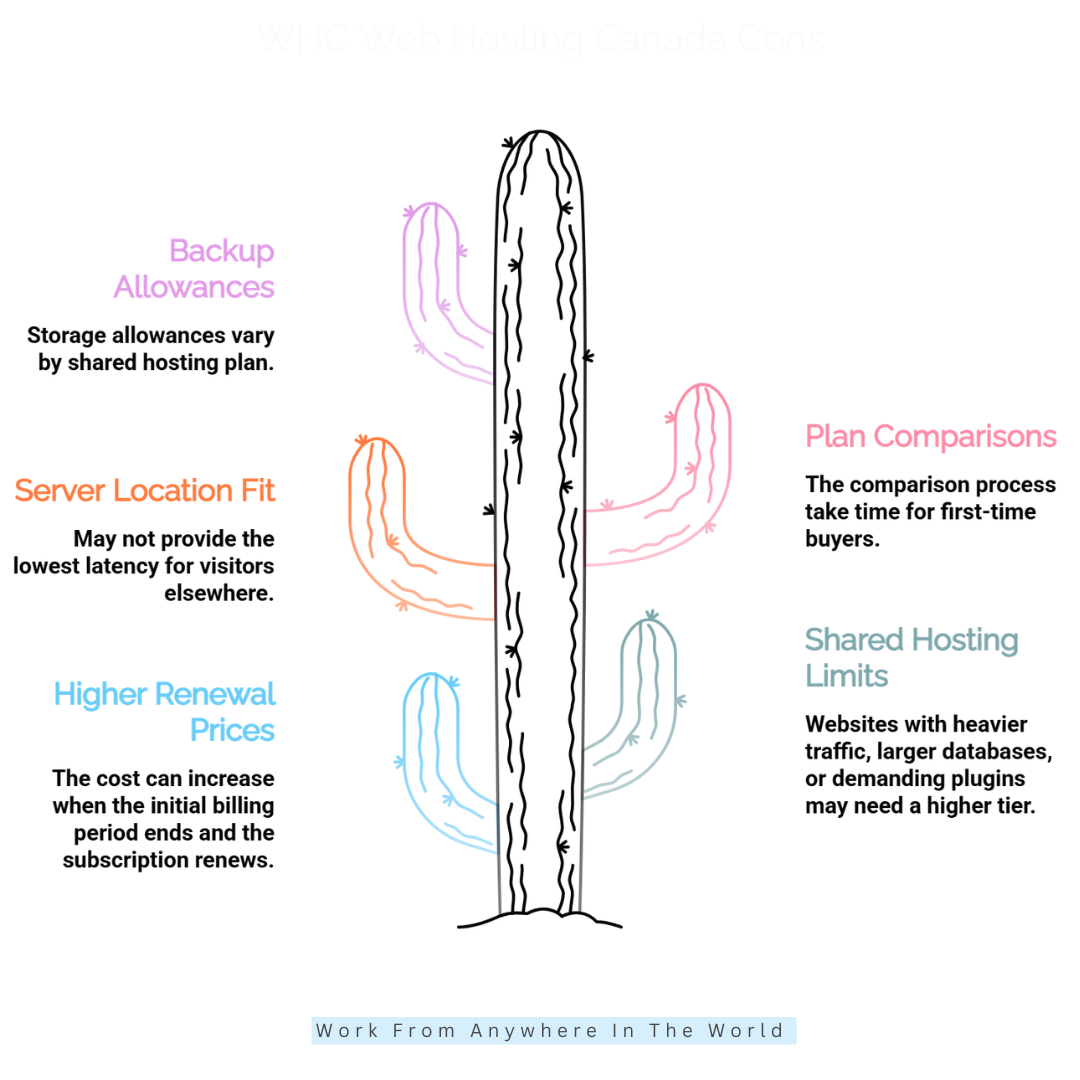
Cons Of WHC Web Hosting Canada
Although WHC Web Hosting Canada offers several useful features, no hosting provider is suitable for every website. Understanding its limitations can help you avoid unexpected expenses and technical difficulties.
Some potential drawbacks involve renewal pricing, shared hosting resources, server locations, and differences between hosting packages. These factors become especially important as websites attract more visitors and require additional functionality.
For bloggers and entrepreneurs, choosing the wrong hosting arrangement can lead to unnecessary expenses or performance challenges. Comparing the available options carefully can help you select a service that supports your long-term goals.
Let’s examine five potential disadvantages of WHC Web Hosting Canada before deciding whether it meets your needs.
1. Higher Renewal Prices
WHC’s advertised introductory prices are substantially lower than the regular rates displayed for its shared hosting plans. This means your hosting expenses may increase when the initial promotional period ends.
Customers who compare providers using only introductory rates may underestimate their long-term website expenses. Renewal costs can become particularly important for bloggers and small businesses working with limited budgets.
For example, an entrepreneur launching a new website may find the initial subscription affordable but face higher expenses when renewing. Understanding these changes beforehand makes financial planning easier.
Before purchasing, review the renewal amount, billing period, applicable taxes, and optional services. WHC’s official hosting plans provide a starting point for comparing current packages and their advertised terms.
Calculate the estimated cost over several years rather than focusing exclusively on the promotional offer. This helps determine whether the hosting arrangement remains suitable as your website develops.
2. Resource Limits On Shared Hosting
WHC shared hosting plans have different resource allocations, including CPU capacity, memory, I/O performance, email limits, and backup storage. Entry-level packages are generally better suited to websites with modest technical requirements.
Websites with increasing traffic, larger databases, or demanding plugins may eventually need additional resources. Performance limitations can become more noticeable as a website grows in complexity.
For example, an online store with numerous products, customer accounts, and resource-intensive plugins may require more capacity than a small informational blog.
Storage and traffic described as unlimited may also be subject to acceptable-use policies and technical restrictions. Review WHC’s hosting terms and resource specifications before selecting a package.
Website owners should monitor traffic, loading times, and resource consumption as their projects expand. Planning for future growth can help determine when upgrading to VPS or dedicated hosting becomes worthwhile.
3. Canadian Server Locations May Not Suit Every Audience
WHC’s Canadian data centers can benefit websites serving Canadian visitors, but they may not provide the lowest latency for audiences in other parts of the world.
A global CDN can distribute cached content from geographically closer locations, helping improve loading times for international visitors. However, CDN delivery does not eliminate every performance difference associated with server location.
For example, a digital entrepreneur attracting visitors from Europe, Asia, and Australia should consider how hosting infrastructure affects the browsing experience across different regions.
Our guide to improving website speed explains additional optimization techniques that can complement CDN services and caching.
Before choosing WHC, test website performance from the regions where most visitors are located. Compare server locations, CDN availability, and caching features to determine whether the hosting environment meets your audience’s needs.
4. Several Plans Require Careful Comparison
WHC offers multiple hosting products and subscription levels, which can make choosing a suitable package challenging for first-time website owners.
Shared hosting, managed WordPress, VPS, and dedicated servers have different technical requirements, resource allocations, and management responsibilities. Understanding these differences is important before making a commitment.
For example, someone launching a personal blog may not need the same hosting resources as an entrepreneur operating a busy eCommerce website.
Our guide to choosing a good web hosting provider explains important factors to consider when comparing hosting services.
Begin by identifying your website platform, expected traffic, email requirements, technical experience, and available budget. A simple requirements checklist can help narrow the options and prevent unnecessary spending.
Also compare renewal prices, included services, and potential upgrade costs. Selecting a plan that matches your actual requirements is usually more practical than purchasing advanced resources you may never use.
5. Backup Allowances Vary By Plan
WHC provides backup options, but storage allowances and restoration arrangements differ between hosting packages. Customers should not assume every plan offers identical backup protection.
Backup limitations can become particularly important for websites containing large media libraries, extensive databases, or frequently updated content.
For example, a blogger who regularly publishes articles, uploads images, and updates website settings needs a dependable backup strategy to protect that work.
Before selecting a hosting package, review its backup frequency, storage allowances, retention period, and restoration procedures. Confirm whether additional storage or recovery services involve extra charges.
Hosting backups should also be supplemented with independent copies stored outside the hosting account. This provides another recovery option if the account becomes inaccessible or an unexpected technical problem occurs.
For WordPress websites, the official WordPress backup documentation provides helpful guidance on protecting files and databases.
Maintaining reliable backups and periodically checking that they can be restored helps reduce the risk of losing valuable website content.
WHC Web Hosting Canada Pricing
WHC offers several hosting services, with prices depending on the selected plan and billing period. Its shared hosting options include Go, Pro, and Enterprise, while customers with larger requirements can explore managed WordPress, reseller hosting, VPS, and dedicated servers.
The Go plan is designed for personal websites and smaller projects. Its current advertised introductory price is C$3.89 per month when purchased for 36 months, with renewal at C$6.99 per month. It supports one website and includes one 1 GB email account, SSL, free site migration, and standard performance resources.
The Pro plan is promoted at C$3.92 per month for 36 months, then renews at C$ 9.99 per month. It supports unlimited websites and email accounts, offers advanced performance resources, and includes a free domain, global CDN, WordPress optimization, and email marketing for up to 500 contacts.
The Enterprise plan starts at C$11.89 per month with a 36-month term and renews at C$19.50 per month. It provides higher-performance resources, unlimited websites, larger email mailboxes, a global CDN, and email marketing for up to 1,000 contacts.
WHC also offers managed WordPress, reseller, VPS, and dedicated hosting. Their pricing depends on the service and configuration, so check the provider’s website for current details.
These advertised introductory rates require a 36-month billing commitment and are shown in Canadian dollars. Renewal prices are higher, so review the billing term, total upfront payment, renewal rate, and optional services before subscribing.
Frequently Asked Questions
Q1: Is WHC Web Hosting Canada Good?
WHC can be a suitable hosting provider for Canadian bloggers, entrepreneurs, and small businesses. Its Canadian infrastructure and website management tools offer several practical advantages.
However, the best hosting provider depends on your website’s requirements, expected traffic, and available budget. Comparing features, renewal costs, and customer support can help you make an informed decision.
Q2: Does WHC Support WordPress?
Yes. WHC supports WordPress through its one-click application installer, making it easier for beginners to launch a website without complicated technical procedures.
It also offers managed WordPress hosting with additional maintenance and performance features. This option may appeal to website owners who prefer spending less time on technical administration.
Q3: Does WHC Offer A Money-Back Guarantee?
WHC advertises a 30-day money-back guarantee for eligible hosting purchases. This allows qualifying customers to request a refund within the specified period.
However, refund conditions and exclusions may apply to certain services. Always review WHC’s current refund policy before purchasing a hosting package.
Q4: Does WHC Provide Daily Backups?
WHC advertises daily backups for its managed WordPress hosting services. Backup arrangements, storage allowances, and restoration options may differ between hosting packages.
Before subscribing, confirm how frequently backups are created and how long they are retained. Maintaining an independent backup also provides additional protection for important website content.
Q5: Is WHC Suitable For International Websites?
Yes. WHC can host websites serving audiences outside Canada, making it an option for bloggers and businesses with international visitors.
Its global CDN on eligible plans can help deliver cached content from locations closer to visitors. However, actual performance depends on website optimization, server configuration, and geographic location.
Q6: Does WHC Provide Free Website Migration?
Yes. WHC advertises free website migration for compatible websites transferring from another hosting provider. This service can simplify moving website files, databases, and related settings.
Before requesting migration, confirm which services and website components are included. Keeping an independent backup and testing your website afterward can help prevent unexpected problems.
Final Verdict: Is WHC Web Hosting Canada Worth It?
WHC Web Hosting Canada offers a practical range of hosting solutions for bloggers, entrepreneurs, and businesses seeking Canadian infrastructure. Its website management tools, security features, and hosting options make it worth considering for different types of online projects.
Features such as cPanel, SSL certificates, automated backups, and website migration can simplify everyday website administration. Managed WordPress hosting and more advanced server options also provide opportunities to accommodate changing technical requirements.
However, introductory prices should not be confused with long-term hosting costs. Renewal rates, resource limitations, and differences between hosting packages deserve careful consideration before making a commitment.
Businesses serving international audiences should also evaluate website performance across their main visitor regions. Canadian server locations may benefit local visitors, but global performance depends on several factors beyond hosting infrastructure.
So, is WHC Web Hosting Canada worth it? For website owners who value Canadian hosting, accessible management tools, and multiple hosting options, WHC may be a suitable choice. The key is selecting a package that matches your current requirements and future growth plans.
Ultimately, reliable hosting provides the foundation for building a successful online presence. Combining the right hosting environment with effective content creation, SEO, and digital marketing strategies can help your website develop over time.
I trust you enjoyed this WHC Web Hosting Canada Review. Please stay tuned for more insightful articles on affiliate marketing, online business, and working from anywhere in the world.
Take care!
— JeannetteZ 🌍✨
💬 Your Opinion Is Important To Me
Do you have thoughts, ideas, or questions? I’d love to hear from you. Please leave your comments below or email me directly at Jeannette@WorkFromAnywhereInTheWorld.com.
📚 More Work From Anywhere Reads
🚀 Ready to Build a Business You Can Run from Home
Or from Anywhere in the World?
Imagine earning income on your terms — from home, a cozy café, or wherever life takes you.
With the right tools, training, and community support, it’s entirely possible.
Start your own online business for free — no credit card needed.
Disclosure
This post may contain affiliate links. As an Amazon Associate and participant in other affiliate programs, I earn from qualifying purchases at no extra cost to you. Please read my full affiliate disclosure.