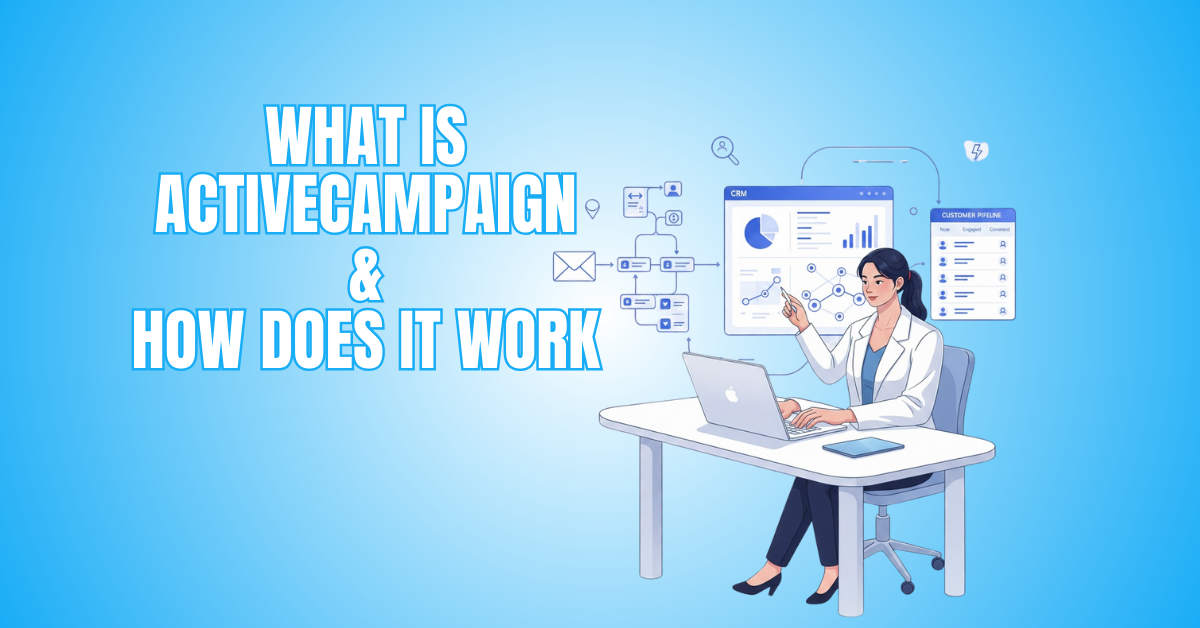
What Is ActiveCampaign & How Does It Work
ActiveCampaign is one of the most powerful platforms for email marketing and automation, helping businesses create personalized customer experiences with ease.
Whether you’re sending simple newsletters, building complex customer journeys, or managing leads with a built-in CRM, ActiveCampaign gives you everything in one place. It tracks user behaviour, automates tasks, and delivers the right messages at the perfect time.
This guide answers the question, “What is ActiveCampaign & how does it work?” clearly and practically, so you can decide whether it’s the right tool for your business.
This article will show you what ActiveCampaign is, how it works, and why it’s a favourite among modern marketers.
What Is ActiveCampaign?
ActiveCampaign is a CRM, automation, and email marketing software that lets companies create individualized customer experiences.
It allows you to send targeted emails, create automated workflows, segment your audience, and track user behaviour in real time. The platform also includes a built-in CRM to manage leads, follow-ups, and sales pipelines efficiently.
Unlike basic email tools, ActiveCampaign focuses on smart automation and deep personalization, ensuring the right message reaches the right person at the right time.
Whether you run an online store, service business, or personal brand, ActiveCampaign helps you nurture leads, increase sales, and grow faster.
How to Set Up ActiveCampaign: A Complete Step-by-Step Guide
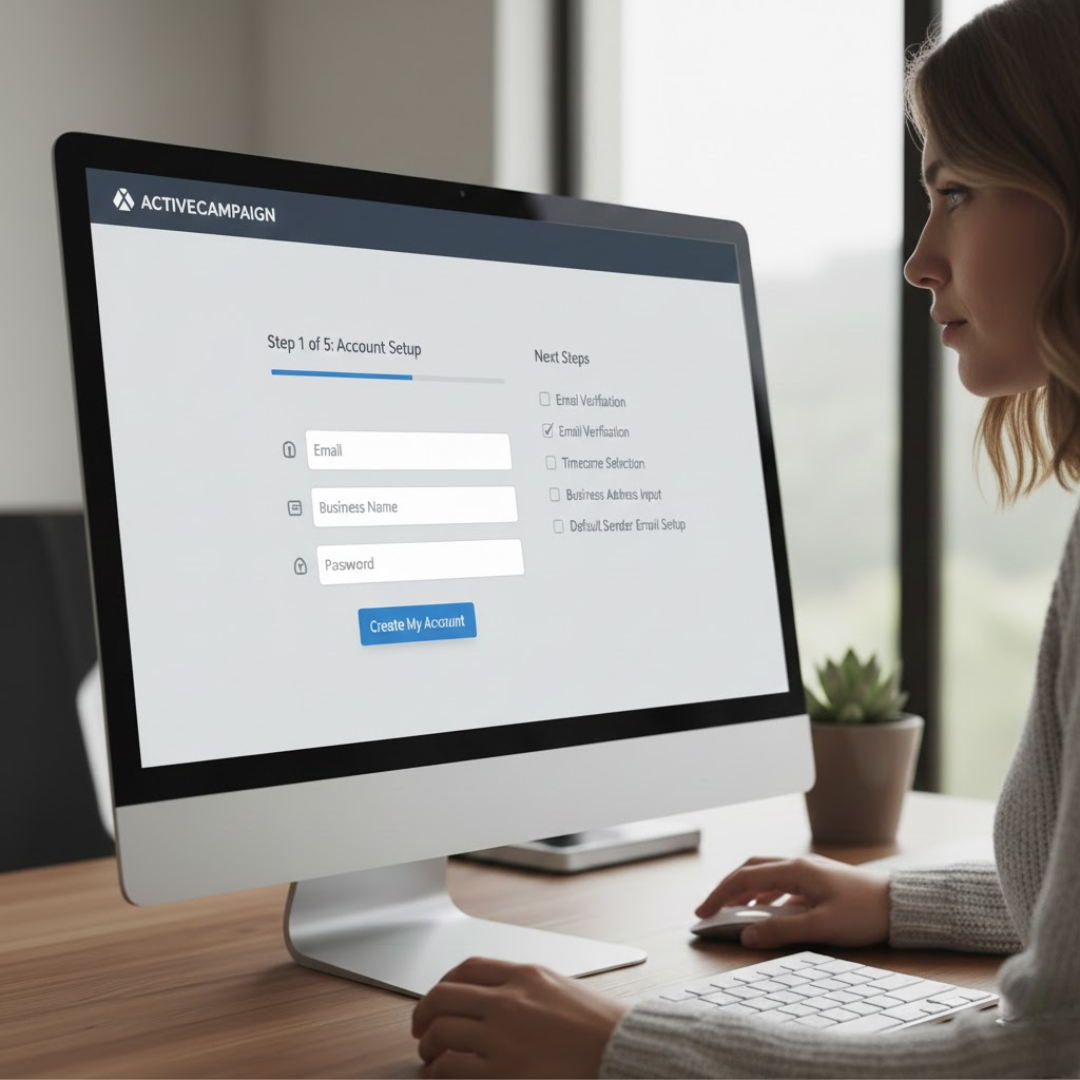
1. Create Your ActiveCampaign Account
Sign up with your email, business name, and password. Verify your email and complete the initial setup prompts. Choose the plan that fits your business needs, whether for email marketing, automation, or CRM purposes.
After logging in, configure basic settings like timezone, business address, and default sender email. Proper account setup ensures emails display correctly and comply with regulations.
2. Authenticate Your Domain For Email Deliverability
Email deliverability improves when you authenticate your sending domain. Add SPF, DKIM, and optionally DMARC records to your DNS via Settings → Email Authentication. This verification confirms that ActiveCampaign can send emails on your behalf.
Proper authentication reduces the chance of emails landing in spam and increases trust with inbox providers. Once DNS propagation completes, confirm verification in ActiveCampaign before sending campaigns.
3. Import Contacts Into ActiveCampaign
Prepare a clean CSV file with essential columns like name, email, and tags. Remove duplicates and invalid addresses to avoid errors. Import contacts via Contacts → Import, mapping fields correctly.
Assign tags or add them to lists during import for better segmentation. Organized contact data helps you send personalized emails, automate workflows, and track behaviour effectively, laying the foundation for successful marketing campaigns.
4. Organize Lists, Tags, And Custom Fields
ActiveCampaign’s power comes from structured data. Create lists for broad groups like “Subscribers” or “Customers.” Use tags for more specific identifiers such as “lead,” “webinar-attendee,” or “premium-customer.”
Add custom fields to store additional details like location, purchase preference, or signup source. This structure enables advanced segmentation, personalized messaging, and targeted automations, ensuring your communications feel relevant and increase engagement.
5. Install Website Tracking And Integrations
Add ActiveCampaign’s tracking code to your website to monitor user behaviour. Enable site tracking to trigger automations based on page visits, clicks, or specific actions.
To sync data, integrate with e-commerce platforms such as WooCommerce, Shopify, or CRMs. These connections allow you to recover abandoned carts, send targeted offers, and automate follow-ups based on real-time user behaviour, increasing conversions and engagement.
6. Create Signup Forms And Lead Capture Tools
Build professional forms using ActiveCampaign’s form builder. Choose inline forms, pop-ups, or floating bars to match your site layout. Add fields for necessary information and assign tags to new subscribers automatically.
Configure actions like adding contacts to lists, sending a confirmation email, or triggering an automation. Embed the form on your site or use a hosted URL to capture leads efficiently and grow your email list.
7. Design Email Templates
Use ActiveCampaign’s drag-and-drop email builder to create branded templates. Include a header, footer with business address and unsubscribe link, and personalized tokens like %%FIRSTNAME%%.
Save templates for reuse in campaigns or automations. Well-designed, consistent templates save time and ensure professional-looking emails. Personalization and branding help your emails stand out, increase engagement, and establish trust with subscribers.
8. Build Your First Automation
Set up a simple automation to welcome new subscribers. Choose a trigger like “Submits form” or “Subscribes to list.” Include activities like initiating follow-up emails, applying tags, or sending a welcome email. Include wait steps and conditions to guide users through a sequence.
Automations save time, nurture leads automatically, and ensure subscribers receive timely, relevant content without manual intervention.
9. Set Up CRM & Deal Pipelines
Use ActiveCampaign’s built-in CRM to track leads and deals. Create pipeline stages like “New Lead,” “Contacted,” “Proposal Sent,” and “Closed Won.” Assign owners to deals and set automation rules to move deals based on tags or contact behaviour.
Add tasks, reminders, and notifications to follow up efficiently. A structured CRM ensures no lead is lost, improves sales efficiency, and integrates seamlessly with email and automation workflows.
10. Test, Launch, And Monitor Campaigns
Before going live, test emails, forms, automations, and deal flows with sample contacts. Confirm personalization tokens, links, and email rendering across multiple devices.
Once tested, activate automations and start sending campaigns. Monitor reports for opens, clicks, conversions, and revenue. Use insights to adjust automations, segmentation, and email content.
Regular testing and monitoring help optimize performance and ensure your ActiveCampaign setup drives consistent results.
Wealthy Affiliate – Mini Review
If you’ve ever thought about turning your blog, passion, or niche into an online business,
Wealthy Affiliate (WA) is one of the most beginner-friendly platforms I’ve used.
It combines step-by-step training, website hosting, AI-powered tools,
keyword research, and an active community all in one place.
What I like most is that you can start free (no credit card needed), explore the platform,
test the tools, and connect with other entrepreneurs before upgrading.
WA isn’t a “get rich quick” scheme — success comes from consistent effort
and applying what you learn over time.
Understanding How ActiveCampaign Works: Step-by-Step Guide
1. Contact Collection And List Creation
ActiveCampaign starts with collecting your contacts. You can import lists from CSV files, integrate forms, or connect landing pages and e-commerce platforms.
Once imported, contacts are organized into lists, the primary way of grouping users for broad communication. Proper list setup ensures that campaigns reach the right audience and prevents unsubscribed or irrelevant contacts from receiving emails.
Alongside lists, initial tags, and custom fields can be added to track more specific details like location, purchase interest, or signup source for later personalization and automation.
2. Tagging Contacts For Better Organization
Tags are small labels assigned to contacts to track behaviour, interests, or status. Examples include “lead,” “customer,” “downloaded-guide,” or “attended-webinar.”
Tags work alongside lists and allow you to create highly targeted campaigns. They are crucial in automation because they act as triggers for workflows. For instance, if a contact clicks a product link, you can automatically add a tag like “interested-product-A.”
Tags provide flexibility beyond simple lists and make segmentation precise, helping marketers send relevant messages that resonate with subscribers’ behaviour and preferences.

3. Using Custom Fields For Personalization
Custom fields store additional contact information beyond the basic name and email. Examples include birthday, favorite product, location, subscription plan, or purchase history.
These fields enable personalized messaging, so you can greet a subscriber by name or recommend products based on past purchases.
Custom fields also enhance automation, as workflows can branch based on field values. This helps create more human-like interactions and increases engagement rates.
ActiveCampaign’s flexibility with custom fields allows marketers to collect and use almost any type of data for smarter email marketing and automated workflows.
4. Email Campaign Creation And Templates
Email marketing is the heart of ActiveCampaign. You can create professional emails using drag-and-drop builders, ready-made templates, or custom HTML.
Emails can include dynamic content, images, buttons, and personalized tokens like %%FIRSTNAME%%. Templates provide consistent branding throughout campaigns and save time. Emails can be broadcast messages to entire lists or part of automation sequences.
With split testing, you can experiment with subject lines, content, or sending times. Campaigns are then tracked through detailed analytics, showing opens, clicks, and conversions for optimization.
5. Automation Basics: Triggers And Actions
Automations are the core of ActiveCampaign. Each automation starts with a trigger, like form submission, link click, page visit, or tag added.
Once triggered, actions occur automatically: sending emails, adding tags, notifying your team, or moving deals in the CRM.
You can include waits, conditions, or branching logic. Automation replaces manual follow-ups, saving time and ensuring leads receive timely, relevant communication.
Correctly set up, these workflows guide contacts through the customer journey automatically, increasing engagement, conversions, and overall marketing efficiency.
6. Advanced Automation Features
Beyond basics, ActiveCampaign allows conditional logic and goal tracking. You can set if/else conditions, split paths, or wait until a user takes a specific action before continuing the sequence.
Goals track conversions, such as purchases or demo bookings. Combined with lead scoring, automations can prioritize highly engaged contacts for sales outreach.
Multi-step automations can include emails, SMS, site messages, tagging, and CRM updates. These advanced features make workflows smarter, more personalized, and more responsive to each subscriber’s unique behaviour and interests.
7. Lead Scoring And Behaviour Tracking
Lead scoring assigns points based on actions like opening emails, clicking links, visiting web pages, or purchasing products. Higher scores indicate stronger interest or readiness to buy.
ActiveCampaign also tracks website behaviour in real time, allowing automation triggers based on visits, clicks, or product views.
This combination ensures that sales and marketing teams focus on the most engaged leads, improving conversion rates. Lead scoring and behaviour tracking make the platform intelligent, enabling proactive engagement and smarter campaign strategies.
8. CRM And Deal Management
ActiveCampaign includes a built-in CRM to manage contacts and sales pipelines. Deals can be added manually or automatically through tags or automation triggers.
Each deal moves through stages like New → Contacted → Proposal → Closed Won. Tasks, reminders, and notifications keep the sales team organized. The CRM integrates with email marketing, so communications and actions are tracked alongside marketing automation.
This integration ensures no lead is lost, keeps pipelines organized, and allows seamless coordination between marketing and sales teams.

9. Segmentation For Targeted Campaigns
Segmentation allows you to create dynamic groups based on behaviour, tags, custom fields, or engagement history. For example, you can target contacts who opened your last three emails but didn’t purchase, or subscribers in a specific region. Segmentation improves relevancy, increases engagement, and reduces unsubscribes.
It works in campaigns and automation, ensuring each contact receives the right message at the right time. ActiveCampaign’s segmentation tools make large-scale personalized marketing possible without manual effort.
10. eCommerce Integrations And Automation
ActiveCampaign integrates with Shopify, WooCommerce, BigCommerce, and other platforms to track purchases, abandoned carts, and product views.
You can automate post-purchase sequences, upsells, cross-sells, and review requests. Cart recovery automations send timely reminders to recover lost sales. Integration with payment processors allows tracking total revenue per contact.
These features make ActiveCampaign especially valuable for online stores, helping increase repeat purchases, improve customer retention, and automate e-commerce marketing efforts efficiently.
11. SMS Marketing And Site Messaging
ActiveCampaign supports SMS campaigns and on-site messaging, complementing email marketing. You can send reminders, promotions, or alerts via text messages.
Site messages are pop-ups that engage visitors while browsing your website. Both channels integrate with automations, tags, and scoring, allowing multi-channel engagement.
SMS and site messaging increase conversions by reaching contacts where they are, providing timely, relevant content beyond email, and creating a more interactive, engaging experience.
12. Predictive Sending And AI Features
Predictive sending, which chooses when to send emails based on a contact’s interaction history, is one of ActiveCampaign’s AI-powered capabilities.
Other AI features include predictive content and automated personalization suggestions. These tools optimize delivery, improve open rates, and increase conversions.
By analyzing behavioural patterns, the platform ensures your messages reach contacts when they are most likely to interact, reducing guesswork and making your marketing campaigns more efficient and data-driven.
13. Reporting And Analytics
ActiveCampaign provides detailed reporting for campaigns, automations, and deals. You can track open rates, click-throughs, conversions, revenue, and overall engagement.
Reports also allow segmentation analysis, A/B test comparisons, and performance insights for automations. This data helps marketers refine strategies, improve messaging, and optimize workflows for better results.
Real-time reporting ensures timely adjustments and continuous improvement of email campaigns and marketing automation efforts.
14. Integrations With Apps And Tools
ActiveCampaign connects with over 870 apps, including Zapier, Google Sheets, WordPress, Calendly, Trello, and social media platforms.
These integrations sync data, automate workflows, and allow multi-platform marketing. For example, you can automatically add webinar attendees to email sequences or update CRM data from form submissions.
Integrations expand ActiveCampaign’s functionality, enabling businesses to build customized marketing and sales ecosystems that work seamlessly across tools.
15. Optimizing Campaigns And Automation
The final step in understanding ActiveCampaign is continuous optimization. Test emails with A/B splits, review automation performance, and adjust segmentation based on engagement data.
Monitor revenue attribution to identify high-performing campaigns. Update workflows, tags, and custom fields as your audience grows.
Regular optimization ensures higher open rates, better engagement, more conversions, and stronger customer relationships. ActiveCampaign’s reporting, automation, and personalization make continuous improvement easy and effective.

ActiveCampaign Pricing & Plans
1. Starter / Lite Plan
This plan, which starts at about $15 per month for about 1,000 contacts, is perfect for solopreneurs or small firms. It provides essential tools like email marketing, basic automation, and simple contact management to help beginners start building their email campaigns efficiently.
2. Plus Plan
The Plus Plan starts at about $49/month for 1,000 contacts. It includes a built-in CRM, SMS marketing, landing pages, advanced automation, and e-commerce integrations. This plan is perfect for growing businesses that want to expand marketing efforts and improve lead management.
3. Pro / Professional Plan
Starting at $79/month for around 1,000 contacts, the Pro Plan offers advanced automation, predictive sending, multi-step workflows, enhanced analytics, and sophisticated segmentation options. It’s suitable for established businesses needing robust marketing tools and more personalized customer engagement.
4. Enterprise Plan
The Enterprise Plan starts at $145/month for roughly 1,000 contacts and scales with the size of your list. It offers enterprise-level security, custom reporting, unlimited users, single sign-on (SSO), and priority support. This plan is designed for large companies with complex marketing needs.
5. Contact-Based Pricing
Pricing increases as your contact list grows, for example, moving from 1,000 to 5,000 or 10,000 contacts. It’s essential to consider your current and future contact size when selecting a plan to ensure cost-efficiency while scaling marketing campaigns effectively.
6. Choosing The Right Plan
Small businesses usually start with Starter/Lite, while growing SMBs benefit from Plus. Established businesses often choose Pro for advanced features, and large enterprises requiring high-level security, reporting, and team collaboration select the Enterprise plan. Selecting the right plan ensures optimal marketing results.
FAQ
Q1: What Types Of Businesses Can Use ActiveCampaign?
ActiveCampaign suits e-commerce stores, service businesses, and personal brands. Any business needing email marketing, automation, CRM, and customer engagement can leverage it to nurture leads and boost conversions.
Q2: Is ActiveCampaign Suitable For Beginners?
Yes. ActiveCampaign offers an intuitive interface, pre-built templates, and automation guides. Beginners can start with simple campaigns and gradually explore advanced features like automation, segmentation, and CRM.
Q3: Can ActiveCampaign Integrate With Other Tools?
Absolutely. It integrates with over 870 apps, including Shopify, WooCommerce, WordPress, Zapier, and CRMs, enabling seamless workflows, multi-channel marketing, and enhanced automation across platforms.
Conclusion
By leveraging ActiveCampaign’s automation, CRM, and segmentation tools, businesses can create seamless customer journeys and deliver relevant messages at the right time. Its features help track engagement, manage leads, and improve marketing efficiency without extra manual work.
Whether running an online store, service business, or personal brand, ActiveCampaign empowers teams to nurture relationships, optimize campaigns, and drive growth consistently, making it an essential tool for modern marketing success.
I trust you enjoyed this article on the What Is ActiveCampaign & How Does It Work? Please stay tuned for more insightful blogs on affiliate marketing, online business, and working from anywhere in the world.
Take care!
— JeannetteZ 🌍✨
💬 Your Opinion Is Important To Me
Do you have thoughts, ideas, or questions? I’d love to hear from you. Please leave your comments below or email me directly at Jeannette@WorkFromAnywhereInTheWorld.com.
📚 More Work From Anywhere Reads
🚀 Ready to Build a Business You Can Run from Home
Or from Anywhere in the World?
Imagine creating income on your terms — from home, a cozy café, or wherever life takes you.
With the right tools, training, and community support, it’s entirely possible.
Start your own online business for free — no credit card needed.
Disclosure
This post may contain affiliate links. As an Amazon Associate and participant in other affiliate programs, I earn from qualifying purchases at no extra cost to you. Please read my full affiliate disclosure.