10 Best Free Content Marketing Tools
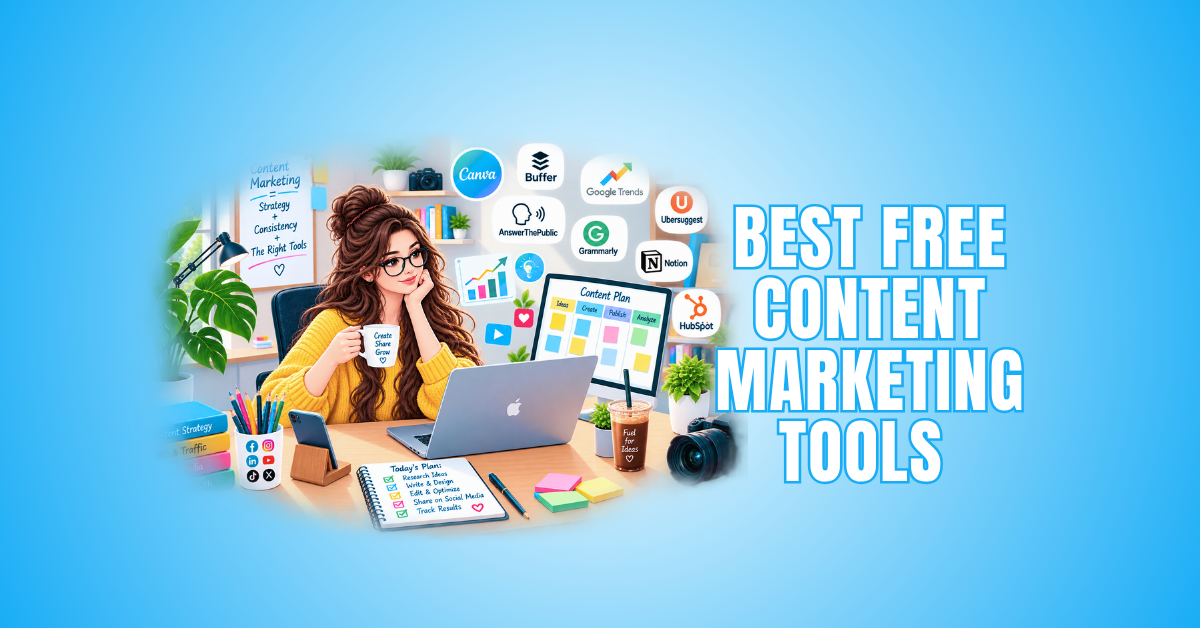
The best free content marketing tools make content creation and management much easier. The right tools support different stages of the process without requiring an expensive software stack.
You can research topics, discover useful keywords, create visuals, improve your writing, schedule social media posts, and monitor search performance using tools that offer free features or plans.
The key is choosing tools that serve a specific purpose within your content workflow. You don’t need dozens of platforms when a carefully selected group covers the tasks you do regularly.
In this guide, we’ll explore practical free content marketing tools for bloggers, freelancers, small businesses, and anyone looking for useful ways to research, create, organize, and improve their content.
What Are Content Marketing Tools?
Content marketing tools are platforms and resources that support different stages of content marketing. They help with tasks such as discovering what people are searching for, writing, designing, publishing, distributing, and measuring content.
A strong content workflow rarely depends on one platform. Instead, it combines several tools, with each one serving a specific purpose and supporting a different part of the content process.
For example, Google Trends helps identify growing topics, while Google Keyword Planner provides related search terms. AnswerThePublic reveals questions people are asking, and Canva helps turn those ideas into useful visual content.
Once you publish your content, Google Search Console shows how it performs in Google Search. Together, these different tools create a practical system for researching, creating, and evaluating content.
You don’t need dozens of subscriptions or platforms to build an effective workflow. The goal is to choose a manageable collection of tools that serve a clear purpose and fit naturally into your content process.
Best Free Content Marketing Tools
Free tools support almost every stage of your content workflow, from research and writing to design, promotion, and performance tracking. Choosing the right combination helps you handle these tasks without relying on a large collection of paid platforms.
Some tools are completely free, while others provide free plans or limited features. These options are especially useful when you’re building a blog, starting a business, or simply trying to keep your content marketing expenses under control.
Choose tools that perform different tasks rather than several that offer similar features. A smaller, well-chosen collection makes your workflow easier to manage and gives each tool a clear purpose within your content process.
The following tools cover different areas of content marketing. You can combine them to build a practical system that suits your needs. Start with the tools that address your most important tasks, then add others as your content strategy develops.
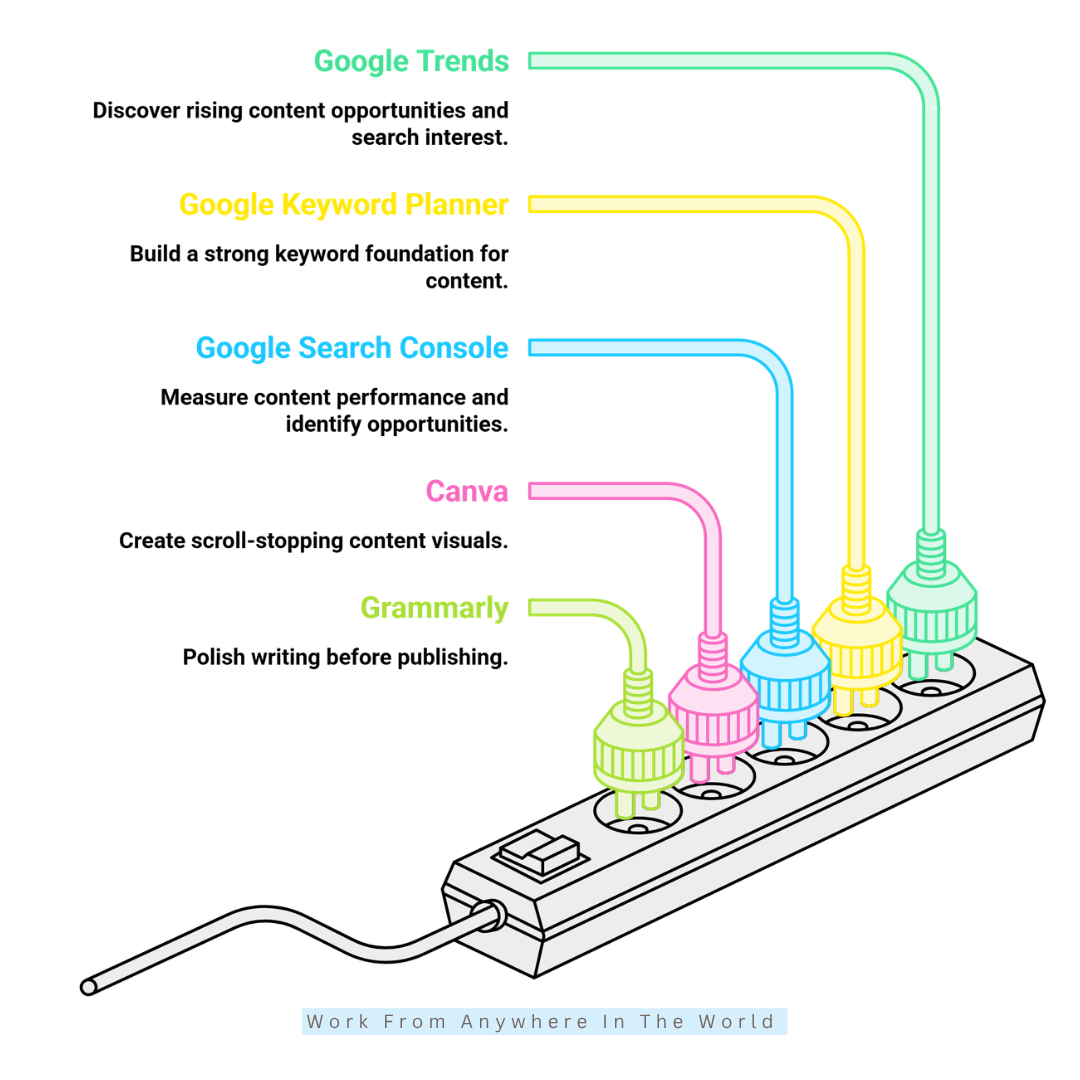
1. Google Trends — Discover Rising Content Opportunities
Google Trends is a free tool for exploring how search interest changes over time. You can compare topics, examine regional interest, and discover related searches.
The Trending Now section also highlights searches that are currently gaining attention. This helps you identify timely topics and plan content around changing or seasonal interest.
For example, suppose you are planning an article about at-home exercise for a fitness website. Instead of choosing a topic based only on preference, you could compare several related searches:
- Home workout
- Pilates at home
- Strength training at home
- Resistance band workout
The comparison shows how interest in each topic changes over time. You see whether interest is consistent, seasonal, or concentrated in particular regions.
This information doesn’t tell you which topic you must choose. Instead, it gives you additional search data to consider when planning your content.
2. Google Keyword Planner — Build A Strong Keyword Foundation
Google Keyword Planner was designed primarily for Google Ads. However, it provides useful information for keyword research and content planning.
The tool generates related keyword ideas and shows estimated search activity. It includes advertising competition and bid information, although those metrics are intended primarily for advertisers.
For content marketers, the keyword suggestions are particularly useful when exploring a topic. They reveal related phrases and different ways people search for information.
Suppose your main topic is email marketing. Keyword Planner might help you explore variations such as:
- Email marketing strategies
- Email marketing tips
- Email marketing for small businesses
- Email marketing examples
- Email newsletter ideas
Instead of trying to include every related keyword in one article, group the terms by topic and search intent. This makes it easier to identify different directions for future content.
One group might become a beginner’s guide, while another could become a detailed tutorial. A different group might provide ideas for a comparison article or supporting blog post.
3. Google Search Console — Measure What Your Content Achieves
Creating content is only part of the process. Once you publish an article, you need to understand how people find it through Google Search.
Google Search Console is a free service that provides information about your website’s performance in Google Search. It shows search queries, clicks, impressions, indexing information, and other useful data.
Search Console helps identify indexing problems and shows whether Google has access to important pages. You may also request indexing after publishing or updating individual URLs.
Over time, Search Console reveals which queries generate impressions and clicks for your content. This information may uncover opportunities you didn’t originally consider when planning the article.
For example, an article targeting “content marketing tips” might receive impressions for “content marketing strategy for beginners.” That related query could suggest a useful new section or even a separate supporting article.
Reviewing this information regularly helps you understand how people discover your existing content. Those insights may guide future updates, reveal new content ideas, and strengthen your overall content strategy.
4. Canva — Create Scroll-Stopping Content Visuals
Great content isn’t limited to written words. Blog graphics, social media posts, infographics, presentations, thumbnails, and visual guides make information easier to understand and share.
Canva provides customizable templates for many types of marketing content. These include social media graphics, presentations, content calendars, infographics, and other visual materials.
Canva turns one piece of written content into several visual assets. This approach helps you reuse the research and ideas you’ve already developed rather than starting from scratch each time.
For example, a 2,000-word article about SEO could become:
- A Pinterest graphic
- An Instagram carousel
- A LinkedIn document
- A quote graphic
- A simple infographic
- A blog header image
This is where Canva becomes more than a design platform. It serves as a practical repurposing tool for extending the value of content you’ve already created.
Instead of creating every visual from scratch, you adapt the same core content for different platforms. This approach saves unnecessary duplication and helps maintain consistent branding across your blog and social media channels.
5. Grammarly — Polish Your Writing Before Publishing
A strong content marketing strategy still depends on clear, readable writing. Even experienced writers may overlook small problems with grammar, spelling, punctuation, or clarity when reviewing their own work.
Grammarly helps identify these issues and provides an extra editing check before publication. This is particularly useful when you regularly produce blog posts, emails, social media content, or other written material.
However, Grammarly’s suggestions should support your own editing judgement rather than replace it. Not every recommendation will suit your writing style, intended meaning, or audience.
Review each suggestion before accepting it and consider whether it genuinely improves the sentence. Sometimes the original wording better reflects your voice or communicates exactly what you intended.
A simple editing sequence might look like this:
Write naturally → Review the message → Improve clarity → Check grammar → Read the final version aloud
That final step is worth keeping because grammatically correct writing may still sound awkward when spoken. Reading aloud often reveals problems you overlook when reading silently.
You may notice repetition, unnatural phrasing, missing words, or sentences that are simply too long. Combined with an editing tool, this final review gives your content one more careful check before publication.
6. AnswerThePublic — Turn Real Questions Into Content Ideas
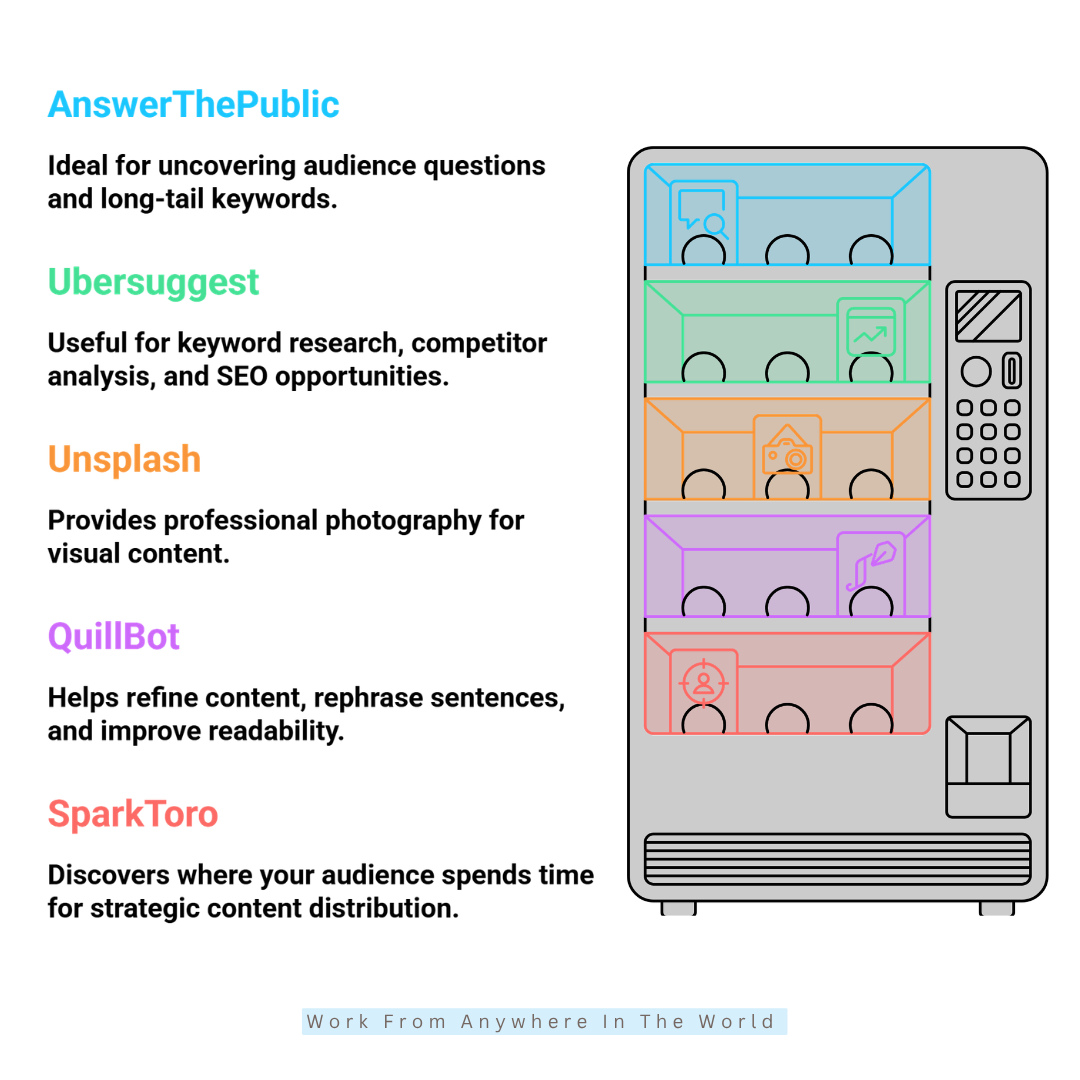
AnswerThePublic helps you explore the questions and phrases people search for around a particular topic. It uncovers questions, comparisons, related terms, and other search patterns connected with your subject.
This information is useful when you’re looking for new article ideas or trying to understand what people want to know. It may reveal angles you hadn’t considered when originally planning your content.
Free access is available with limitations, while paid plans provide additional features and searches. Check AnswerThePublic’s current plans and features and choose the level that suits your research needs.
Suppose your topic is content marketing. AnswerThePublic may reveal question-based ideas such as:
- What is content marketing?
- How does content marketing work?
- Why is content marketing important?
- How much does content marketing cost?
- What are content marketing examples?
These questions may become headings or subheadings within an existing article. Broader topics could provide enough material for entirely new posts that support your main article.
Search questions are particularly useful when creating a Frequently Asked Questions section. Rather than guessing what readers want to know, you start with questions based on real search behaviour.
7. Ubersuggest — Explore Keywords And Competitors
Ubersuggest is an SEO research platform for keyword discovery, content research, and competitor analysis. It provides another source of information when you’re researching keywords or planning future content.
Free access is more limited than the paid options, but it remains useful for occasional research. Check Ubersuggest’s current plans and features before deciding whether you need more extensive access.
Different keyword research platforms organize and present information in different ways. Comparing multiple sources provides additional ideas and helps you examine a topic from several angles.
Ubersuggest provides keyword variations, related searches, content ideas, competitor information, and other SEO insights. This information may reveal opportunities for new articles or ways to strengthen content you’ve already published.
Combine Different Sources Of Search Data
Ubersuggest becomes more useful when you combine its information with insights from other tools. Google Trends, for example, shows whether interest in a particular topic is growing, declining, or changing over time.
Keyword research tools reveal related searches and phrases people use when looking for information. Google Search Console provides another perspective by showing how your own website appears in Google Search.
Together, these sources provide a broader picture of search behaviour and content performance. The information helps you identify new topics, strengthen existing articles, and make better-informed decisions about future content.
8. Unsplash — Add Professional Photography To Your Content
Visual quality influences how people perceive an article before they begin reading. Strong photography helps create a polished appearance and supports the overall presentation of your content.
Unsplash provides a large library of photography covering business, technology, travel, nature, lifestyle, food, and many other subjects. These images work well for blog posts, presentations, social media graphics, and other digital content.
The platform is particularly useful for bloggers, freelancers, and small businesses without access to their own photography. A searchable image library makes it easier to find relevant visuals for a wide range of content topics.
Choosing an image should involve more than finding an attractive photograph. The image should support the subject of your content and fit naturally with your website’s overall style.
Consider composition when choosing photographs for feature images or social media graphics. Images with uncluttered areas often leave more room for headlines, titles, or other design elements.
Consistency matters as well. Selecting photographs with a similar mood, style, or visual quality helps your blog and marketing materials feel more connected and recognizable.
Before using any image, review the current Unsplash licence and usage terms. This ensures you understand how the photograph may be used and whether any restrictions apply.
9. QuillBot — Refine And Improve Your Content
QuillBot is an AI-powered writing tool designed to help with paraphrasing, summarizing, and refining written content. It is useful when you already have the main idea but want to explore clearer or more concise ways to express it.
For bloggers and freelance writers, QuillBot may support the editing process without replacing the original thinking behind an article. It helps with awkward sentences, complicated paragraphs, repetitive wording, and passages that need greater clarity.
For example, after completing a lengthy blog post, you might use QuillBot to explore alternative wording for a difficult paragraph. Its summarizing features may also help condense longer material when you need a shorter version.
As with any AI-assisted writing tool, review the suggested wording carefully before publication. A rewritten sentence may be grammatically correct but still change the original meaning or sound unlike your natural writing style.
The goal isn’t to accept every suggested revision. Instead, use the tool as another editing resource while keeping your own ideas, meaning, and voice at the centre of the finished content.
Free features are available, while paid access includes additional tools and usage options. Check QuillBot’s current plans and features for the latest information.
10. SparkToro — Discover Where Your Audience Spends Time
SparkToro is an audience research platform that helps marketers understand where particular audiences spend time online. It provides insights into websites, podcasts, social accounts, YouTube channels, and other sources they follow or visit.
This information adds another dimension to content research. Instead of focusing only on keywords, you gain a better understanding of the websites, creators, and media sources that already attract your intended audience.
For example, imagine you create content for freelance designers. SparkToro may reveal websites, podcasts, social accounts, or YouTube channels that people interested in design frequently follow.
These insights may suggest topics that deserve further research or reveal places where your content could reach the right people. They may also help identify potential partnerships, guest appearances, or promotional opportunities.
Audience research is especially valuable when planning how to distribute content after publication. Creating a useful article is only one part of content marketing; you still need suitable ways to reach the people it was written for.
SparkToro offers limited free access, with additional research features available through paid plans. Check SparkToro’s current plans and features for the latest information.
How To Build A Free Content Marketing Toolkit
A content marketing toolkit, sometimes called a content marketing stack, is the collection of tools you use to support your content process. Each tool handles a particular task, such as research, writing, design, promotion, or performance tracking.
You don’t need every tool available to build an effective system. A smaller selection that matches the way you create and manage content is often easier to use and maintain.
Start by identifying the tasks you do most often, then choose one useful tool for each purpose. This approach reduces unnecessary overlap and keeps your content workflow organized.
As your website or business grows, you may discover gaps in your existing toolkit. Add new tools when they solve a real need, not just because they offer more features.
The following steps will help you build a practical content marketing toolkit using the free tools we’ve explored above. You can adapt the process to your own workflow and expand your toolkit as your content needs change.
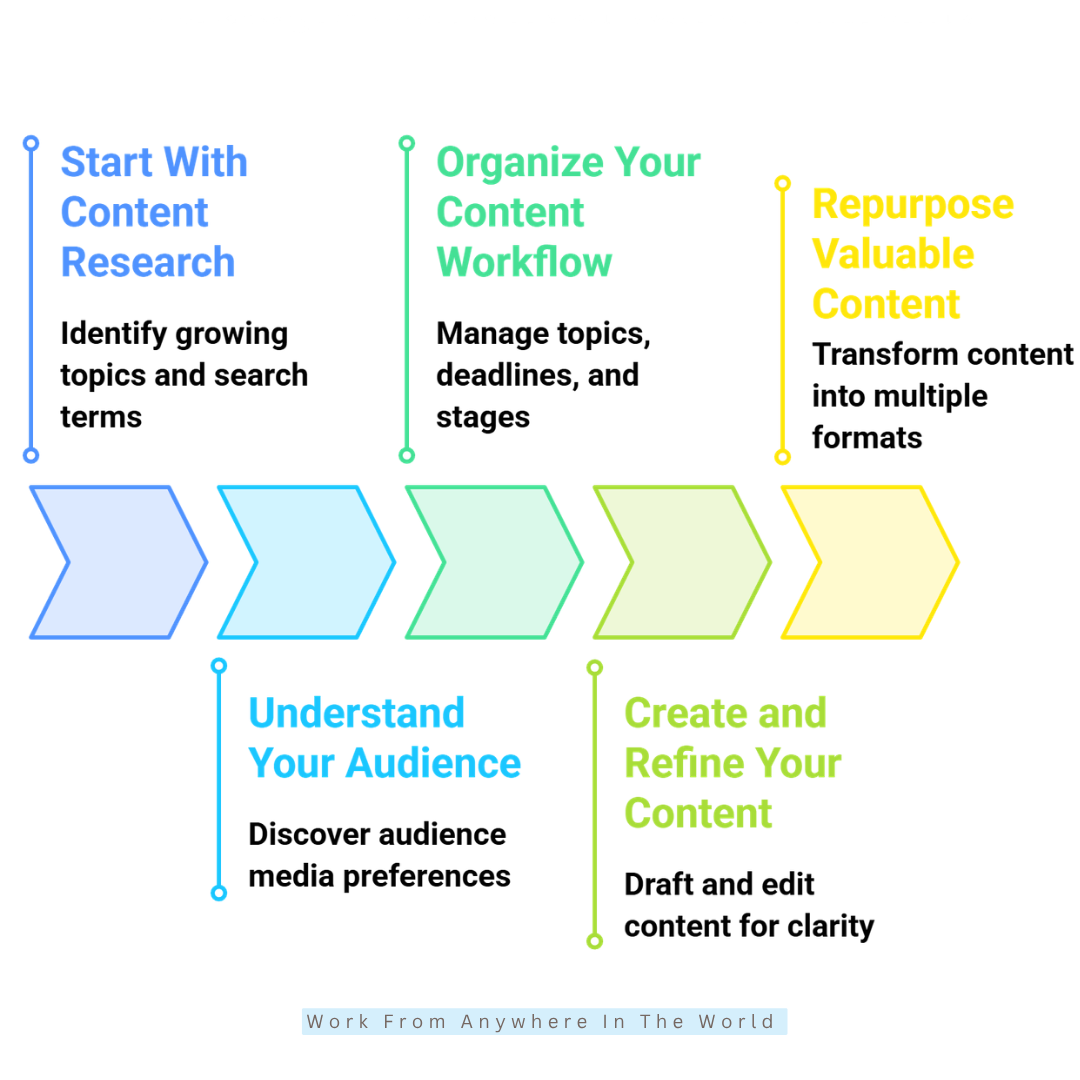
1. Start With Content Research
Strong content begins with informed research. Google Trends reveals changing search interest, while Google Keyword Planner and Ubersuggest help uncover related search terms.
AnswerThePublic adds another layer by revealing questions people associate with a topic. Together, these tools help you identify useful topics based on search behaviour rather than assumptions or guesswork.
2. Understand Your Audience
Knowing what people search for is only part of effective content marketing. SparkToro helps reveal the websites, podcasts, social accounts, and other media your target audience follows.
These insights guide your topics, content formats, and distribution channels. Understanding where your audience already spends time helps you develop a more focused content strategy.
3. Organize Your Content Workflow
Great ideas easily disappear without an organized system behind them. A simple content calendar helps you manage topics, deadlines, writing stages, and publication dates.
Google Sheets works well for creating a straightforward content calendar or tracking document. You might record keywords, article titles, publication dates, editing progress, and other details in one place.
A clear workflow turns scattered ideas into scheduled content and shows what needs attention next. This makes it easier to see which pieces require research, writing, editing, design, promotion, or publication.
4. Create And Refine Your Content
Once your research is complete, focus on creating content that genuinely addresses the reader’s needs. Use your research to develop the article while adding your own knowledge, examples, and perspective.
Google Docs provides a practical workspace for drafting and editing content. Its sharing and commenting features are particularly useful when several people contribute to the writing or editing process.
Grammarly and QuillBot support the next stage by helping identify problems and refine your writing. They are most useful as editing aids rather than substitutes for your own judgement.
Review the finished article for clarity, accuracy, structure, and readability before publishing. Your research, expertise, ideas, and individual voice should remain at the heart of the finished content.
5. Repurpose Valuable Content
A strong blog post may become much more than one published page. The research, examples, and key ideas may provide material for several different types of content.
Canva helps transform those ideas into social media graphics, carousels, presentations, and infographics. Unsplash provides photography that supports those designs or adds visual interest to the original article.
Repurposing extends the value of the work you’ve already completed. One well-researched article provides content for several platforms without requiring you to start from scratch each time.
Different formats may reach people who prefer to consume information in different ways. The key is to adapt the original material rather than copy and paste the same content everywhere.
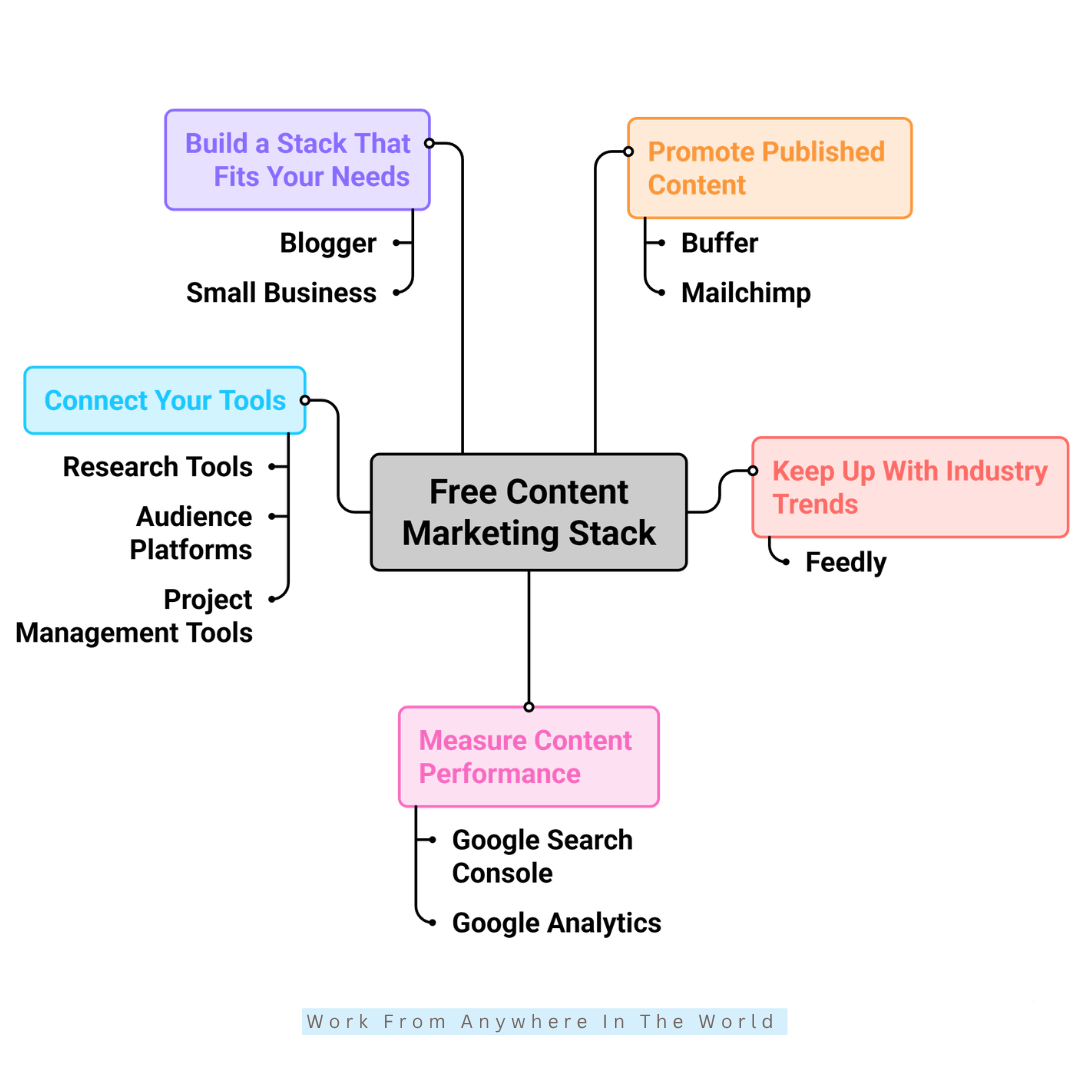
6. Promote Your Published Content
Publishing an article is only one part of content marketing. Promotion helps bring your finished content to people through email marketing, social media, and other relevant channels.
Rather than sharing the same message repeatedly, create several promotional angles from the original article. This gives you multiple opportunities to introduce the content to your audience.
A useful tip, question, statistic, quote, or interesting example may each provide a different promotional message. Choose elements that give readers a genuine reason to visit the full article.
Match each message to the platform and audience rather than posting identical wording everywhere. Thoughtful promotion extends your content’s reach while keeping each post relevant to the people who see it.
7. Keep Up With Industry Trends
Content marketing works best when your research stays connected to developments within your industry. Following trusted publications, newsletters, blogs, and other relevant sources helps you notice changes and emerging topics.
Regular research may reveal recurring questions, new developments, or subjects receiving increased attention. Google Trends offers another way to see whether search interest in particular topics is changing.
These insights may inspire original articles or suggest timely updates to existing content. They also provide useful background when deciding which subjects deserve further research.
The goal isn’t to chase every new trend or abandon evergreen content. Instead, stay informed enough to recognize developments that genuinely matter to your audience and fit your content strategy.
Wealthy Affiliate – Mini Review
If you’ve ever thought about turning your blog, passion, or niche into an online business,
Wealthy Affiliate (WA) is one of the most beginner-friendly platforms I’ve used.
It combines step-by-step training, website hosting, AI-powered tools,
keyword research, and an active community all in one place.
What I like most is that you can start for free (no credit card needed), explore the platform,
test the tools, and connect with other entrepreneurs before upgrading.
WA isn’t a “get rich quick” scheme — success comes from consistent effort
and applying what you learn over time.
8. Measure Content Performance
A strong content strategy relies on performance data, not assumptions alone. Google Search Console shows which search queries generate impressions and clicks for your published content.
Reviewing this information reveals which topics attract search interest and which articles may deserve further attention. It may also highlight unexpected queries that suggest new sections, updates, or supporting articles.
Compare results over time to see how your content performs after publication or an important update. Patterns in the data help you understand which subjects connect most strongly with your search audience.
Your results then become valuable research for the next content cycle. What you learn from existing articles helps guide future topics, updates, and content decisions.
9. Connect Your Tools
The real value of a free content marketing toolkit comes from how the individual tools work together. Each one should have a defined role rather than becoming another platform you rarely use.
Research tools help uncover topics and search behaviour, while audience research provides insight into people’s interests. Writing and design tools then help turn those ideas into useful content.
After publication, performance data shows how people discover and respond to your content. Those results feed back into your research and help shape future articles and updates.
Think of your toolkit as a connected workflow, not a collection of separate platforms. Research → Create → Refine → Publish → Promote → Measure provides a simple cycle to follow as your content strategy develops.
10. Build A Toolkit That Fits Your Needs
You don’t need every free marketing tool available. Start with the areas that require the most attention and choose a few tools that solve those specific challenges.
A blogger might prioritize keyword research, writing, and SEO, while a small business may place greater emphasis on audience research and promotion. Your priorities should reflect the type of content you create and the people you want to reach.
Avoid adding new platforms simply because they offer interesting features. Every tool should have a clear purpose and make some part of your content process easier or more effective.
Your toolkit may change as your website, audience, or business develops. Review it occasionally, and keep the tools that still support how you work.
The best content marketing toolkit supports your goals without unnecessarily complicating your workflow. A simple system that you use consistently is far more valuable than a large collection of tools you rarely open.
Frequently Asked Questions
Q1: Are Free Content Marketing Tools Enough For A Small Business?
For many small businesses, free content marketing tools provide everything needed to build a practical workflow. They support research, writing, design, audience research, promotion, and performance tracking without requiring a large software budget.
As your publishing volume, team, or reporting needs grow, paid features may become worthwhile. Start with free options and upgrade only when a specific limitation begins affecting your work.
Q2: How Many Content Marketing Tools Should I Use?
Use only the tools that serve a clear purpose within your content workflow. A small toolkit with defined roles is usually easier to manage than a large collection of platforms with overlapping features.
Start with your most important tasks, such as research, writing, design, and performance tracking. Add another tool only when it fills a genuine gap, not just to expand your collection.
Q3: Should I Use AI Tools For Content Marketing?
AI tools help with brainstorming, outlining, editing, summarizing, and repurposing content. They may save time on routine tasks and provide alternative ways to approach an idea or difficult passage.
Human judgement remains essential for accuracy, originality, examples, expertise, and brand voice. Review AI-generated suggestions carefully and make sure the finished content reflects your intended meaning.
Q4: Which Free Tool Is Best For Organizing Content?
Google Sheets is a practical option for organizing article ideas, keywords, deadlines, publication dates, and editing progress. A simple spreadsheet may be all you need to keep a small content workflow organized.
More complex systems aren’t automatically better. Choose an organizational method that gives you a clear view of your work without adding unnecessary publishing steps.
Q5: Should I Use Multiple Keyword Research Tools?
Using several research sources provides different perspectives on search behaviour. Google Keyword Planner, Ubersuggest, Google Trends, and AnswerThePublic each approach research from a slightly different angle.
However, collecting more keyword data doesn’t automatically lead to better content. Relevance, search intent, useful information, and a clear understanding of your audience remain more important than the number of tools you use.
Q6: How Do I Choose The Right Content Marketing Tools?
Start by identifying the tasks that take the most time or need the most support. Then choose tools that address those specific areas without duplicating functions you already have.
Your toolkit may evolve as your content strategy develops. Review your tools occasionally and keep the ones that continue to make your research, creation, promotion, or measurement process more effective.
Conclusion
The best free content marketing tools aren’t necessarily the platforms with the longest feature lists. The most useful tools support your workflow and help you create better content for your audience.
Google Trends and Google Keyword Planner support topic and keyword research, while AnswerThePublic helps uncover questions people are asking. SparkToro adds audience insights that may guide both content ideas and promotion.
Grammarly and QuillBot support the editing process, while Canva and Unsplash strengthen the visual side of your content. After publication, Google Search Console provides valuable information about search visibility and performance.
You don’t need every available platform to build an effective content marketing toolkit. Start with a few tools that address your most important tasks and become comfortable using them before adding more.
Over time, your toolkit should evolve alongside your website, audience, and content strategy. Add a new tool when it solves a genuine problem, fills an important gap, or makes your existing workflow more effective.
A thoughtful collection of free tools provides a strong foundation for researching, creating, promoting, and improving content. Keep the system simple, purposeful, and focused on producing content that genuinely helps your audience.
I trust you enjoyed this article on the 10 Best Free Content Marketing Tools. Please stay tuned for more insightful blogs on affiliate marketing, online business, and working from anywhere in the world.
Take care!
— JeannetteZ 🌍✨
💬 Your Opinion Is Important To Me
Do you have thoughts, ideas, or questions? I’d love to hear from you. Please leave your comments below or email me directly at Jeannette@WorkFromAnywhereInTheWorld.com.
📚 More Work From Anywhere Reads
🚀 Ready to Build a Business You Can Run from Home
Or from Anywhere in the World?
Imagine creating income on your terms — from home, a cozy café, or wherever life takes you.
With the right tools, training, and community support, it’s entirely possible.
Start your own online business for free — no credit card needed.
Disclosure
This post may contain affiliate links. As an Amazon Associate and participant in other affiliate programs, I earn from qualifying purchases at no extra cost to you. Please read my full affiliate disclosure.