9 Best Laptops For Working From Home
Laptops for working from home need to handle everyday tasks reliably without complicating your workday. Slow performance, poor video calls, or limited connectivity can quickly become frustrating.
You do not necessarily need the most expensive laptop. The right choice depends on your workload, the programs you use, and how your home workspace is set up.
Performance, comfort, battery life, webcam quality, connectivity, and reliability are all worth considering. Choosing the right combination can make everyday work more comfortable and productive.
How To Choose A Laptop For Working From Home
Choosing a laptop for working from home starts with understanding what you need it to do each day. Someone handling email, documents, and video meetings will have different requirements from someone editing videos or working with demanding software.
Consider the processor, memory, storage, display, battery life, and connectivity alongside features such as the webcam and keyboard. These specifications can affect both performance and everyday comfort.
Your home office setup matters too, particularly when you use external monitors, keyboards, or other accessories. The following factors can help you choose a laptop that fits your workload and workspace.
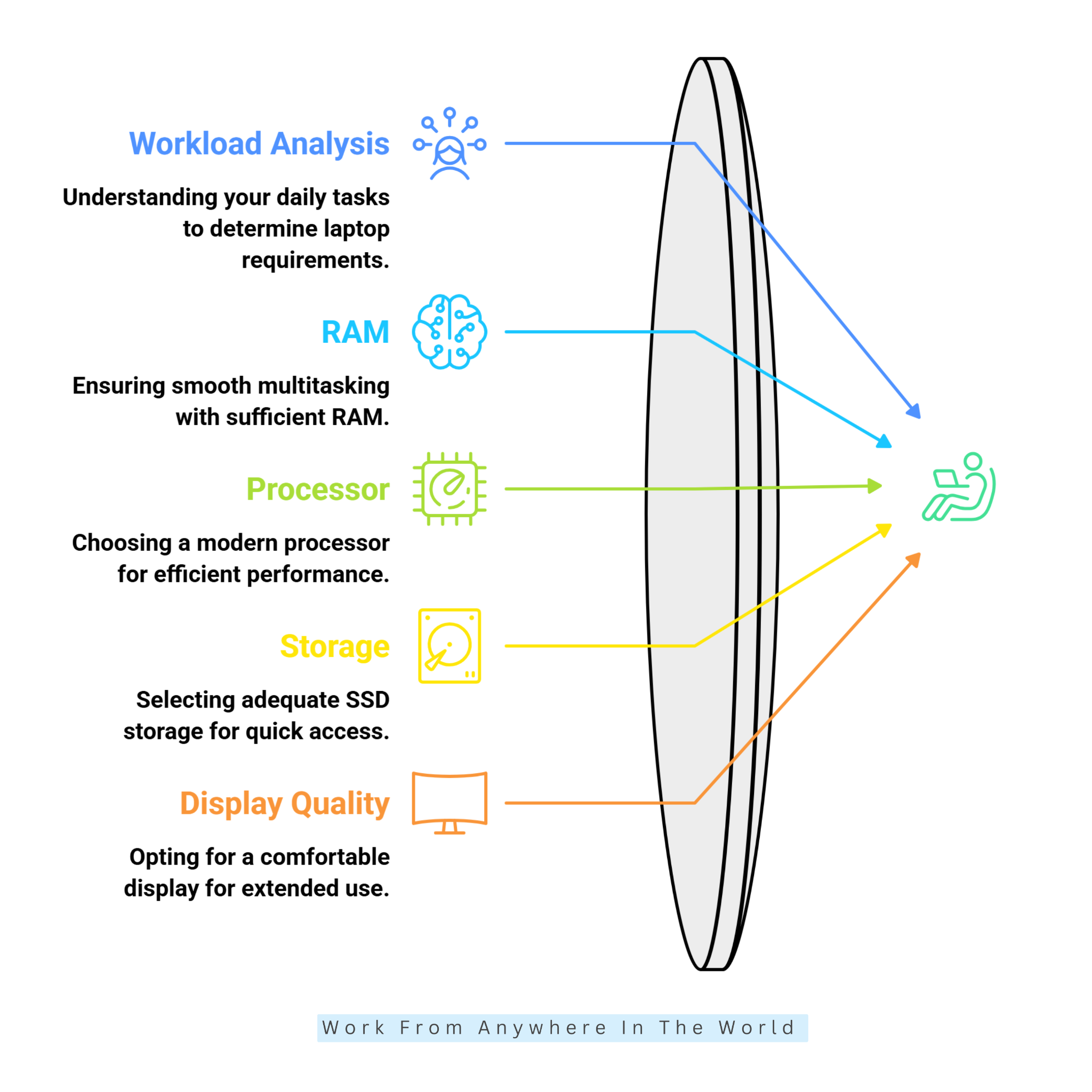
1. Start With Your Actual Workload
Start by considering what you actually do during a normal workday. Email, video meetings, web browsing, documents, and spreadsheets generally require less processing power than programming, graphic design, video editing, or data analysis.
Once you understand your regular workload, it becomes easier to choose suitable specifications. You can focus on the performance you genuinely need rather than paying for features you are unlikely to use.
Matching the laptop to your daily tasks can also help ensure it handles your workload comfortably. This gives you a more practical starting point before comparing individual models.
2. Choose At Least 16GB Of RAM
RAM affects how comfortably your laptop handles multiple applications at the same time. For working from home, 16GB is a practical starting point for browsers, spreadsheets, video calls, documents, and communication tools.
More demanding software, large datasets, or heavier multitasking may benefit from 32GB of RAM. The additional memory can provide more room to work without slowing down when several programs are open.
Choosing enough RAM can also help the laptop remain useful as your workload changes. This is especially important if you plan to keep the computer for several years.
3. Pick A Modern Processor
Rather than choosing a laptop simply because it has a Core i5, Core i7, or Ryzen 7 processor, look at the processor generation and its overall performance capabilities.
A modern processor can handle everyday productivity tasks efficiently, while video editing, programming, data analysis, and other demanding applications may require more processing power.
Efficiency matters too, especially when battery life and portability matter. Before choosing a laptop, check the processor generation, performance, power efficiency, and compatibility with the software you use regularly.
4. Choose SSD Storage
An SSD (Solid-State Drive) stores your laptop’s programs and files and can make everyday computer use feel much quicker. It helps the system start faster, applications open more promptly, and files load efficiently.
For many people working from home, 512GB provides practical storage for documents, applications, and everyday files. Those who regularly store large projects, videos, photographs, or extensive software may benefit from 1TB or more.
Cloud storage or an external drive can provide additional space when needed. Consider how much you prefer to store locally before deciding how much internal storage you need.
5. Consider Display Quality
A comfortable display can be easy to overlook when comparing laptop specifications, but it matters when you spend several hours working in front of a screen. Consider the screen size, resolution, brightness, and whether an anti-glare finish suits your workspace.
Full HD (1920 × 1080) or better is a practical starting point for everyday work. A 14-inch display can balance portability with usable screen space.
Larger displays provide more room for spreadsheets, documents, and multitasking. However, they can also make the laptop heavier and less convenient to move, so consider where and how you usually work.
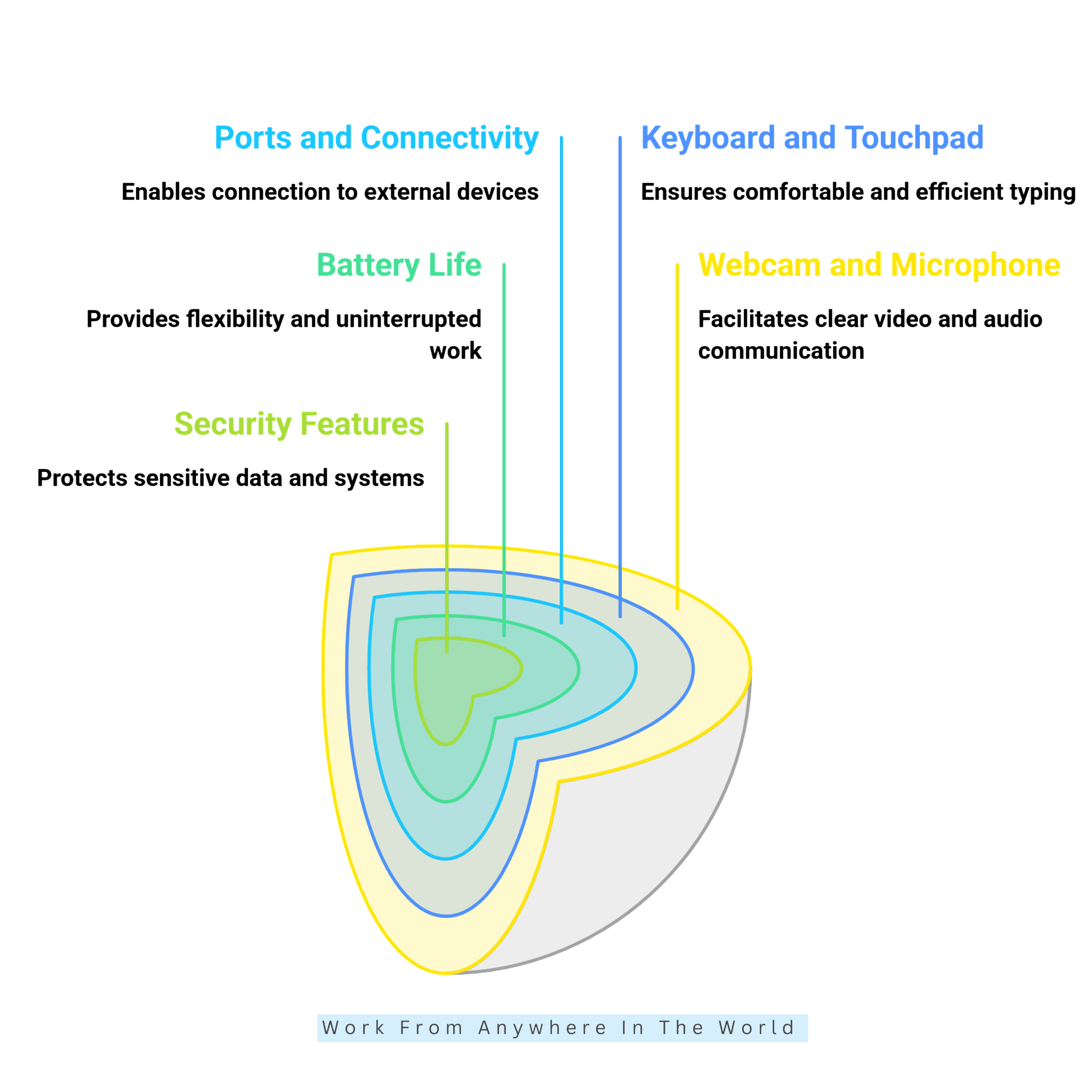
6. Check Webcam And Microphone Quality
For people working from home, webcam and microphone quality can be important when video meetings are part of the daily routine. Look for a camera that produces a clear image and a microphone that makes your voice easy to understand.
Camera resolution is worth considering, but it is not the only factor that affects video quality. Image processing, lighting, and microphone performance can also make a noticeable difference.
Good lighting can improve how you appear on camera, while a suitable headset can provide clearer audio during important meetings. Consider your typical meeting setup when comparing these features.
7. Evaluate Keyboard And Touchpad Comfort
When your work involves writing emails, preparing reports, entering data, or coding, you may spend several hours using the keyboard. This makes typing comfort an important consideration when choosing a laptop.
Pay attention to key spacing, key travel, keyboard layout, and how the keys feel while typing. A comfortable keyboard can make longer working sessions easier.
The touchpad deserves attention as well. A responsive, accurate touchpad makes navigation easier, especially when you are working without an external mouse or a full desk setup.
8. Check Ports And Connectivity
Before choosing a laptop, look at its ports and consider everything you plan to connect. External monitors, keyboards, mice, storage drives, headsets, and other accessories can quickly use the available connections.
USB-C, USB-A, HDMI, and audio ports can all be useful, depending on your home office setup. The right connections can also reduce the need for extra adapters.
When using a docking station, check the laptop’s display, charging, and data-transfer capabilities. A USB-C port does not automatically support every USB-C feature, so check the manufacturer’s specifications before buying.
9. Consider Battery Life
Strong battery life can be useful even when you normally work near a power outlet. It gives you the freedom to move between rooms, work while travelling, or continue through a short power interruption without immediately reaching for the charger.
Manufacturer battery estimates do not always reflect everyday use, so independent testing can provide useful context. Screen brightness, applications, wireless activity, and video calls can all affect how long a battery lasts.
Consider your usual working habits when comparing battery performance. A longer-lasting battery can be especially valuable if you frequently work away from your desk or a power source.
10. Check Security Features
A work laptop may contain sensitive documents, passwords, customer information, and access to business systems. Security is important even when you work entirely from home.
Depending on the laptop, useful features may include fingerprint authentication, facial recognition, a webcam privacy shutter, TPM support, and Secure Boot. Consider which features fit the type of work you do.
Hardware security is only part of protecting your information. Strong passwords, automatic screen locking, regular software updates, and multi-factor authentication can provide additional layers of security.
9 Popular Laptops For Working From Home
Laptops for working from home range from lightweight models for everyday productivity to more powerful computers that can handle demanding professional tasks.
The right choice depends on your workload, preferred operating system, home office setup, and whether you need the flexibility to work away from your desk.
The following models offer different combinations of performance, display quality, portability, connectivity, and other work-friendly features. Compare them based on the tasks you regularly perform rather than choosing specifications you may never need.
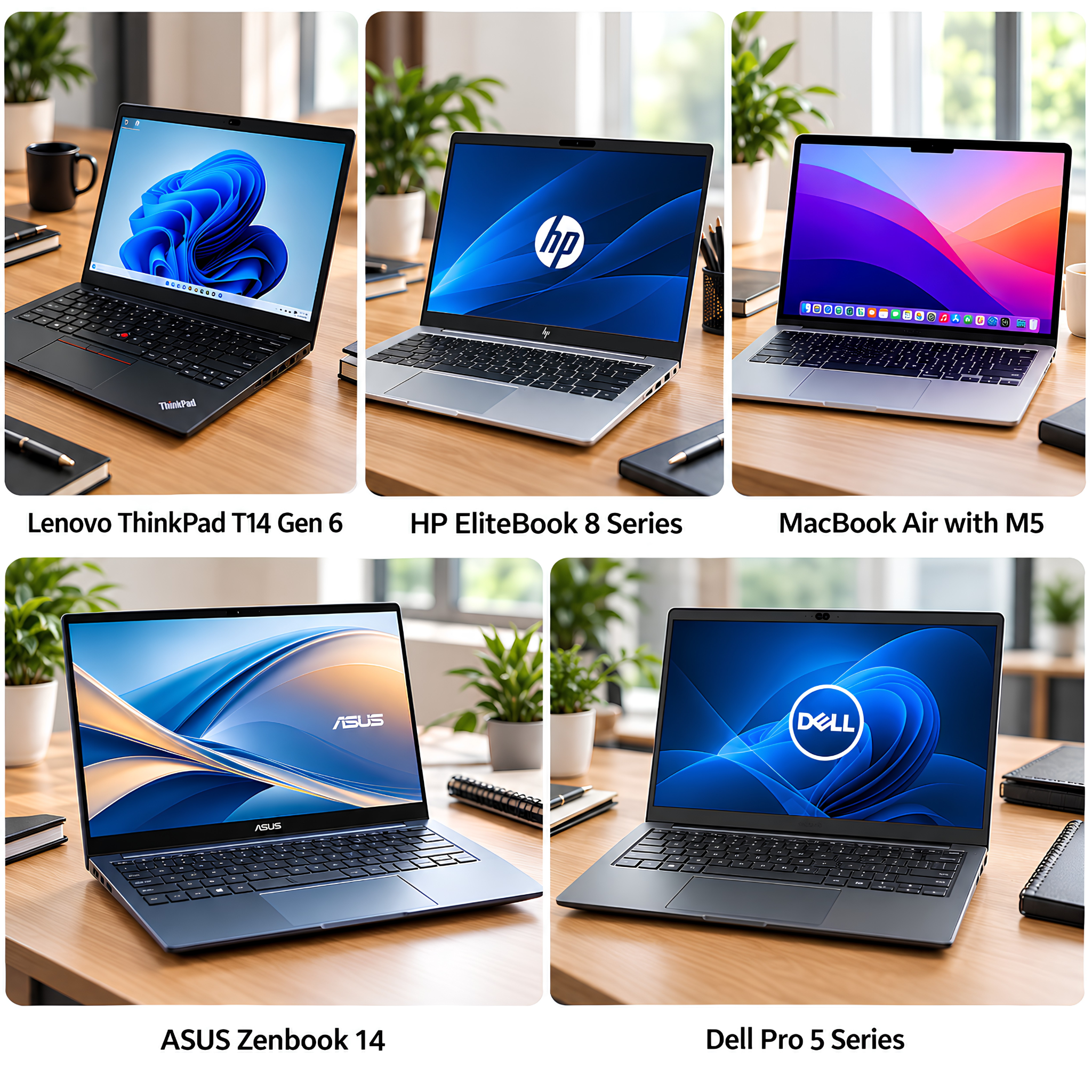
1. Lenovo ThinkPad T14 Gen 6
The Lenovo ThinkPad T14 Gen 6 is a business-focused laptop designed for everyday professional work. Its 14-inch format balances portability with useful screen space.
It can handle documents, spreadsheets, browser-based applications, video meetings, and other common business tasks. A configuration with at least 16GB of RAM and SSD storage provides a practical starting point for multitasking.
Depending on the configuration, features can include a 5MP camera with a privacy shutter, Wi-Fi 7, and different processor and display options.
Specifications vary by configuration, so check the processor, memory, storage, display, ports, and connectivity before buying. This helps ensure the model matches your particular workload.
Its compact business design is also convenient when moving between your home workspace and another location. The range of configurations suits different professional needs.
2. HP EliteBook 8 Series
The HP EliteBook 8 Series is designed for professionals who want a business laptop with modern productivity, security, and collaboration features.
Different models support documents, spreadsheets, web applications, video meetings, and everyday professional tasks. Screen sizes include 13, 14, and 16 inches.
Available configurations can include 16GB or more of RAM and SSD storage. HP also offers features such as 5MP webcams and its Wolf Security tools on models within the series.
Specifications vary considerably between models and configurations. Check the processor, display, RAM, storage, webcam, ports, and wireless connectivity before choosing one.
3. MacBook Air With M5
The MacBook Air with M5 is a thin and portable laptop designed for people who want strong everyday performance without a bulky workstation.
Its M5 chip can handle office applications, web research, video meetings, multitasking, and many creative workflows. The fanless design also lets it run quietly.
The MacBook Air is available with a 13.6- or 15.3-inch Liquid Retina display. Both sizes start with 16GB of unified memory and 512GB of SSD storage.
Battery life is rated at up to 18 hours, while a 12MP Center Stage camera and three-microphone array support video meetings and calls.
Two Thunderbolt 4 ports support accessories and up to two external displays. Before choosing a configuration, consider the screen size, memory, storage, ports, and compatibility with the software you use.
Its lightweight design can be useful when moving between a home office and other work locations. The choice of two screen sizes also provides flexibility between portability and additional workspace.
4. ASUS Zenbook 14
The ASUS Zenbook 14 is a compact productivity laptop that combines portability with features designed for professional work. Its 14-inch format provides useful screen space without making the laptop overly bulky.
Depending on the configuration, it can include an OLED display, modern processors, generous memory, and fast SSD storage. These features can support everyday productivity, multitasking, and more demanding professional tasks.
Its lightweight design suits remote employees, writers, marketers, programmers, consultants, and frequent travellers. The available connectivity also supports common home-office accessories.
For long-term use, 16GB of RAM and at least 512GB of SSD storage are practical targets. Since configurations vary, check the processor, display, memory, storage, and ports before choosing a model.
5. Dell Pro 5 Series
The Dell Pro 5 Series is a business-focused laptop family designed for everyday professional work. It can suit remote employees, managers, consultants, and small-business users.
Available models can handle documents, spreadsheets, browser applications, video meetings, and other common business software. Depending on the model, different processor and display options are available.
For a home office, consider at least 16GB of RAM and 512GB of SSD storage. Also check the webcam and available ports for your monitor and other accessories.
Specifications vary between models and configurations. Check the processor, screen size, memory, storage, connectivity, and operating system before choosing a laptop.
Its business-focused design can work well for people who move between a home office and other work locations. Different screen sizes also provide flexibility when balancing portability and workspace.
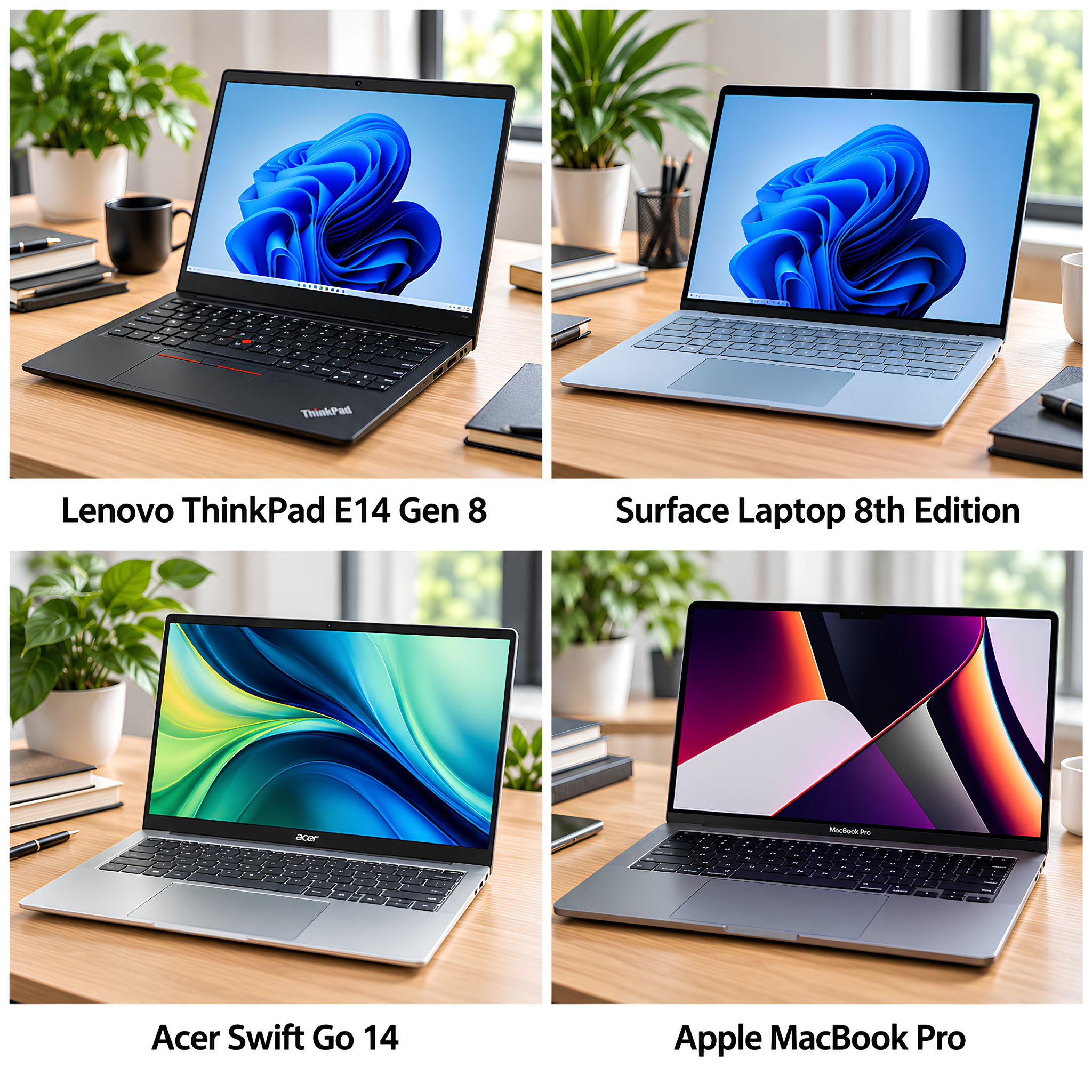
6. Lenovo ThinkPad E14 Gen 8
The Lenovo ThinkPad E14 Gen 8 is a business-focused laptop designed for everyday professional productivity. Its 14-inch format balances portability with useful workspace.
It can handle documents, spreadsheets, web applications, email, video meetings, and everyday multitasking. The ThinkPad keyboard also suits people who spend a lot of time typing.
For a home office, 16GB of RAM provides a practical starting point for multitasking. SSD storage can provide the speed and capacity needed for applications and everyday files.
Available connectivity includes USB-C, USB-A, HDMI, Ethernet, and an audio jack. Wi-Fi 7 and a 1080p camera with a privacy shutter are also available.
Specifications vary by configuration, so check the processor, memory, storage, display, battery, and ports before purchasing. This helps ensure the laptop suits your particular workload.
7. Surface Laptop 8th Edition
The Surface Laptop 8th Edition is a premium Windows laptop designed for professional productivity. Its slim design makes it convenient for working from home or moving between workspaces.
Available screen sizes provide different balances between portability and workspace. The touchscreen displays can be useful for documents, spreadsheets, web research, and everyday multitasking.
Depending on the model, configurations include modern Snapdragon or Intel processors with different memory and SSD storage options. At least 16GB of RAM provides a practical starting point for professional multitasking.
The available ports can support monitors and other home-office accessories. Models also include features designed for video meetings, wireless connectivity, and everyday professional use.
Before purchasing, check the processor, memory, storage, display, ports, and software compatibility. This is particularly important when specialized applications are part of your regular workload.
8. Acer Swift Go 14
The Acer Swift Go 14 is a lightweight Windows laptop designed for people who want portable performance without choosing a larger workstation.
Its compact design can suit remote employees, freelancers, writers, marketers, consultants, and other professionals who regularly move between different workspaces.
Depending on the configuration, the Swift Go 14 can include modern processors, SSD storage, generous memory, and different display options. OLED and touchscreen displays are available on some models.
For working from home, 16GB of RAM and at least 512GB of SSD storage provide a practical starting point. These specifications can comfortably support common productivity and multitasking needs.
Specifications vary considerably between versions, so check the processor, display, memory, storage, battery, webcam, and ports before purchasing. This helps ensure the particular model suits your workload.
9. Apple MacBook Pro
The Apple MacBook Pro is designed for professionals who need higher performance for demanding workloads. Current models are available with M5, M5 Pro, and M5 Max chips.
It can suit software development, video editing, photography, design, engineering, music production, and other intensive applications. The Liquid Retina XDR display also provides substantial screen quality for visual work.
The MacBook Pro includes SSD storage and a range of memory configurations. Available ports include Thunderbolt, HDMI, an SDXC card slot, and a headphone jack, depending on the model.
For basic office tasks, a MacBook Air may provide sufficient performance. The MacBook Pro becomes more relevant when your workload involves demanding professional applications.
Before choosing a model, consider the processor, memory, storage, screen size, ports, and software you regularly use. Check that specialized applications are compatible with the current macOS and Apple silicon.
Frequently Asked Questions
Q1: What Is The Best Laptop Size For Working From Home?
A 14- to 16-inch laptop works well for many people. A 14-inch model provides a good balance of portability and workspace, while a 15- or 16-inch display provides more room for documents, spreadsheets, and multitasking.
Q2: How Much Storage Should A Work-From-Home Laptop Have?
A 512GB SSD is a practical starting point for many professionals. People who store large videos, photographs, software, or work projects locally may benefit from 1TB or more.
Q3: Is Windows Or Mac Better For Working From Home?
Neither operating system is better for everyone. Windows offers broad hardware and software choices, while macOS can work particularly well for people who use other Apple devices or compatible professional applications.
Q4: Do I Need A Powerful Laptop For Working From Home?
Not necessarily. Email, web browsing, documents, spreadsheets, and video calls generally require moderate performance, while programming, video editing, design, and other demanding workloads may require more powerful hardware.
Q5: What Processor Is Best For Working From Home?
Modern Intel, AMD, Apple silicon, and compatible ARM processors can all be suitable. Focus on the processor generation and the performance your software needs, rather than choosing a laptop based solely on the processor name.
Q6: Can I Work From Home Using A Laptop And An External Monitor?
Yes. An external monitor provides additional screen space for documents, spreadsheets, research, and multitasking. Check the laptop's display outputs and USB-C capabilities to ensure it supports the monitor you plan to use.
Conclusion
Choosing the right laptop for working from home starts with understanding your daily tasks, workspace, and working style. The goal is to find a computer that comfortably handles your daily work.
Features such as 16GB of RAM, SSD storage, a comfortable display and keyboard, dependable battery life, a quality webcam, and useful connectivity can make a noticeable difference.
Your ideal laptop may be a business model, lightweight ultrabook, or more powerful computer for demanding applications. Focus on the features that support your particular workload rather than paying for specifications you may never use.
A well-balanced laptop can make working from home more comfortable, efficient, and dependable. Choosing carefully can also give you a computer that keeps up with your needs as your work changes.
I trust you enjoyed this article on the 9 Best Laptops For Working From Home. Please stay tuned for more insightful blogs on affiliate marketing, online business, and working from anywhere in the world.
Take care!
— JeannetteZ 🌍✨
💬 Your Opinion Is Important To Me
Do you have thoughts, ideas, or questions? I’d love to hear from you. Please leave your comments below or email me directly at Jeannette@WorkFromAnywhereInTheWorld.com.
📚 More Work From Anywhere Reads
🚀 Ready to Build a Business You Can Run from Home
Or from Anywhere in the World?
Imagine creating income on your terms — from home, a cozy café, or wherever life takes you.
With the right tools, training, and community support, it’s entirely possible.
Start your own online business for free — no credit card needed.
Disclosure
This post may contain affiliate links. As an Amazon Associate and participant in other affiliate programs, I earn from qualifying purchases at no extra cost to you. Please read my full affiliate disclosure.