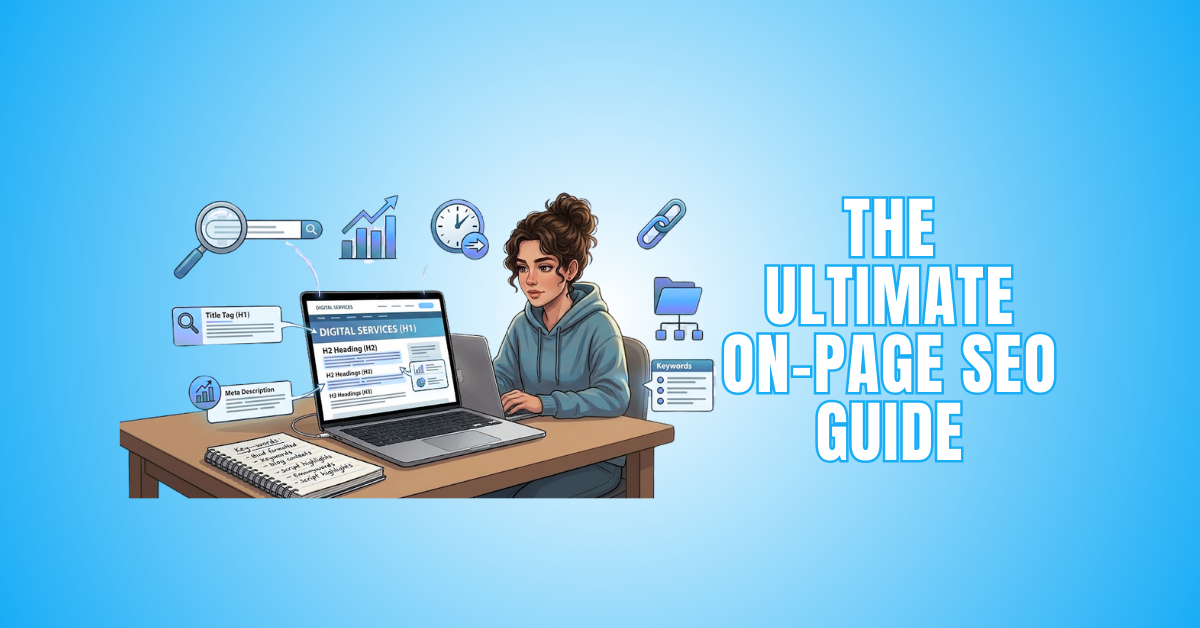
The Ultimate On-Page SEO Guide: 18 Easy Steps
The Ultimate On-Page SEO Guide is the foundation of search visibility. It helps search engines understand your content and allows users to find useful information easily.
If your page is not optimized properly, even high-quality content may remain invisible in search results. The good news is that on-page SEO is fully under your control. You don't need expensive tools to start.
What you need is a clear strategy, strong content structure, and consistent optimization. This blog will provide useful, actionable methods to enhance page performance and improve search engine rankings.
What Is On-Page SEO?
To increase a web page's visibility in search results, on-page SEO is essential. It focuses on elements you can control directly within your website.
This includes optimizing content, title tags, meta descriptions, headings, URLs, internal links, images, and overall user experience. The primary objective is to provide users with genuine value while helping search engines understand your content.
Proper on-page SEO ensures your content matches search intent, loads quickly, performs well on mobile devices, and is clearly structured. When done correctly, it improves rankings, increases organic traffic, and boosts engagement and conversions.
Why Is On-Page SEO Important?
Without proper optimization, even high-quality content may fail to appear in search results. On-page SEO helps search engines identify your topic, relevance, and value through structured content, keywords, and technical elements.
It also improves user experience by making pages faster, clearer, and easier to navigate. When users find helpful and well-organized content, they stay longer and engage more.
This sends positive signals to search engines. Strong on-page SEO increases visibility, drives organic traffic, builds credibility, and supports long-term digital growth.
The Ultimate On-Page SEO Guide
Step 1: Smart Keyword Research
Keyword research is the foundation of strong on-page SEO. Before creating content, you must understand what your audience is searching for and why. Focus on search intent, not just search volume.
Choose one primary keyword and several related secondary keywords. Analyze competitors' ranking on Google to understand content depth and structure.
Long-tail keywords generate more targeted traffic and are easier to rank for. Avoid chasing high-volume keywords without relevance.
When your keyword strategy matches user intent, your content performs better and attracts qualified visitors who are more likely to engage or convert.
Best Practices
- Choose one clear primary keyword
- Add 3–5 relevant secondary keywords
- Analyze top-ranking competitor pages
- Focus on search intent
- Target long-tail keyword variations
Step 2: Optimize For Search Intent
Understanding search intent is essential for ranking success. If your content does not match what users expect, it will not perform well.
Analyze top-ranking pages to identify intent patterns. Determine whether the query is informational, commercial, or transactional. Align your format accordingly.
For example, comparison queries need lists and analysis, while informational searches require clear explanations. Meeting intent improves engagement and reduces bounce rate.
Search engines reward pages that satisfy users quickly and effectively. An intent-driven content strategy ensures higher visibility and better long-term SEO performance.
Best Practices
- Identify user intent clearly
- Study top-ranking competitors
- Match content format to intent
- Provide clear and direct answers
- Avoid misleading titles
Step 3: Optimize The Title Tag
A powerful on-page ranking indication is the title tag. It explains the topic of your page to people and search engines. A well-written title increases click-through rate and improves visibility.
Keep it under 60 characters to prevent it from being shortened in search results. For maximum impact, start with your principal term. Make the title compelling but natural. Avoid keyword stuffing or robotic phrasing.
Add numbers, power words, or a year when relevant. A clear and benefit-driven title encourages users to click and improves your overall SEO performance.
Best Practices
- Keep title under 60 characters
- Place the primary keyword early
- Make it benefit-focused
- Avoid duplication across pages
- Add emotional or power words
Step 4: Write Compelling Meta Descriptions
Meta descriptions don't directly affect rankings, but they strongly influence clicks. Think of them as a short advertisement for your page. A strong description explains what the reader will gain. Keep it under 160 characters.
Include your main keyword naturally. Use action-oriented language and create curiosity. Avoid copying text from the article. Every page ought to have a distinct meta description.
They are more inclined to visit your website when search results make it obvious how valuable you are. Higher click-through rates send positive engagement signals and improve overall search performance.
Best Practices
- Keep under 160 characters
- Include the primary keyword naturally
- Make it persuasive and clear
- Use action-driven language
- Avoid duplicate descriptions
Step 5: Proper Heading Structure
Headings make your material easier to read and help search engines understand its hierarchy. For the primary title, use just one H1 tag. Break sections into H2 headings and use H3 for subpoints.
Organized content keeps readers engaged and reduces bounce rate. Clear headings also help you rank for related keywords. Avoid stuffing keywords in every heading. Write naturally and focus on clarity.
Structured formatting improves user experience and scanning. Search engines value well-organized pages because they are easier to interpret. Good heading structure supports both SEO and reader satisfaction.
Best Practices
- Use one H1 per page
- Break sections with H2 tags
- Use H3 for subsections
- Keep headings descriptive
- Avoid keyword overuse
Step 6: Create High-Quality & Helpful Content
Content remains the most important part of on-page SEO. Search engines prioritize useful, original, and in-depth content. Focus on solving real problems. Write clearly and avoid unnecessary complexity.
Cover topics completely instead of writing shallow posts. Add examples, data, or insights when possible. Align your content with E-E-A-T principles: experience, expertise, authority, and trust.
Avoid fluff just to increase word count. When readers find value, they stay longer and engage more. High-quality content builds credibility and improves ranking potential over time.
Best Practices
- Solve specific user problems
- Write clear and simple sentences
- Cover topics deeply
- Add real examples
- Focus on E-E-A-T principles

Step 7: Optimize URL Structure
A clean and simple URL helps both users and search engines understand your page's topic. Short URLs perform better because they are easy to read and share. Include your primary keyword naturally in the URL.
Avoid random numbers, unnecessary words, or special characters. A logical structure also improves site organization and crawling. For example, instead of website.com/page?id=123, use website.com/on-page-seo-checklist.
Clear URLs build trust and improve click-through rates. They also make internal linking easier. Well-structured URLs support better indexing and long-term SEO performance.
Best Practices
- Keep URLs short and descriptive
- Include the primary keyword
- Avoid unnecessary numbers or symbols
- Use hyphens between words
- Maintain consistent URL structure
Step 8: Improve Internal Linking
Internal linking connects your pages and helps search engines understand your website structure. It distributes authority across pages and keeps users engaged longer.
Link to relevant pages naturally within your content. Avoid overlinking or using generic anchor text like “click here.” Rather, use anchor text that matches the linked page's content and is descriptive.
A strong linking strategy improves navigation and reduces bounce rate. When done properly, it strengthens your overall SEO foundation and boosts page rankings.
Best Practices
- Link to relevant pages
- Use descriptive anchor text
- Avoid excessive internal links
- Update old posts with new links
- Ensure links are functional
Step 9: Optimize Images Properly
Images improve the user experience, but can slow down your website if not optimized. Large file sizes reduce page speed, which affects rankings.
Compress images before uploading. Use descriptive file names that naturally include keywords. Incorporate alt text to enhance accessibility and help search engines understand the image's information.
Choose appropriate formats, such as JPEG or WebP, when possible. Optimized images load faster and improve engagement.
Proper image SEO also increases the chances of appearing in image search results. A well-optimized page balances visuals with performance.
Best Practices
- Compress images before upload
- Use keyword-rich file names
- Add clear alt text
- Choose the right file format
- Avoid oversized image dimensions
Wealthy Affiliate – Mini Review
If you’ve ever thought about turning your blog, passion, or niche into an online business,
Wealthy Affiliate (WA) is one of the most beginner-friendly platforms I’ve used.
It combines step-by-step training, website hosting, SEO research tools,
and an active community all in one place.
What I like most: you can start free (no credit card needed),
explore lessons, test the tools, and connect with other entrepreneurs
before upgrading. WA isn’t a “get rich quick” scheme — it’s a platform where success comes
from consistent effort and applying what you learn.
Step 10: Improve Page Speed (Technical Aspect)
Page speed is a critical ranking factor. Slow-loading websites frustrate users and increase bounce rates. Search engines prioritize fast pages because they deliver better user experiences.
Reduce the size of heavy scripts, enable caching, and compress resources to optimize your site. To identify problems, use performance testing tools such as Google PageSpeed Insights.
Improve server response time and remove unnecessary plugins. Faster websites not only rank better but also convert more visitors. Even small speed improvements can significantly impact engagement and overall SEO success.
Best Practices
- Compress CSS and JavaScript files
- Enable browser caching
- Reduce server response time
- Remove unused plugins
- Test performance regularly
Step 11: Ensure Mobile-Friendliness (Technical + UX)
Most users browse websites on mobile devices. Now, search engines assess your website largely on mobile devices thanks to mobile-first indexing. Your design must be responsive and easy to navigate on smaller screens.
Text should be readable without zooming. Buttons should be clickable without overlapping. Avoid intrusive pop-ups that block content.
A smooth mobile experience improves engagement and reduces bounce rate. If your site is not mobile-friendly, rankings will suffer. Optimizing for mobile ensures better usability and stronger search performance.
Best Practices
- Use responsive design
- Ensure readable font sizes
- Make buttons easy to tap
- Avoid intrusive popups
- Test across multiple devices
Step 12: Optimize For Featured Snippets
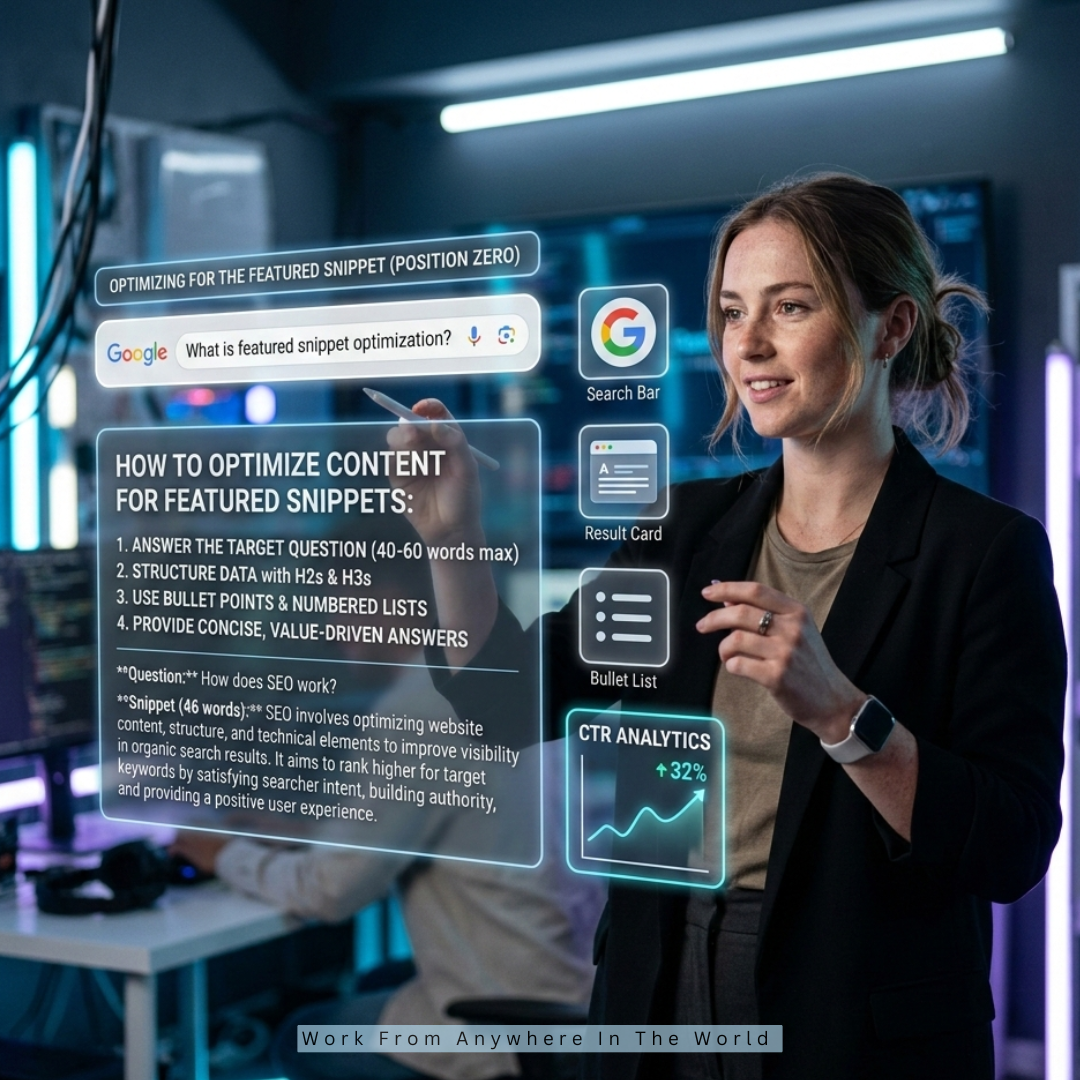
High visibility is achieved through featured snippets, which appear at the top of search results. Optimizing for them increases traffic without needing the number one traditional ranking.
Structure your content clearly to answer specific questions. Provide short, direct answers in 40–60 words. Use bullet points, numbered lists, and simple definitions.
Include question-based subheadings to match common search queries. Search engines like Google prefer structured, easy-to-scan content for snippets.
Clear formatting improves your chances. When your page earns a snippet, credibility and click-through rates improve significantly.
Best Practices
- Answer questions directly
- Use short 40–60 word summaries
- Add bullet points or lists
- Include question-based headings
- Keep explanations clear and simple
Step 13: Use Schema Markup (Technical Structured Data)
Search engines can better comprehend your material when you use schema markup. It provides structured data about your page, including FAQs, products, reviews, and articles. Rich snippets can improve your page's appearance in search results.
Rich results increase visibility and click-through rates. Even a simple FAQ schema can improve performance. Structured data does not directly boost rankings, but it improves presentation.
When search engines understand context clearly, indexing becomes more accurate. Schema adds another layer of optimization, strengthening your overall SEO strategy.
Best Practices
- Use the FAQ schema where relevant
- Add structured data for articles
- Test schema with validation tools
- Avoid spammy or misleading markup
- Keep structured data updated
Step 14: Improve Content Readability
Readable content keeps users engaged. If visitors struggle to understand your writing, they leave quickly. Use short sentences and short paragraphs.
Divide lengthy passages of material into manageable chunks. Add white space for better visual flow. Avoid complicated jargon unless necessary.
Write in a conversational tone. Use subheadings and bullet points to improve scanning. Clear formatting increases time on page and reduces bounce rate.
Search engines prioritize pages with a positive user experience. Readability is not just about grammar; it's about making content easy and enjoyable to consume.
Best Practices
- Write short sentences
- Use short paragraphs
- Add white space
- Avoid complex language
- Use bullet points for clarity
Step 15: Optimize Content Depth
Thin content rarely ranks well. Search engines prefer comprehensive content that fully covers a topic. Instead of writing multiple short posts, create in-depth resources that answer related questions.
Add examples, data, and actionable insights. Cover subtopics naturally within the article. Avoid filler content just to increase word count. Focus on value and clarity.
When your page becomes a complete resource, users spend more time reading it. This builds authority and improves the ranking potential. Depth signals expertise and trustworthiness, which are essential for long-term SEO success.
Best Practices
- Cover topics comprehensively
- Answer related user questions
- Add examples and insights
- Avoid unnecessary filler
- Focus on real value
Step 16: Reduce Bounce Rate With Better UX
User experience directly impacts SEO performance. If visitors leave quickly, search engines interpret it as a weak signal. Improve navigation so users find information easily.
Use clear menus and logical content flow. Ensure pages load quickly and look visually appealing. To direct viewers to relevant content, include internal links. Include clear calls to action to encourage engagement.
A positive experience increases session duration and conversions. Strong UX strengthens trust and authority. SEO is not only about keywords; it's about delivering satisfaction from the first click.
Best Practices
- Improve site navigation
- Maintain fast load speed
- Use a clear visual hierarchy
- Add relevant internal links
- Include strong calls to action
Step 17: Date Content Regularly
SEO is not a one-time task. Search trends change, competitors improve, and information becomes outdated. Regular content updates keep your pages fresh and relevant.
Review old blog posts and improve statistics, examples, and keyword targeting. Fix broken links and refresh internal linking. Add new insights that match current search intent.
Search engines favour updated content because it signals accuracy and value. Even small updates can improve rankings over time.
Consistent content optimization helps maintain authority and prevents traffic decline. Fresh content builds long-term trust with both users and search engines.
Best Practices
- Update outdated statistics
- Refresh keywords naturally
- Fix broken links
- Improve internal linking
- Add new relevant insights
Step 18: Avoid Keyword Stuffing
An antiquated strategy that lowers ranks is keyword stuffing. Repeating the same keyword unnaturally makes content difficult to read.
Google and other search engines can detect over-optimization and may penalize pages for it. Instead of forcing keywords, focus on natural language and semantic variations. Use related phrases and synonyms.
Write for humans first, then optimize for search engines. Proper keyword placement in titles, headings, and early paragraphs is enough.
Clear, natural writing improves user experience and keeps engagement high. Balanced optimization always performs better than aggressive repetition.
Best Practices
- Avoid repeating keywords excessively
- Use synonyms and related terms
- Focus on natural writing
- Optimize strategically, not aggressively
- Prioritize user readability

FAQs
Q1: What Is The Main Goal Of On-Page SEO?
By improving content, structure, and technical components, on-page SEO seeks to make pages easier for search engines like Google to comprehend and rank.
Q2: How Long Should SEO-Friendly Content Be?
Content length depends on topic depth. Usually, 800–2500 words work well. Focus on value, completeness, and user intent, not just word count, for better ranking performance.
Q3: Why Is Mobile Optimization Important In SEO?
Mobile optimization improves user experience and supports mobile-first indexing. Responsive design, readable text, and fast loading speed help retain visitors and improve search engine ranking signals.
Q4: How Often Should I Update SEO Content?
Update content every 3–6 months or when information changes. Add new insights, fix broken links, refresh keywords, and improve readability to maintain search relevance.
Q5: Does On-Page SEO Guarantee A Top Ranking?
No SEO method guarantees a top ranking. However, strong on-page optimization improves visibility, user experience, and ranking potential when combined with quality content and good website performance.
Conclusion
On-page SEO is not complicated. It requires attention to detail and consistent improvement. Focus on clarity, user intent, and structured optimization rather than shortcuts.
Search engines reward helpful content and a strong user experience. Start with small improvements and apply optimization step by step.
Over time, results will compound, strengthening your ranking performance. Mastering The Ultimate On-Page SEO Guide gives you better control over visibility, organic traffic, and website growth.
I trust you enjoyed this article on The Ultimate On-Page SEO Guide: 18 Easy Steps. Please stay tuned for more insightful blogs on affiliate marketing, online business, and working from anywhere in the world.
Take care!
— JeannetteZ 🌍✨
💬 Your Opinion Is Important To Me
Do you have thoughts, ideas, or questions? I’d love to hear from you. Please leave your comments below or email me directly at Jeannette@WorkFromAnywhereInTheWorld.com.
📚 More Work From Anywhere Reads
🚀 Ready to Build a Business You Can Run from Home
Or from Anywhere in the World?
Imagine creating income on your terms — from home, a cozy café, or wherever life takes you.
With the right tools, training, and community support, it’s entirely possible.
Start your own online business for free — no credit card needed.
Disclosure
This post may contain affiliate links. As an Amazon Associate and participant in other affiliate programs, I earn from qualifying purchases at no extra cost to you. Please read my full affiliate disclosure.