
How To Buy A Domain Forever
Buying a domain is the first step to establishing your online presence. Many wonder if it’s possible to own a domain forever. While no domain is truly permanent, with the right strategies, you can secure it for decades.
Learn exactly How To Buy A Domain Forever by following the proper steps to secure, protect, and manage your online presence long-term.
This guide will walk you through everything you need to know to effectively “buy a domain forever” and protect your digital identity.
Why Owning A Domain Forever Matters
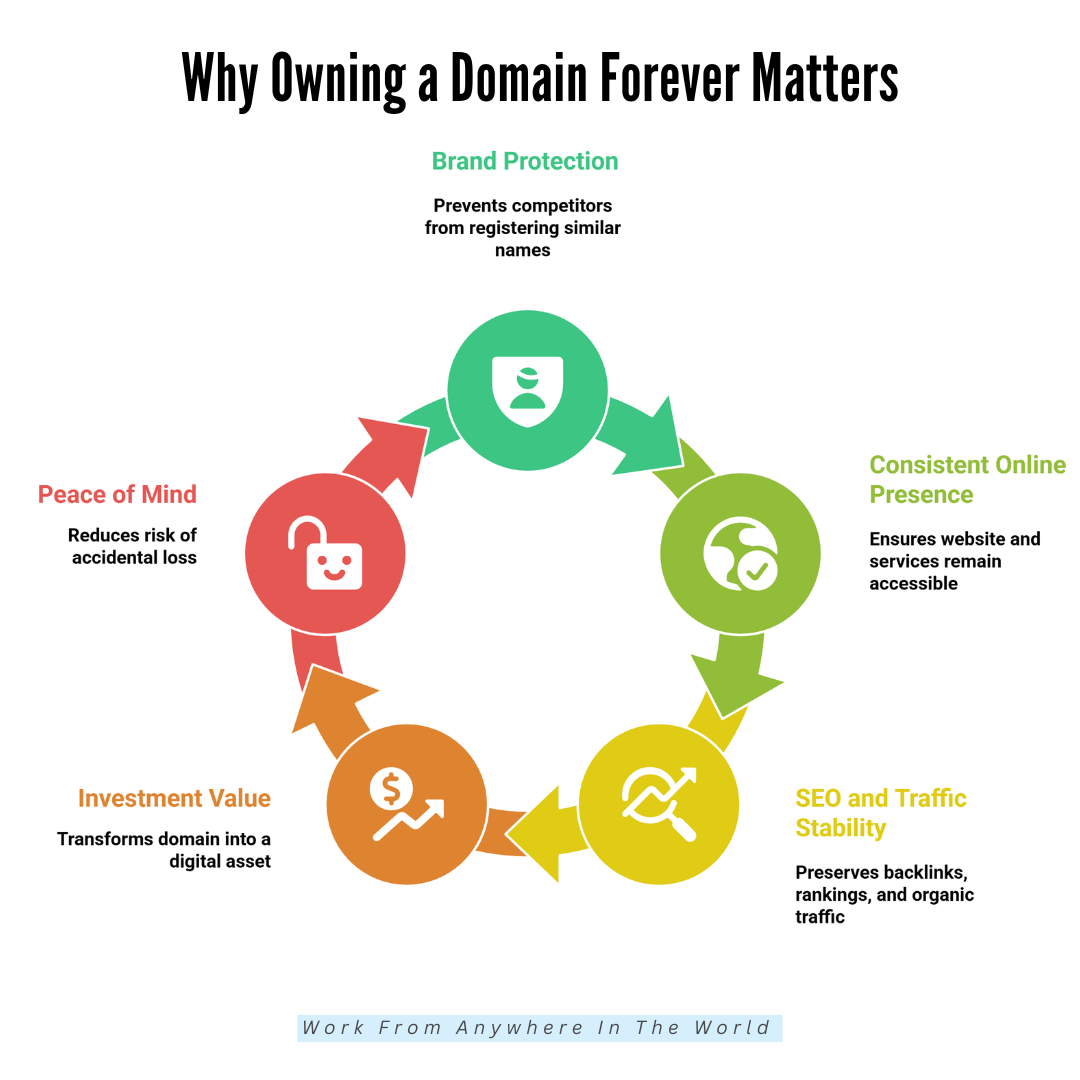
Owning a domain isn’t just about having a website—it’s about securing your online identity. Long-term ownership ensures stability, credibility, and growth for your brand or personal project. Here’s why it matters:
1. Brand Protection
Your domain is your online identity. Owning it long-term prevents competitors from registering similar names, protecting your reputation.
Consistent ownership builds authority, trust, and brand recognition, making it easier for customers or followers to find and remember you.
2. Consistent Online Presence
A stable domain ensures your website, email, and services remain accessible. Losing it interrupts communication and business operations.
Long-term ownership guarantees that users can reliably reach your content, creating continuity and professionalism over years of online activity.
3. SEO And Traffic Stability
Search engines favour domains with longevity. Maintaining ownership preserves backlinks, rankings, and organic traffic. Domains that remain active build credibility online, ensuring your hard-earned audience and search visibility continue growing without the disruption caused by domain loss.
4. Investment Value
Domains can appreciate over time, especially if they are keyword-rich or brandable. Long-term ownership transforms your domain into a digital asset that may increase in market value, offering potential resale opportunities while still serving your ongoing online presence.
5. Peace Of Mind
Managing renewals and security features reduces the risk of accidental loss. Knowing your domain is secured for the long term allows you to focus on growth, content creation, and business development without fear of disruption.
Steps To Buy A Domain Forever
Step 1: Choose The Right Domain Name
Choosing the right domain is the first step to owning your online space. Pick a name that reflects your brand clearly. Keep it short, simple, and easy to spell. Avoid numbers, hyphens, or special characters—they confuse visitors.
Use keywords related to your niche. Keywords make your domain more searchable and improve SEO. Think about your audience and what they would remember.
A strong domain name is memorable, descriptive, and professional. For example, BestVeganRecipes.com clearly tells users what to expect and is easy to recall.
Pro Tips
- Keep it under 15 characters
- Avoid confusing hyphens or numbers
- Use relevant niche keywords
- Make it easy to pronounce
Step 2: Check Domain Availability
Before buying, you must check if your desired domain is available. Use trusted platforms like Namecheap, GoDaddy, or Google Domains.
Type your name in and see if it’s free. If taken, consider variations—add keywords, change extensions (.net, .co, .online), or slightly tweak words. Avoid complicated or lengthy alternatives.
Check social media handles too; consistency strengthens your brand. Don’t rush—finding a memorable, available domain is crucial. Patience now prevents headaches later. Availability checks save money and prevent legal disputes with trademarked names.
Pro Tips
- Use multiple domain checkers
- Check social media handles too
- Avoid overcomplicated alternatives
- Consider country-specific extensions
Step 3: Understand Domain Extensions
Domain extensions are the endings like .com, .net, .org, .shop, or .online. .com is the most recognized and trusted. Alternatives can work for niche or location-specific sites.
Extensions affect branding, credibility, and SEO. New trendy ones like .ai, .io, or .co suit startups and tech brands. Choose one that matches your purpose.
Multiple extensions protect your brand from competitors. Think about long-term recognition, trust, and memorability. Your extension is part of your identity—pick carefully.
Pro Tips
- Prioritize .com for credibility
- Consider industry-specific extensions
- Buy multiple extensions for safety
- Avoid confusing or obscure endings.
Step 4: Pick A Reliable Registrar
A registrar is where you officially register your domain. Popular choices include GoDaddy, Namecheap, Google Domains, and Bluehost.
Choose one with transparent pricing, easy renewals, and strong security. Look for domain lock features to prevent theft and responsive customer support.
A reliable registrar ensures smooth management, alerts for renewals, and protection against accidental loss. Check reviews and user experiences before deciding.
Some registrars also offer bundled services like hosting or email, which can simplify managing your online presence. Choosing wisely avoids hassles and ensures long-term control of your domain.
Pro Tips
- Research the registrar's reputation online
- Check renewal fees carefully
- Enable domain lock immediately
- Prefer registrars with good support
Step 5: Consider Long-Term Registration
Domains are typically registered for 1–10 years. To secure your domain “forever,” choose the longest initial registration possible. Longer terms reduce the risk of forgetting renewals.
Activate auto-renewal to ensure continuity. Some registrars offer bulk or decade-long registration discounts. Planning long-term protects your brand, email addresses, and online traffic.
It’s also less stressful than yearly renewals. Think of it as buying peace of mind—you may pay a bit more upfront, but you avoid losing your domain or worrying about expiration.
Pro Tips
- Always select the maximum registration term
- Enable auto-renew to prevent loss
- Keep payment info updated
- Set renewal reminders anyway
Step 6: Explore Domain “Forever” Services
Some people wonder how to buy a domain forever, and these services provide long-term ownership with automatic renewals and added protections. These services help you avoid missed payments and maintain continuous ownership.
While technically no domain lasts forever, this approach ensures your domain is effectively controlled long-term. They often include management tools, privacy protection, and additional support.
Check fees carefully and read terms before committing. These services are ideal for businesses wanting absolute certainty. They turn domain ownership into a long-term investment rather than a yearly responsibility.
Pro Tips
- Research reputable “forever” services
- Check long-term pricing carefully
- Confirm included management tools
- Read the terms before committing
Wealthy Affiliate – Mini Review (2025)
If you’ve ever thought about turning your blog, passion, or niche into an online business,
Wealthy Affiliate (WA) is one of the most beginner-friendly platforms I’ve used.
It combines step-by-step training, website hosting, SEO research tools,
and an active community all in one place.
What I like most: you can start free (no credit card needed),
explore lessons, test the tools, and connect with other entrepreneurs
before upgrading. WA isn’t a “get rich quick” scheme — it’s a platform where success comes
from consistent effort and applying what you learn.
Step 7: Protect Your Domain
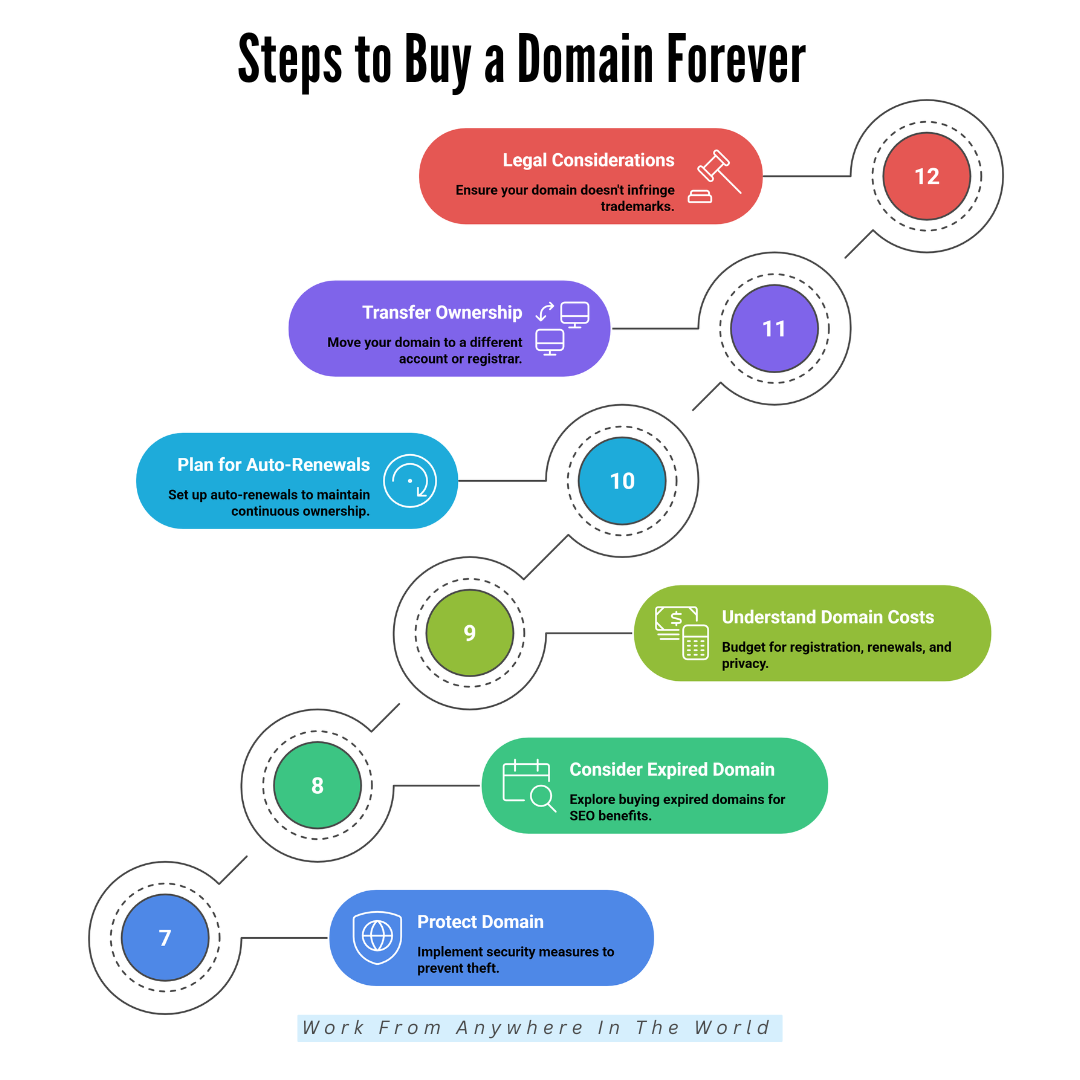
Domain theft is real. Protect your domain using domain lock, two-factor authentication (2FA), and strong passwords. Keep registrar info updated. Consider WHOIS privacy protection to hide personal details.
Avoid phishing emails that request domain login info. Regularly review account activity. Security measures prevent hackers or competitors from stealing your domain. Treat it as a critical digital asset.
The more layers of protection you add, the less likely you’ll face accidental loss. Peace of mind comes from proactive security, ensuring that your domain remains under your control indefinitely.
Pro Tips
- Enable two-factor authentication immediately
- Activate the domain lock feature
- Use WHOIS privacy protection
- Monitor account activity regularly
Step 8: Consider Buying An Expired Domain
Sometimes, the perfect domain is already registered but expires soon. Tools like GoDaddy Auctions or ExpiredDomains.net let you buy these domains.
Expired domains may have backlinks and SEO authority, giving you an advantage. Check the domain history to avoid penalties or a bad reputation. Ensure it’s relevant to your brand and niche.
Purchasing an expired domain can save time, attract traffic, and enhance branding. Be strategic and research thoroughly. Not all expired domains are valuable; some may have been penalized by search engines.
Pro Tips
- Check SEO history carefully
- Ensure the domain is relevant
- Avoid previously penalized domains
- Use trusted auction platforms
Step 9: Understand Domain Costs
Domain ownership involves more than registration. Costs include registration fees ($10–$50/year), renewals, privacy protection ($5–$15/year), and sometimes premium domain prices ($100–$10,000+).
Long-term registration may require larger upfront payments—budget for annual renewals to prevent accidental loss. Premium domains are usually memorable, keyword-rich, and valuable for branding.
Hidden fees can surprise you; always read the terms. Proper budgeting ensures continuous ownership. Remember, a domain is an investment in your brand, credibility, and online presence. Paying slightly more upfront for a strong domain pays off in the long run.
Pro Tips
- Compare registrar pricing carefully
- Budget for renewals annually
- Include privacy protection costs
- Consider premium domain value
Step 10: Plan For Auto-Renewals
One effective way to learn how to buy a domain forever is by using auto-renewal and proper account management to ensure continuous ownership.
Activate it through your registrar and link a valid payment method. Check that the registrar sends notifications before renewal. Even with auto-renewal, keep backups of account credentials.
Auto-renewal ensures your domain remains active without manual intervention. Combine it with reminders and regular account reviews. This strategy avoids downtime, lost traffic, and brand confusion.
It’s the simplest way to “buy a domain forever” in practice. Auto-renewal is like setting your domain on autopilot while you focus on growth and content creation.
Pro Tips
- Always enable auto-renewal
- Keep payment info current
- Monitor renewal notifications
- Backup registrar credentials
Step 11: Transfer Ownership If Needed
Your domain can be moved to a different account or registrar. Registrars allow transfers after 60 days of initial registration. Transfers require verification, fees, and often an unlock process.
Plan carefully and follow instructions exactly. Transferring can provide better management tools, pricing, or support. Always check that your domain isn’t about to expire during transfer.
Document all credentials and confirmations. Proper transfer ensures your domain remains secure and avoids accidental downtime.
Pro Tips
- Wait 60 days after registration
- Verify all account credentials
- Keep the domain unlocked temporarily
- Document transfer confirmations
Step 12: Legal Considerations
Ensure your domain doesn’t infringe trademarks. Registering a domain already protected can lead to legal disputes or forced transfer. Use your country’s trademark database (like USPTO in the US) to check availability.
Avoid domains resembling established brands. Legal checks prevent future headaches, protect your investment, and keep your brand safe. This step is crucial for businesses planning long-term growth.
To understand how to buy a domain forever, always check trademarks and register unique names to avoid legal disputes and protect long-term ownership.
Pro Tips
- Check trademarks before registration
- Avoid names of famous brands
- Document domain ownership records
- Consult legal advice if unsure
Tips To Keep Your Domain Forever
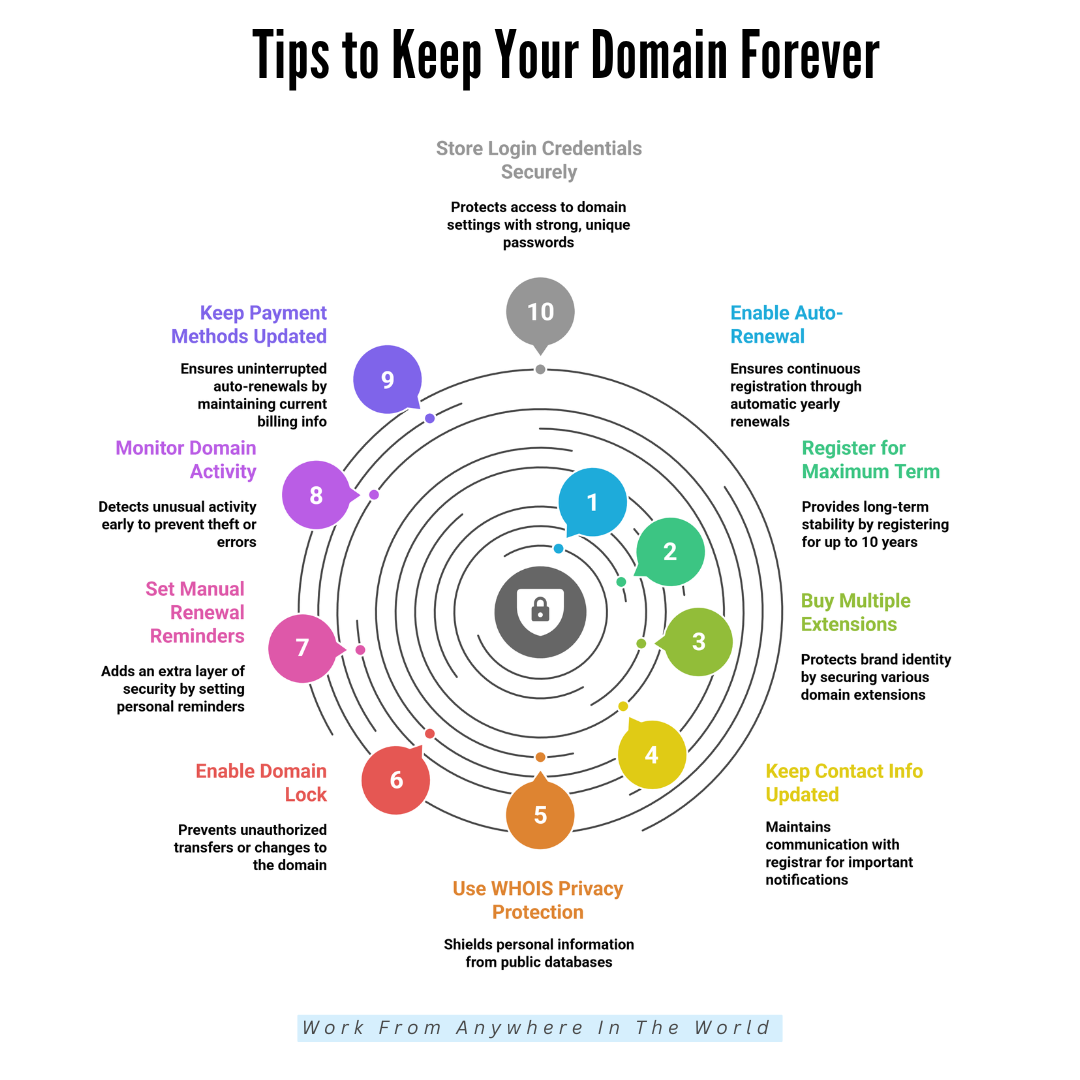
Keeping your domain forever isn’t just about buying it—it’s about protecting it long-term. With the proper habits and smart security steps, you can ensure your domain stays safely in your hands for decades. Here are the essential tips to keep it secure.
1. Enable Auto-Renewal
Auto-renewal ensures you never lose your domain due to forgotten deadlines. Once activated, your registrar automatically renews it yearly.
Combine this with updated payment information for uninterrupted ownership. It’s the most straightforward, safest way to keep your domain forever.
2. Register For The Maximum Term
Register your domain for the longest period available—usually up to 10 years. This minimizes renewal tasks and protects you from unexpected expiration.
Long-term registration provides stability, security, and peace of mind, especially for brands planning to stay online indefinitely.
3. Buy Multiple Extensions
Own different extensions like .com, .net, or .org to prevent others from registering similar versions. Securing variations protects your brand, eliminates confusion, and stops competitors or scammers from copying your domain name. It’s a smart long-term safety strategy.
4. Keep Your Contact Info Updated
Your registrar contacts you through email for renewals and security alerts. If your information is outdated, you may miss important notifications.
Updating your email and phone number ensures you receive every reminder, helping you maintain continuous control of your domain.
5. Use WHOIS Privacy Protection
WHOIS privacy hides your personal information from public databases. This protects you from spam, identity theft, and domain hijacking attempts.
It adds a critical layer of security while keeping your ownership private and reducing unwanted attention from cybercriminals.
6. Enable Domain Lock
Domain lock prevents unauthorized transfers or changes to your domain. It keeps your domain secure by blocking outsiders from moving it without your approval. Enable this feature permanently unless you’re intentionally transferring your domain to another registrar.
7. Set Renewal Reminders Manually
Even with auto-renewal, setting your own calendar reminders gives extra safety. Reminders alert you to check payment status, renewal dates, and registrar notifications. This double-layered system helps avoid unexpected issues and ensures your domain stays securely registered.
8. Monitor Domain Activity
Regularly review your registrar account for unusual activity, login attempts, or unauthorized changes. Spotting issues early helps prevent domain theft or errors. Monitoring your domain ensures long-term security and gives you control over every action taken on your account.
9. Keep Payment Methods Updated
Expired or inactive cards can cause failed renewals. Updating your billing information ensures uninterrupted auto-renewals.
Check your payment details regularly, especially after bank changes, card replacements, or expired dates, to secure your domain from accidental lapses.
10. Store Login Credentials Securely
Use a password manager to keep your registrar credentials safe. Create strong, unique passwords to prevent hacking attempts.
Secure login details help ensure no one can access, transfer, or modify your domain without your authorization, protecting ownership long-term.
Common Mistakes To Avoid
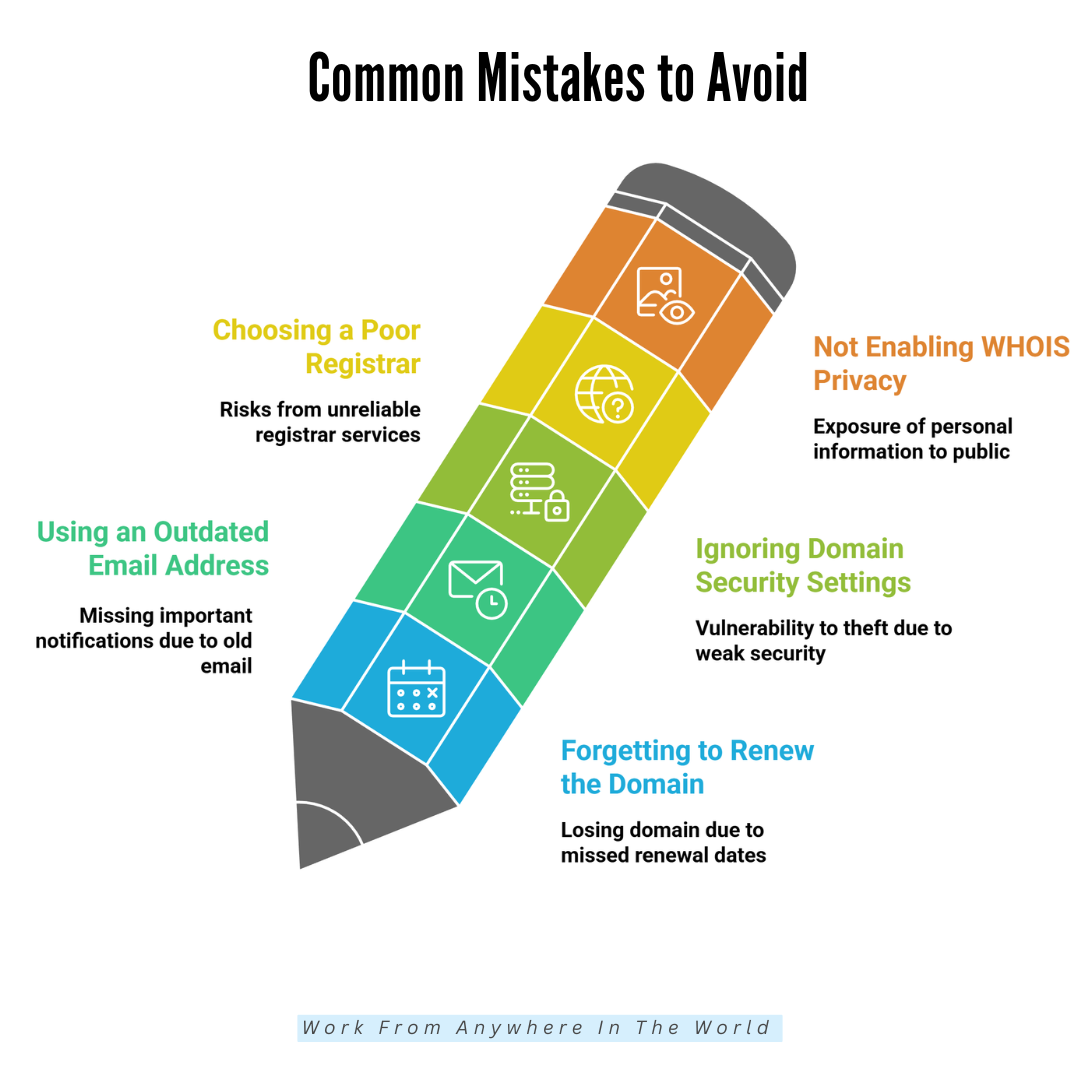
Avoiding these common errors ensures your domain stays secure, your online presence remains uninterrupted, and your long-term investment is fully protected. Here’s what to watch out for.
1. Forgetting To Renew The Domain
Mistake
Many domain owners lose their websites simply because they forget the renewal date. When a domain expires, it may enter an auction or be taken by someone else, often permanently.
This mistake disrupts websites, emails, and branding. It’s one of the most common and most painful domain ownership errors.
Fix
Enable auto-renewal immediately after registering your domain to avoid accidental expiration. Add extra reminders to your calendar for peace of mind.
Regularly check your renewal status in your registrar dashboard. This simple routine prevents your domain from lapsing and ensures you keep complete control of your online identity.
2. Using An Outdated Email Address
Mistake
If your registrar account has an old or inactive email, you’ll miss essential alerts like renewal notices or security warnings. Many owners lose domains because they never saw the reminder. Outdated contact details also reduce your ability to verify ownership quickly when issues arise.
Fix
Update your email address and phone number whenever they change. Use an email you check daily, ideally a professional one.
Enable SMS alerts if your registrar offers them. Keeping your contact information current ensures you never miss essential domain notifications or renewal reminders again.
3. Ignoring Domain Security Settings
Mistake
Weak security—like using simple passwords, skipping 2FA, or leaving your domain unlocked—makes your domain vulnerable to theft.
Hackers can transfer your domain without permission, and recovering it is often difficult or impossible. Ignoring security puts your brand and online presence at serious risk.
Fix
Use a strong, one-of-a-kind password that is kept in a secure password manager, enable domain lock, and turn on two-factor authentication. Every month, check the security settings.
These simple steps create substantial barriers against unauthorized transfers, ensuring your domain remains protected and entirely under your control long-term.
4. Choosing A Poor Registrar
Mistake
A cheap but unreliable registrar may have hidden fees, poor customer support, weak security features, or complicated renewal processes.
This increases your risk of losing your domain or experiencing service issues. Making decisions based only on pricing frequently results in frustration and long-term problems.
Fix
Choose a reputable registrar known for transparency, security, and responsive support. Research reviews, compare renewal rates, and ensure essential features—like domain lock, WHOIS privacy, and auto-renewal—are included. A trustworthy registrar gives you long-term stability and peace of mind.
5. Not Enabling WHOIS Privacy
Mistake
Without WHOIS privacy, your personal information becomes publicly visible. This invites spam, scams, identity theft attempts, and even targeted domain theft. Many owners underestimate how much risk comes from leaving contact details exposed in public databases.
Fix
Turn on WHOIS privacy to hide your name, email, and address from public records. Most registrars offer this feature either free or for a small fee. It significantly reduces unwanted attention, keeps you safer online, and protects your domain from targeted attacks.
Conclusion
Owning a domain forever requires planning, protection, and consistent management. Learning how to buy a domain forever involves careful planning, security measures, and consistent management to protect your online presence and digital assets long-term.
Treat your domain as a valuable digital asset, and invest in renewals, backups, and monitoring. With these steps, your website, brand, and online presence remain safe, reliable, and ready for growth, giving you peace of mind and control over your digital future.
I trust you enjoyed this article on the [Blog Post Title]. Please stay tuned for more insightful blogs on affiliate marketing, online business, and working from anywhere in the world.
Take care!
— JeannetteZ
💬 Your Opinion Is Important To Me
Do you have thoughts, ideas, or questions? I’d love to hear from you. Please leave your comments below or email me directly at Jeannette@WorkFromAnywhereInTheWorld.com.
📚 More Work From Anywhere Reads
🚀 Ready to Build a Business You Can Run from Home
Or from Anywhere in the World?
Imagine creating income on your terms — from home, a cozy café, or wherever life takes you.
With the right tools, training, and community support, it’s entirely possible.
Start your own online business for free — no credit card needed.
Disclosure
This post may contain affiliate links. As an Amazon Associate and participant in other affiliate programs, I earn from qualifying purchases at no extra cost to you. Please read my full affiliate disclosure.