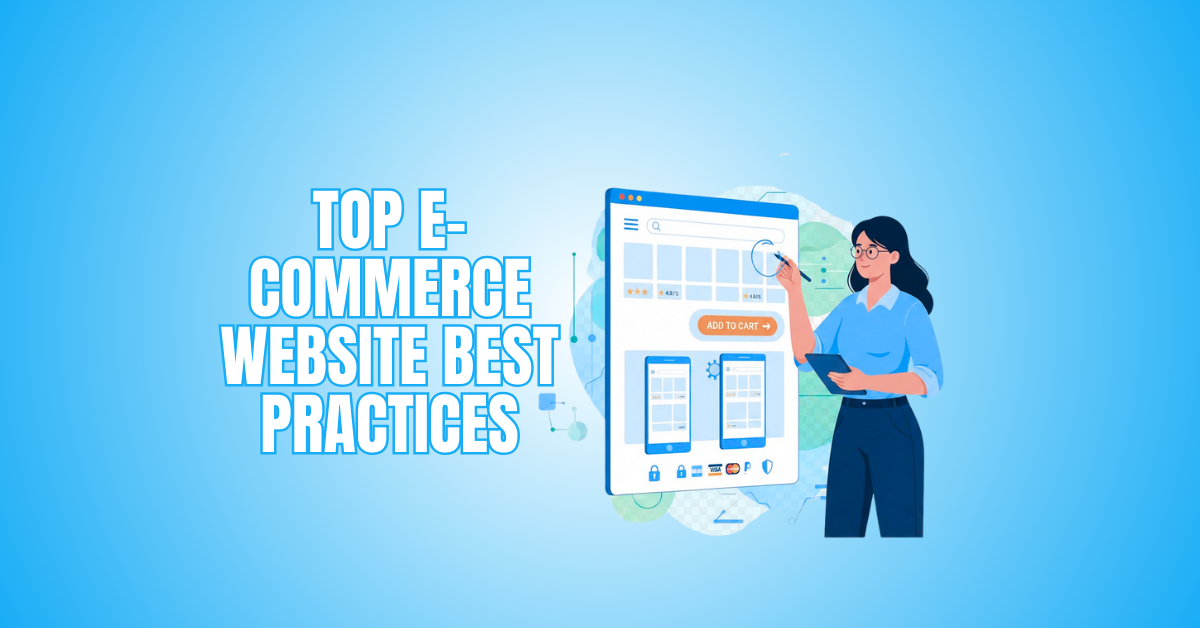
10 E-Commerce Website Best Practices To Boost Sales
E-Commerce Website Best Practices can help improve user experience, increase conversions, and build customer trust. Creating a successful online store involves more than simply listing products—it requires a smooth, secure, and engaging shopping experience.
Every detail can influence buying decisions. Website speed, intuitive navigation, mobile responsiveness, and secure payment options all contribute to a positive customer experience.
A well-designed eCommerce website not only attracts visitors but also encourages them to stay longer, explore more products, and complete their purchases. Even small improvements can significantly affect customer satisfaction and sales.
In this article, we’ll explore practical eCommerce website best practices to help you improve the shopping experience, strengthen customer loyalty, and build a more successful online business.
Key E-Commerce Website Best Practices
Creating a successful online store requires more than offering quality products. Every aspect of your website, from its design and performance to the checkout process, influences how customers interact with your business.
Following proven eCommerce website best practices can help you improve the user experience, build customer trust, and encourage more sales.
The strategies below focus on practical improvements that can strengthen your online store and support long-term business growth.
1. Design And User Experience (UX)
The design of your e-commerce website plays a major role in how visitors interact with your business. A clean, intuitive layout helps customers find products quickly, complete purchases more easily, and enjoy a better overall shopping experience.
A well-designed user experience (UX) is a core eCommerce website best practice. Clear navigation, consistent branding, and responsive design can improve customer satisfaction while increasing conversions.
Key UX Design Elements
A positive user experience is built on several essential design elements. By improving navigation, branding, visuals, and responsiveness, you can create an online store that is easier to use and more enjoyable for your customers.
Simple Navigation
Simple navigation helps visitors find products quickly and reduces frustration. A clear menu structure encourages customers to browse your store and complete their purchases.
- Limit menu items and group related categories logically.
- Include a search bar with auto-suggestions.
- Add product filters to help customers narrow their search.
- Make the Add to Cart button easy to find.
Consistent Branding
A consistent visual style builds trust and makes your business more recognizable. Colours, fonts, and design elements should reflect your brand across every page.
- Use a cohesive colour palette and consistent typography.
- Keep your logo and visual style uniform throughout the website.
- Maintain a consistent layout across product and category pages.
High-Quality Images And Videos
High-quality visuals help customers understand your products and make informed buying decisions. Clear images and demonstration videos can also reduce returns and increase buyer confidence.
- Use high-resolution images from multiple angles.
- Include zoom functionality where appropriate.
- Demonstrate products with short, informative videos.
- Use clean backgrounds and good lighting.
Responsive Design
A responsive website provides a consistent shopping experience on desktops, tablets, and smartphones. Since many customers shop on mobile devices, responsive design is essential.
- Follow a mobile-first design approach.
- Optimize page speed for all devices.
- Use flexible layouts and images.
- Test your website on different screen sizes regularly.

2. Website Speed And Performance
Website speed directly affects the user experience, bounce rates, and conversion rates. A fast-loading website keeps visitors engaged, builds trust, and encourages them to complete their purchases.
Tips To Improve E-Commerce Website Performance
Improving your website’s performance involves several key areas. The following best practices can help your online store load faster while providing a smoother shopping experience.
Optimize Images
Large image files can slow your website and affect the shopping experience. Optimizing your images helps pages load faster without sacrificing quality.
- Compress images without reducing quality.
- Use tools like TinyPNG or ImageOptim to optimize images.
- Choose the correct file format, such as JPEG for photos and PNG for graphics.
- Resize images to fit the display area and enable lazy loading.
Leverage Browser Caching
Browser caching stores website resources on visitors’ devices, reducing load times for returning users. This improves performance and creates a faster browsing experience.
- Set cache expiration headers to control how long resources remain in users’ browsers.
- Use tools like Google PageSpeed Insights to identify cacheable resources.
- Update cached content regularly to keep website information current.
Minify JavaScript And CSS
Minifying JavaScript and CSS removes unnecessary characters, spaces, and comments from your code. Smaller files load faster and help improve website performance.
- Use tools like UglifyJS for JavaScript and CSSNano for CSS.
- Consolidate files where appropriate to reduce server requests.
- Test your website after minification to ensure everything functions correctly.
Use A Content Delivery Network (CDN)
A Content Delivery Network (CDN) stores copies of your website on servers around the world. Visitors receive content from the server closest to their location, improving loading times.
- Choose a reliable CDN provider such as Cloudflare or Akamai.
- Configure the CDN to cache images, scripts, and style sheets.
- Monitor performance regularly and update cached resources when needed.

3. Search Engine Optimization (SEO)
Search engine optimization (SEO) helps potential customers discover your products through organic search results. A well-optimized eCommerce website can increase visibility, attract qualified traffic, and support long-term business growth.
Following proven SEO best practices also improves the user experience by making your website easier to navigate and understand. The strategies below can help strengthen your search rankings and drive more organic traffic.
Effective SEO Practices For E-Commerce
Optimizing your online store involves more than adding keywords. A successful SEO strategy combines keyword research, high-quality content, well-optimized product pages, and a logical website structure.
Keyword Research
Keyword research helps you understand what potential customers are searching for. Choosing the right keywords allows you to create product pages and content that match user intent.
- Focus on relevant keywords for each product category.
- Use tools such as Google Keyword Planner and SEMrush to identify keywords with good search volume and manageable competition.
- Prioritize long-tail keywords that target specific products or customer needs.
- Review and update your keyword list regularly as search trends change.
Optimize Product Pages
Well-optimized product pages improve both search visibility and the customer experience. Clear, informative content helps shoppers make confident purchasing decisions.
- Include primary keywords in page titles, meta descriptions, and product descriptions.
- Research keywords using tools such as Ahrefs.
- Highlight product features and benefits using clear, natural language.
- Use bullet points to improve readability and make important information easy to scan.
- Review and update product pages regularly to keep the content accurate and relevant.
High-Quality Content
Helpful content attracts visitors, answers their questions, and builds trust in your brand. Buying guides, tutorials, and blog posts can also support your SEO strategy by targeting additional search terms.
- Create buying guides, how-to articles, and informative blog posts.
- Research customer questions and interests using surveys or keyword research.
- Write clear, engaging content that provides practical value.
- Optimize your content for relevant keywords and share it across appropriate platforms.
Internal Linking
Internal links help visitors discover related products and content while improving your website’s structure. They also help search engines understand the relationship between your pages.
- Link to related products, categories, and relevant articles.
- Use descriptive anchor text that reflects the linked content.
- Review internal links regularly to ensure they remain accurate and relevant.
- Create a logical linking structure that encourages visitors to explore your website.

4. Create E-Commerce Product Pages That Convert
Product pages are where customers decide whether to make a purchase. Each page should provide accurate information, build confidence, and make it easy for shoppers to take the next step.
A well-designed product page does more than describe an item. It answers common questions, highlights the product’s value, and removes barriers that could prevent customers from completing their purchase.
Key Elements Of A High-Performing E-Commerce Product Page
Every product page should combine clear information with a user-friendly design. The elements below can help improve customer confidence, increase conversions, and create a better shopping experience.
Detailed Descriptions
Well-written product descriptions help customers understand what makes a product valuable. Rather than simply listing features, explain how the product solves a problem or benefits the customer.
- Use clear, concise, and engaging descriptions.
- Highlight key features, benefits, and unique selling points.
- Use bullet points to improve readability.
- Include relevant keywords naturally throughout the content.
- Test different writing styles to determine what resonates with your audience.
User Reviews And Ratings
Customer reviews provide social proof and help shoppers make informed purchasing decisions. Genuine feedback also builds trust and demonstrates that other customers have had positive experiences.
- Encourage customers to leave reviews through follow-up emails or incentives.
- Display reviews and ratings prominently on product pages.
- Respond to customer feedback to show your commitment to service.
- Highlight helpful reviews that answer common customer questions.
Clear Pricing And Policies
Transparent pricing helps customers make informed decisions and reduces surprises during checkout. Clearly explaining your policies also builds trust and encourages buyers to complete their purchases.
- Display product prices prominently.
- Clearly show additional costs such as taxes and shipping.
- Provide easy-to-find return and warranty policies.
- Use simple language so customers understand your policies before purchasing.
Add-To-Cart Button
A clear and visible Add-to-Cart button encourages customers to take action. Its design and placement should make purchasing as simple and intuitive as possible.
- Use contrasting colours so the button stands out.
- Make the button large enough to click easily on all devices.
- Use clear action-oriented text such as “Add to Cart” or “Buy Now.”
- Position the button where customers can easily find it without unnecessary scrolling.
Wealthy Affiliate – Mini Review
If you’ve ever thought about turning your blog, passion, or niche into an online business,
Wealthy Affiliate (WA) is one of the most beginner-friendly platforms I’ve used.
It combines step-by-step training, website hosting, AI-powered tools,
keyword research, and an active community all in one place.
What I like most is that you can start free (no credit card needed), explore the platform,
test the tools, and connect with other entrepreneurs before upgrading.
WA isn’t a “get rich quick” scheme — success comes from consistent effort
and applying what you learn over time.
5. Checkout Process
The checkout process plays a crucial role in reducing cart abandonment and increasing conversions. A simple, secure, and user-friendly checkout experience encourages customers to complete their purchases and leaves them with a positive impression of your online store.
Optimizing The Checkout Process For Your E-Commerce Website
A streamlined checkout removes unnecessary obstacles and gives customers confidence to complete their orders. The following best practices can help create a faster and more enjoyable purchasing experience.
Guest Checkout Option
Many shoppers prefer to complete a purchase without creating an account. Offering a guest checkout option reduces friction and makes the buying process quicker.
- Allow customers to check out without creating an account.
- Keep required fields to a minimum to speed up the checkout process.
- Offer customers the option to create an account after completing their purchase.
- Highlight the benefits of registering, such as faster future checkouts and order tracking.
Progress Indicators
Customers are more likely to complete their purchase when they know exactly where they are in the checkout process. Progress indicators reduce uncertainty and improve the overall shopping experience.
- Display each stage of the checkout process, such as Shipping, Payment, and Order Review.
- Use a clear multi-step progress bar so customers can easily track their progress.
- Include visual cues, such as checkmarks or colour changes, to indicate completed and current steps.
- Keep the checkout flow simple to reduce confusion and cart abandonment.
Multiple Payment Options
Offering a variety of payment methods gives customers greater flexibility and helps reduce abandoned carts. Supporting popular payment options also improves convenience and builds trust.
- Accept major credit and debit cards.
- Offer trusted payment methods such as PayPal, Apple Pay, and Google Pay.
- Regularly test payment gateways to ensure they function correctly and securely.
- Clearly display all available payment options before customers reach the payment page.
Security Assurance
Customers must feel confident that their personal and payment information is protected. Strong security measures help build trust and encourage shoppers to complete their purchases.
- Use an SSL certificate to encrypt customer data during transactions.
- Display trusted security badges throughout the checkout process.
- Keep your website and payment systems updated with the latest security protocols.
- Follow industry security standards to protect sensitive customer information and maintain compliance.

6. Mobile Optimization For E-Commerce Websites
More shoppers than ever browse and buy using their smartphones. Optimizing your website for mobile devices is essential for providing a seamless shopping experience, improving conversions, and reducing bounce rates.
A mobile-friendly website goes beyond responsive design. It should be easy to navigate, load quickly, and make purchasing simple on any screen size.
Best Mobile Optimization Practices
Implementing mobile-first design principles helps create a better experience for visitors and encourages them to complete their purchases.
Touch-Friendly Navigation
Mobile users rely on touch instead of a mouse, so navigation should be simple and intuitive. Well-spaced buttons and menus reduce frustration and make browsing easier.
- Use larger buttons that are easy to tap.
- Leave enough space between links to prevent accidental clicks.
- Follow a mobile-first design approach when creating navigation menus.
- Test navigation on different devices and screen sizes to ensure a smooth user experience.
Simplified Checkout
A lengthy checkout process can discourage mobile shoppers from completing their purchases. Streamlining the process makes buying faster and more convenient.
- Minimize the number of required checkout fields.
- Offer mobile payment options such as Apple Pay and Google Pay.
- Enable autofill where possible to speed up form completion.
- Ensure the checkout process is fast, responsive, and easy to complete on mobile devices.
Adaptive Images
Large images can slow down mobile websites and negatively affect the user experience. Optimizing images helps pages load faster while maintaining visual quality.
- Use responsive images that automatically adjust to different screen sizes.
- Convert images to modern formats such as WebP for faster loading.
- Compress images without noticeably reducing quality.
- Regularly test image performance to ensure fast loading times across mobile devices.
Test Across Devices
A website may perform differently depending on the device or browser being used. Regular testing helps identify issues before they affect your customers.
- Test your website on smartphones, tablets, and desktop computers.
- Check compatibility across multiple browsers and operating systems.
- Use cross-device testing tools to identify display or functionality issues.
- Gather user feedback and make improvements to enhance the mobile shopping experience.
7. Trust And Security
Trust and security are essential for every successful e-commerce website. Customers are far more likely to complete a purchase when they know their personal and payment information is protected.
Strong security measures safeguard customer data while enhancing your business’s credibility. Following these best practices can help build confidence and encourage repeat purchases.
Security Best Practices
Implementing reliable security features protects your customers and demonstrates your commitment to maintaining a safe online shopping environment.
SSL Certificates
An SSL certificate encrypts data exchanged between your website and your customers, helping protect sensitive information during transactions.
- Obtain an SSL certificate from a trusted provider.
- Keep your SSL certificate up to date by renewing it before it expires.
- Display the padlock icon and HTTPS in your website’s address bar.
- Regularly verify that your SSL certificate is functioning correctly.
Trust Badges
Trust badges reassure customers that your website is secure. They also show that you use trusted payment providers, helping build confidence before checkout.
- Display badges from reputable payment processors and security providers.
- Position trust badges prominently on your homepage and checkout pages.
- Use only authentic, up-to-date trust badges.
- Review your badges regularly to ensure they remain current and relevant.
Privacy Policy And Terms Of Service
Clear policies help customers understand how their information is collected, stored, and used. They also demonstrate transparency and help your business comply with privacy regulations.
- Create clear, easy-to-understand privacy policies and terms of service.
- Explain how customer data is collected, stored, and protected.
- Place links to these policies in your website footer and throughout the checkout process.
- Review and update your policies regularly to comply with current privacy laws and best practices.

8. Personalization And Recommendations
Personalizing the shopping experience helps customers discover products they’re more likely to purchase. When shoppers see relevant recommendations and tailored content, they’re more likely to stay engaged and return in the future.
Even small personal touches can make your e-commerce website feel more welcoming and encourage higher conversion rates.
Ways To Personalize The User Experience
Providing relevant recommendations and customized content creates a more enjoyable shopping experience while helping customers find what they need more quickly.
Product Recommendations
Product recommendations help customers discover items that match their interests and shopping habits. Relevant suggestions can also increase average order value.
- Recommend products based on previous purchases.
- Suggest items customers have recently viewed.
- Display related or complementary products on product pages.
- Refine your recommendations regularly as customer preferences change.
Email Personalization
Personalized emails feel more relevant and often generate higher engagement than generic marketing messages. Tailoring your emails can strengthen customer relationships and encourage repeat purchases.
- Send offers based on customers’ browsing and purchase history.
- Segment your email list according to customer interests.
- Include personalized product recommendations.
- Use dynamic content to make each email more relevant to the recipient.
Dynamic Content
Displaying personalized content helps create a shopping experience that feels more relevant to each visitor. Small adjustments can make customers feel understood and encourage them to explore further.
- Personalize homepage content based on location or browsing history.
- Display targeted banners and featured products.
- Show recommendations that match each visitor’s interests.
- Highlight regional promotions or location-specific offers when appropriate.
9. Customer Support And Engagement
Excellent customer support helps build trust and encourages shoppers to return. When customers can quickly find answers or resolve issues, they’re more likely to have a positive shopping experience.
Providing helpful support before, during, and after a purchase demonstrates that you value your customers and are committed to their satisfaction.
Support Options For E-Commerce Websites
Offering multiple support channels makes it easier for customers to get the assistance they need. Quick, friendly service can improve customer satisfaction and strengthen long-term relationships.
Live Chat
Live chat gives customers immediate access to support while they browse or shop. Fast responses can answer questions, resolve concerns, and help reduce abandoned carts.
- Offer live chat during business hours or provide 24/7 support where possible.
- Use chatbots to answer common questions quickly.
- Transfer more complex enquiries to a customer support representative.
- Respond promptly to create a positive customer experience.
FAQ Section
A well-organized FAQ section allows customers to find answers without contacting support. It also saves time for both your customers and your support team.
- Answer common questions about products, shipping, returns, and payments.
- Organize questions into clear categories for easy navigation.
- Update your FAQs regularly as new questions arise.
- Link to relevant pages where customers can find additional information.
After-Sales Support
Providing support after a purchase shows customers that you value their business. Ongoing communication can increase customer satisfaction and encourage repeat purchases.
- Send follow-up emails after a purchase.
- Invite customers to complete feedback surveys.
- Offer loyalty programs or exclusive discounts for returning customers.
- Resolve customer concerns quickly and professionally to build long-term trust.

10. Analytics And Continuous Optimization
A successful e-commerce website is never truly finished. Regularly reviewing your website’s performance helps you identify what’s working, uncover areas for improvement, and make informed decisions based on real customer behaviour.
By monitoring key metrics and making ongoing improvements, you can create a better shopping experience and increase long-term sales.
Key Metrics To Track
Tracking the right data helps you understand how customers interact with your website and where improvements can have the greatest impact.
Conversion Rate
Your conversion rate shows how many visitors complete a purchase. Monitoring this metric helps you evaluate how effectively your website turns visitors into customers.
- Track conversion rates using tools such as Google Analytics.
- Identify pages where visitors leave before completing a purchase.
- Improve product pages and calls to action to increase conversions.
- Test different layouts, headlines, or buttons to see what performs best.
Cart Abandonment Rate
Many customers add products to their cart but leave before checking out. Understanding why this happens can help you recover lost sales.
- Monitor cart abandonment using website analytics.
- Identify common checkout obstacles, such as unexpected costs or lengthy forms.
- Offer multiple payment options to improve convenience.
- Send cart recovery emails to encourage customers to complete their purchase.
Bounce Rate
A high bounce rate may indicate that visitors aren’t finding what they expected or that your website needs improvement. Reducing bounce rates can increase engagement and improve conversions.
- Monitor bounce rates to identify underperforming pages.
- Improve page loading speed.
- Create clear, attractive page layouts.
- Ensure your content matches visitors’ search intent and expectations.
Customer Lifetime Value (CLV)
Customer Lifetime Value (CLV) estimates the revenue a customer generates over the course of their relationship with your business. Understanding this metric helps you make smarter marketing and customer retention decisions.
- Calculate CLV using purchase value, purchase frequency, and customer lifespan.
- Identify your most valuable customer segments.
- Invest in loyalty programs to encourage repeat business.
- Use CLV data to make more informed marketing decisions.
FAQs
Q1: How Can I Build Customer Trust On An E-Commerce Website?
Building customer trust starts with securing your website using an SSL certificate and displaying recognized trust badges. Clear privacy policies, transparent return policies, and responsive customer support also help reassure shoppers and encourage them to complete their purchases.
Q2: How Can I Personalize The Shopping Experience?
Personalize the shopping experience by recommending products based on browsing or purchase history, sending tailored email offers, and displaying dynamic content that matches each customer’s interests. These strategies can improve engagement and encourage repeat purchases.
Q3: Why Is Mobile Optimization Important For E-Commerce Websites?
Many customers shop using smartphones and tablets, making mobile optimization essential. A fast, responsive website with simple navigation and an easy checkout process provides a better user experience and can lead to higher conversion rates.
Q4: How Can I Reduce Shopping Cart Abandonment?
You can reduce cart abandonment by simplifying the checkout process, offering guest checkout, displaying all costs upfront, and providing multiple secure payment options. Sending abandoned cart reminder emails can also encourage customers to return and complete their purchase.
Q5: How Often Should I Update My E-Commerce Website?
Review your website regularly to ensure product information, pricing, security features, and content remain accurate. Monitoring website analytics and customer feedback can help you identify opportunities to improve the user experience and increase sales.
Conclusion
Creating a successful online store involves more than simply listing products. Following strong e-commerce website best practices can improve the user experience, build trust, increase engagement, and support higher conversions over time.
From website design and mobile responsiveness to security, speed, and personalization, each element plays an important role in shaping the customer journey.
Small improvements in usability and performance can often make a meaningful difference in customer satisfaction and sales.
As online competition continues to grow, businesses that focus on creating a smooth, secure, and user-friendly shopping experience are better positioned for long-term success.
By applying these e-commerce website best practices, you can create a better shopping experience, strengthen customer relationships, and support the long-term growth of your online business.
I trust you enjoyed this article on the 10 E-Commerce Website Best Practices To Boost Sales. Please stay tuned for more insightful blogs on affiliate marketing, online business, and working from anywhere in the world.
Take care!
— JeannetteZ 🌍✨
💬 Your Opinion Is Important To Me
Do you have thoughts, ideas, or questions? I’d love to hear from you. Please leave your comments below or email me directly at Jeannette@WorkFromAnywhereInTheWorld.com.
📚 More Work From Anywhere Reads
🚀 Ready to Build a Business You Can Run from Home
Or from Anywhere in the World?
Imagine creating income on your terms — from home, a cozy café, or wherever life takes you.
With the right tools, training, and community support, it’s entirely possible.
Start your own online business for free — no credit card needed.
Disclosure
This post may contain affiliate links. As an Amazon Associate and participant in other affiliate programs, I earn from qualifying purchases at no extra cost to you. Please read my full affiliate disclosure.