

10 Powerful Long-Tail Keyword Finder Tools To Boost Your SEO
Long-tail keyword finder tools help you discover specific search phrases that attract relevant visitors to your website. Choosing the right keywords can strengthen your SEO strategy and improve organic traffic.
Unlike broad keywords, long-tail phrases often reveal what people genuinely want to know, compare, buy, or solve. Understanding this search intent helps you create content that addresses their needs.
These tools uncover valuable keyword opportunities by revealing related searches, competition levels, and potential ranking opportunities. They also help you identify topics that may be overlooked when researching broader terms.
Whether you’re writing blog posts, optimizing product pages, or planning new content, long-tail keyword research provides useful insights. A well-organized keyword strategy helps you focus on phrases that match your audience’s interests.
This guide explores how long-tail keyword research works, introduces ten useful tools, and explains how to turn keyword ideas into stronger content.
Top Long-Tail Keyword Finder Tools
Choosing the right long-tail keyword finder tools helps you discover relevant search phrases and identify opportunities to improve your website’s visibility.
Different tools offer different advantages. Some focus on keyword suggestions and search intent, while others provide search volume estimates, competition metrics, and competitor insights.
The best choice depends on your SEO goals, experience, and budget. Combining insights from several tools may provide a more complete picture of your keyword opportunities.
The following ten tools offer useful features for discovering long-tail keywords, evaluating their potential, and planning content that matches your audience’s search interests.
1. Ahrefs
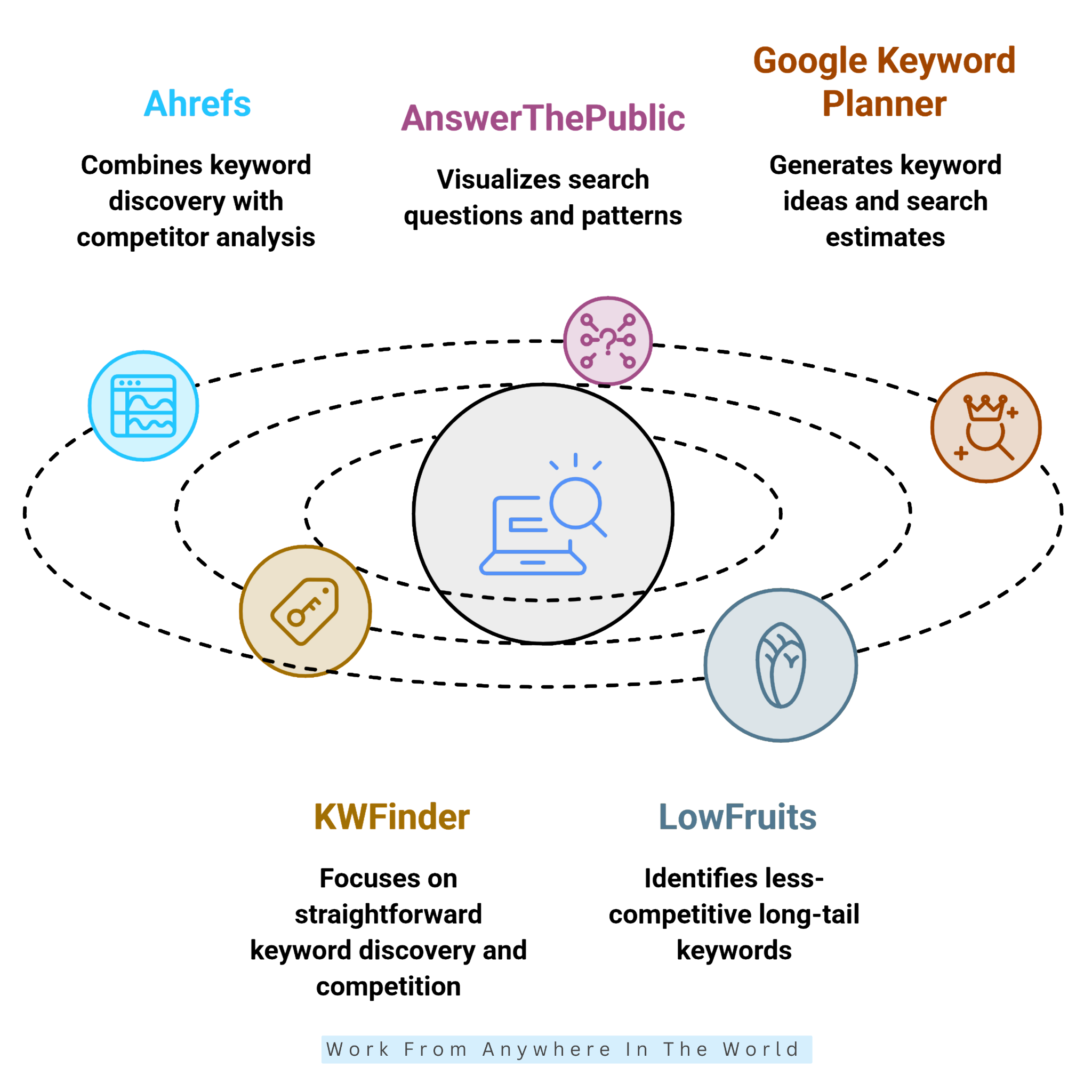
Ahrefs is a comprehensive SEO platform that combines long-tail keyword discovery with competitor and SERP research. Its keyword research features help uncover related phrases, questions, search volume estimates, and keyword difficulty metrics.
These insights help you understand keyword opportunities and the competitive landscape. Ahrefs also identifies ranking pages, making it easier to evaluate existing content.
For example, researching “vegan recipes” may reveal specific searches for quick meals, high-protein dishes, meal preparation, and beginner-friendly recipes.
Ahrefs also shows which keywords competing websites rank for, helping you identify topics that deserve deeper or more useful coverage. This makes it particularly valuable for content marketers developing original content strategies.
By connecting keyword research with competitor analysis and SERP evaluation, Ahrefs helps turn individual keyword ideas into meaningful content opportunities and broader topic clusters.
How To Use Ahrefs For Long-Tail Keyword Research
Open Ahrefs’ Keywords Explorer and enter a broad seed keyword such as “vegan recipes.” Explore related terms, matching phrases, questions, and search results.
Use filters to narrow your keyword list according to your goals, such as keyword difficulty or search intent. For more detailed instructions, review this Ahrefs keyword research guide.
Examine the SERP for promising keywords and study the pages currently ranking. Research competing websites to discover additional keywords and potential content gaps.
Use these findings to develop original topics that offer greater value to your audience. Focus on answering questions thoroughly, addressing content gaps, and providing useful information that competing pages may have overlooked.
2. AnswerThePublic
AnswerThePublic takes a question-focused approach to keyword discovery. It reveals how people naturally phrase searches around a particular subject.
Rather than providing only conventional keyword variations, the tool organizes ideas around questions, comparisons, prepositions, and related search patterns. This makes it particularly useful for discovering conversational long-tail keywords and FAQ opportunities.
For example, entering “keyword research” may uncover questions about how keyword research works, why it matters, which keyword research tools people use, and how beginners can approach it.
These insights can become H2 or H3 headings, FAQ questions, complete blog posts, or supporting content sections. They provide clear directions for developing articles that address specific information needs.
AnswerThePublic is particularly valuable for informational websites because recurring questions reveal topics readers want to understand. These patterns help you create relevant content while naturally incorporating related search phrases.
How To Use AnswerThePublic For Long-Tail Keyword Research
Enter a broad topic such as “keyword research” into AnswerThePublic. Review the questions, comparisons, and related search phrases organized around your chosen subject.
Look for queries that reflect genuine information needs, such as “how does keyword research work?” or “why is keyword research important?”
Identify recurring themes involving beginners, research tools, or keyword difficulty. Select the most relevant questions and organize them according to your article’s main topics.
Strong questions can become H2 or H3 headings, while shorter queries fit naturally into a Frequently Asked Questions section. This approach helps create a logical article structure that reflects your audience’s interests.
3. Google Keyword Planner
Google Keyword Planner is a practical starting point for discovering long-tail keyword opportunities. As part of Google’s advertising platform, it generates related keyword ideas, estimates of search demand, and variations of broader phrases.
For example, entering “home office ideas” may reveal more specific searches such as “small home office ideas,” “home office organization ideas,” and “home office furniture for small spaces.” These variations help turn a general topic into focused content opportunities.
The tool provides insights into how people search for products, services, and information. Its keyword data supports blog planning, service pages, product descriptions, and FAQs.
Combining Keyword Planner suggestions with SERP research provides additional context when comparing potential keywords. Rather than focusing only on search volume, consider how closely each phrase matches your audience, topic, and content goals.
How To Use Google Keyword Planner
Open Google Keyword Planner and select “Discover new keywords.” Enter a broad seed phrase such as “home office ideas” to generate related search suggestions.
Review the results and identify phrases describing a specific audience, problem, product, or situation. For example, “small home office ideas for apartments” communicates more focused search intent.
Shortlist relevant phrases and compare their available search metrics. Group similar keywords into topic clusters to identify content opportunities.
Combining Keyword Planner suggestions with SERP research adds context when comparing keywords. Understanding the differences between Ahrefs and Google Keyword Planner may also help you choose the right research approach.
4. KWFinder
KWFinder is a keyword research tool that focuses on straightforward keyword discovery and competitive analysis. It generates related search phrases and provides metrics for comparing search demand and keyword difficulty.
Its simple workflow makes it useful for bloggers exploring essential blogging tools, niche website owners, freelancers, and small businesses developing their SEO strategies.
For example, entering “pet care” may reveal more specific searches such as “pet care tips for first-time dog parents,” “Reiki for senior dogs,” and “how to create a pet-friendly home.” These long-tail phrases illustrate how KWFinder helps identify focused topics with potentially less competition.
KWFinder helps you balance keyword relevance with competition instead of choosing phrases based only on popularity. This approach makes it easier to identify realistic opportunities for your website.
By examining specific keyword variations and their research data, you can select phrases that better match your audience. These insights help you write articles with clearer search intent and a stronger topical focus.
How To Use KWFinder For Long-Tail Keywords
Enter a broad keyword such as “vegan meal prep” into KWFinder and explore the related suggestions. Look for phrases that reveal a specific audience or need.
Examples include “high protein vegan meal prep,” “easy vegan meal prep ideas,” and “vegan meal prep for beginners.” Compare the available search volume and competition metrics for each phrase.
Consider the search intent behind your shortlisted keywords. A beginner-focused phrase may suit an educational article, while a product-focused search could require commercial content.
Choose one primary keyword and incorporate closely related phrases into your headings, supporting sections, and Frequently Asked Questions. This helps create organized content that addresses different aspects of your chosen topic.
5. LowFruits
LowFruits is an SEO keyword research tool that helps bloggers, niche website owners, and content marketers discover less-competitive long-tail keywords. It generates targeted keyword ideas and analyzes search engine results pages (SERPs) to identify opportunities to rank.
For example, entering “gardening tips” may reveal specific searches related to organic gardening for beginners, growing vegetables in small spaces, and indoor gardening techniques. Readers interested in container gardening tips may use similarly specific search phrases.
LowFruits also offers keyword clustering and competitor research features. These help you organize related search phrases into focused content groups and identify opportunities within your niche.
The platform is particularly useful for websites seeking realistic ranking opportunities rather than broad, highly competitive keywords. Its SERP analysis helps you evaluate the competition before choosing which topics to target.
By combining keyword suggestions with competitor insights, LowFruits helps you develop content that matches your audience’s search intent. This approach supports a more focused and practical SEO strategy.
How To Use LowFruits For Long-Tail Keywords
Start by entering a seed keyword such as “home office furniture” into LowFruits’ Keyword Finder. Review the suggestions and identify specific searches that match your audience’s interests.
For example, “ergonomic home office chairs for small spaces” is more focused than the broader phrase “home office furniture.” Compare the suggestions to identify relevant long-tail opportunities.
Next, analyze the SERPs to evaluate competing websites and identify potential ranking opportunities. A thorough SEO competitive analysis helps you understand competing pages and identify opportunities to create more useful content.
Group related keywords using the clustering feature, then select suitable phrases for your blog titles, headings, and Frequently Asked Questions.
Before publishing, check keyword relevance and search intent. Make sure your content addresses the reader’s actual needs and provides useful information.
6. KeywordTool.io
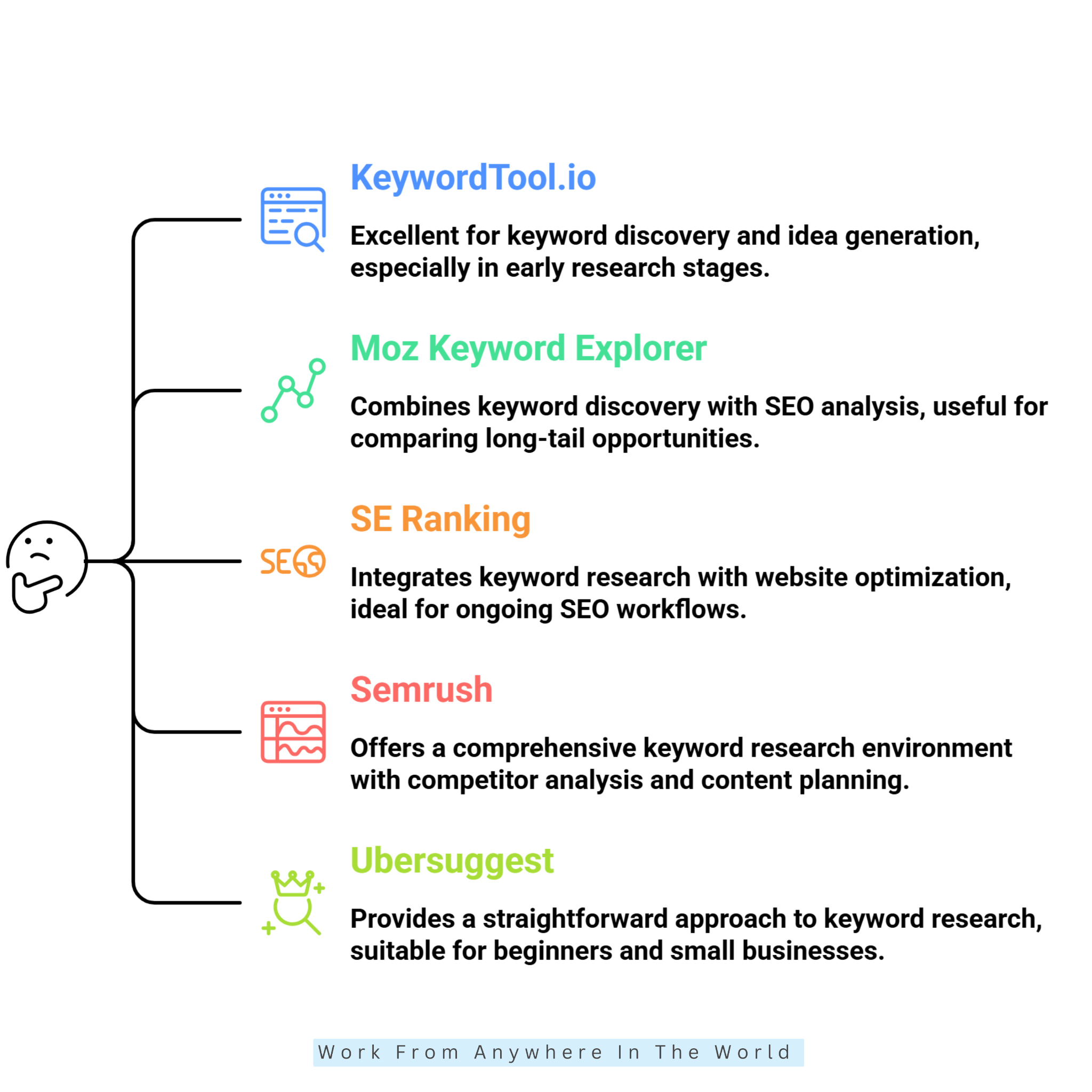
KeywordTool.io helps expand broad topics into extensive lists of search suggestions. Its main strength is keyword discovery, making it valuable early in research when you want to understand how people search for a subject.
For example, entering “Pinterest marketing” may reveal phrases related to Pinterest SEO, business accounts, traffic generation, pin creation, and Pinterest marketing strategies.
These suggestions reveal content angles that might not come to mind through ordinary brainstorming. They also help identify questions, specific interests, and potential topics for future articles.
KeywordTool.io works particularly well as an idea-generation resource before you evaluate promising phrases using search volume, competition, or SERP analysis.
This makes it useful for building a broad keyword pool before narrowing your research. By collecting related terms and evaluating them afterward, you can identify promising long-tail opportunities and organize them into meaningful content themes.
How To Use KeywordTool.io For Long-Tail Keywords
Enter a broad phrase such as “email marketing” and review the suggestions KeywordTool.io generates. Look for modifiers such as “for beginners,” “for business,” “how to,” “best,” or “strategy,” because they reveal more specific search intent.
You might discover phrases such as “email marketing for small businesses” or “email marketing strategies for beginners.” These variations help identify focused topics that address different audience needs.
Collect relevant suggestions and group similar phrases together. This helps you organize potential article topics and avoid creating separate posts that target nearly identical searches.
Once you have a useful list, evaluate the strongest candidates using available search volume and competition data or another SEO platform. Review the SERPs before selecting your final keywords.
7. Moz Keyword Explorer
Moz Keyword Explorer combines keyword discovery with SEO analysis to help marketers evaluate search opportunities before creating content. You can explore related keyword suggestions and compare metrics such as search volume, difficulty, and organic click-through potential.
These insights make it easier to evaluate long-tail opportunities rather than selecting keywords based on popularity alone. They also help you prioritize topics that match your website’s audience and SEO goals.
For example, researching “content marketing” may uncover searches involving small businesses, B2B content marketing strategies, beginners, content types, and practical examples.
These variations may become individual articles, supporting sections, or parts of a larger content cluster. They also reveal different audience needs within the same broad topic.
Moz is particularly useful when you want keyword discovery combined with competitive insights. Examining related phrases and ranking pages helps you understand what searchers expect to find.
This information helps you plan articles that address important questions, cover relevant subtopics, and provide useful information beyond what competing pages offer.
How To Use Moz Keyword Explorer For Long-Tail Keywords
Enter a broad seed keyword such as “online courses” into Moz Keyword Explorer. Review the related keyword suggestions and identify phrases that clarify the audience, purpose, or problem.
For example, “online courses for working professionals” is more specific than “online courses.” Compare the available metrics to identify promising keywords with relevant search demand.
Examine the SERPs for your strongest candidates. Study ranking pages to understand their content formats, major subtopics, and frequently addressed questions.
Select one primary keyword and organize related phrases into supporting topics, H2 sections, Frequently Asked Questions, examples, or internal-link opportunities.
8. SE Ranking
SE Ranking combines keyword research with a broader collection of SEO features, making it useful for marketers who want keyword discovery to connect with ongoing website optimization.
Its keyword research tools help uncover related search phrases and provide metrics for comparing opportunities. These insights support keyword selection, content planning, and more informed SEO decisions.
For example, researching “email marketing” may reveal long-tail searches related to small businesses, eCommerce, email marketing automation, newsletters, beginners, and specific marketing objectives.
These variations can support informational guides, commercial pages, and comparison articles. They also help marketers develop content for audiences with different interests and search intentions.
SE Ranking connects keyword research with rank tracking and SEO competitor analysis. This creates a more continuous workflow, from identifying promising keywords to evaluating website performance.
The platform is particularly useful for businesses, agencies, and website owners who want to research keywords and monitor results after publication.
Connecting keyword selection with ongoing optimization helps turn individual search phrases into a structured content strategy. It also makes it easier to identify opportunities to improve existing articles.
How To Use SE Ranking For Long-Tail Keywords
Enter a broad topic such as “eCommerce SEO” into SE Ranking’s keyword research tool. Review the suggestions and identify phrases that clearly define the audience, purpose, or problem.
For example, “eCommerce SEO audit checklist” or “SEO tips for small online stores” provides a more focused direction than the broader topic. Compare the available keyword metrics and consider how closely each phrase matches your audience.
Examine the SERPs for promising candidates to understand which content formats and topics appear in the search results. Use these findings to select keywords that suit your website’s goals.
Choose one primary keyword and organize related phrases into your article’s headings, examples, and supporting sections. An eCommerce SEO audit checklist may also help identify optimization opportunities.
After publishing, monitor the page’s search performance using SE Ranking’s rank-tracking features. Review changes over time and update your content when you identify opportunities for improvement.
9. Semrush
Semrush provides a comprehensive keyword research environment that connects keyword discovery with competitor analysis, search intent, SERP information, and content planning.
Its Keyword Magic Tool generates extensive keyword variations from a single seed phrase. This makes it useful when you want to explore a subject from multiple angles and discover opportunities that broader searches may overlook.
For example, starting with “digital marketing” may reveal focused searches related to small businesses, beginners, social media, local businesses, and specific marketing channels.
You can evaluate these variations using search volume, keyword difficulty, search intent, and competitive information. These metrics help you compare opportunities and prioritize relevant keywords.
Semrush is particularly useful for developing topic clusters and organized content plans. Rather than treating every keyword as an isolated opportunity, you can group closely related searches into comprehensive articles and supporting content.
Its broader SEO features also suit marketers who want keyword research to connect with ongoing website optimization. For additional insights, explore our Semrush review.
How To Use Semrush To Find Long-Tail Keywords
Open the Keyword Magic Tool and enter “affiliate marketing” as your seed keyword. Review the generated phrases and filter them by questions, search intent, search volume, or keyword difficulty.
Look for specific terms such as “affiliate marketing niches for beginners” or “affiliate marketing strategies for small blogs.” These phrases help identify more focused audiences and content opportunities.
For example, researching affiliate marketing niches for beginners may reveal opportunities to create helpful guides around particular interests, products, or audiences.
Examine the SERPs for promising keywords and identify which content formats dominate the results. If detailed guides appear frequently, an informative article may suit the search intent.
Group related keywords into clusters and use them to create your content outline. You can also explore our Semrush tutorial for more guidance on using the platform.
10. Ubersuggest
Ubersuggest offers a straightforward approach to keyword research, making it useful for bloggers, freelancers, small businesses, and website owners who want practical keyword ideas without a complicated workflow.
Enter a seed keyword to get related suggestions, SEO metrics, and content ideas. These features help users discover potential topics and compare opportunities before creating content.
For example, researching “dropshipping” may uncover searches related to trending dropshipping products, suppliers, profitable niches, product research, and beginner-friendly business ideas.
These variations turn one broad subject into several focused content opportunities. They also reveal different questions and interests within the same market.
Ubersuggest supports competitor research by helping you investigate keywords used by competing websites. Its accessible interface makes it particularly useful when moving from keyword discovery to article planning.
You can identify a primary keyword, collect related phrases, and organize them around specific audience needs. This makes Ubersuggest a practical choice for developing focused content without unnecessarily complicating the research process.
How To Use Ubersuggest For Long-Tail Keywords
Enter a broad topic such as “online business ideas” into Ubersuggest. Review the suggestions and identify phrases that express a specific need, audience, or problem.
Look for variations such as “online business ideas for beginners,” “low-cost online business ideas,” or “online businesses for retirees.” These phrases help narrow your research to particular audiences and interests.
Compare the available search volume, SEO difficulty, and related keyword suggestions. Treat these metrics as research signals, but keep relevance and search intent central to your decisions.
Choose one focused phrase as your primary keyword and collect closely related variations. For example, an article about earning money during retirement might cover business models, startup requirements, useful skills, and practical first steps.
Frequently Asked Questions
Q1: Are Long-Tail Keywords Easier To Rank For?
Long-tail keywords often face less competition because they target more specific searches. This makes them attractive to websites looking for realistic ranking opportunities.
However, ranking difficulty also depends on competing pages, website authority, search intent, and content quality. A longer keyword is not automatically easier to rank for.
Q2: How Many Long-Tail Keywords Should I Use In One Article?
Choose one primary keyword and several closely related phrases that naturally support your topic. There is no fixed number that works for every article.
Focus on covering the subject thoroughly rather than reaching a particular keyword count. Relevant variations belong naturally in headings, explanations, examples, and Frequently Asked Questions.
Q3: Can Long-Tail Keywords Help New Websites?
Yes. Long-tail keywords offer newer websites opportunities to target specific searches rather than compete immediately for broad, popular terms.
Publishing useful articles around related questions helps build topical relevance over time. You can gradually expand into more competitive subjects as your website develops.
Q4: Can I Use Long-Tail Keywords For eCommerce SEO?
Yes. Long-tail keywords are valuable for product descriptions, category pages, buying guides, and comparison articles. They help address specific customer needs and purchasing intentions.
For example, “ergonomic office chair for small spaces” is more focused than “office chair.” You can also use an eCommerce SEO audit checklist to identify opportunities to improve your product and category pages.
Q5: How Often Should I Conduct Long-Tail Keyword Research?
Review your keyword opportunities periodically as your website, audience, and industry develop. A quarterly review provides a useful starting point, although some topics require more frequent attention.
Fresh research helps uncover emerging questions, changing search behaviour, and opportunities to update existing content. It also helps you identify new topics that complement your published articles.
Q6: Can Long-Tail Keyword Tools Improve GEO Content?
Yes. Long-tail keyword tools help identify conversational questions and specific information needs that are useful when planning content for Generative Engine Optimization (GEO).
These insights support clear explanations, descriptive headings, relevant examples, and well-organized FAQs. However, keyword research alone does not guarantee visibility in AI-generated answers.
Conclusion
Long-tail keyword finder tools help transform broad SEO ideas into focused content opportunities that reflect what people are searching for. Each platform offers different strengths, from keyword discovery and competitor research to question analysis and SERP evaluation.
Choosing the right tool depends on your website’s goals, audience, and research needs. Some platforms excel at discovering new keyword ideas, while others provide deeper insights into competition, search intent, and ranking opportunities.
The most effective strategy combines reliable keyword research with thoughtful content planning. By targeting relevant long-tail phrases and creating genuinely helpful content, you build a stronger foundation for sustainable organic visibility.
I trust you enjoyed this guide to the best long-tail keyword finder tools. Stay tuned for more insights on affiliate marketing, online business, SEO strategies, and working from anywhere in the world.
Take care!
— JeannetteZ 🌍✨
💬 Your Opinion Is Important To Me
Do you have thoughts, ideas, or questions? I’d love to hear from you. Please leave your comments below or email me directly at Jeannette@WorkFromAnywhereInTheWorld.com.
📚 More Work From Anywhere Reads
🚀 Ready to Build a Business You Can Run from Home
Or from Anywhere in the World?
Imagine creating income on your terms — from home, a cozy café, or wherever life takes you.
With the right tools, training, and community support, it’s entirely possible.
Start your own online business for free — no credit card needed.
Disclosure
This post may contain affiliate links. As an Amazon Associate and participant in other affiliate programs, I earn from qualifying purchases at no extra cost to you. Please read my full affiliate disclosure.






Loved your information and advice on long-tail key words. Will keep me busy.
WOW! Thank you very much, Roger. It is so nice to get a positive comment. Take care!
Jeannette