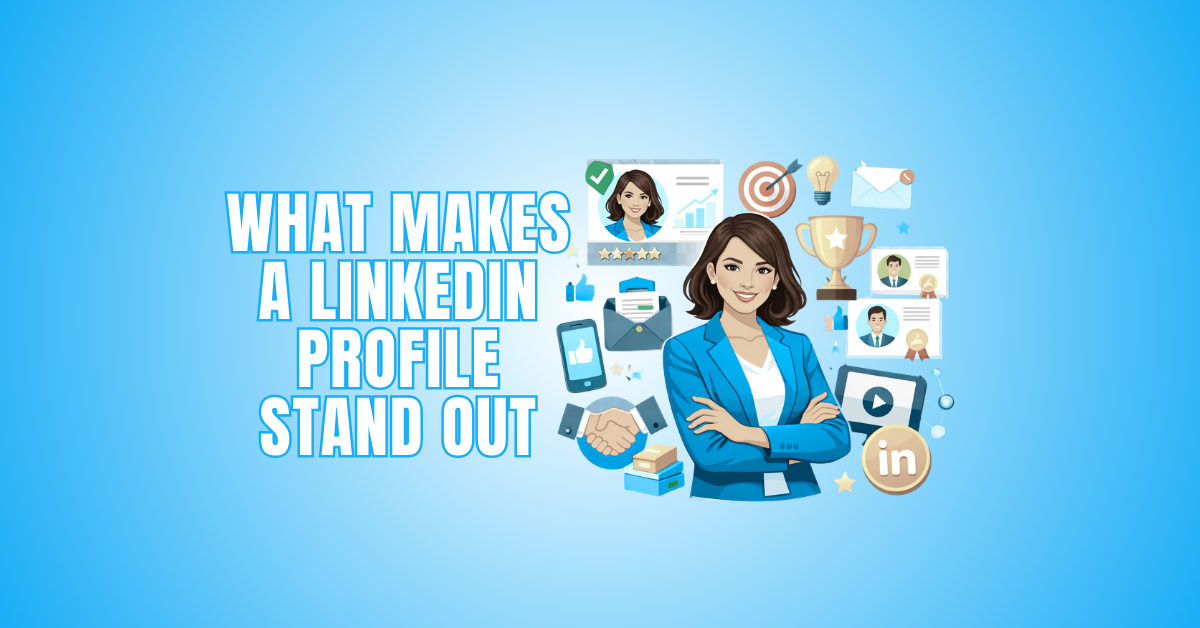
What Makes A LinkedIn Profile Stand Out
LinkedIn is more than just an online resume. It's your digital handshake, first impression, and personal brand. In a crowded professional space, blending in is easy.
Standing out is intentional. The profiles that attract recruiters, clients, and opportunities don't rely on buzzwords. They focus on clarity, value, and proof.
In this article, we'll break down what makes a LinkedIn profile stand out and how you can position yourself strategically for visibility and growth.
The Psychology Behind A High-Converting LinkedIn Profile
A high-converting LinkedIn profile is not just optimized for keywords. It's optimized for human behaviour. Understanding psychology is what separates an average profile from one that generates real opportunities.
First, there's the first impression effect. Visitors decide within seconds whether you seem credible. A professional photo, a clear headline, and a focused message instantly build trust. Confusion creates doubt. Clarity builds confidence.
Next comes authority bias. People naturally trust experts. When your profile highlights measurable achievements, certifications, media mentions, or case studies, you position yourself as an authority. Specific results feel believable. Generic claims do not.
Then there's social proof. Recommendations, endorsements, and shared content signal validation. When others publicly support your expertise, it reduces risk for recruiters and clients. Humans trust what other humans approve.
Another key factor is relatability. Storytelling in your About section creates an emotional connection. Facts inform, but stories persuade. When readers see challenges you've overcome or results you've delivered, they feel connected.
Finally, clarity of value drives action. A strong call to action tells visitors what to do next—connect, message, or book a call. When you combine trust, authority, social proof, and clarity, your LinkedIn profile becomes more than visible. It becomes persuasive.
Steps To A High-Converting LinkedIn Profile
1. A Headline That Hooks, Not Just States A Job Title
Your headline is the first thing people see on LinkedIn. It appears in search results, connection requests, comments, and messages. Most profiles simply list a job title, such as “Marketing Manager at XYZ Company.”
That's clear, but it's forgettable. A strong headline shows who you help, what problem you solve, and what outcome you create.
For example, instead of “Digital Marketer,” try “Helping E-commerce Brands Increase Revenue Through Data-Driven Paid Ads | Performance Marketing Specialist.”
Short, clear, outcome-focused headlines answer one question: why should someone care about you?
Common Mistakes To Avoid
- Using generic job titles only
- Adding buzzwords without meaning
- Making it too long or complex
- Ignoring the audience's needs
2. A Profile Photo That Builds Instant Trust
Your profile photo is your digital handshake. People notice it first. A clear, well-lit photo with a friendly expression makes you approachable.
Eye contact creates a connection. Avoid group photos, sunglasses, or distracting backgrounds. You don't need a studio shoot—just a professional, authentic look.
Your photo sets the tone for trust. Profiles with strong photos get more views, messages, and connection requests. Remember, humans respond to faces before they respond to words.
A photo that captures your personality and professionalism immediately increases credibility and engagement. Be confident, straightforward, and uncomplicated.
Common Mistakes To Avoid
- Blurry or low-quality images
- Using casual or party photos
- Distracting backgrounds or clutter
- Overly filtered or edited selfies
3. A Banner That Supports Your Brand
Most LinkedIn users ignore the banner and stick with the default blue—a big mistake. Your banner is a prime visual space to reinforce your brand. Use it to showcase your niche, highlight key skills, or display a tagline.
For example, a consultant could feature: “Helping Startups Scale Faster,” while a designer might display portfolio visuals. Keep it clean and professional—don't overcrowd it with text.
The banner should complement your profile photo and headline to create a cohesive look. A strong banner makes your profile visually memorable and instantly communicates your value.
Common Mistakes To Avoid
- Leaving the default LinkedIn banner
- Overloading with too much text
- Using low-resolution images
- Irrelevant or distracting visuals
4. An About Section That Sounds Human
Your About section is your story, not a resume. Most people write robotic summaries full of buzzwords. Instead, speak like a human. Start with a hook, share who you are, what you do, and who you help.
Highlight measurable results and real achievements. Short sentences work best—clear, direct, and engaging. End with a call to action, such as “Let's connect” or “DM me for collaboration.”
This section builds connection, trust, and credibility. Stories make people remember you. Facts inform, but your journey persuades. Make it authentic, relatable, and results-driven.
Common Mistakes To Avoid
- Writing overly formal, robotic text
- Using generic buzzwords without proof
- Making paragraphs too long
- Forgetting a call-to-action
5. Experience That Shows Impact, Not Duties
Your Experience section should highlight results, not just job responsibilities. Most people list tasks like “Managed social media accounts” or “Led a team.”
Instead, focus on measurable impact. Show how your work changed outcomes—like “Increased engagement by 45% in six months” or “Generated $120,000 in new revenue.”
Use short, punchy sentences. Include numbers, percentages, or tangible achievements whenever possible. This demonstrates value instantly.
Recruiters and clients don't remember duties—they remember results. Each entry should answer: What difference did I make? Keep it clear, specific, and outcome-driven.
Common Mistakes To Avoid
- Listing duties instead of achievements
- Using vague or generic descriptions
- Skipping measurable results or numbers
- Ignoring relevance to current goals
6. Skills That Align With Your Target Role
Skills aren't just for show—they affect search visibility and credibility. Many profiles list random or outdated skills, which confuses visitors and weakens your positioning.
Focus on skills that match your niche, desired role, and industry keywords. For example, a digital marketer should highlight SEO, Google Ads, content strategy, and conversion optimization—not unrelated software.
Keep your top skills up to date. Endorsements amplify credibility, so encourage colleagues or clients to validate your strongest skills. Clear, targeted skills make your profile more discoverable and instantly communicate your expertise to anyone viewing it.
Common Mistakes To Avoid
- Listing irrelevant or outdated skills
- Adding too many vague skills
- Ignoring endorsements from others
- Not aligning skills with goals
7. Strategic Keywords For Search Visibility
LinkedIn is a search engine. Recruiters, clients, and collaborators use keywords to find the right professionals. Many profiles fail because they lack relevant terms.
Add keywords naturally throughout your profile—in the headline, About section, experience, and skills. For example, if you're a content marketer, include phrases like “SEO content strategy,” “blog optimization,” or “content marketing campaigns.”
Don't stuff keywords; readability matters more. Think about what someone would type to find you and weave those terms into your story. Strategic keywords increase visibility and help you consistently appear in the right searches.
Common Mistakes To Avoid
- Keyword stuffing, making text awkward
- Using only generic terms, not niche
- Forgetting to include keywords in multiple sections
- Ignoring audience search intent
8. Featured Section That Proves Credibility
The Featured section is your proof zone. Many LinkedIn users ignore it, missing out on a chance to showcase their achievements. Include portfolio links, case studies, blog articles, certifications, or media mentions.
Instead of just claiming expertise, show results. For example, a marketer can feature campaign performance reports, a writer can link published articles, and a developer can add GitHub projects.
Visual proof builds trust faster than words. When visitors see real examples of your work, credibility skyrockets. Use this section strategically to back up your claims and make your profile more persuasive and memorable.
Common Mistakes To Avoid
- Leaving the Featured section empty
- Adding unrelated or outdated content
- Using low-quality or broken links
- Not updating it regularly
9. Recommendations That Add Social Proof
Recommendations are powerful tools that validate your expertise. They act as social proof, showing others that you deliver results. Ask managers, clients, colleagues, or business partners for recommendations.
But don't settle for generic praise—guide them to mention specific projects, outcomes, or achievements. For example, instead of “Great to work with,” a strong recommendation would say, “She increased lead conversions by 32% within three months.”
Specific, measurable endorsements build credibility and trust instantly. They make your profile more persuasive and increase your chances of attracting opportunities from recruiters, clients, or collaborators.
Common Mistakes To Avoid
- Asking for generic, vague recommendations
- Not specifying what to highlight
- Ignoring endorsements from key contacts
- Leaving recommendations outdated or missing
10. Consistent Personal Branding
Consistency in personal branding makes your LinkedIn profile memorable. Every element—headline, banner, About section, experience, and even posts—should align with your niche and message.
Mixed signals confuse visitors. For example, if your headline says “B2B Growth Strategist” but your content is about fitness tips, people won't understand your expertise.
Use consistent tone, visuals, and messaging to reinforce your value. Strong personal branding builds recognition, trust, and authority. When your profile feels cohesive, visitors instantly grasp who you are, what you do, and why they should engage with you.
Common Mistakes To Avoid
- Inconsistent messaging across the profile
- Conflicting visuals and banners
- Posting unrelated content frequently
- Using multiple tones that confuse readers

11. Content That Supports Your Expertise
Posting valuable content on LinkedIn boosts your profile's credibility. Profiles with strong content get more views, engagement, and connection requests.
Share insights, lessons, case studies, or industry opinions that align with your expertise. Consistency matters more than frequency—even one or two posts per week builds visibility.
Comments on relevant posts also increase exposure and drive visitors to your profile. Your content should reinforce your brand, demonstrate knowledge, and provide value.
By sharing useful and actionable information, you position yourself as an authority, making your profile more attractive to recruiters, clients, and collaborators.
Common Mistakes To Avoid
- Posting unrelated or off-topic content
- Sharing rarely, reducing visibility
- Writing overly long, dense posts
- Ignoring engagement with others' content
12. A Clear Call-to-Action
Many LinkedIn profiles lack direction, leaving visitors unsure what to do next. A strong call to action (CTA) guides people and increases engagement.
Tell visitors exactly how to connect with you—whether it's “Book a strategy call,” “DM me for collaboration,” or “Email me for consulting.”
Place it in your About section, experience entries, or even featured content. Clear CTAs remove hesitation and make networking or client acquisition effortless.
When visitors know the next step, they're more likely to act. A profile without a CTA risks losing opportunities, no matter how strong the other sections are.
Common Mistakes To Avoid
- No call-to-action included
- Using vague or unclear instructions
- Placing CTA in the wrong section
- Overloading profile with multiple conflicting CTAs
Wealthy Affiliate – Mini Review (2025)
If you’ve ever thought about turning your blog, passion, or niche into an online business, Wealthy Affiliate (WA) is one of the most beginner-friendly platforms I’ve used. It combines step-by-step training, website hosting, SEO research tools, and an active community all in one place.
What I like most: you can start free (no credit card needed), explore lessons, test the tools, and connect with other entrepreneurs before upgrading. WA isn’t a “get rich quick” scheme — it’s a platform where success comes from consistent effort and applying what you learn.
13. Custom LinkedIn URL
A custom LinkedIn URL is a small change with a big impact. Instead of the default random numbers, use something clean and professional, like linkedin.com/in/johnsmithmarketing.
It looks polished, is easier to share, and builds credibility. Custom URLs are especially useful for resumes, email signatures, and business cards. They reinforce your personal brand and make it easier for people to find you.
Updating your URL takes just a few clicks, shows attention to detail, and demonstrates professionalism, making your profile more memorable in a crowded LinkedIn feed.
Common Mistakes To Avoid
- Leaving the default URL with random numbers
- Using overly long URLs
- Including unnecessary symbols or underscores
- Forgetting to update shared links everywhere
14. Open To Work (Strategically Used)
The “Open to Work” feature can signal recruiters that you're available for new opportunities. But many misuse it, making it obvious to everyone or leaving it too vague.
You can choose to show it only to recruiters or subtly include it on your profile. Combine it with an optimized headline, skills, and About section to attract the right attention.
Don't rely on this feature alone—your profile's content, keywords, and engagement matter more. Strategically using “Open to Work” increases visibility without appearing desperate or unprofessional.
Common Mistakes To Avoid
- Making it visible to everyone publicly
- Leaving it on without profile optimization
- Using vague or unclear titles
- Relying on it alone for visibility
15. Engagement That Builds Visibility
Engagement on LinkedIn increases profile views and credibility. Simply having a strong profile isn't enough. Comment thoughtfully on posts, share insights, and participate in discussions relevant to your niche.
Avoid generic responses like “Great post!” Instead, add perspective, ask questions, or share mini-experiences. Meaningful engagement attracts visitors to your profile and demonstrates expertise.
Over time, consistent interaction boosts your visibility in feeds and search results. Active profiles appear more approachable and knowledgeable, creating opportunities for connections, collaborations, and job offers. Engagement turns your LinkedIn profile from static to dynamic and influential.
Common Mistakes To Avoid
- Writing generic, meaningless comments
- Ignoring others' posts completely
- Over-commenting without value
- Engaging inconsistently or sporadically

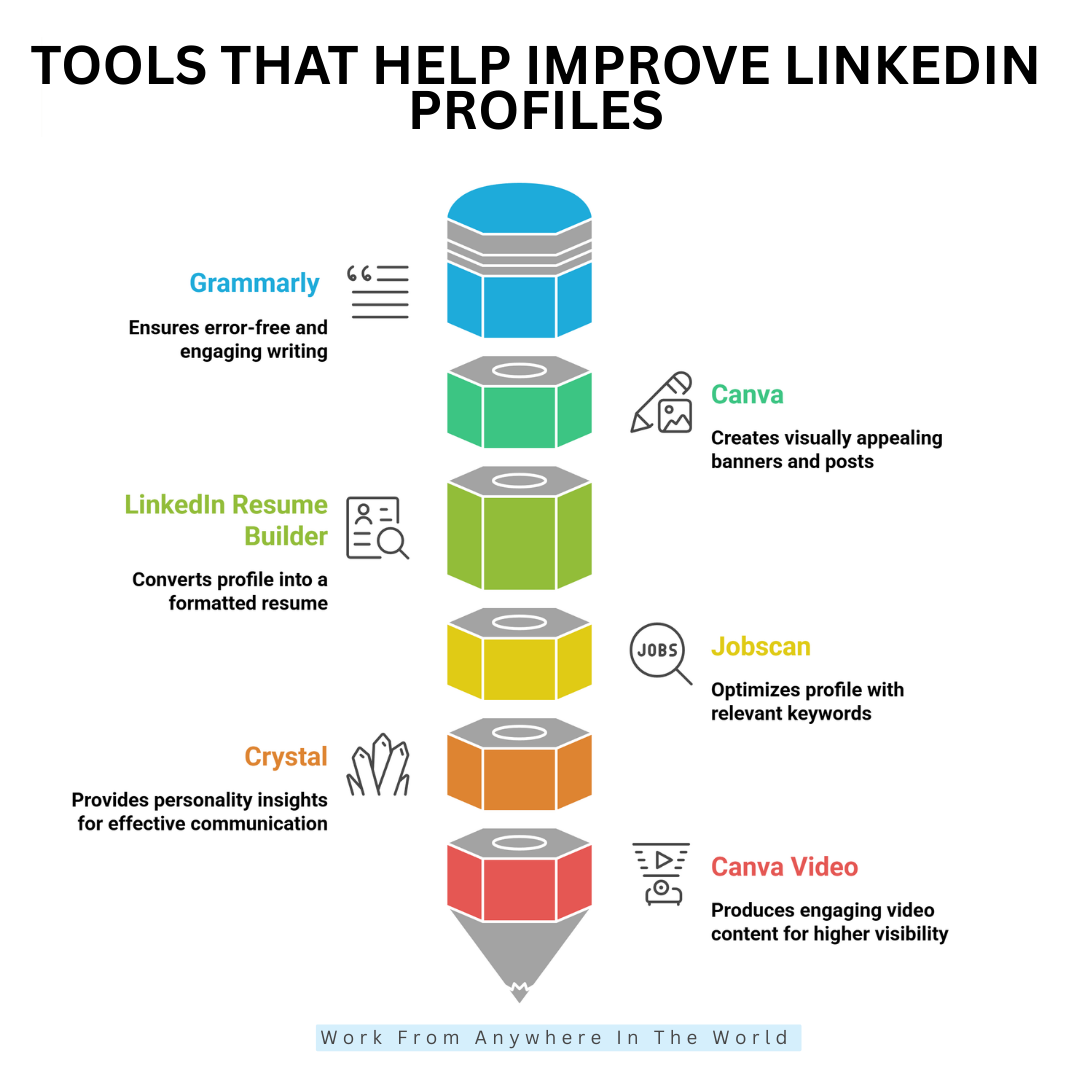
Tools That Help Improve LinkedIn Profiles
1. Grammarly For Error-Free Writing
A strong LinkedIn profile needs clear, professional writing. Grammarly checks grammar, punctuation, and readability in real-time. It also suggests tone adjustments to help your About section, headlines, and posts sound engaging and professional.
Using Grammarly ensures your profile communicates confidence and credibility, preventing small errors from undermining your brand.
Whether you're drafting experience descriptions or commenting on posts, this tool improves clarity and keeps your language concise. Profiles with polished, error-free content attract more attention from recruiters, clients, and collaborators.
2. Canva For Professional Visuals
Your LinkedIn banner and post visuals play a huge role in helping you stand out. Canva lets you create professional-looking banners, infographics, and posts with graphic design skills.
It provides templates optimized for LinkedIn dimensions, ensuring visuals are sharp and attention-grabbing. You can match your colour scheme and branding across all visuals for consistency.
A visually appealing profile signals professionalism, creativity, and attention to detail. Canva helps make your profile more memorable and reinforces your personal brand to visitors.
3. LinkedIn Resume Builder
LinkedIn's Resume Builder converts your profile into a well-structured resume in minutes. This tool ensures your profile sections, experience, and achievements are formatted cleanly for offline use.
It also helps you identify gaps in your profile and highlights areas that need improvement. By reviewing your profile through the resume format, you can refine bullet points, clarify accomplishments, and emphasize keywords.
The Resume Builder makes your profile more organized and readable, helping you present yourself professionally to recruiters and clients both online and offline.
4. Jobscan For Keyword Optimization
Jobscan analyzes your LinkedIn profile against job descriptions to identify missing keywords. This tool helps optimize your headline, About section, experience, and skills to match what recruiters are searching for.
It ensures your profile appears in relevant searches and improves your chances of being discovered. By focusing on industry-specific terms and phrases, Jobscan increases profile visibility while keeping your content natural and readable.
This keyword-driven approach turns your profile into a high-performing, searchable asset that attracts the right opportunities.
5. Crystal For Personality Insights
Crystal analyzes LinkedIn profiles to provide personality insights, helping you craft communication that resonates with your audience.
It suggests how to write messages, About sections, and posts in ways that align with different personality types. Using Crystal can improve engagement and connection success by making your tone and phrasing more relatable.
Understanding personality traits allows you to optimize your profile messaging and networking strategy. This tool helps turn passive visitors into active connections by improving how you present yourself online.
6. Canva Video For Engaging Multimedia
Video content on LinkedIn grabs attention faster than text or images. Canva Video lets you create short, professional clips for your profile or posts.
You can add animations, text overlays, and branded elements to highlight skills, projects, or achievements. Video increases engagement and demonstrates creativity.
Including a polished video in your Featured section or posts makes your profile memorable and interactive. It's especially useful for coaches, consultants, or anyone showcasing expertise visually.
Conclusion
A standout LinkedIn profile combines clarity, authenticity, and strategy. It's not just about listing jobs—it's about showing value, building trust, and demonstrating results.
From a strong headline and professional photo to engaging content, strategic keywords, and social proof, every section matters. Small improvements, like a custom URL or a clear call to action, can make a big difference.
By thoughtfully optimizing your profile, you attract the right opportunities, connections, and visibility. Your LinkedIn becomes a powerful tool for career growth and professional success.
I trust you enjoyed this article on What Makes A LinkedIn Profile Stand Out. Please stay tuned for more insightful blogs on affiliate marketing, online business, and working from anywhere in the world.
Take care!
— JeannetteZ
💬 Your Opinion Is Important To Me
Do you have thoughts, ideas, or questions? I’d love to hear from you. Please leave your comments below or email me directly at Jeannette@WorkFromAnywhereInTheWorld.com.
📚 More Wealthy Affiliate Reads
If you found this article helpful, explore more of my Wealthy Affiliate insights below:
- How Wealthy Affiliate Works – An Interesting Approach
- Helpful Wealthy Affiliate Review for Beginners by a Beginner
- Wealthy Affiliate Review – Scam or Legit? The Truth Exposed
- An Insider Wealthy Affiliate Review
- Wealthy Affiliate Review 2025 – A Personal Perspective
- Why Wealthy Affiliate Is My #1 Recommendation for Online Success
- An Insider Wealthy Affiliate vs Bluehost Review
- Jaaxy AI Review: Smart Keyword Research For Modern Bloggers
- Wealthy Affiliate Image Studio: Smart AI for Bloggers
- Wealthy Affiliate Coupons for Premium Memberships
🚀 Ready to Build a Business You Can Run from Home or from Anywhere in the World?
Imagine creating income on your terms — from home, a cozy café, or wherever life takes you.
With the right tools, training, and community support, it’s entirely possible.
Start your own online business for free — no credit card needed.
Disclosure
This post may contain affiliate links. As an Amazon Associate and participant in other affiliate programs, I earn from qualifying purchases at no extra cost to you. Please read my full affiliate disclosure.