
15 Tips For Managing A Virtual Team Successfully
These tips for managing a virtual team can help create clearer communication and better organization when team members work from different locations. Virtual teams may also work across different schedules and time zones.
Virtual teams give businesses the flexibility to work with people who bring different skills, experience, and perspectives. Team members may collaborate from across the country or from completely different parts of the world.
Distance can also change how people communicate and work together. Without regular face-to-face contact, clear expectations and reliable ways to share information become especially important.
Teams need to consider how tasks are assigned, meetings are organized, and progress is communicated. Everyone also needs the right tools and enough information to complete their responsibilities effectively.
Building a strong virtual team is not about watching every task or filling the day with meetings. It is about creating an environment where people understand their responsibilities and can work together effectively.
The following practical tips cover communication, collaboration, organization, productivity, and team engagement. They can help create a supportive remote-working environment where everyone understands how their work contributes to the team.
What Is A Virtual Team?
A virtual team is a group of people who work together from different locations. Instead of sharing the same office, team members communicate and collaborate using digital tools.
Some virtual teams work within the same country, while others include people from different parts of the world. They may also work different schedules or across several time zones.
Virtual teams can include employees, freelancers, contractors, managers, and other professionals. What connects them is a shared project, responsibility, or business goal rather than a physical workplace.
Communication usually takes place through email, messaging platforms, video meetings, and project management tools. These resources help team members share information, organize tasks, and stay connected.
A well-organized virtual team can give businesses access to a wider range of skills and experience. Clear expectations, reliable communication, and suitable tools can help everyone understand their role and work together effectively.
15 Tips For Managing A Virtual Team
Managing a virtual team requires a slightly different approach from managing people who work in the same location. Communication, organization, and trust become especially important when team members rarely meet in person.
Everyone needs to understand their responsibilities and know where to find the information they need. Clear processes can make it easier to coordinate tasks without relying on constant meetings or messages.
It is also important to remember that virtual team members may have different schedules, working styles, and responsibilities. Giving people some flexibility while maintaining clear expectations can create a more supportive working environment.
The following 15 tips for managing a virtual team focus on practical ways to communicate, collaborate, organize work, and keep everyone connected. They can be adapted to suit the size, structure, and needs of your team.
1. Set Clear Expectations From The Start
Clear expectations give virtual team members a better understanding of their responsibilities from the beginning. Everyone should know what they are responsible for, which goals they are working towards, and when their work is expected.
Communication expectations are important too. Team members should know which channels to use, when meetings take place, and how quickly they are generally expected to respond.
Written guidelines can make this information easier to follow. Documenting important processes, deadlines, and responsibilities also gives team members something they can refer to when questions arise.
Expectations should provide direction without making people feel closely monitored. When everyone understands their role and priorities, they can work more independently while still contributing to shared goals.
2. Prioritize Consistent Communication
Consistent communication helps virtual team members stay informed and connected when they are not working in the same location. It also makes it easier to share updates, ask questions, and address concerns as they arise.
Create communication routines that suit the way your team works. Regular check-ins, team meetings, project updates, and individual conversations can all help people understand what is happening.
Different communication methods can serve different purposes. Messaging platforms work well for quick questions, while video meetings may be more useful for discussions that require additional explanation or input.
Communication should be regular without becoming overwhelming. Finding the right balance can help team members stay connected while still giving them enough uninterrupted time to complete their work.
3. Choose The Right Collaboration Tools
The right technology can make it easier for virtual teams to communicate, organize projects, share documents, and keep track of tasks. Each tool should have a clear purpose within the team’s workflow.
Using too many platforms can make everyday work unnecessarily complicated. A smaller collection of reliable tools is often easier for team members to learn and use consistently.
Project management software can help organize assignments, deadlines, and project updates. Cloud-based storage also gives team members access to shared documents regardless of where they are working.
Make sure everyone understands which tools to use for different tasks. Technology should make collaboration easier rather than adding extra steps to the team’s work.
4. Build Trust Within The Team
Trust is especially important when team members work from different locations. People need to feel confident that they can complete their responsibilities without being closely monitored throughout the day.
Focus on results and progress rather than watching every activity. Giving team members ownership of their work can encourage greater independence and responsibility.
Transparency can also strengthen trust. Sharing relevant company goals, project updates, and decisions helps people understand what is happening and how their work contributes to the broader picture.
Trust develops through consistent actions and communication. Keeping commitments, listening to concerns, and recognizing individual contributions can help create a more supportive workplace culture.
5. Encourage Regular Video Meetings
Video meetings can help virtual team members feel more connected when they rarely have opportunities to meet in person. They also provide a useful space for conversations that may be difficult to manage through messages or email.
Regular meetings can be used to discuss projects, answer questions, share updates, and work through ideas together. Seeing facial expressions and other visual cues may also make some conversations easier to understand.
Meetings do not need to be long or frequent to be useful. A clear purpose and simple agenda can help everyone know what will be discussed and whether their participation is needed.
It is also important to respect people’s time and schedules. Using video meetings when they genuinely add value can help teams stay connected without filling the workday with unnecessary calls.
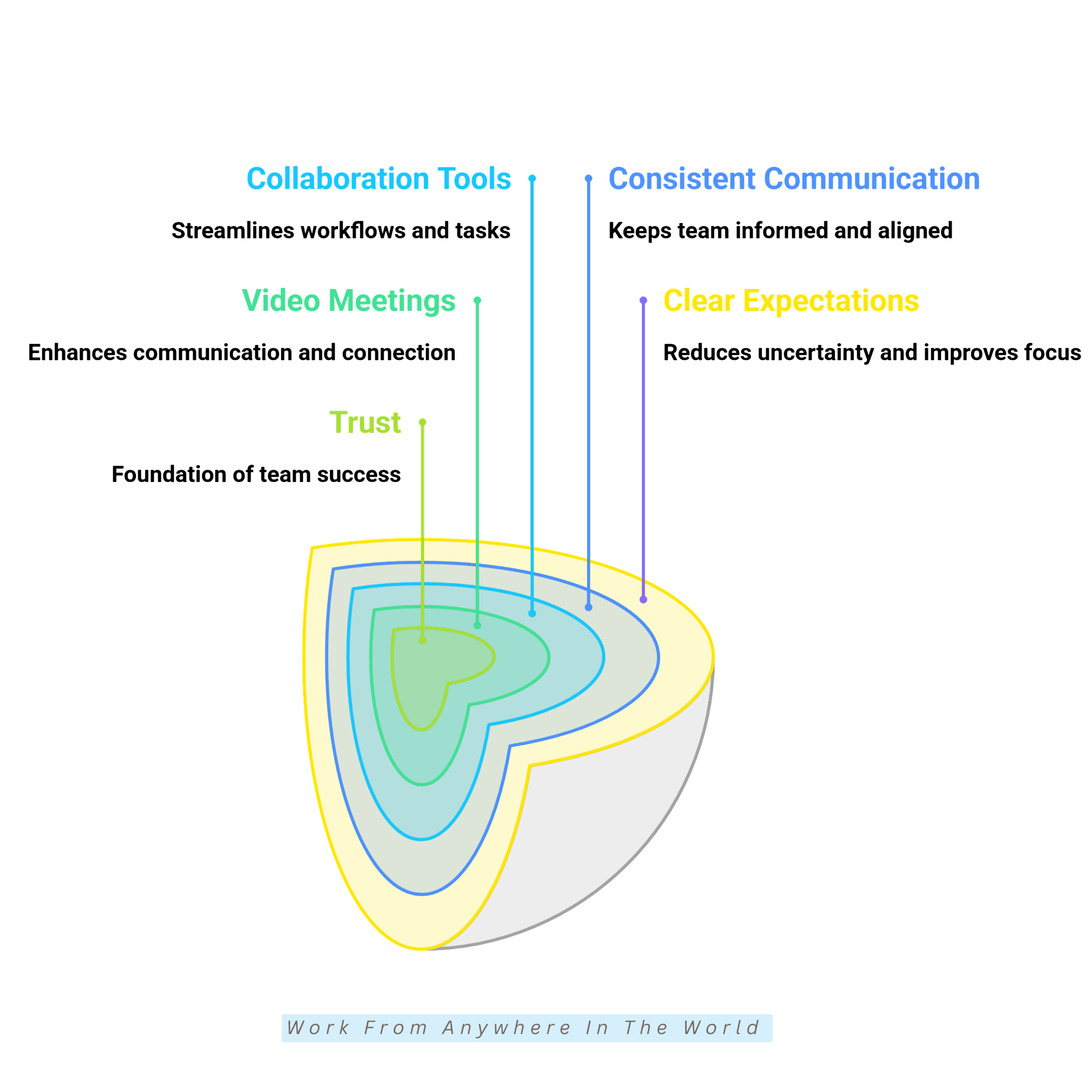
6. Create A Strong Team Culture
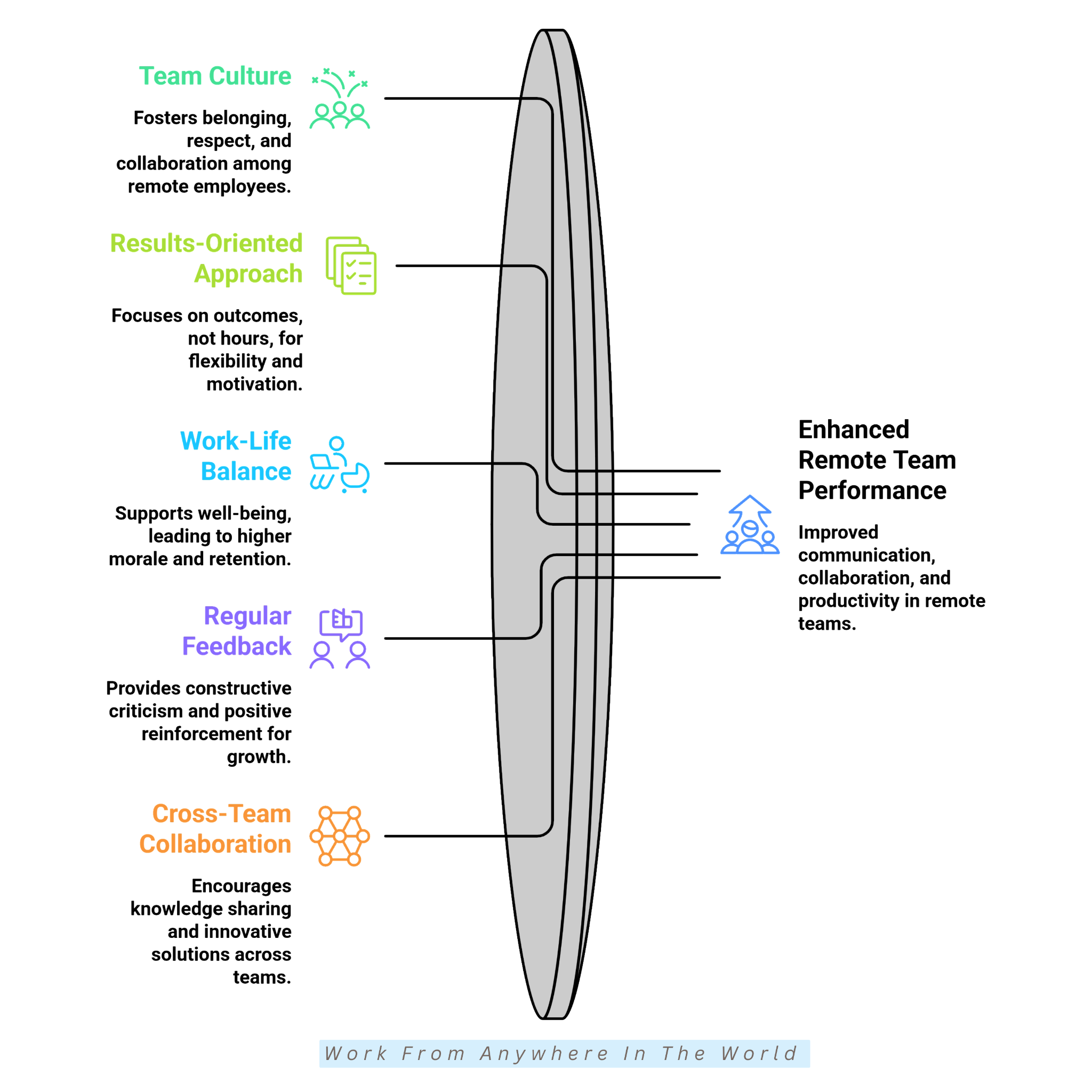
A strong team culture can help remote employees feel connected even when they work from different locations. People still want to understand how their work contributes to the team and its shared goals.
Open communication, mutual respect, and collaboration can help create that connection. Leaders can also provide opportunities for team members to interact outside regular project discussions.
Informal chats, virtual gatherings, and team celebrations can give people a chance to connect in a more relaxed setting. These interactions can be especially valuable for employees who rarely meet their colleagues in person.
Recognizing accomplishments and inviting people to share their ideas can also encourage involvement. When team members feel valued and included, they may be more comfortable contributing to discussions and supporting one another.
7. Focus On Results Rather Than Hours
Focusing on results gives virtual team members more flexibility in how they organize their work. This can be particularly useful when employees have different schedules or work across several time zones.
Set clear goals, deadlines, and project milestones so everyone understands what needs to be completed. Progress can then be evaluated based on the work produced rather than the number of hours someone appears to be online.
This approach also gives team members more responsibility for managing their own workload. Managers can remain available for guidance without monitoring every part of the working day.
A results-focused approach can support both accountability and flexibility. When expectations are clear, team members have more freedom to organize their time while still working towards shared objectives.
8. Support Work-Life Balance
Working from home can make it harder to separate work from personal time. Without a daily commute or shared office hours, the working day can sometimes extend beyond its intended boundaries.
Managers can help by setting realistic expectations and respecting personal time. Team members should feel comfortable stepping away from work when their scheduled day is finished.
Flexible schedules can also be useful when team members have different responsibilities outside work. When possible, allowing some flexibility gives people more control over how they organize their day.
Supporting work-life balance does not mean lowering expectations. It means creating reasonable boundaries that allow team members to meet their responsibilities without feeling that they need to be available at all times.
9. Provide Regular Feedback
Regular feedback helps virtual team members understand what is working well and where they can continue developing. This can be especially useful when employees have fewer informal conversations with managers.
Feedback does not need to wait for a formal performance review. Project discussions, individual check-ins, and everyday conversations can provide natural opportunities to share useful observations.
Keep feedback clear and specific so team members understand what you mean. Recognizing good work is just as important as discussing areas where additional guidance may be helpful.
Feedback should also work both ways. Giving team members opportunities to share their ideas and experiences can help managers understand what is working well for the team and where adjustments may be useful.
10. Promote Collaboration Across Teams
Collaboration gives virtual team members opportunities to share knowledge, exchange ideas, and learn from people outside their usual responsibilities. This can be especially useful when different teams bring different skills and perspectives to a project.
Create opportunities for people to work together when their experience can complement one another. Joint projects, brainstorming sessions, and shared discussions can encourage useful conversations across teams.
Collaboration does not need to involve everyone in every project. Bringing together the right people for a particular task can make it easier to exchange ideas without creating unnecessary meetings.
Cross-team projects can also help employees become more familiar with other areas of the business. These connections can strengthen teamwork and make it easier for people to share knowledge when future projects require it.
11. Support Professional Development
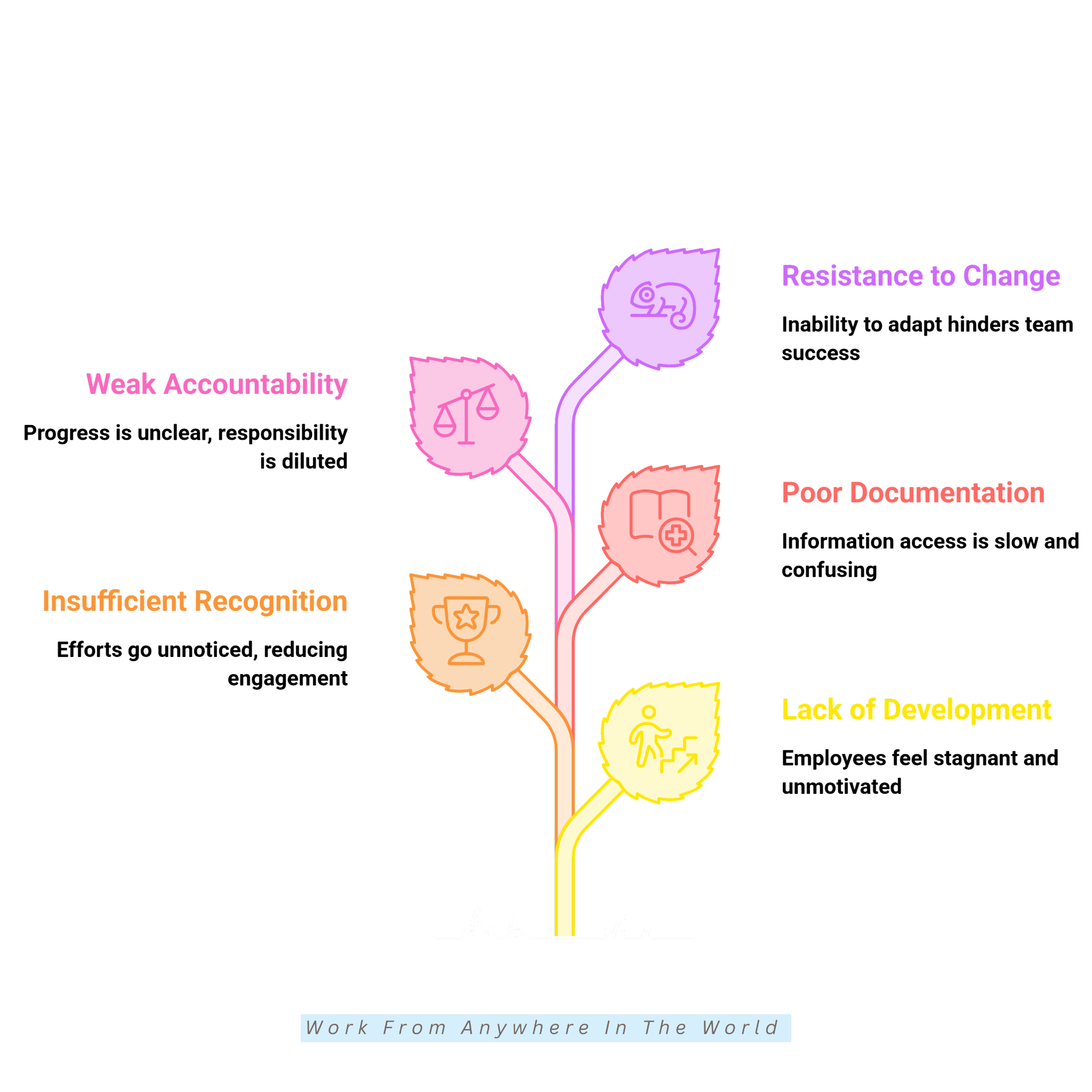
Professional development can benefit virtual team members regardless of how they work with the business. Developing new skills can help people take on different responsibilities and contribute in new ways.
Learning opportunities can include online courses, virtual workshops, mentorship, certifications, and independent learning. The most useful options will depend on each person’s role, interests, and professional goals.
Team members can also identify skills they would like to strengthen or areas they want to explore. This can help them choose learning opportunities that support both their current work and future goals.
Professional development does not always require formal training. New projects, different responsibilities, and opportunities to learn from others can also provide valuable experience and help people expand their professional skills.
12. Recognize And Celebrate Achievements
Recognition can help remote team members know that their work is noticed and appreciated. This can be especially meaningful when people do not have the everyday interactions that naturally occur when working together in person.
There are many simple ways to recognize an achievement. A personal message, team announcement, milestone celebration, or acknowledgement in a group conversation can all show appreciation.
Recognition can also be tailored to the individual. Some people enjoy public acknowledgement, while others may prefer a private message or personal conversation.
Celebrating progress does not need to be reserved for major accomplishments. Recognizing smaller milestones and individual contributions can help create a team environment where people’s efforts are valued.
13. Document Processes And Workflows
Clear documentation gives virtual team members a reliable place to find the information they need. Instead of waiting for someone to answer a question, they can refer to established processes and instructions.
Document the tasks and procedures that team members use regularly. Step-by-step instructions, checklists, templates, and shared resources can make everyday responsibilities easier to follow.
Documentation can be particularly helpful when new team members join. Having important information in one place gives them a useful reference as they become familiar with their role and responsibilities.
Processes may change as the team and business develop. Reviewing documentation occasionally helps keep instructions useful and ensures that team members are working with the same information.
14. Strengthen Accountability
Accountability helps virtual team members understand what they are responsible for and how their work contributes to shared goals. Clear expectations provide a useful starting point.
Breaking larger projects into smaller milestones can make progress easier to follow. Realistic deadlines also give team members a clear understanding of what needs to be completed and when.
Regular updates can help everyone stay informed without requiring constant supervision. Team members should also feel comfortable raising questions or asking for support when they need it.
Accountability works best alongside trust. Giving people ownership of their responsibilities while remaining available for guidance can help keep projects moving without unnecessary monitoring.
15. Adapt And Continuously Improve
Remote work continues to change as new tools, working methods, and team expectations develop. Staying adaptable can help virtual teams respond without changing processes simply for change’s sake.
Review how the team communicates, collaborates, and manages everyday responsibilities. Regular check-ins can help identify what is working well and where a different approach might be useful.
Team members can also provide valuable insights because they use these processes every day. Asking what makes their work easier or what could work better can reveal practical ideas for improvement.
Not every adjustment needs to be major. Small, thoughtful changes can help the team continue learning and develop working methods that suit its changing needs.
Common Challenges Of Managing A Virtual Team
Virtual teams offer flexibility, but working across different locations can create a few practical challenges. Recognizing them early can make it easier to find solutions that work for everyone.
Communication, scheduling, collaboration, and maintaining connections may require more planning when people do not share the same workplace. Different time zones and working styles can add another layer to daily coordination.
These challenges do not mean virtual teams are difficult to manage. With clear processes and a willingness to adjust, teams can create working arrangements that support both individual responsibilities and shared goals.
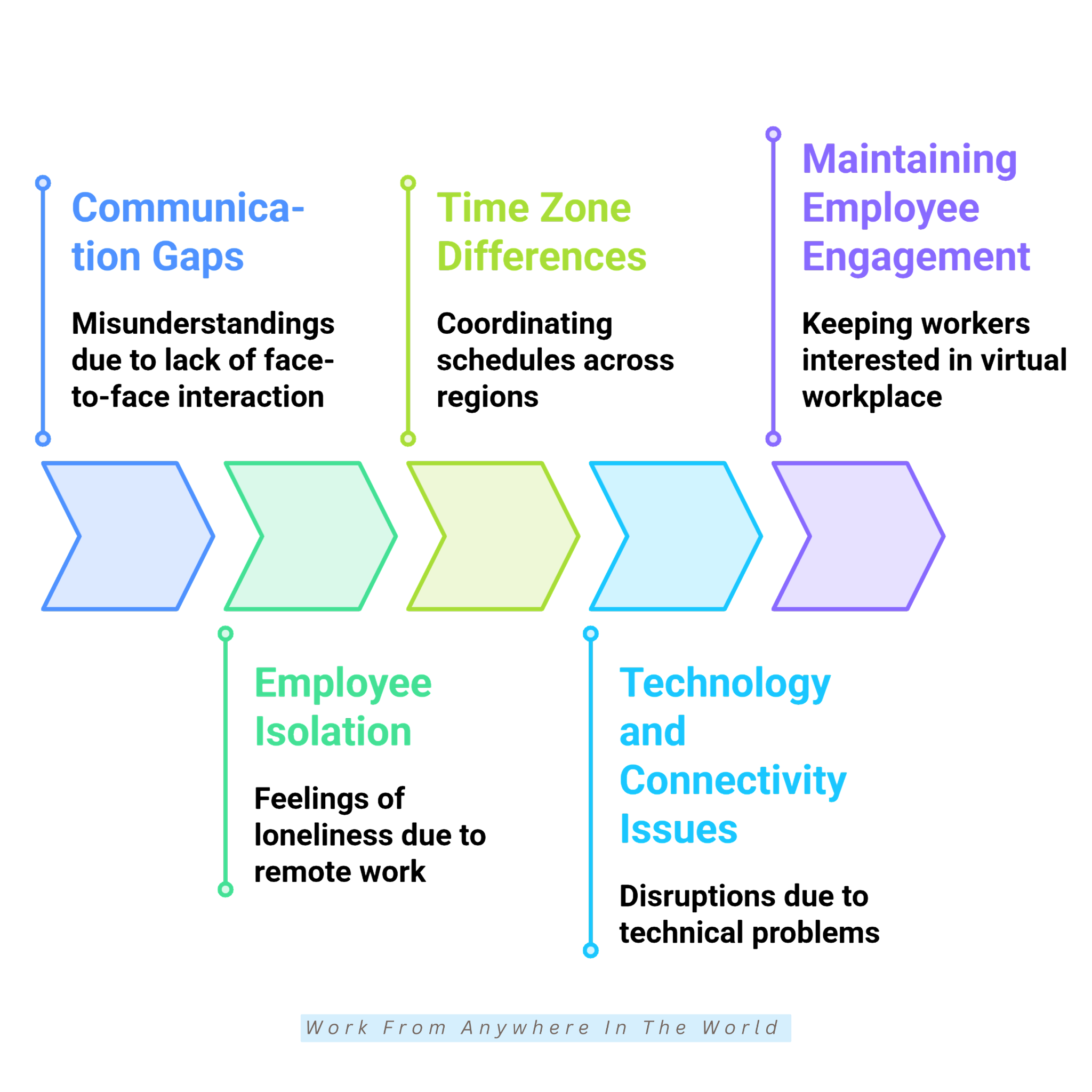
The following common challenges are worth considering when managing a virtual team. Understanding where difficulties may arise can make them easier to address before they begin affecting the team’s work.
1. Communication Gaps
Communication can be more complicated when team members cannot simply walk over to someone and ask a question. Written messages may also be interpreted differently from what the sender intended.
Different communication styles can add to the challenge. Some people prefer detailed explanations, while others communicate more briefly or rely on quick conversations.
Information can also become scattered across emails, messages, meetings, and project platforms. This may make it difficult for team members to know where to find the latest update.
Recognizing these gaps can help the team identify where communication may need additional attention. The goal is to make important information clear and accessible without overwhelming people with unnecessary messages.
2. Team Member Isolation
Remote team members may spend much of their working day alone, particularly when their role requires little direct collaboration. They may miss the informal conversations and everyday social contact that can happen when people work in the same location.
This can be more noticeable for people who are new to the team or work independently on most projects. They may have fewer opportunities to become familiar with others outside scheduled meetings.
Distance can also make it harder to develop a sense of connection with the wider team. People may know those they work with directly but have little interaction with other team members.
Being aware of isolation can help teams recognize when someone may benefit from more opportunities to connect. This is especially important when creating a virtual environment where people work independently but still feel part of a team.
3. Time Zone Differences
Virtual teams may include people working in different regions, countries, and time zones. This can make scheduling more complicated, particularly when there are only a few overlapping working hours.
A convenient meeting time for one person may fall early in the morning or late in the evening for someone else. Finding a suitable time becomes even more difficult when several time zones are involved.
Time differences can also affect everyday collaboration. A question sent near the end of one person’s working day may not receive a response until the following day.
These delays are not necessarily a problem, but they should be considered when planning deadlines and coordinating projects. Understanding where team members are located can help create more realistic expectations around availability and response times.
4. Technology And Connectivity Issues
Virtual teams depend on technology for communication, collaboration, and access to shared information. When that technology is unavailable, even routine tasks can become difficult to complete.
Internet disruptions, software problems, hardware limitations, and login issues can interrupt the working day. These problems may be particularly challenging when team members rely on the same platform to complete a project.
Different levels of familiarity with technology can create another challenge. A tool that feels straightforward to one person may require additional time or guidance for someone using it for the first time.
Technical problems cannot always be prevented. Recognizing that they can happen allows teams to consider them when setting deadlines, organizing meetings, and planning work across different locations.
5. Maintaining Team Engagement
Team engagement can be harder to recognize when people work remotely. There may be fewer opportunities to notice changes in participation or interest through everyday interactions.
Some team members may also feel less connected to the wider group when most of their work is completed independently. They may understand their own responsibilities without seeing how they contribute to broader team goals.
Remote communication can make subtle changes harder to notice as well. Someone may continue completing their work while participating less in discussions, meetings, or collaborative activities.
Maintaining engagement means paying attention to how team members participate and connect with others. Regular interaction can provide useful opportunities to understand what is working well and where additional support may be helpful.
Frequently Asked Questions
Q1: What Makes A Virtual Team Effective?
An effective virtual team has clear responsibilities, reliable communication, suitable tools, and shared goals. Team members should understand what is expected of them and where to find the information they need.
Trust and flexibility are also important. Giving people enough independence to manage their responsibilities can help the team work together without unnecessary supervision.
Q2: How Can Virtual Teams Improve Communication?
Virtual teams can improve communication by setting clear expectations and choosing appropriate channels for different conversations. Regular updates can also help everyone stay informed.
The goal is to communicate consistently without overwhelming team members. People should know where to find information and who to contact when they have questions.
Q3: Which Tools Are Useful For Virtual Team Management?
Useful tools can include project management platforms, video conferencing software, cloud storage, and team messaging applications. Different tools serve different purposes within a virtual team.
The best choices depend on the team’s size, responsibilities, and workflow. Using fewer suitable tools can also make them easier to manage.
Q4: How Often Should Virtual Teams Meet?
There is no ideal meeting schedule that works for every virtual team. The right frequency depends on the type of work, current projects, and how much coordination team members need.
Some teams may benefit from regular check-ins, while others need fewer meetings. Each meeting should have a clear purpose rather than being scheduled simply because the team works remotely.
Q5: How Can Virtual Teams Build Trust?
Trust can develop through clear expectations, consistent communication, transparency, and respect for individual responsibilities. Giving team members appropriate ownership of their work is also important.
Trust works both ways. Team members should feel comfortable asking for support while having enough independence to complete their responsibilities.
Q6: How Can Virtual Teams Work Across Different Time Zones?
Virtual teams can account for time zone differences when scheduling meetings, setting deadlines, and determining when responses are expected. Shared working hours can be useful when some real-time collaboration is necessary.
Flexibility is equally important. Not every task requires an immediate response, so allowing people to work during suitable hours can make global teamwork easier to coordinate.
Conclusion
Managing a virtual team across different locations requires clear communication, trust, organization, and flexibility. Each team may need a slightly different approach depending on how its members work together and what they need to accomplish.
The tips for managing a virtual team in this guide offer practical ways to set expectations, communicate clearly, encourage collaboration, and help team members work effectively from different locations.
Challenges such as time zone differences, communication gaps, and technology issues may require additional planning. Recognizing these challenges can make it easier to adjust processes and find solutions that work for the team.
Building a successful virtual team is an ongoing process rather than something that needs to be perfected immediately. Listening to team members and reviewing how people work together can help create a flexible, organized, and supportive working environment.
I trust you enjoyed this article on the 15 Tips for Managing A Virtual Team Successfully. Please stay tuned for more insightful blogs on affiliate marketing, online business, and working from anywhere in the world.
Take care!
— JeannetteZ 🌍✨
💬 Your Opinion Is Important To Me
Do you have thoughts, ideas, or questions? I’d love to hear from you. Please leave your comments below or email me directly at Jeannette@WorkFromAnywhereInTheWorld.com.
📚 More Work From Anywhere Reads
🚀 Ready to Build a Business You Can Run from Home
Or from Anywhere in the World?
Imagine creating income on your terms — from home, a cozy café, or wherever life takes you.
With the right tools, training, and community support, it’s entirely possible.
Start your own online business for free — no credit card needed.
Disclosure
This post may contain affiliate links. As an Amazon Associate and participant in other affiliate programs, I earn from qualifying purchases at no extra cost to you. Please read my full affiliate disclosure.