Pretty Links Review: 10 Powerful Features And Benefits
This Pretty Links Review explores how the WordPress plugin helps bloggers, affiliate marketers, and online businesses organize and manage their links. Long affiliate URLs can look cluttered, while updating destination links across multiple articles can become time-consuming.
Pretty Links offers branded short links, click tracking, and convenient link management from your WordPress dashboard. These features can make everyday affiliate marketing tasks easier and help you maintain a more organized website.
In this review, we’ll explore its key features, benefits, limitations, and pricing to help you decide whether Pretty Links is the right choice for your website.
What Is Pretty Links?
Pretty Links is a WordPress plugin that helps website owners shorten, brand, organize, and track URLs. Instead of sharing lengthy affiliate links, you can create memorable links using your own domain.
For example, our Networking For Beginners guide uses the branded short link workfromanywhereintheworld.com/tbqa. Visitors can follow this link to reach the full article without needing its longer URL.
The plugin supports bloggers, affiliate marketers, content creators, and online businesses. Its features include link management and click reporting, while select paid plans add marketing and automation tools.
Key Features Of Pretty Links
Pretty Links offers tools that help bloggers and affiliate marketers organize, track, and manage their URLs. From branded short links to advanced targeting options, each feature serves a different purpose.
Some features simplify everyday link management, while others support more complex marketing campaigns. Understanding these ten features can help you choose the tools that best suit your website and promotional goals.
1. Branded Short Links
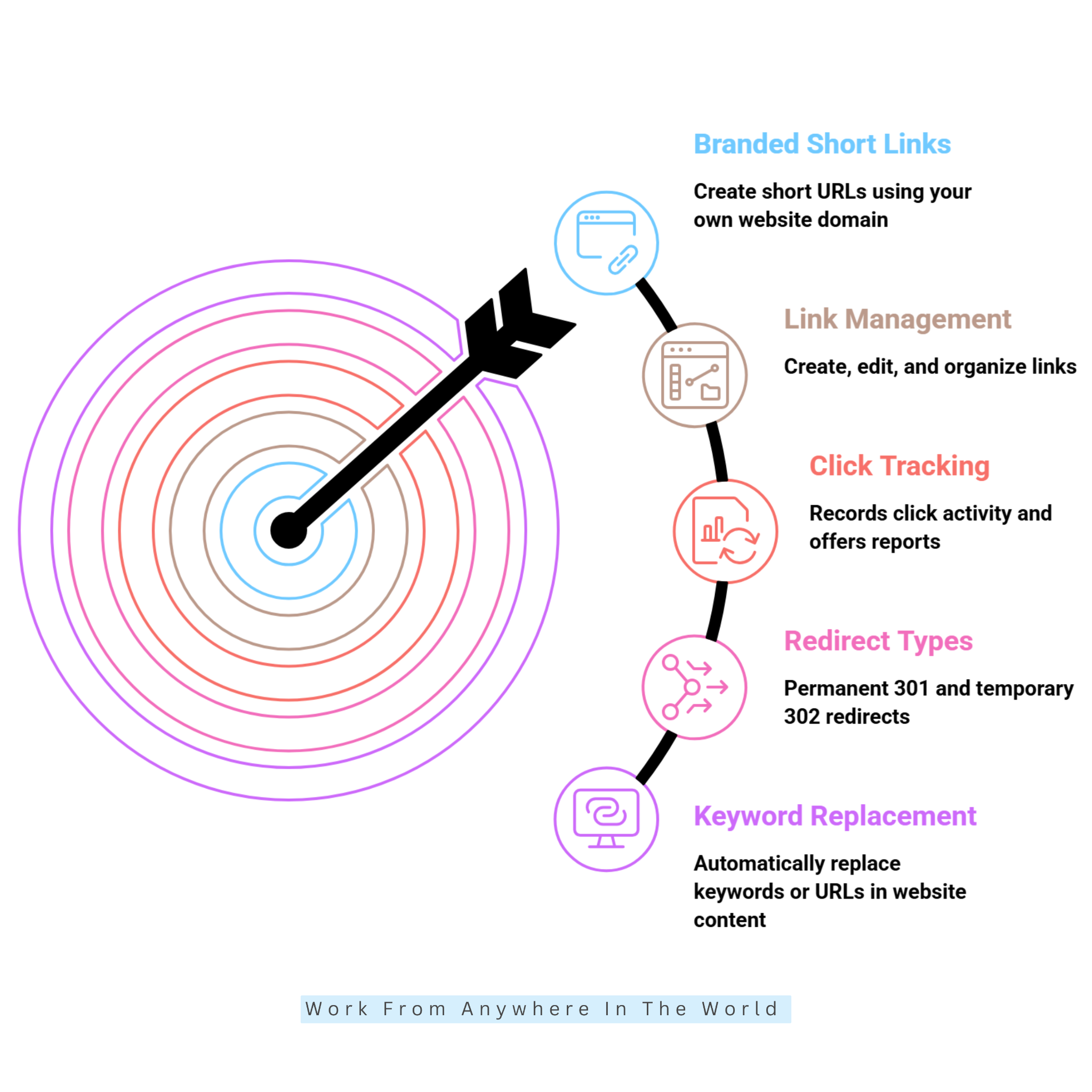
Pretty Links lets you create short URLs using your own website domain. Instead of sharing lengthy affiliate addresses, you can create memorable links with customized slugs.
These branded links are easier to share in videos, emails, blog posts, and social media. They also support consistent link presentation across your social media marketing campaigns.
However, attractive links do not automatically increase clicks or conversions. Relevant content, clear destinations, and visitor trust remain essential for successful affiliate marketing.
2. Affiliate Link Management
Pretty Links provides a central dashboard to create, edit, and organize your links. You can assign categories, manage destinations, and locate individual links without searching through multiple articles.
When a merchant changes its destination URL, you can update the corresponding PrettyLink in one place. Existing links throughout your website will then direct visitors to the updated destination.
As your link collection grows, descriptive names and consistent organization become increasingly valuable. Our guide to affiliate marketing tools explores other resources for managing your marketing activities.
3. Click Tracking And Reports
Pretty Links tracks visitor clicks and provides reports to help you evaluate link performance. Depending on your settings, reports may include referral sources, timestamps, locations, and device information.
You can review individual links, examine activity over selected periods, and compare total clicks with unique visitors. These insights help identify which content and link placements attract attention.
However, click tracking does not confirm affiliate sales or revenue. Combine Pretty Links reports with your affiliate network’s conversion data to better understand affiliate marketing sales.
4. Multiple Redirect Types
Pretty Links supports several redirect methods for different website requirements. Permanent 301 redirects suit destinations that have moved permanently, while temporary 302 redirects serve short-term changes.
Your Pretty Links dashboard also lists Cloaked, Pretty Bar, Pixel, Meta refresh, JavaScript, and 307 redirects. Available options depend on your plugin version and subscription.
Choose a redirect method based on your link’s purpose and the visitor experience. Google’s redirect documentation explains how different redirects affect search engines.
5. Keyword And URL Replacement
Pretty Links Pro can automatically replace selected keywords or URLs with your branded links. This feature helps bloggers and affiliate marketers manage recurring product references throughout their content.
Once you configure a replacement rule, the plugin can insert links without requiring manual changes to every article. This can save time when managing websites with extensive content libraries.
However, automatic linking works best when used selectively. Too many links can distract readers, so review your replacement rules and follow Google’s guidance on link quality.
6. Geographic, Device, And Time-Based Targeting
Pretty Links Pro offers smart redirect rules that direct visitors to different destinations based on location, device, browser, or time. This flexibility can support marketing campaigns targeting different audiences and regions.
For example, international campaigns may benefit from directing visitors to region-specific landing pages. Targeted redirects can also complement broader cost-effective marketing strategies.
However, conditional redirects require careful testing. Set a suitable default destination, check the visitor experience across devices, and ensure every destination matches the intended audience.
7. Link Rotation And Split Testing
Pretty Links Pro supports link rotation and split testing, allowing one short URL to direct visitors to different destinations. You can distribute traffic between offers or landing pages to compare their performance.
This feature can support affiliate campaigns when combined with conversion tracking. Google’s A/B testing guidance explains how experiments can help evaluate different website experiences.
Define your conversion goal before testing and allow sufficient time to collect meaningful results. Avoid changing several variables at once, as this can make comparisons hard to interpret.
Wealthy Affiliate – Mini Review
If you’ve ever thought about turning your blog, passion, or niche into an online business,
Wealthy Affiliate (WA) is one of the most beginner-friendly platforms I’ve used.
It combines step-by-step training, website hosting, AI-powered tools,
keyword research, and an active community all in one place.
What I like most is that you can start for free (no credit card needed), explore the platform,
test the tools, and connect with other entrepreneurs before upgrading.
WA isn’t a “get rich quick” scheme — success comes from consistent effort
and applying what you learn over time.
8. Link Expiration And Health Monitoring
Pretty Links Pro can expire links based on a date or click limit. You can also configure a destination for visitors who follow a link after it expires.
Link health monitoring helps identify destination URLs that may need attention. These features are particularly useful for seasonal promotions, limited-time offers, and websites with extensive link libraries.
However, automated checks can occasionally flag perfectly functional links. According to the official Pretty Links documentation, some websites block automated requests, causing misleading warnings.
Always open a flagged link in your browser before changing its destination. Regular checks and helpful fallback pages can keep your link collection reliable without unnecessary updates.
9. Link Categories And Tags
Pretty Links lets you organize affiliate URLs using categories and tags. You can group links by merchants, products, marketing campaigns, or content topics.
Categories create a structured link library, while tags provide additional ways to identify related links. This makes it easier to find specific URLs when your website contains hundreds of PrettyLinks.
A consistent naming and categorization system also simplifies future updates. For bloggers managing several promotional campaigns, this organization can save time and reduce confusion.
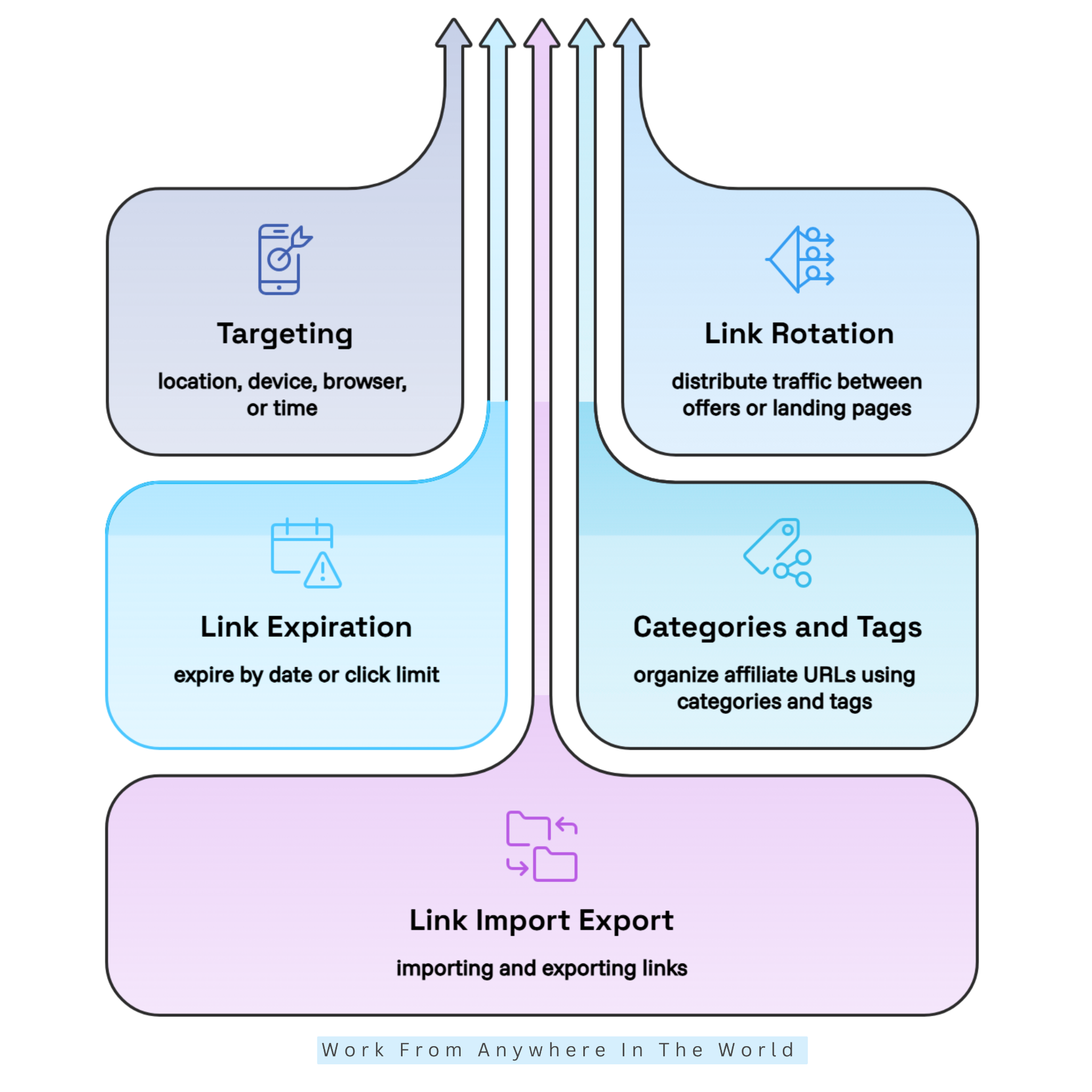
10. Link Import And Export
Pretty Links supports importing and exporting link data, making large affiliate link collections easier to manage. Importing helps transfer existing links into the plugin, while exporting creates a reusable record of your link library.
These tools are particularly useful when moving to another WordPress website or maintaining backup records. Our Ultimate Website Migration Checklist explains other important considerations when transferring website content.
Before importing or exporting links, check the supported file formats and available settings. Review the transferred data carefully to ensure that slugs, destinations, and redirect configurations remain correct.
Pros Of Pretty Links
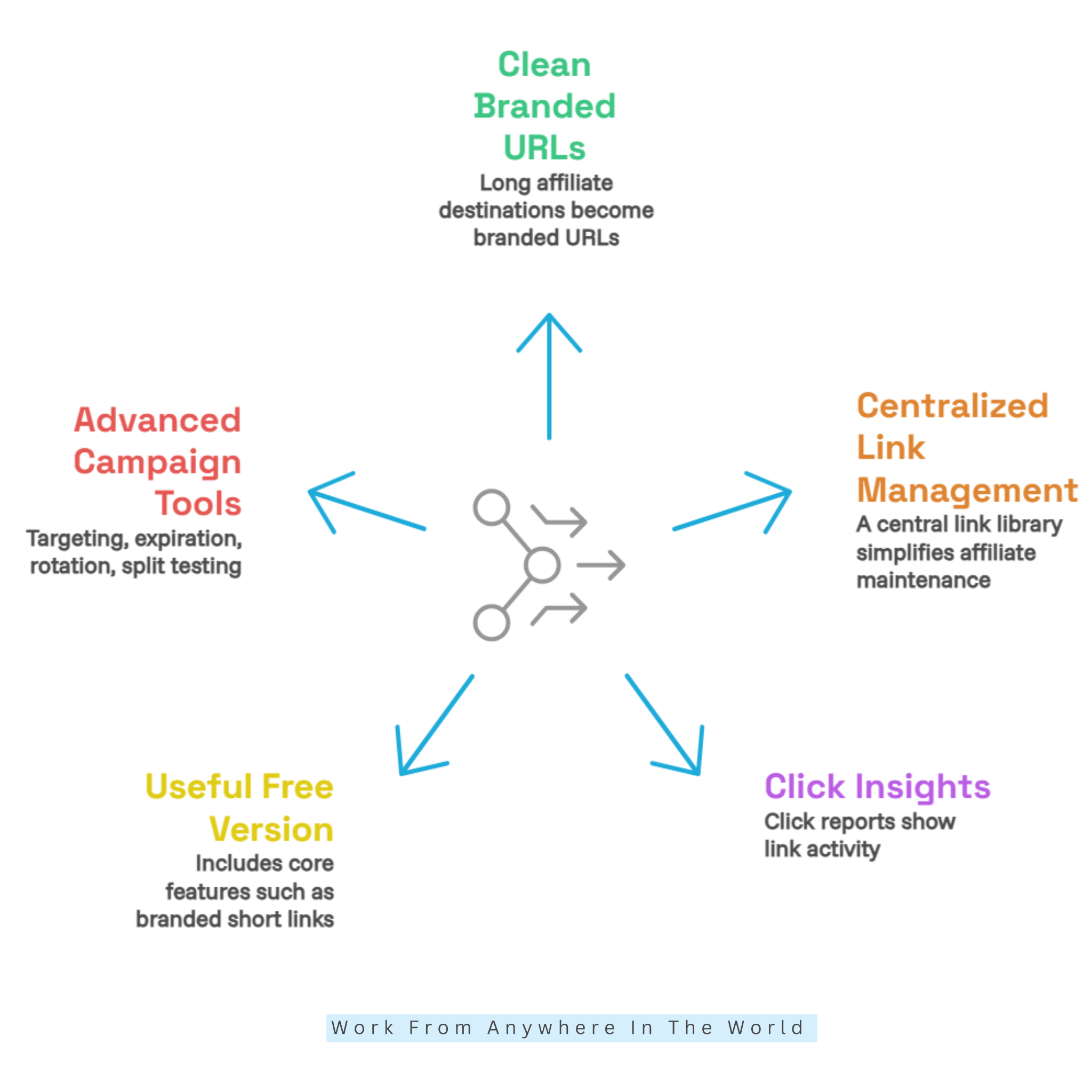
Pretty Links offers several advantages for bloggers, affiliate marketers, and website owners. Its greatest strengths include branded URLs, centralized management, click reporting, and tools that support growing marketing campaigns.
1. Creates Clean, Branded URLs
Pretty Links transforms lengthy affiliate destinations into short, branded URLs that are easier to recognize and share. Custom slugs help maintain a consistent appearance across blog posts, emails, videos, and social media.
Using your own domain also provides greater control over link presentation. Our Social Media Marketing Essentials guide explores additional ways to maintain consistency across your promotional channels.
However, attractive links do not guarantee higher conversions. Relevant content, trustworthy destinations, and clear recommendations remain important when encouraging visitors to follow your links.
2. Centralized Link Management
Pretty Links provides a central library for organizing and maintaining your affiliate links. When a destination changes, you can update its PrettyLink without editing every article containing that short URL.
Categories, tags, search functions, and bulk actions make large collections easier to manage. Consistent naming conventions also help you identify links and avoid mistakes during routine updates.
For example, I use Pretty Links across Work From Anywhere In The World, Close To Nature, Living The Vegan Lifestyle, and PawReiki. Each website maintains its own organized link collection, making updates and internal linking easier.
For example, gardening influencers can organize links to their favourite gardening resources, while someone learning how to start a vegan blog can manage recommended blogging tools and services.
The same approach can support entrepreneurs exploring pet Reiki income ideas. Pretty Links helps keep promotional resources organized as their content and business activities expand.
3. Offers Click Insights
Pretty Links provides click reports that help you understand how visitors interact with your links. You can compare total clicks, unique visitors, and additional details supported by your tracking settings.
These insights help identify which articles, campaigns, and link placements attract attention. Reviewing the results can guide future content improvements and promotional decisions.
However, recorded clicks do not necessarily represent sales. Combine Pretty Links reports with affiliate-network data to evaluate conversions and understand which promotional activities generate results.
4. Includes A Useful Free Version
The free Pretty Links plugin includes essential features such as branded URLs, standard redirects, click tracking, and reports. These tools provide a practical starting point for bloggers managing smaller link collections.
Beginners can explore the dashboard, organize links, and get familiar with the plugin before buying a subscription. This makes it easier to decide whether you need advanced features.
However, targeting, link rotation, and other specialized tools require paid plans. Compare the available features with your website’s requirements before deciding whether an upgrade offers worthwhile benefits.
5. Adds Advanced Tools For Growing Campaigns
Pretty Links Pro offers additional features for managing complex campaigns. These include conditional targeting, link expiration, rotation, split testing, and expanded reporting capabilities.
Depending on your subscription, additional tools may support product displays, link-in-bio pages, and campaign tracking. These features can complement your broader marketing campaign strategies.
However, not every website needs advanced functionality. Choose features that support your publishing goals, reduce repetitive work, and provide measurable benefits as your business grows.
Cons Of Pretty Links
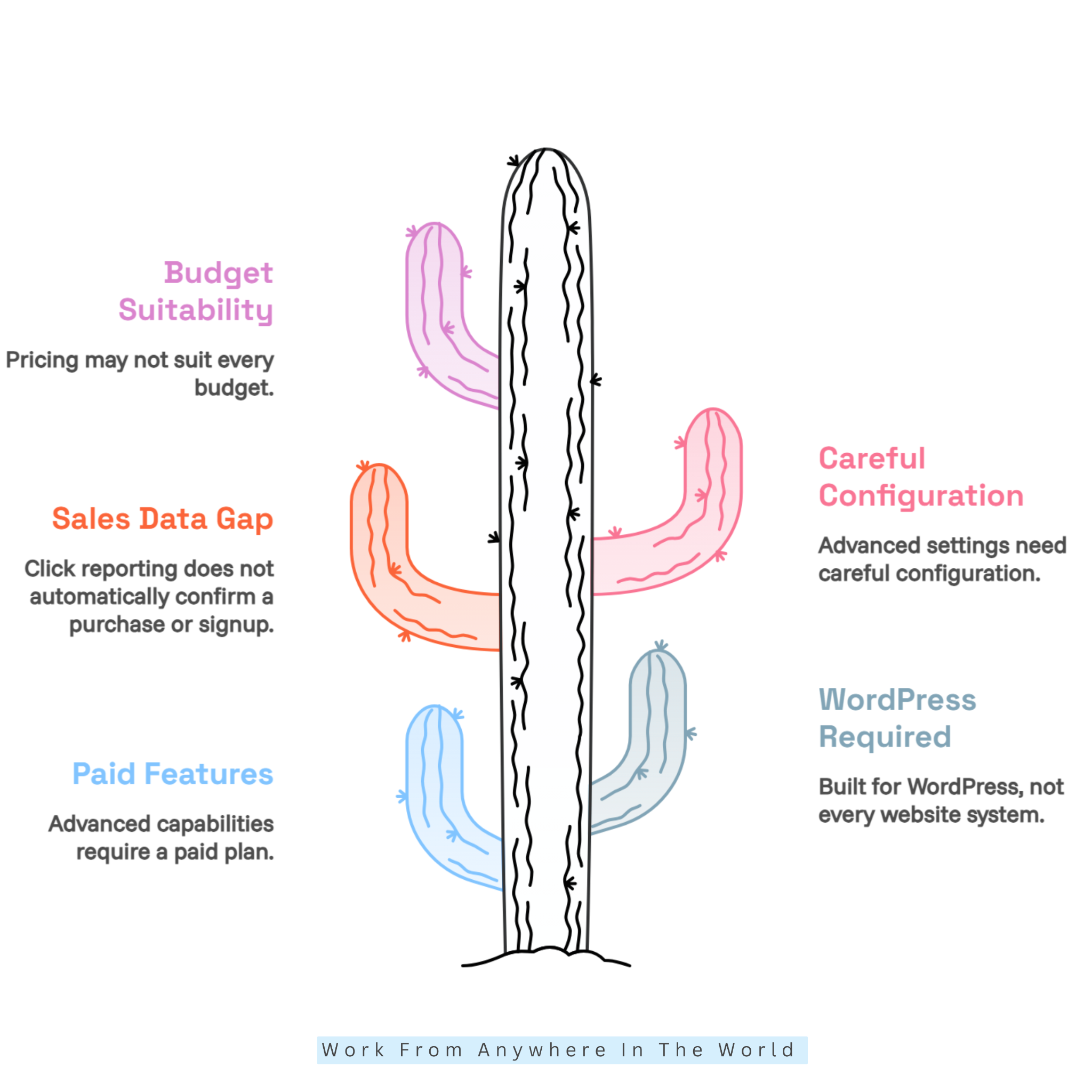
Pretty Links offers useful features for managing affiliate URLs, but it also has limitations worth considering. Understanding its subscription requirements, WordPress dependency, and reporting capabilities can help you choose the right setup.
1. Advanced Features Require A Paid Plan
Many advanced Pretty Links features require a paid subscription. Smart targeting, link rotation, expiration rules, split testing, and specialized redirects are unavailable in the free version.
These restrictions may concern users who need sophisticated campaign management without additional yearly expenses. Before upgrading, identify which features genuinely support your marketing activities.
The free plugin remains a practical starting point for basic link shortening and tracking. Compare the current subscription options to avoid paying for features you rarely use.
2. WordPress Is Required
Pretty Links is designed specifically for WordPress websites. Businesses using other content management systems or custom-built platforms may need alternative link-management solutions.
Its close integration with WordPress benefits bloggers, but it also creates a platform dependency. Users managing websites across different systems should consider compatibility before selecting the plugin.
If you’re new to WordPress, our How To Use WordPress Tutorial explains the platform’s essential features. Understanding the dashboard can make plugin management easier.
3. Click Reports Do Not Equal Sales Data
Pretty Links records link activity, but a click does not necessarily lead to a purchase or signup. Affiliate networks generally track completed transactions through their own reporting systems.
Consequently, Pretty Links reports cannot provide a complete picture of affiliate revenue. Compare click activity with sales reports and conversion data to evaluate campaign performance accurately.
Privacy settings, browser behaviour, and tracking configurations can also affect reporting accuracy. Review your tracking settings and applicable consent requirements before collecting visitor information.
4. Setup And Configuration Need Attention
Creating a basic PrettyLink is straightforward, but advanced features require careful configuration. Redirect settings, targeting conditions, expiration dates, and tracking options serve different purposes.
Incorrect settings may direct visitors to unsuitable destinations or produce misleading reports. Testing important links after setup helps identify problems before they affect your audience.
A consistent naming system and regular maintenance checks can reduce errors. Test your links on mobile and desktop devices, especially after changing destinations or redirect rules.
5. Pricing May Not Suit Every Budget
Pretty Links Pro uses annual subscriptions, and promotional offers may renew at higher regular rates. Focusing only on the introductory price can make long-term costs difficult to assess.
Smaller websites may find the free version sufficient, while larger publishers might benefit from advanced features. Consider your link collection, campaign requirements, and expected usage before upgrading.
Review the renewal price, website allowance, and included tools before purchasing. Compare the complete yearly cost with the benefits you expect from your subscription.
Pretty Links Pricing & Plans
Pretty Links offers a free plugin and three paid plans for different website and affiliate marketing needs. The free version provides branded links, basic redirects, and click reporting without requiring a subscription.
The paid plans offer additional features for publishers who need more sophisticated link management. Each plan has different website limits and tools, making it important to choose according to your requirements.
Beginner Plan
The Beginner plan supports one WordPress website and provides essential premium link-management features. These include branded URLs, click tracking, automatic link creation, and import and export tools.
This plan suits bloggers and affiliate marketers who want greater control over their links. It offers a practical starting point for managing promotional URLs on a single website.
Marketer Plan
The Marketer plan supports up to two websites and includes the Beginner features. It adds targeting, link rotation, split testing, keyword linking, advanced reports, and selected marketing add-ons.
This plan suits marketers managing multiple campaigns or testing different promotional strategies. Its additional tools can help users organize campaigns and evaluate link performance more effectively.
Super Affiliate Plan
The Super Affiliate plan supports up to five websites and includes the features of the lower plans. Additional tools include Product Displays, Splash Pages, UTM Builder, and User Links.
This plan suits established affiliate marketers and businesses managing several websites or promotional campaigns. Its broader feature collection can support more complex marketing activities.
Understanding Subscription Costs
Pretty Links advertises discounted introductory annual prices, with renewals charged at higher regular rates. Review the website allowance, included features, and renewal terms before selecting a subscription.
Visit the official Pretty Links pricing page to compare current offers and decide which plan best suits your website.
Frequently Asked Questions
Q1: Can I Change A Destination URL After Publishing A Pretty Link?
Yes. You can update a PrettyLink’s destination URL directly from your WordPress dashboard. Existing instances of that short link will automatically direct visitors to the new destination.
This is particularly useful when merchants change product pages or promotions expire. You can maintain working links without editing every article where they appear.
Q2: Does Pretty Links Track Affiliate Sales?
Pretty Links tracks clicks and offers additional conversion-tracking features through Pro. However, affiliate networks and merchants generally provide the official records of completed sales and commissions.
Compare Pretty Links reports with your affiliate network’s data to evaluate campaign performance. This helps distinguish visitor interest from actual purchases or signups.
Q3: Is Pretty Links Available For Non-WordPress Websites?
Pretty Links is designed specifically for WordPress websites. Its link-management tools operate through the WordPress dashboard rather than as an independent service.
If your website uses another content management system, you’ll need a compatible alternative. Check platform requirements before choosing a link-management solution.
Q4: Can Pretty Links Automatically Add Affiliate Links To Keywords?
Yes. Pretty Links Pro can automatically link selected keywords or phrases to designated affiliate destinations. This helps publishers manage recurring product references across multiple WordPress articles.
Use automatic linking selectively to keep the reading experience natural. Review your keyword rules regularly to ensure that inserted links remain relevant and functional.
Q5: Does Pretty Links Support Link Expiration?
Yes. Pretty Links Pro allows users to set expiration dates or click limits for selected links. You can also configure an alternative destination for visitors after a link expires.
This feature is useful for seasonal promotions, limited-time offers, and special campaigns. Regular checks help ensure that visitors continue reaching relevant pages.
Q6: Does Pretty Links Affect SEO?
Pretty Links does not automatically improve search rankings. However, redirect types can influence how search engines interpret URLs, making correct configuration important.
Use appropriate redirects, keep destinations relevant, and avoid excessive automated linking. These practices help protect the visitor experience while supporting your broader SEO strategy.
Conclusion
This Pretty Links Review highlights how the plugin can simplify affiliate link management for WordPress users. Its branded URLs, centralized dashboard, and click reports help bloggers and marketers keep links organized and professional.
The free version provides a useful starting point for basic link management. Pretty Links Pro adds advanced features such as targeting, split testing, automatic keyword linking, and expanded reporting for more demanding campaigns.
Choosing the right plan depends on your website’s size, marketing goals, and budget. Whether you manage a small blog or several content websites, Pretty Links can reduce repetitive tasks and make everyday link maintenance more efficient.
With thoughtful organization and regular link checks, Pretty Links can become a valuable part of your affiliate marketing workflow. It allows you to spend less time managing URLs and more time creating helpful content for your readers.
I trust you enjoyed this Pretty Links Review. Please stay tuned for more insightful blogs on affiliate marketing, online business, and working from anywhere in the world.
Take care!
— JeannetteZ 🌍✨
💬 Your Opinion Is Important To Me
Do you have thoughts, ideas, or questions? I’d love to hear from you. Please leave your comments below or email me directly at Jeannette@WorkFromAnywhereInTheWorld.com.
📚 More Work From Anywhere Reads
🚀 Ready to Build a Business You Can Run from Home
Or from Anywhere in the World?
Imagine creating income on your terms — from home, a cozy café, or wherever life takes you.
With the right tools, training, and community support, it’s entirely possible.
Start your own online business for free — no credit card needed.
Disclosure
This post may contain affiliate links. As an Amazon Associate and participant in other affiliate programs, I earn from qualifying purchases at no extra cost to you. Please read my full affiliate disclosure.