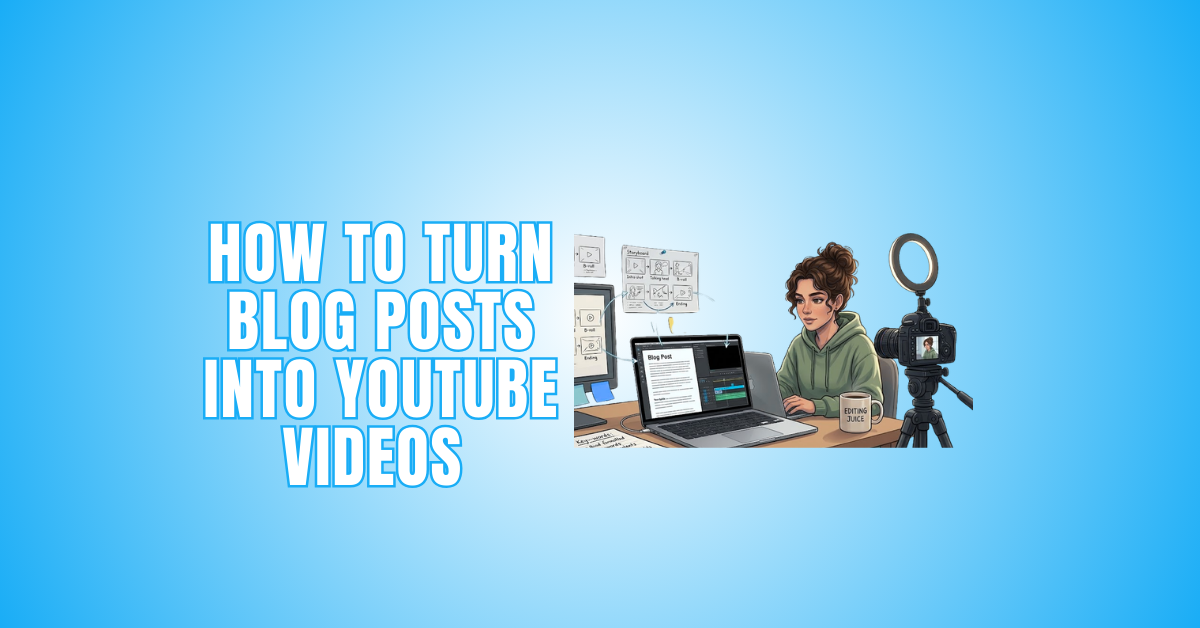
How To Turn Blog Posts Into YouTube Videos
How to Turn Blog Posts Into YouTube Videos is a powerful content strategy for modern digital marketing. Repurposing written content into video allows creators to reach new audiences and extend the value of their existing ideas.
Creating video content from blog posts is one of the smartest ways to reuse written ideas in today’s digital world. Many creators grow their audience by transforming articles into engaging videos for YouTube and other platforms.
People often prefer watching short, informative videos rather than reading long texts. If you already have a blog, you are sitting on valuable content.
With simple planning, you can turn your articles into engaging video stories that attract viewers, increase watch time, and improve your online visibility.
Why Should You Turn Your Blog Content Into Video For Online Growth?
1. Wider Audience Reach
Turning blog content into video helps you reach more people online. Many users prefer watching videos instead of reading long articles.
Video platforms like YouTube allow your content to appear in search results and recommendations. This increases visibility and brand awareness.
Video content also works well on mobile devices. When your blog becomes a video, you open opportunities to attract new viewers, followers, and potential customers.
2. Better Audience Engagement
Videos create a stronger emotional and visual connection with viewers. Moving images, voiceover, and text overlays make content more engaging. Blog articles sometimes feel long, but video content feels easier to consume.
Engagement increases when viewers like, comment, or share videos. Social interaction helps content spread faster across digital platforms.
Interactive video content keeps audiences watching longer and builds trust. Higher engagement also improves platform ranking and reach.
3. Improve Search Visibility
Video content improves online search performance. Search engines often show video results in the top positions. When you convert blogs into videos, you increase the chances of discovery.
Using proper titles, keywords, and descriptions helps content indexing. Many people search for information directly on video platforms like YouTube.
Optimized videos attract organic traffic without paid promotion. SEO-friendly video creation supports long-term digital growth and brand exposure.
4. Increase Content Value And Usage
Blog-to-video conversion helps you reuse existing content. Instead of creating new ideas every time, you can reuse blog information in video format.
This saves time and production effort. One blog can generate articles, videos, and social media posts. Content repurposing improves marketing efficiency.
Businesses and creators use this method to maximize content investment. Multi-format content strategy is popular in modern digital marketing and online branding.
5. Grow Channel Authority And Trust
Consistent video publishing builds authority in your niche. When viewers regularly see helpful information, they begin to trust your expertise. Educational and informative videos create a professional reputation.
Platforms like YouTube reward consistent creators with better reach. Authority growth helps attract subscribers and loyal audiences.
People prefer learning from reliable creators. Strong content quality and consistency improve brand identity and long-term online success.
6. Support Digital Marketing And Business Growth
Video content is powerful for digital marketing. Businesses use videos to promote services, products, and ideas. Blog information becomes more attractive when presented visually.
Video marketing helps customers quickly understand services. Online shoppers prefer video explanations before making a purchase.
Marketing videos increase conversion rate and customer interest. Small businesses and freelancers can also benefit from blog-to-video transformation. This strategy supports modern online business promotion.
7. Improve User Learning Experience
Many people learn faster through video explanations than through reading long texts. Visual demonstration, voice explanation, and simple storytelling improve understanding.
Blog content may contain complex information, but a video presentation simplifies learning. Educational channels use this method to teach skills, technology, and knowledge.
Platforms like YouTube are popular for learning content. A better learning experience increases viewer satisfaction and the likelihood of content sharing.

How To Turn Blog Posts Into Video Content For YouTube Success
1. Understand The Core Message Of Your Blog
Before creating a video, fully understand your blog's main idea. Every strong video starts with clarity. Read your article carefully and identify the central message. Ask yourself what problem it solves or what lesson it teaches.
Remove unnecessary explanations that may slow the video down. Blogs can be detailed, but videos need to be focused. Highlight key statistics, tips, or examples. Write the main message in one simple sentence.
This becomes your video foundation. When you clearly understand the purpose, transforming written content into engaging video becomes easier and more structured.
2. Define The Goal Of Your Video
Every successful video has a clear goal. Decide whether your content is educational, inspirational, promotional, or storytelling-based. A tutorial video should guide viewers step by step.
A marketing video should persuade. A thought-leadership video should build authority. When your goal is clear, your message becomes stronger.
It also helps maintain viewer attention. Without direction, videos feel confusing. Write your objective in one short line before recording.
For example: “This video explains how to convert blogs into video content.” A clear purpose improves retention and strengthens audience connection.
3. Select Only The Most Important Points
Long blog posts often include unnecessary formatting. Choose only five to ten strong points. Focus on ideas that deliver value quickly. Videos work best when information is direct and structured. Remove repetition.
Avoid long paragraphs. Instead, turn each key point into a short explanation. Think about the viewer's attention span. Most people prefer fast, practical content.
Ask yourself which parts of your blog truly matter for understanding. Extract those ideas and prepare them as short talking points. This step makes script writing much smoother.
4. Rewrite Content In A Conversational Style
Blog language and spoken language are different. When converting content into video, rewrite it in a natural tone. Avoid complex sentences. Use shorter phrases. Speak as if you are explaining to a friend.
Replace formal expressions with simple words. Instead of reading directly from the article, adapt it into conversational speech. Add small pauses and emphasis points.
Videos feel more authentic when they sound human. A friendly tone increases trust and engagement. Viewers stay longer when they feel personally addressed rather than lectured.
5. Create A Structured Video Script
A script keeps your video organized and professional. Divide it into three parts: introduction, main content, and conclusion. The introduction should hook attention within the first few seconds.
The main part should deliver clear, structured information. The conclusion should summarize and guide viewers toward the next step. Keep sentences short and easy to speak. Practice reading the script aloud.
Adjust areas that feel unnatural. A well-written script reduces mistakes during recording and saves editing time. Structured scripting transforms blog content into polished video storytelling.
6. Design A Clear Visual Structure
Videos are visual experiences. Plan how each idea will appear on screen. Break your content into small scenes. Each scene should focus on one key point. Use text overlays to highlight important phrases.
Add simple animations if needed, but avoid clutter. Visual structure keeps viewers engaged and prevents confusion. Start with a strong hook. Then move smoothly into explanation. End with a clear takeaway.
When visuals match your spoken message, the content becomes easier to understand. Good structure improves watch time and makes your video look professional.

7. Use Screen Recording For Practical Demonstration
If your blog includes tutorials or step-by-step instructions, show the process visually. Screen recording makes explanations clearer and more practical. Instead of just talking about a method, demonstrate it.
Show clicks, settings, or examples in real time. This builds credibility and trust. Viewers learn faster when they see action. Highlight important areas using arrows or zoom effects. Keep movements slow and easy to follow.
Practical demonstration increases engagement and learning value. It also makes your content more helpful compared to simple talking-head videos.
8. Focus On Clear And Natural Voice Delivery
Your voice plays a big role in video success. Speak clearly and confidently. Avoid sounding robotic. Smile while talking—it naturally improves tone. Maintain steady speed.
Do not rush through important ideas. Use slight variations in tone to emphasize key points. Clear pronunciation builds trust. If possible, use a good microphone to improve sound quality.
Viewers often tolerate average visuals, but poor audio makes them leave quickly. Practice before recording. Listen to your test recording and adjust. Strong voice delivery makes blog-based videos more engaging and professional.
9. Add Background Music Carefully
Soft background music improves mood and professionalism. Choose instrumental tracks that match your content style. Keep volume low so your voice remains clear. Avoid dramatic or distracting music unless necessary.
Music should support the message, not compete with it. Start and end music smoothly. Sudden changes feel unprofessional. Consistent background sound keeps viewers attentive.
However, if your content is highly instructional, minimal music may work better. Always test audio balance before publishing. Good sound design enhances viewer experience and increases perceived quality.
Wealthy Affiliate – Mini Review
If you’ve ever thought about turning your blog, passion, or niche into an online business,
Wealthy Affiliate (WA) is one of the most beginner-friendly platforms I’ve used.
It combines step-by-step training, website hosting, SEO research tools,
and an active community all in one place.
What I like most: you can start free (no credit card needed),
explore lessons, test the tools, and connect with other entrepreneurs
before upgrading. WA isn’t a “get rich quick” scheme — it’s a platform where success comes
from consistent effort and applying what you learn.
10. Edit For Clarity And Flow
Editing transforms raw footage into polished content. Remove mistakes, long pauses, and repeated lines. Keep transitions smooth and simple.
Avoid overusing flashy effects. Add subtitles for better accessibility. Many people watch videos without sound. Check pacing—ensure the video flows naturally.
Adjust brightness and audio levels if necessary. Watch the final version fully before uploading. Ask yourself if the message feels clear and engaging.
Clean editing improves professionalism and viewer satisfaction. Well-edited videos perform better and help you grow faster on YouTube.
11. Optimize Your Video For YouTube Search
Optimization helps your video reach the right audience. Start with a clear and keyword-rich title. Use phrases people actually search for. Write a strong description summarizing the main value of your video.
Naturally, include relevant keywords from your original blog topic. Add appropriate tags to improve discoverability. Design a clean and attractive thumbnail that grabs attention instantly. Avoid misleading clickbait.
Instead, focus on clarity and benefit. SEO increases organic traffic over time. Proper optimization ensures your blog-based video continues to attract viewers long after publication.
12. Add A Strong Call To Action
Every successful video guides viewers toward the next step. Add a clear call to action at the end. Ask viewers to subscribe, like, comment, or share. Keep it natural and friendly.
Avoid sounding demanding. For example, say, “If this helped you, consider subscribing for more tips.” A strong CTA increases engagement signals. Engagement helps videos rank higher.
You can also guide viewers to read your full blog for deeper details. This builds cross-platform traffic. Simple, direct CTAs improve community growth and long-term channel success.

13. Maintain Consistency In Publishing
Consistency builds trust and authority. Upload videos regularly instead of posting randomly. When viewers know your schedule, they are more likely to return. Consistency also signals reliability to platform algorithms.
You do not need to publish daily, but maintain a realistic routine. Weekly or bi-weekly uploads work well for beginners. Repurpose multiple blog posts into a content series.
This keeps your channel active without creating new ideas from scratch. Over time, consistent effort builds audience loyalty and strengthens your personal or brand identity.
14. Analyze Performance And Improve
After publishing, monitor your video performance. Check watch time, audience retention, and engagement rate. See where viewers drop off. This shows which parts need improvement.
Compare successful videos with low-performing ones. Learn patterns in titles, thumbnails, and structure. Improvement comes from analysis, not guessing. Use insights to adjust future blog-to-video conversions.
Your introduction needs to be shorter. Your visuals may need improvement. Small adjustments create big results over time. Data-driven improvement helps you grow smarter and faster.
15. Repurpose Video Content Across Platforms
Do not limit your video to one platform. Repurpose it for multiple channels. Share short clips on social media. Create vertical versions for mobile audiences. Turn key points into short-form content.
Embed the video inside your original blog post to improve engagement. This increases website time-on-page and SEO value. Multi-platform distribution expands reach without extra content creation.
One blog can become a full content ecosystem. Smart repurposing maximizes effort and strengthens online growth across different digital platforms.
16. Turn One Blog Into A Video Series
Instead of creating one long video, break your blog into multiple short episodes. Each episode can focus on one key idea. This strategy increases total content output from a single article.
It also improves audience retention because shorter videos are easier to watch. A series builds anticipation. Viewers may return for the next part. This boosts channel consistency and watch time.
Structured series content also positions you as organized and professional. One detailed blog can easily become three to five valuable videos.
17. Use Storytelling To Increase Emotional Connection
Facts inform, but stories connect. When converting a blog into a video, add storytelling elements. Share real-life examples, short scenarios, or relatable situations. Stories make information memorable.
Instead of just explaining a method, show how it helps someone. Emotional engagement increases watch time and shares. Viewers remember stories longer than plain explanations.
Keep stories short and relevant to the topic. Avoid unnecessary drama. Simple storytelling builds authenticity and trust. It transforms educational content into an engaging visual experience.
18. Build Personal Branding Through Video Presence
Video gives you something blogs cannot—face and voice presence. Use this opportunity to build your personal brand. Maintain consistent tone, background style, and visual identity. Introduce yourself briefly in each video.
Over time, viewers recognize your style. This builds authority and credibility. Personal branding increases trust, especially on platforms like YouTube.
People connect more with personalities than with text. Consistent branding makes your content memorable and professional.

FAQs
1. Why Is Blog-To-Video Conversion Important?
Blog-to-video conversion helps reuse written content in a visual format. It increases audience engagement, improves understanding of information, and supports modern digital content consumption trends.
2. How Does Video Help Blog Content Growth?
Video content increases reach, improves watch time, and attracts more viewers. Visual explanations make information easier to remember and encourage sharing across online platforms.
3. What Type Of Blog Content Is Best For Video?
Educational, how-to, tutorial, and informative blog posts convert best into videos. Simple explanations, step-by-step guides, and practical tips perform better for viewers.
4. How Can Blog Videos Improve Online Visibility?
Blog videos improve search discovery, increase engagement, and support organic traffic growth. Proper optimization, clear structure, and quality presentation help content perform better online.
Conclusion
Turning blog posts into video content is a powerful way to grow online presence. It helps reach more audiences and increases engagement on YouTube. Use simple storytelling, clear script writing, and attractive visuals.
Focus on SEO, consistency, and audience engagement. Converting blogs into videos improves content value. Start creating video content today and practice regularly to improve quality and performance.
I trust you enjoyed this article on How To Turn Blog Posts Into YouTube Videos. Please stay tuned for more insightful blogs on affiliate marketing, online business, and working from anywhere in the world.
Take care!
— JeannetteZ 🌍✨
💬 Your Opinion Is Important To Me
Do you have thoughts, ideas, or questions? I’d love to hear from you. Please leave your comments below or email me directly at Jeannette@WorkFromAnywhereInTheWorld.com.
📚 More Work From Anywhere Reads
🚀 Ready to Build a Business You Can Run from Home
Or from Anywhere in the World?
Imagine creating income on your terms — from home, a cozy café, or wherever life takes you.
With the right tools, training, and community support, it’s entirely possible.
Start your own online business for free — no credit card needed.
Disclosure
This post may contain affiliate links. As an Amazon Associate and participant in other affiliate programs, I earn from qualifying purchases at no extra cost to you. Please read my full affiliate disclosure.