eCommerce SEO Audit Checklist For Your Website In 2026
Running an online store in 2026 won’t be easy. Competition is rising. Search engines are more intelligent. Customers expect faster, seamless experiences. And every year, Google rolls out updates that can lift or sink your rankings overnight.
That’s why an eCommerce SEO audit is no longer optional. It’s essential. It keeps your store healthy, fast, visible, and fully optimized for how shoppers search today.
This ecommerce seo audit checklist helps you prepare your store for 2026 by focusing on what truly improves visibility, speed, and customer trust.
What Is An eCommerce SEO Audit?
An eCommerce SEO audit is a full, detailed checkup of your online store to see how well it performs in search engines. Think of it as a health report for your website.
It analyzes every part of your store—technical setup, content quality, user experience, structure, product pages, category pages, and backlinks—to find what’s working and what’s hurting your rankings.
The objective is to comprehend how search engines perceive your website. An audit looks at things like page speed, mobile performance, broken links, duplicate content, crawlability, keyword usage, product descriptions, schema markup, and overall navigation. It also checks whether your store is optimized for generative AI search, which plays a much bigger role in 2026.
In simple words, an eCommerce SEO audit helps you answer:
- Is my website easy for Google to crawl and index?
- Are my product and category pages optimized correctly?
- Does my content match user intent?
- Is my site structure clean and easy to navigate?
- Are there technical issues slowing the site down?
- Do I meet Core Web Vitals standards?
- Is my store ready for AI-driven search results?
Once the audit identifies problems, you use the findings to fix issues, improve rankings, increase organic traffic, and boost conversions.
An audit is the first step to building a strong SEO strategy because it gives you a full picture of where your site stands today and what you need to improve for long-term success.
Why eCommerce SEO Matters More in 2026
eCommerce SEO is more essential than ever in 2026 because search trends, competition, and customer expectations are evolving faster than before.
1. Search Competition Is Higher Than Ever
More online stores enter the market each year, making visibility harder. In 2026, SEO becomes essential because it helps you stand out without spending heavily on ads. A solid SEO strategy keeps your store discoverable and competitive long-term.
2. AI-Powered Search Is Changing How People Shop
AI-driven search engines analyze intent, context, and conversation-style queries. If your site lacks structured data, optimized content, or clean SEO, you’ll miss AI search placements. Optimizing now ensures your products appear in more brilliant, future-focused search results.
3. Customer Expectations Are Rising
Shoppers expect fast-loading pages, precise product details, and seamless navigation. SEO improves these areas by enhancing site speed, structure, and content quality. Meeting these expectations keeps visitors engaged, reduces bounce rates, and increases the likelihood of sales.
4. Google’s Algorithm Updates Are More Frequent
Google updates its algorithms constantly to improve search quality. Without strong SEO, your rankings can drop suddenly. A consistent optimization strategy protects your site, maintains visibility, and ensures you adapt smoothly to ongoing changes in 2026.
5. Organic Traffic Is Still The Highest-Converting Traffic
Organic visitors trust search results more than ads, making them more likely to buy. Paid advertising costs continue rising, but SEO brings steady, long-term traffic. Investing in SEO ensures a reliable flow of high-quality, purchase-ready customers.
6. Mobile-First Browsing Dominates
Most shoppers now browse and buy using mobile devices. SEO ensures your store loads quickly, displays clearly, and works flawlessly on phones. A mobile-optimized experience improves engagement, boosts rankings, and helps you meet modern shopping behaviours.
Wealthy Affiliate – Mini Review (2025)
If you’ve ever thought about turning your blog, passion, or niche into an online business, Wealthy Affiliate (WA) is one of the most beginner-friendly platforms I’ve used. It combines step-by-step training, website hosting, SEO research tools, and an active community all in one place.
What I like most: you can start free (no credit card needed), explore lessons, test the tools, and connect with other entrepreneurs before upgrading. WA isn’t a “get rich quick” scheme — it’s a platform where success comes from consistent effort and applying what you learn.
Detailed eCommerce SEO Audit Checklist
1. Check Site Speed & Core Web Vitals
Site speed affects everything—rankings, conversions, and user experience. Slow pages push customers away. Start by testing your store with PageSpeed Insights or GTmetrix to understand what’s dragging performance down.
Large images, heavy plugins, or unnecessary scripts often cause delays. Fix these issues one by one. Make sure your LCP, FID, and CLS scores meet Google’s guidelines. Use a fast, dependable hosting provider for smoother loading.
Enable lazy loading so images appear only when users scroll. These simple improvements create a quicker, more enjoyable shopping journey and help your site perform better in search results.
Pro Tips
- Compress images before uploading
- Remove unused third-party scripts
- Enable browser caching everywhere
- Minify CSS, JavaScript, HTML

2. Review Mobile Responsiveness
Mobile shoppers expect smooth browsing. Try your website on various screen sizes to see how the pages change. Make sure text is readable without zooming, and buttons are easy to tap.
Check whether images resize correctly and layouts stay stable while scrolling. Fix any overlapping elements or layout shifts. A clean mobile layout builds trust and keeps visitors engaged longer.
Also, test your menu, filters, and checkout flow on phones. If something feels slow or clunky, users will leave fast. Prioritizing mobile responsiveness boosts conversions and strengthens your overall SEO performance.
Pro Tips
- Use a responsive mobile-first design
- Ensure tap-friendly button spacing
- Avoid text that is too small
- Test layout on real devices
3. Audit URL Structure
Clean URLs help search engines and shoppers understand your pages instantly. Review your ecommerce URLs and remove unnecessary numbers, symbols, or random characters.
Keep everything lowercase and use hyphens to separate words. Make sure category and product URLs look meaningful and straightforward. Avoid long strings generated by filters.
Consistent structure improves crawlability and reduces confusion. If you have variants or filters creating multiple versions of the same page, fix them before they cause issues.
A clear URL structure strengthens your site’s architecture and supports long-term SEO performance across all categories and product listings.
Pro Tips
- Keep URLs short and clean
- Use keywords naturally
- Avoid duplicate URL paths
- Maintain consistent formatting
4. Improve Image SEO
Image SEO matters because shoppers rely heavily on visuals to make buying decisions. Start with clear, high-quality photos that load fast. Rename your files with descriptive keywords instead of generic numbers.
Add alt text that explains the product in simple words. Reduce the loading time of photos by compressing them without compromising quality.
Use WebP formats for better performance. Add multiple angles and lifestyle shots. Image SEO also boosts your visibility in Google Images.
In 2026, visual search is growing fast. Optimizing your images helps you reach more shoppers and improves your overall product discoverability.
Pro Tips
- Replace IMG numbers.
- Faster loading everywhere.
- Explain the product.
- Keep quality sharp.
5. Optimize Title Tags & Meta Descriptions
Your titles and meta descriptions shape the first impression users see in search results. Keep them clear and focused. Add your primary keyword naturally without stuffing.
Use action words to encourage clicks, like “Shop,” “Buy,” or “Discover.” Make sure every page has unique metadata, especially product and category pages.
Titles should not be more than 60 characters, and meta descriptions should not be longer than 160. Explain the benefit or value.
Strong metadata boosts click-through rates and helps search engines understand your content better. Your e-commerce site's traffic can be significantly increased by making small changes.
Pro Tips
- Add primary keyword naturally
- Use clear action-focused wording
- Keep metadata lengths optimal
- Write unique descriptions everywhere
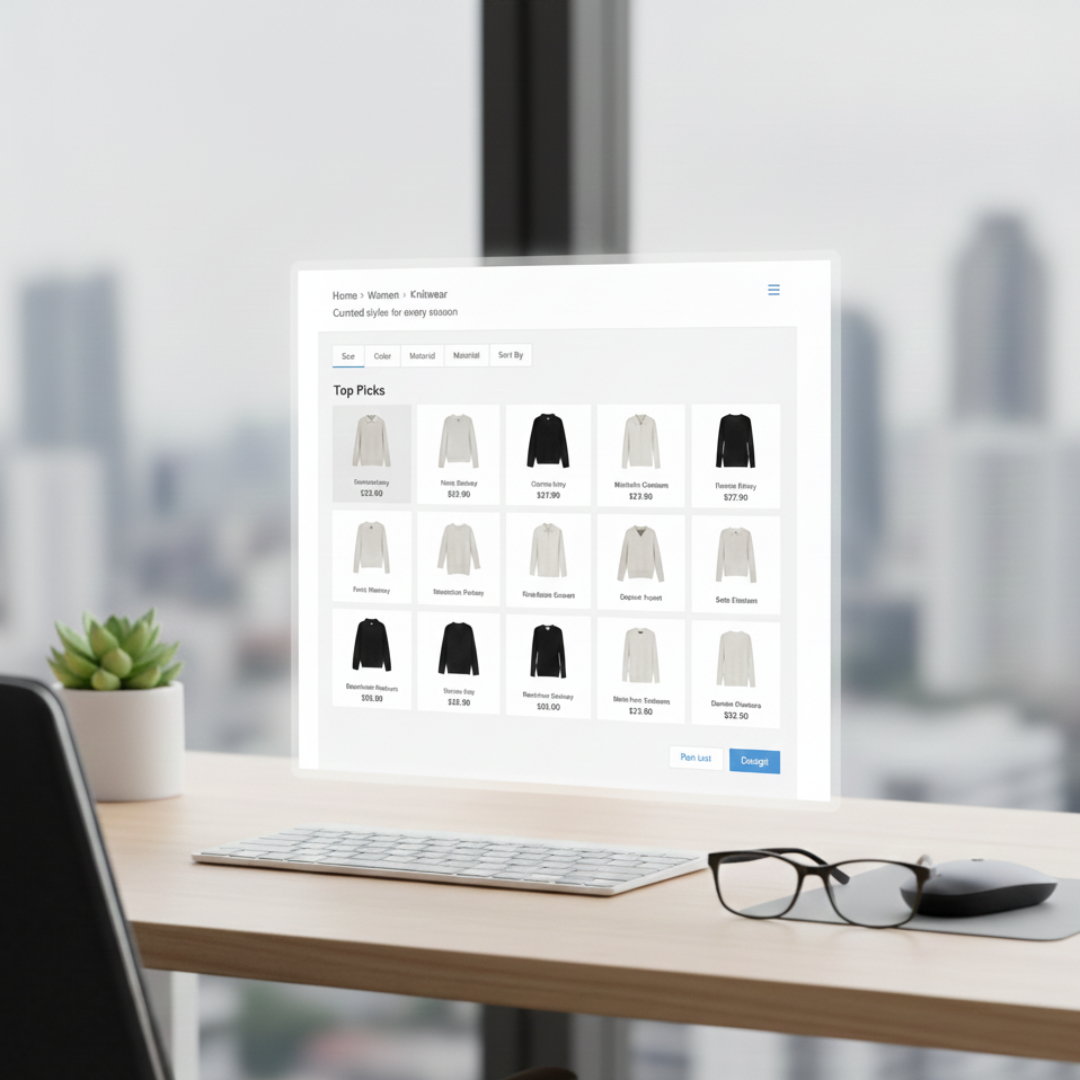
6. Improve Category Pages
Category pages guide shoppers through your store, so they must be easy to browse and optimized for SEO. Start by adding a short intro text with relevant keywords.
Make filters simple and avoid overwhelming customers with too many choices. Highlight top products through internal links or featured sections.
Ensure each category page has unique descriptions rather than repeating content. Clean category pages improve user experience and help Google understand your product groups.
When navigation feels effortless, shoppers spend more time exploring and eventually buying. A well-optimized category page strengthens both search visibility and conversions.
Pro Tips
- Add keyword-rich intro text
- Keep filters simple, helpful
- Highlight best-selling products
- Avoid duplicate category descriptions
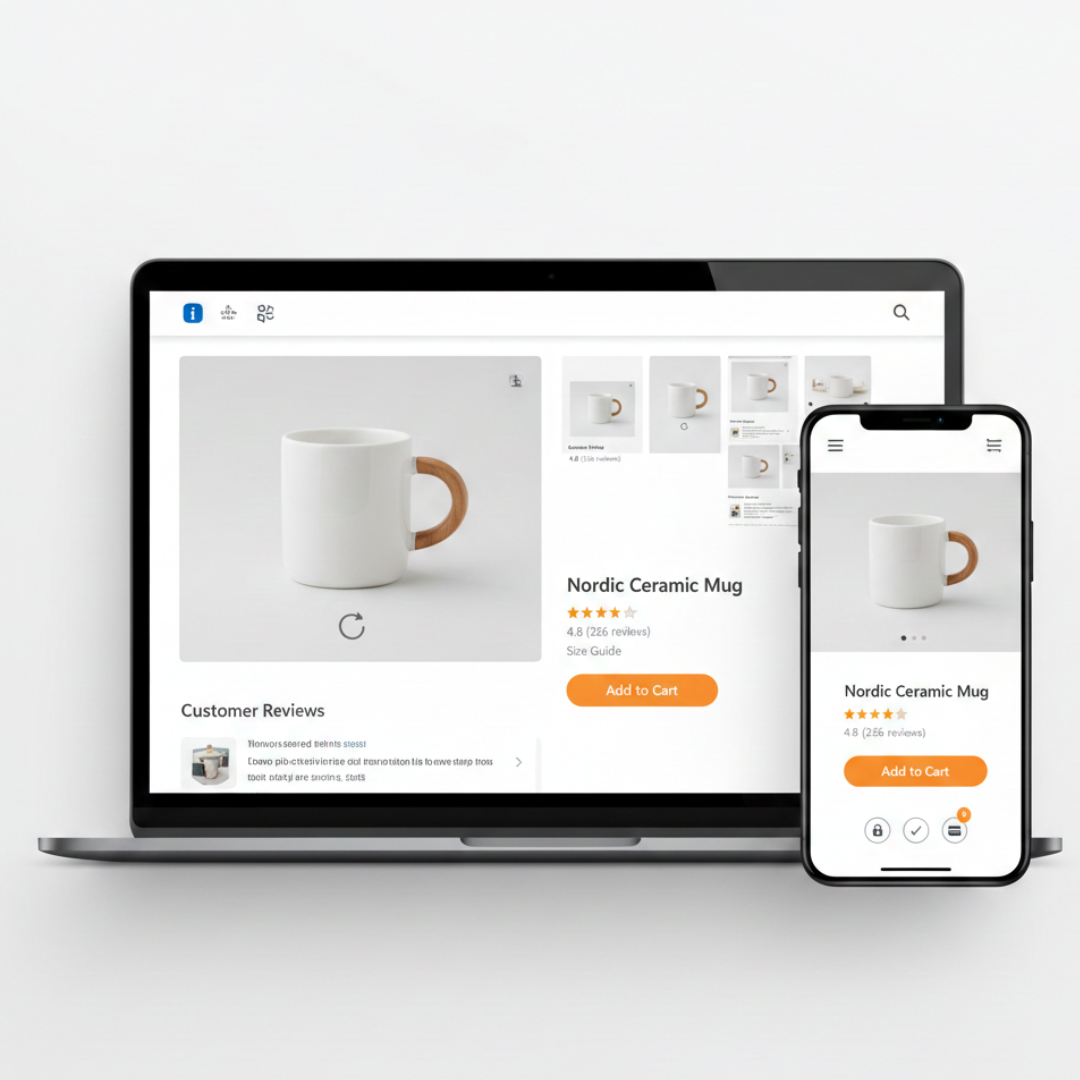
7. Optimize Product Pages
Product pages need to impress quickly. Start with unique descriptions that explain features and benefits clearly. Avoid using manufacturer text because it creates duplicate content issues.
Add high-quality images, videos, or 360° views to build trust. Include alt text for accessibility and SEO. Add reviews, sizing details, FAQs, and trust badges to answer questions before shoppers hesitate. Make your CTAs clear and visible.
A strong product page keeps customers engaged, increases conversions, and signals relevance to search engines. Every detail matters in helping people confidently make a purchase.
Pro Tips
- Write unique product descriptions
- Add high-quality visual assets
- Include helpful customer reviews
- Use descriptive keyword-rich alt text
8. Fix Duplicate Content Issues
Duplicate content confuses search engines and weakens your rankings. Start by scanning your site with tools like Screaming Frog or Copyscape to find repeated text.
Product variants, filters, or manufacturer descriptions often create accidental duplicates. Use canonical tags to guide Google to the correct version of a page.
Rewrite repeated descriptions to make them unique. Remove unnecessary duplicates and combine thin pages into stronger ones.
This makes your site easier to crawl, reduces keyword cannibalization, and improves overall SEO health. A clean content structure helps search engines understand your pages more clearly.
Pro Tips
- Add canonicals for variants
- Rewrite repeated product text
- Remove unnecessary duplicate pages
- Merge thin content sections
9. Improve Internal Linking
Internal links facilitate easy navigation on your website for both visitors and search engines. Add links from blog posts to category and product pages.
Use descriptive anchor text so Google understands the context. Avoid orphan pages with no internal links pointing to them.
Add breadcrumb navigation to help users jump back easily. Organizing your links strategically strengthens site structure, helps pages rank better, and boosts engagement.
Internal linking also spreads link equity across your store, supporting both new and old pages. Discoverability can be significantly increased with this minor adjustment.
Pro Tips
- Add relevant contextual links
- Use clear descriptive anchors
- Remove orphan pages immediately
- Add breadcrumb navigation system
10. Audit Technical SEO
Technical SEO keeps your ecommerce site crawlable and indexable. Start by checking robots.txt to ensure nothing important is blocked. Fix broken links and update redirects.
After reviewing your XML sitemap, upload it to Google Search Console. Add structured data for products, reviews, and breadcrumbs to enhance visibility.
Keep your site architecture clean and organized. Technical issues often go unnoticed but can seriously limit your rankings.
Regular audits ensure search engines can access all your content smoothly. A technically sound site increases trust, visibility, and long-term performance.
Pro Tips
- Keep robots.txt properly configured
- Fix broken links quickly
- Update the XML sitemap regularly
- Add essential structured data
11. Optimize Images
Images are essential for ecommerce, but they can slow your site if they’re too large. Compress your images without losing quality. Use next-gen formats like WebP or AVIF for faster loading. Before uploading, give your image files appropriate names.
To aid search engines in comprehending your images, include alt text. Fast, optimized images improve both user experience and rankings.
They load quickly on mobile and keep shoppers engaged. Strong image optimization also helps your Core Web Vitals stay in good shape, supporting better SEO performance.
Pro Tips
- Compress images before uploading
- Use modern next-gen formats
- Rename files with keywords
- Add descriptive alt attributes
12. Improve Mobile UX
Your customers shop on their phones first, not desktops. That’s why mobile UX can make or break your conversions. Start by checking how your store loads on different screen sizes. Buttons should be big.
Text should be readable. Navigation must feel smooth. Reduce pop-ups because they frustrate mobile shoppers quickly. Keep forms short. Make checkout simple with fewer steps. Test everything on both Android and iOS.
A clean mobile experience boosts rankings, conversions, and trust. Google rewards mobile-friendly sites. In 2026, mobile UX is practically your storefront. Treat it like your biggest sales asset.
Pro Tips
- Improve tap accuracy.
- Reduce friction instantly.
- Avoid shifting sections.
- Keep navigation accessible.

13. Build Strong Internal Linking
A practical ecommerce seo audit checklist always includes reviewing internal linking because it strengthens navigation, rankings, and overall site authority. They help products rank higher and keep visitors browsing longer.
Start by linking related products, categories, and buying guides. Use descriptive anchor text so customers know exactly what they’ll find. Avoid linking only from menus—place links naturally inside product descriptions and blog posts.
Create “recommended products” sections that help shoppers discover more items. This reduces bounce rates and improves topic authority.
Google loves a clear site structure. Internal linking also helps distribute authority to new pages. In 2026, smart internal linking acts like your store’s built-in navigation map.
Pro Tips
- Clarify the link's purpose.
- Group related pages.
- Connect isolated pages.
- Refresh link paths.
14. Fix Duplicate Content
Duplicate content confuses Google and hurts your rankings. eCommerce sites often face this due to product variations, filters, and copied descriptions from suppliers.
Start by checking if your product pages appear with multiple URL parameters. Use canonical tags to point Google to the main page. Rewrite generic product descriptions to make them unique.
Remove duplicate category pages created by filters. Keep your content consistent but not identical. Google rewards originality, especially in competitive niches.
In 2026, duplicate content is a serious SEO risk. Fixing it helps your products rank more clearly and reduces wasted crawl budget.
Pro Tips
- Guide Google correctly.
- Rewrite supplier content.
- Stop unnecessary indexing.
- Combine similar pages.
15. Optimize Category Pages
Category pages often rank higher than product pages. Treat them like mini landing pages. Write short, helpful descriptions at the top of each category.
Add filter options that improve user experience without creating duplicate URLs. Include internal links to best-selling products. Add sections like “top picks,” “new arrivals,” or “recommended for you.”
Make sure images load fast and look consistent. Use clean breadcrumbs to improve navigation. Optimized category pages help Google understand your store structure.
In 2026, category pages are your biggest organic traffic drivers. Give them the attention they deserve to increase sales effortlessly.
Pro Tips
- Explain the category's purpose.
- Keep visuals uniform.
- Improve navigation flow.
- Direct shoppers quickly.

16. Optimize Site Structure
A solid ecommerce seo audit checklist always includes reviewing site structure because it directly affects navigation, crawlability, and overall ranking performance.
Keep your hierarchy simple: Home → Categories → Subcategories → Product Pages. Avoid deep navigation that takes more than three clicks. Group related items logically. Use descriptive category names that match real search intent.
Keep URLs short and clean. Add breadcrumbs to help users backtrack easily. A strong structure improves crawlability and helps products rank better.
In 2026, Google prioritizes stores with intuitive architecture. A well-planned structure reduces bounce rates, improves UX, and increases conversions from organic traffic.
Pro Tips
- Keep paths short.
- Remove unnecessary words.
- Categorize products properly.
- Improve indexing speed.
Conclusion
A strong eCommerce SEO audit prepares your store for the competitive landscape of 2026. Search is evolving fast, and your website must stay fast, trustworthy, and optimized for both users and AI-driven algorithms.
Using an eCommerce seo audit checklist helps you stay organized while improving performance, fixing weak areas, and preparing your store for long-term growth.
Start with the essentials, fix the gaps, and keep improving. SEO isn’t a one-time task—it’s your ongoing growth engine for the future.
I trust you enjoyed this article on the eCommerce SEO Audit Checklist For Your Website In 2026. Please stay tuned for more insightful blogs on affiliate marketing, online business, and working from anywhere in the world.
Take care!
— JeannetteZ 🌍✨
💬 Your Opinion Is Important To Me
Do you have thoughts, ideas, or questions? I’d love to hear from you. Please leave your comments below or email me directly at Jeannette@WorkFromAnywhereInTheWorld.com.
📚 More Work From Anywhere Reads
🚀 Ready to Build a Business You Can Run from Home
Or from Anywhere in the World?
Imagine creating income on your terms — from home, a cozy café, or wherever life takes you.
With the right tools, training, and community support, it’s entirely possible.
Start your own online business for free — no credit card needed.
Disclosure
This post may contain affiliate links. As an Amazon Associate and participant in other affiliate programs, I earn from qualifying purchases at no extra cost to you. Please read my full affiliate disclosure.